













10 best Toggl Track alternatives in 2026

The closest Toggl Track replacements are Clockify (same timer-and-timesheet feel, cheaper) and Harvest (if you bill clients). Pick Everhour or Paymo when time has to live inside project work, TimeCamp or ClickTime for heavier reporting, and a genuinely free all-in-one like Timen if you want tracking, reporting, and invoicing in one place without a per-seat bill.
Toggl Track earned its following by being fast: open it, hit the timer, get on with your day. That's still its best quality. In 2026 Toggl folded Track and its planning product into one Toggl, adding planning features and setting the new free plan at 3 users, compared with 5 on the old Track plan. An alternative may be useful when you need more help with the work after the timer stops: billing, approvals, project budgets or clearer reports.
I spent time in each of the ten tools below, tracking real work for a stretch rather than clicking through a demo, and this guide is the result: what each one is genuinely good at, where it gets in the way, and which type of team it actually suits. Teams that would rather keep Toggl and just wire it to tasks and deadlines can also read how to run Toggl Track project management instead.
Why teams leave Toggl Track
The trigger is almost never the timer itself — it's the workflow that grows around it, and it tends to surface as signs your current tool is slowing the team down. In practice, the reasons cluster into five:
- Billing. Tracked hours need to become budgets, approvals, and invoices without a second tool and a spreadsheet in between.
- Reporting depth. Someone wants utilization, planning, or client-ready breakdowns that go past Toggl's standard reports.
- Project context. Time has to sit next to the actual tasks and deadlines, not in a separate app.
- Forgotten timers. People keep missing entries, so automatic or passive capture starts to look appealing.
- Cost at scale. Rolling Toggl out across a larger team gets expensive relative to what the team uses.
Which of these you're feeling should drive the whole decision. A team that needs invoicing wants something very different from a team whose only real problem is that half of them forget to start the timer. And if the nagging sense is simply that Toggl is too much for a small team, that points somewhere different again.
What to look for in a Toggl Track replacement
Once you know your trigger, judge candidates on the parts of the workflow that come after tracking, not on timer feel — every tool here has a competent timer. It also helps to settle early whether you want a timer, a timesheet, or a calendar-based review, since that shapes which tools feel natural. The things that actually differ:
- How little friction daily entry has — quick edits, keyboard-speed timers, forgiving manual entry.
- Whether reports are easy to filter, export, and hand to a client or manager without cleanup.
- Billing depth: rates, approvals, invoicing, and budget visibility, if and when you need them.
- How tightly time connects to tasks and projects when delivery work depends on it.
- Cost — and whether a "free" plan actually covers what you need, or quietly gates invoicing and reporting behind paid seats.
- Team controls and pricing that still make sense once you add seats.
How we compared these tools
A quick note on method, so you can weigh the picks:
- Hands-on use. Each tool was used to track real work, not just previewed. The "best for" calls and the pros and cons come from that, plus each product's current docs.
- Ratings. The G2 scores shown are the aggregate ratings on each product's G2 page at the time of writing (July 2026); the review summaries paraphrase recurring themes across G2 and Capterra rather than quoting any single review.
- Pricing. Taken from each vendor's public pricing page and rounded.
- Order. Roughly how close a fit each tool is for a typical Toggl Track user — not a strict ranking, and not ordered by our own product. Timen appears where it genuinely fits (a simpler, all-in-one option), which is the middle of the list, not the top.
The 10 best Toggl Track alternatives
From the closest like-for-like swaps to the more specialized tools, here's the shortlist. Many teams land here right after deciding to move off Toggl.
1. Clockify — the closest like-for-like swap
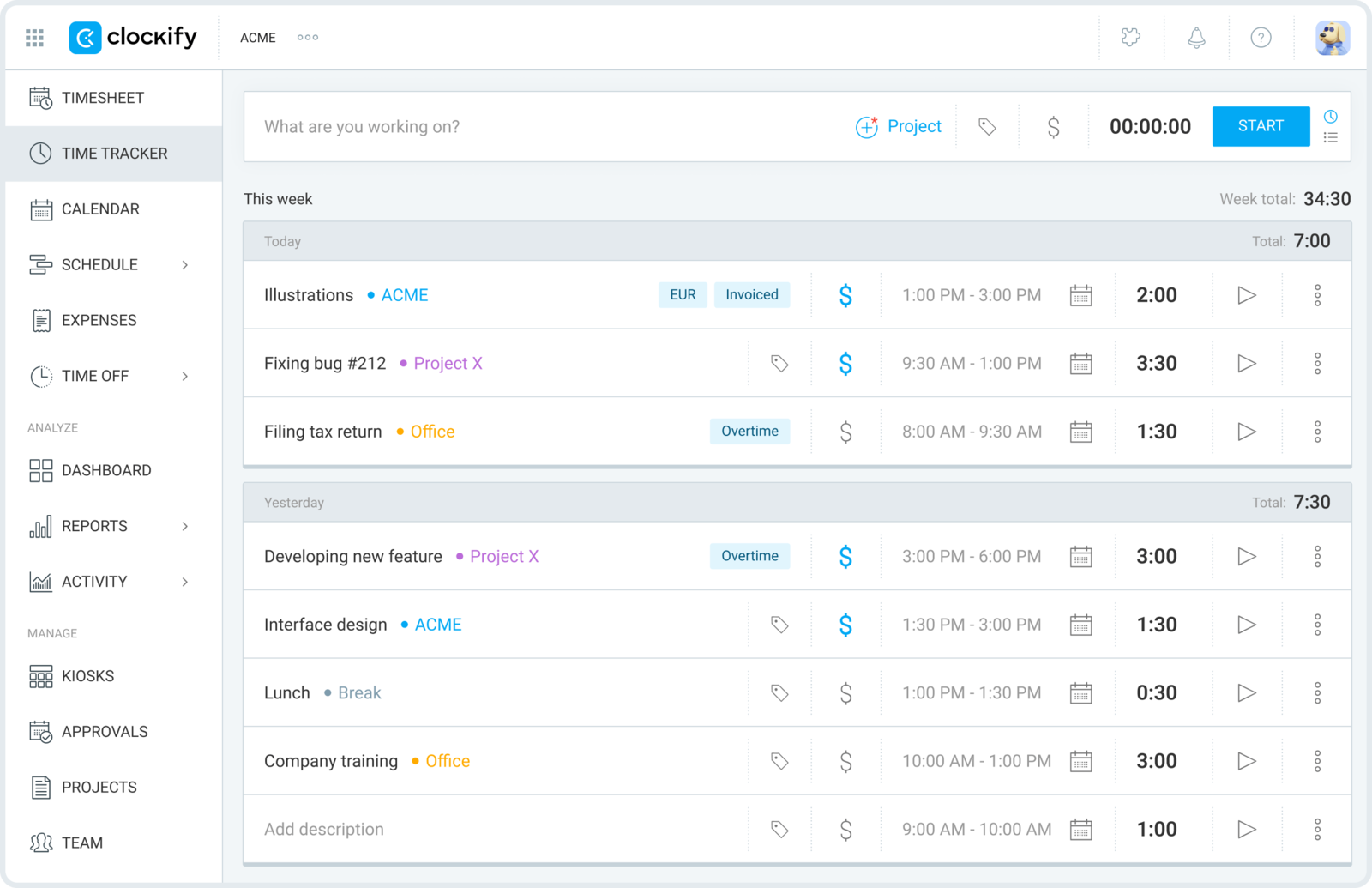
If you want the switch to feel like moving apartments in the same building, Clockify is it. Timers, timesheets, projects, and reports all map almost one-to-one onto Toggl, so nobody has to relearn how they log a day.
- Best for: Teams that want the same workflow, cheaper, with a real free tier.
- Pricing: Free plan for unlimited users; paid plans from about $4.99 per user/month.
- Rating: 4.5/5 on G2
Clockify is usually the first tool a Toggl user tries, and for cost-sensitive rollouts it's hard to beat: the free plan genuinely covers unlimited people — though it's worth checking whether Clockify is still free in 2026 before you commit. The trade is polish — it does a lot, and it can feel more utilitarian than Toggl, with advanced needs nudging you into higher tiers.
Pros
- Familiar timer-and-timesheet flow — almost no relearning for Toggl users.
- Free plan supports unlimited users, which makes team rollout cheap.
- Solid baseline reporting across projects and clients.
Cons
- Interface feels more functional than refined.
- The nicer reporting and admin controls sit behind paid tiers.
What users say about Clockify
On G2 and Capterra, the praise is consistent: quick to set up, flexible project tracking, clear reports, and strong value — especially for freelancers and budget-conscious teams. The recurring gripes are a mobile app that lags the web version, fiddly manual edits, and limits around permissions and advanced dashboards.
Source: G2 reviews and Capterra reviews
Want more like it? See the best Clockify alternatives, or settle the closest head-to-head with Toggl Track vs Clockify.
2. Harvest — best if you bill clients
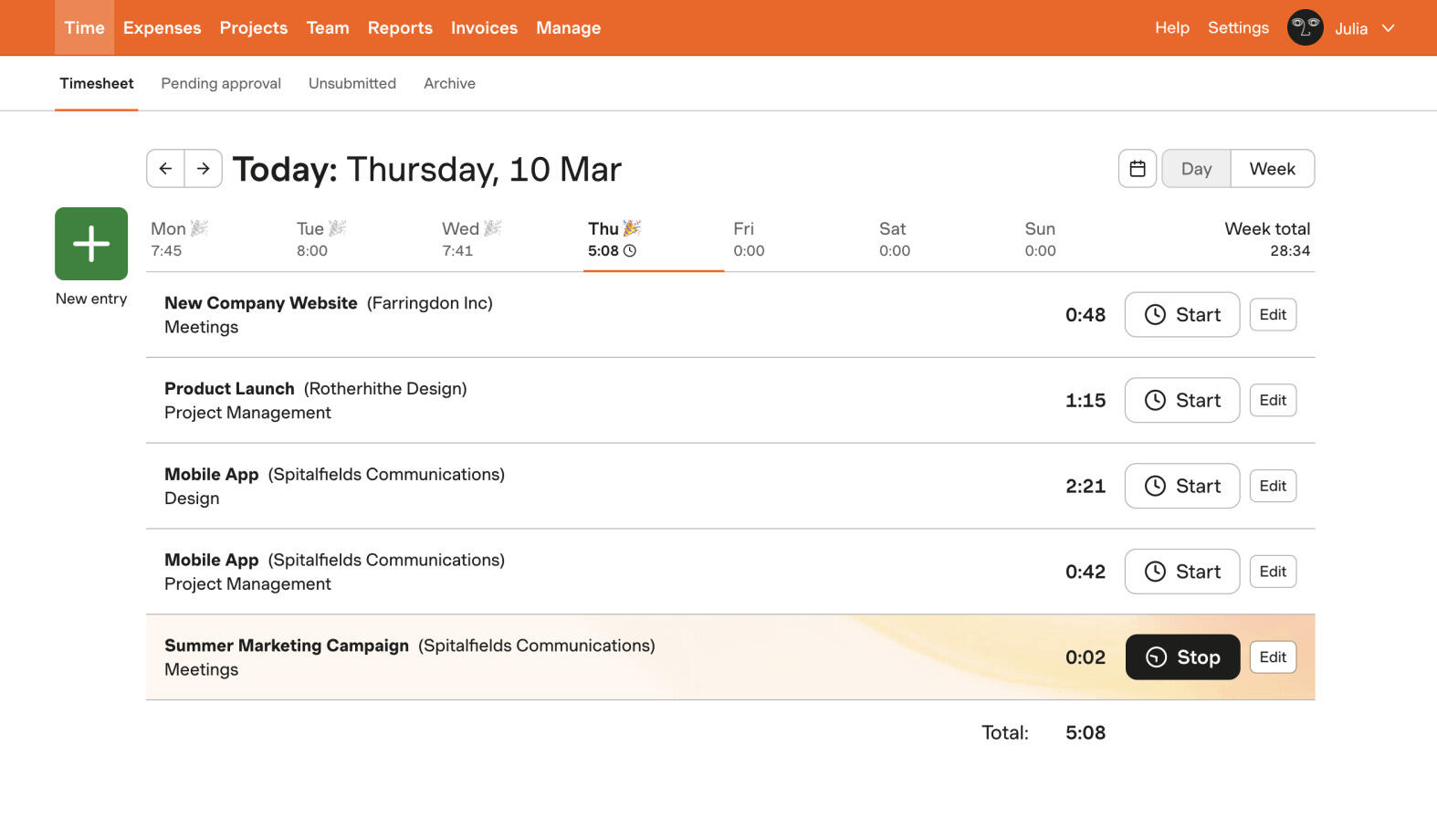
Harvest is the answer when the real job isn't tracking time, it's getting paid for it. Hours flow into budgets, approvals, and invoices without you rebuilding them somewhere else — the handoff Toggl leaves you to do by hand.
- Best for: Agencies, consultancies, and service teams that invoice for time.
- Pricing: Paid plans from about $11 per seat/month (billed annually); limited free tier.
- Rating: 4.3/5 on G2
The interface stays approachable even as the billing machinery underneath gets serious, which is why so many agencies stop shopping once they reach it. The cost is that all that billing structure is dead weight if you only ever wanted a lightweight timer — and the per-seat price is part of why some teams are rethinking Harvest.
Pros
- Invoicing built directly on top of tracked time.
- Client-friendly reporting and exports.
- Comfortable for non-technical teammates to adopt.
Cons
- Pricier per seat than most tools here.
- More billing scaffolding than a simple timer needs.
What users say about Harvest
Reviewers reliably call Harvest easy to adopt for daily entry and genuinely strong once hours feed billing and client reporting. The complaints that come up most are price, reporting that some teams find shallow, and occasional friction with the mobile app or syncing.
Source: G2 reviews and Capterra reviews
If billing is your driver, widen the search with the best Harvest alternatives, or compare directly in Toggl Track vs Harvest.
3. Everhour — best when time lives inside projects
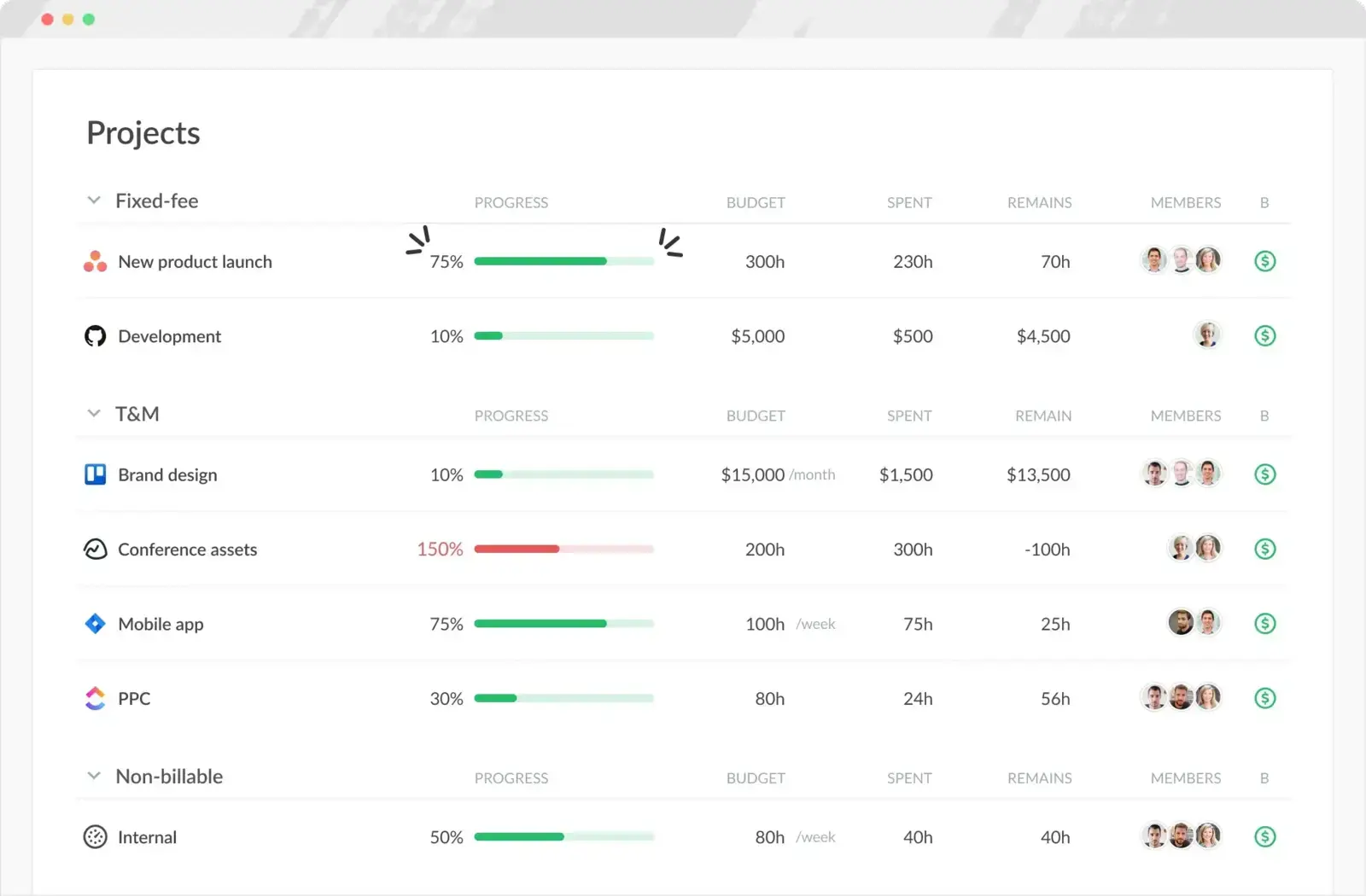
Everhour treats time as a property of the work, not a separate habit. It embeds inside project tools — Asana, Trello, and the like — so hours attach to the task you're already looking at, alongside estimates and budgets.
- Best for: Project teams that already live in a PM tool and want time tied to tasks.
- Pricing: Paid plans from about $10 per user/month.
- Rating: 4.7/5 on G2
For teams that manage delivery inside a board, Everhour feels more natural than a standalone tracker because the time data never leaves the context of the work. If you don't run projects in a connected PM tool, though, that same project-first design can feel heavier than Toggl.
Pros
- Tight integrations that embed timing inside existing project tools.
- Strong for estimates, budgets, and task-level reporting.
- Keeps tracked hours attached to the work they belong to.
Cons
- Less compelling if you just want a standalone timer.
- No native mobile app, and invoicing is more manual.
What users say about Everhour
Users most often praise the integrations, easy logging, and reports that keep hours close to task work. The drawbacks that recur are the missing mobile app, manual invoicing steps, and some admin or pricing friction for smaller teams.
Source: G2 reviews and Capterra reviews
See more project-first options in the best Everhour alternatives, or line it up in Harvest vs Everhour.
4. TimeCamp — best for reporting and mixed capture
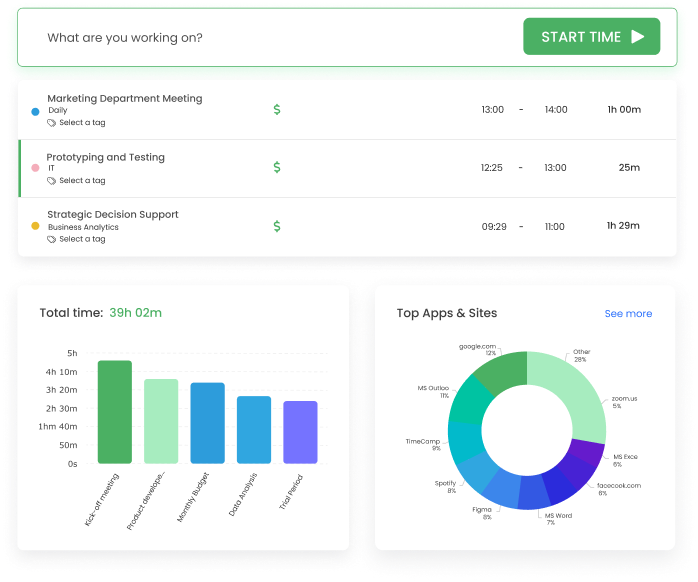
TimeCamp sits between a simple timer and a full system: more ways to capture time, more ways to categorize it, and noticeably more reporting than Toggl ships. It suits teams whose time data feeds decisions, not just personal habit.
- Best for: Teams that want reporting depth and both manual and automatic capture.
- Pricing: Free plan available; paid plans from about $3.99 per user/month.
- Rating: 4.7/5 on G2
If billing, internal reporting, and client summaries all pull from the same tracked hours, TimeCamp's flexibility pays off — and its paid tiers are among the cheapest here. The flip side is a busier interface; if your team only needs fast daily logging, it's more than you'll use.
Pros
- Mix of timer-based and automatic capture.
- More reporting and categorization than most lightweight trackers.
- Affordable paid entry point with a usable free plan.
Cons
- Setup and interface feel busier than Toggl.
- Overkill for teams that only want quick logging.
What users say about TimeCamp
Reviewers highlight straightforward tracking, strong reporting, and the mix of manual and automatic capture as reasons it works for billing and productivity analysis. The recurring negatives are occasional bugs or data hiccups and a mobile experience weaker than the desktop one.
Source: G2 reviews and Capterra reviews
For a wider reporting-focused shortlist, see the best TimeCamp alternatives, or read Hubstaff vs TimeCamp.
5. Hubstaff — best for remote operations and payroll
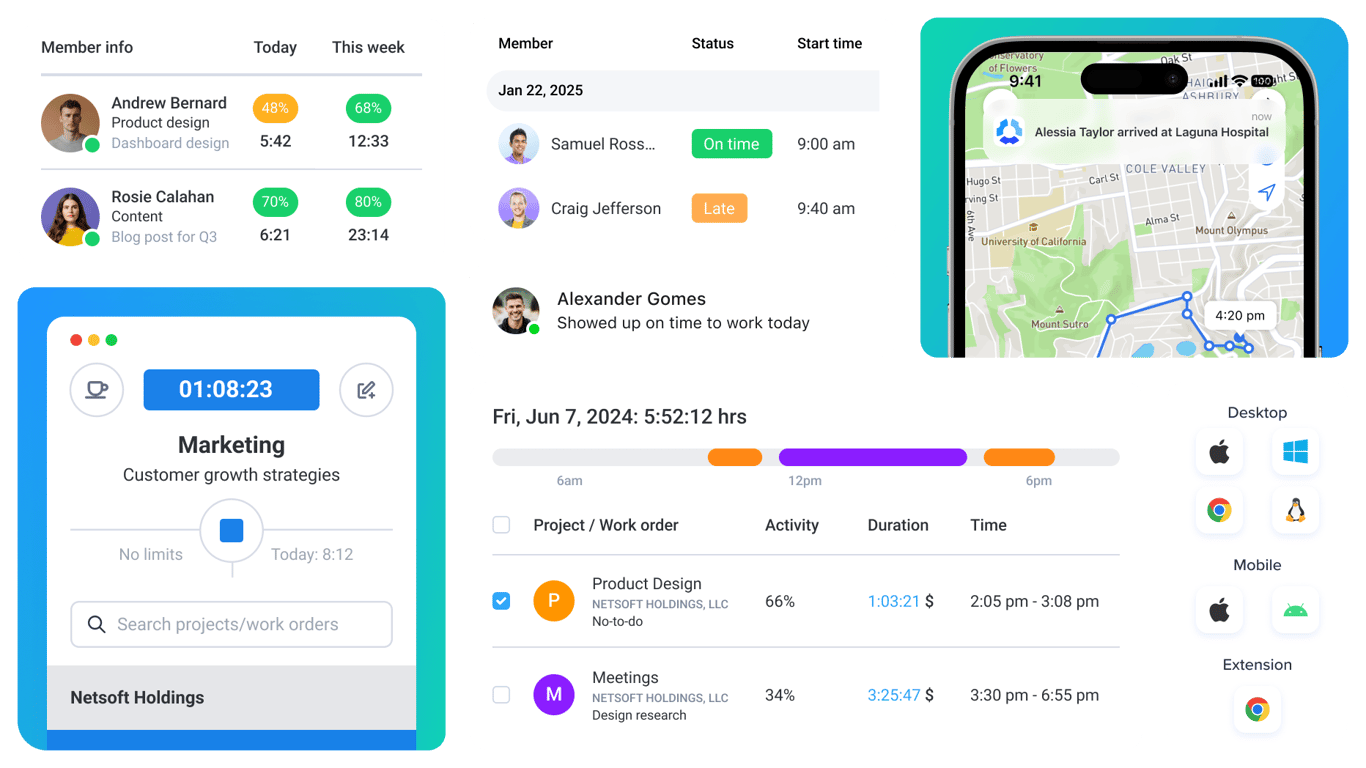
Hubstaff is the pick when tracking is tied to operations — attendance, payroll, and oversight of a distributed team — rather than to personal reporting. It's the most opinionated tool on this list, and that's the point.
- Best for: Distributed teams that need payroll exports, attendance, and oversight.
- Pricing: Paid plans from about $4.99 per user/month.
- Rating: 4.4/5 on G2
Where Toggl trusts people to log honestly, Hubstaff can add activity levels, screenshots, and payroll workflows. If you manage a remote team and need that structure, it's a genuine upgrade; if you just want a calm timer, its monitoring side will feel like too much.
Pros
- Payroll-style workflows and attendance built in.
- Strong oversight and reporting for remote teams.
- Good when time data drives management decisions.
Cons
- Monitoring features feel intrusive to some teams.
- Heavier and more operational than a lightweight timer.
What users say about Hubstaff
The strengths reviewers name most are accurate tracking, detailed reports, payroll support, and visibility across remote teams. The pushback is that the monitoring can feel intrusive, with occasional syncing or interface friction for people who want something lighter.
Source: G2 reviews and Capterra reviews
For more oversight-focused tools, see the best Hubstaff alternatives, or compare Clockify vs Hubstaff.
6. Paymo — best for projects, tasks, and billing in one
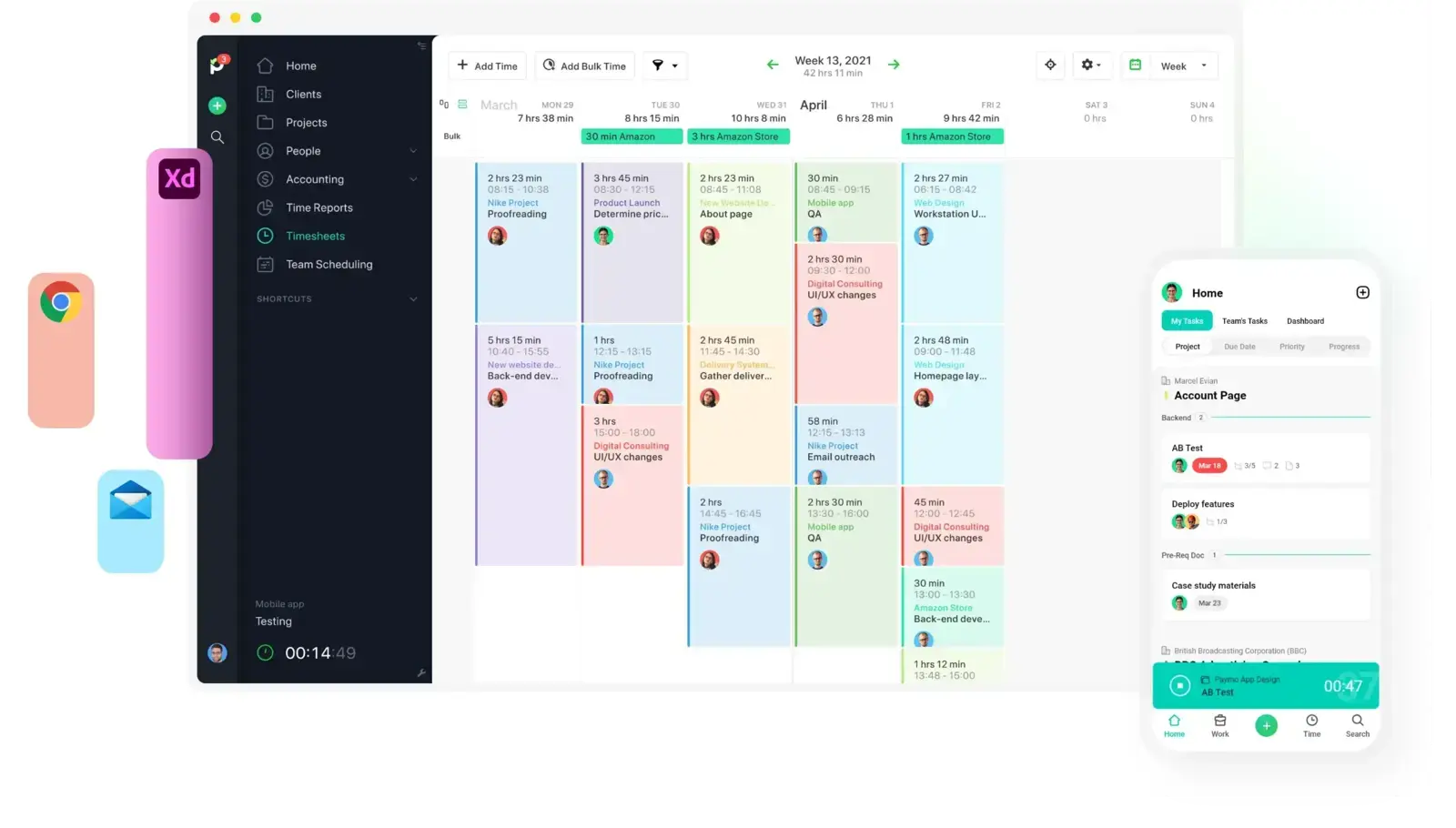
Paymo bundles tasks, time, and invoicing into one place, which makes it a genuine one-tool-instead-of-three option for small teams — without climbing all the way into enterprise project software.
- Best for: Small teams and agencies that want project management and time together.
- Pricing: Free plan available; paid plans from about $5.9 per user/month (billed annually).
- Rating: 4.6/5 on G2
If the gap you feel with Toggl is context — you want planning and tracked hours in the same system — Paymo fills it neatly. If you only ever wanted the timer, its project-management side is weight you won't use.
Pros
- Projects, tasks, time, and invoicing in a single tool.
- Well suited to client work with billing and reporting needs.
- Manageable for freelancers and small teams.
Cons
- Heavier than a tool focused only on tracking.
- Task management gets thin as workflows grow complex.
What users say about Paymo
Reviewers like that Paymo combines project management, time tracking, and invoicing in one product that stays manageable for freelancers and small teams. The recurring limits are lighter task collaboration and mobile depth, and less customization once workflows get complex.
Source: G2 reviews and Capterra reviews
For more all-in-one options, browse the best Paymo alternatives.
7. ClickTime — best for utilization and approvals
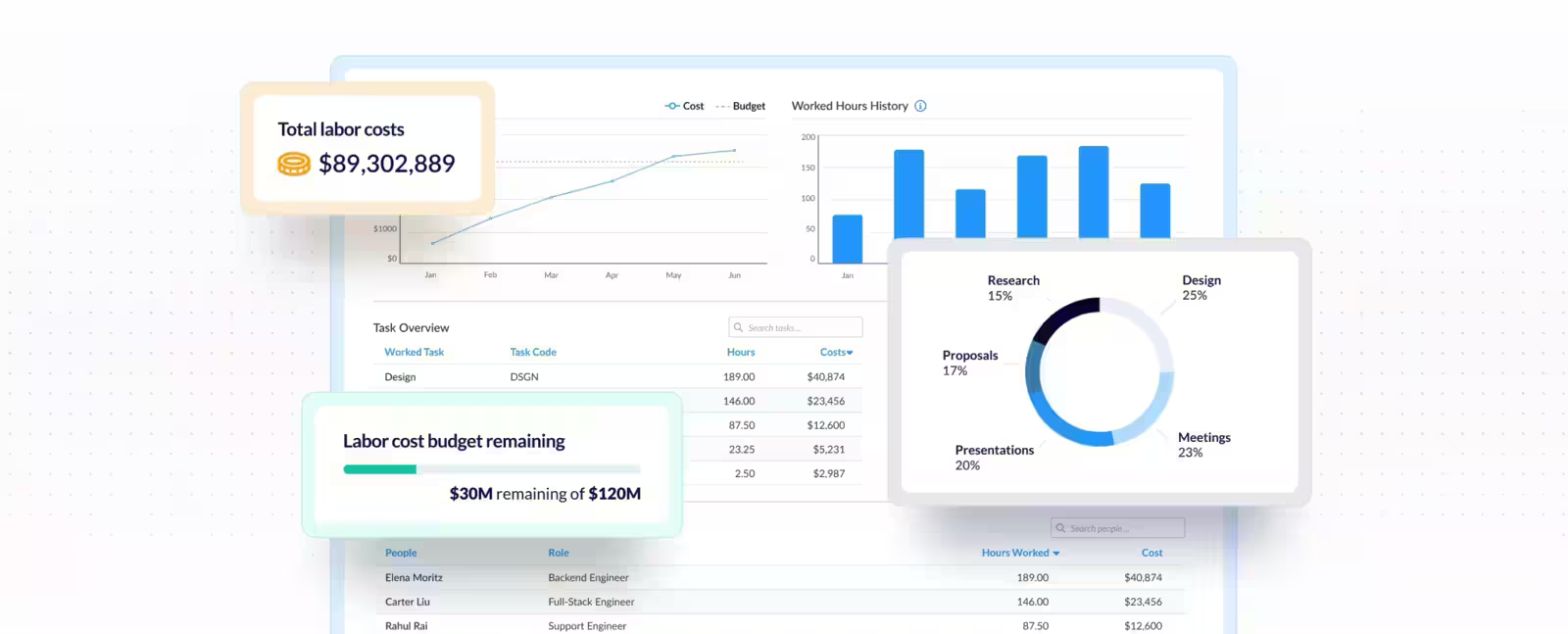
ClickTime is built for organizations where time data drives more than billing — approvals, utilization targets, and planning. It's the most administrative tool here, and that's exactly why some teams choose it over Toggl.
- Best for: Organizations that care about approvals, utilization, and planning analytics.
- Pricing: Paid plans from about $10 per user/month.
- Rating: 4.6/5 on G2
When managers need to see utilization and sign off on timesheets, ClickTime's reporting and approval workflows earn their keep. The trade is that it feels slower and more formal than the quick trackers, which is a poor fit if speed is what you loved about Toggl.
Pros
- Strong reporting and analytics for utilization-focused teams.
- Manager approval workflows built in.
- Good when time data feeds planning and budgeting.
Cons
- More administrative than small teams usually need.
- Not as fast or minimal as the lightest trackers.
What users say about ClickTime
Reviewers describe ClickTime as easy to learn and strong for timesheets, reporting, approvals, and billing accuracy in one system. The negatives that recur are extra steps in some workflows, a learning curve as you use more features, and a UI that can feel dated.
Source: G2 reviews and Capterra reviews
For more reporting-heavy tools, see the best ClickTime alternatives.
8. Timen — free tracking, reports, and invoicing together

Full disclosure again: this is our tool, so weigh it accordingly. Timen keeps the fast-timer idea Toggl users like, then adds clear reports and invoicing — plus a calendar view for reviewing the day — all in one place, rather than a timer that hands you off to other tools for everything after tracking.
- Best for: Teams that want a genuinely free all-in-one — tracking, reporting, and invoicing — with no per-seat bill.
- Pricing: Free — every feature included, including invoicing.
It's a good fit if Toggl already feels close to right but you want a calmer interface and a direct path from tracked time to a client-ready invoice. It belongs on any shortlist of simple time tracking tools — and it's honestly not the pick if you need deep monitoring, payroll exports, or a large integration ecosystem, where Hubstaff or the more established platforms are stronger.
Pros
- Free with every feature included — invoicing and all — where most trackers charge per seat and gate invoicing behind higher tiers.
- Quick timer and quick edits keep daily tracking low-friction.
- A quick weekly review makes gaps and overlaps easy to spot.
- Built-in invoicing turns tracked hours into bills without a second tool.
Cons
- Newer product with little third-party review coverage so far.
- Smaller integration ecosystem than the biggest platforms.
- No employee monitoring or payroll exports if that's what you need.
Why teams pick Timen
The teams that choose Timen tend to be the ones tired of stitching a timer to a separate invoicing tool: they want to track fast, glance back over the day, and send an invoice from the same hours — without administering a heavier platform. It's a deliberately narrow pitch, which is also why it won't suit teams that need oversight or a big app marketplace.
If it sounds close, the cleanest direct read is Timen vs Toggl Track.
9. Memtime — best for automatic capture
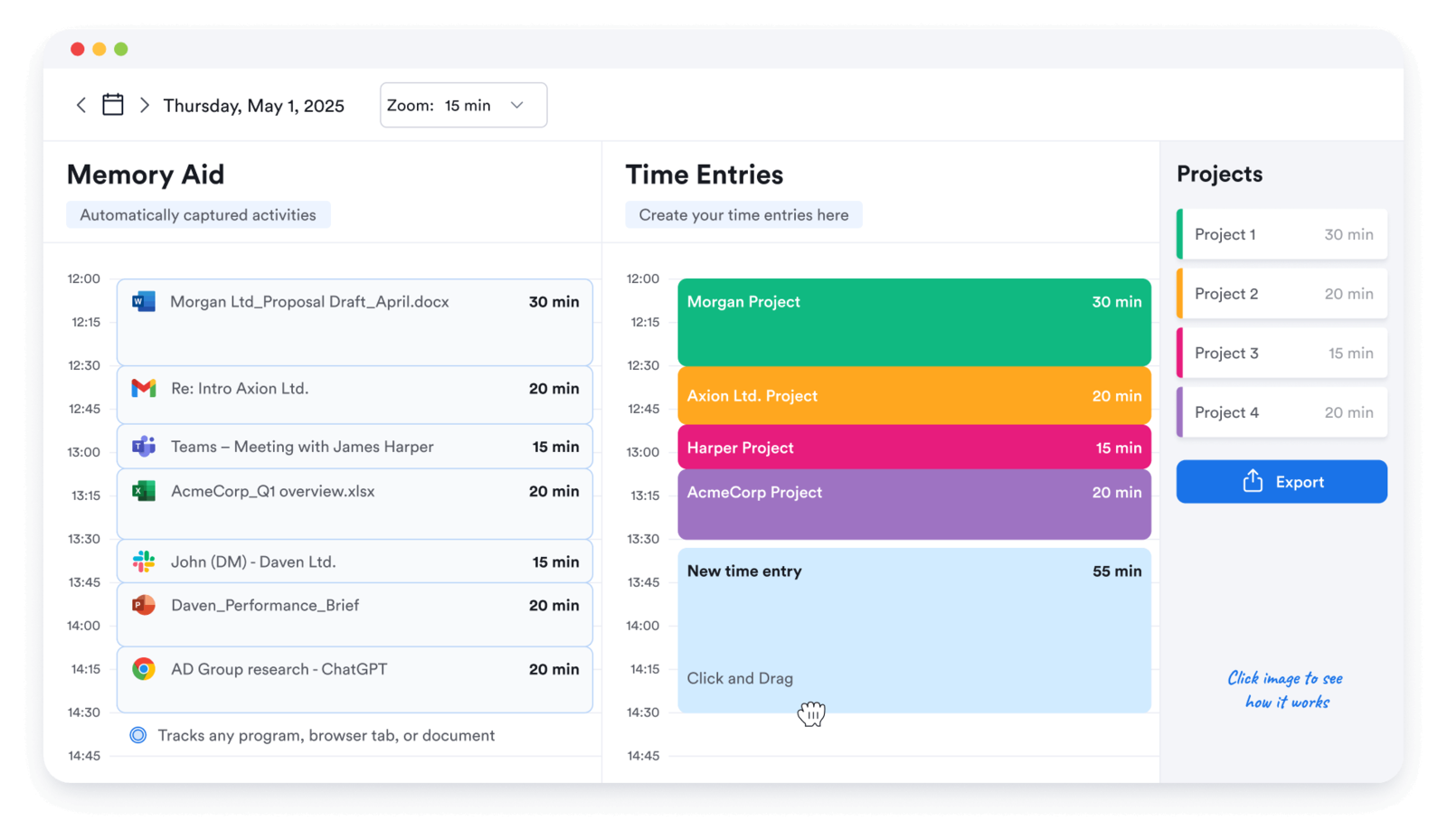
Memtime attacks the one problem timers can't: forgetting to start them. It quietly records which apps and documents you used, then lets you rebuild the day from that timeline instead of relying on memory.
- Best for: People who switch tasks constantly and want to reconstruct the day after the fact.
- Pricing: Paid plans from about $10 per month.
- Rating: 4.8/5 on G2
If your biggest Toggl frustration is missed entries and constant context-switching, Memtime's passive capture is a different and often better model. It's a weaker fit if you need shared team billing or project structure first — it's built around one person's accurate record, not a team's workflow.
Pros
- Automatic capture removes reliance on starting and stopping timers.
- Great for people who switch tasks often.
- Improves completeness when tracking habits are inconsistent.
Cons
- Different model from classic team timesheet tools.
- Less useful when shared billing or project structure comes first.
What users say about Memtime
Reviewers praise the automatic capture, simple interface, and how it helps build an accurate record without constant start-stop. The recurring drawbacks are pricing, some integration or sync gaps, and requests for better filtering and project controls.
Source: G2 reviews and Capterra reviews
For more passive-capture tools, see the best Memtime alternatives.
10. RescueTime — best for focus insight, not timesheets
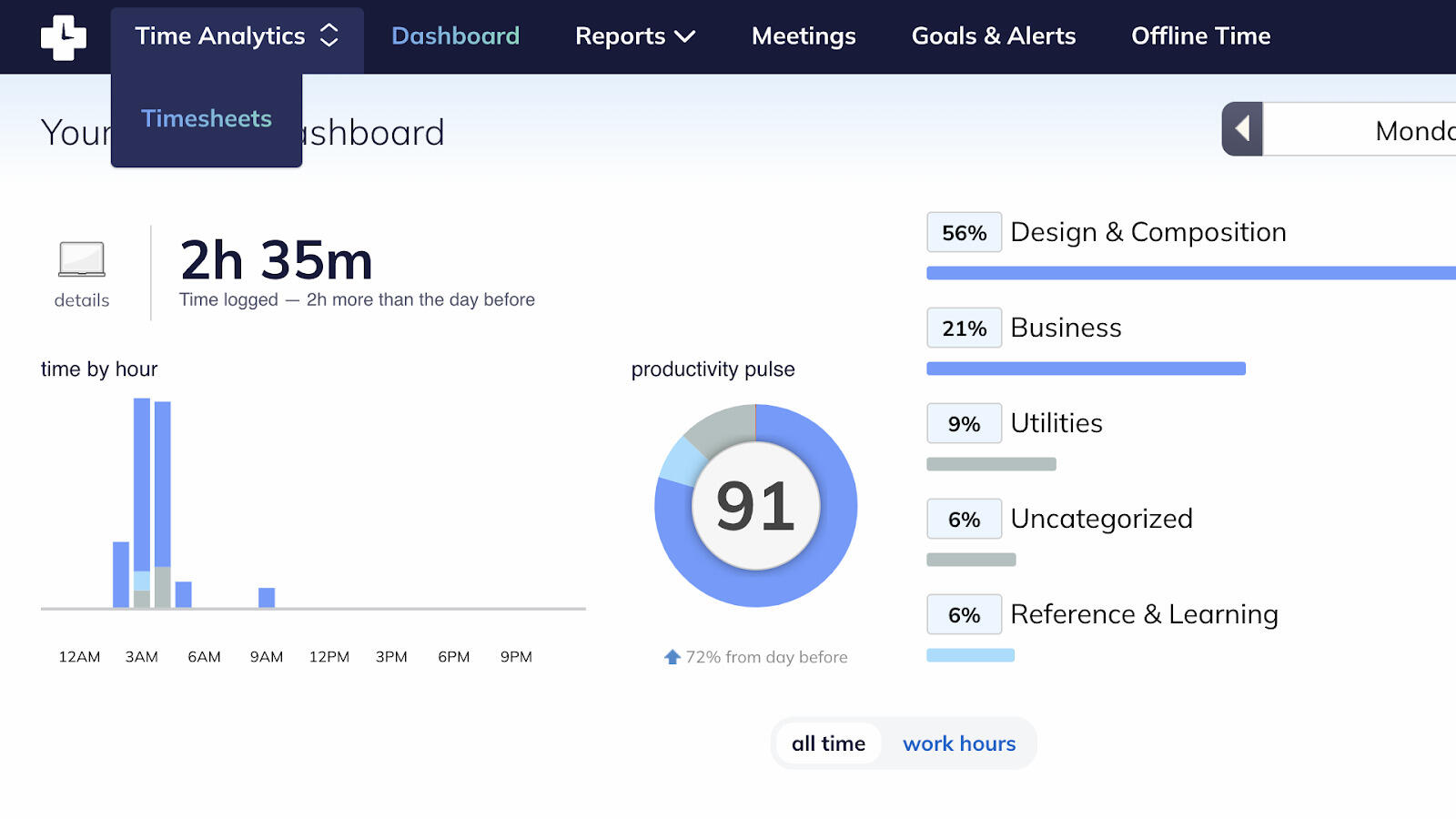
RescueTime is the outlier here: it isn't really a timesheet tool at all. It runs in the background and tells you where your attention actually went, which is useful if your goal is focus and personal productivity rather than billing.
- Best for: Individuals who want focus and attention data more than billable timesheets.
- Pricing: Paid plans from about $12 per month; limited free tier.
- Rating: 4.1/5 on G2
If you're leaving Toggl because you want to understand your own habits — not to invoice — RescueTime does that better than any classic tracker. Just don't expect it to replace timesheets, approvals, or client billing; that's not what it's for.
Pros
- Passive, automatic activity tracking with no timers to manage.
- Genuinely useful focus and productivity insights.
- Good for individuals working on personal habits.
Cons
- Not built for client billing or team timesheets.
- Little value if you need structured project time.
What users say about RescueTime
Users value the automatic tracking and the clarity it brings to where time really goes, plus focus tools that help limit distractions. The common caveats are that it's aimed at personal productivity rather than billing, and some want more control over how activities are categorized.
Source: G2 reviews and Capterra reviews
For more focus-first options, see the best RescueTime alternatives.
Toggl Track alternatives compared
The fast version — where each tool fits, how heavy it is, and what it costs.
| Tool | Best for | Complexity | Pricing |
|---|---|---|---|
| Clockify | Closest like-for-like swap, cheap rollout | Low to medium | Free plan; paid from about $4.99 per user/month |
| Harvest | Client billing and invoicing | Medium | Paid from about $11 per seat/month |
| Everhour | Time tied to tasks and projects | Medium | Paid from about $10 per user/month |
| TimeCamp | Reporting depth and mixed capture | Medium | Free plan; paid from about $3.99 per user/month |
| Hubstaff | Remote operations and payroll | Medium to high | Paid from about $4.99 per user/month |
| Paymo | Projects, tasks, and billing in one | Medium | Free plan; paid from about $5.9 per user/month |
| ClickTime | Utilization and approvals | Medium to high | Paid from about $10 per user/month |
| Timen | A genuinely free all-in-one (tracking, reports, invoices) | Low | Free — every feature included |
| Memtime | Automatic capture | Low | Paid from about $10/month |
| RescueTime | Personal focus insight | Low | Paid from about $12/month |
Which Toggl Track alternative should you pick?
Match the tool to the trigger that made you start looking:
You want the same thing, cheaper → Clockify. The closest match to Toggl and the least disruptive rollout, with a free plan that covers everyone.
You bill clients → Harvest. The strongest link from tracked hours to budgets, approvals, and invoices; Paymo is the runner-up if you also want project management.
Time has to live inside projects → Everhour or Paymo, depending on whether you want an embed in your existing PM tool (Everhour) or one combined system (Paymo).
You need reporting, approvals, or oversight → TimeCamp for reporting depth, ClickTime for utilization and approvals, Hubstaff for remote operations and payroll.
Your real problem is forgetting to track → Memtime for automatic capture you turn into entries, or RescueTime if you want focus insight rather than timesheets.
You want it genuinely free → Timen is the one all-in-one here that's free with every feature included — tracking, reporting, and invoicing, with no per-seat bill. Clockify and TimeCamp have free plans too, but they cap features and keep invoicing or deeper reporting on paid tiers, so their "free" covers less than it looks. Timen's trade is that it's newer and timer-first simple, with a smaller integration ecosystem and no monitoring — so it's the budget-friendly calm pick, not the one for oversight or a big app marketplace.
FAQ
- What is the best alternative to Toggl Track?
- There's no single winner — it depends on your trigger. Clockify is the closest like-for-like swap, Harvest is best for billing, Everhour and Paymo are best when time lives in projects, and simpler all-in-one tools like Timen suit teams that want tracking, reporting, and invoicing together.
- What tool is most similar to Toggl Track?
- Clockify. It keeps the timer-and-timesheet workflow Toggl users already know, so the switch feels familiar, and it has a generous free plan. Timen is close on simplicity but adds reporting and invoicing.
- Is there a free alternative to Toggl Track?
- Yes. Clockify and TimeCamp both have free plans covering timers, projects, and basic reporting for unlimited users, and Timen is free with all features included — unusual for a tool that also handles invoicing.
- Why do teams switch away from Toggl Track?
- Usually because they've outgrown a pure timer: they need billing, deeper reporting, time tied to projects, automatic capture, or a cheaper way to roll tracking out across a bigger team.
The short version
Before you migrate, it is worth checking whether you actually need to. The Toggl free plan now covers up to 3 users, down from 5 on the old Toggl Track, and the features it withholds are almost all billing-related. If you are a team of three or fewer leaving over price rather than over billing, the free tier may already cover you. If you are starting a new team of four or five, compare that limit with Clockify's free allowance of 5. Existing Track users should check their workspace terms before assuming they need to move.
Most Toggl Track migrations come down to one rule: pick the lightest tool that still handles the work that happens after time is logged. If that work is billing, Harvest. If it's a cheap, familiar rollout, Clockify. If it's project context, Everhour or Paymo. If it's reporting or oversight, TimeCamp, ClickTime, or Hubstaff. If it's capturing time you keep forgetting, Memtime or RescueTime.
And if what you actually want is a calmer, simpler workflow — fast tracking, clear reporting, and invoicing in the same place — Timen is worth a look, with the caveat that it's built for simplicity, not monitoring or heavy integrations. Still on the fence between two? Toggl Track vs Harvest and Toggl Track vs Clockify are the two most useful next reads.