





Clearer source data
Review the work before it reaches billing
Reports and detailed entries make it easier to understand where tracked hours came from before they move into an invoice or export.

Small teams
Simple team tracking with billing

Freelancers
Billable time tracking and invoicing

Consultants
Client tracking, reports, and billing

Designers
Creative work with project context

Lawyers
Precise billable time for legal work

Agencies
Team tracking for client projects

Finance teams
Reporting and invoice visibility

Developers
Fast tracking for technical work
Timen gives finance teams cleaner time tracking data, clearer reports, invoice status visibility, and a shorter path from reviewed hours into billing without bouncing between disconnected spreadsheets.
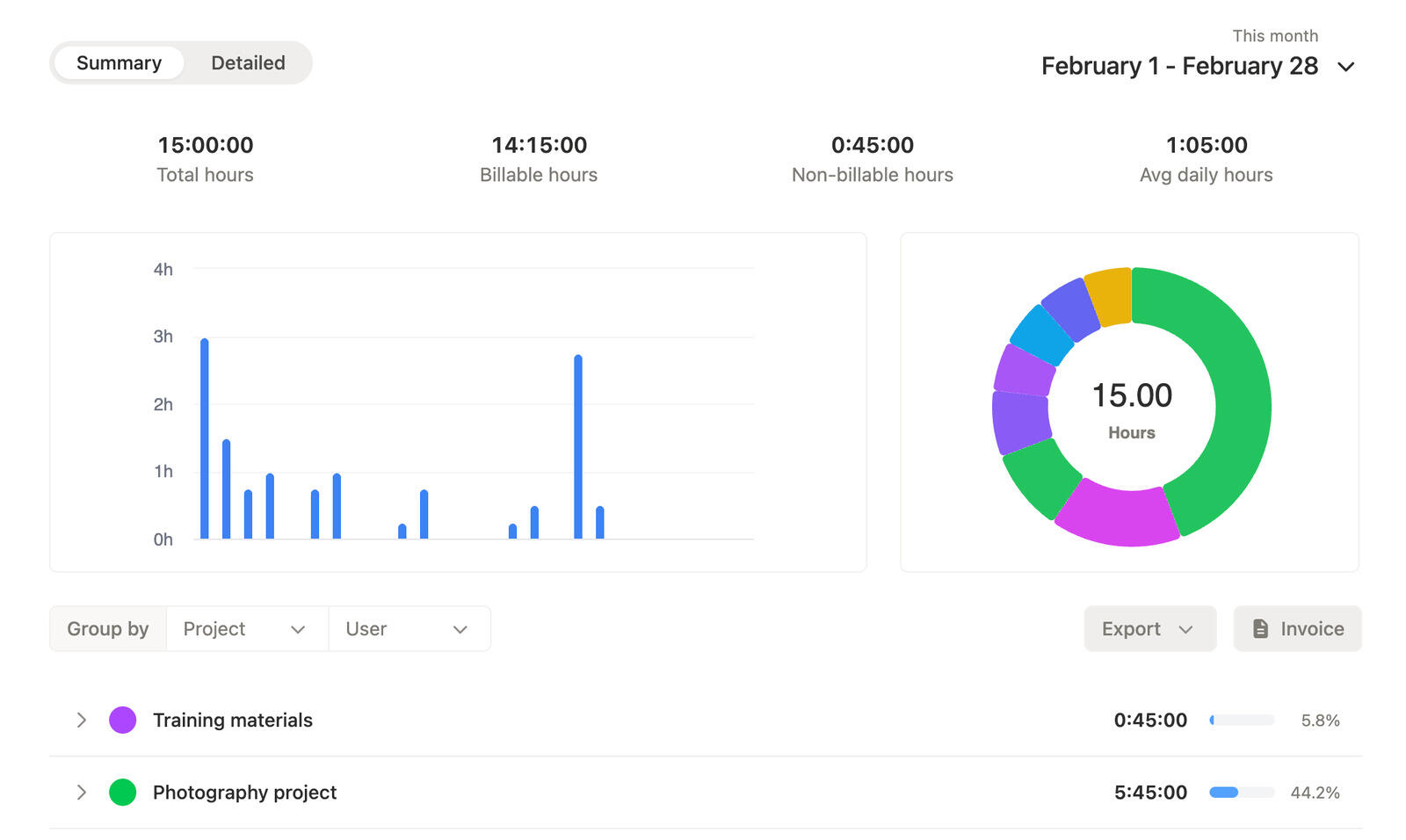
Finance teams usually need cleaner time records, more confidence in what is ready to bill, and less manual work getting the right time data into the right format. Timen keeps the tracking and review layers close enough to support that.
Clearer source data
Reports and detailed entries make it easier to understand where tracked hours came from before they move into an invoice or export.
Less spreadsheet churn
When the invoice sits close to the time and report behind it, the finance review process becomes much easier to trace.
Export-ready
Filters and exports make it easier to hand off the right slice of data without a longer manual reconstruction process.
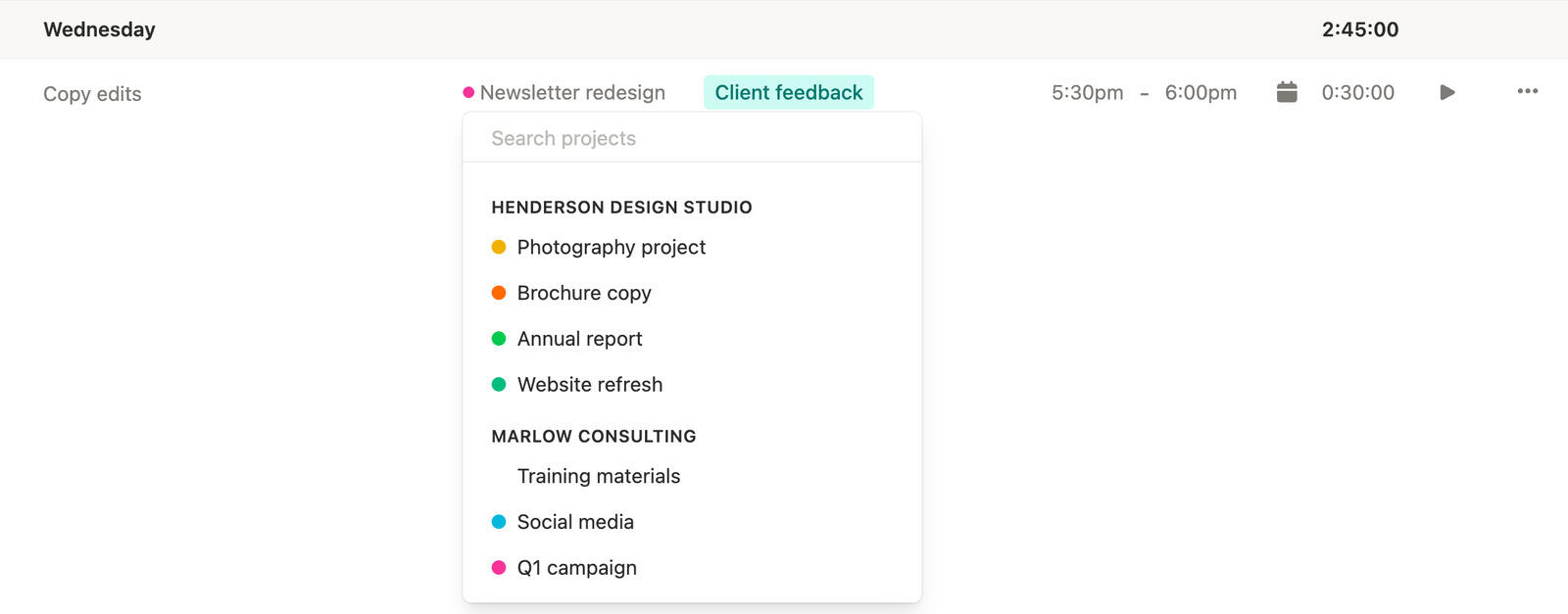
Clients and projects
Finance review gets much easier when time entries are already connected to the right client and project before the reporting stage begins.
Timen keeps that structure attached from the start, which reduces the amount of cleanup needed later when someone asks where the hours actually belong.
That makes the source time record more usable for billing work.
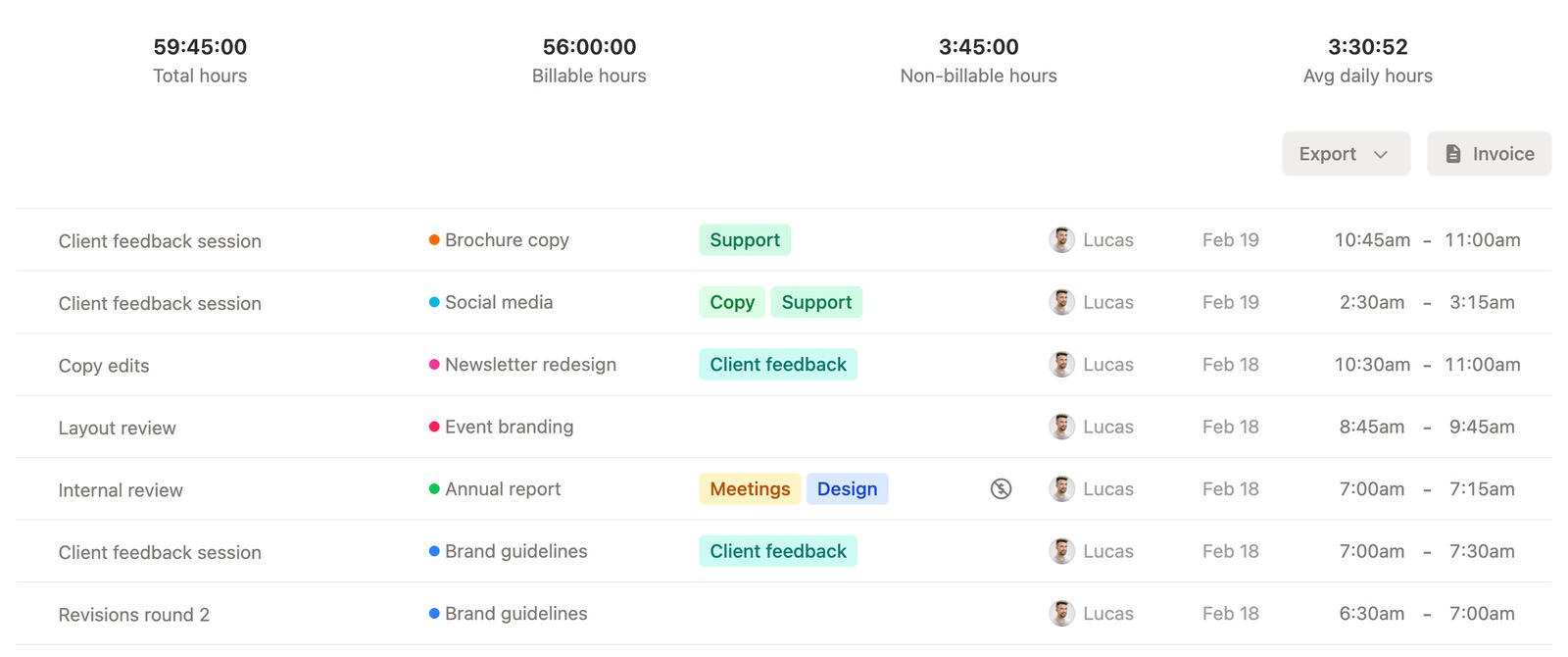
Time tracking reports
Finance teams often need both a fast overview and the underlying detail. Timen supports both so you can move between high-level totals and exact entries when something needs verification.
That makes it easier to inspect the data before it gets exported, shared, or used in billing work.
It also shortens the path from question to answer when a total needs an explanation.
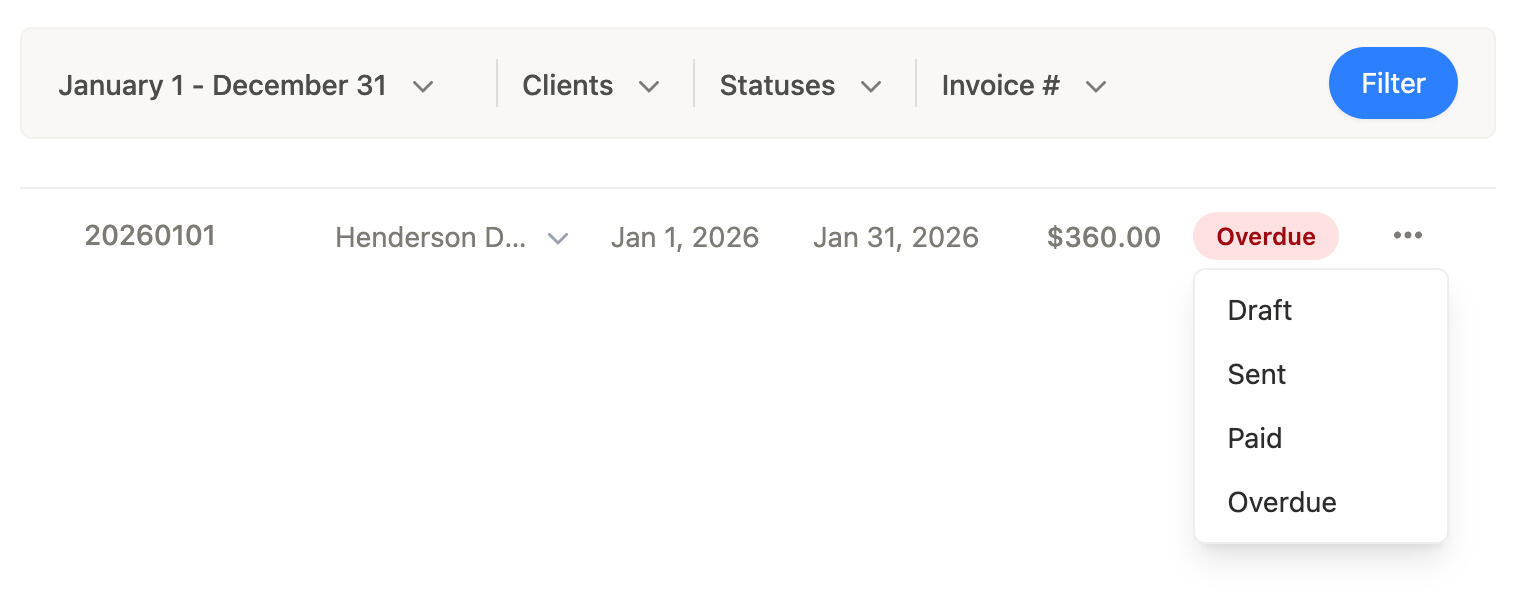
Invoice status visibility
Timen keeps invoiced work visible inside the same workflow, which makes it easier for finance teams to tell what is already accounted for and what still needs attention.
That helps reduce duplicate billing risk and cuts down on separate tracking sheets just for invoice status.
It is a cleaner way to keep the billing picture current.
Time tracking invoices and exports
Timen supports invoice creation, currencies, tax rates, and exports, which gives finance teams a clearer bridge between reviewed time and the next billing step.
Instead of building that bridge by hand in spreadsheets, you can keep more of the process tied to the original source of truth.
That reduces friction when reviewed time data needs to move.
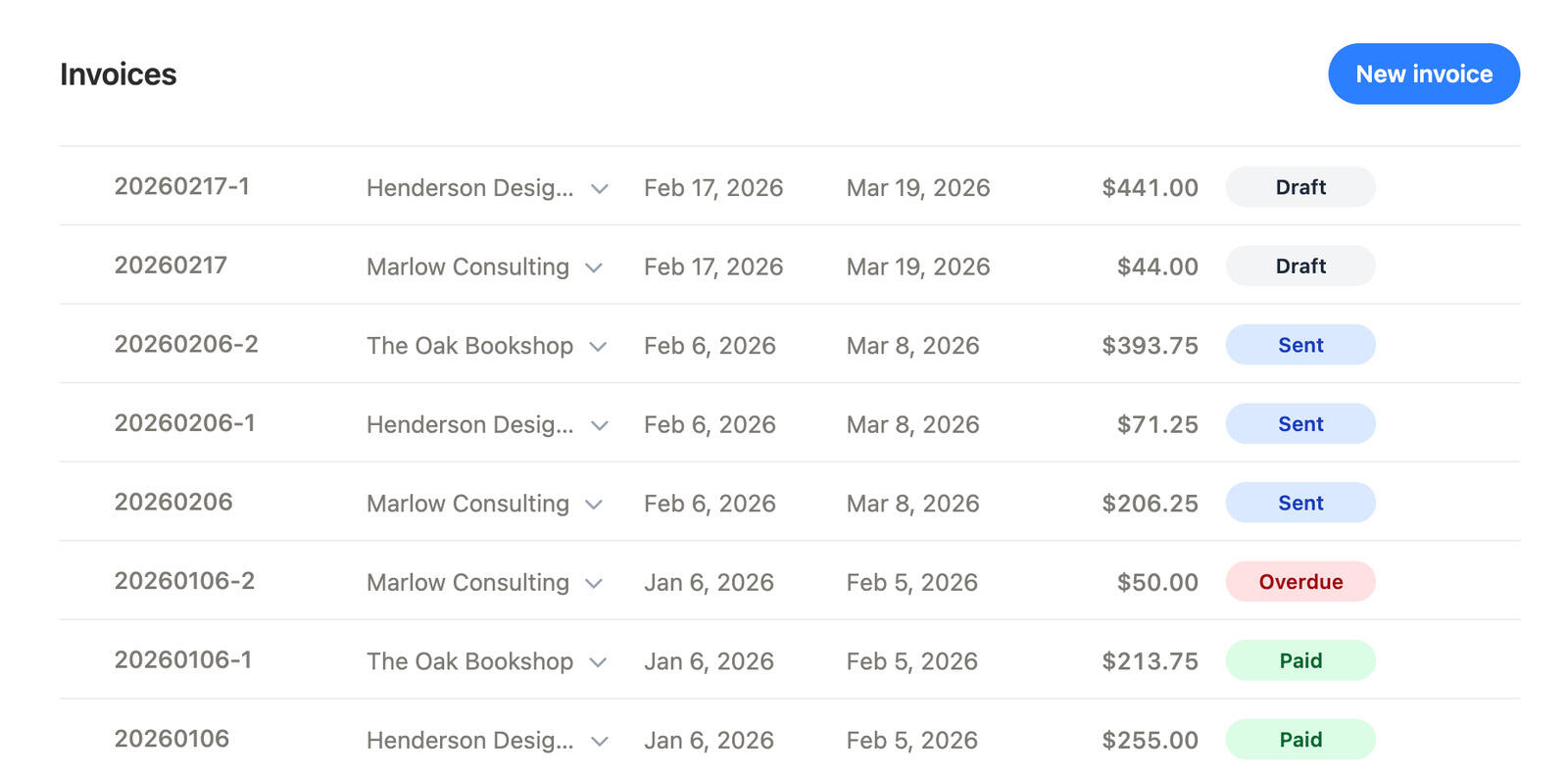
Start with cleaner client and project time data, review tracked hours in reports, keep invoice status visible, and export or invoice from the same workflow once the data looks right.
01
Start with cleaner client and project context so the review process begins from a better source record.
02
Use summary and detailed reports to answer questions before the data moves further downstream.
03
Keep billed work visible so it is easier to tell what still needs action and what is already accounted for.
04
Move reviewed time data out in the format you need once the source data has already been checked.
Yes. Timen makes it easy to review both summary and detailed reports before reviewed time data moves into the next billing step.
Yes. Timen keeps invoiced work visible in the workflow so finance teams can more easily see what has already been billed.
Yes. Timen supports exports once the reports look right, so the right slice of time data can leave the app in a cleaner format.
Yes. Timen supports invoices, including status management and invoice details like currency and tax rates.
Yes. Because tracking, review, reporting, and invoicing sit closer together, Timen reduces how often finance teams need to reconstruct the same data by hand.
Keep reviewed reports, invoice visibility, exports, and billing closer together so time data is easier to trust and easier to move.