













8 best Hubstaff alternatives in 2026

Most teams leave Hubstaff to get out from under the monitoring, so the closest fit is usually a lighter team tracker: Clockify (cheap, familiar timesheets, no surveillance) or TimeCamp (the same idea with more reporting). If you genuinely still need oversight, Time Doctor and DeskTime are the closest like-for-like swaps. For a genuinely free, monitoring-free all-in-one with invoicing there's Timen (no per-seat bill), and for billing or formal approvals instead of screenshots, Harvest and ClickTime.
Hubstaff isn't really a time tracker in the narrow sense. It's remote-team operations, with screenshots, activity levels, attendance, payroll, and manager dashboards built into the product rather than bolted on. For some organizations that's exactly the point. For plenty of others, it's the reason they're reading this page.
So here's the honest framing up front: most teams don't leave Hubstaff because it fails at monitoring. They leave because they want less of it. That means nearly everything below is, by design, a deliberate step down in surveillance. Two of the eight (Time Doctor and DeskTime) keep the monitoring model for the minority who still need proof-of-work; the rest trade it for lighter tracking, cleaner billing, or simpler reporting. Deciding which camp you're in is the whole game, and it makes the shortlist much shorter than it looks.
What the alternatives actually cost, and what Hubstaff gives you free
Price is one of the two reasons people leave Hubstaff, and it is the one most roundups answer with a headline rate that turns out not to be the bill. Figures below were checked against vendor documentation on August 24, 2026.
Start with what you already have. Hubstaff's free plan is real, and it is exactly one seat: the organization owner, with a limited feature set, limited screenshot storage and no scheduled reports. That makes it genuinely useful for a solo freelancer proving work to a client, and unusable the moment a second person needs tracking. If your reason for looking around is that the free plan stopped fitting, the honest framing is that it was never a team plan.
- TimeCamp is the cheapest paid option among the tools here: Premium at $4.99 per user per month billed annually, $6.99 billed monthly, with Ultimate at $6.99 annual and a Starter tier lower again.
- Toggl now combines tracking and planning. Premium costs $16 per user per month billed annually, or $24 billed monthly. Existing Track customers should check their own renewal terms.
- Harvest sits around $10.80 per user per month on annual billing, about $12 monthly, but the plan you pick matters: its Flex billing adds usage charges based on the previous period's active projects, clients, tasks and invoicing, and for new accounts those begin at the second paid renewal. Unlimited billing is the fixed-price option.
- Timen is free, with every feature included and no per-seat rate, which is the whole of its pricing section.
The comparison worth making is second-year cost per seat, not first. For a team of ten, the difference between Toggl's introductory and renewal rates is about $480 a year, which is larger than the gap between most of the tools on this page. A price comparison that stops at year one gets the ranking wrong.
Full workings for all six vendors, including the ones not listed here, are in time tracking pricing compared.
Why teams leave Hubstaff
Almost every Hubstaff replacement project is really a decision about how much oversight the team wants to keep normalizing. In practice, the reasons cluster into five:
- Monitoring fatigue. The screenshots and activity scores have turned into a trust and morale problem, and leadership wants to dial them back.
- High-trust culture. The team already runs well without surveillance and no longer needs to prove that work happened.
- Only the tracking, not the watching. They still want reporting and billing, just without the full monitoring layer wrapped around it.
- Simpler day-to-day. Contributors and managers both want a lighter interface than Hubstaff's operations stack.
- A different balance. They still need oversight, but weighted toward payroll, approvals, or reporting rather than screenshots.
Which of these you're feeling should drive the entire decision. A team escaping surveillance wants something very different from a team that just needs its payroll workflow in a different shape.
What to look for in a Hubstaff replacement
Once you know your trigger, judge candidates on what the organization actually needs after time has been tracked, not on the timer itself. The things that really differ:
- Be honest about whether your culture is trust-based or genuinely needs monitoring; that one answer removes most of the list.
- Payroll, attendance, or scheduling support, if operations still depend on it.
- Reports a manager can act on without leaning on screenshots and activity scoring.
- Billing and invoicing, if client work is part of the picture.
- Cost - and whether a "free" plan actually covers what you need, or quietly gates invoicing and reporting behind paid seats.
- An interface light enough that tracking doesn't become the thing people quietly resent.
Some teams should move firmly toward lighter products. Others still need strong remote-team controls, just in a different arrangement. Both paths are represented below. If you're a smaller team, our guide to choosing time tracking software for a small team walks through these same trade-offs in more depth.
How we compared these tools
A quick note on method, so you can weigh the picks:
- Hands-on use. Each tool was used to track real work rather than clicked through in a demo. The "best for" calls and the pros and cons come from that, plus each product's current docs.
- Ratings. The G2 scores shown are each product's aggregate rating on its G2 page at the time of writing (July 2026); the review summaries paraphrase recurring themes across G2 and Capterra rather than quoting any single review.
- Pricing. Taken from each vendor's public pricing page and rounded.
- Order. Roughly how close a fit each tool is for a typical Hubstaff user who is switching. Because most switch to get away from monitoring, the lighter team trackers come first, with the monitoring-heavy options kept in the list for teams that genuinely still need them. It's not a strict ranking, and it isn't ordered by our own product: Timen sits in the middle, where it honestly fits.
The 8 best Hubstaff alternatives
From the lighter swaps most departing teams land on to the tools that keep oversight in a different shape, here's the shortlist. Teams usually start looking once the current software starts slowing them down or the monitoring starts costing more trust than it's worth.
1. Clockify - the lighter team-tracking swap most teams land on
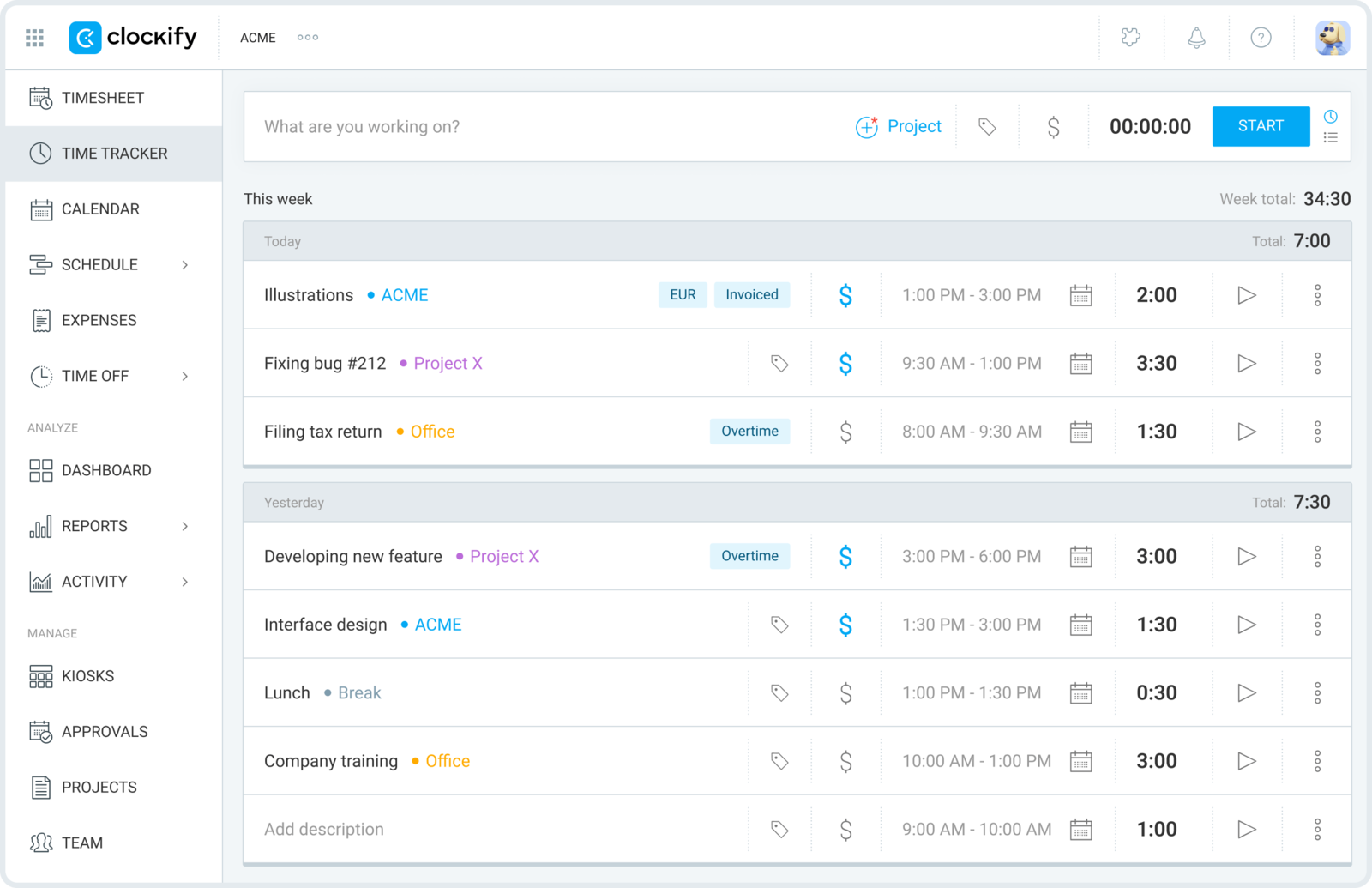
Clockify is where most teams look first when they want to keep Hubstaff's timesheets and reporting but throw away the surveillance. You still get projects, billable rates, and team-wide reports; you just drop the screenshots and activity levels that made people feel watched.
- Best for: Teams that want Hubstaff's team timesheets and reporting minus the monitoring, at a lower cost.
- Pricing: Free plan available; paid plans start at $3.99 per user/month billed annually
- Rating: 4.5/5 on G2
The generous free tier makes it easy to roll out across a whole team, which matters when you're moving people off a tool they were already wary of. It's worth checking what Clockify's free plan still includes in 2026 before you standardize on it, since the limits have shifted. The trade is polish: Clockify does a lot, and it can feel more utilitarian than the product you're leaving, with the nicer admin controls sitting on paid tiers.
Pros
- Removes the whole surveillance layer while keeping team structure.
- Free plan makes a broad, low-friction rollout realistic.
- Solid baseline reporting across projects, clients, and billable hours.
- An easy cultural reset for teams returning to trust-based tracking.
Cons
- Much weaker than Hubstaff for payroll and attendance workflows.
- Interface feels functional rather than refined, and richer controls are paid.
What users say about Clockify
On G2 and Capterra, the recurring praise is that Clockify is quick to set up, affordable, and effective for project-based tracking without a lot of management overhead. The complaints that show up most are limited polish, extra steps when editing entries, and a mobile app that trails the web version.
Source: G2 reviews and Capterra reviews
Want a wider look? See the best Clockify alternatives, or settle the closest lightweight head-to-head with Toggl Track vs Clockify.
2. TimeCamp - reporting and softer oversight in one
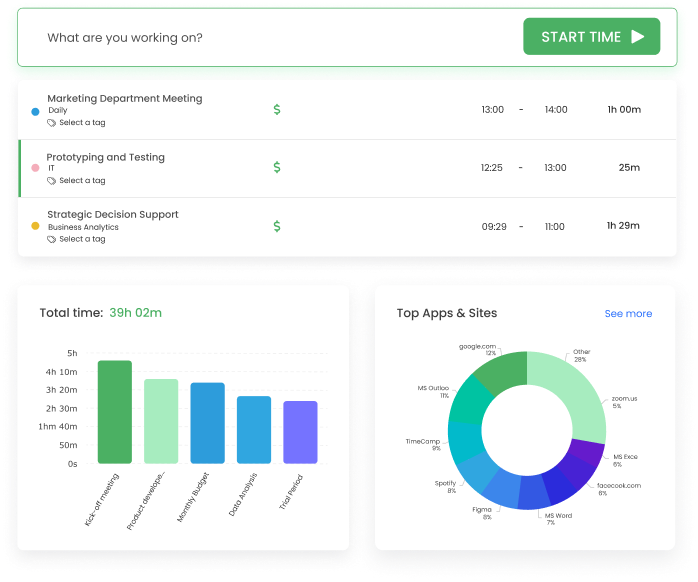
TimeCamp is the middle path when Hubstaff feels too monitoring-heavy but a bare timer feels too thin. It keeps broader reporting and offers optional automatic capture, so managers still get visibility, but the product isn't built around watching people work.
- Best for: Teams that want reporting depth and optional automatic capture, but a softer oversight posture than Hubstaff.
- Pricing: Starter starts at $3.99 per user/month billed annually
- Rating: 4.7/5 on G2
If billing, internal reporting, and manager summaries all pull from the same tracked hours, TimeCamp's flexibility earns its place, and its paid entry point is among the cheapest here. The flip side is a busier interface: if the team only wants fast daily logging with no oversight at all, it's more tool than you need.
Pros
- Less intrusive than Hubstaff while still supporting reporting and billing.
- Automatic capture options help recover time people forget to log.
- A lower-cost route to broader reporting than most monitoring tools.
- Good for teams that want visibility without centering on surveillance.
Cons
- Setup and interface feel busier than a clean, simple tracker.
- Not as strong as Hubstaff for payroll and attendance workflows.
What users say about TimeCamp
G2 and Capterra reviewers repeatedly point to TimeCamp's flexible tracking and reporting as its best qualities, especially the mix of manual and automatic capture. The tradeoffs that come up most are occasional bugs, data inconsistency, and a workflow that can still feel heavier than the lightest alternatives.
Source: G2 reviews and Capterra reviews
For a wider reporting-focused shortlist, see the best TimeCamp alternatives.
3. Time Doctor - the closest match if you still need monitoring
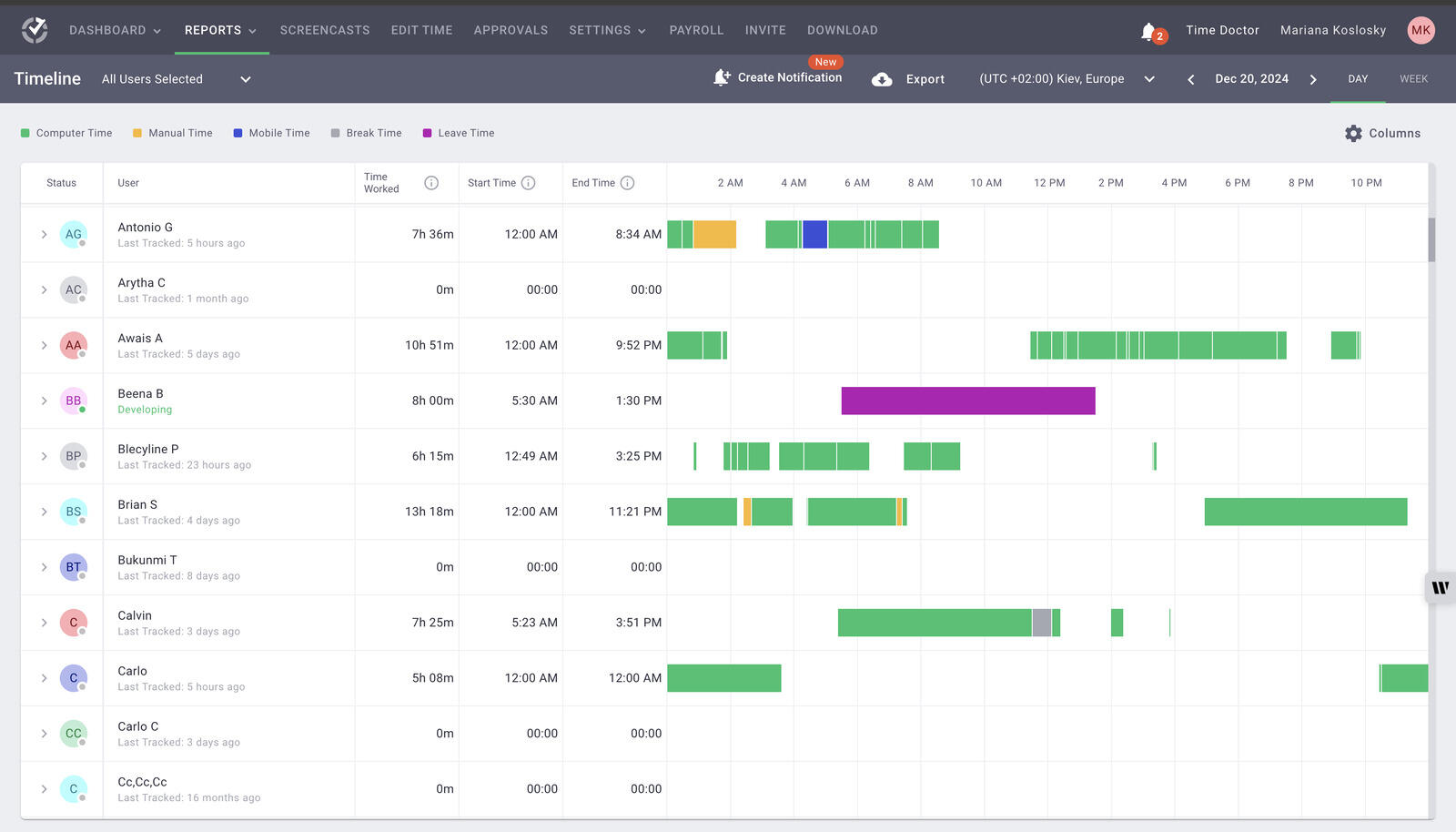
Time Doctor is the closest like-for-like swap when the organization still wants screenshots, activity data, and remote-work oversight. It changes the details of the product more than the philosophy behind it, which is exactly why it fits teams unhappy with Hubstaff's execution rather than its model.
- Best for: Teams leaving Hubstaff's execution, not its monitoring, that still need screenshots and activity data.
- Pricing: Solo starts at $5/month; team plans start around $8 to $9.99 per user/month depending on plan
- Rating: 4.4/5 on G2
For managers who need proof-of-work at scale, the detailed timelines and activity reports are a genuine strength. But it's worth being clear-eyed: if the reason you're moving is that people hate being watched, Time Doctor doesn't solve that problem, it just relocates it.
Pros
- Strong remote monitoring and accountability features.
- Detailed timeline and screenshot data for managers.
- Good for teams that still need proof-of-work style controls.
- More reporting detail than lighter time trackers.
Cons
- Doesn't fix the culture problem if the team dislikes surveillance.
- Sync issues and an intrusive feel still surface in reviews.
What users say about Time Doctor
Across G2 and Capterra, the pattern is that Time Doctor gives managers strong visibility into remote work and makes accountability easier to enforce at scale. The common complaints are intrusive screenshots, occasional technical glitches, and the manual review needed when time or idle data isn't quite right.
Source: G2 reviews and Capterra reviews
If you're weighing monitoring against a lighter setup, Clockify vs Hubstaff lays out that same trade-off in detail.
4. DeskTime - automatic tracking without the full operations stack
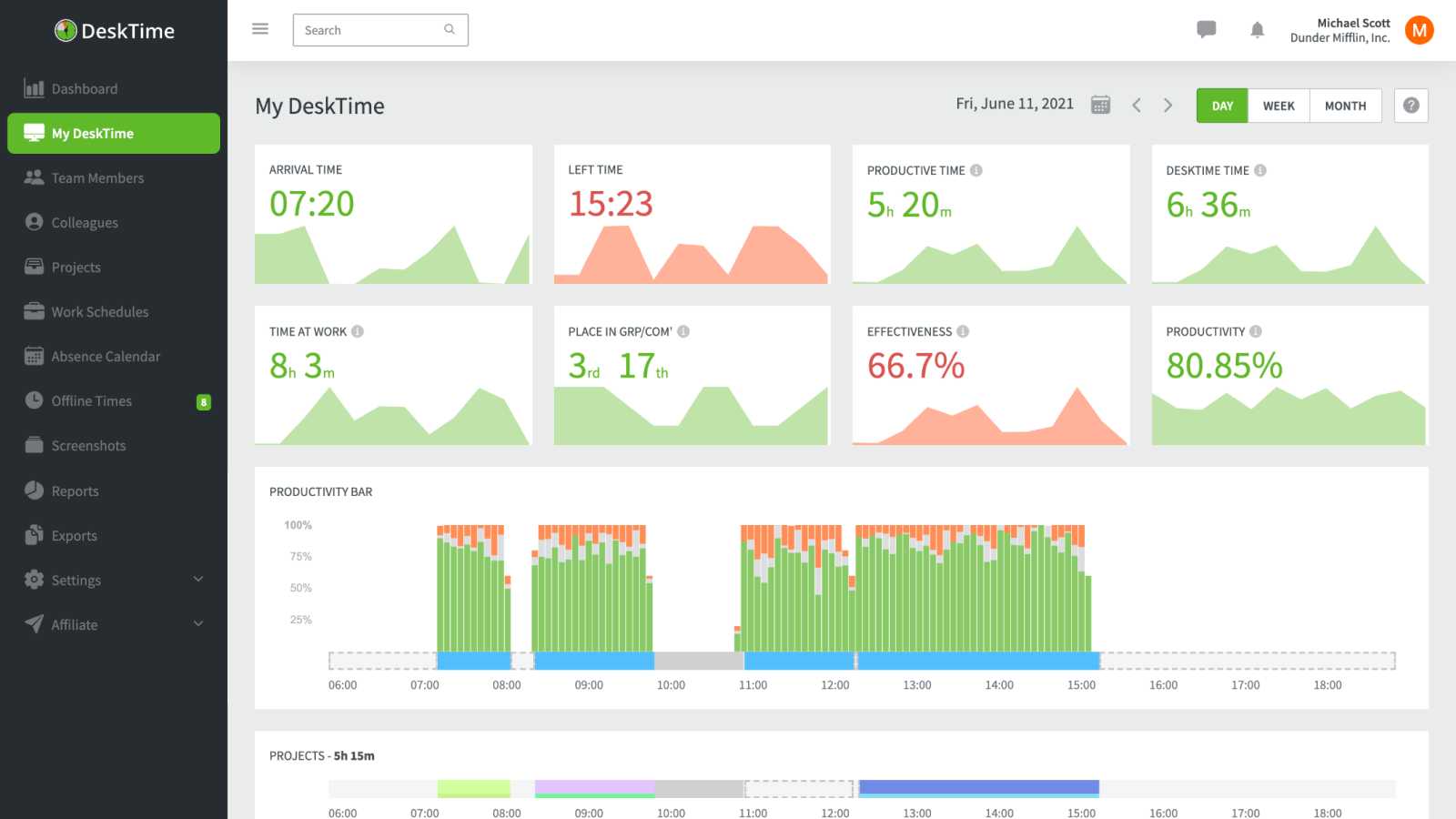
DeskTime sits between full remote-operations management and simple tracking. It still records background activity and productivity data, but it doesn't reach as far into payroll, scheduling, and operational controls as Hubstaff does, so it's a lighter product without abandoning monitoring entirely.
- Best for: Teams that still want automatic activity and productivity tracking, but in a simpler product than Hubstaff.
- Pricing: Pro starts at $6.42 per user/month billed annually
- Rating: 4.5/5 on G2
That makes it a viable pick when the team still wants monitoring but not the entire Hubstaff operating model, and when reducing manual tracking is a priority. The catch is the same one that pushed you to look elsewhere: automatic activity capture keeps the privacy questions on the table.
Pros
- Automatic monitoring with less operational overhead than Hubstaff.
- Useful productivity metrics for remote or hybrid teams.
- Simpler for organizations that don't need payroll depth.
- Reduces manual tracking while preserving manager visibility.
Cons
- Privacy concerns remain a real issue with any activity capture.
- Bug and pricing complaints still show up in user feedback.
What users say about DeskTime
G2 and Capterra reviews often describe DeskTime as useful for automatic tracking and productivity visibility, especially for managers watching work patterns across a distributed team. The recurring negatives are privacy concerns, occasional stability issues, and pricing that becomes less attractive as headcount grows.
Source: G2 reviews and Capterra reviews
To see the monitoring-versus-reporting choice play out directly, read Hubstaff vs TimeCamp.
5. Timen - the free, no-monitoring all-in-one

Full disclosure: this is our tool, so weigh it accordingly. Timen is for teams that have decided screenshots and activity scoring are no longer the right fit. It gives clear time records, calendar review, reports, and invoicing, so accountability comes from better review habits rather than deeper surveillance, which is often the right move for small teams.
- Best for: Teams dropping monitoring who want a genuinely free all-in-one - tracking, reporting, and invoicing - with no per-seat bill.
- Pricing: Free - every feature included, including invoicing.
It's a strong fit for trust-based teams that still need accountability but want it to feel collaborative rather than supervisory. It's honestly not the pick if you need proof-of-work controls, payroll exports, or a large integration ecosystem, which is where Hubstaff and the monitoring-heavy tools above are genuinely stronger.
Pros
- Free with every feature included - invoicing and all - where most trackers charge per seat and gate invoicing behind higher tiers.
- Much lighter cultural footprint than Hubstaff, with no surveillance layer.
- Calendar review still gives managers a clean way to validate the day.
- Reports and invoicing built in, so tracked hours turn into bills without a second tool.
- Strong fit for distributed teams that value autonomy.
Cons
- Newer product with little third-party review coverage so far.
- Smaller integration ecosystem than the biggest platforms.
- No employee monitoring, screenshots, or payroll exports if that's what you need.
Why teams pick Timen
The teams that choose Timen are usually the ones done with surveillance-first tracking: they want to log time, glance at the day in a calendar, and send an invoice from the same hours, without administering a heavier platform or asking people to accept screenshots. It's a deliberately narrow pitch, which is also why it won't suit teams that still need oversight, attendance, or payroll built in.
If it sounds close, the cleanest direct read is Timen vs Hubstaff.
6. Harvest - trade oversight for client billing
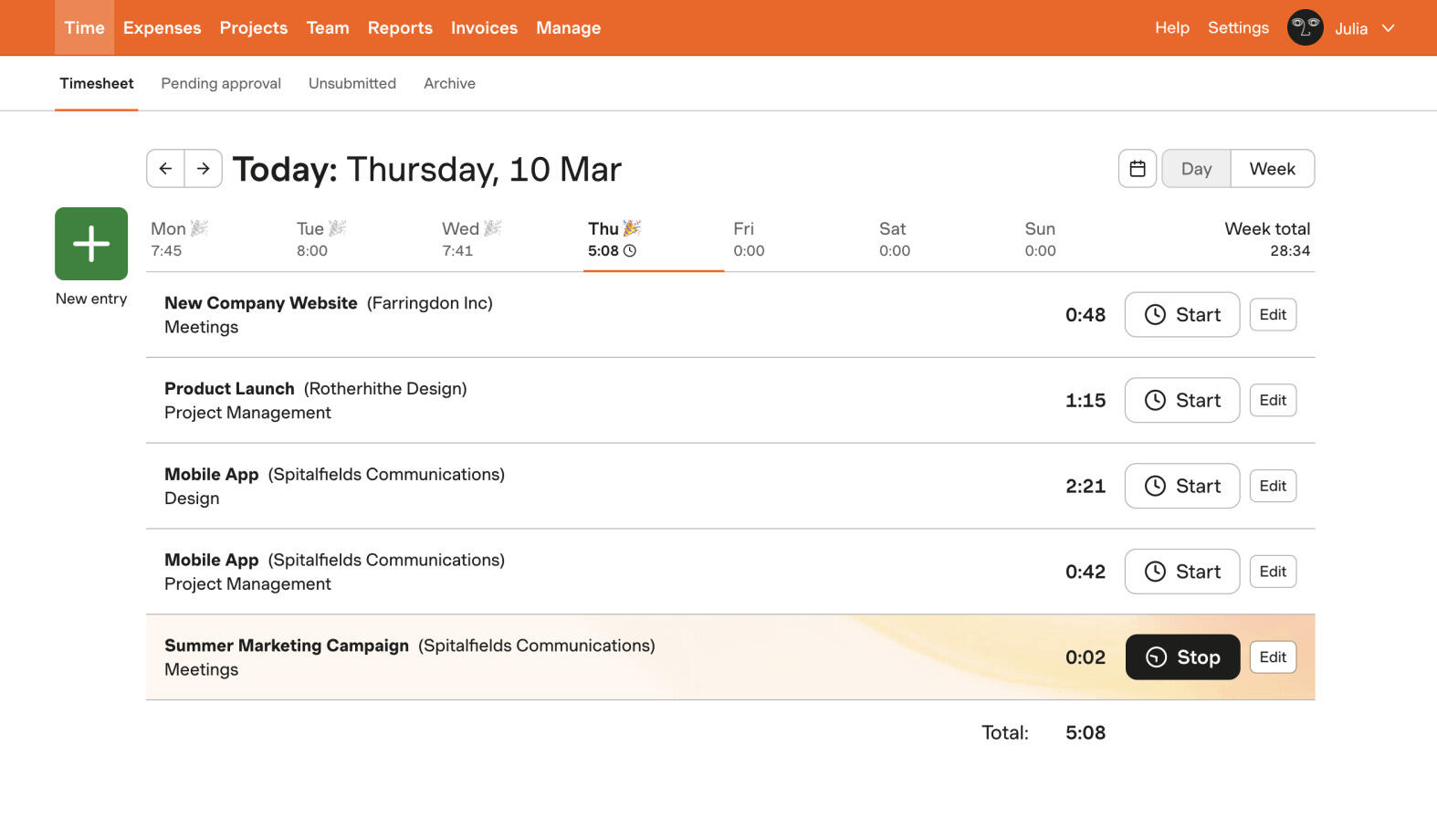
Harvest is the move when the real job was never oversight, it was getting paid. It replaces Hubstaff's control mechanisms with clean billable tracking, rates, budgets, and invoices, so tracked hours flow straight into money rather than into a manager dashboard.
- Best for: Client-service teams replacing Hubstaff because billing matters more than oversight.
- Pricing: Free plan available; paid plans start at $9 per seat/month billed annually
- Rating: 4.3/5 on G2
For agencies and consultancies that outgrew Hubstaff's operational posture, Harvest is easier to explain to the team and tightly tied to revenue. The cost is that all that billing structure is dead weight if you still need attendance, payroll, or activity monitoring - and its pricing is a growing part of why some teams are rethinking Harvest.
Pros
- Client billing is much stronger than in Hubstaff.
- Less intrusive and easier to roll out to a team.
- Good fit for agencies that want timesheets tied to invoices.
- Cleaner product for client-facing work than an oversight tool.
Cons
- Doesn't replace Hubstaff's payroll or attendance feature set.
- Less useful if operational oversight is still a hard requirement.
What users say about Harvest
Users on G2 and Capterra usually praise Harvest for straightforward billing, easy time entry, and reports that work well for client services. The repeated drawbacks are price, reporting depth that some advanced teams find shallow, and occasional friction with mobile or syncing.
Source: G2 reviews and Capterra reviews
You can widen the search with the best Harvest alternatives, or narrow it quickly with Toggl Track vs Harvest.
7. ClickTime - approvals and utilization instead of screenshots
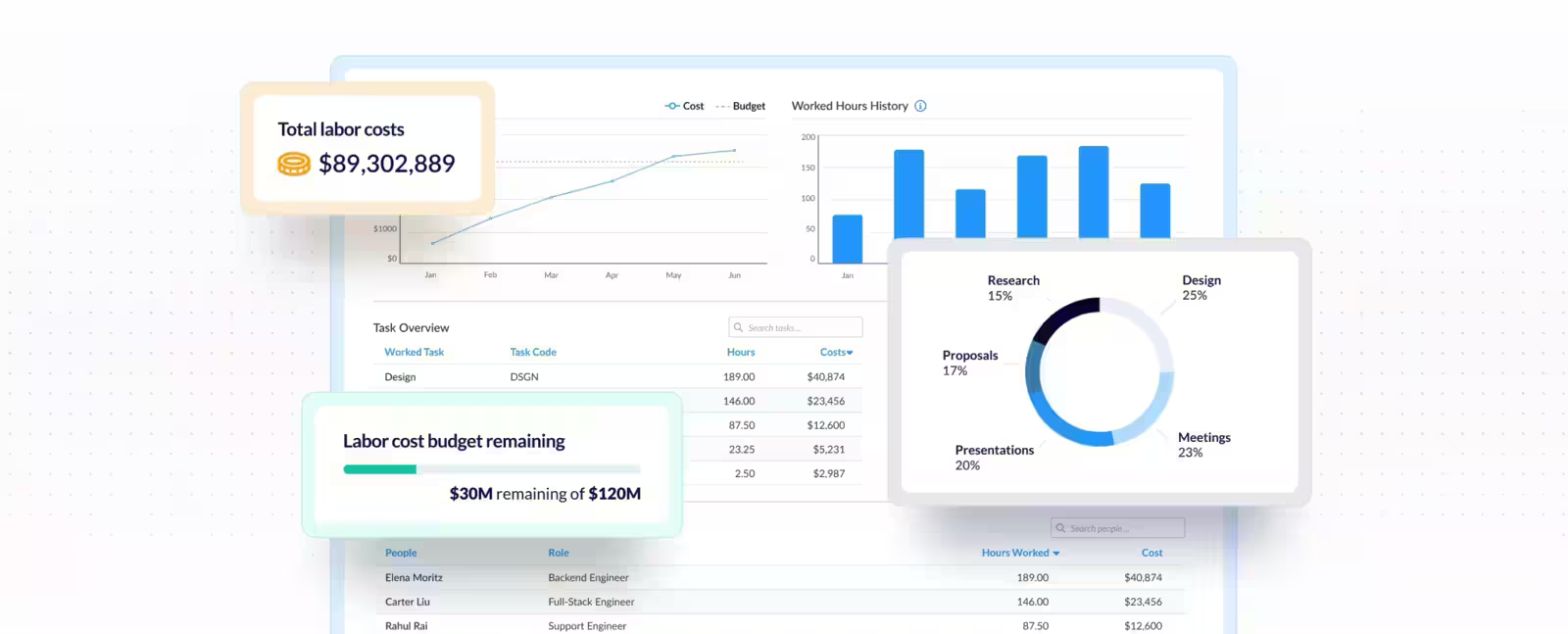
ClickTime keeps managerial rigor without reaching for screenshots. It expresses control through approvals, utilization targets, and finance-grade reporting instead of activity monitoring, which suits organizations that want structure but not surveillance.
- Best for: Teams that still want formal approvals and utilization control, but not Hubstaff's monitoring posture.
- Pricing: Starter starts at $12 per user/month billed yearly
- Rating: 4.6/5 on G2
When staffing, project cost, and sign-off on timesheets drive the buying decision, ClickTime's approval workflows earn their keep. The trade is that it feels more formal and process-heavy than a quick tracker, so contributors can find it slower than the tools they'd prefer.
Pros
- Strong approvals and utilization reporting without screenshot culture.
- Better fit than Hubstaff for finance-led professional-services teams.
- Useful when staffing and project-cost decisions matter.
- Supports a formal, less intrusive operating model.
Cons
- Heavier than simple trust-based trackers.
- Contributor experience can feel process-heavy.
What users say about ClickTime
The recurring story on G2 and Capterra is that ClickTime works well for formal approvals, utilization reporting, and consistent timesheet management. The tradeoffs mentioned most are a slower-feeling interface, extra workflow steps, and more admin overhead than small teams tend to want.
Source: G2 reviews and Capterra reviews
For a broader replacement list, see the best ClickTime alternatives.
8. Toggl Track - the simplest clean break
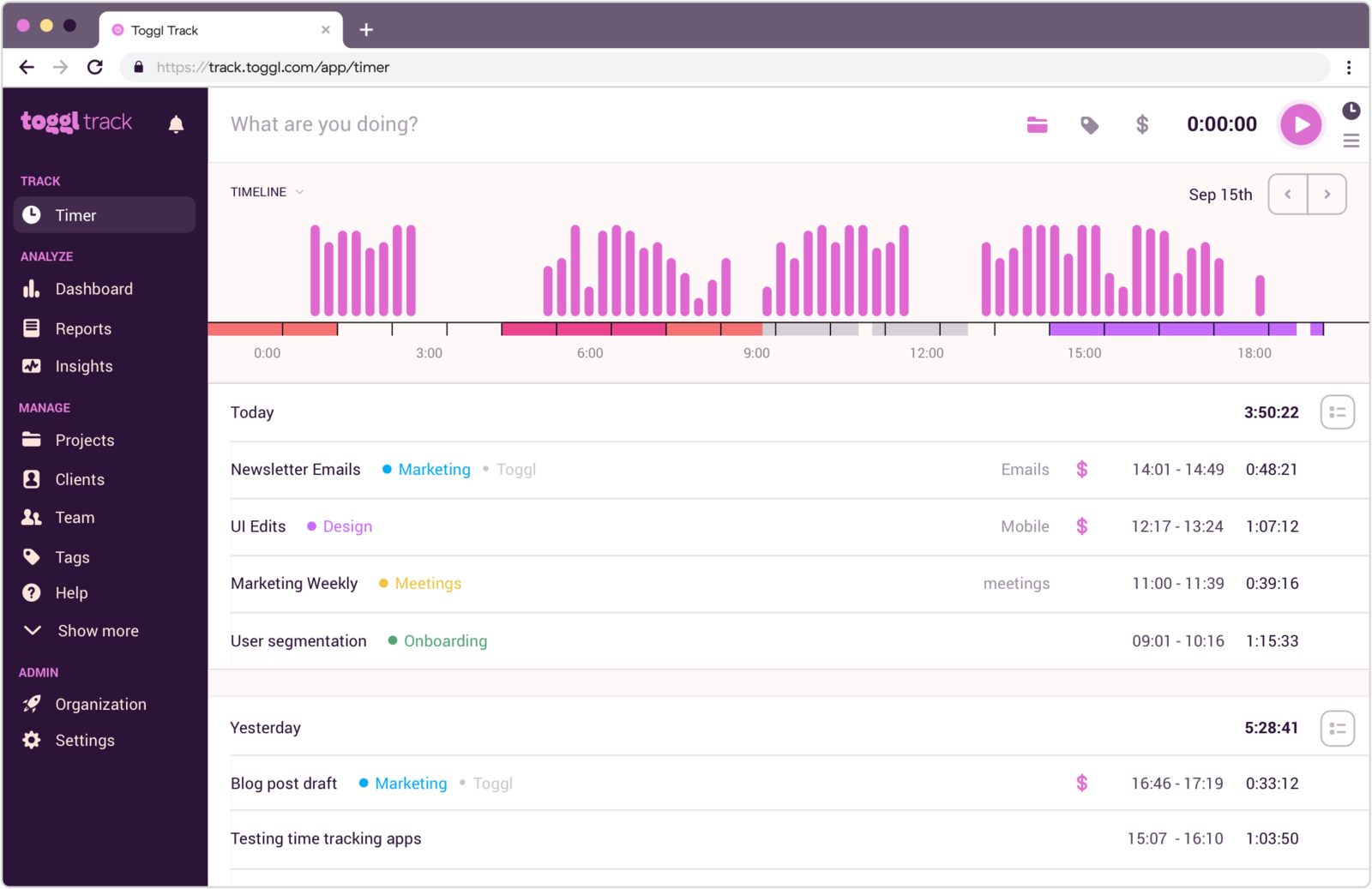
Toggl Track is the cleanest reset if the team wants to move from monitored work to explicit, self-managed tracking. It strips the surveillance layer back to timers, reports, and project organization, and the timer workflow is genuinely pleasant to use day to day.
- Best for: Teams that want the simplest, cleanest break from Hubstaff's heavy management style.
- Pricing: Free plan available; paid plans start at $9 per user/month
- Rating: 4.6/5 on G2
It's a strong fit when the organization has decided ease of use and culture matter more than proof-of-work data. The obvious limit is the other side of that coin: it doesn't replace payroll, attendance, or oversight, so it's the wrong tool if the business still requires them.
Pros
- A very different, calmer feel from Hubstaff for trust-based teams.
- Simple adoption and a clean timer workflow.
- Useful reports without any intrusive monitoring.
- Strong option for teams re-centering around autonomy.
Cons
- Doesn't replace payroll or management oversight features.
- Less useful if the business still requires proof-of-work data.
What users say about Toggl Track
Across G2 and Capterra, reviewers value Toggl Track for ease of use, quick onboarding, and a timer workflow that stays manageable for busy teams. The recurring complaints are familiar: editing friction, a ceiling on project complexity, and some mobile limitations when fixing entries on the go.
Source: G2 reviews and Capterra reviews
See the best Toggl Track alternatives for a wider shortlist of simple trackers, or read why Toggl can be too much for simple time tracking when a team only wants the basics.
Hubstaff alternatives compared
The fast version: whether each tool keeps or drops oversight, how heavy it is, and what it costs.
| Tool | Best for | Complexity | Pricing |
|---|---|---|---|
| Clockify | Lighter team tracking, low cost | Low to medium | Free plan; paid from $3.99 per user/month |
| TimeCamp | Reporting with softer oversight | Medium | Paid from $3.99 per user/month |
| Time Doctor | Monitoring-heavy remote accountability | High | Paid from $5 monthly or about $8 per user/month |
| DeskTime | Automatic productivity visibility | Medium | Paid from $6.42 per user/month |
| Timen | A genuinely free all-in-one (tracking, reports, invoices) | Low | Free - every feature included |
| Harvest | Client billing instead of oversight | Medium | Paid from $9 per seat/month |
| ClickTime | Approvals and utilization control | Medium to high | Paid from $12 per user/month |
| Toggl Track | Simplest timer-first clean break | Low | Free plan; paid from $9 per user/month |
Which Hubstaff alternative should you choose?
Match the tool to the reason you started looking:
You want to go lighter but keep team reporting → Clockify or TimeCamp. Both keep timesheets and reports while dropping the surveillance; Clockify wins on cost and familiarity, TimeCamp on reporting depth and optional auto-capture.
You still need monitoring → Time Doctor or DeskTime. Pick these when you're replacing Hubstaff's execution, not its philosophy, and screenshots or activity data are still a real requirement.
You want it genuinely free → Timen is the all-in-one here that's free with every feature included - tracking, reports, and invoicing, with no per-seat bill and no monitoring layer. Clockify, Harvest, and Toggl Track have free plans too, but each caps features and keeps invoicing or deeper reporting on paid tiers, so their "free" covers less than it looks. Timen's honest trade is that it's newer and simpler, with a smaller integration ecosystem and no oversight, attendance, or big app marketplace.
You're trading oversight for something specific → Harvest if that something is client billing, ClickTime if it's formal approvals and utilization control.
You want the simplest possible reset → Toggl Track. A clean, self-managed timer with useful reports and none of the management machinery.
The real question is whether oversight stays a core requirement. If the answer is no, the shortlist collapses to two or three lighter tools very quickly.
FAQ
The questions teams ask most often when comparing Hubstaff alternatives.
- What is the best alternative to Hubstaff?
- It depends on whether you still need oversight. For most teams, the ones leaving to get out from under the monitoring, Clockify or TimeCamp is the closest fit: team tracking and reporting without the surveillance. If you genuinely still need proof-of-work, Time Doctor and DeskTime are the closest like-for-like swaps. Timen is the simplest monitoring-free option when you also want a calendar view and invoicing.
- What tool is most similar to Hubstaff?
- Time Doctor, and then DeskTime. Both keep the monitoring model, with screenshots, activity levels, and productivity data, so they change the details more than the philosophy. Clockify and TimeCamp are closer if you want the team reporting but not the oversight.
- Can I replace Hubstaff without employee monitoring?
- Yes, and it is the most common reason teams switch. Clockify, TimeCamp, Harvest, Timen, and Toggl Track all drop screenshots and activity scoring while keeping the parts most teams actually use every day: timesheets, reports, and billing.
- Why do teams switch away from Hubstaff?
- Usually to reduce monitoring. They want less surveillance, a calmer daily experience, cleaner reporting, or time tracking that supports collaboration rather than supervision. A smaller group switches because they need a different balance of payroll, approvals, or reporting instead of screenshots.
The short version
There's no single best Hubstaff alternative, because Hubstaff solves a specific problem: remote-team operations with oversight built in. Some teams genuinely need that. Many only thought they did, and a lighter workflow ends up improving both adoption and trust - overweight tools are a big reason time tracking fails in small teams in the first place. Match the tool to your camp: Clockify or TimeCamp to go lighter but keep team reporting, Time Doctor or DeskTime to keep monitoring, Harvest or ClickTime to trade it for billing or approvals, Toggl Track for the simplest reset, and Timen if you want a calm, monitoring-free all-in-one.
If oversight is still central, Clockify vs Hubstaff and Hubstaff vs TimeCamp are the two most useful next reads for separating pure time tracking from management-heavy workflows. And if what you actually want is to leave the surveillance behind, that turns out to be the easy part: almost everything on this list does it.