













10 best Harvest alternatives in 2026

If you're leaving Harvest, the closest billing-capable swaps are Paymo (time, projects, and invoicing in one) and Clockify (the same familiar tracking core for less). Reach for Everhour when billing has to sit inside project work, FreshBooks when invoicing and accounting lead, Toggl Track for lighter everyday tracking, and heavier tools like ClickTime or Hubstaff for approvals and oversight. A genuinely free all-in-one like Timen fits teams that just want tracking, a calendar, and invoices in one place without a per-seat bill.
Harvest's whole pitch is the part after the timer: tracked hours turn into budgets, approvals, and invoices without a second tool in the loop. That's why it's a fixture at agencies and service teams — it's a billing-first tracker that keeps client work moving from hours to payment.
People rarely leave because Harvest bills badly. They leave because seats got expensive at scale, because they wanted more project structure around the work, or because they wanted a lighter everyday tool that isn't built entirely around invoicing. I spent real time in each of the ten tools below — tracking actual work for a stretch, not clicking through a demo — so this guide is about where each one genuinely fits a Harvest user. Teams that would rather keep Harvest and just tie it to delivery can instead read how to pair Harvest with project management.
Why teams leave Harvest
Harvest is deliberately focused on billing, and that focus is exactly what creates the edges people bump into. In practice the reasons cluster into five:
- Seat cost. Rolling Harvest out to more people gets expensive relative to how much of it the wider team actually uses.
- Project depth. Teams want tasks, planning, and delivery sitting next to the hours, not in a separate app.
- Lighter billing. Some want invoicing without the full structure Harvest wraps around every project.
- More control. Finance or operations needs stronger approvals, utilization, or labor-cost reporting than Harvest offers.
- Automatic capture. People keep missing timers, so passive or reminder-driven tracking starts to look attractive.
Which of those is pushing you should drive the whole decision. A team chasing cheaper seats wants something very different from a team that needs utilization sign-off, or one whose only real complaint is that half the staff forget to hit start. If cost is the trigger, it helps to understand why some teams are rethinking Harvest's pricing; if it's the weight of the product, this account of Harvest feeling too complex for a small agency will sound familiar.
What to look for in a Harvest replacement
When you compare Harvest alternatives, look at the workflow that surrounds the time entry, not the timer itself — every tool here can start and stop a clock. The parts that actually differ:
- Billing depth — rates, invoices, and client-ready reports, if time still has to support revenue.
- Seat pricing that stays sane as the team grows, if cost is what pushed you out.
- Cost — and whether a "free" plan actually covers what you need, or quietly gates invoicing and reporting behind paid seats.
- Project and task context, if you want hours tied more tightly to how work gets delivered.
- Approvals, utilization, and cost controls, if finance and operations need the structure.
- A daily experience light enough that people will actually keep using it.
Some replacements are leaner than Harvest; others add more control around projects, utilization, or payroll. The right fit comes down to which part of Harvest you want to keep and which part you're trying to leave behind. For a fuller checklist, our guide to what to look for in time tracking for client work walks through the same trade-offs in more depth.
How we compared these tools
A short note on method, so you can weigh the picks:
- Hands-on use. Each tool tracked real work rather than getting a quick preview, and the "best for" calls and pros and cons come from that plus each product's current documentation.
- Ratings. The G2 scores shown are the aggregate ratings on each product's G2 page at the time of writing (July 2026); the review summaries paraphrase recurring themes across G2 and Capterra, not any single review.
- Pricing. Pulled from each vendor's public pricing page and rounded; plans and promotions shift, so confirm before you commit.
- Order. Because Harvest users are usually still billing, the list leads with the tools that best keep the track-then-invoice loop, then moves toward heavier or more specialized options. It isn't a strict ranking, and it isn't ordered around our own product — Timen sits mid-list, where a simpler all-in-one genuinely fits.
The 10 best Harvest alternatives
From the closest billing-capable swaps to the more specialized picks, here's the shortlist. For most teams the friction that starts the search shows up in the time-to-invoice workflow.
1. Paymo — the closest all-in-one billing replacement
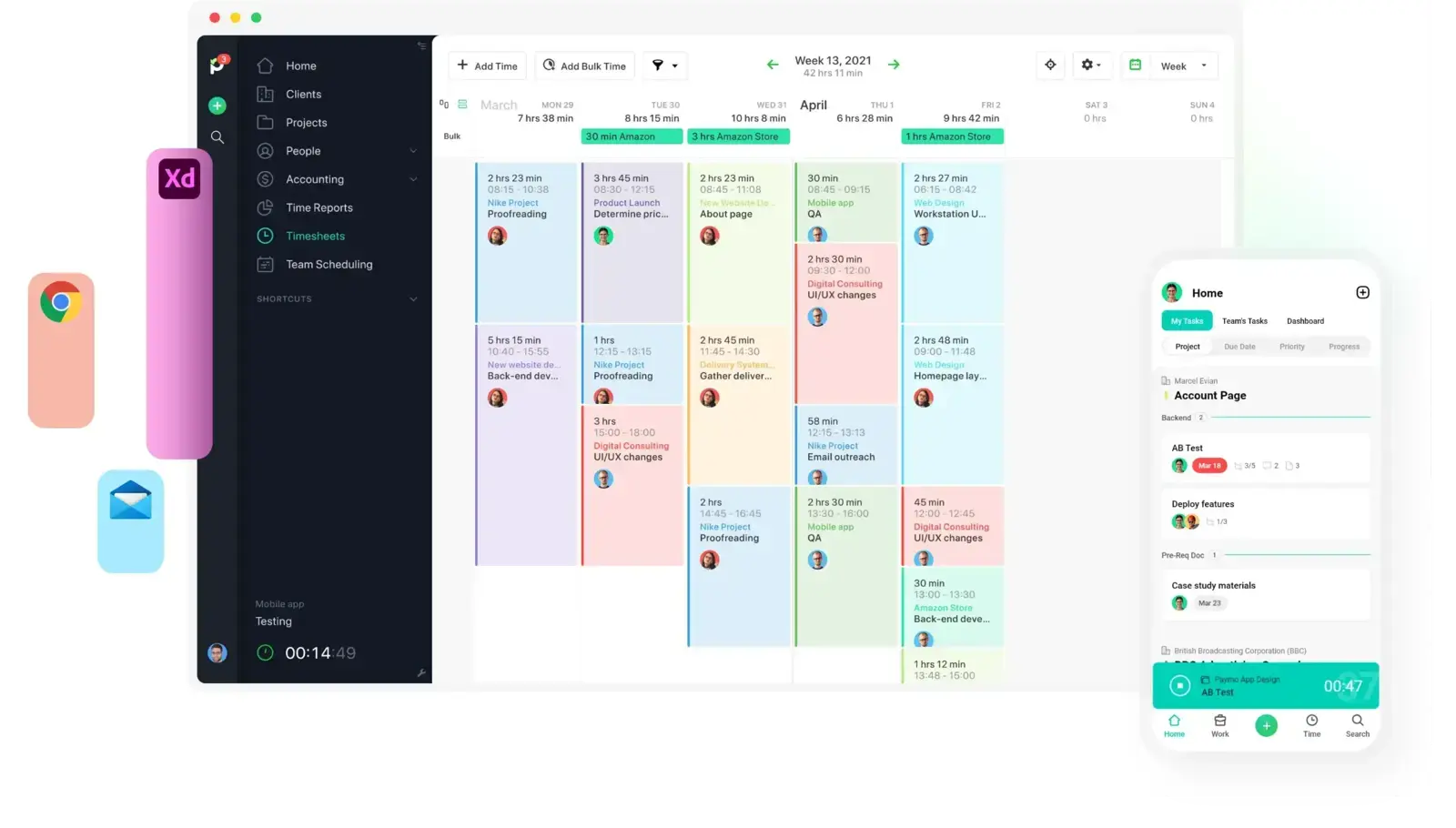
If you liked that Harvest carried you from hours to an invoice, Paymo carries you a step further: it folds task planning and scheduling into the same product, so a small agency can run projects, track billable time, and send invoices without stitching three tools together.
- Best for: Small agencies that want time, projects, and invoicing in one product instead of three.
- Pricing: Paid plans start at $5.90 per month for Solo and $10.90 per user/month for Plus
- Rating: 4.6/5 on G2
That extra operating context is the whole appeal for teams outgrowing a standalone tracker — one system for planning, delivery, and billing. It's also the catch: if all you wanted from Harvest was a lean timer with an invoice attached, Paymo is more software than you'll use.
Pros
- Time, tasks, and invoicing live together, which removes handoffs for small agencies.
- Useful scheduling and profitability context around client work.
- More operationally complete than Harvest when one tool has to cover everything.
Cons
- Heavier than a simple track-and-invoice flow needs to be.
- Task collaboration can feel thin once workflows get complex.
What users say about Paymo
The steady theme across G2 and Capterra is that Paymo suits small teams who want projects, time, and invoices managed in one place rather than across separate apps. The friction shows up when people push into deeper collaboration, customization, or mobile work and start wanting more flexibility than the all-in-one design gives them.
Source: G2 reviews and Capterra reviews
Want to weigh other combined tools first? Browse the best Paymo alternatives.
2. Clockify — the cheaper, familiar swap
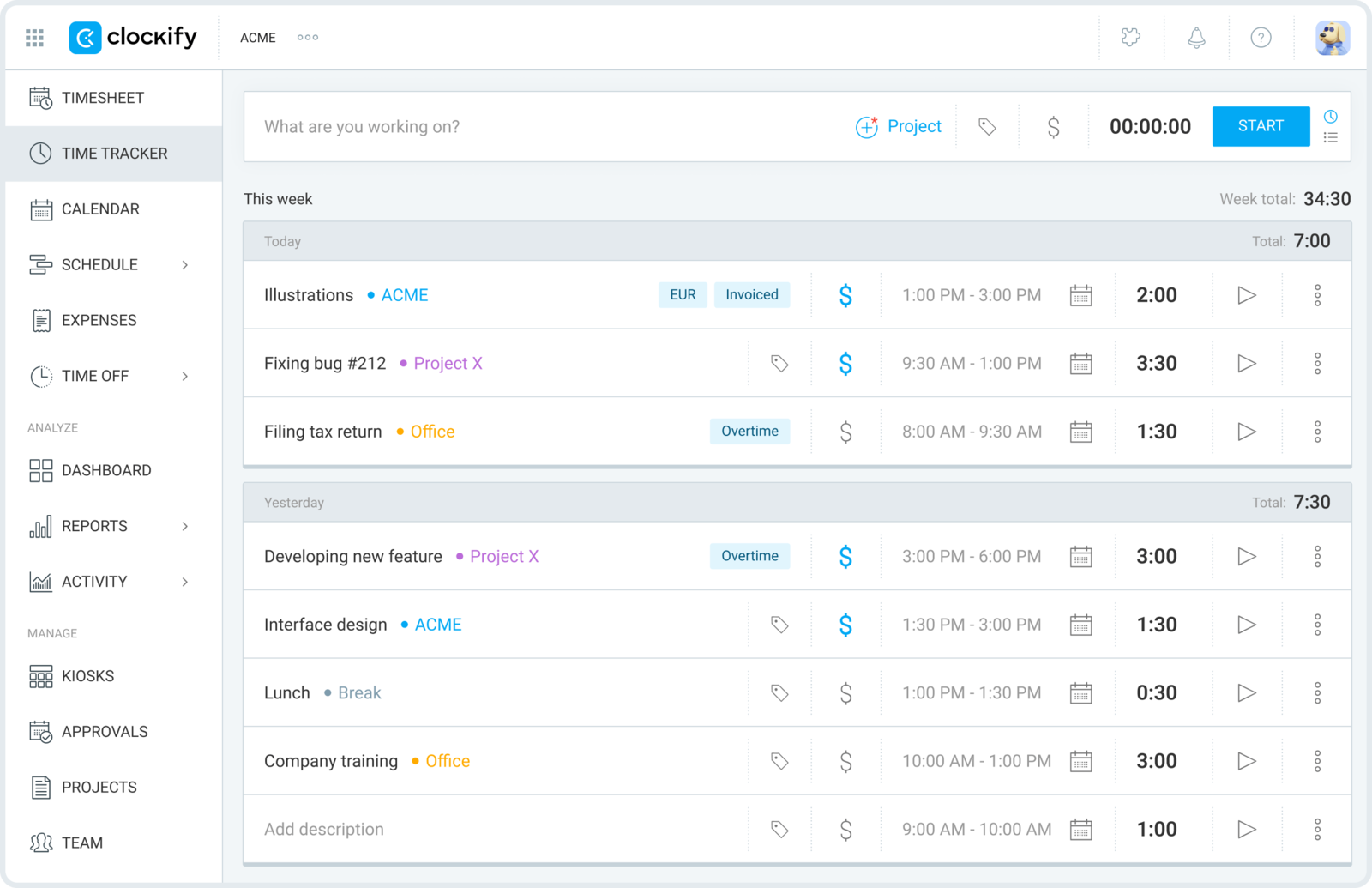
When the reason for leaving is the invoice at the end of the month — the one from your software vendor, not your client — Clockify is the usual first stop. Clients, projects, timers, timesheets, and reports all carry over, so the tracking habit barely changes, but the per-seat math gets far easier to justify.
- Best for: Harvest users leaving over seat cost who want the same tracking habits for less.
- Pricing: Free plan available; paid plans start at $3.99 per user/month billed annually
- Rating: 4.5/5 on G2
The free plan genuinely covers unlimited people, which makes a broad rollout painless — though it's worth checking whether Clockify's free plan still holds up in 2026 before you build a rollout around it. The trade is that Clockify feels more utilitarian than Harvest, and its billing side is neither as central nor as polished — invoices are there, but they aren't the centerpiece the way they are in Harvest.
Pros
- A low-cost way to put tracking in front of a bigger team.
- Familiar mix of timer and timesheet workflows, so almost no relearning.
- Solid baseline reports for clients and internal review.
Cons
- Less billing-centric than Harvest once invoices and budgets matter.
- Interface polish trails the cleaner premium tools.
What users say about Clockify
Across G2 and Capterra, reviewers keep coming back to easy setup, flexible client and project tracking, and strong value as the reasons they adopt Clockify. The complaints cluster around manual-edit friction, an uneven mobile experience, and a feel that's more functional than the pricier billing-first tools.
Source: G2 reviews and Capterra reviews
If price is the whole story, widen the field with the best Clockify alternatives, or read the direct Clockify vs Harvest matchup.
3. Everhour — best when billing lives inside project work
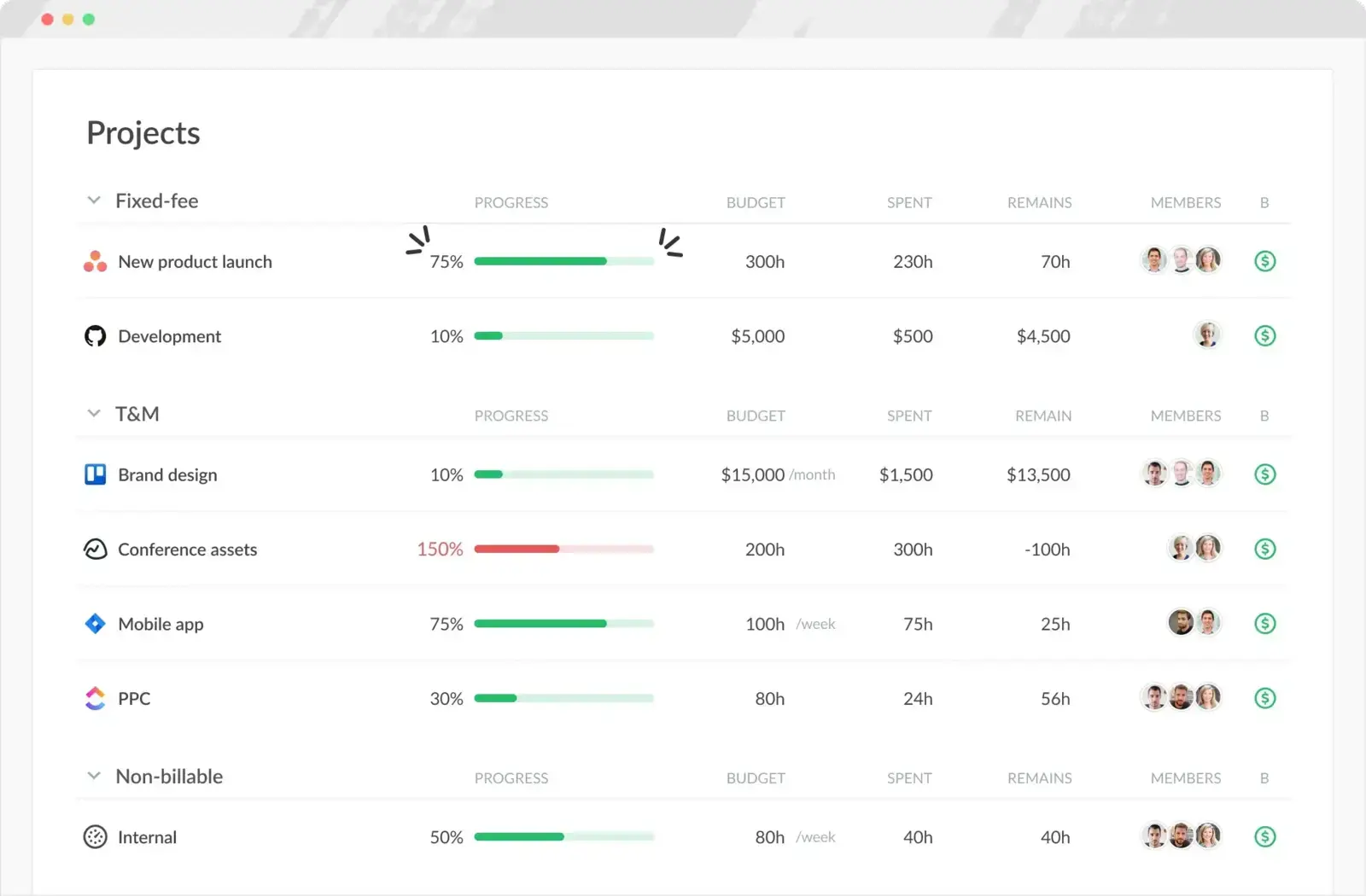
Everhour is the pick when your time data is most useful right inside Asana, ClickUp, Trello, or whatever board your team already lives in. Instead of hopping between billing software and task software, the task list itself becomes where hours, estimates, and budgets get logged.
- Best for: Client teams whose billable hours should sit next to tasks, estimates, and budgets.
- Pricing: Free plan available; Team plan costs $8.50 per seat/month billed annually
- Rating: 4.7/5 on G2
For agencies that manage delivery in a project tool before anyone thinks about invoicing, that project-native approach often beats Harvest's simpler standalone billing. If your team doesn't run work inside a connected PM tool, though, the same design can feel like more than you need — and invoicing is a bit more manual.
Pros
- Deep project-tool integrations keep hours attached to the actual work.
- Budgets, invoicing, and approvals aimed at task-driven client teams.
- Managers get real context around the time that gets logged.
Cons
- Much less compelling if your team doesn't live in a PM tool.
- No native mobile app, and invoicing takes a few more steps.
What users say about Everhour
Review themes on G2 and Capterra keep landing on the same strengths: smooth integrations with project tools, quick logging from task views, and reporting that keeps budgets in check. The recurring gripes are the missing mobile app, some invoicing and setup limits, and pricing that can feel steep for the smallest teams.
Source: G2 reviews and Capterra reviews
Explore more project-first options in the best Everhour alternatives, or line the two up in Harvest vs Everhour.
4. FreshBooks — best when invoicing and accounting come first
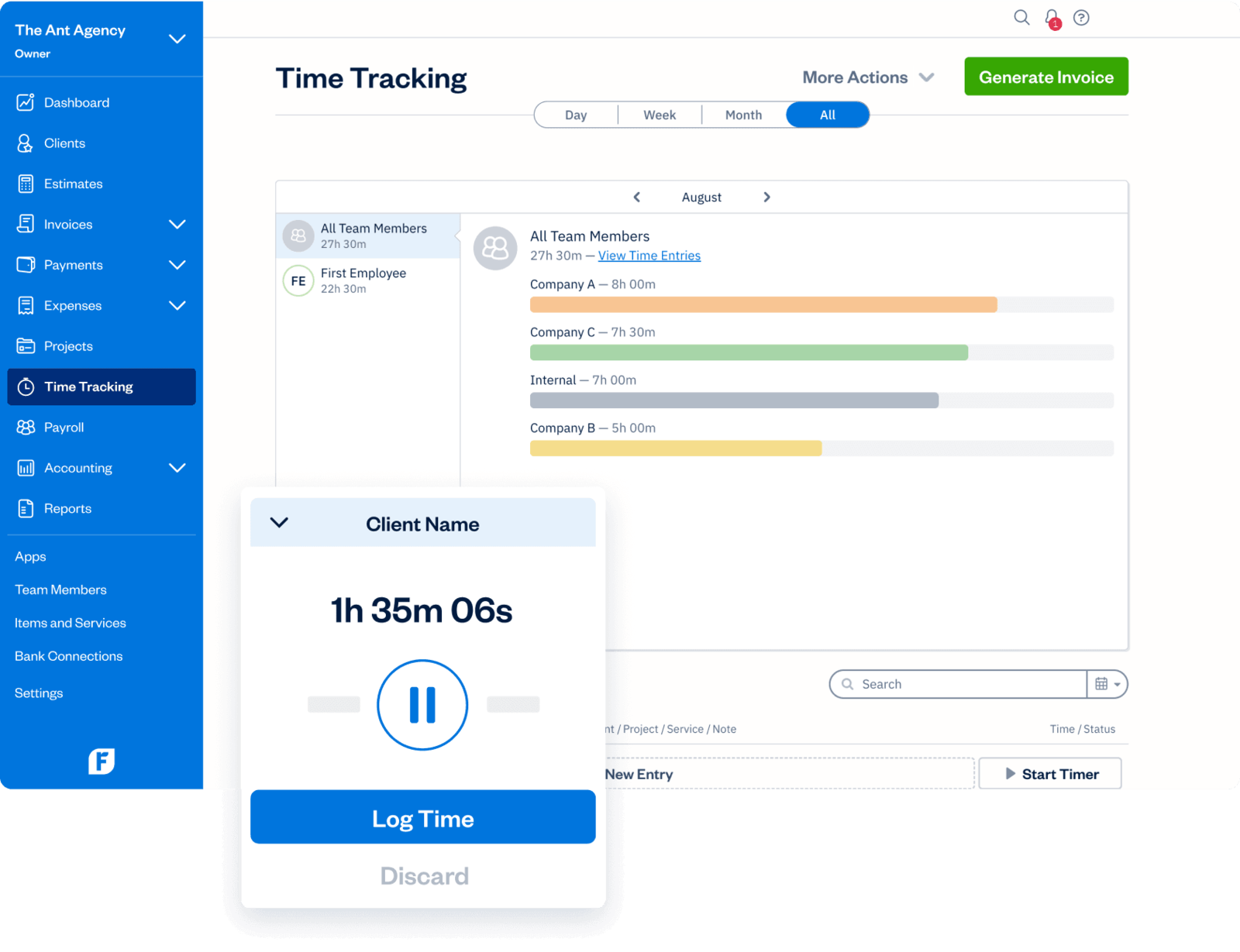
FreshBooks approaches the same problem from the accounting side of the fence. It isn't the nearest match to Harvest in workflow shape, but for a solo operator or a tiny firm that really wants invoices, expenses, estimates, and payments first — with time tracking folded into that stack — it's often the more sensible home.
- Best for: Freelancers and very small businesses that care more about invoicing and accounting than tracker depth.
- Pricing: Lite starts at $9.20 per month; Plus at $17.20 per month; team members are extra
- Rating: 4.5/5 on G2
That makes FreshBooks a better fit than Harvest when bookkeeping convenience outranks time-tracker depth. Push it toward richer time analysis or team-wide reporting, though, and it starts to feel lighter than a purpose-built tracking product.
Pros
- Strong invoicing, estimates, and expense workflows for very small service businesses.
- Broader accounting coverage than Harvest for solo operators.
- Handy when time tracking is just one piece of a wider billing stack.
Cons
- Time tracking and reporting are lighter than Harvest for dedicated service teams.
- Costs climb as you add features and collaborators.
What users say about FreshBooks
On G2 and Capterra, FreshBooks earns its praise for easy invoicing, expenses, estimates, and payment collection, especially from freelancers and small service businesses. The recurring drawback is that its time tracking and reporting don't run as deep as a specialist tracker's, and pricing weighs more heavily as the business grows.
Source: G2 reviews and Capterra reviews
If invoicing is really the driver, it's worth mapping out the whole tracked-hours-to-invoices flow before you commit.
5. Toggl Track — best for lighter, faster everyday tracking
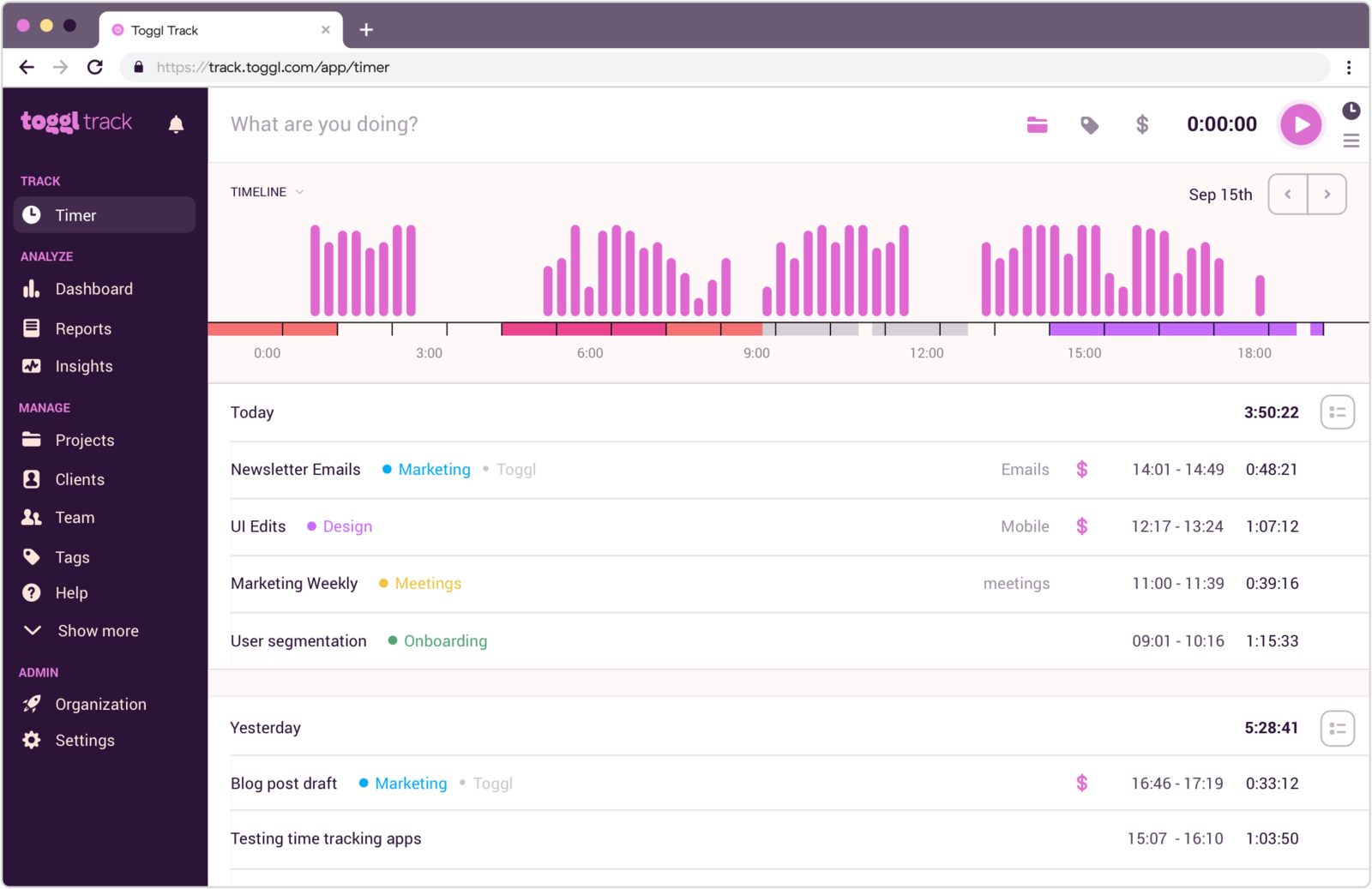
Toggl Track is the right move when the realization is that you need a cleaner tracking tool more than a billing hub. Projects, billable rates, and reporting are all in the mix, but the center of gravity is fast logging and flexible review rather than invoice design.
- Best for: Teams that want to step back from Harvest's billing weight and just track quickly.
- Pricing: Free plan available; paid plans start at $9 per user/month
- Rating: 4.6/5 on G2
That makes it a natural fit for consultants, product teams, and mixed-use groups that want billable visibility now and then without every screen feeling built for an agency. The flip side is a less complete billing flow than Harvest's — you'll still export to invoice rather than bill from the same place.
Pros
- Quick timer workflow that stays easy for individual contributors.
- Billable tracking and reports without a heavy accounting feel.
- Strong cross-device support for distributed teams.
Cons
- Less complete billing flow than Harvest for service teams.
- Manual entry cleanup can get tedious over time.
What users say about Toggl Track
On G2 and Capterra, the clearest pattern is that Toggl Track wins people over with a clean interface, quick timer controls, and reports simple enough to use every week. The weaknesses surface when teams want more automation around editing, richer project structure, or a smoother mobile fix-up after the fact.
Source: G2 reviews and Capterra reviews
For more lightweight options see the best Toggl Track alternatives, or compare it head-on in Toggl Track vs Harvest. And if even Toggl starts to feel like more than a small team needs, that's a common tipping point toward something simpler.
6. Timen — the free tracker with invoicing included

Full disclosure: this is our tool, so weigh it accordingly. Timen keeps the part of Harvest that matters — you still invoice from tracked hours — but strips the day-to-day down to a short loop: track time, review it in a calendar, share a report, then send an invoice, without the interface revolving around finance first.
- Best for: Teams that want a genuinely free Harvest replacement — tracking, reporting, and invoicing in one — without a per-seat bill.
- Pricing: Free — every feature included, including invoicing.
It's a good fit when Harvest already felt close to right but heavier than you wanted day to day, and you'd rather review the week in a calendar than in a dense billing UI. It's honestly not the pick if you need employee monitoring, payroll exports, or a large integration marketplace — that's where Hubstaff and the older platforms are stronger.
Pros
- Free with every feature included — invoicing and all — where Harvest and most trackers charge per seat and keep invoicing on higher tiers.
- Simpler everyday workflow than Harvest for teams that still bill from tracked time.
- Calendar review makes weekly cleanup faster and easier to trust.
- Reports and invoices stay right next to the tracked hours.
Cons
- Newer product with little third-party review coverage so far.
- Smaller integration ecosystem than the oldest platforms.
- No employee monitoring or payroll exports if that's what you need.
Why teams pick Timen
The teams that choose Timen are usually the ones tired of running a heavier billing platform for what is, most days, just tracking and the occasional invoice. They want to log time fast, glance at the week in a calendar, and bill from the same hours — without administering more product than the work calls for. It's a deliberately narrow pitch, which is also why it won't suit teams that need approvals, oversight, or a big app marketplace.
If it sounds close, the cleanest direct read is Timen vs Harvest.
7. TimeCamp — best for flexible reporting and mixed capture
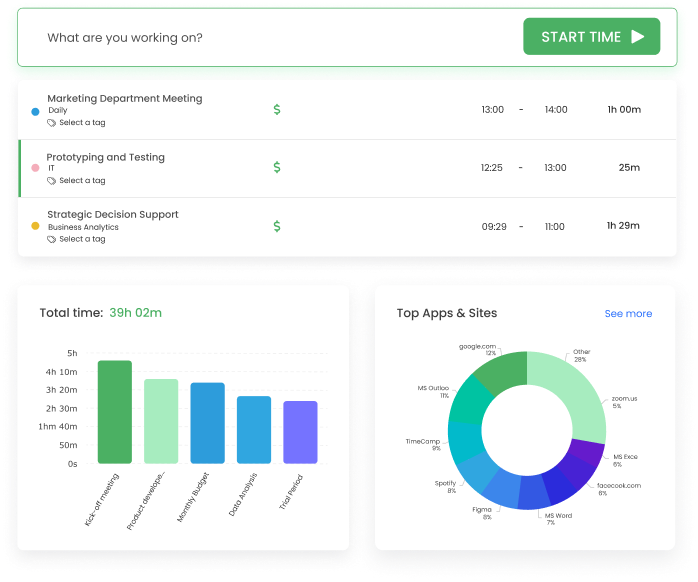
TimeCamp suits Harvest users who feel boxed in by the simpler billing flow and want more ways to capture, categorize, and analyze time. It stretches the reporting and tracking model far enough to answer detailed questions about effort and cost, without turning into a fully administrative platform.
- Best for: Teams that want more reporting flexibility and mixed capture than Harvest offers.
- Pricing: Starter starts at $3.99 per user/month billed annually
- Rating: 4.7/5 on G2
When the same tracked hours feed invoices, internal analysis, and client summaries, that flexibility earns its place — and the paid entry price is among the lowest here. The trade is a busier interface; if your team only needs fast daily logging, it's more tool than the job requires.
Pros
- More capture options than Harvest for teams with mixed tracking habits.
- Stronger reporting flexibility for operational review.
- Low entry price for teams needing more than basic billing reports.
Cons
- Interface feels busier than Harvest's more focused workflow.
- Reviews mention occasional bugs and data hiccups.
What users say about TimeCamp
Reviewers on G2 and Capterra tend to describe TimeCamp as flexible, affordable, and genuinely useful once a team wants stronger reports or a mix of manual and automatic capture. The steady drawbacks are bugs, some data inconsistencies, and an experience that feels less tidy than the cleaner billing-first tools.
Source: G2 reviews and Capterra reviews
If reporting is the reason Harvest feels tight, see the best TimeCamp alternatives, or read Hubstaff vs TimeCamp.
8. TrackingTime — best for collaborative timesheets on a budget
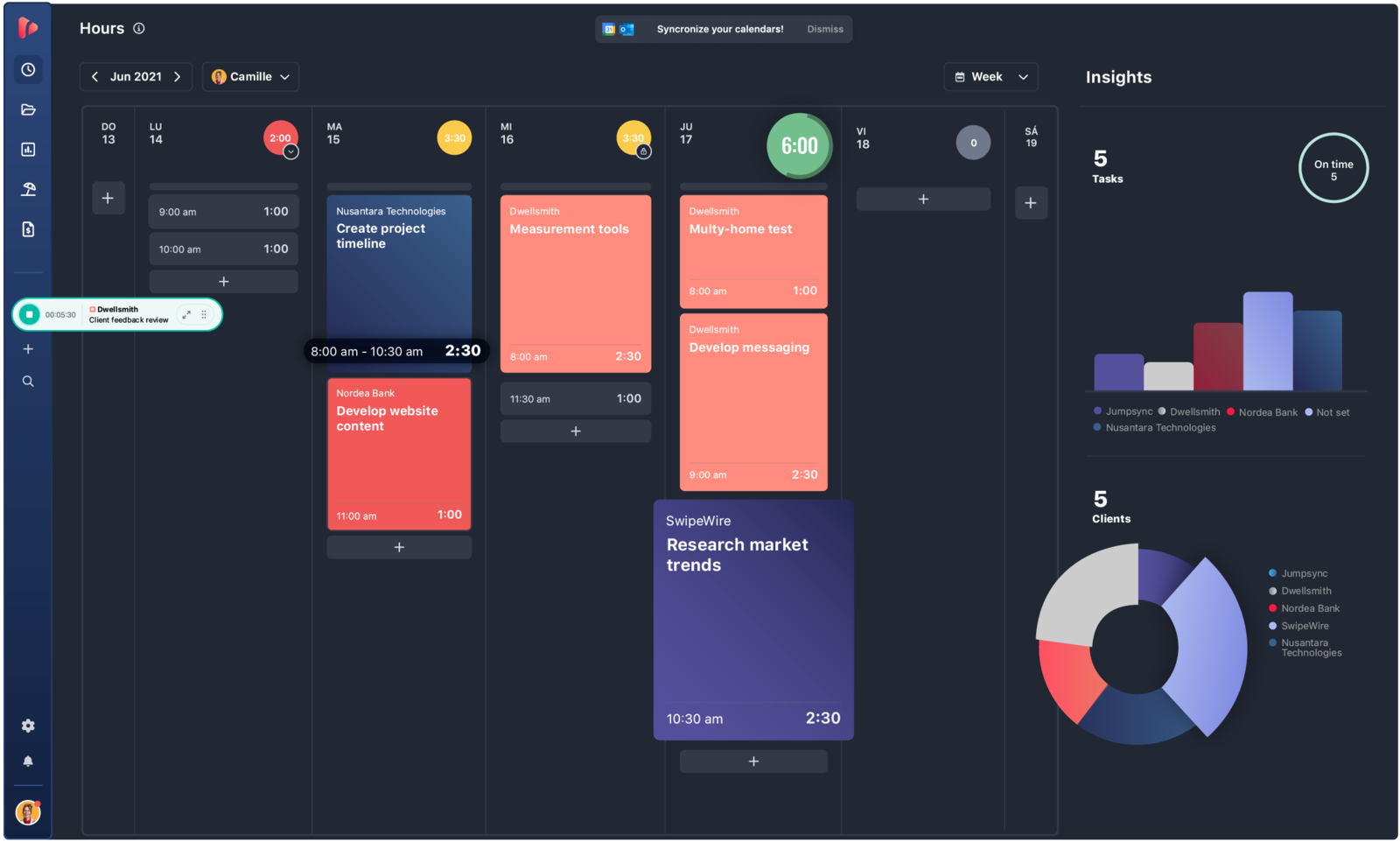
TrackingTime is a credible Harvest alternative when a team wants billable tracking, shared calendars, and better value without stepping up to a full operations platform. It leans toward collaboration and reporting more than pure timer simplicity, and its invoicing features cover the basics.
- Best for: Small consultancies that want collaborative timesheets and invoicing on a budget.
- Pricing: Free plan available; Starter is $5.75 per user/month billed annually
- Rating: 4.4/5 on G2
It's especially relevant for small teams that need structure and shared visibility, but not Harvest's brand familiarity or ClickTime's heavier administrative posture. The catch is that setup and the deeper features aren't always obvious, and some controls sit behind paid tiers.
Pros
- Good balance of tracking, calendars, and reporting for small teams.
- Lower-cost path to invoicing and project-level visibility.
- Helpful reminders and shared review habits for collaborative teams.
Cons
- Initial setup and deeper features can feel less obvious.
- Some advanced controls are reserved for paid plans.
What users say about TrackingTime
Across G2 and Capterra, reviewers repeatedly call out TrackingTime for strong value, clear reporting, useful reminders, and solid task-based tracking for small teams. The friction turns up around onboarding, timers that run long when people forget to stop them, and a few integration or calendar behaviors that need tidying.
Source: G2 reviews and Capterra reviews
For more budget-friendly picks aimed at client work, see the roundup of time tracking tools for agencies.
9. ClickTime — best for approvals and utilization control
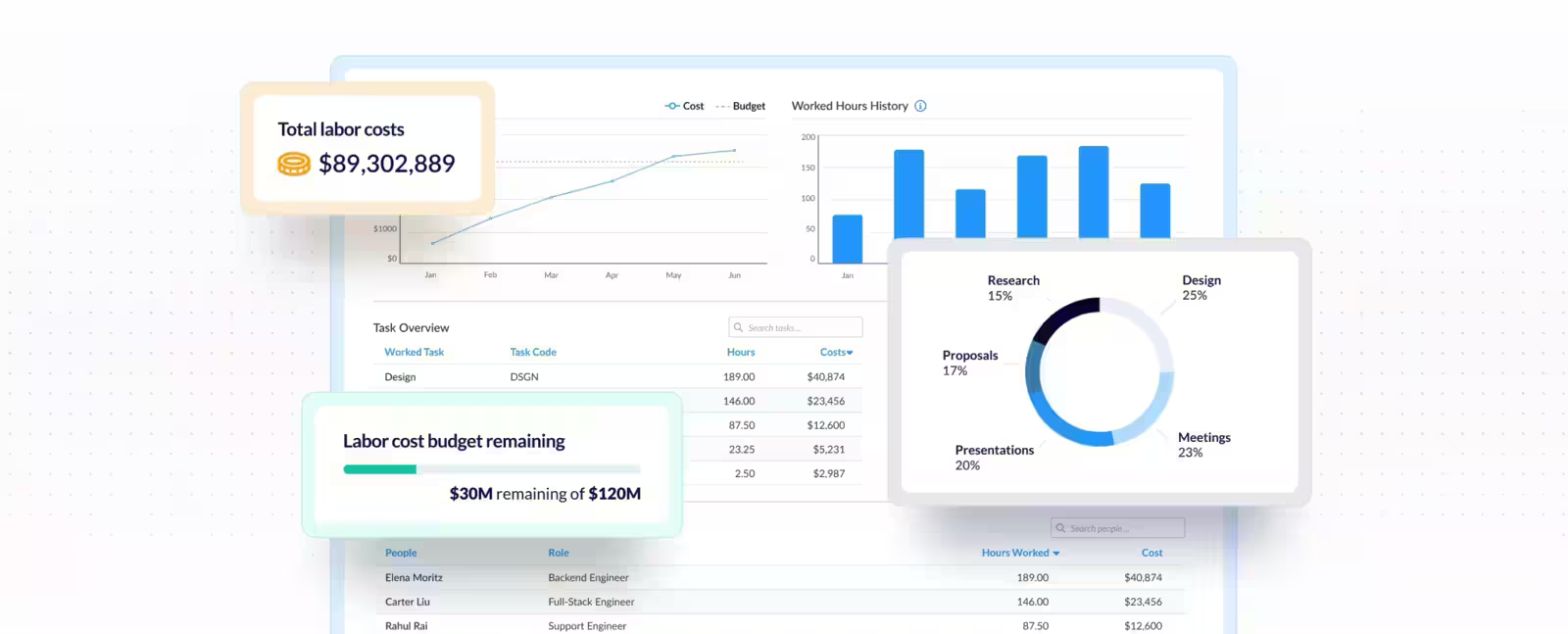
ClickTime is where teams tend to land when Harvest no longer feels strong enough for labor controls, approvals, or utilization reporting. It's still about time data, but it's built for organizations that need that data to hold up in budgeting, finance review, or compliance-driven workflows.
- Best for: Professional-services teams that need approvals, labor controls, and defensible reporting around billable work.
- Pricing: Starter begins at $12 per user/month billed yearly
- Rating: 4.6/5 on G2
That makes it a stronger tool than Harvest for administrative rigor, and a weaker one if what you care about most is keeping time entry as light and fast as possible. It's a deliberate trade of speed for structure.
Pros
- Approvals and billing controls run deeper than Harvest for structured teams.
- Useful reporting for utilization, project health, and labor costs.
- Good when finance and operations rely on the same time data.
Cons
- More administrative feel than many small teams want.
- Price climbs quickly if you only need straightforward tracking.
What users say about ClickTime
The main trend on G2 and Capterra is that ClickTime earns trust for reporting, utilization visibility, and timesheet discipline, especially where cleaner approvals matter. The usual objections are that some workflows take too many steps, the interface can feel dated, and the product is heavier than smaller teams need for daily entry.
Source: G2 reviews and Capterra reviews
For more control-focused tools, browse the best ClickTime alternatives.
10. Hubstaff — best for remote payroll and oversight
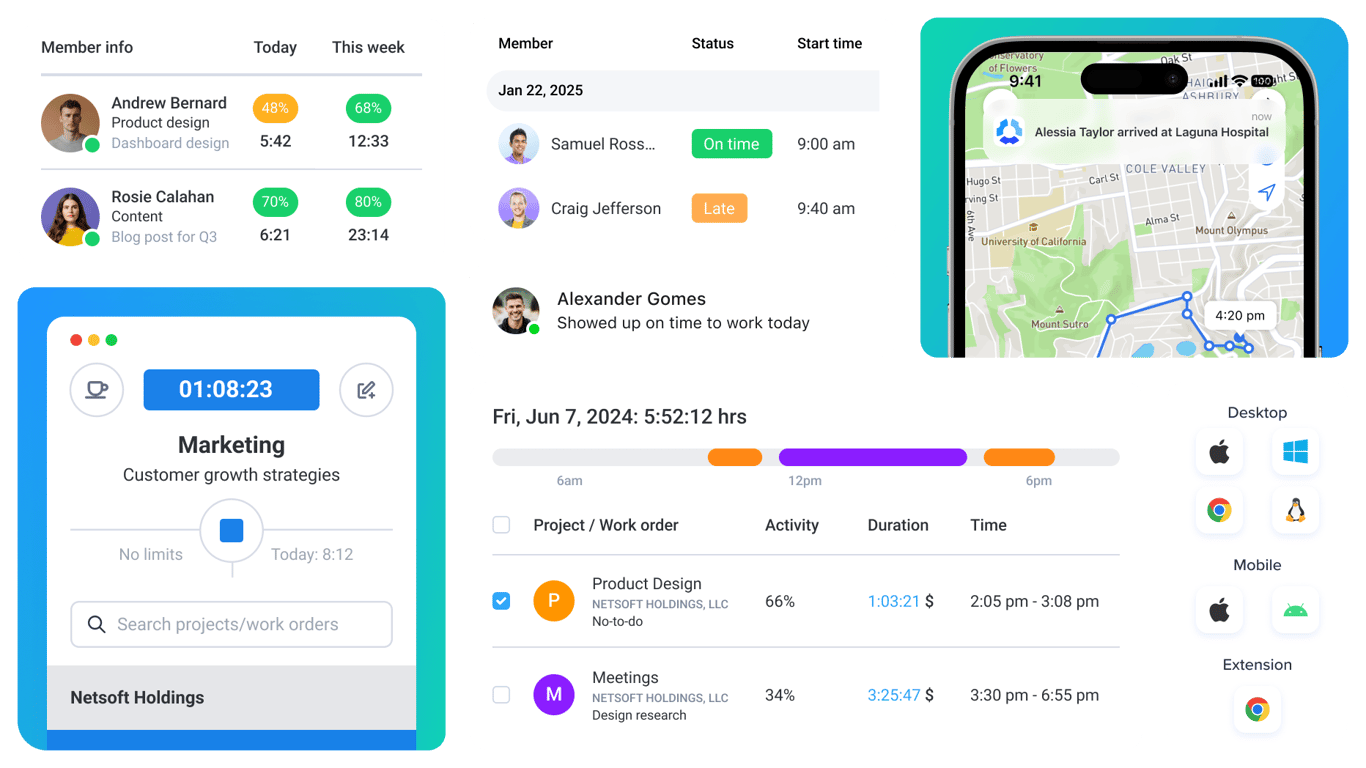
Hubstaff isn't the closest match to Harvest in tone, but it's the right call when a service operation needs more than invoices and budgets. Payroll exports, screenshots, activity data, time off, and attendance push it into workforce-management territory Harvest doesn't try to cover.
- Best for: Remote service businesses that need payroll, scheduling, or proof-of-work features alongside billable tracking.
- Pricing: Starter plans start around $4.99 per user/month billed annually
- Rating: 4.5/5 on G2
That extra control solves real problems for distributed teams, but it also changes the feel of the product. Where Harvest trusts people to log honestly, Hubstaff leans on monitoring — and teams that prefer trust-first tracking usually head elsewhere.
Pros
- Handles payroll, attendance, and oversight better than Harvest.
- Valuable for remote teams that need proof-of-work data.
- Scheduling and manager workflows go well beyond billing.
Cons
- Monitoring features can feel too invasive for some teams.
- Less calm and less billing-focused than Harvest day to day.
What users say about Hubstaff
The dominant pattern on G2 and Capterra is that Hubstaff is valuable for remote accountability, detailed reports, and tying tracked time to payroll or management. The same reviews keep raising privacy concerns around screenshots and activity monitoring, plus a sense that the product can feel more supervisory than collaborative.
Source: G2 reviews and Capterra reviews
For more oversight-focused options, open the best Hubstaff alternatives, or see the straight matchup in Clockify vs Hubstaff.
Harvest alternatives compared
The fast version — where each tool fits, how heavy it is, and what it costs.
| Tool | Best for | Complexity | Pricing |
|---|---|---|---|
| Paymo | Projects, tasks, and invoices in one tool | Medium | Paid from $5.90 monthly or $10.90 per user/month |
| Clockify | Cheaper, familiar client tracking | Low to medium | Free plan; paid from $3.99 per user/month |
| Everhour | Billing tied to project and task work | Medium | Free plan; Team from $8.50 per seat/month |
| FreshBooks | Freelancer invoicing and accounting | Medium | Plans from $9.20 per month |
| Toggl Track | Lighter, faster everyday tracking | Low | Free plan; paid from $9 per user/month |
| Timen | A genuinely free all-in-one (tracking, reports, invoices) | Low | Free — every feature included |
| TimeCamp | Flexible reporting and mixed capture | Medium | Paid from $3.99 per user/month |
| TrackingTime | Collaborative timesheets on a budget | Medium | Free plan; paid from $5.75 per user/month |
| ClickTime | Approvals and utilization control | Medium to high | Paid from $12 per user/month |
| Hubstaff | Remote payroll and oversight | Medium to high | Paid from about $4.99 per user/month |
Which Harvest alternative should you choose?
Match the tool to the reason you started looking:
You want one system for time, projects, and invoices → Paymo. It's the closest all-in-one to Harvest, with Everhour as the runner-up when the work already lives inside a project tool.
Seat cost is the main driver → Clockify. The same tracking habits for a fraction of the price, with a free plan that covers everyone; TrackingTime and TimeCamp are close on value.
Invoicing and accounting come first → FreshBooks. Best when the books matter more than tracker depth, and time is just one input.
You want lighter, faster everyday tracking → Toggl Track. Billable rates are there, but the product stays out of your way rather than centering on invoices.
You want it genuinely free → Timen. It's the all-in-one here that's free with every feature included — tracking, reporting, and invoicing — with no per-seat bill. Clockify's free plan is the other standout, covering unlimited people, and Everhour, Toggl Track, and TrackingTime carry free tiers too — but those cap features and keep invoicing or deeper reporting on paid seats, so their "free" covers less than it first looks. Timen's honest trade is that it's newer and simpler, with a smaller integration ecosystem and no monitoring — the budget-friendly calm pick, not the one for oversight or a big app marketplace.
You need approvals, utilization, payroll, or oversight → ClickTime for approvals and utilization, Hubstaff for remote payroll and monitoring, with TimeCamp in between if flexible reporting is the priority.
For most small service teams, the cleanest path is to start with the least complicated tool that still handles rates, reviews, and invoices — ideally one that lets you review a week of billable time in a few minutes. Reach for the heavier options only once project depth, utilization controls, or oversight genuinely become the point.
FAQ
- What is the best alternative to Harvest?
- It depends on why you're leaving. Paymo is the closest all-in-one if you still want time, projects, and invoicing in one product, Clockify is the cheaper familiar swap when seat cost is the issue, and FreshBooks fits freelancers who care about invoicing and accounting first. Simpler tools like Timen suit teams that just want tracking, a calendar, and invoices in one place.
- What tool is most similar to Harvest?
- Paymo is the closest in shape — it tracks billable time, manages projects, and invoices clients like Harvest does. Clockify is the closest on the everyday tracking core if you mainly want the same habits for less money.
- Is there a cheaper alternative to Harvest?
- Yes. Clockify, TimeCamp, and TrackingTime all have free or low-cost plans that cover tracking, projects, and reporting, and Timen is free with all features included — unusual for a tool that also handles invoicing.
- Why do teams switch from Harvest?
- Usually for lower seat costs, more project structure around billable work, deeper approvals and utilization reporting, or a lighter everyday product that isn't built entirely around invoicing.
The short version
There's no single best Harvest alternative — it comes down to which part of Harvest you're keeping. If you want one system for time, projects, and invoices, Paymo; if seat cost is the trigger, Clockify; if billing has to sit inside the work, Everhour; if the books lead, FreshBooks; if you want lighter tracking, Toggl Track; and if you need approvals, utilization, or payroll, ClickTime or Hubstaff. For some teams the real trigger is less the feature list than confidence in Harvest itself.
If Harvest is still your benchmark, the two most useful next reads are Clockify vs Harvest for the budget-first path and Harvest vs Everhour when project context is pushing the decision.
And if what you actually want is the shortest path from tracked time to a calendar review, a clean report, and an invoice, Timen is worth a look — with the honest caveat that it's built for simplicity, not monitoring or a heavy integration ecosystem.