





Capture the work
Keep billable hours from slipping away
Start tracking when the work begins, or add time later when a meeting-heavy day made live tracking unrealistic.

Small teams
Simple team tracking with billing

Freelancers
Billable time tracking and invoicing

Consultants
Client tracking, reports, and billing

Designers
Creative work with project context

Lawyers
Precise billable time for legal work

Agencies
Team tracking for client projects

Finance teams
Reporting and invoice visibility

Developers
Fast tracking for technical work
Teams
Timen helps freelancers capture billable hours quickly, keep every entry tied to the right client or project, review clean totals, and send invoices without rebuilding the work twice.
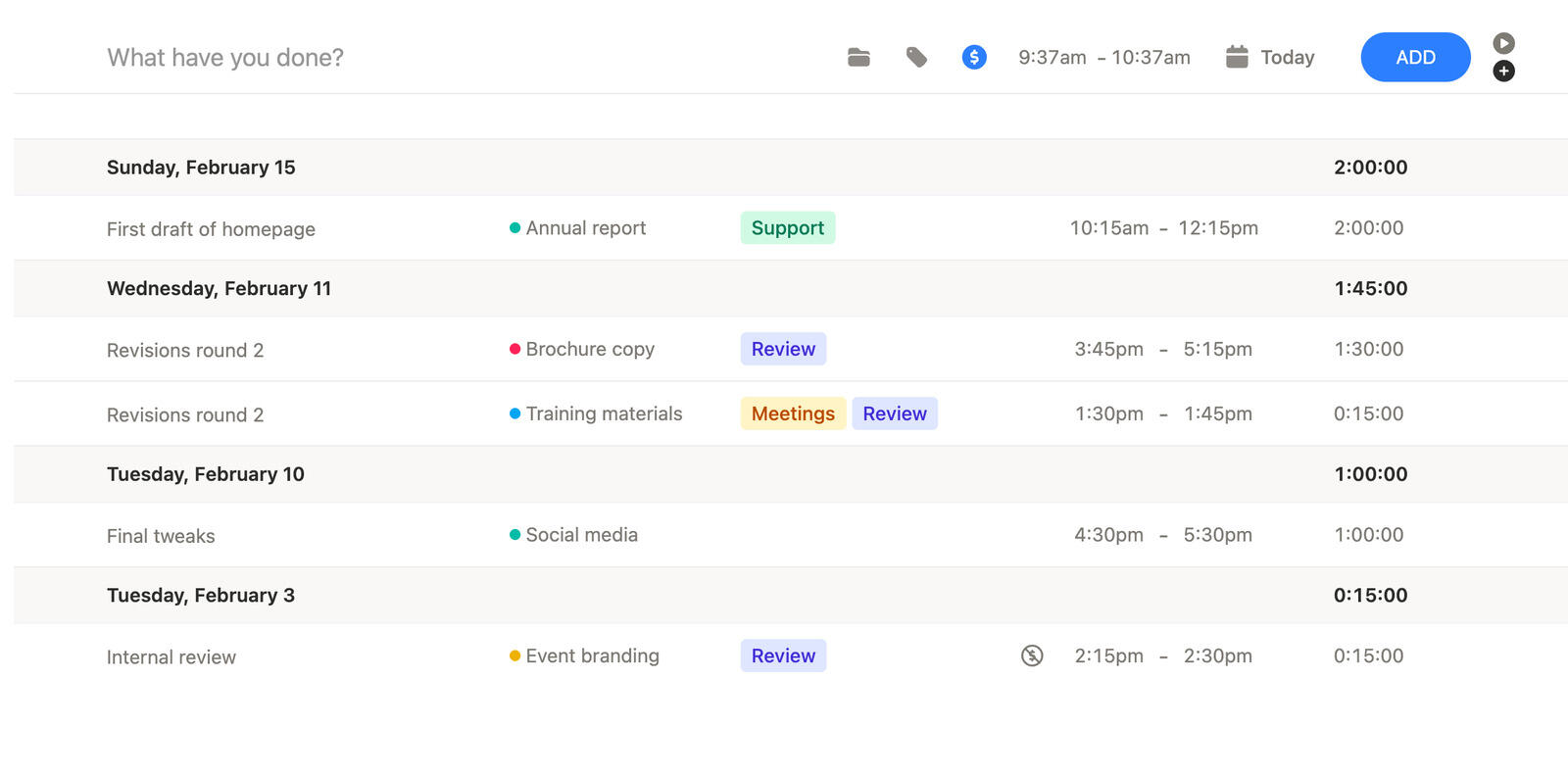
When you work solo, the tool needs to stay simple enough for daily use but complete enough to support client billing and reporting when the job is done.
Capture the work
Start tracking when the work begins, or add time later when a meeting-heavy day made live tracking unrealistic.
Stay organized
Projects and clients keep your work readable later, so end-of-week review does not turn into a memory exercise.
Get paid cleanly
Reports and invoices stay close enough together that you do not have to rebuild the same client work in another tool.
Time tracking and manual entry
Freelance days do not always leave room for perfect time tracking. Calls run long, context switches pile up, and sometimes tracking starts late.
Timen makes manual correction part of the normal workflow, so you can track honestly instead of giving up once the day gets messy.
That keeps your totals more trustworthy when it is time to bill.
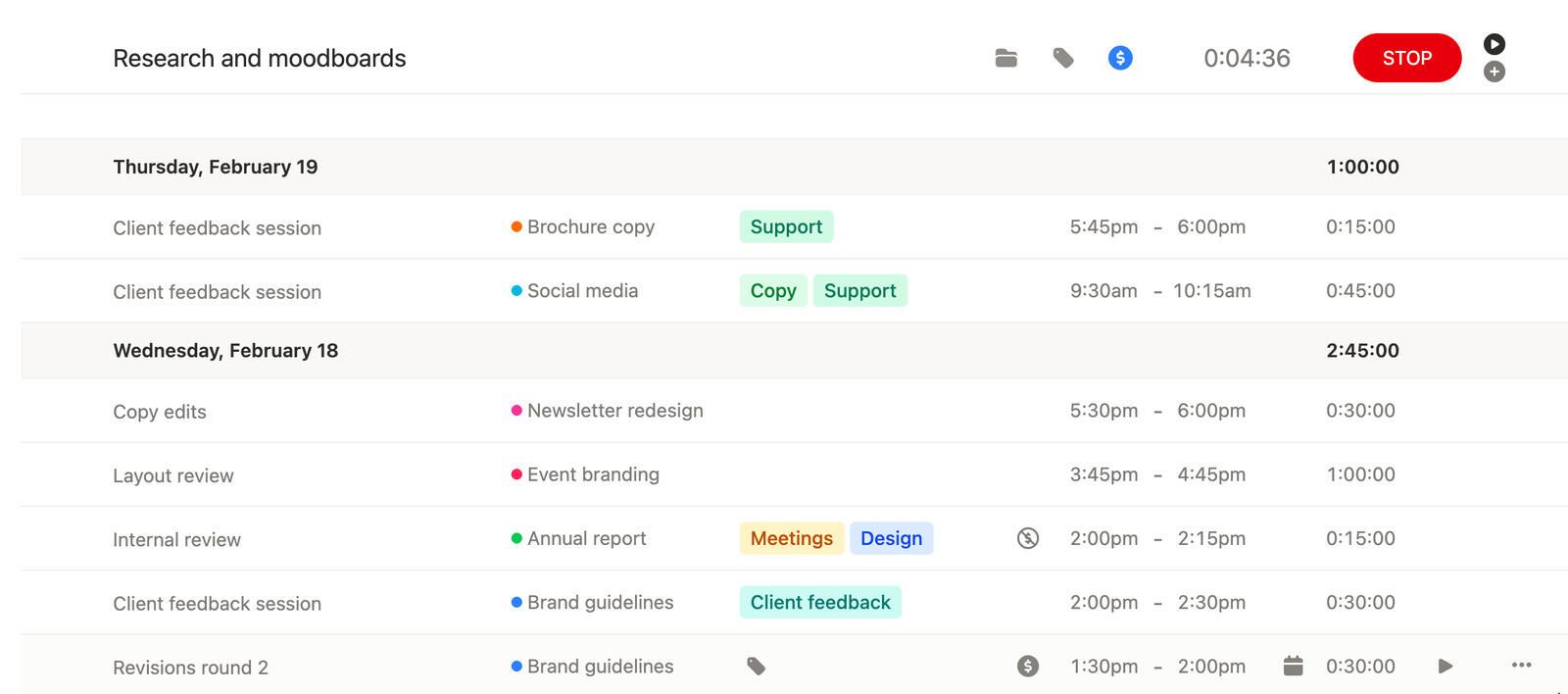
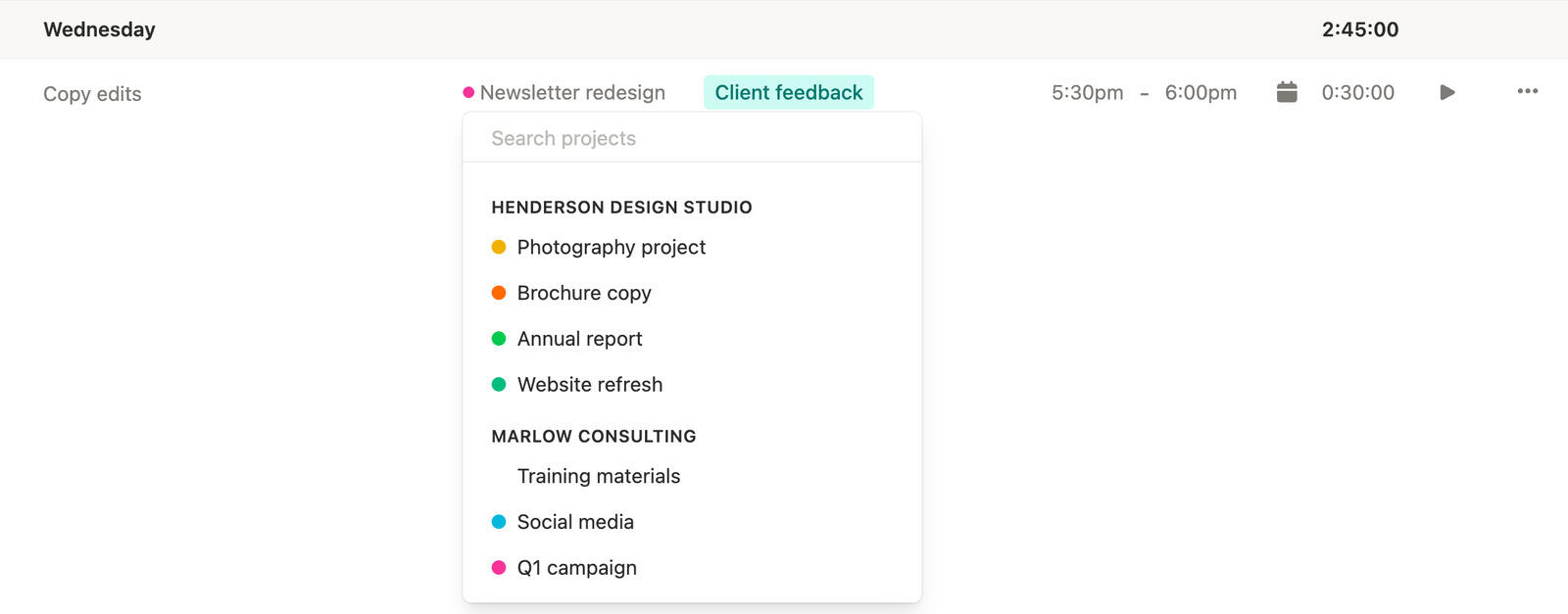
Clients and projects
A freelancer usually needs more than a running clock. You also need to know which client, project, or engagement each entry belongs to when the week is over.
Timen keeps that context attached from the start, which makes reporting and invoicing much easier later.
It is a cleaner way to stay organized without adding project-management overhead you do not need.
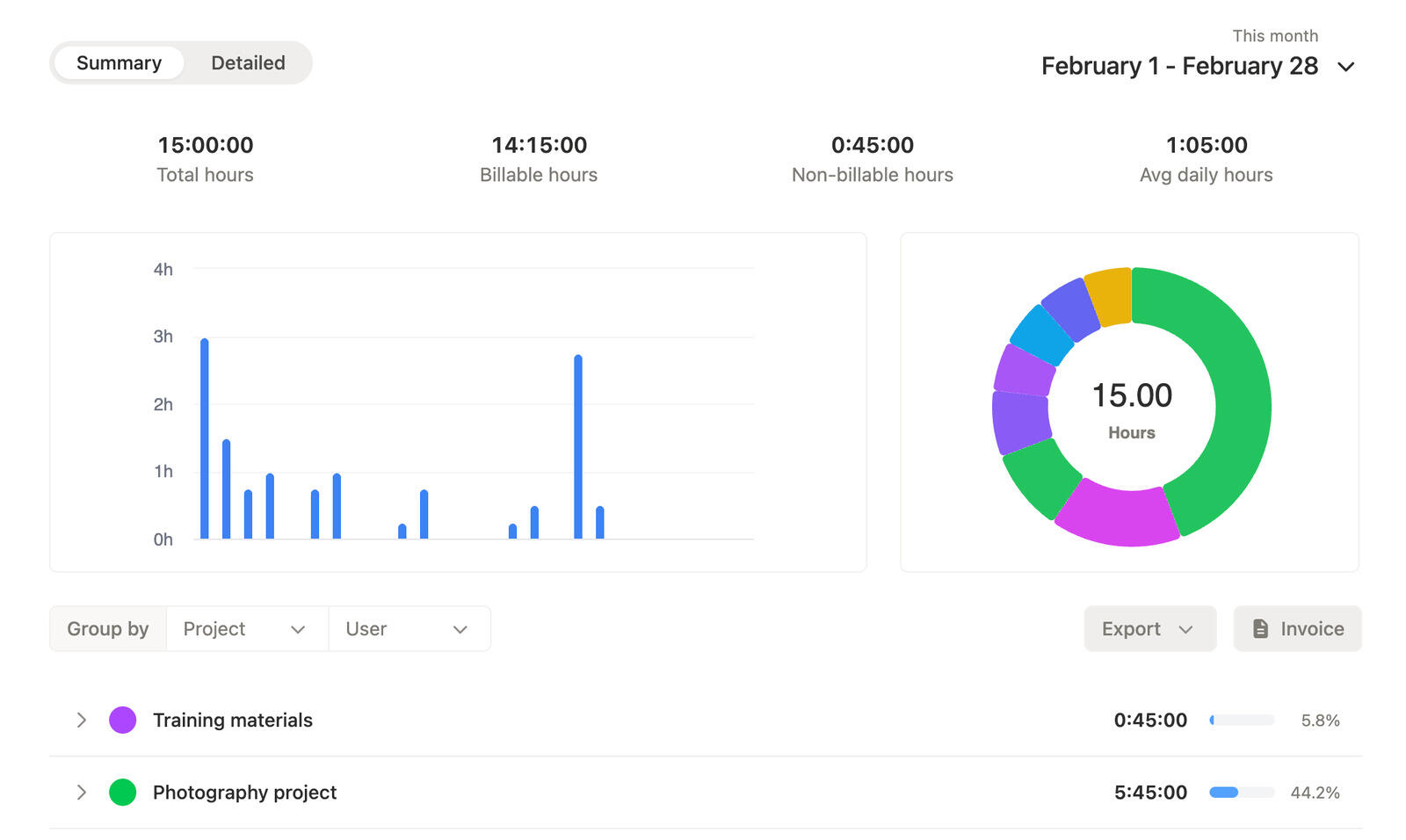
Time tracking reports
Time tracking reports help you check whether tracked hours make sense before you put them in front of a client.
That matters when you bill hourly work, because the real job is not just logging time. The real job is feeling confident enough to share the totals.
Timen makes that review step lighter with clear filters and readable summaries.
Freelance invoicing
Once your tracked work looks right, billing should feel like the next step, not like starting over in another system.
Timen gives freelancers a straightforward path from tracked time and reports into invoice creation, with room for manual line items when needed.
That keeps client billing simpler when your admin time is already limited.
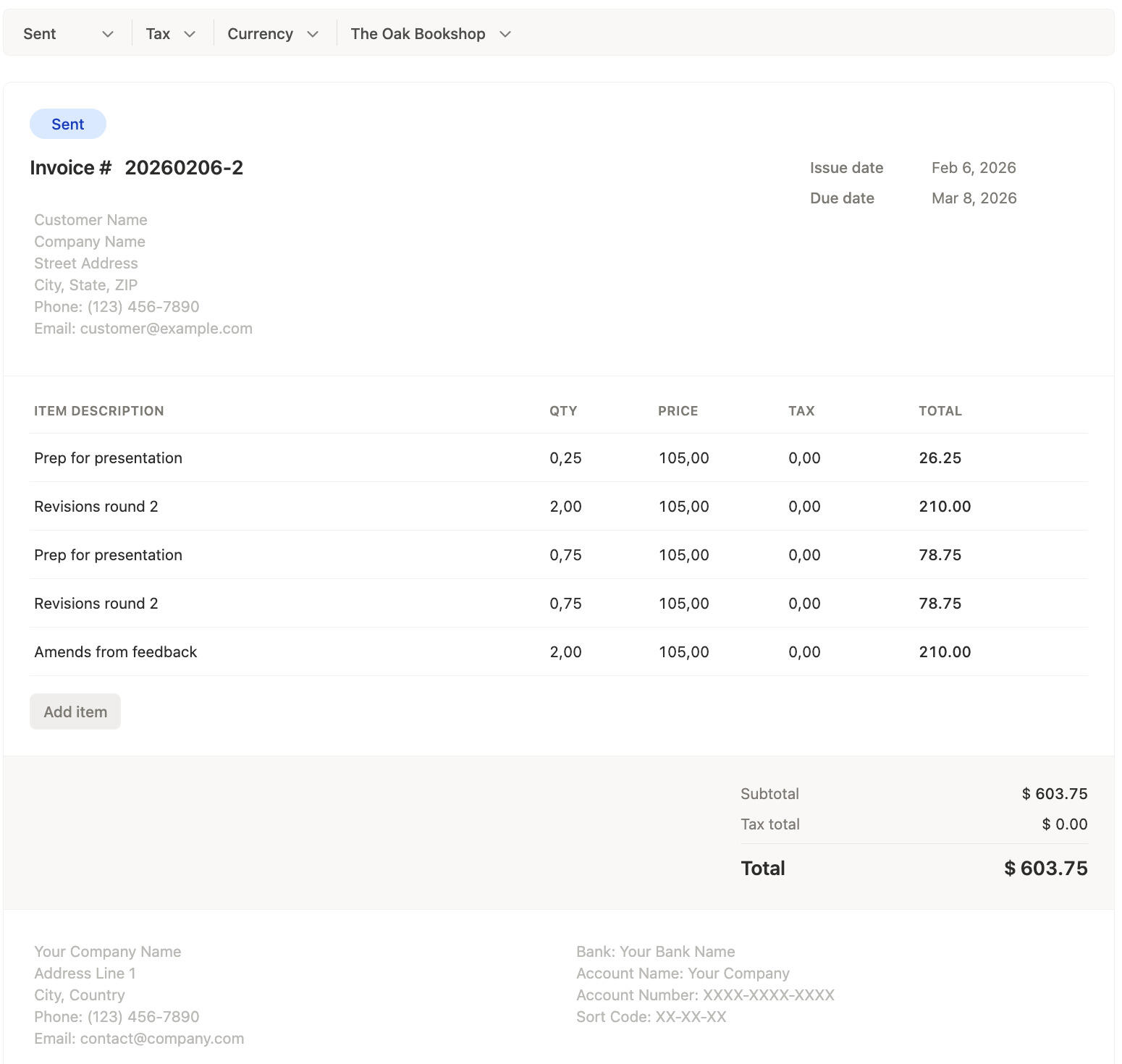
The workflow is simple: track the work, keep it organized by client, review the totals, and invoice from the same source instead of rebuilding everything later.
01
Track in real time when you can, or fill in the missing pieces later without breaking the workflow.
02
Projects and clients make each time entry easier to understand once the day is over.
03
Use reports to catch anything odd before you turn the work into something client-facing.
04
Move from reviewed time into invoice creation without rebuilding the same hours in another place.
Yes. Timen keeps time entries connected to clients and projects so the work stays organized for review, reporting, and billing.
You can add or correct time later. Timen treats manual edits as part of normal tracking, which makes it more practical for freelance work.
Yes. Timen supports invoice creation, status tracking, and a cleaner handoff from reviewed time into client billing.
Yes. Time tracking reports make it easier to check whether tracked hours look right before you turn them into something client-facing.
No. Live tracking is useful, but manual time entry is just as important for freelancers who reconstruct time after the work is finished.
Track client work, review clean totals, and invoice from the same workflow without adding extra admin to the week.