













TimeCamp alternatives in 2026: 10 tools compared

The closest TimeCamp replacements are Clockify (same reporting-and-billing footprint, cheaper) and Toggl Track (cleaner, more polished tracking). If automatic capture is the part you rely on, DeskTime, Hubstaff, or Time Doctor go further; for approvals and utilization there's ClickTime; and a genuinely free all-in-one like Timen suits teams that want tracking, reporting, and invoicing in one place without a per-seat bill.
TimeCamp's appeal is that it's the middle option. It does more than a bare timer - several ways to capture time, including automatic tracking, more reporting flexibility than most lightweight tools, and enough billing to turn tracked hours into something useful - without dragging you into an expensive enterprise suite. For a lot of teams that balance is exactly right, and they stay for years.
Teams start shopping when the balance tips. The flexibility begins to feel like clutter, a sync bug erodes trust in the numbers, or someone decides they'd rather have a much simpler tool or a much stricter one. I spent real working days in each of the ten tools below - tracking actual work, not clicking through a sales demo - and this guide is what came out of it: what each one does well, where it gets in the way, and the kind of team it genuinely suits. If your issue is more about scale than software, it's also worth checking whether small-team tracking even needs TimeCamp's extra structure.
If you are leaving TimeCamp, it is probably not about price
Worth establishing before you compare anything, because it changes what a good alternative looks like. TimeCamp is one of the cheapest paid trackers on the market, so a replacement chosen on price will usually cost you more, not less. Figures checked against vendor documentation on August 24, 2026:
- TimeCamp Premium - $4.99 per user per month billed annually, $6.99 billed monthly. Ultimate is $6.99 annual, $9.99 monthly, and the Starter tier is lower again.
- Harvest - around $10.80 per user per month on annual billing, roughly double TimeCamp Premium, and its Flex option adds usage charges on top from the second renewal.
- Toggl Premium - $16 per user per month billed annually, or $24 monthly, on the combined Toggl product.
- Timen - free, with every feature included.
So what are people actually leaving for? In practice the reasons cluster into three, and none of them is the invoice:
- The interface. TimeCamp is feature-dense, and teams that only wanted a timer end up navigating a reporting product to press start.
- Adoption. A tracker nobody fills in is worth nothing at any price, and this is the failure that actually costs money.
- Fit at the edges. Invoicing, approvals or monitoring, depending on which one you needed and did not get.
That matters for how you read the list below. Judge these on whether your team will use them, not on the per-seat rate, because on rate alone TimeCamp usually wins and you would not be here. Full pricing workings across six vendors are in time tracking pricing compared.
Why teams leave TimeCamp
Almost nobody leaves because TimeCamp can't track time. They leave because the tool's middle-ground position stops matching where the team is going. In practice the reasons cluster into five:
- Reliability. Bugs, sync hiccups, or numbers people can't fully trust are the fastest way to lose a team.
- A busier interface than the job needs. The flexibility reads as clutter for people who only log a handful of entries a day.
- Reporting that has to go further. Some teams outgrow it and want deeper utilization, approvals, or planning views.
- A clearer direction. Teams realize they actually want either a much simpler tracker or a much more structured management tool.
- Automatic capture without the admin. They like passive tracking but not the extra workflow TimeCamp wraps around it.
Whichever of these you're feeling should steer the whole decision, because the fixes point in opposite directions: a team that wants less software needs something very different from a team that wants tighter controls. If you're not yet sure the tool is the real problem, the quiet signs a tracker is slowing your team down are a useful gut-check first.
What to look for in a TimeCamp replacement
Once you know your trigger, judge candidates on the work that surrounds tracking - every tool here can start a timer. The parts that actually differ:
- Reporting that stays readable: easy filters, clean exports, and breakdowns you can hand to a client or manager without cleanup.
- Automatic or passive capture, if the real problem is entries people keep forgetting.
- Billing depth - rates, budgets, approvals, and invoicing for when hours need to become money.
- Low-friction daily entry, so adoption doesn't stall a week after rollout.
- Pricing that still adds up at the team size you're heading toward, not just today's.
- Cost - and whether a "free" plan actually covers what you need, or quietly gates invoicing and reporting behind paid seats.
For some teams the honest answer is simpler software; for others it's a more opinionated management tool. The shortlist below covers both directions on purpose. If you're a smaller outfit weighing that call, our walkthrough on how to choose time-tracking software for a small team works through the same trade-offs in more depth.
How we compared these tools
A quick note on method, so you can weigh the picks:
- Hands-on use. Each tool tracked real work rather than a quick preview. The "best for" calls and the pros and cons come from that, plus each product's current documentation.
- Ratings. The G2 scores shown are the aggregate ratings on each product's G2 page at the time of writing (July 2026); the review summaries paraphrase recurring themes across G2 and Capterra rather than quoting any single review.
- Pricing. Taken from each vendor's public pricing page and rounded.
- Order. Roughly how close a fit each tool is for a typical TimeCamp user - reporting- and automatic-capture-capable tools first - not a strict ranking, and not ordered by our own product. Timen sits mid-list, where a simpler all-in-one genuinely belongs, rather than at the top.
The 10 best TimeCamp alternatives
These run from the closest like-for-like swaps to the more specialized picks, covering the usual reasons teams move on: simplicity, reliability, deeper reporting, or more oversight. Jump straight to any of them below.
1. Clockify - the closest like-for-like swap
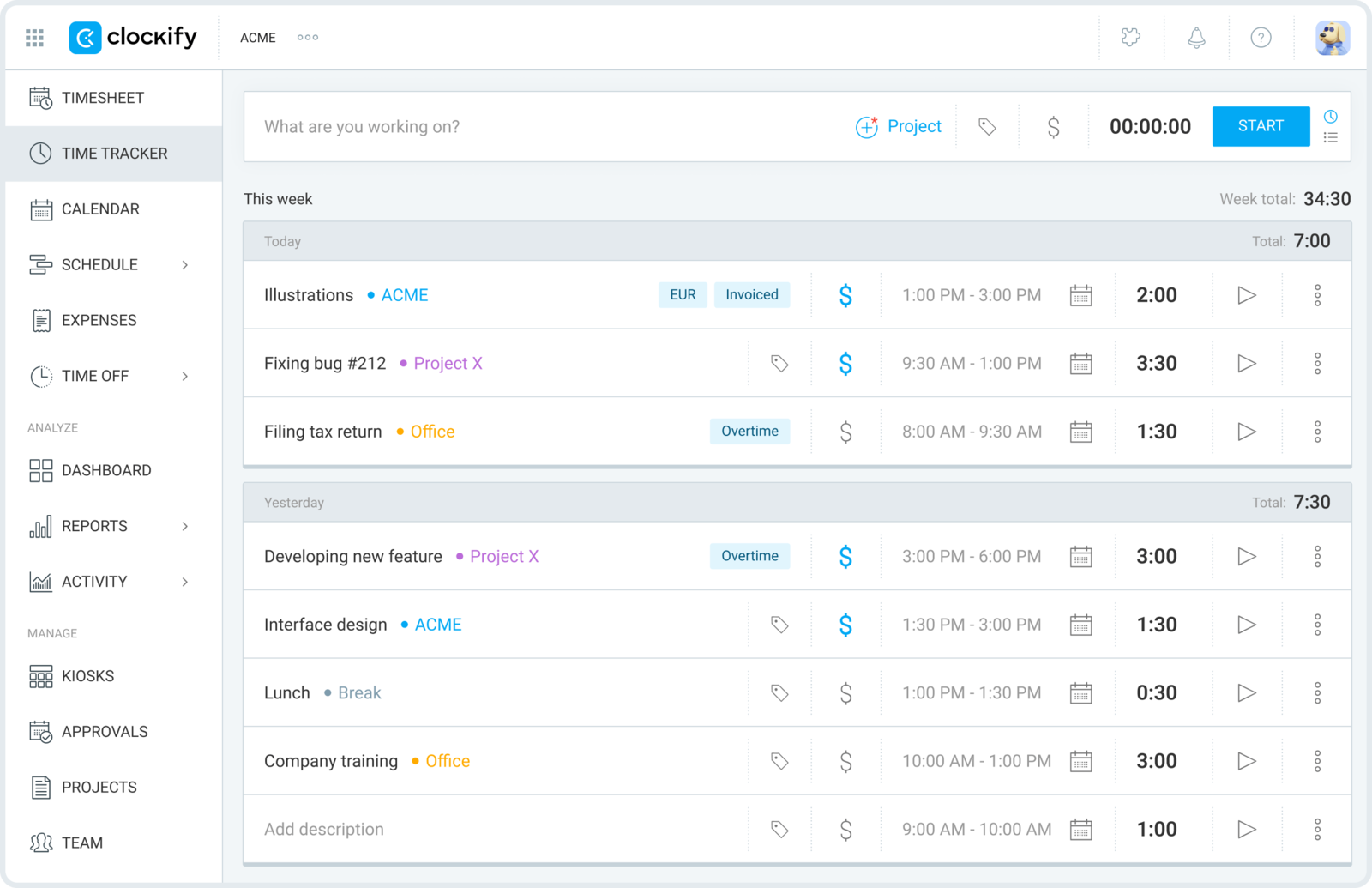
Clockify covers almost the same territory as TimeCamp - projects, timesheets, reports, billable hours, and an optional auto-tracker on the desktop app - for less money. That overlap is why it's the first tool most TimeCamp teams try when they want the same capabilities with fewer rough edges.
- Best for: Teams that want TimeCamp's feature set at a lower price with a real free tier.
- Pricing: Free plan available; paid plans start at $3.99 per user/month billed annually.
- Rating: 4.5/5 on G2
The free plan genuinely stretches to unlimited people, which makes it the cheapest way to move a whole team off TimeCamp - though it's worth checking what Clockify's free plan still includes in 2026 before you move everyone across. The trade is polish: Clockify does a lot, and it can feel just as utilitarian as the tool you're leaving, with the nicer reporting and admin controls waiting on higher tiers.
Pros
- Feature overlap with TimeCamp means little relearning for the team.
- Free plan covers unlimited users, so rollout stays cheap.
- Solid baseline reporting across projects and clients.
- Optional automatic tracking if passive capture is part of why you liked TimeCamp.
Cons
- Interface is functional rather than refined.
- The stronger dashboards and permissions sit behind paid tiers.
What users say about Clockify
On G2 and Capterra the praise is steady: quick to set up, flexible project tracking, clear reports, and strong value, especially for freelancers and budget-conscious teams. The recurring gripes are a mobile app that trails the web version, fiddly manual edits, and limits around permissions and advanced dashboards.
Source: G2 reviews and Capterra reviews
Want to keep looking in this lane? See the best Clockify alternatives, or settle the closest head-to-head in Toggl Track vs Clockify.
2. Toggl Track - the cleaner, more polished tracker
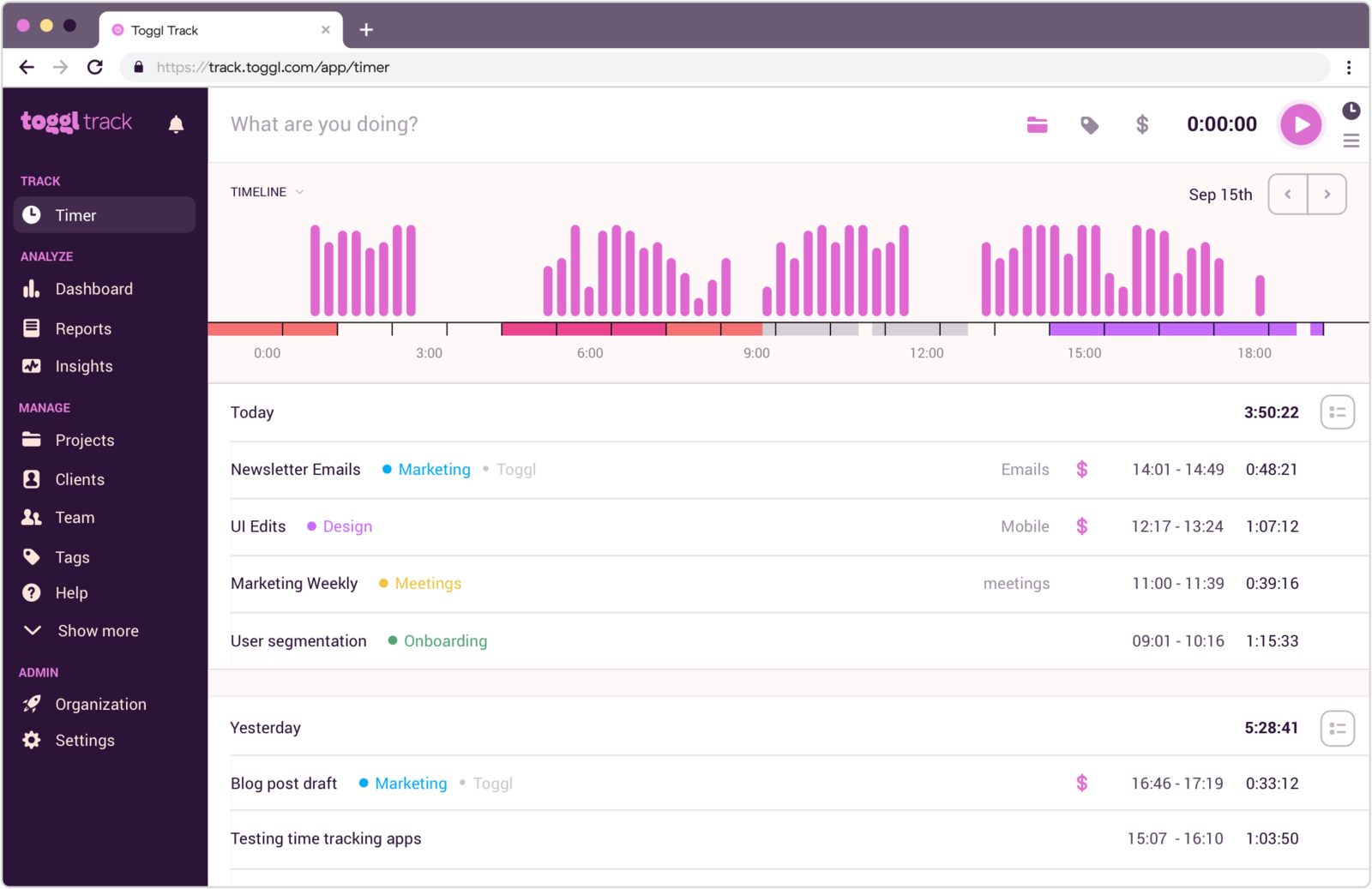
If TimeCamp feels like more product than the job requires, Toggl Track is the usual antidote. It keeps the essentials strong, drops most of the busier interface decisions, and puts the effort into making daily tracking pleasant enough that people actually keep doing it.
- Best for: Teams that want a simpler, better-looking tracker without losing solid reports.
- Pricing: Free plan available; paid plans start at $9 per user/month.
- Rating: 4.6/5 on G2
That makes it a better fit for teams that value usability over reporting depth, particularly when contributors have been quietly resisting a more complicated tool - though for the smallest teams it's still fair to ask whether Toggl is more tracker than plain time tracking needs. The flip side is that Toggl is less configurable than TimeCamp for reporting-heavy organizations, and it costs more per seat once you leave the free plan.
Pros
- Cleaner, timer-first experience than TimeCamp.
- Easy to roll out across mixed-skill teams.
- Useful reports without a heavy admin layer.
- Strong cross-device habits for distributed teams.
Cons
- Less flexible than TimeCamp for reporting-heavy organizations.
- Manual adjustments still take work in more complex setups.
What users say about Toggl Track
Review patterns on G2 and Capterra keep landing on the same strengths: easy onboarding, a clean interface, and reporting that's solid for teams wanting consistency more than complexity. The weak spots that surface most often are editing friction, mobile limitations, and a ceiling on project-management depth.
Source: G2 reviews and Capterra reviews
For more options in this style, browse the best Toggl Track alternatives, or compare two of the closest picks in Toggl Track vs Clockify.
3. DeskTime - automatic capture with productivity analytics
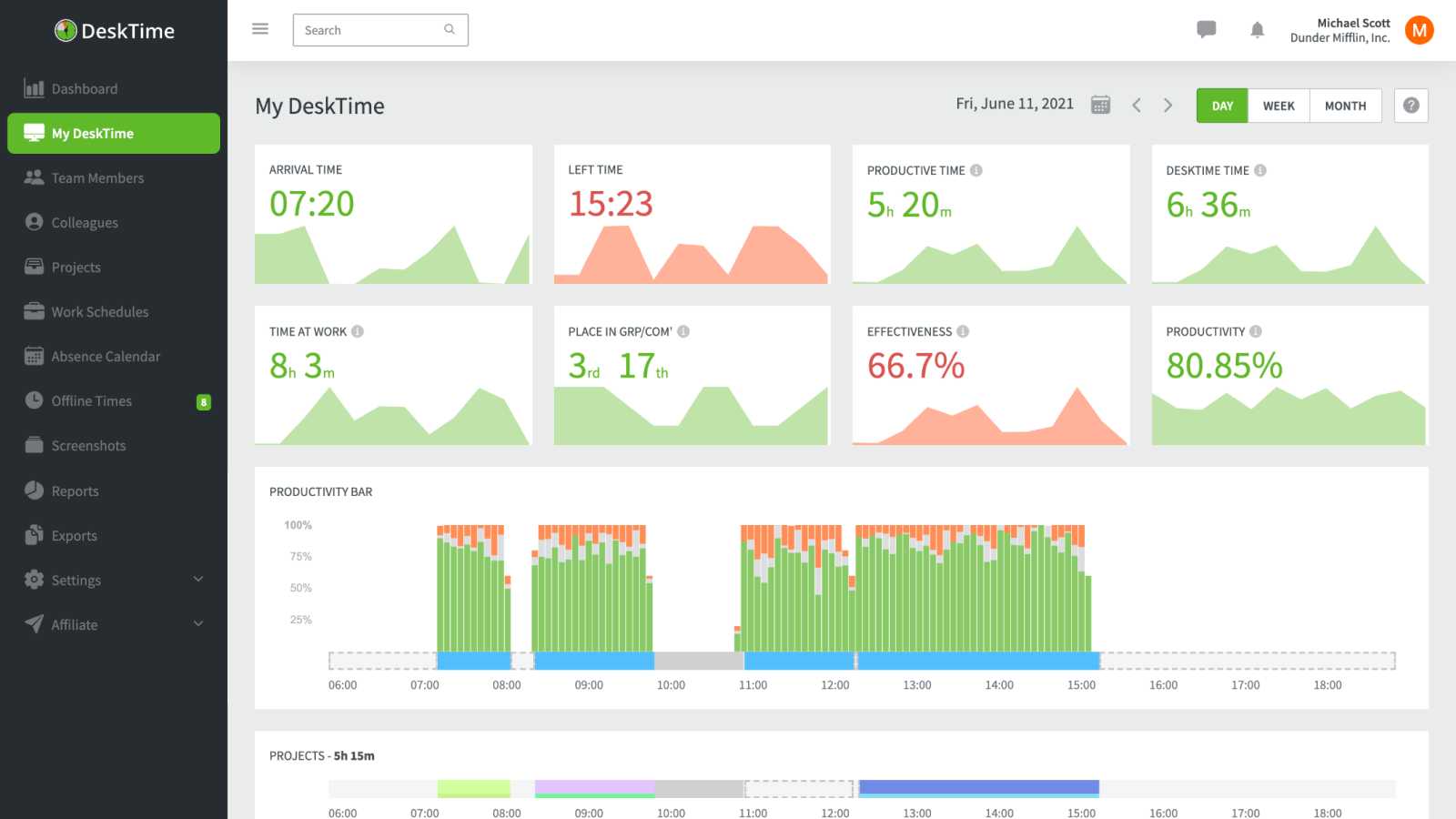
DeskTime leans hardest into the automatic-capture side of TimeCamp. It records activity in the background and turns it into productivity analytics, so it fits teams that liked TimeCamp's passive tracking but want more visibility into active versus idle work - with less manual entry.
- Best for: Teams that want automatic tracking and productivity analytics rather than manual timesheets.
- Pricing: Pro starts at $6.42 per user/month billed annually.
- Rating: 4.5/5 on G2
For managers who want productivity data, that automatic model cuts a lot of busywork. But it also changes the product's tone: DeskTime leans toward monitoring, so it's a poor match if your team runs on a more trust-based tracking culture.
Pros
- Automatic tracking and productivity metrics reduce manual effort.
- Good fit for leaders who need active-versus-idle visibility.
- Useful project-time summaries for monitoring-minded teams.
- Can replace several scattered reporting habits with one product.
Cons
- Privacy concerns run stronger than with TimeCamp.
- Stability and billing complaints still show up in reviews.
What users say about DeskTime
G2 and Capterra reviews usually highlight DeskTime's automatic tracking, simple dashboard, and productivity visibility as the main reasons teams adopt it. The recurring negatives are privacy concerns around monitoring, software instability, and a sense that the product can get expensive as teams scale.
Source: G2 reviews and Capterra reviews
DeskTime sits in the same automatic-capture and oversight camp as Hubstaff - if that's your direction, the best Hubstaff alternatives and Hubstaff vs TimeCamp are the useful next reads.
4. Hubstaff - automatic tracking plus payroll and oversight
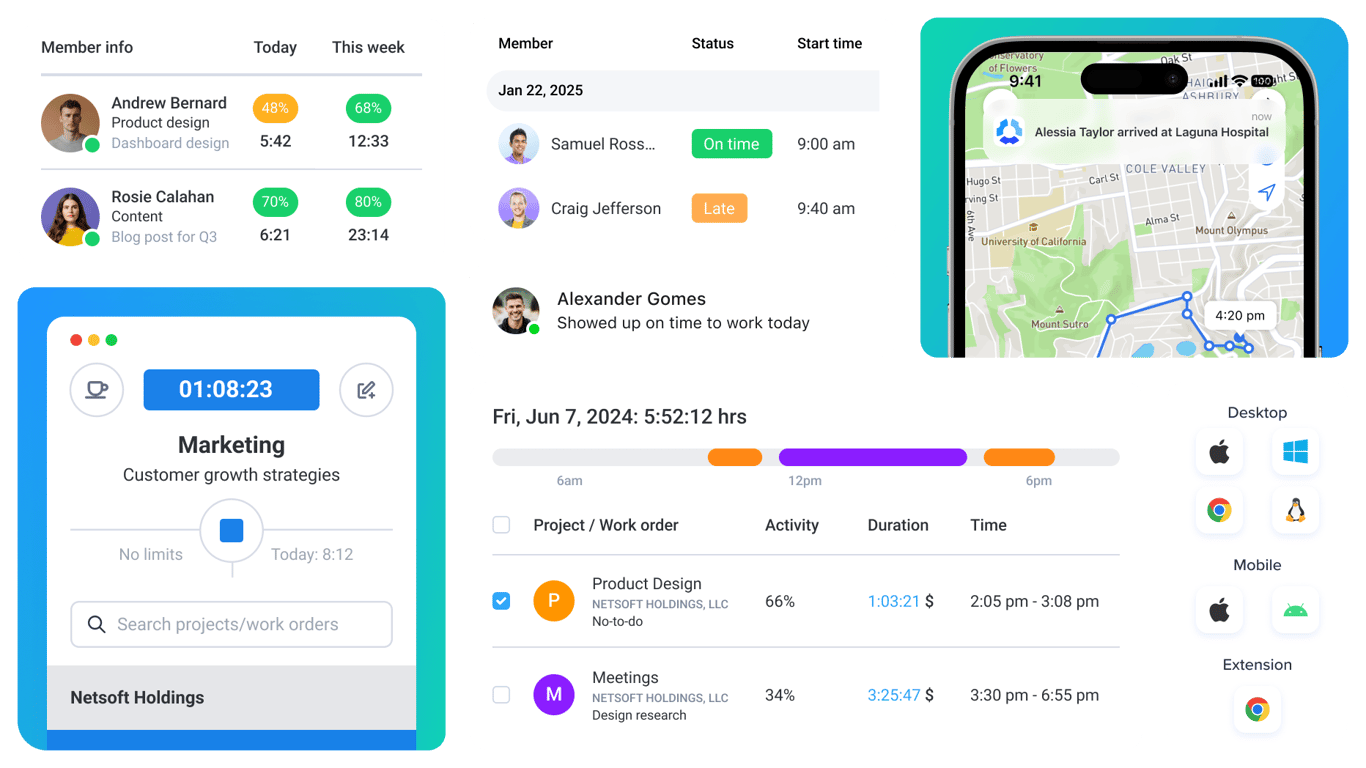
Hubstaff is the operations-heavy pick. It makes sense when TimeCamp's reporting isn't enough for managers who also want screenshots, app usage, scheduling, attendance, and payroll visibility tied to the same tracked hours.
- Best for: Distributed teams where oversight, payroll, and attendance matter more than a light workflow.
- Pricing: Paid plans start around $4.99 per user/month billed annually.
- Rating: 4.5/5 on G2
The cultural trade is real, though: Hubstaff turns a time tracker into a management system, complete with monitoring most contributors will notice. That's a genuine upgrade for operations-led teams and a bad fit for anyone who just wants a calmer version of TimeCamp.
Pros
- Far stronger oversight than TimeCamp for remote teams.
- Useful payroll, attendance, and scheduling workflows.
- Good fit for operations-led environments.
- Stronger accountability features for distributed work.
Cons
- Monitoring features can damage trust if rolled out badly.
- Heavier and more opinionated than TimeCamp for everyday use.
What users say about Hubstaff
The most common theme across G2 and Capterra is that Hubstaff helps remote teams with accountability, reporting, and payroll in ways lighter tools do not. The downsides are just as consistent: privacy concerns, monitoring that feels intrusive to some teams, and a workflow that can read as more supervisory than collaborative.
Source: G2 reviews and Capterra reviews
If oversight is the direction, open the best Hubstaff alternatives, or weigh light versus heavy control in Clockify vs Hubstaff.
5. ClickTime - approvals, utilization, and formal reporting
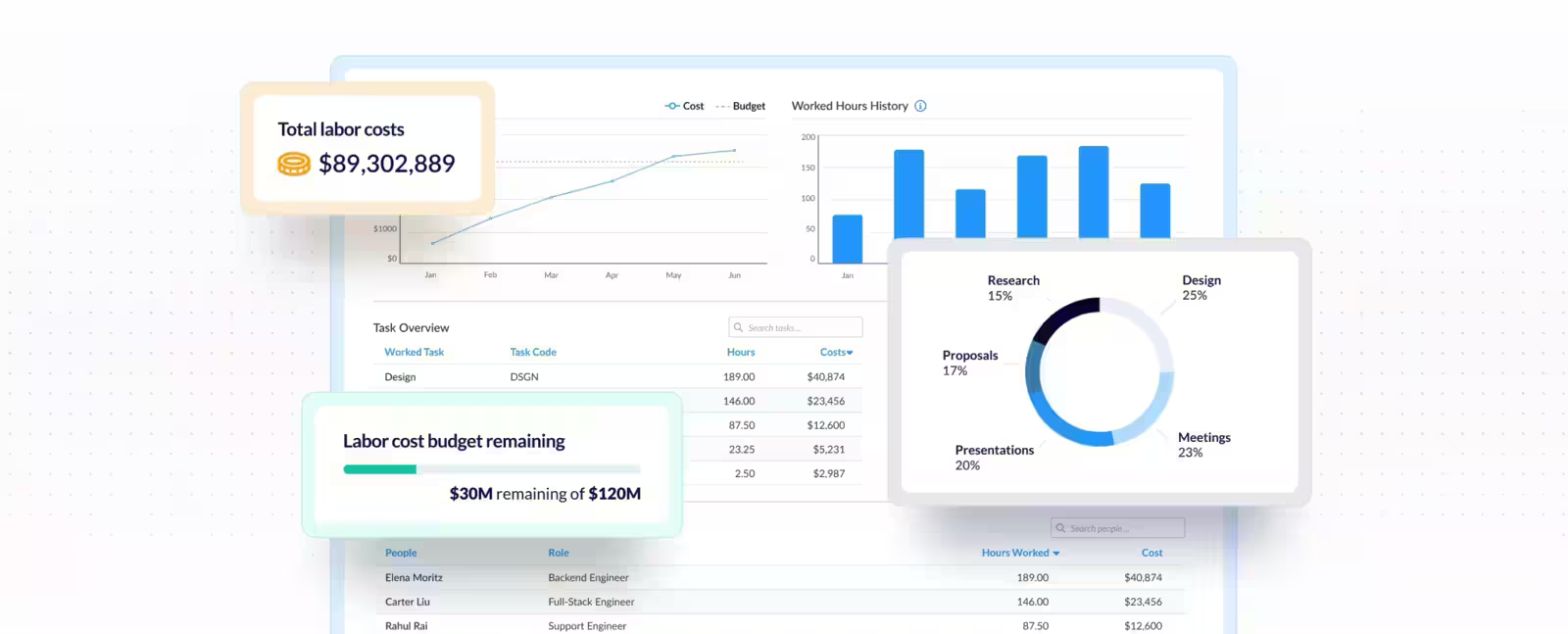
ClickTime is the pick when leadership wants less flexibility and more structure. It's built around approvals, billable accuracy, resource planning, and utilization trends rather than just capturing time, which makes it the more administrative sibling to TimeCamp's reporting.
- Best for: Organizations that care about approvals, utilization, and management reporting.
- Pricing: Starter starts at $12 per user/month billed yearly.
- Rating: 4.6/5 on G2
When managers need to see utilization and sign off on timesheets, ClickTime's approval workflows earn their keep. It also feels slower and more formal than the quick trackers - the very thing that makes it wrong for teams that wanted TimeCamp to get lighter, not stricter.
Pros
- Approvals and reporting controls are stronger than TimeCamp's.
- Useful for finance and operations stakeholders.
- Better fit when timesheet discipline matters.
- Supports staffing, utilization, and project-cost conversations well.
Cons
- Not the best choice if you want lighter adoption for contributors.
- UI can feel dated next to newer tools.
What users say about ClickTime
G2 and Capterra reviews repeatedly describe ClickTime as reliable for approvals, utilization, and formal timesheet reporting. The complaints tend to focus on workflow friction, a less modern interface, and a sense that it can be too much process for teams that only want straightforward tracking.
Source: G2 reviews and Capterra reviews
For a wider set of reporting-heavy tools, see the best ClickTime alternatives.
6. Timen - the free all-in-one with built-in billing

Full disclosure: this is our tool, so weigh it accordingly. Timen is the pick for teams leaving TimeCamp because the workflow got busier than the work justified. It keeps tracking fast, moves review into a calendar instead of a report dig, and still produces clear reports and invoices - the difference being that it tries to remove admin drag rather than expose one more setting.
- Best for: Teams that want a genuinely free all-in-one - tracking, reporting, and invoicing - with no per-seat bill.
- Pricing: Free - every feature included, including invoicing.
It's a good fit when clarity and adoption matter more than extreme flexibility, and it belongs on any list of simpler options for small teams. It's honestly not the pick if automatic capture, employee monitoring, payroll exports, or a large integration ecosystem are on your must-have list - that's exactly where DeskTime, Hubstaff, or the more established platforms are stronger.
Pros
- Free with every feature included - invoicing and all - where most trackers charge per seat and gate invoicing behind higher tiers.
- Simpler day-to-day workflow than TimeCamp for users and managers alike.
- Calendar review makes gaps and overlaps easy to spot without report digging.
- Reports and invoices stay easy to read.
Cons
- Newer product with little third-party review coverage so far.
- Smaller integration ecosystem than the older platforms.
- No automatic capture, employee monitoring, or payroll exports.
Why teams pick Timen
The teams that choose Timen are usually the ones tired of a busier interface and of stitching tracking to a separate invoicing tool. They want to log time quickly, glance at the day in a calendar, and send an invoice from the same hours - without administering a heavier platform. It's a deliberately narrow pitch, which is also why it won't suit teams that need monitoring, automatic capture, or a big app marketplace.
If the output side is what you care about most, here's how Timen handles reports once the tracking is done.
7. Everhour - reporting that stays tied to tasks
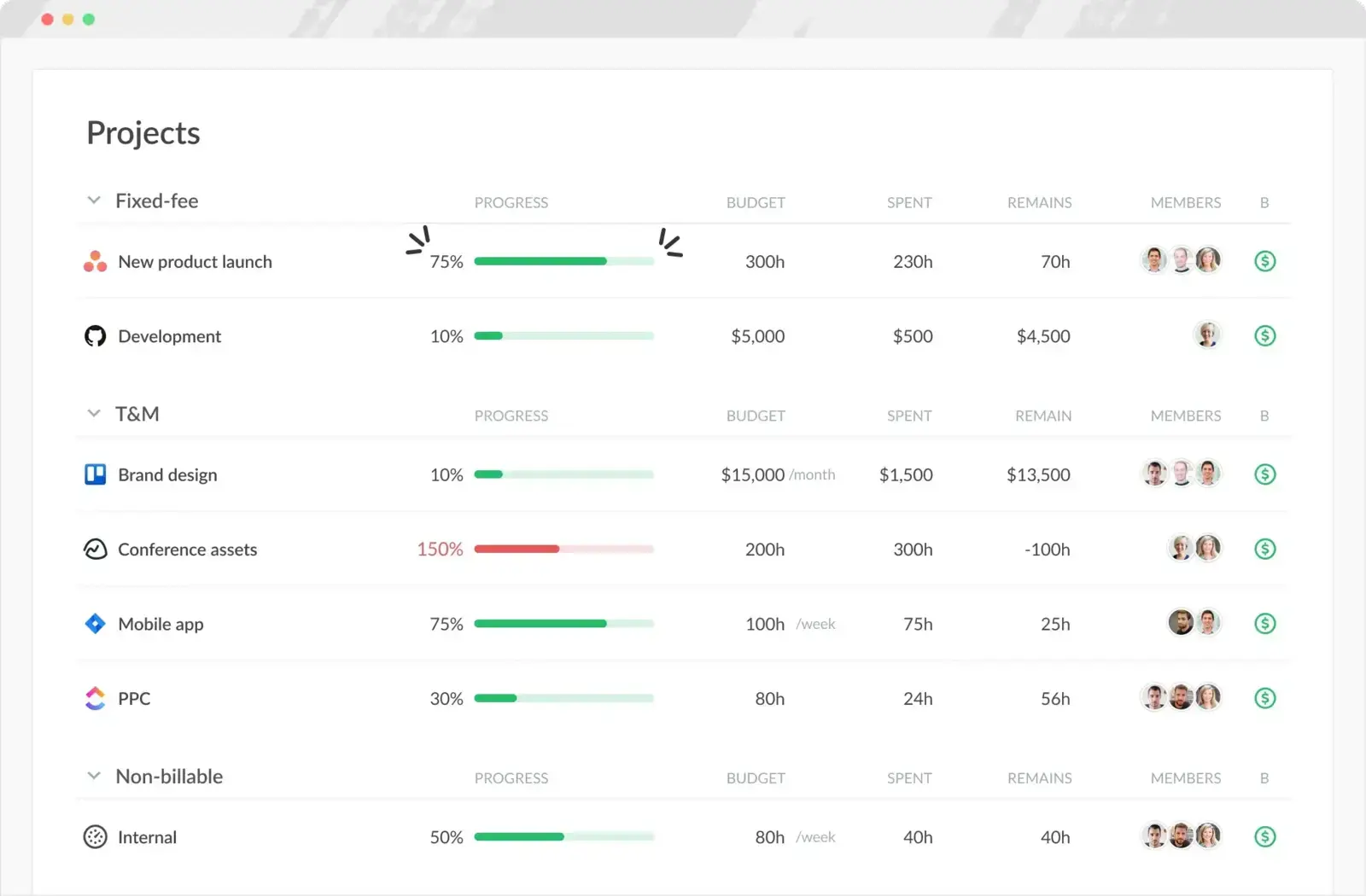
Everhour is the better call when the team isn't asking for simpler reporting but for more context around the work. It embeds inside project tools - Asana, Trello, and the like - so hours stay attached to tasks, estimates, and budgets instead of sitting in a separate reporting stream the way they can in TimeCamp.
- Best for: Teams that want TimeCamp's reports to live next to tasks, budgets, and project work.
- Pricing: Free plan available; Team plan costs $8.50 per seat/month billed annually.
- Rating: 4.7/5 on G2
For teams that manage delivery inside a board, that project-first design feels more natural than a standalone tracker. If you don't run projects in a connected PM tool, though, the same design can feel heavier than it needs to be, and invoicing is more manual than in a billing-first product.
Pros
- Tight integrations embed timing inside existing project tools.
- Strong for estimates, budgets, and task-level reporting.
- Keeps tracked hours attached to the work they belong to.
- Usable free plan for smaller teams.
Cons
- Less compelling if you just want a standalone tracker.
- No native mobile app, and invoicing is more manual.
What users say about Everhour
Reviewers most often praise the integrations, easy logging, and reports that keep hours close to task work. The drawbacks that recur are the missing mobile app, manual invoicing steps, and some admin or pricing friction for smaller teams.
Source: G2 reviews and Capterra reviews
See more project-first options in the best Everhour alternatives, or line it up against a billing-first tool in Harvest vs Everhour.
8. Harvest - best when the hours become invoices
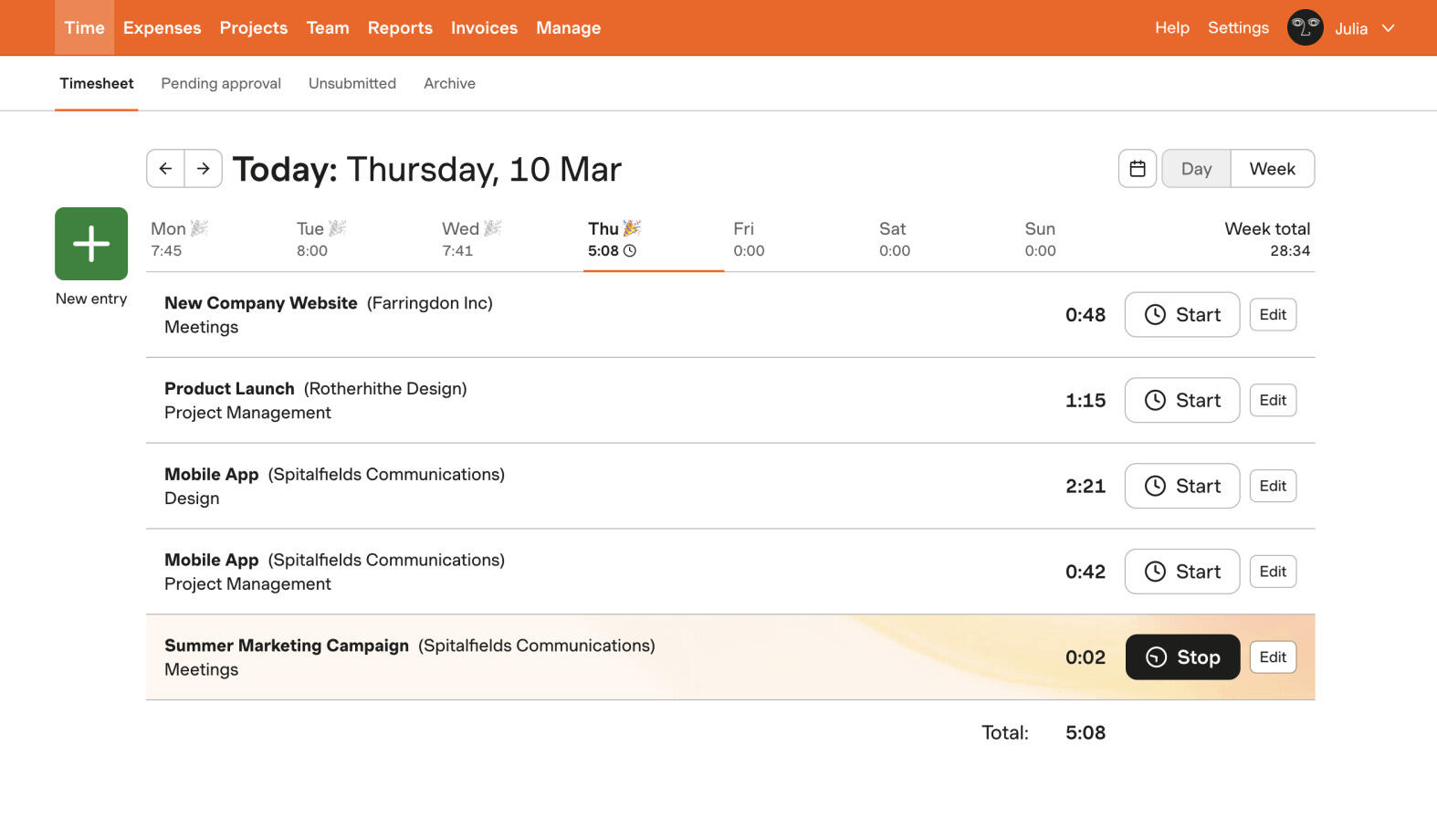
Harvest is the move when you mostly used TimeCamp for billable work and want that part to feel more direct. Instead of a spread of tracking options, it concentrates on rates, budgets, invoicing, and client reporting, so tracked hours turn into money without a spreadsheet in between.
- Best for: Agencies and consultancies that mainly track time in order to invoice it.
- Pricing: Free plan available; paid plans start at $9 per seat/month billed annually.
- Rating: 4.3/5 on G2
That narrow focus is a strength for client work and a weakness for everything else: teams using TimeCamp as a broader reporting tool will find Harvest too specialized, and the per-seat price is hard to justify if you don't need the billing depth - one of the reasons some teams have started rethinking Harvest lately.
Pros
- Better billing flow than TimeCamp for agency and consulting teams.
- Cleaner client reporting and invoicing experience.
- Less clutter when client work is the main use case.
- Comfortable for non-technical teammates to adopt.
Cons
- Not as flexible for internal productivity analysis.
- Price is hard to justify without billing depth.
What users say about Harvest
Capterra and G2 reviews usually praise Harvest for being easy to learn and genuinely strong once tracked hours need to feed invoices, budgets, and client conversations. The tradeoffs that keep surfacing are pricing, reporting limits for more advanced teams, and occasional sync or mobile frustrations.
Source: G2 reviews and Capterra reviews
Widen the search with the best Harvest alternatives, or narrow it quickly with Toggl Track vs Harvest.
9. TrackingTime - collaborative reporting on a budget
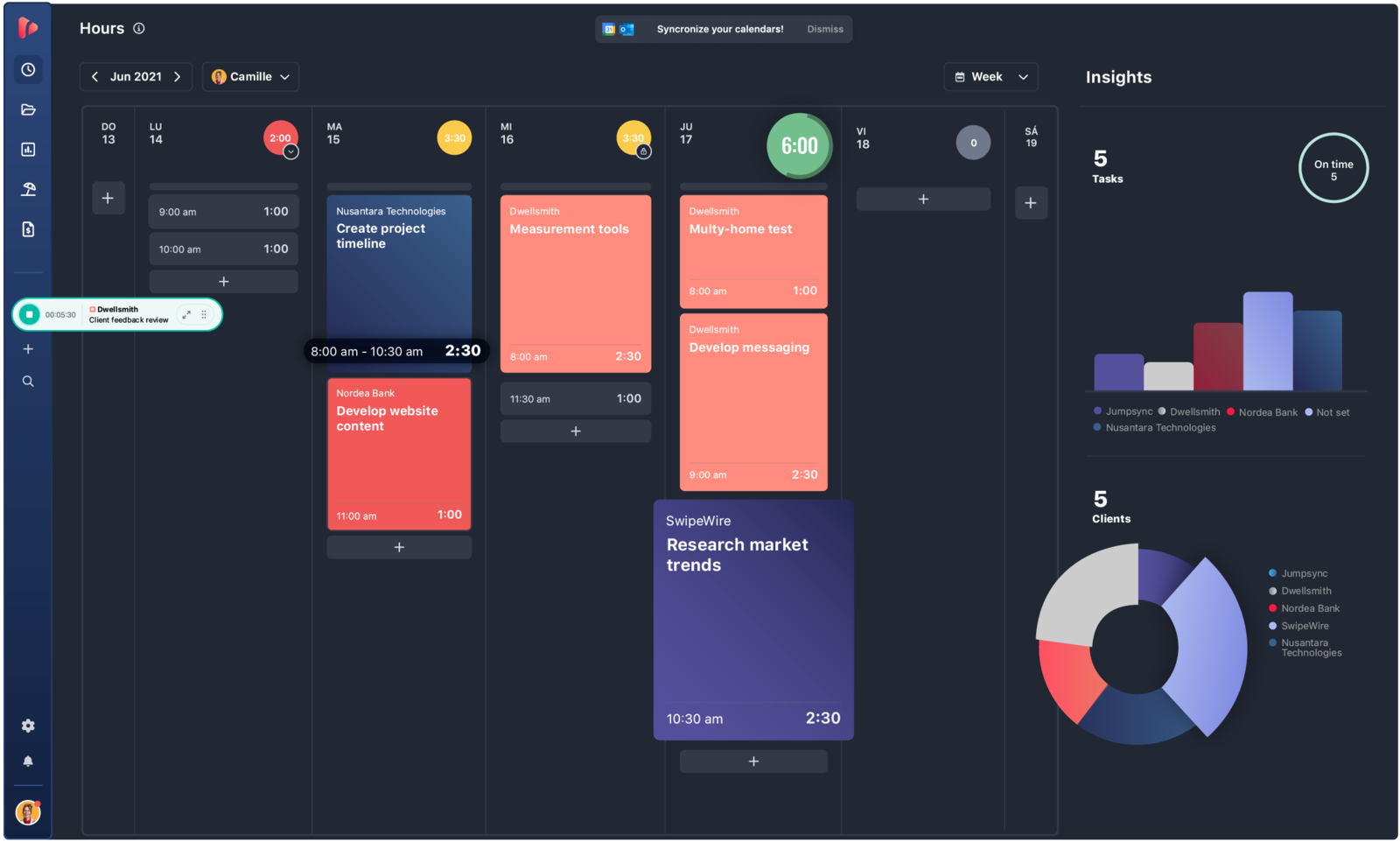
TrackingTime is the middle-ground option for teams that want TimeCamp's reporting ambition with less clutter and a few collaborative nudges - reminders and shared review habits that keep timesheets consistent. It's less specialized than ClickTime and far lighter on oversight than DeskTime or Time Doctor.
- Best for: Smaller teams that want reporting and project structure without a heavier management tool.
- Pricing: Free plan available; Starter starts at $5.75 per user/month billed annually.
- Rating: 4.4/5 on G2
That balance makes it a sensible choice when you want some structure without committing to a full management product. The cost of sitting in the middle is that it's less powerful than dedicated oversight tools, and a few setup and timer behaviors still feel rough around the edges.
Pros
- Good value for teams that still want reporting and project structure.
- More collaborative than most timer-only products.
- Reminders help teams keep timesheets consistent.
- Balanced choice between simplicity and control.
Cons
- Less powerful than dedicated oversight tools.
- Some setup and timer behaviors still feel rough.
What users say about TrackingTime
Capterra and G2 reviewers often describe TrackingTime as strong value for small teams, especially for reporting, reminders, and collaborative timekeeping. The negatives appear in onboarding complexity, timer overruns, and a few integration quirks that can make adoption slower than expected.
Source: G2 reviews and Capterra reviews
For more budget-friendly reporting tools, the best Clockify alternatives cover similar ground.
10. Time Doctor - heavy monitoring and accountability
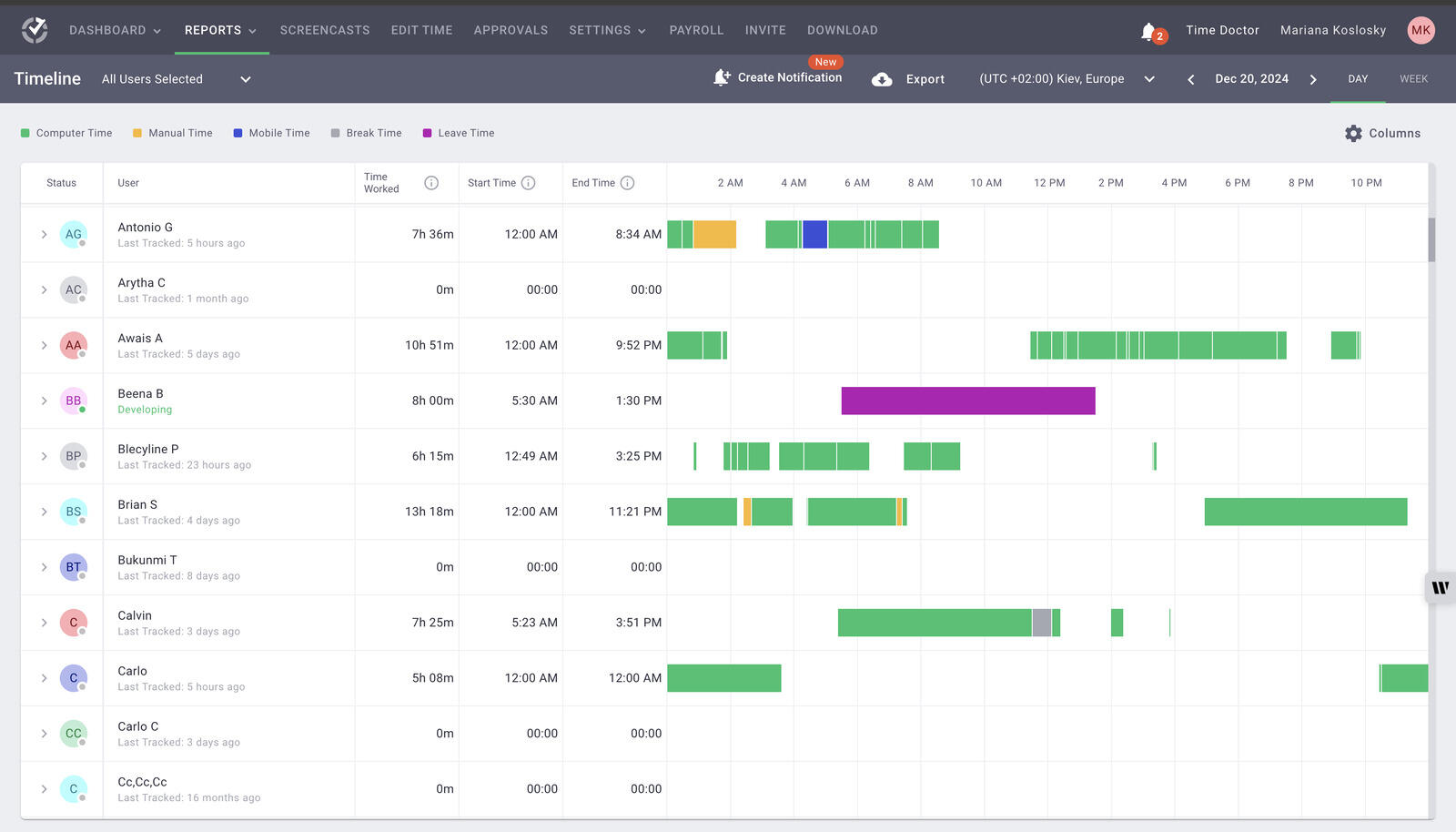
Time Doctor is the choice when TimeCamp is being replaced for operational reasons rather than user comfort. It layers on deeper monitoring, screenshots, timeline views, and manager visibility built for remote and outsourced teams - furthest from a typical TimeCamp user's reporting need, which is why it sits at the end of the list.
- Best for: Remote teams intentionally moving toward tighter monitoring and accountability.
- Pricing: Solo starts at $5/month; team plans start around $8 to $9.99 per user/month depending on plan.
- Rating: 4.4/5 on G2
It is not a subtle product, and that's the point. Teams should only pick it if they're deliberately trading a trust-based tracking culture for formal oversight; if you wanted TimeCamp to get calmer, this is the opposite direction.
Pros
- Strong monitoring and accountability features for remote work.
- Useful timeline and screenshot data for management review.
- Better than TimeCamp when oversight is the main goal.
- Supports payroll and productivity conversations with detailed data.
Cons
- Intrusive feel won't suit trust-first cultures.
- Glitches and sync problems still appear in user feedback.
What users say about Time Doctor
The main themes across G2 and Capterra are easy remote-team setup, detailed visibility into work patterns, and stronger accountability than lighter trackers provide. The recurring complaints are intrusive screenshots or activity tracking, occasional syncing issues, and the need for manual review when reports or idle time don't line up perfectly.
Source: G2 reviews and Capterra reviews
If monitoring is the goal, the best Hubstaff alternatives cover the same oversight-heavy category.
TimeCamp alternatives compared
The fast version - where each tool fits, how heavy it is, and what it costs.
| Tool | Best for | Complexity | Pricing |
|---|---|---|---|
| Clockify | Closest like-for-like swap, cheap rollout | Low to medium | Free plan; paid from $3.99 per user/month |
| Toggl Track | Cleaner, more polished tracking | Low | Free plan; paid from $9 per user/month |
| DeskTime | Automatic capture and productivity analytics | Medium | Paid from $6.42 per user/month |
| Hubstaff | Remote operations and payroll | Medium to high | Paid from about $4.99 per user/month |
| ClickTime | Approvals and utilization | Medium to high | Paid from $12 per user/month |
| Timen | A genuinely free all-in-one (tracking, reports, invoices) | Low | Free - every feature included |
| Everhour | Time tied to tasks and projects | Medium | Free plan; Team from $8.50 per seat/month |
| Harvest | Billing-focused teams | Medium | Free plan; paid from $9 per seat/month |
| TrackingTime | Collaborative reporting on a budget | Medium | Free plan; paid from $5.75 per user/month |
| Time Doctor | Monitoring and accountability | High | Paid from $5 monthly or about $8 per user/month |
Which TimeCamp alternative should you pick?
Match the tool to the trigger that made you start looking:
You want the same thing, cheaper → Clockify. The closest match to TimeCamp's feature set and the least disruptive rollout, with a free plan that covers everyone.
You want a cleaner, simpler tracker → Toggl Track, the polished everyday timer that drops TimeCamp's clutter without losing solid reports.
Automatic capture is the part you rely on → DeskTime for productivity analytics, Hubstaff if you also need payroll and attendance, or Time Doctor for the heaviest monitoring.
You need stronger reporting or approvals → ClickTime for utilization and sign-offs, Everhour if the reports must sit inside project work, TrackingTime for a lighter, budget-friendly middle ground.
Billing is the whole point → Harvest, where tracked hours turn straight into budgets, approvals, and invoices.
You want it genuinely free → Timen is the one all-in-one here that's free with every feature included - tracking, reporting, and invoicing, with no per-seat bill. Several tools on this list have free tiers too - Clockify and Toggl Track most prominently, with Everhour, Harvest, and TrackingTime close behind - but each caps features and keeps invoicing or deeper reporting on paid seats, so their "free" covers less than it first appears. Timen's trade is that it's newer and simplicity-first, with a smaller integration ecosystem and no automatic capture or monitoring - the calm, budget-friendly pick rather than the one for oversight.
For most teams it comes down to one question: did TimeCamp feel too busy, or not strict enough? The first answer points toward Clockify, Toggl Track, or Timen; the second toward ClickTime, Hubstaff, DeskTime, or Time Doctor.
FAQ
- What is the best TimeCamp alternative?
- It depends on what pushed you off TimeCamp. Clockify is the closest like-for-like swap and the cheapest to roll out, Toggl Track is the cleaner everyday tracker, DeskTime and Hubstaff keep the automatic capture TimeCamp is known for, and a simpler all-in-one like Timen fits teams that want tracking, reporting, and invoicing without the busier interface.
- What tool is most similar to TimeCamp?
- Clockify. It covers the same ground - projects, timesheets, reports, and billable hours at a low price - and even offers automatic tracking, so a TimeCamp team can move without relearning the workflow.
- Is there a TimeCamp alternative with automatic time tracking?
- Yes. DeskTime, Hubstaff, and Time Doctor all capture activity automatically, and Clockify includes an auto-tracker on its desktop app. Pick based on how much oversight you want: DeskTime and Clockify lean lighter, while Hubstaff and Time Doctor add screenshots and monitoring.
- Why do teams leave TimeCamp?
- Usually for reliability, a cleaner interface, or a clearer direction. Some teams want something simpler than TimeCamp's busier feature set, while others want stronger controls - approvals, utilization, payroll, or heavier reporting - than it delivers.
The short version
There's no single best TimeCamp alternative, because teams leave for opposite reasons. Some want fewer knobs and less interface friction; others want more control, more oversight, or more specialized workflows around their time data. Pick the lightest tool that still handles the part of the job you actually care about: Clockify for a cheap familiar swap, Toggl Track for a cleaner tracker, DeskTime, Hubstaff, or Time Doctor for automatic capture and oversight, ClickTime or Everhour for reporting depth, Harvest for billing, TrackingTime for a budget middle ground.
If reporting and operations are still the center of the decision, Hubstaff vs TimeCamp is the oversight-heavy read and Clockify vs Hubstaff pits simple tracking against stronger controls. And if what you really want is a calmer daily workflow - fast tracking, clear reporting, and invoicing in the same place - Timen is worth a look, especially for finance teams that no longer want a busier reporting stack, with the caveat that it's built for simplicity rather than monitoring or heavy integrations.