













Clockify vs Hubstaff: pricing and verdict

Clockify is better if you want a lower-cost, more neutral time tracker for a team. Hubstaff is better if you need operational visibility for remote work, attendance, or payroll-style workflows.
Clockify and Hubstaff may both look like team time trackers, but they feel very different in practice. Clockify is more about broad coverage at a good price. Hubstaff is more about visibility and operational structure.
That makes this a clear culture and workflow choice. Do you want a standard team tracker, or do you want a tool that sits closer to management and operations?
Clockify vs Hubstaff at a glance
Here is the fastest way to see the difference.
| Feature | Clockify | Hubstaff |
|---|---|---|
| Best for | Budget-conscious teams that need broad time tracking coverage | Remote teams that need oversight and operational structure |
| Core approach | General team timesheets and reports | Operational time tracking with management visibility |
| Main strength | Value and scale | Oversight and workforce context |
| Learning curve | Low to medium | Medium |
| Pricing model | Freemium, then low-cost per-user tiers | Small free plan, then per-user tiers |
| Better fit | Neutral time tracking for teams | Managed remote operations |
Quick verdict: Clockify vs Hubstaff
Clockify is the better default team tracker. Hubstaff is the better operations tracker. That is the shortest honest summary for most small teams.
Choose Clockify if:
- You want lower-cost team-wide tracking.
- You do not need a monitoring-heavy workflow.
- You want a strong free plan or lower paid entry point.
Choose Hubstaff if:
- You manage remote teams and need more visibility.
- You care about attendance or payroll-style workflows.
- You want management structure around the time data.
Choose Timen if:
- You want a simpler workflow than either option.
- You want clear reports, a calendar view, and invoicing.
- You want less admin weight and less monitoring feel.
Key differences between Clockify and Hubstaff
The main difference is not the timer. It is the amount of management structure wrapped around the timer. Clockify tries to be a general time tracker for teams. Hubstaff tries to be part of running a remote operation.
That changes the whole experience. Clockify feels more neutral and easier to roll out broadly. Hubstaff feels more intentional when the team actually needs oversight, but heavier when it does not.
So the better tool depends less on features and more on how your team wants time tracking to feel in daily work.
What is Clockify?
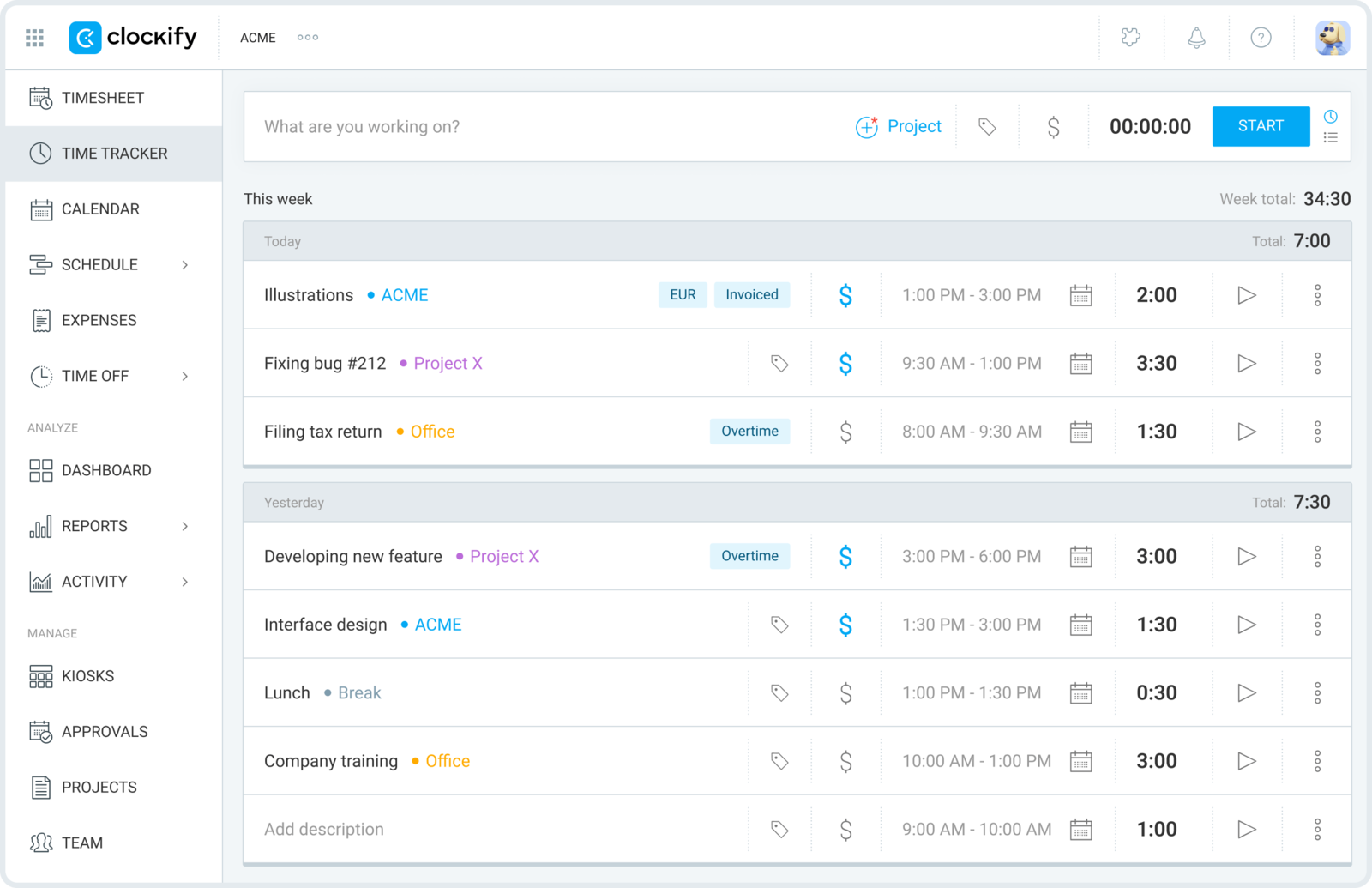
Clockify is a team-friendly time tracker with a strong free plan and lower-cost paid tiers. It works well when a lot of people need to log time in one shared system.
It gives you timers, timesheets, reports, and useful admin controls without pushing too hard into workforce oversight. That makes it a solid general-purpose choice.
The tradeoff is that it feels more utilitarian than polished and does not go as far into operations as Hubstaff.
What users say about Clockify
Reviews on G2 and Capterra often describe Clockify as strong value and easy to justify at team scale. The common criticism is that the product can feel busier and less polished than more design-led options.
Source: G2 reviews and Capterra reviews
What is Hubstaff?
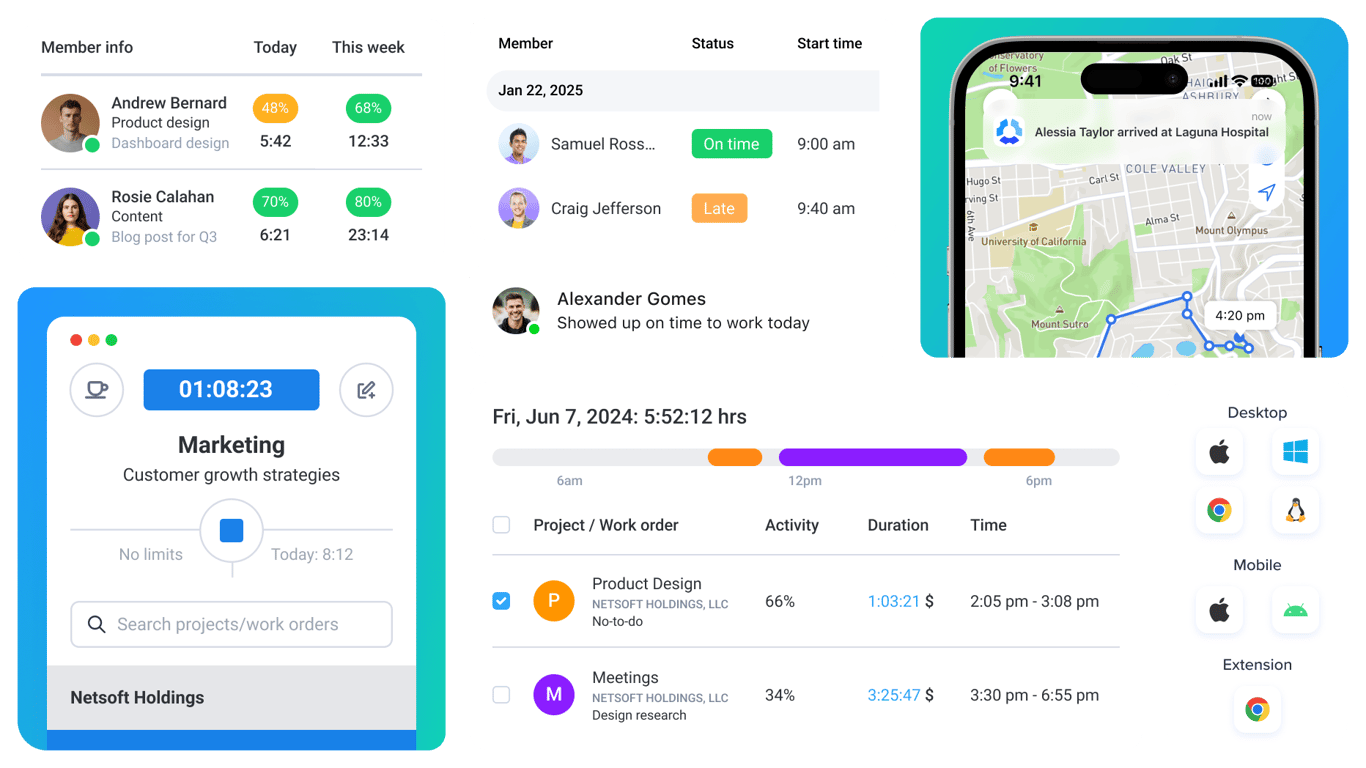
Hubstaff is a time tracking product with a stronger remote-work and operations angle. It is built for teams that want time data plus more visibility into attendance and work patterns.
That makes it useful for structured remote teams and for managers who need more than standard timesheets. It is less neutral than Clockify, but more specialized.
The tradeoff is that the product can feel like too much if your team only needs straightforward time tracking and reports.
What users say about Hubstaff
Reviews on G2 and Capterra often praise Hubstaff for remote-team visibility and operational usefulness. The common downside is that some teams find it more monitoring-heavy or more structured than they want.
Source: G2 reviews and Capterra reviews
Clockify vs Hubstaff features
Both tools cover timers, timesheets, and reports. The split shows up once management needs get involved.
| Area | Clockify | Hubstaff |
|---|---|---|
| Task management | Light structure around projects and categories | Light structure with stronger operational context |
| Project views | Timesheets, dashboards, and reports | Attendance, work patterns, and operational views |
| Automation | Admin controls and approvals | More operational workflow and oversight features |
| Reporting | Strong team time reporting | Strong operations and workforce reporting |
| Communication | Minimal collaboration features | Minimal collaboration, more management visibility |
| Integrations | Broad ecosystem | Broad ecosystem with stronger operations angle |
Clockify wins if you want a more neutral tracking tool at a better price. Hubstaff wins if your time tracking also needs to support management and workforce operations.
That is why many teams choose Clockify first and only move to Hubstaff when they need a more operational product.
Clockify vs Hubstaff pricing
| Plan detail | Clockify | Hubstaff |
|---|---|---|
| Free plan | Free for up to 5 users | Limited free plan for 1 user |
| Entry paid plan | Standard from $5.49 per user/month billed annually, or $6.99 billed monthly | Starter from $4.99 per user/month billed annually, or $7 billed monthly |
| Higher paid plan | Pro from $7.99 per user/month billed annually, or $9.99 billed monthly | Team from $10 per user/month billed annually, or $12 billed monthly |
| Pricing model | Freemium, then per-user tiers | Small free plan, then per-user tiers |
| Best budget fit | Teams that want the cheaper general-purpose tracker | Teams that need operations features |
Clockify is the easier price decision for most teams because the free plan is bigger and the overall cost stays lower. Hubstaff becomes worth more only when the operational side of the product is useful to you.
If you do not need that extra structure, Clockify usually wins on value. If you do, Hubstaff can save enough manual oversight work to justify the higher cost.
Clockify vs Hubstaff ease of use
Clockify is easier for most teams because it feels more like a standard tracker. Hubstaff feels easier only when the team already expects the extra operational structure it brings.
That means teams that value trust, simplicity, and lighter admin often prefer Clockify. Teams that value visibility and operational control often prefer Hubstaff.
Clockify pros and cons
Clockify pros
- Generous free plan.
- Lower cost as teams scale.
- Strong general-purpose team coverage.
- More neutral time tracking workflow.
Clockify cons
- Less operational depth.
- More utilitarian interface.
- Not built for heavy oversight.
- Can still feel busy compared with simpler tools.
Clockify is strongest when you want team-wide tracking without stepping into a management-heavy tool.
Hubstaff pros and cons
Hubstaff pros
- Strong remote-team visibility.
- Good fit for attendance and payroll-adjacent workflows.
- Useful for structured operational teams.
- More specialized for management needs.
Hubstaff cons
- Can feel too monitoring-heavy.
- More expensive once advanced plans are needed.
- Heavier than many teams actually need.
- Less neutral day-to-day experience.
Hubstaff is strongest when time tracking needs to support a remote operation, not just a timesheet.
Timen as an alternative
Timen is a better fit if both Clockify and Hubstaff feel more administrative than you want. It keeps the workflow simple, gives you a calendar view, and still covers reports and invoicing.

That makes it useful for small teams, agencies, and consultants who want straightforward tracking without either the busy scale-first feel of Clockify or the heavier oversight feel of Hubstaff.
If simplicity and trust matter more than management controls, Timen is the calmer option.
If Hubstaff is still in the mix, Hubstaff vs TimeCamp gives you another operations-focused comparison. If Clockify is still your baseline, Toggl Track vs Clockify and Clockify vs Harvest show how it stacks up against simpler and billing-first options. If the real issue is workflow drag, the clearest warning signs show up in software slowdown. For the direct Timen tradeoff, compare Timen vs Hubstaff.
You can also review the best Clockify alternatives, the best Hubstaff alternatives, look at the simpler all-in-one option in Timen vs Clockify, or browse more compare articles if you want a wider shortlist.
Which tool should you choose?
Choose Clockify if:
- You want cheaper, broader team tracking.
- You do not need much operational oversight.
- You want the stronger free-plan starting point.
Choose Hubstaff if:
- You manage remote teams and need more visibility.
- You care about attendance or payroll-related workflows.
- You want time tracking tied to operations.
Choose Timen if:
- You want a simpler workflow than both.
- You want calendar review, reports, and invoicing.
- You want time tracking to stay lighter and calmer.
Clockify is the better general-purpose team tracker. Hubstaff is the better operational tracker. Timen is the simpler alternative for teams that want less overhead.
FAQ
Here are the most common questions people ask when comparing Clockify and Hubstaff.
- Is Clockify better than Hubstaff?
- Clockify is better if you want a cheaper, more neutral team tracker. Hubstaff is better if you need remote-team oversight and operational structure.
- Which tool is easier to use, Clockify or Hubstaff?
- Clockify is easier for most teams because it is less management-heavy. Hubstaff becomes easier only when you genuinely need its extra structure.
- Which tool is cheaper, Clockify or Hubstaff?
- Clockify is usually cheaper, especially for larger teams. Hubstaff can still be worth the extra spend if you need the operational features.
- Is there a simpler alternative to Clockify and Hubstaff?
- Timen is a simpler alternative if you want clean tracking, calendar review, reports, and invoicing without a busier or more monitoring-heavy workflow.