













Paymo alternatives in 2026: 9 tools compared

The closest Paymo replacements are Everhour (keeps time bound to tasks, estimates, and budgets) and Harvest (when invoicing client hours is the real job). TrackingTime suits smaller teams that liked Paymo's shared timesheets, a genuinely free all-in-one like Timen covers tracking plus reporting and invoicing without a per-seat bill, and Clockify or Toggl Track work when you just want to strip the suite back to a clean tracker.
Paymo is unusual because it tries to be four products at once — project management, task boards, time tracking, and invoicing — inside a single workspace. For some teams that bundle is the whole appeal. For others it's the reason they start shopping: they're paying for a suite but really only living in one or two corners of it, and the rest is friction.
Over the past few weeks I ran real client work through each of the nine tools below rather than clicking around a demo, and this guide is what came out of it: where each one actually fits, what it drops from Paymo, and which kind of team it suits. The honest first question is whether you want less software than Paymo or a sharper version of one slice of it — the answer decides almost everything after.
Why teams leave Paymo
Almost nobody leaves Paymo because it does too little. They leave because the shape of the suite stops matching the shape of the team. In practice the reasons cluster into five:
- The suite is heavier than the usage. You're maintaining project boards, proofs, and scheduling you barely touch, and paying for all of it.
- Billing outgrows it. Invoicing, expenses, or accounting need to be stronger and more central than Paymo makes them.
- Time should sit closer to delivery. The team already lives in a dedicated PM tool and wants hours attached to those tasks, not a second project layer.
- Controls need to tighten. Someone wants approvals, utilization, or manager reporting that goes past what Paymo offers.
- Separation of concerns. The team would rather keep time tracking out of the same tool that runs project operations.
Which of these you're feeling should drive the whole decision. A team that wants a leaner tracker is shopping for something very different from a team whose real problem is that invoicing lives three clicks too deep — or that they track plenty of time but still struggle to turn it into correct invoices.
What to look for in a Paymo replacement
Once you know your trigger, judge candidates on the part of Paymo you're keeping — not on the timer, which every tool here handles fine. The things that actually differ:
- Whether you're narrowing scope or specializing one slice of Paymo more deeply.
- How much project context you still need sitting next to tracked time.
- Billing depth: rates, budgets, invoices, and reporting a client can read without cleanup.
- Admin muscle: approvals, utilization, and manager oversight, if the next buyer is finance or ops.
- Pricing that matches how many people use the tool deeply, not just how many have a login.
- Cost — and whether a "free" plan actually covers what you need, or quietly gates invoicing and reporting behind paid seats.
How we compared these tools
A quick note on method, so you can weigh the picks:
- Hands-on use. Each tool was used to track real work, not just previewed. The "best for" calls and the pros and cons come from that, together with each product's current docs.
- Ratings. The G2 scores shown are the aggregate ratings on each product's G2 page at the time of writing (July 2026); the review summaries paraphrase recurring themes across G2 and Capterra rather than quoting any single review.
- Pricing. Taken from each vendor's public pricing page and rounded.
- Order. Roughly how close a fit each tool is for a typical Paymo user, with the all-in-one and project-plus-time tools first — not a strict ranking, and not ordered by our own product. Timen appears where it genuinely fits, a simpler all-in-one with invoicing, which lands it in the middle of the list rather than the top.
The 9 best Paymo alternatives
From the tools that keep Paymo's project-and-billing DNA to the leaner trackers, here's the shortlist. The choice usually gets clearer once you pin down the real client-work requirements behind the switch.
1. Everhour — closest if time has to stay inside projects
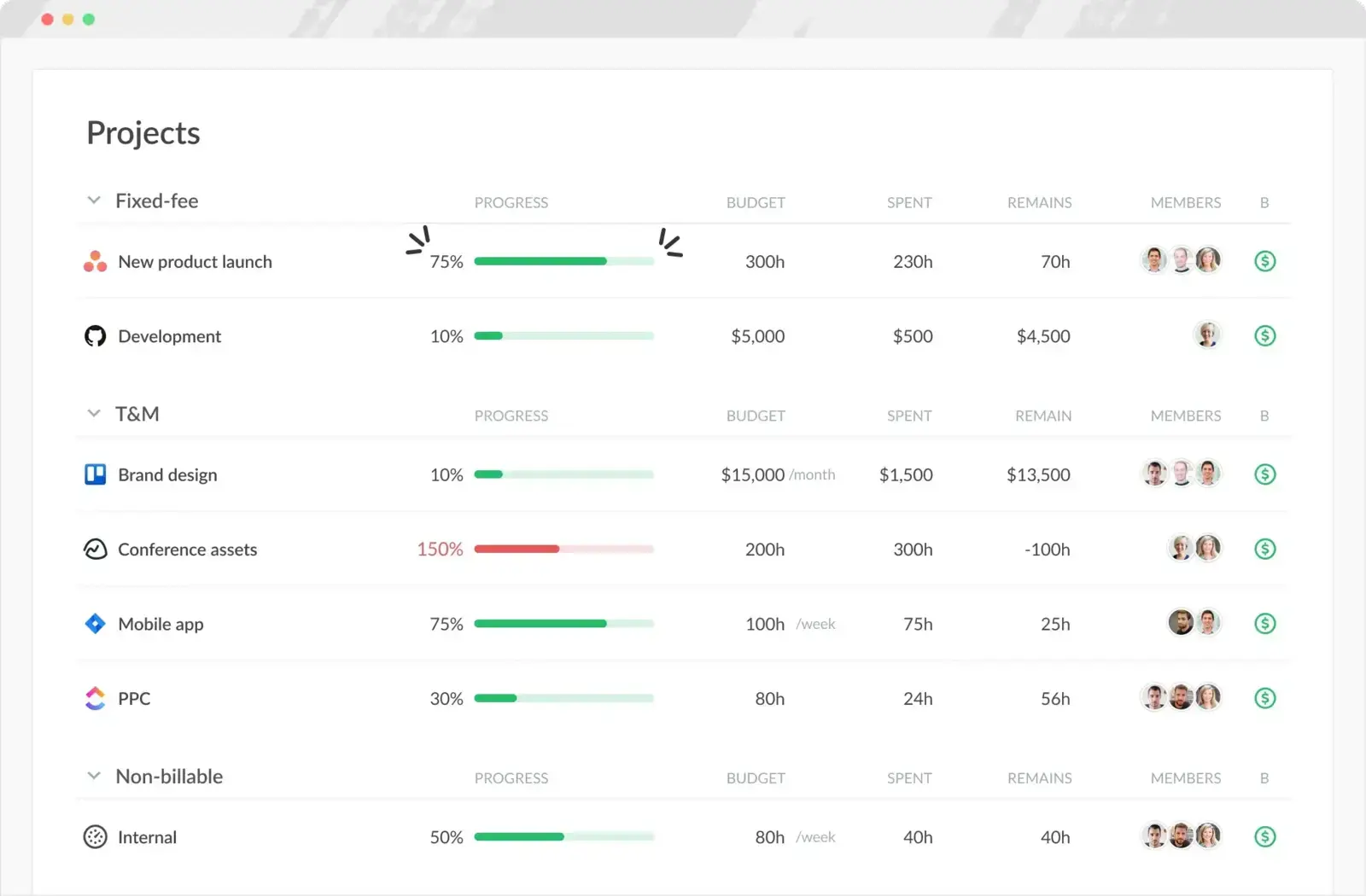
If the part of Paymo you actually love is the link between hours and the work they belong to, Everhour keeps that intact — and often makes it tighter. It embeds time, estimates, and budgets inside the tasks you're already managing, so tracked hours never drift away from the project.
- Best for: Teams that manage delivery in a PM tool and want time, estimates, and budgets attached to the actual tasks.
- Pricing: Free plan available; Team plan costs $8.50 per seat/month billed annually
- Rating: 4.7/5 on G2
For teams that have outgrown Paymo's all-in-one model but still want time and project execution tightly connected, Everhour is the natural landing spot. The trade is that it leans on the PM tools around it — if you wanted one self-contained product that also invoices, its project-first design can feel less complete than Paymo's.
Pros
- Time, estimates, and budgets sit right on the tasks, not in a separate app.
- Strong integrations with the PM tools delivery teams already use.
- Better task-level reporting than Paymo for planning-driven teams.
Cons
- Less self-contained than Paymo if you wanted one product to do everything.
- No native mobile app, and invoicing is more manual.
What users say about Everhour
On G2 and Capterra, reviewers most often praise the integrations, easy task-based logging, and budget visibility that keeps delivery work honest. The recurring drawbacks are pricing for smaller teams, the missing mobile app, and some admin or invoicing gaps once setups get complex.
Source: G2 reviews and Capterra reviews
If Everhour is the direction but not quite the tool, the best Everhour alternatives widen the field, and Harvest vs Everhour settles the two most common project-and-billing picks.
2. Harvest — best when billing is the real reason
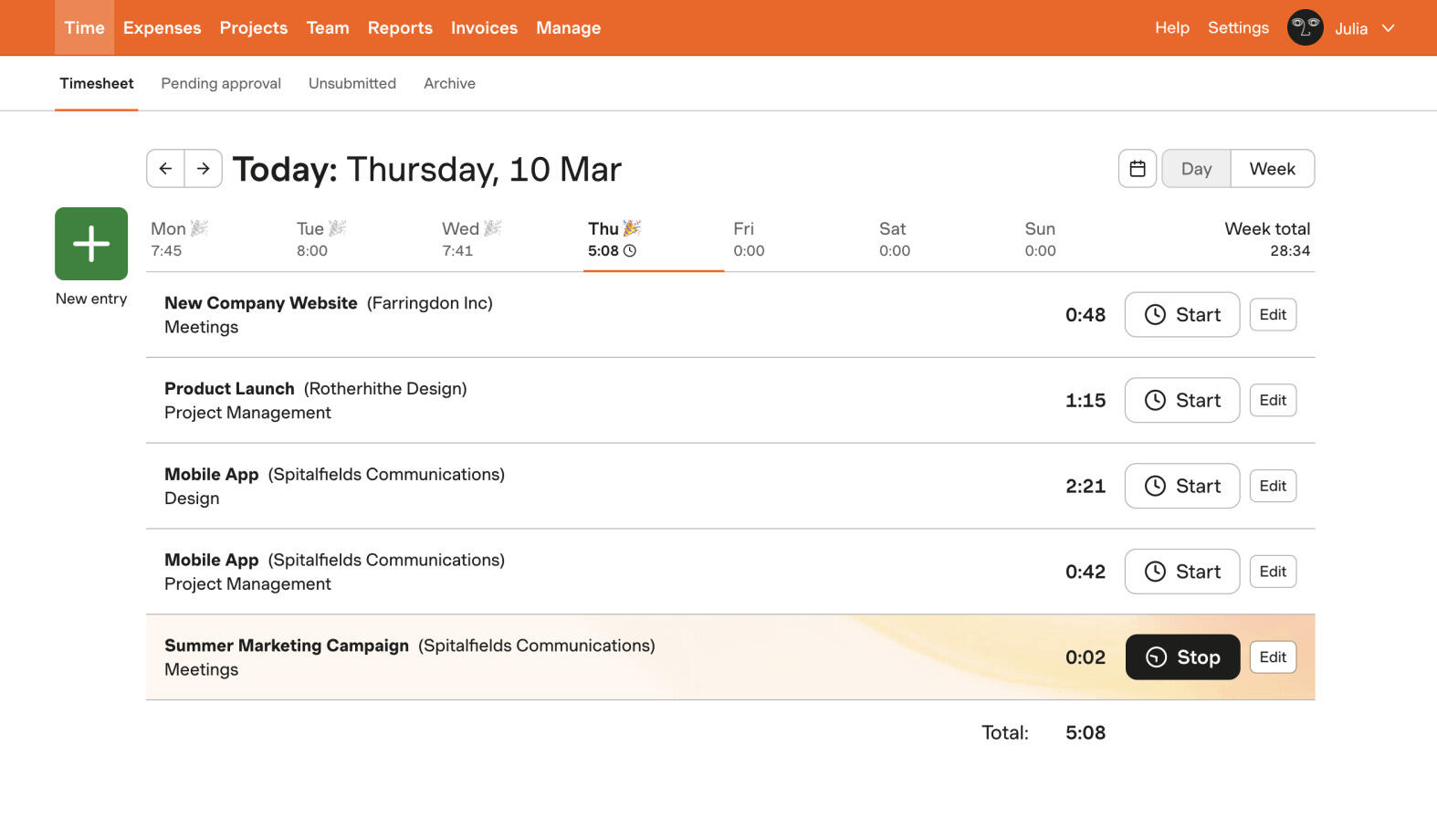
Harvest answers a specific complaint about Paymo: that all the project machinery gets in the way of the thing you're really doing, which is getting paid for tracked time. It narrows the scope to rates, budgets, invoices, and clean client reporting, and does that part very well.
- Best for: Client-service teams whose real reason for Paymo was turning hours into budgets and invoices.
- Pricing: Free plan available; paid plans start at $9 per seat/month billed annually
- Rating: 4.3/5 on G2
The interface stays approachable even as the billing side gets serious, which is why so many agencies stop shopping once they reach it. The cost is that you give up Paymo's broader project and task structure — if you still need those, Harvest alone will feel thin.
Pros
- Invoicing built directly on top of tracked hours.
- Budgets and client-friendly reporting that need no cleanup.
- Easy for non-technical teammates to adopt day to day.
Cons
- No real substitute for Paymo's project and task management.
- Pricier per seat than the leaner trackers here.
What users say about Harvest
Reviewers reliably call Harvest easy to adopt for daily entry and genuinely strong once hours feed billing and client reporting. The complaints that come up most are price, reporting that some teams find shallow, and occasional friction with the mobile app or syncing.
Source: G2 reviews and Capterra reviews
Billing-led shoppers can compare more options in the best Harvest alternatives, or put it head to head in Toggl Track vs Harvest. And if the per-seat price is what's giving you pause, it's worth reading why some teams are rethinking Harvest.
3. TrackingTime — best for a lighter, collaborative timesheet
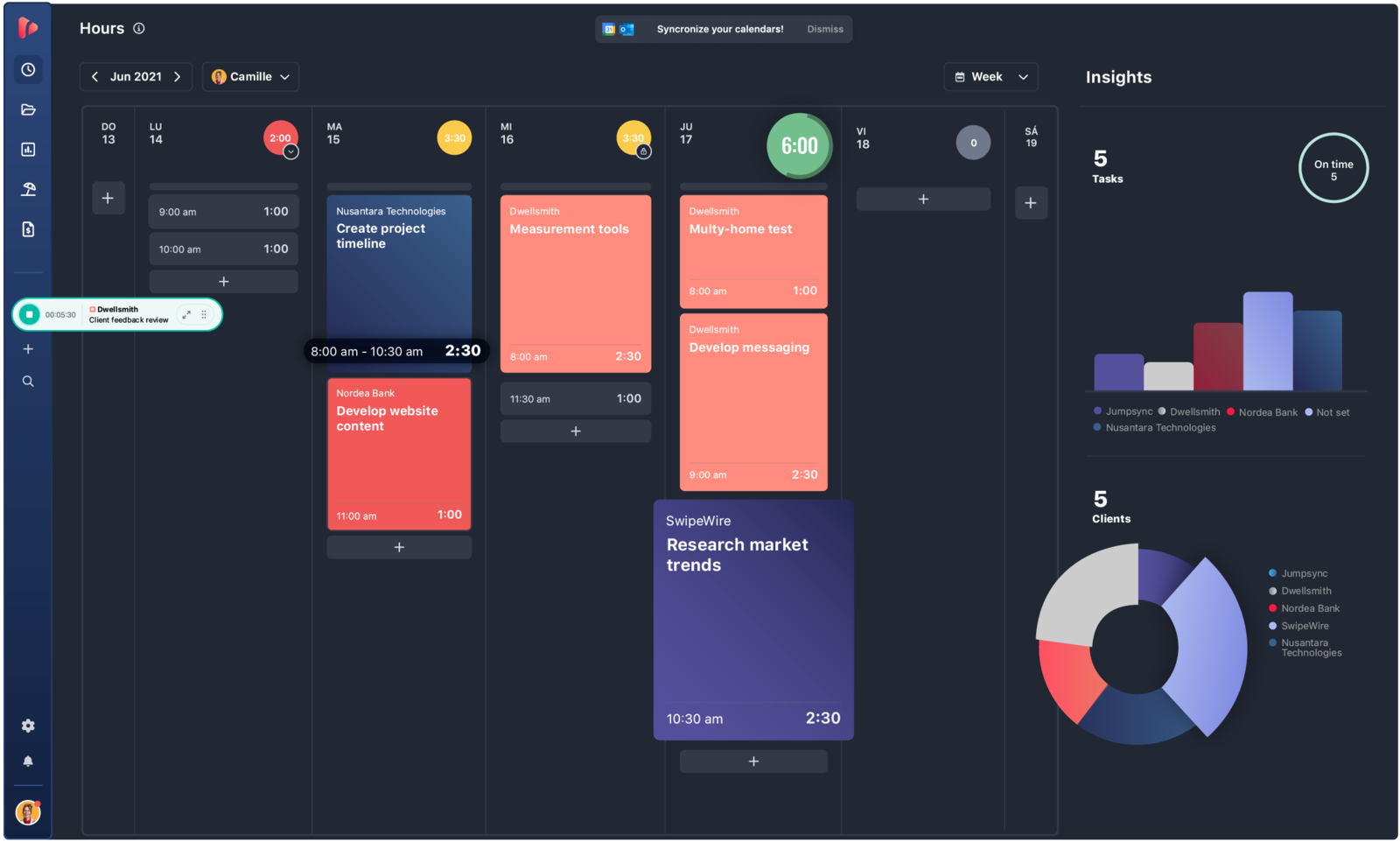
TrackingTime keeps the shared, collaborative feel that Paymo teams get used to — everyone on the same timesheets, with project-level reporting and reminders — but drops the proofing, scheduling, and heavier project layer. It's the middle ground between a solo timer and a full suite.
- Best for: Small, collaborative teams that liked Paymo's shared timesheets but not the rest of the suite.
- Pricing: Free plan available; Starter starts at $5.75 per user/month billed annually
- Rating: 4.4/5 on G2
For a consultancy or small studio that mainly valued Paymo's team timekeeping, TrackingTime delivers most of that at a lower price. It simply won't coordinate broader project work the way Paymo can, so it fits teams that plan elsewhere and only want the timesheet to be shared and tidy.
Pros
- Collaborative timesheets without Paymo's larger workspace scope.
- Good value for small teams and consultancies.
- Useful reminders and project reporting for shared timekeeping habits.
Cons
- Less capable than Paymo for broader project coordination.
- Setup and timer rough edges still show up in feedback.
What users say about TrackingTime
G2 and Capterra reviews often describe TrackingTime as good value, helpful for collaborative timekeeping, and strong enough for reporting without a big implementation project. The drawbacks show up in onboarding friction, timer quirks, and integration details that still need polish.
Source: G2 reviews and Capterra reviews
Smaller teams weighing collaborative trackers can start from our guide to client-work time tracking software.
4. Timen — the free, simpler all-in-one with invoicing

Full disclosure: this is our tool, so weigh it accordingly. Timen keeps the two parts of Paymo most teams actually use every day — tracking and invoicing — and drops the project-management weight around them. You track fast, review the day in a calendar, and turn tracked hours into invoices from the same place.
- Best for: Teams that want a genuinely free all-in-one — tracking, reporting, and invoicing — without Paymo's project-management layer or a per-seat bill.
- Pricing: Free — every feature included, including invoicing.
It's a good fit when Paymo feels like more product than the team needs and you'd rather have a calmer interface with a direct path from hours to a client-ready invoice — a common pattern for agency teams. It's honestly not the pick if you need Paymo's task boards, proofing, and scheduling, or if you want employee monitoring, payroll exports, or a big integration marketplace, where the older suites are stronger.
Pros
- Free with every feature included — invoicing and all — where most trackers charge per seat and gate invoicing behind higher tiers.
- Simpler daily workflow than Paymo for teams focused on time and billing.
- Calendar review is faster than digging through a broader PM interface.
- Built-in invoicing keeps reports and bills close to the tracked hours.
Cons
- Not designed to replace Paymo's broader project-management scope.
- Newer product with little third-party review coverage so far.
- Smaller integration ecosystem, and no employee monitoring or payroll exports.
Why teams pick Timen
The teams that choose Timen are usually the ones tired of running a whole suite to do two jobs: they want to track fast, glance at the day in a calendar, and send an invoice from the same hours — without administering project boards they never open. It's a deliberately narrow pitch, which is exactly why it won't suit teams that need Paymo's project depth or a large app marketplace.
Timen sits with the other lightweight, invoice-ready options in our roundup of client-work time tracking software.
5. Clockify — best for stripping Paymo back cheaply
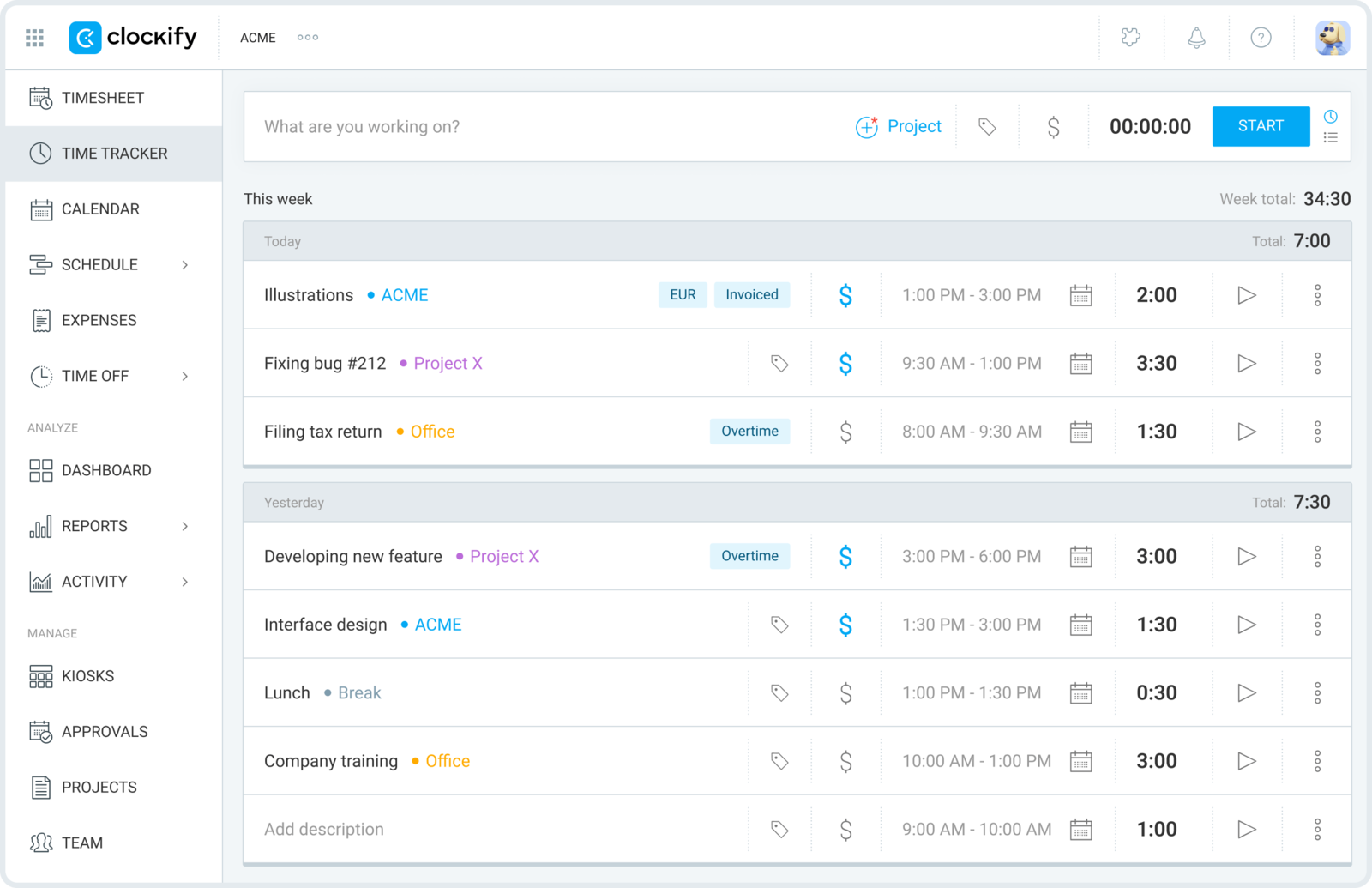
Clockify is the move when the team no longer wants tasks, proofs, scheduling, and the rest of the workspace, but still needs projects, clients, and reports. It reduces Paymo back to the tracking core at a much lower price, with a free plan that genuinely covers a whole team.
- Best for: Teams happy to trade Paymo's extras for cheap, no-fuss project and client tracking.
- Pricing: Free plan available; paid plans start at $3.99 per user/month billed annually
- Rating: 4.5/5 on G2
That makes it an easy call for teams that were only partly using Paymo and would rather simplify than optimize a broader system. The trade is polish and context: you keep the hours and the reports, but lose the planning layer that tied them to the work.
Pros
- Much cheaper path for teams that mainly need time tracking.
- Free plan supports unlimited users, so rollout is nearly free.
- Solid reports across projects and clients for review and billing.
Cons
- Loses much of Paymo's context around task planning.
- Interface feels more functional than refined, with nicer controls behind paid tiers.
What users say about Clockify
G2 and Capterra reviewers usually frame Clockify as an affordable, flexible way to handle project and client hours at scale. The weak points come up in editing friction, mobile limitations, and a user experience that can feel more functional than refined.
Source: G2 reviews and Capterra reviews
To keep exploring the budget end, the best Clockify alternatives list more like it, and Toggl Track vs Clockify compares the two most popular free-tier trackers. Before you lean on that free plan, though, it's worth knowing what changed about Clockify's free tier in 2026.
6. FreshBooks — best when the driver is invoicing and accounting
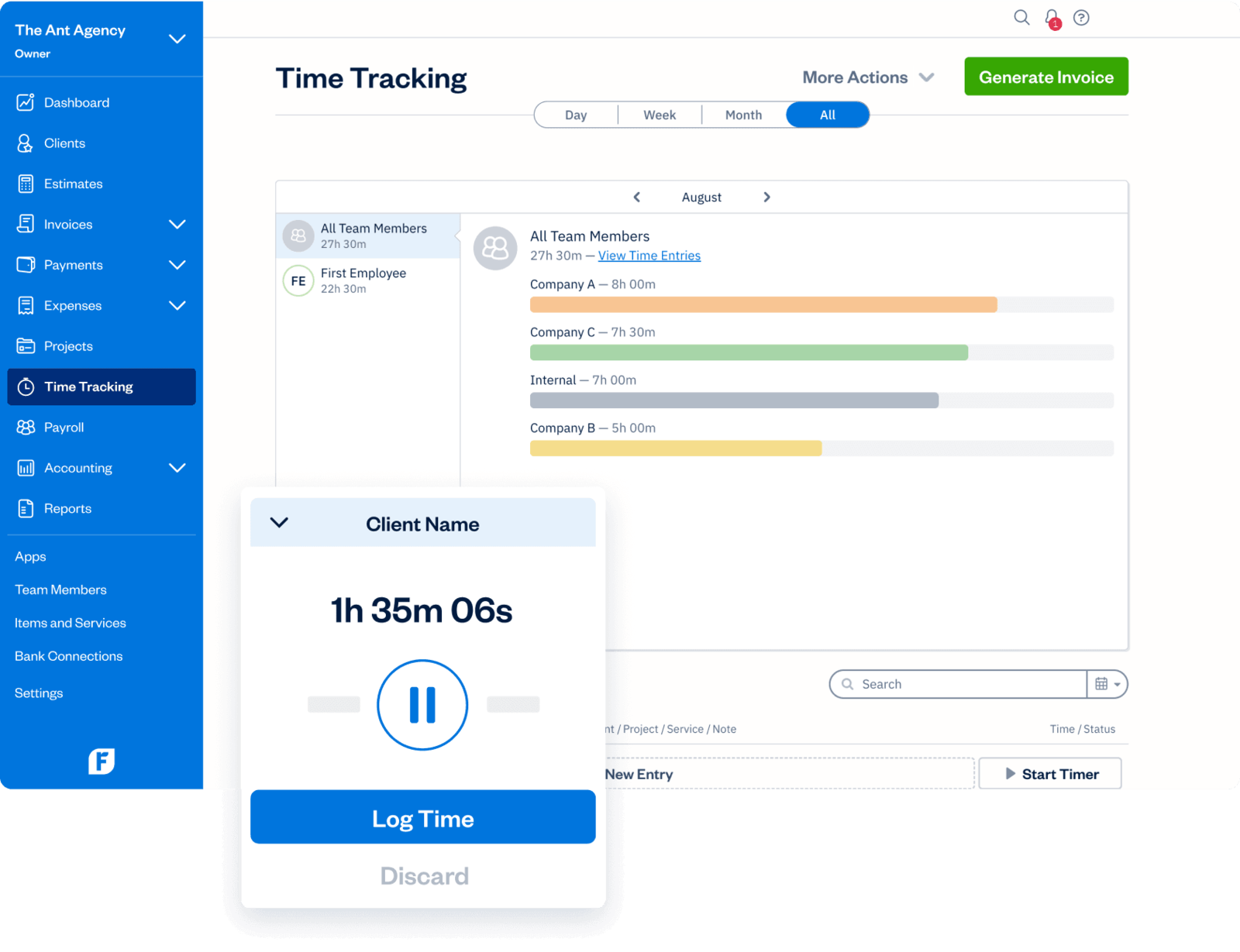
FreshBooks fits the team that concluded Paymo was too project-centric and the real requirement is smoother invoicing, expenses, payments, and accounting. It moves time tracking close to the money rather than close to the task board, and runs a small client business from one finance-friendly system.
- Best for: Freelancers and small firms whose Paymo use was really about invoicing, expenses, and getting paid.
- Pricing: Lite starts at $9.20 per month; Plus at $17.20 per month; team members are extra
- Rating: 4.5/5 on G2
If your business needs are more financial than project-based, FreshBooks is a stronger home for the billing side than Paymo. Just don't expect it to coordinate delivery work — task and project management are not what it's built for, and seat and add-on costs can complicate the value story.
Pros
- Stronger invoicing, expenses, and accounting than Paymo.
- Time entries connect naturally to estimates and payments.
- Easy for freelancers and tiny firms to learn.
Cons
- Not a substitute for Paymo's broader project features.
- Seat and add-on costs can complicate the value story.
What users say about FreshBooks
The common pattern on G2 and Capterra is that FreshBooks is easy for small businesses to learn and especially strong for invoicing, estimates, expenses, and payments. The consistent complaints are limited advanced reporting, uneven support experiences, and total cost rising as needs get more complex.
Source: G2 reviews and Capterra reviews
If billing is the whole reason you're leaving Paymo, Clockify vs Harvest lines up the cheap-tracker and billing-first ends of the market.
7. Toggl Track — best for a clean, general-purpose tracker
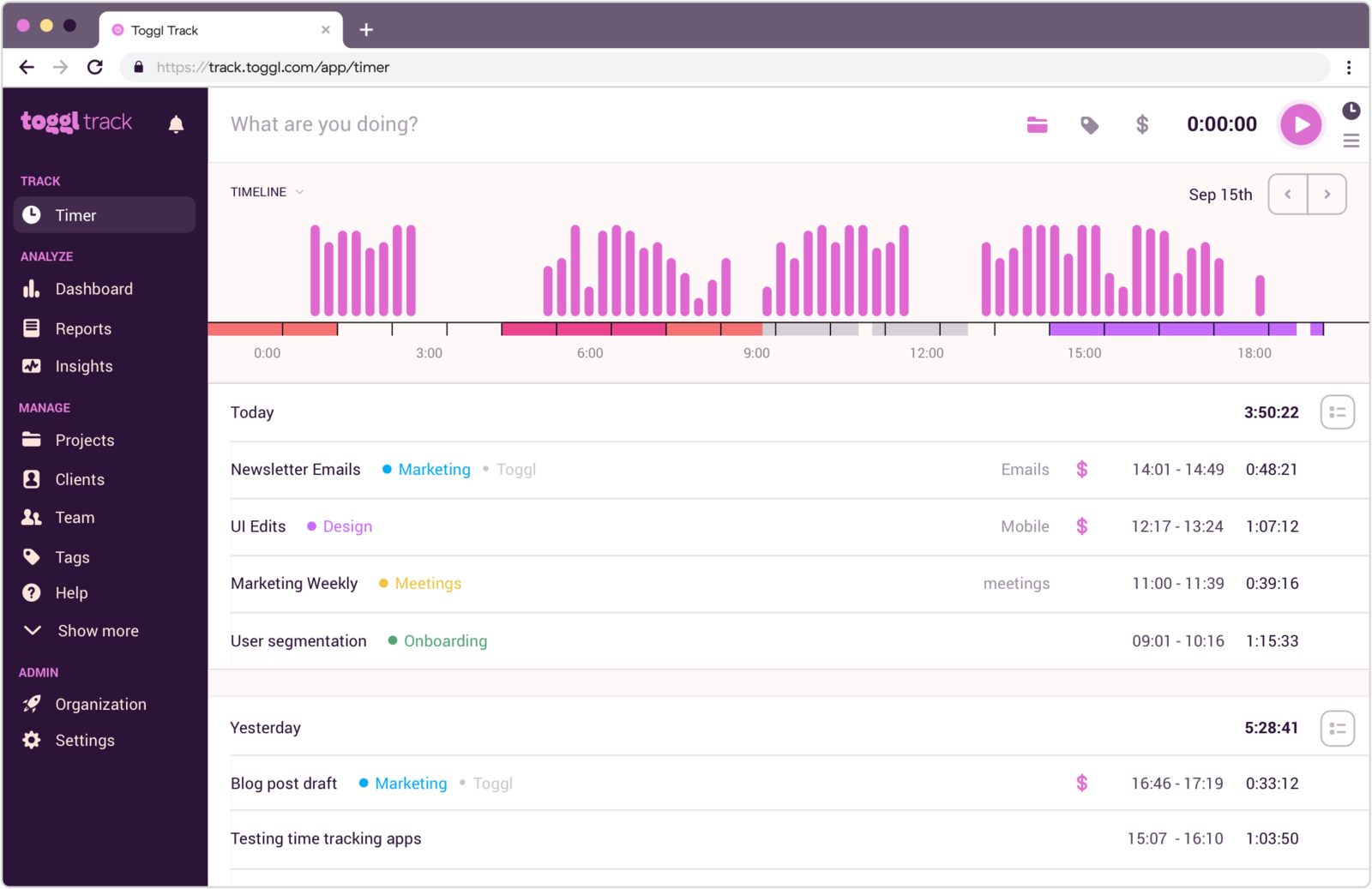
Toggl Track is the pick when your team already runs planning somewhere else and just wants the tracking to be fast, clean, and out of the way. It keeps reporting useful without any of Paymo's project-management or billing-first machinery.
- Best for: Teams that run planning elsewhere and just want a clean, fast tracker.
- Pricing: Free plan available; paid plans start at $9 per user/month
- Rating: 4.6/5 on G2
It's a strong reset toward simplicity when the team prizes adoption and speed. The flip side is that it deliberately stops at tracking and reporting, so Paymo's scheduling, tasks, and invoicing all move to other tools if you go this way.
Pros
- Cleaner and more focused than Paymo for day-to-day tracking.
- Fast onboarding and reports people understand without training.
- Good fit when PM work already happens in another tool.
Cons
- Does not replace Paymo's project, scheduling, or invoicing features.
- Manual adjustments can still be tedious in busy weeks.
What users say about Toggl Track
The recurring themes on G2 and Capterra are fast onboarding, easy timer use, and reports teams can read without much training. The recurring downsides are editing friction, mobile smoothness, and the fact that deeper project-management needs still require another tool.
Source: G2 reviews and Capterra reviews
See the best Toggl Track alternatives for a wider shortlist, or read Toggl Track vs Clockify for the closest matchup. And if even Toggl starts to feel like more than a small team needs, we dig into whether it's too much for simple time tracking.
8. TimeCamp — best for reporting flexibility and capture
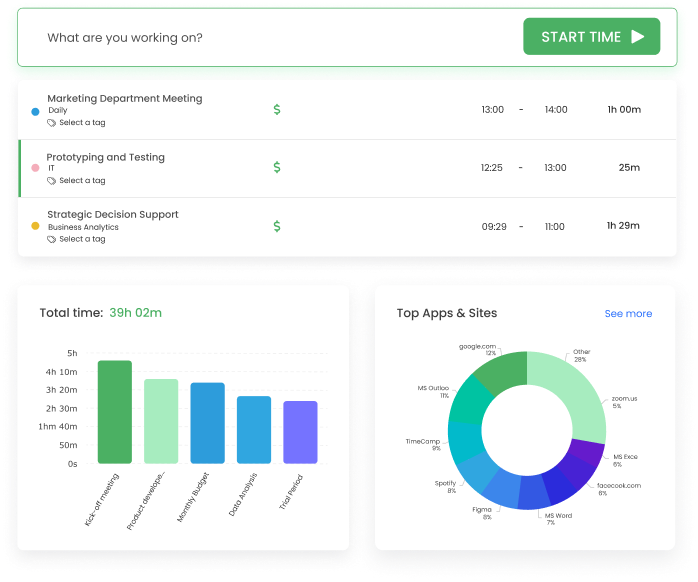
TimeCamp narrows Paymo back to tracking and reporting without going all the way to a bare timer. It gives you more room to shape categories, mix automatic and manual capture, and export the numbers than the lightest tools do — useful when management still wants analytical depth after the PM features are gone.
- Best for: Teams that want reporting flexibility and automatic capture without the full workspace.
- Pricing: Starter starts at $3.99 per user/month billed annually
- Rating: 4.7/5 on G2
If billing, internal reporting, and client summaries all pull from the same hours, TimeCamp's flexibility pays off, and its paid entry point is among the cheapest here. The flip side is a busier interface — if your team only needs quick daily logging, it's more tool than you'll use.
Pros
- More reporting flexibility than simple trackers.
- Useful mix of automatic and manual capture.
- Lower-cost way to keep analytical depth after leaving the suite.
Cons
- Busier interface than the cleanest options.
- Reliability complaints still show up in feedback.
What users say about TimeCamp
G2 and Capterra reviews usually praise TimeCamp for flexibility in tracking and reporting, especially when teams want both billing and internal analysis. The repeated negatives are bugs, occasional data inconsistency, and a setup experience that can feel less polished than simpler alternatives.
Source: G2 reviews and Capterra reviews
For more reporting-first tools, open the best TimeCamp alternatives, or compare Hubstaff vs TimeCamp.
9. ClickTime — best for approvals and utilization
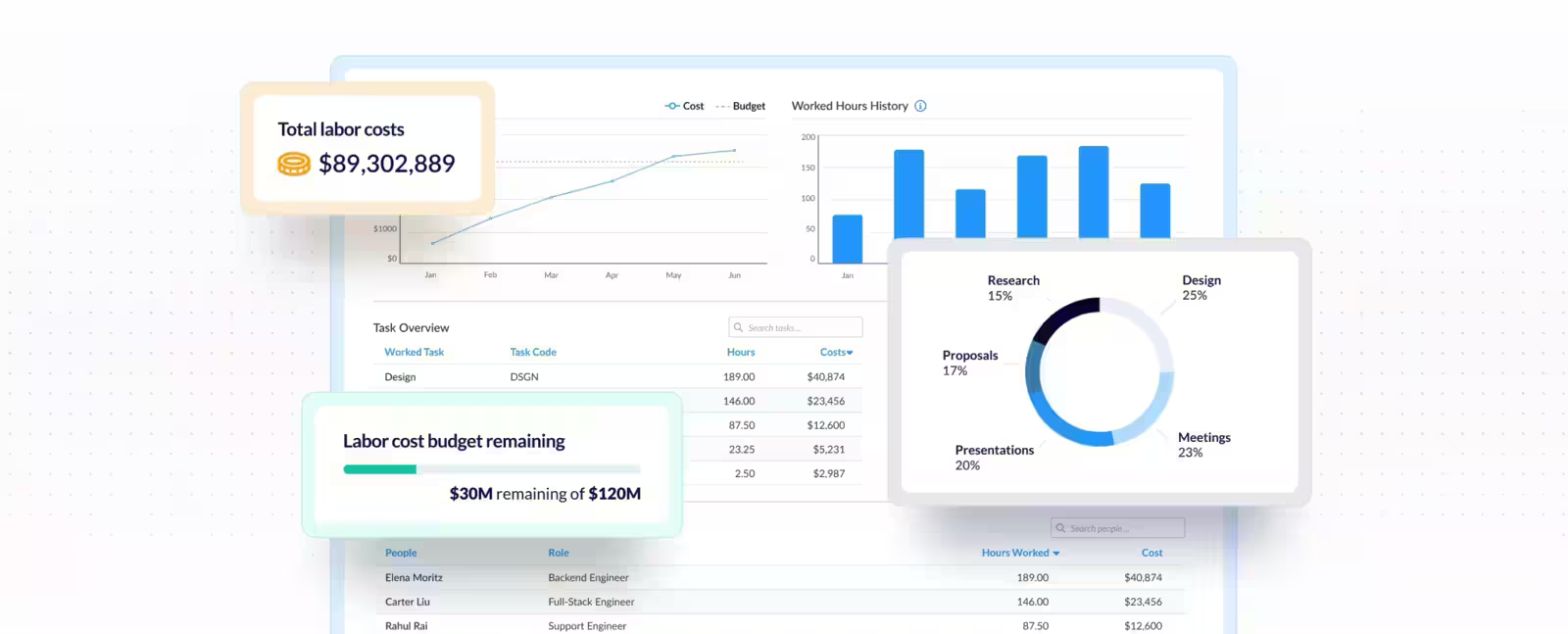
ClickTime is the choice when leaving Paymo means moving toward a more finance- and operations-led model, not a lighter one. It trades collaboration convenience for approvals, utilization tracking, and disciplined timesheets — the tool that makes managers, not project leads, the primary audience.
- Best for: Organizations where approvals, utilization, and management reporting matter more than collaboration.
- Pricing: Starter starts at $12 per user/month billed yearly
- Rating: 4.6/5 on G2
It is not the lighter option, and it will feel heavier than teams wanting simplicity expect. But when staffing and project-cost decisions depend on the numbers, ClickTime's structure is often exactly the upgrade Paymo couldn't quite deliver.
Pros
- Approvals and utilization reporting are stronger than in Paymo.
- Useful when staffing and project-cost decisions ride on the data.
- Supports a more formal, disciplined timesheet process.
Cons
- More administrative and less collaborative than Paymo.
- Feels heavier than teams wanting a simpler tool may expect.
What users say about ClickTime
The repeated feedback on G2 and Capterra is that ClickTime helps with approvals, utilization, and consistent reporting in a way lighter tools do not. The main tradeoffs are a process-heavy feel, a dated interface for some users, and more overhead than small teams need.
Source: G2 reviews and Capterra reviews
For a broader management-reporting shortlist, see the best ClickTime alternatives.
Paymo alternatives compared
The fast version — where each tool fits, how heavy it is, and what it costs.
| Tool | Best for | Complexity | Pricing |
|---|---|---|---|
| Everhour | Time tied to tasks and estimates | Medium | Free plan; Team from $8.50 per seat/month |
| Harvest | Billing-first client work | Medium | Free plan; paid from $9 per seat/month |
| TrackingTime | Collaborative timesheets on a budget | Medium | Free plan; paid from $5.75 per user/month |
| Timen | A genuinely free all-in-one (tracking, reports, invoices) | Low | Free — every feature included |
| Clockify | Budget-friendly tracking | Low to medium | Free plan; paid from $3.99 per user/month |
| FreshBooks | Accounting and invoicing | Medium | Plans from $9.20 per month |
| Toggl Track | General-purpose lightweight tracking | Low | Free plan; paid from $9 per user/month |
| TimeCamp | Flexible reporting and capture | Medium | Paid from $3.99 per user/month |
| ClickTime | Approvals and utilization | Medium to high | Paid from $12 per user/month |
Which Paymo alternative should you pick?
Match the tool to the reason you started looking:
You want project context kept → Everhour, which pins time, estimates, and budgets to the tasks; TrackingTime is the lighter, more collaborative version if you don't need full PM.
Billing is the real driver → Harvest for hours-to-invoices in a client-service shop, or FreshBooks if the need is closer to accounting than to projects. Either way, the payoff is turning tracked hours straight into invoices instead of rebuilding them by hand.
You want it genuinely free → Timen is the one all-in-one here that's free with every feature included — tracking, reporting, and invoicing, with no per-seat bill. Clockify and TrackingTime have free plans too, and Everhour, Harvest, and Toggl Track all offer free tiers, but each one caps features — limiting seats, or keeping invoicing and deeper reporting on paid plans — so their "free" covers less than it looks. Timen's trade is that it's newer and deliberately simple: no Paymo-style project boards, a smaller integration ecosystem, and no monitoring — so it's the budget-friendly calm pick, not the one for the full project suite or heavy oversight.
You just want a clean tracker → Clockify for the cheapest team rollout, or Toggl Track when planning already lives in another tool.
You need reporting or approvals muscle → TimeCamp for flexible reporting and capture, ClickTime for utilization and manager approvals.
FAQ
- What is the best alternative to Paymo?
- It depends on which part of Paymo you're keeping. Everhour is closest if you want time tied to tasks, estimates, and budgets; Harvest is best when invoicing client hours is the point; TrackingTime suits smaller collaborative teams; and simpler all-in-one tools like Timen cover tracking, reporting, and invoicing without the wider suite.
- What tool is most similar to Paymo?
- Everhour and Harvest are the closest, depending on whether you care more about project context or billing. TrackingTime is also close for small teams that mainly valued Paymo's shared, collaborative timesheets.
- Is there a simpler alternative to Paymo?
- Yes. Timen is a simpler option — you review time in a calendar — that keeps time tracking and invoicing but drops the project-management layer, and it's free with all features included.
- Why do teams switch from Paymo?
- Usually because the all-in-one suite is heavier than they use. Common triggers are wanting a lighter tracker, stronger invoicing or accounting, deeper project context in a dedicated PM tool, or firmer approvals and reporting controls.
The bottom line
There's no single best Paymo alternative because Paymo itself covers several jobs at once. Pick the tool that keeps the slice you actually use and sheds the rest: Everhour if time has to stay inside projects, Harvest or FreshBooks if billing is the point, TrackingTime for a lighter shared timesheet, Clockify or Toggl Track for a clean tracker, and TimeCamp or ClickTime when reporting and approvals need to get stronger.
If both client billing and project context are still in the mix, Harvest vs Everhour is a useful next read, and Clockify vs Harvest lines up the lower-cost and billing-first ends of the market. And if what you really want is to simplify Paymo down to fast tracking, clear reporting, and invoicing in the same place, Timen is the honest place to start — just not the pick if you need the full project suite.