













Best simple time tracking software in 2026

Toggl and Clockify are useful starting points if you want a straightforward timer. Harvest adds invoicing, while Timely and Memtime capture activity for you to review later. RescueTime focuses on personal productivity. Timen combines tracking, reports and invoicing for free. The best choice depends on what happens after you log the hours: reviewing your week, reporting to a client or preparing an invoice.
A freelancer with three clients may need little more than project totals and an invoice. An agency may also need approval steps and different billing rates. A tool feels simple when it makes those routine jobs easy, even if it has features you never use.
Toggl and Clockify both changed their free plans this year, so those two are worth reading closely.
What does simple actually mean in a time tracker?
Look at six areas that can add setup or daily admin. None is automatically a problem. The question is whether it supports work your team needs to do.
- Approvals. Some teams need a project lead to approve hours before billing. Others can review entries directly. Choose a formal approval workflow only if you need that sign-off.
- Monitoring. Screenshots and activity reports serve a different purpose from logging project hours. If you only need a record of time spent, they may add controls your team does not need.
- Billing rates. One rate per project may be enough. If rates vary by person or task, check that the tool can handle them without duplicate projects or manual invoice edits.
- Project structure. Clients, projects and entries may cover your work. Tasks, phases and tags help when you need that detail, but they also give people more fields to maintain.
- Plan limits. Check that the plan includes the exports, reports and billing features you need. Toggl and Clockify are easy to start using, but their free plans have user and billing limits.
- Ongoing admin. Consider who will correct entries, remind people to log time and review the totals. A short weekly check may be enough; some teams need more formal controls.
Use these six areas as a checklist, not a score. If approvals or detailed rates are essential, a tool that includes them may save more work than a basic timer. If they are not, focus on capture style, reporting and price.
When do you need more than a basic timer?
These requirements can make a more detailed tool worthwhile.
- Teams that approve time before billing it. If a project lead has to sign off hours before the client sees them, you need approvals, and that means Harvest, Toggl Premium, Everhour or a professional services tool. A simple tracker will make you do the approval in a spreadsheet, which is worse than either.
- Agencies with rates per person per client. A designer at one rate on client A and another on client B, with a cost rate underneath so the owner can see margin, is a rate card, and the simple tools do not have one. Harvest and TimeCamp do; the agency setup is a different conversation from this one.
- Capacity planning. If you need to know who is available in three weeks, look for planning features as well as time tracking. Capacity planning software compares future demand with available hours. Toggl now includes planning features on its paid plans.
- Record controls. If your process requires locked entries or a change history, check those features before choosing. An easy timer will not replace a required review or audit workflow.
If those requirements do not apply, you can concentrate on how easy it is to log, review and use the hours you record.
Quick picks
These picks separate the most polished mainstream tracker from the best free all-in-one and the strongest automatic options, so you can narrow the shortlist fast.
- Best overall: Toggl for a polished, familiar timer that stays simple from day one, with the caveat that its free plan is now small.
- Best free all-in-one: Timen for tracking, reporting and invoicing in one place with no per-seat bill and no tiers.
- Best budget rollout: Clockify for the lowest paid entry price and a free plan that still covers five people.
- Best for billing: Harvest for teams that want tracked hours to move cleanly into invoices and can pay per seat.
- Best for automatic tracking: Timely for polished background capture and tidy summaries.
- Best for focus insight: RescueTime for personal productivity visibility rather than billable tracking.
How we compared these tools
A quick note on method, so you can weigh the picks:
- Hands-on use. Each tool was used to track real work, not just previewed. The "best for" calls and the pros and cons come from that, plus each product's current docs.
- Workflow fit. The comparison considers the six areas above, including which features require a paid plan.
- Ratings. The G2 scores shown are the aggregate ratings on each product's G2 page at the time of writing; the review summaries paraphrase recurring themes across G2 and Capterra rather than quoting any single review.
- Pricing. Taken from each vendor's public pricing page and rounded.
- Order. Familiar timers come first, followed by billing and automatic tracking options. The order reflects use cases rather than a strict ranking.
Simple time tracking software comparison table
Use the table first if you want the fastest read on which tools stay lean, what each one leaves out, and what it costs.
| Tool | Best for | What it leaves out | Pricing |
|---|---|---|---|
| Toggl | Polished timer-first simplicity | Monitoring. Rates, timelines and CSV export are paid | Free for 3 users; Starter $9 per user/month billed annually |
| Clockify | Simple rollout on a tighter budget | Monitoring. Rates, invoicing and Excel export are paid | Free for 5 users; paid from $3.99 per user/month billed annually |
| Harvest | Simple tracking with an invoice workflow | Monitoring and hierarchy. Has approvals and rate cards | Free for 1 user; paid from $9 per seat/month billed annually |
| TrackingTime | Light collaboration and reminders | Monitoring, rate cards, approvals | Free plan; paid from $5.75 per user/month billed annually |
| Timen | Free all-in-one with reports and invoicing | Approvals, monitoring, rate cards, capacity planning, tiers | Free, every feature included |
| Timely | Automatic capture with polished summaries | The timer habit itself. Adds a review habit | Paid from about $9 per user/month billed yearly |
| Memtime | Passive activity history for day reconstruction | The timer habit. Billing is via other tools | Paid plans start around $12 per user/month |
| RescueTime | Focus habits and distraction analysis | Clients, projects and billing entirely | Paid plans start around $12 per month |
| TimeCamp | Simple tracking with extra report depth | Least left out here: has rates, approvals and monitoring on paid tiers | Free plan; paid from $3.99 per user/month billed annually |
Best simple time tracking software in 2026
The tools below are all reasonable if you want less friction, but they get there in different ways. Some stay manual and direct, some add invoicing without much clutter, and some trade timer control for automatic capture. That is usually the same shift teams make when moving to a simpler tracker.
1. Toggl: the polished, familiar default
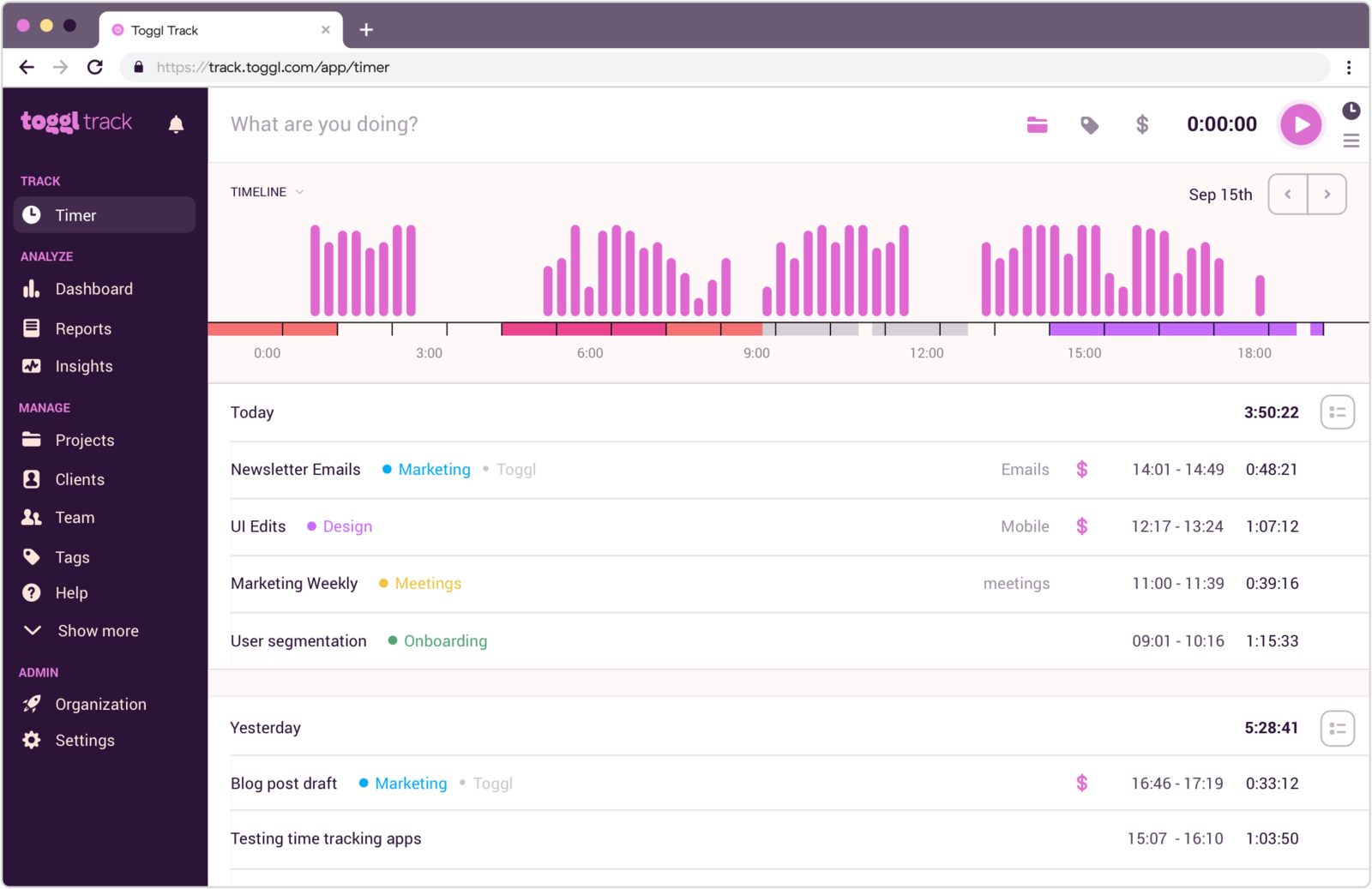
Best for: Users who want a polished, familiar timer-first product with very little learning curve.
- Pricing: Free for up to 3 users; Starter $9 per user/month and Premium $16 billed annually, $12 and $24 monthly
- Rating: 4.6/5 on G2
Toggl leads this list because it makes the basics feel refined. Starting and stopping the timer is obvious, manual entries are easy to understand, and the interface rarely overwhelms people who only need hours by client, project or task. For most people chasing "simple", it is still the safest place to start.
Toggl now combines tracking and planning, so Free includes tasks and boards, while paid plans add timelines and capacity features. The free plan covers 3 users. Billable rates, team reports and spreadsheet exports require Starter; approvals require Premium.
Pros
- Clean timer workflow that new users understand quickly.
- Reports are easy to scan without much setup.
- Works well for people who move between projects during the day.
- Familiar product for teams that want the safe default choice.
Cons
- Free plan is now 3 users, and rates, tags and CSV export need Starter.
- It is a bigger product than it was; the planning half is there whether you wanted it or not.
- Editing and reorganizing entries can feel repetitive.
What users say about Toggl
Across G2 and Capterra, users repeatedly describe Toggl as easy to adopt, pleasant to use, and dependable for straightforward time logging and reporting. The consistent complaints focus on manual cleanup, limits in project depth, and a mobile experience that can feel less smooth when people need to fix entries after the fact.
Source: G2 reviews and Capterra reviews
Teams that keep circling back to Toggl usually end up checking the broader Toggl alternatives list, then settling the final call with Toggl vs Clockify.
2. Clockify: the same simplicity on a budget
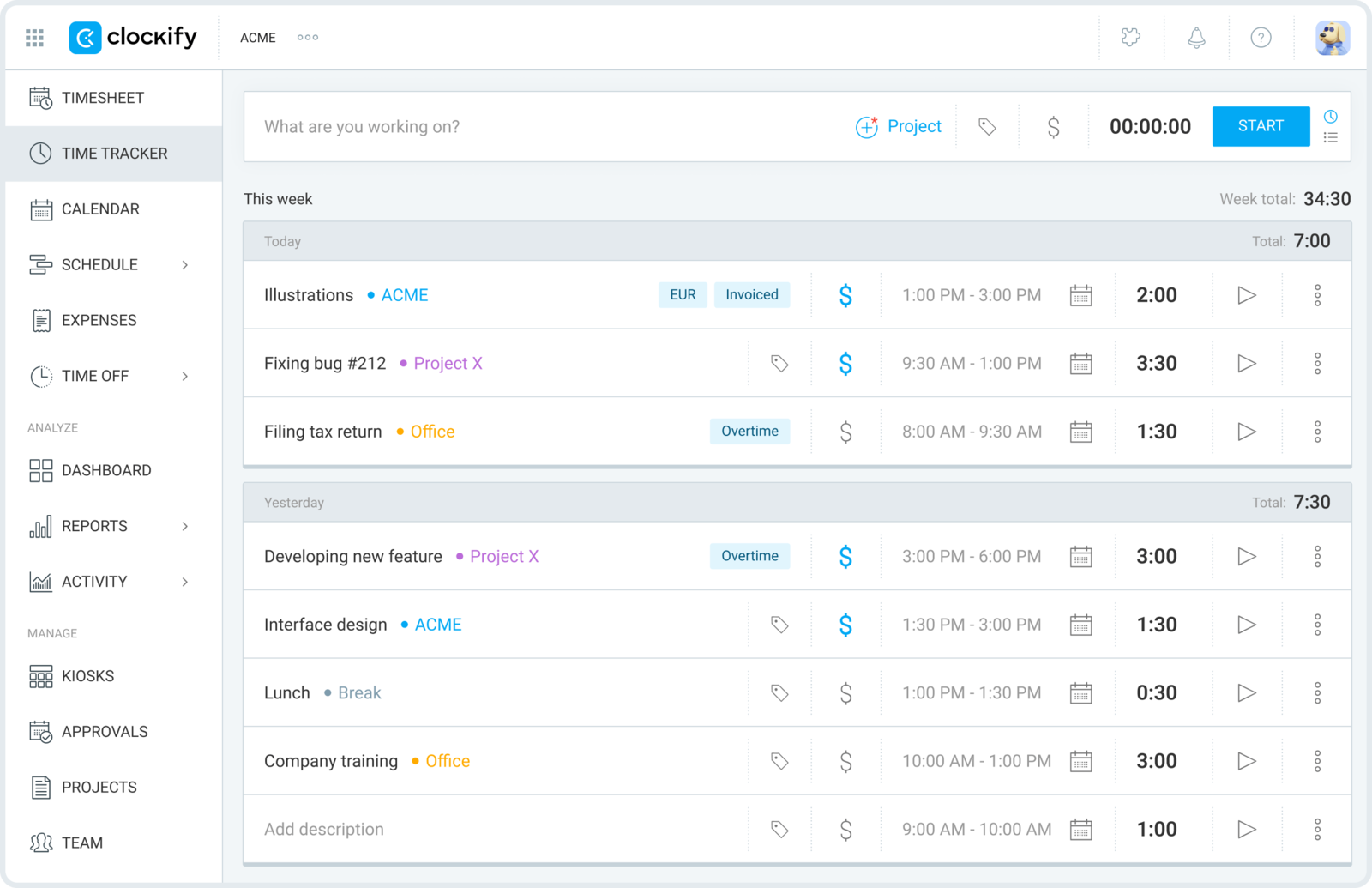
Best for: Anyone who wants a simple rollout and the lowest paid entry price.
- Pricing: Free for up to 5 users; paid plans start at $3.99 per user/month billed annually
- Rating: 4.5/5 on G2
Clockify is the practical pick when simplicity has to include price. It gives you timers, manual timesheets, project tracking and basic reports in a structure most people understand quickly, and its paid tiers start lower than anything else here. Its free plan changed in April 2026: it is capped at 5 users and no longer includes billable rates, invoicing or Excel and CSV export, all of which moved to paid plans. That is still a more generous free tier than Toggl's, and the paid step is cheaper.
Clockify keeps basic tracking approachable. Approvals, billing rates and spreadsheet exports require paid plans, so check the price of your complete workflow. The interface is more functional than polished, but it gives small teams several ways to record their hours.
Pros
- Lowest paid entry price on this list.
- Timesheet and timer options let different users work their preferred way.
- Project and client tracking are simple enough to set up quickly.
- Free plan still covers five people, which is more than Toggl's.
Cons
- Billable rates, invoicing and spreadsheet export left the free plan in 2026.
- The interface can feel more functional than calm.
- Deeper admin and reporting needs still add complexity later.
What users say about Clockify
Recurring feedback on G2 and Capterra centers on Clockify being easy to start, flexible across timer and timesheet workflows, and strong value for the price. Reviewers also keep mentioning that manual edits can get tedious, mobile usage is less consistent than desktop, and the overall experience is more utilitarian than elegant.
Source: G2 reviews and Capterra reviews
If low-cost simplicity is the main theme, the wider Clockify alternatives shortlist and the direct Toggl vs Clockify comparison are the two most useful next reads.
3. Harvest: best when simple still needs invoices
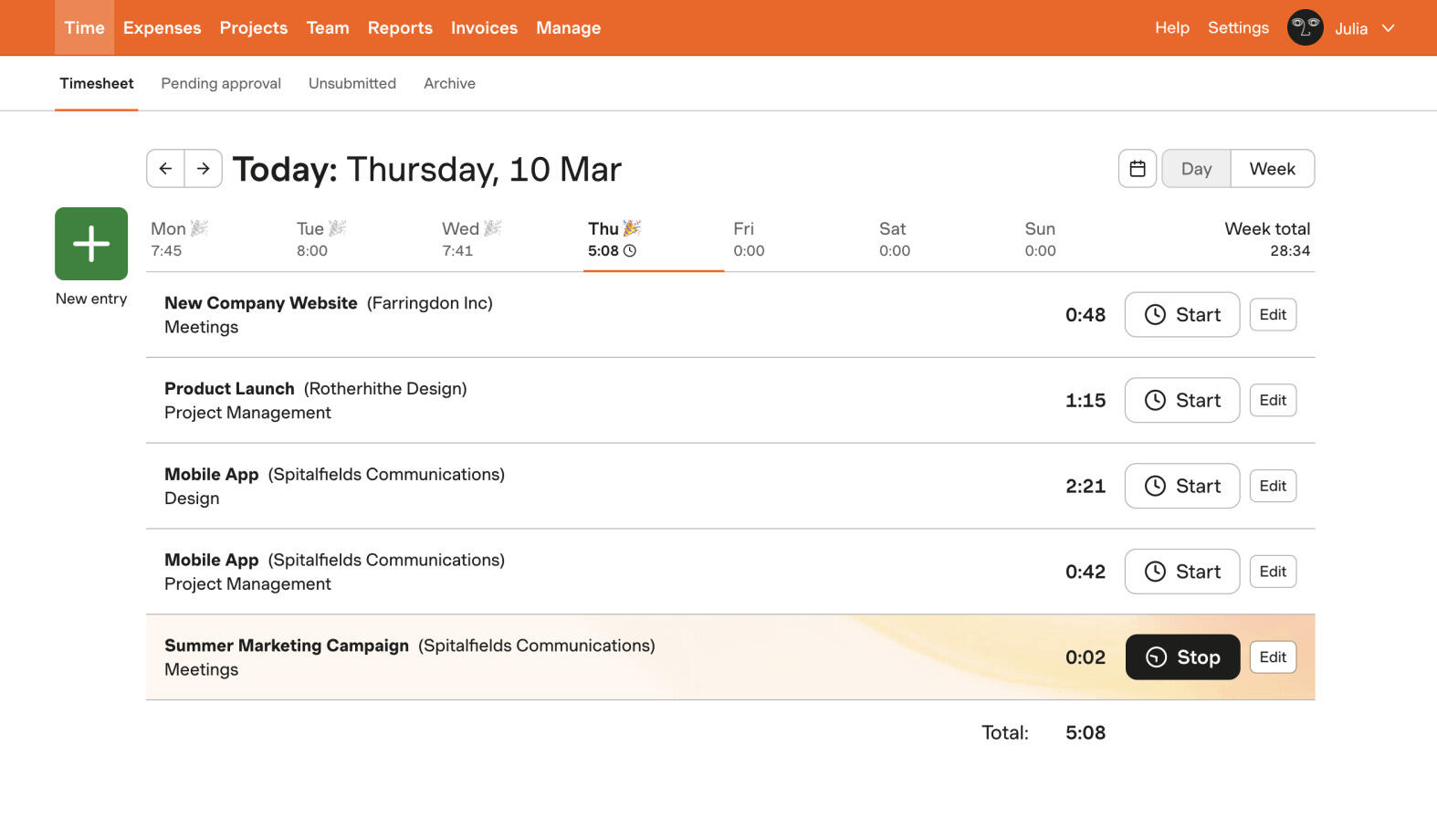
Best for: Freelancers and small teams who want simple tracking that turns into invoices without a second tool.
- Pricing: Free for one user; paid plans start at $9 per seat/month billed annually
- Rating: 4.3/5 on G2
Harvest suits teams that want to turn tracked hours into invoices in the same tool. It also includes more billing structure than a plain timer, such as approvals and different rates. That can reduce manual work if your clients need detailed timesheets.
The trade is that it is a paid product per seat from the second user, and its project structure is deeper than a plain timer's. For a solo consultant or a small studio that bills hourly, that depth pays for itself. For a team that just wants to know where the week went, it is more tool than the job needs.
Pros
- The cleanest tracked-hours-to-invoice path of the paid tools here.
- Approvals and per-person rates for teams that bill clients on the strength of a timesheet.
- Reports are client-ready without reformatting.
- Established product with a large integration set.
Cons
- Per-seat pricing from the second person.
- More structure than a plain timer, which is a cost if you never bill.
What users say about Harvest
Harvest scores 4.6 on Capterra across 652 reviews, with ease of use also at 4.6. Reviewers describe a clean interface that takes almost no learning, reliable tracking across several clients and projects, and tracked time that becomes an invoice without re-entry. The recurring criticism is limited customisation in reporting and invoice design, a price that climbs as the team grows, and occasional bugs where a manually added entry does not save.
Source: G2 reviews and Capterra reviews
If Harvest is on the shortlist for billing, Harvest alternatives and the head-to-head Toggl vs Harvest are the next reads.
4. TrackingTime: best for light team collaboration
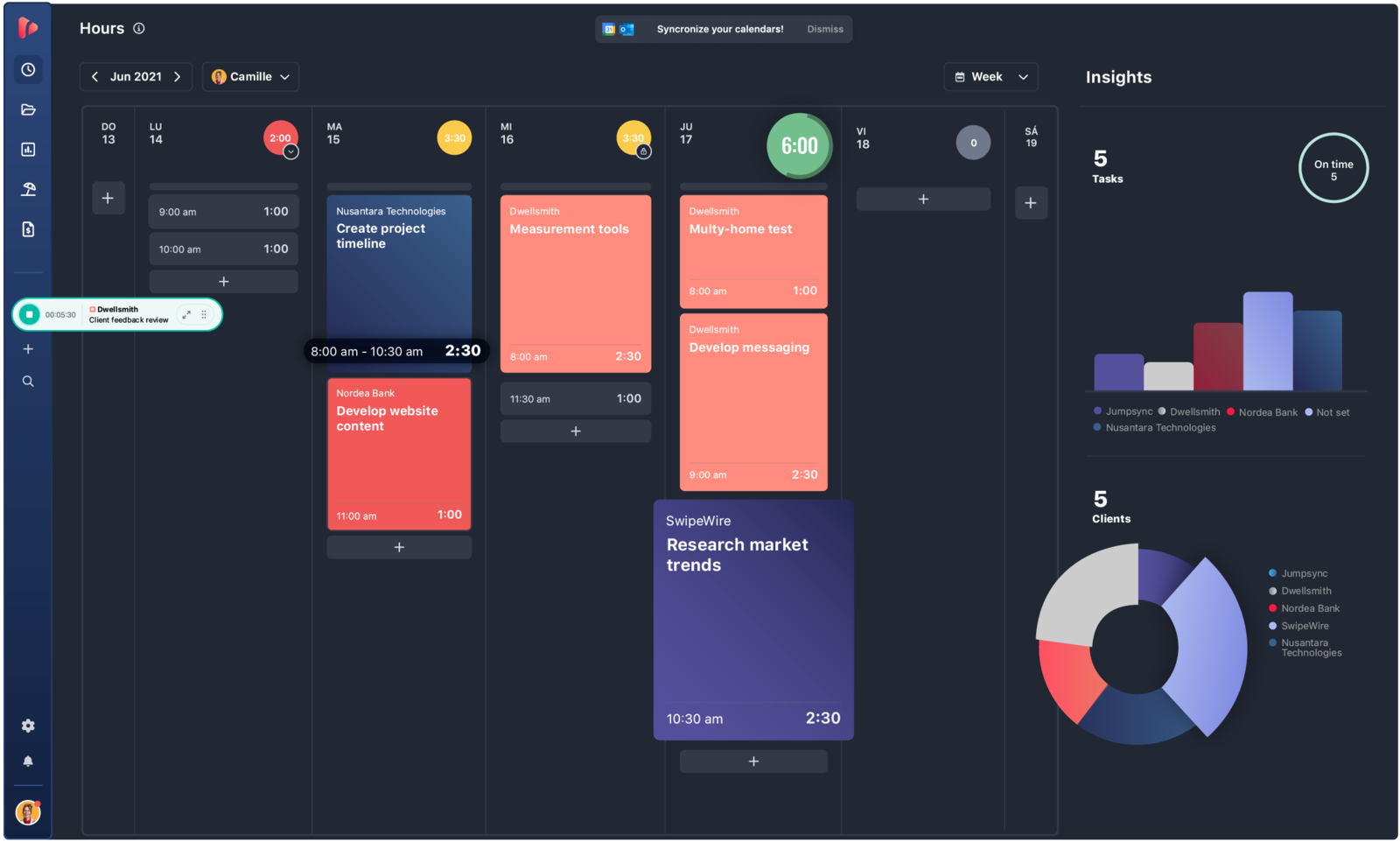
Best for: Small teams that want reminders and shared timesheets without a heavy admin layer.
- Pricing: Free plan available; Starter starts at $5.75 per user/month billed annually
- Rating: 4.4/5 on G2
TrackingTime sits between a personal timer and a team system. It adds reminders, shared timesheets and simple team views, which is enough to keep a five-person group consistent without anyone having to police it. It leaves out monitoring, rate cards and approvals, so it is still on the simple side of the line, and its free plan covers the basics for a small group.
It is the pick when the hardest part is consistency rather than billing. If half the team keeps forgetting to track, a nudge from the tool is cheaper than a nudge from a manager.
Pros
- Reminders and shared timesheets improve consistency across a small team.
- Simple enough to set up in an afternoon.
- Reports are clear enough for routine internal review.
- Free plan covers a small group.
Cons
- Setup is not as immediate as the plainest timers.
- Some integrations and timer behaviours still need manual correction.
What users say about TrackingTime
Reviewers on G2 and Capterra mention TrackingTime's value, reminder features and clear timesheets as strengths for smaller service teams. The recurring criticisms are onboarding friction, timers that occasionally need manual correction, and integrations that feel less polished than the better-known competitors.
Source: G2 reviews and Capterra reviews
5. Timen: the free, all-features-included tracker

Best for: Freelancers and small teams who want a genuinely free all-in-one, tracking, reporting and invoicing, with no per-seat bill and no tiers.
- Pricing: Free, every feature included, including invoicing
Full disclosure: this is our tool, so weigh it accordingly. Timen keeps daily logging fast, then adds a calendar view for reviewing the day, clear reports, and invoicing, all in one place, so simple tracking does not hand you off to a second tool the moment a client needs a bill.
Timen keeps the workflow focused on logging hours by client and project, reviewing entries and billing from that time. It does not include timesheet approvals, capacity planning or employee monitoring. If those are part of your process, compare tools built to support them.
Pros
- Fast timer and manual edits keep the daily habit easy to maintain.
- A quick daily review helps you clean up entries without spreadsheet-style work.
- Reports stay readable enough for regular use, not just month-end review.
- Invoicing and CSV export are included, not gated behind a paid tier.
Cons
- Newer product with little third-party review coverage so far.
- Smaller integration ecosystem than the biggest platforms.
- No approvals, monitoring, capacity planning or payroll exports if that is what you need.
Why teams pick Timen
Timen suits teams that want to log time, review the day in a calendar and invoice from the same hours. It is less suitable when approvals or extensive integrations are part of the job.
If that sounds close, the cleanest direct read is Timen vs Toggl Track.
6. Timely: best for automatic capture
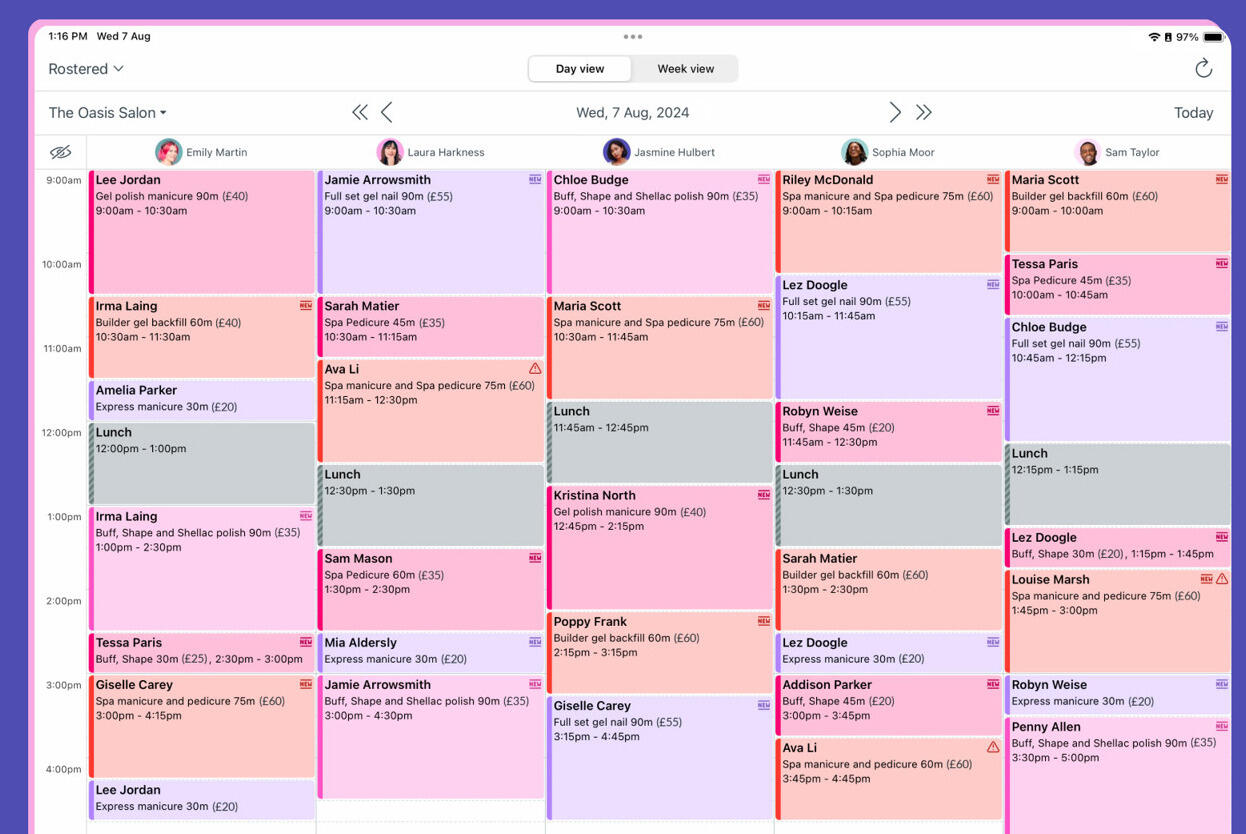
Best for: People who keep forgetting the timer and would rather review a captured day than start a clock.
- Pricing: Yearly plans start around $9 per user/month
- Rating: 4.8/5 on G2
Timely removes the timer habit entirely. It records which apps, documents and sites you worked in, privately, and presents the day as a timeline you turn into entries by dragging. For anyone whose problem is not the tool but remembering to use it, that is a real simplification. What it adds is a review habit: the captured day is raw material, not a timesheet, and somebody has to turn it into one.
It is polished and the summaries are the tidiest of the automatic tools, but it is a paid product without a free tier, and its billing and project features are lighter than Harvest's. It suits consultants and knowledge workers who bill by the day rather than agencies that bill by the line.
Pros
- Captures the day without a timer, which fixes the most common tracking failure.
- Private by default; the raw capture is not visible to managers.
- Clean, readable summaries.
- Good fit for people who bill by the day or the block.
Cons
- No free plan.
- Replaces the timer habit with a review habit that still has to happen.
What users say about Timely
Timely scores 4.7 on Capterra across 219 reviews. The praise is almost entirely about the memory tracker: it records the applications and windows you worked in and suggests the client, so nobody starts or stops a clock, and the end-of-day review is a few minutes of picking clients and saving. One business owner credits it with recovering more than a thousand dollars a month in short client tasks that used to go unlogged. The consistent complaint is the opposite side of that: short work such as quick meetings is missed and has to be added by hand, the automatic classification gets tasks wrong, and manual override is limited.
Source: G2 reviews and Capterra reviews
For the same idea from a different angle, Timely vs RescueTime compares the two automatic tools directly.
7. Memtime: best for rebuilding the day from activity
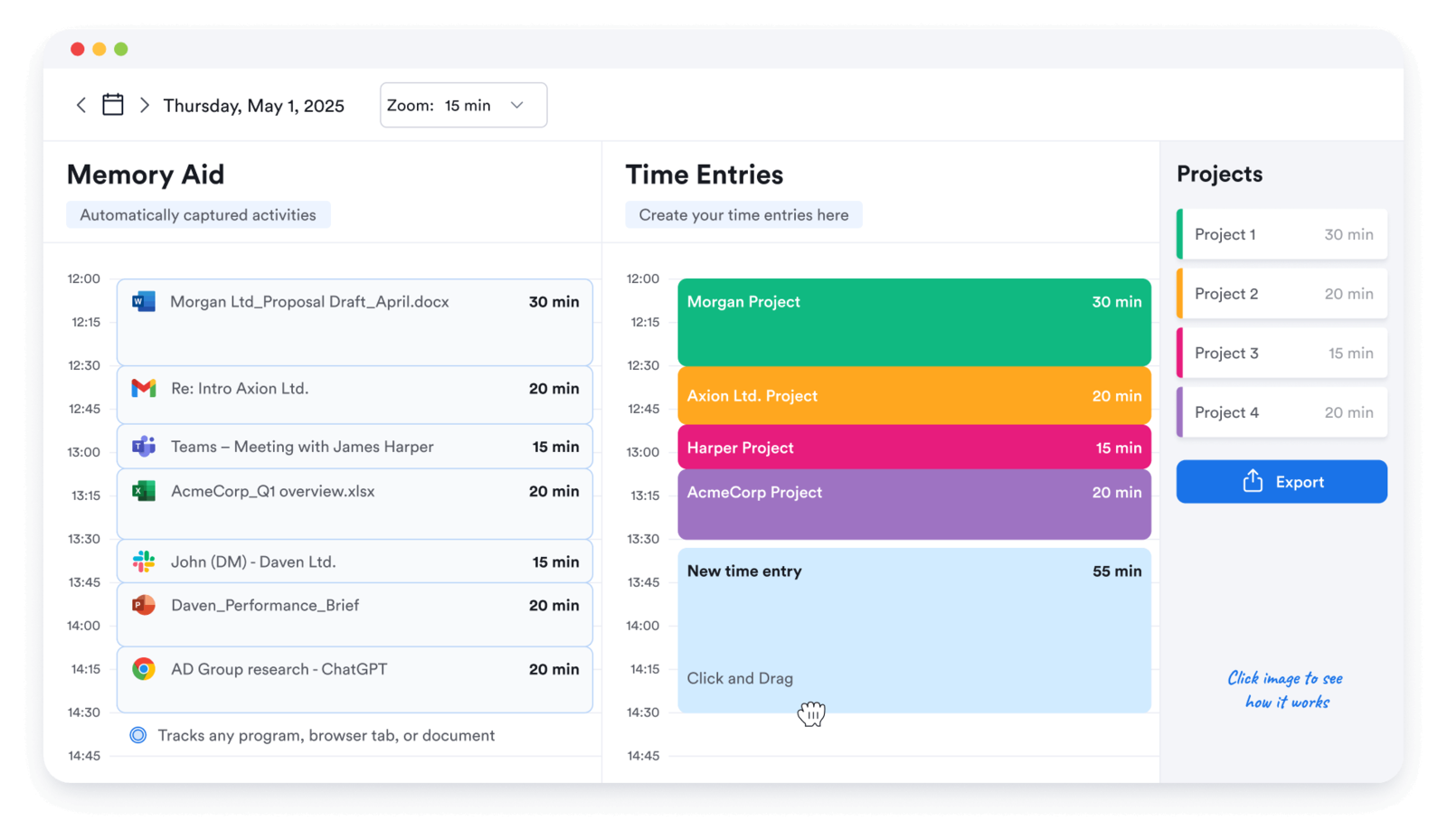
Best for: People who want a private, local activity log to reconstruct billable time at the end of the day.
- Pricing: Paid plans start around $12 per user/month
- Rating: 4.7/5 on G2
Memtime keeps a local activity history you can review to reconstruct your day. It can help people who bill in small increments and find it difficult to remember every short task.
It does not do billing itself. It feeds entries into other tools, so it is a companion to a tracker rather than a replacement for one, and that is worth knowing before you buy it as a simplification.
Pros
- A local activity history to help reconstruct the working day.
- Good for high-precision billing in small increments.
- No timer to remember.
- Integrates with mainstream trackers and practice tools.
Cons
- No billing or reporting of its own.
- Reconstructing the day is work, even with the log.
What users say about Memtime
Memtime scores 4.4 on Capterra across 125 reviews, many of them still using its former name, timeBro. Reviewers value that it records the application and the document title, which is what makes billing a day retroactively possible — consultants use it to split research from writing by client, and one reviewer left Clockify precisely because it did not capture document titles. The criticisms are that exports come out ordered by project rather than chronologically, weekly and monthly reporting has to be collated by hand, and there is no free tier. The sharpest and most repeated complaint is not about the software at all: several reviewers describe being pursued for payment after cancelling, one of them by debt collectors.
Source: G2 reviews and Capterra reviews
If the local-log approach appeals but the price does not, Memtime alternatives covers the options.
8. RescueTime: best for focus insight, not timesheets
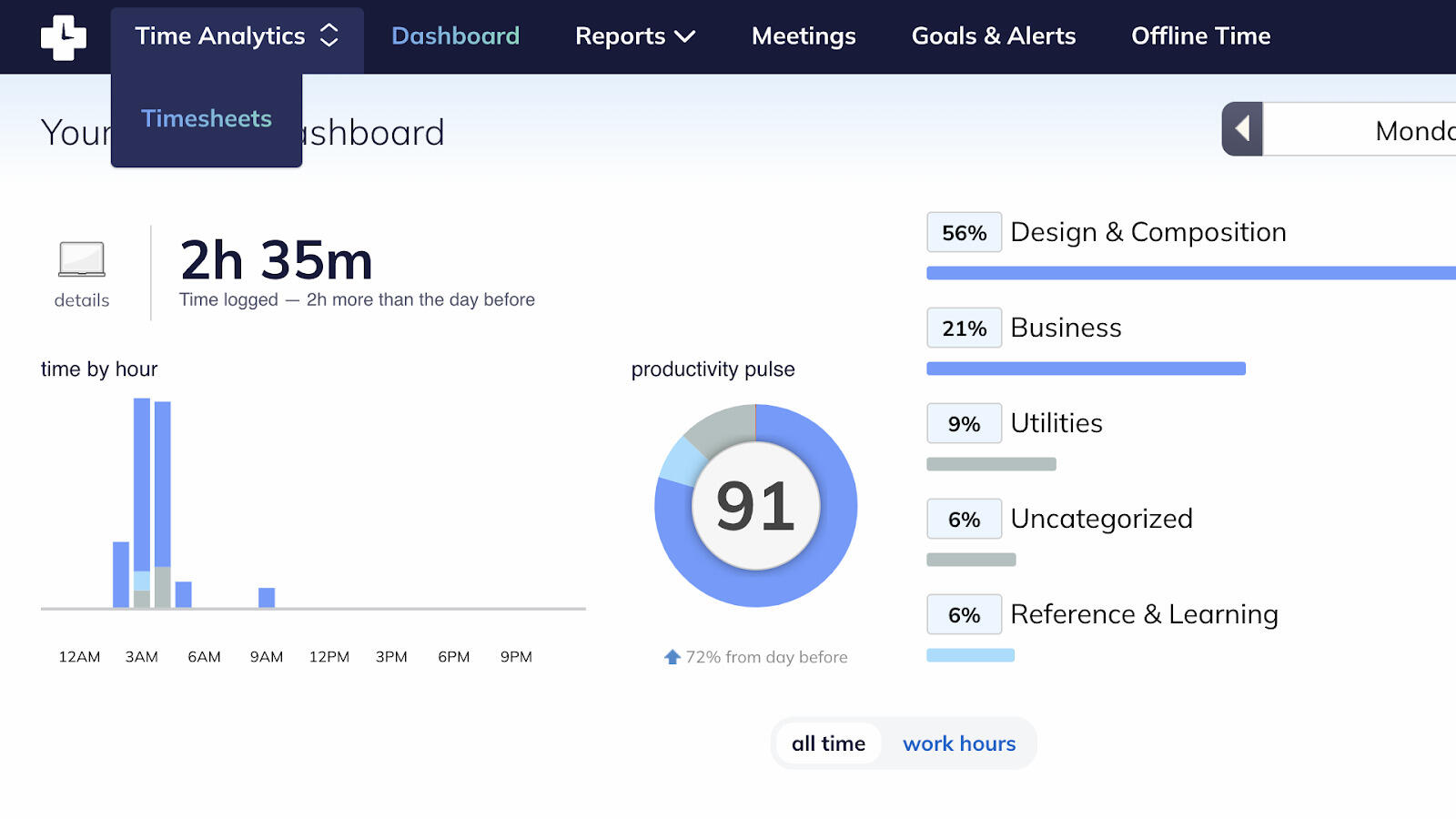
Best for: Individuals who want to understand where their attention goes rather than bill anyone for it.
- Pricing: Paid plans start around $12 per month
- Rating: 4.1/5 on G2
RescueTime focuses on how you spend your attention, with activity reports and distraction blocking. That makes it worth considering for personal productivity. If your main requirement is client billing, compare its current timesheet features with the dedicated billing tools here.
Start with the output you need: a focus report and a client timesheet answer different questions.
Pros
- Entirely automatic; nothing to start or stop.
- Focus reports and distraction blocking.
- Useful weekly habit reports.
- Simple because it does one job.
Cons
- Check the plan carefully if client timesheets and billing are essential.
- Its focus features may add little value if you only need billable hours.
What users say about RescueTime
RescueTime scores 4.6 on Capterra across 141 reviews, with ease of use at 4.6. Reviewers install it and get useful weekly reports without configuring anything, and they use those reports to move time toward higher-value work and to protect against burnout rather than to bill anyone. Focus sessions that block distracting sites once a threshold is crossed get named repeatedly. The criticism is precisely what it is not: there is no assigning work to clients or projects, which one long-term reviewer calls the only missing piece. Categorisation has to be taught and is coarse, offline activity is not fully captured, and some reviewers are uneasy about how much activity data leaves the machine.
Source: G2 reviews and Capterra reviews
If you wanted the focus insight and the timesheet, RescueTime alternatives lists the tools that do both.
9. TimeCamp: best for extra reporting depth
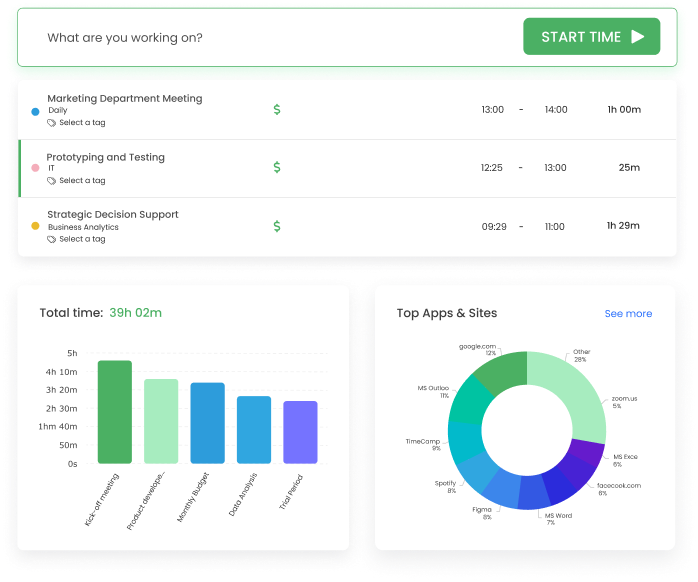
Best for: People who want a simple timer today and know they will want categories and deeper reports later.
- Pricing: Free plan available; paid plans start at $3.99 per user/month billed annually
- Rating: 4.7/5 on G2
TimeCamp offers more reporting and administrative features than a basic timer. That may suit a team that wants straightforward tracking now and more detailed reporting later. Check the paid plan features against your requirements before choosing.
The cost is that the product is busier than the pure timers, and reviewers are consistent that the polish is a step below. It suits people who will actually read their reports more than people who just want to log and leave.
Pros
- Starts as a simple timer and grows without a migration.
- Categories and reporting depth for people who analyse their time.
- Low paid entry price.
- Both manual and automatic capture.
Cons
- Busier than the pure timers.
- Review trends still mention bugs and reliability concerns.
What users say about TimeCamp
Reviewers on G2 and Capterra appreciate TimeCamp's reporting flexibility and overall value, especially when they need more than basic timer totals. The weak points are recurring complaints about bugs, occasional data issues, and a product experience that is less crisp than the lighter tools.
Source: G2 reviews and Capterra reviews
For the reporting-first angle, TimeCamp alternatives and Hubstaff vs TimeCamp are the useful follow-ups.
Which simple time tracking software should you choose?
Match the tool to the work you need to do after tracking:
You want a familiar timer → Toggl for polish, Clockify for price. Both free to start on, both with the rate and the export behind a paid tier, so know which you will hit first.
You want tracking and invoicing together → Timen. Tracking, reports and invoicing in one place, free, with no tier to climb when the first invoice is due. The trade is a smaller integration set and no approvals or monitoring.
You need approvals or different billing rates → Compare Harvest and TimeCamp. Check the relevant plan and try a representative client invoice.
You keep forgetting to track → Timely, Memtime or RescueTime. Automatic capture you review later: Timely for polished summaries, Memtime for reconstructing a billable day, RescueTime for focus insight over billing.
You want a small team to stay consistent → TrackingTime for reminders and shared timesheets without a heavier system.
You need several administrative features → Compare tools against those requirements directly. A more detailed product may save you from maintaining separate spreadsheets.
Conclusion
A simple tracker should make your routine work easier. Start with the timer, then try the report, export or invoice you need at the end of the week. Extra features are useful when they remove work and distracting when they add it.
Toggl and Clockify are useful starting points for straightforward tracking. Harvest adds a more detailed billing workflow, and Timen includes invoicing for free. Choose the one that handles a typical week with the fewest manual corrections.