













Toggl Track vs Timely: pricing and verdict

Toggl Track is better if you want direct, simple time tracking with the least friction. Timely is better if you want automatic capture to help rebuild your day without depending so much on live timers.
Toggl Track and Timely sit on opposite sides of the tracking habit problem. Toggl Track keeps the workflow simple so people are more willing to use it. Timely tries to reduce the need to remember the timer in the first place.
That is why this comparison is not really about which timer is better. It is about whether you trust a simpler manual workflow or a more automated capture workflow for the kind of work your team does.
Toggl Track vs Timely at a glance
Start here if you want the simplest possible summary.
| Feature | Toggl Track | Timely |
|---|---|---|
| Best for | People and teams that want simple, direct tracking | Teams that want automatic capture for work logs |
| Core approach | Timer-first tracking with light project structure | Automatic memory capture with later review |
| Main strength | Low-friction daily use | Less missed time from forgotten timers |
| Learning curve | Low | Medium |
| Pricing model | Freemium, then per-user tiers | Paid per-user tiers |
| Better fit | Simple tracking habits | Automatic capture for project work |
Quick verdict: Toggl Track vs Timely
Toggl Track is easier and simpler. Timely is smarter about forgotten time. The better choice depends on which problem bothers your team more and whether a simple timer habit is still realistic.
Choose Toggl Track if:
- You want the cleanest daily tracking flow.
- You are happy with direct timers and manual entry.
- You want a cheaper and lighter starting point.
Choose Timely if:
- You often forget to start timers.
- You want captured activity to help rebuild work logs.
- You are okay reviewing suggested time after the fact.
Choose Timen if:
- You want a simpler workflow than Timely.
- You want more context than a bare timer through a calendar view.
- You want clear reports and invoicing without heavy passive capture.
Key differences between Toggl Track and Timely
The biggest difference is who does the remembering. In Toggl Track, the person remembers to start and stop time. In Timely, the product helps reconstruct what happened and lets the person review it later.
That makes Toggl Track feel lighter and more direct. It makes Timely feel more powerful for people who hate timers or lose track of what they did across a busy day.
Neither approach is universally better. It depends on whether your team struggles more with timer discipline or with tool complexity.
What is Toggl Track?
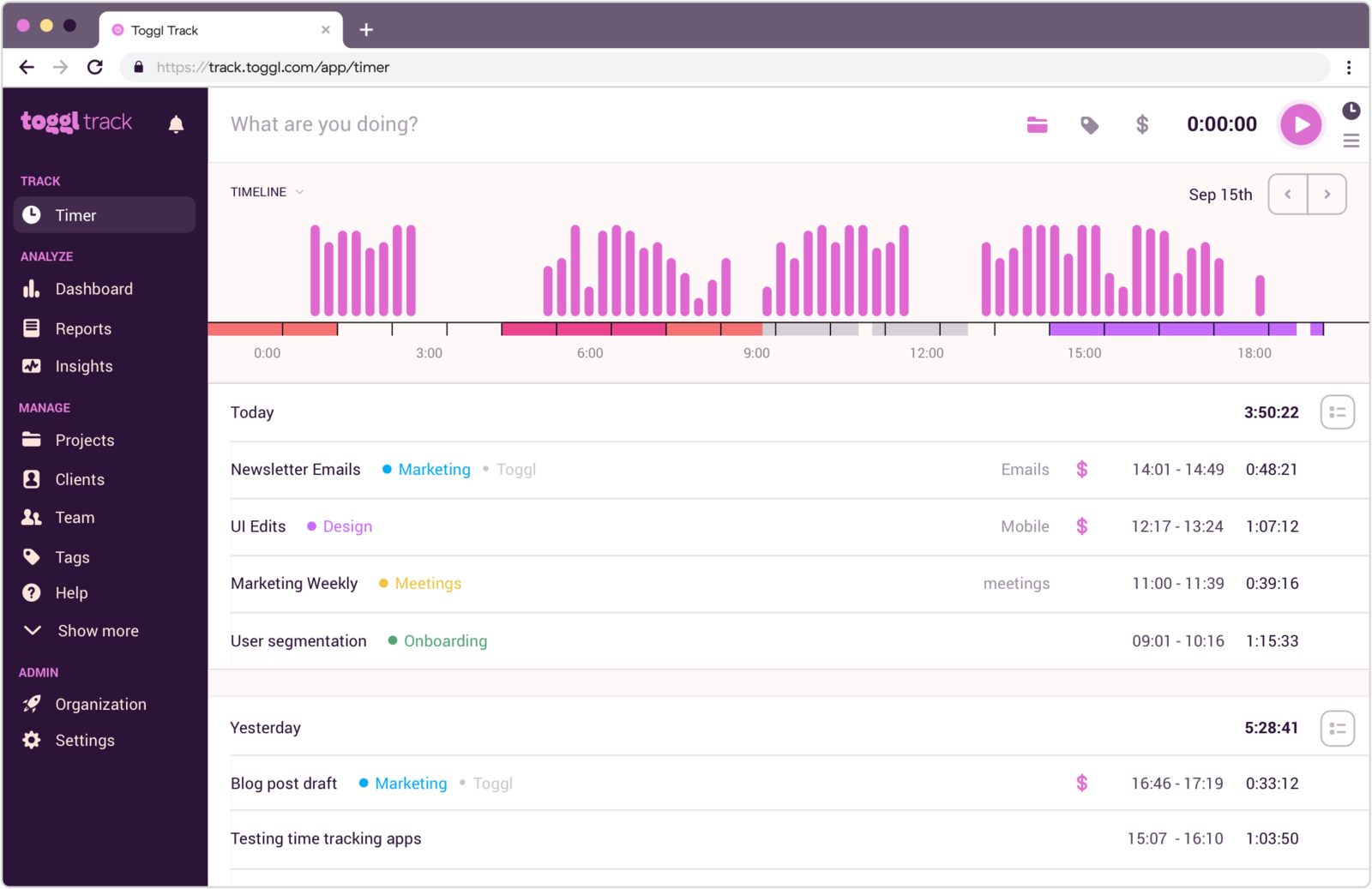
Toggl Track is a popular timer-first time tracking tool. It is known for being easy to learn and for staying focused on the basics teams use every day.
That simplicity is the main selling point. If your team will actually keep a manual tracking habit, Toggl Track does a good job of keeping the workflow light.
The tradeoff is that it still depends on people remembering to track, which is exactly the problem Timely tries to reduce.
What users say about Toggl Track
Reviews on G2 and Capterra often praise Toggl Track for being easy to learn and easy to keep using. The common downside is that it is still manual at heart and can feel limited if teams need deeper workflow support or more help avoiding missed time.
Source: G2 reviews and Capterra reviews
What is Timely?
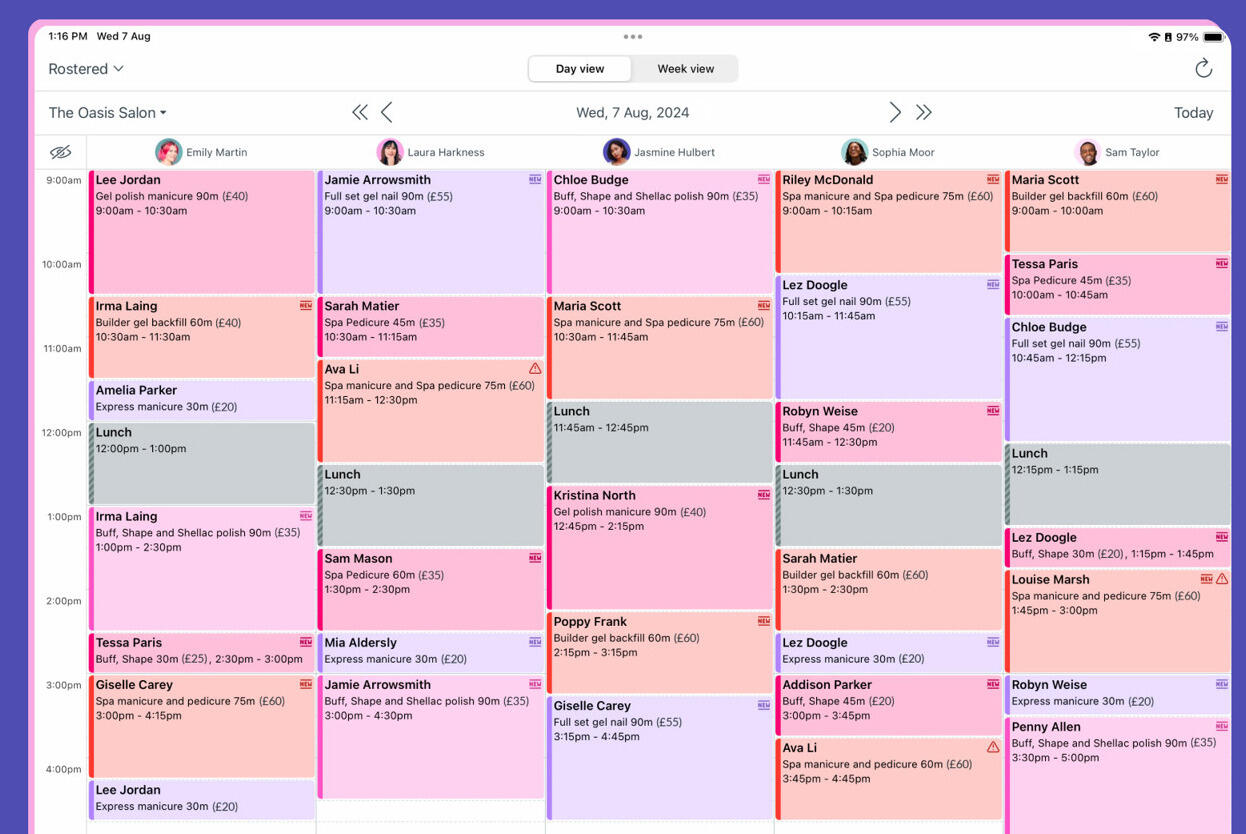
Timely is an automatic time capture tool that helps people rebuild their day from recorded activity. It is aimed at teams and professionals who want fewer missed hours without depending on constant timer discipline.
That makes it useful when work is fragmented across many apps or when switching contexts is common. Timely is less about pure timer simplicity and more about making sure time gets captured in the first place.
The tradeoff is price and process. You still need to review what was captured, and the product is heavier than a simple tracker.
What users say about Timely
Reviews on G2 and Capterra often praise Timely for reducing forgotten time and making it easier to reconstruct a workday. The common downside is cost, plus the extra review step compared with a more direct tracker.
Source: G2 reviews and Capterra reviews
Toggl Track vs Timely features
Both tools help people account for their time. The difference is whether they do it through direct entry or automatic capture.
| Area | Toggl Track | Timely |
|---|---|---|
| Task management | Light project and client structure | Project and client context around captured activity |
| Project views | Simple projects, timers, and reports | Captured work logs, projects, and team planning views |
| Automation | Reminders and idle detection | Automatic memory capture and suggested time logging |
| Reporting | Strong direct time reports | Reports built from reviewed captured work |
| Communication | Very limited built-in collaboration | Also limited, with more focus on time review |
| Integrations | Broad integration ecosystem | Useful integrations around captured work context |
Toggl Track wins if you want the more direct and lighter workflow. Timely wins if the big problem is missing time because people forget timers.
That is why some teams happily stay with manual tracking while others will pay more to avoid it.
Toggl Track vs Timely pricing
| Plan detail | Toggl Track | Timely |
|---|---|---|
| Free plan | Free for up to 5 users | No free plan |
| Entry paid plan | Starter from $9 per user/month billed annually, or $10 billed monthly | Starter from $9 per user/month billed annually |
| Higher paid plan | Premium from $18 per user/month billed annually, or $20 billed monthly | Premium from $16 per user/month billed annually, with Unlimited from $22 |
| Pricing model | Freemium, then per-user tiers | Paid per-user tiers |
| Best budget fit | Teams that want a cheaper, simpler tracker | Teams that need automatic capture enough to pay for it |
Toggl Track is easier to start with because the free plan exists and the workflow is lighter. Timely becomes easier to justify only when missed time is costing the team more than the software price.
If your team is already good at manual tracking, Toggl Track usually looks like the smarter value. If your team constantly forgets timers, Timely can make more sense.
Toggl Track vs Timely ease of use
Toggl Track is easier on day one because it is more direct. Timely can feel easier later for people who are bad at running timers, but it asks for a different habit: reviewing captured activity instead of live tracking.
So the easier tool depends on which habit your team is more willing to keep. Some teams prefer the directness of a timer. Others prefer reviewing after the fact.
Toggl Track pros and cons
Toggl Track pros
- Very easy to learn and use.
- Cleaner, lighter workflow.
- Free plan for small teams.
- Strong reports and integrations.
Toggl Track cons
- Still depends on manual timer habits.
- Not designed to reduce missed time automatically.
- Lighter workflow can be limiting for some teams.
- Higher tiers cost more if you need deeper features.
Toggl Track is strongest when simple habits are enough to keep time accurate.
Timely pros and cons
Timely pros
- Helps reduce missed time.
- Useful for fragmented work across many apps.
- Better fit for automatic capture than a normal tracker.
- Good when people forget timers often.
Timely cons
- No free plan.
- Heavier workflow than Toggl Track.
- Still needs review after capture.
- Costs more for teams that may not need the automation.
Timely is strongest when the team has a real and costly timer-discipline problem.
Timen as an alternative
Timen is a useful middle option if Toggl Track feels too bare and Timely feels too heavy. It keeps tracking direct, then adds a calendar view, clear reports, and invoicing without leaning so hard on passive capture.

That makes it a good fit for teams that want simple habits, but still want more context around their time once it has been logged. It also keeps pricing easier to understand than multi-layered automation tools.
If you want time tracking to stay clear and explicit, Timen is easier to live with than a heavier passive-capture workflow.
If Toggl Track is still your reference point, Toggl Track vs Clockify is worth reading next because it compares Toggl Track with another simple, widely used tracker. If automatic tracking is the bigger question, Timely vs RescueTime gives more context on how Timely fits against a passive productivity tool. If you are trying to leave Toggl-style complexity behind, moving to a simpler workflow is the better next read. For the explicit Timen alternative, compare Timen vs Timely.
You can also review the best Toggl Track alternatives, compare the simpler all-in-one option in Timen vs Toggl Track, or browse more compare articles.
Which tool should you choose?
Choose Toggl Track if:
- You want the simplest and most direct tracking flow.
- You are okay with manual timers.
- You want the lower-friction starting point.
Choose Timely if:
- You keep missing time because people forget timers.
- You want automatic capture for project work.
- You are willing to review captured activity later.
Choose Timen if:
- You want simple tracking plus a useful calendar view.
- You want reports and invoicing without heavy passive capture.
- You want a cleaner middle ground between the two.
Toggl Track is the better simple timer. Timely is the better automatic capture tool. Timen is the simpler middle option if you want more context without more weight.
FAQ
Here are the most common questions people ask when comparing Toggl Track and Timely.
- Is Toggl Track better than Timely?
- Toggl Track is better if you want a direct, simple tracker. Timely is better if you want automatic capture to help reduce missed time.
- Which tool is easier to use, Toggl Track or Timely?
- Toggl Track is easier to start with. Timely can feel easier later for people who often forget to run timers.
- Which tool is cheaper, Toggl Track or Timely?
- Toggl Track is usually cheaper, especially for small teams starting on the free plan. Timely costs more because of the automatic capture approach.
- Is there a simpler alternative to Toggl Track and Timely?
- Timen is a simpler alternative if you want fast tracking, a calendar view, clear reports, and invoicing without a heavier passive-capture workflow.