





Low friction
Track work without disrupting the build flow
Quick entry and later cleanup keep tracking more realistic for developers who move through many tasks in a single day.

Small teams
Simple team tracking with billing

Freelancers
Billable time tracking and invoicing

Consultants
Client tracking, reports, and billing

Designers
Creative work with project context

Lawyers
Precise billable time for legal work

Agencies
Team tracking for client projects

Finance teams
Reporting and invoice visibility

Developers
Fast tracking for technical work
Timen helps developers track time quickly, keep technical projects and tags organized, review the week in a time tracking calendar, and use reports when the team needs clearer visibility into where time went.
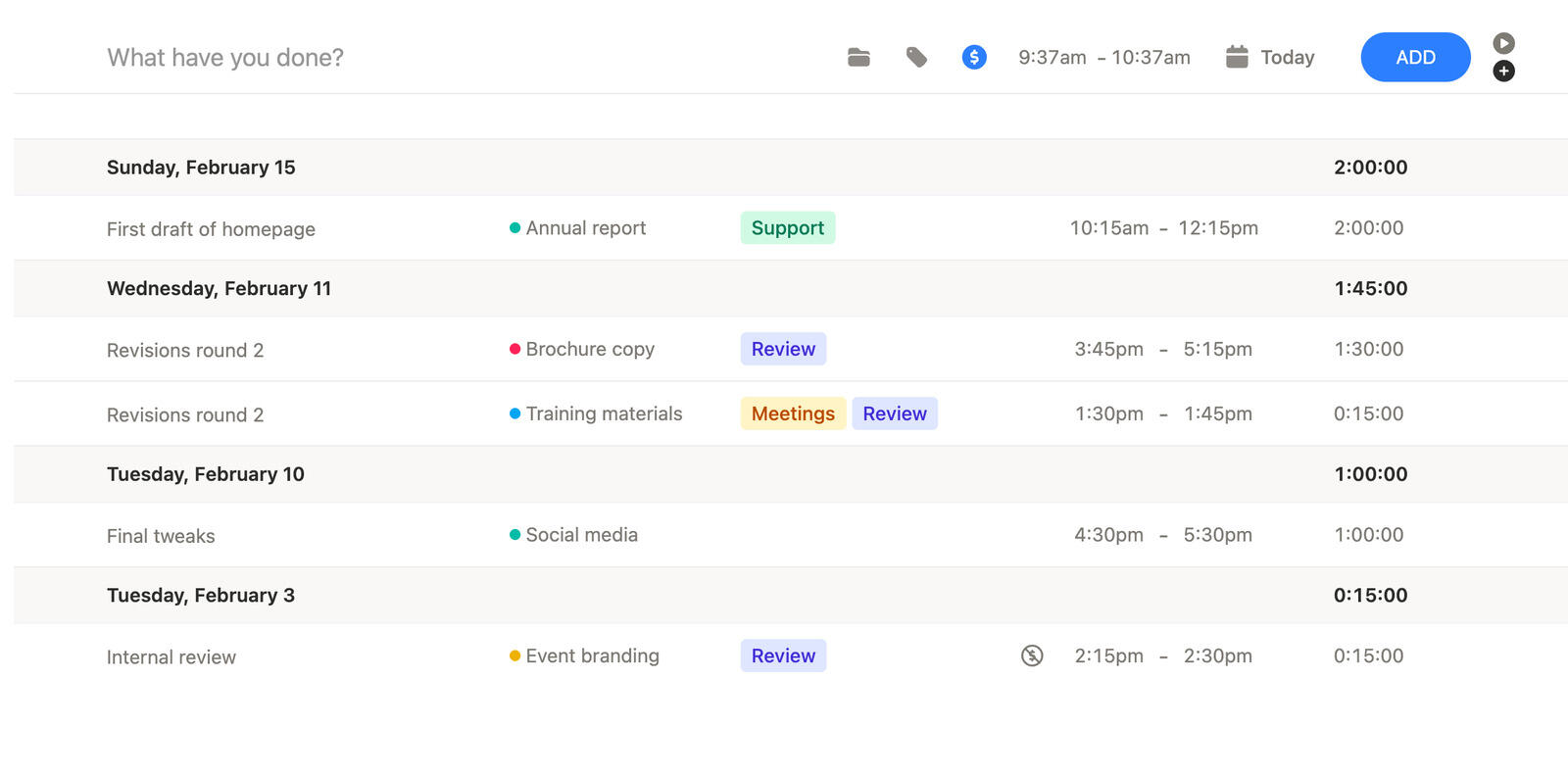
Technical work can split across coding, debugging, reviews, support, and planning in the same day. Timen keeps time tracking light while preserving enough context to make that work understandable later.
Low friction
Quick entry and later cleanup keep tracking more realistic for developers who move through many tasks in a single day.
Technical context
Projects and tags make it easier to tell whether time went into features, fixes, reviews, or support when the week is over.
Clear review
That helps teams review technical work with something more useful than memory or rough guesses.
Time tracking and manual entry
Developers switch between coding, reviews, fixes, meetings, and support all the time, which makes time tracking easy to abandon if it is too rigid.
Timen keeps time tracking quick enough to use in real time and flexible enough to clean up later when the workday moved too fast for perfect logging.
That keeps the record useful without interrupting the work more than necessary.
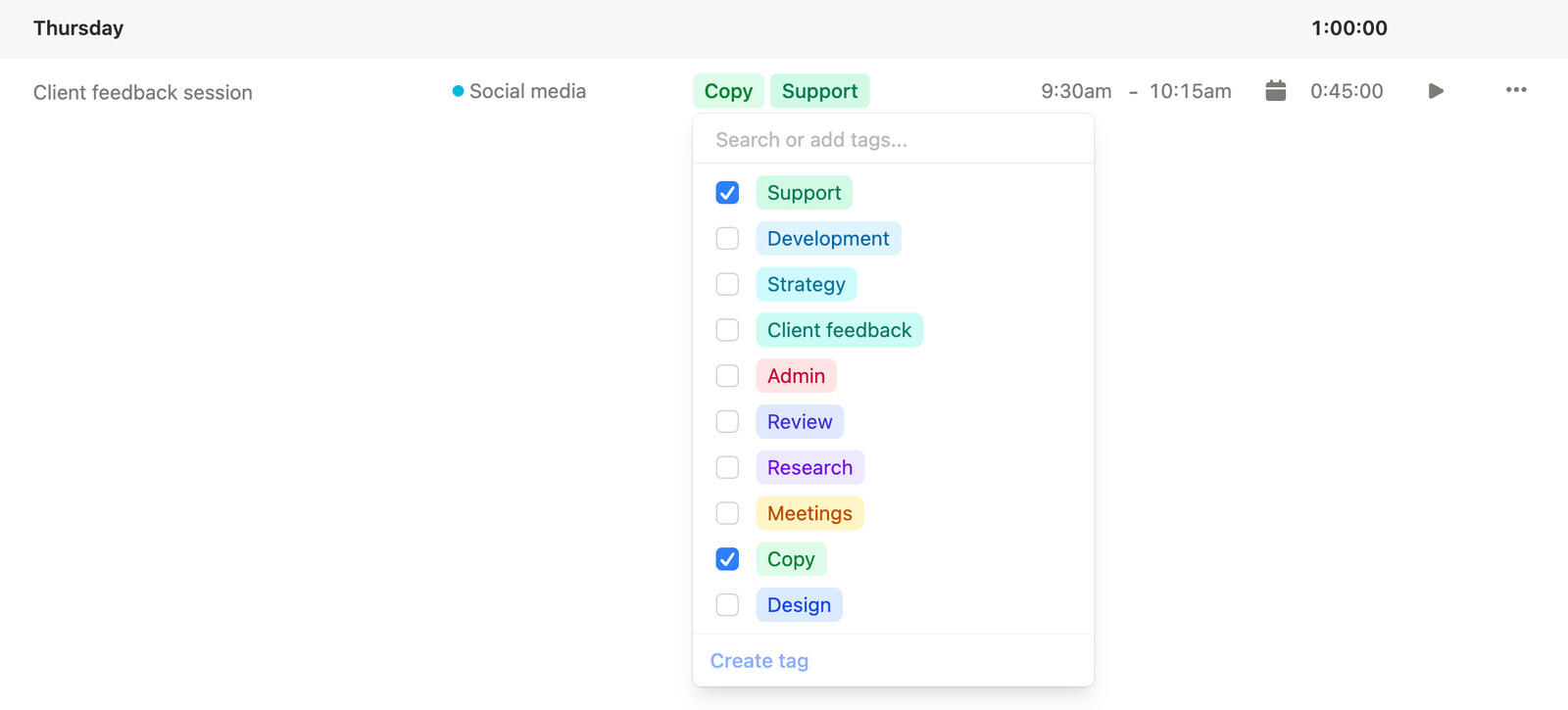
Tags and context
Technical time is more useful when you can see what kind of work it represented, not just how many hours passed.
Timen keeps projects and tags close to the tracked entries so later review feels more specific than a rough memory of the sprint.
That makes technical time reporting cleaner for both internal and client work.
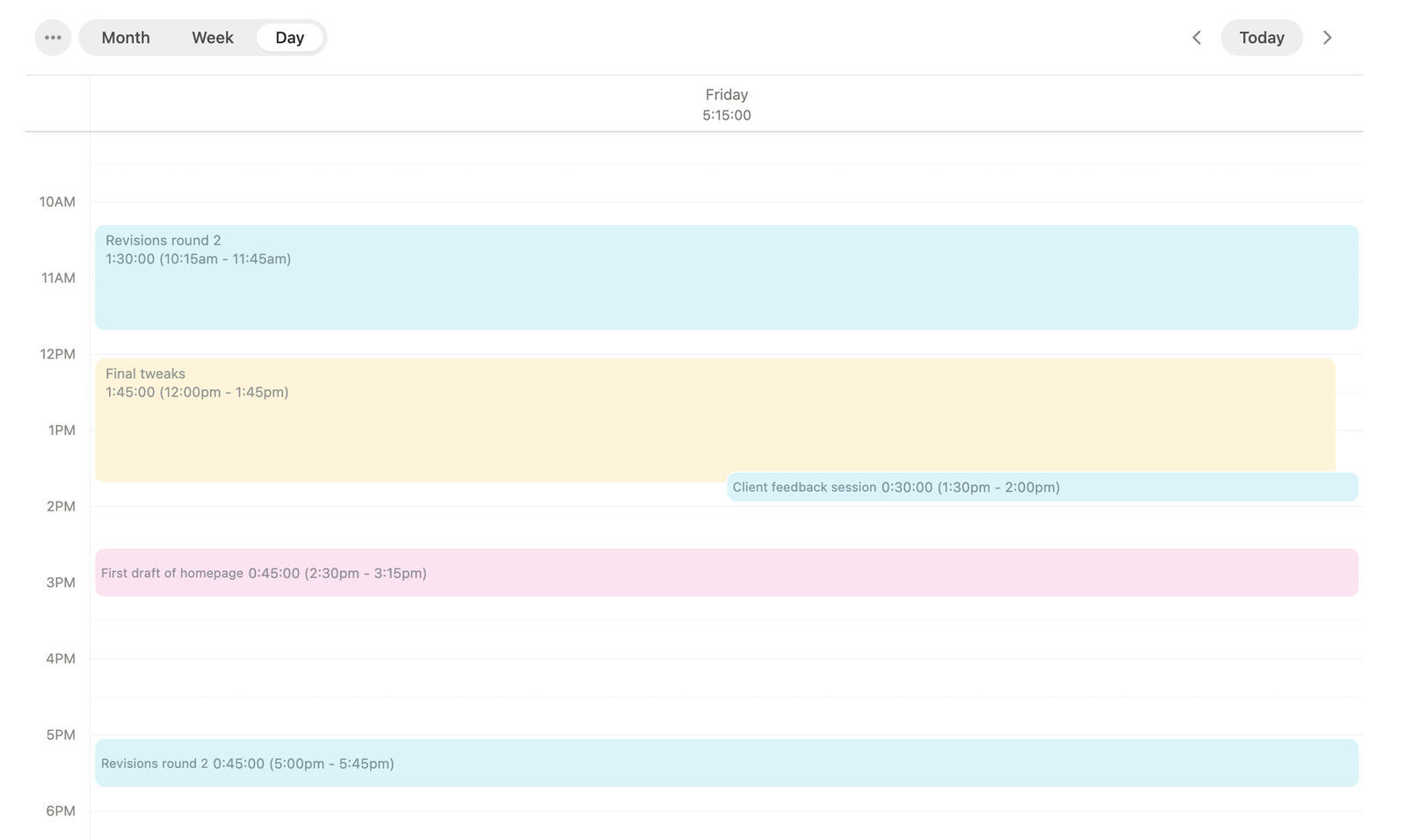
Time tracking calendar
A time tracking calendar helps developers see how the week actually unfolded across delivery work, interruptions, support, and context switching.
That makes it easier to spot missing time, overloaded days, and entries that deserve a clearer label before the details fade.
It is a better review tool than a long list of separate entries.
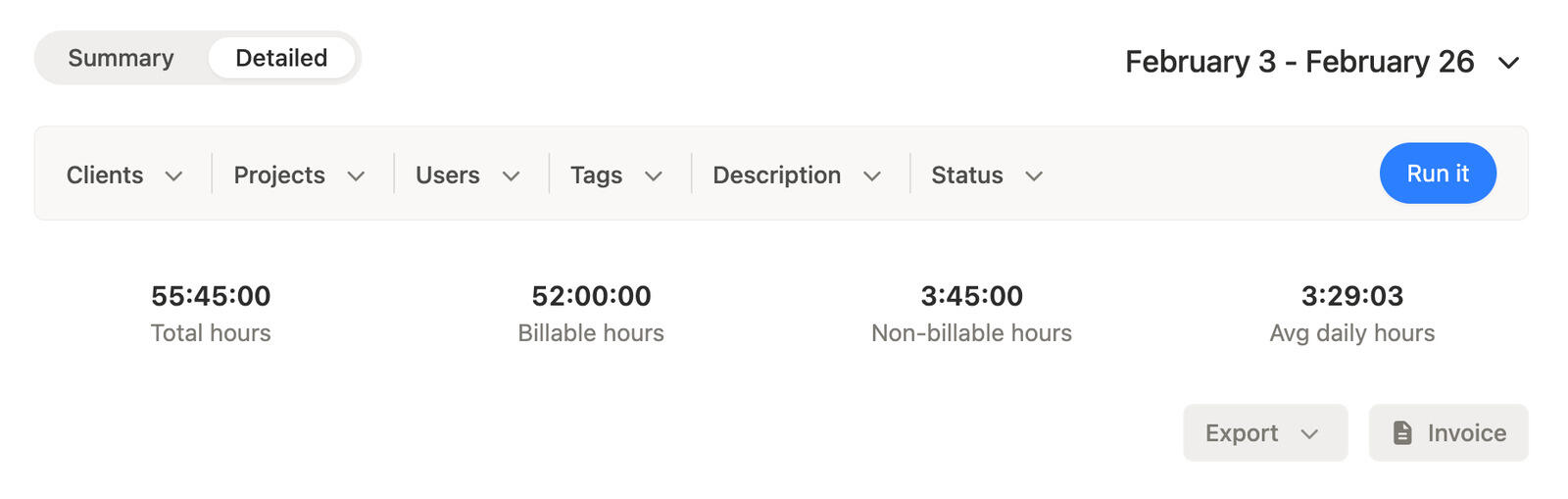
Time tracking reports
Time tracking reports help teams step back from the daily flow and see where time actually went across projects, people, and tagged work.
That makes it easier to talk about engineering capacity, support load, or client work with something more concrete than a rough impression.
Timen keeps that review layer readable instead of overbuilt.
Track work while it happens, keep the right project and tag context attached, review the week in a time tracking view, and use reports when the team needs a clearer technical picture.
01
Use live tracking when it helps and fix the record later when the day changed too often for perfect tracking.
02
Keep features, fixes, reviews, and support work easier to separate when the week is over.
03
Use a time tracking view to spot interruptions, overloaded days, and entries that still need a clearer description.
04
Use reports when the team needs a cleaner view of how technical time is spreading across the work.
Yes. Timen supports projects and tags so technical work can stay easier to sort and explain later.
That is exactly the kind of day Timen is built for. You can track live where it helps and correct the record later when the context switching settles down.
Yes. A time tracking calendar makes it easier to see how the week unfolded and where technical time blocks still need a closer look.
Yes. Time tracking reports make it easier to review time across projects, people, and tagged work when the team needs a clearer technical picture.
No. It works for client-facing teams and internal technical teams that want cleaner visibility into where time is actually going.
Track technical work quickly, keep project context attached, and use the time tracking calendar and reports when the team needs a clearer picture of where the week went.