













Everhour alternatives in 2026: 8 tools compared

The closest Everhour replacements are Paymo (keeps projects, tasks, and time in one product) and Harvest (when client billing is the real job). Reach for TrackingTime or Toggl Track when you want a lighter tracker that still connects to your work, Clockify for the cheapest team rollout, TimeCamp or ClickTime for heavier reporting and approvals, and a genuinely free all-in-one like Timen if you want tracking, reporting, and invoicing without the PM-tool overhead or a per-seat bill.
Everhour's pitch is that time tracking shouldn't float on its own. It embeds inside the project tools teams already use — Asana, Trello, ClickUp — so hours sit right next to the task, the estimate, and the budget. When that's what you want, it's excellent. Teams start shopping for something else when that tight integration stops feeling like a feature: they want a standalone tracker again, or stronger invoicing, or a mobile app they can trust, or simply fewer seat constraints.
I spent real working time in each of the eight tools below — logging actual hours over a stretch rather than clicking through a demo — and this guide is what came out of it: what each one does well, where it gets in the way, and the kind of team it genuinely suits. The order runs from the alternatives that keep the most Everhour-style project context to the ones that trade it away for reporting, billing control, or sheer simplicity.
Why teams leave Everhour
The problem is rarely Everhour itself — it's that the deep, PM-tool-first design is a strong fit for one specific way of working and an awkward one for everything else. The reasons teams move on cluster into a handful:
- You want a standalone tool. The workflow no longer lives inside a board, so an embedded tracker is more coupling than you need.
- Billing outgrew it. Rates, budgets, and invoices have become the point, and you want that handled natively instead of half-manually.
- Mobile matters now. People need to log and check time on the go, and Everhour's mobile coverage feels thin.
- Seat pricing bites. Rolling it out across a bigger or more casual team costs more than the usage justifies.
- You want something calmer. Contributors who only need to log time and move on find the project machinery heavier than their job requires.
Whichever of these is driving you should shape the shortlist. A team that still wants tight project context wants something very different from a team whose real goal is to simplify.
What to look for in an Everhour replacement
The hidden question in every Everhour switch is how much project context you still want wrapped around your time data. Judge candidates on where they land on that spectrum:
- How closely time stays attached to tasks, estimates, and budgets — or whether you're happy to let that go.
- Whether billing is built in: rates, approvals, and invoices without exporting to a second tool.
- How clean the standalone experience is if you're trying to reduce dependence on a PM stack.
- Reporting you can filter and hand to a client or manager without a cleanup pass.
- Cost — and whether a "free" plan actually covers what you need, or quietly gates invoicing and reporting behind paid seats.
- Pricing and mobile coverage that match the size and habits of the team actually using it.
Some teams leave Everhour because they want more structure, others because they want less. Both directions are covered below — and if most of your hours are billable, our guide to time tracking for client work is a useful lens for weighing them.
How we compared these tools
A quick note on method, so you can weigh the picks:
- Hands-on use. Each tool was used to track real work, not just previewed. The "best for" calls and the pros and cons come from that plus each product's current documentation.
- Ratings. The G2 scores shown are the aggregate ratings on each product's G2 page at the time of writing (July 2026); the review summaries paraphrase recurring themes across G2 and Capterra rather than quoting any single review.
- Pricing. Taken from each vendor's public pricing page and rounded.
- Order. Roughly how close a fit each tool is for a typical Everhour user — project- and task-connected tools first, simpler and more administrative ones later. It isn't a strict ranking, and it isn't ordered by our own product. Timen appears where it genuinely fits (a simpler all-in-one you review in a calendar), which is the middle of the list, not the top.
The 8 best Everhour alternatives
From the tools that keep the most project context to the ones that deliberately shed it, here's the shortlist. Teams that still like the embedded model but want it lighter often land here first.
1. Paymo — the closest project-native swap
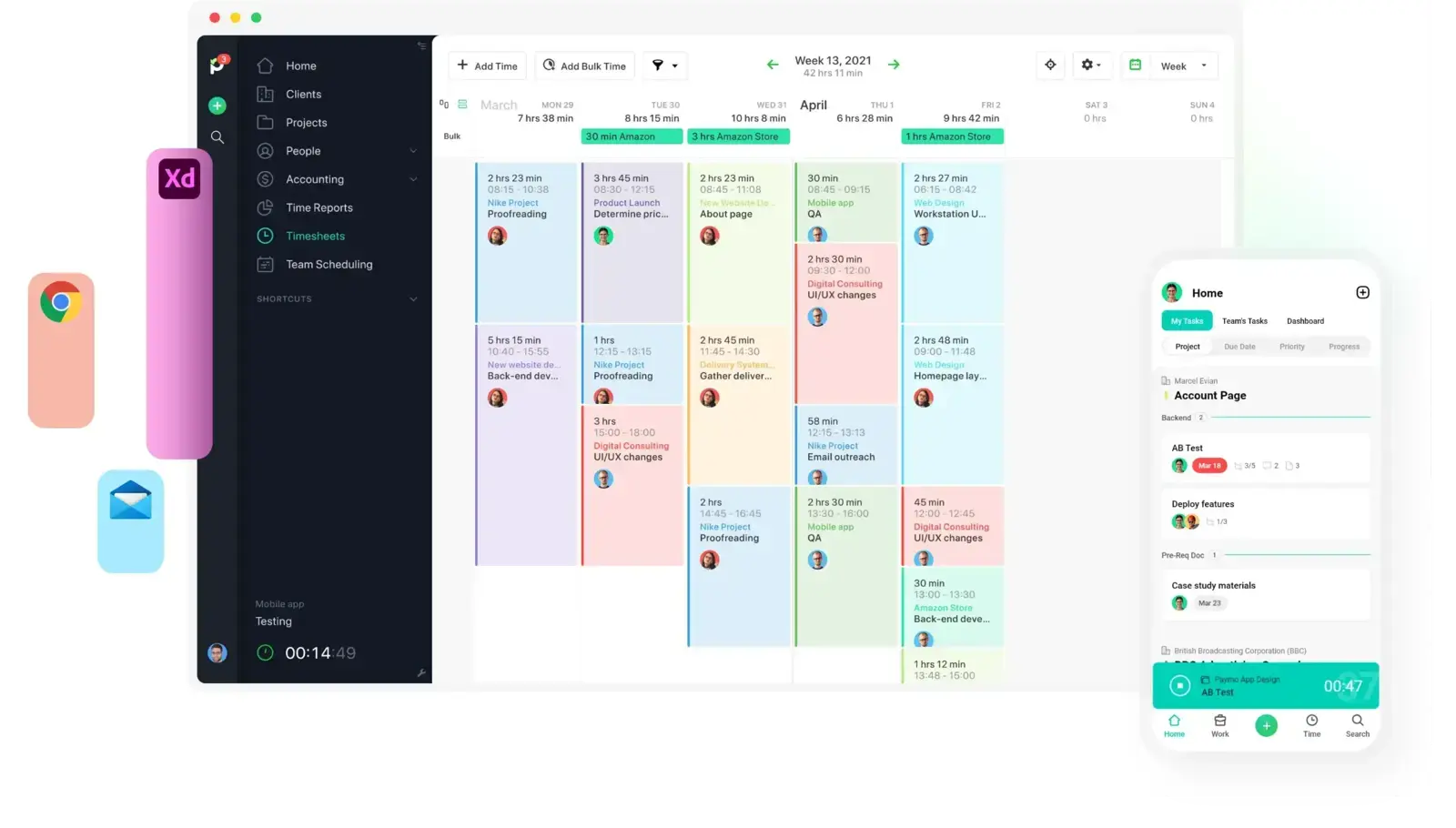
Everhour's core idea is that time belongs beside the work. Paymo keeps that idea but pulls the projects, tasks, and budgets inside its own product instead of embedding into someone else's board. For a team that valued how Everhour tied hours to delivery, it's the most natural place to land — you don't give up project context, you just stop depending on an external PM tool to hold it.
- Best for: Teams that still want projects, tasks, and invoicing around their time, in one self-contained system.
- Pricing: Solo starts at $5.90/month; Plus is $10.90 per user/month
- Rating: 4.6/5 on G2
For small agencies this is often the whole appeal: planning, tracking, and billing sit in one workspace rather than spread across a PM tool plus a tracker plus an invoicing app. The trade is that the broader product can feel heavier than a plain timer, and its task management thins out once workflows get genuinely complex.
Pros
- Keeps task, budget, and billing context together without leaning on an outside PM tool.
- Projects, time, scheduling, and invoicing live in one product.
- Strong fit for freelancers and small agencies that want a single operating workspace.
Cons
- The all-in-one scope can feel heavier than teams that only wanted a tracker expect.
- Customization and collaboration depth run out as complexity grows.
What users say about Paymo
Across G2 and Capterra, the recurring praise is that Paymo puts projects, time, and invoicing in one place that stays manageable for small teams. The complaints tend to be about mobile depth, some task-management friction, and customization or collaboration that stops short of what larger teams want.
Source: G2 reviews and Capterra reviews
Want to see the field around it? Browse the best Paymo alternatives, or read up on time tracking tools for agencies.
2. Harvest — best when billing leads
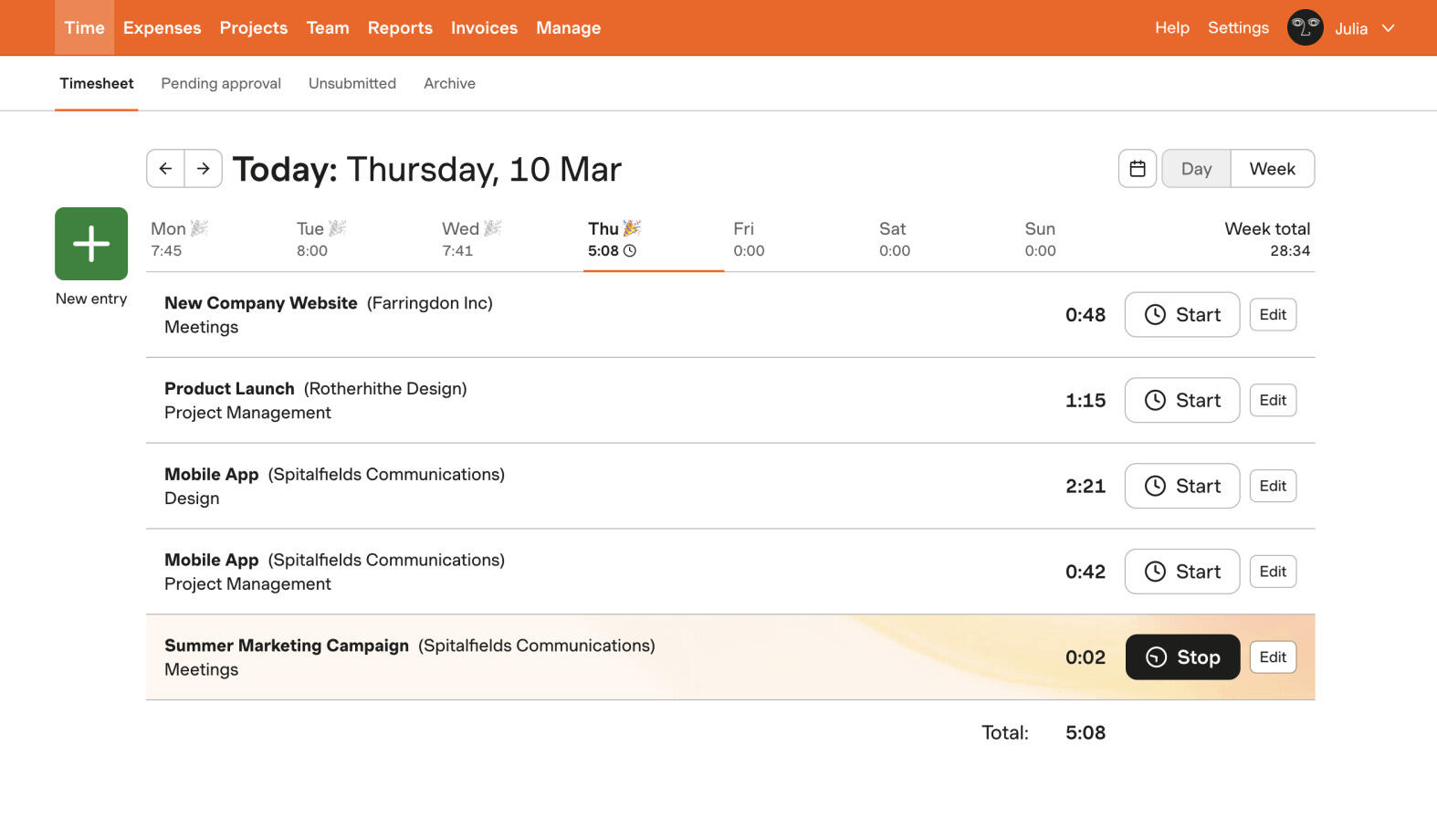
Harvest is the answer when the real job isn't logging time next to tasks — it's turning that time into money. Hours flow into rates, project budgets, and invoices without you rebuilding them somewhere else, which is exactly the handoff Everhour tends to leave more manual. You give up some of the tight task-level embedding, and you get a cleaner path from tracked work to a paid invoice in return.
- Best for: Agencies and service teams replacing Everhour because client billing matters more than task-level integration.
- Pricing: Free plan available; paid plans start at $9 per seat/month billed annually
- Rating: 4.3/5 on G2
The interface stays approachable even as the billing machinery underneath gets serious, which is why so many services teams stop shopping once they reach it. The flip side is that all that billing structure is dead weight if what you actually wanted was a lightweight tracker glued to a project board.
Pros
- Invoicing built directly on top of tracked time and project budgets.
- Client-friendly reporting and exports out of the box.
- Easy for non-technical teammates to adopt for daily entry.
Cons
- Less task-embedded than Everhour if project context is what you loved.
- More billing scaffolding than a simple tracker needs.
What users say about Harvest
Reviewers on G2 and Capterra reliably describe Harvest as easy to adopt for everyday tracking and genuinely strong once hours feed billing and client reporting. The gripes that come up most are price, reporting that some teams find shallow, and the occasional mobile or syncing hiccup.
Source: G2 reviews and Capterra reviews
Comparing the two directly? Harvest vs Everhour is the most billing-focused read, or widen the search with the best Harvest alternatives. Price is often the sticking point too — here's why some teams are rethinking Harvest.
3. TrackingTime — closest to Everhour's embedded model, for less
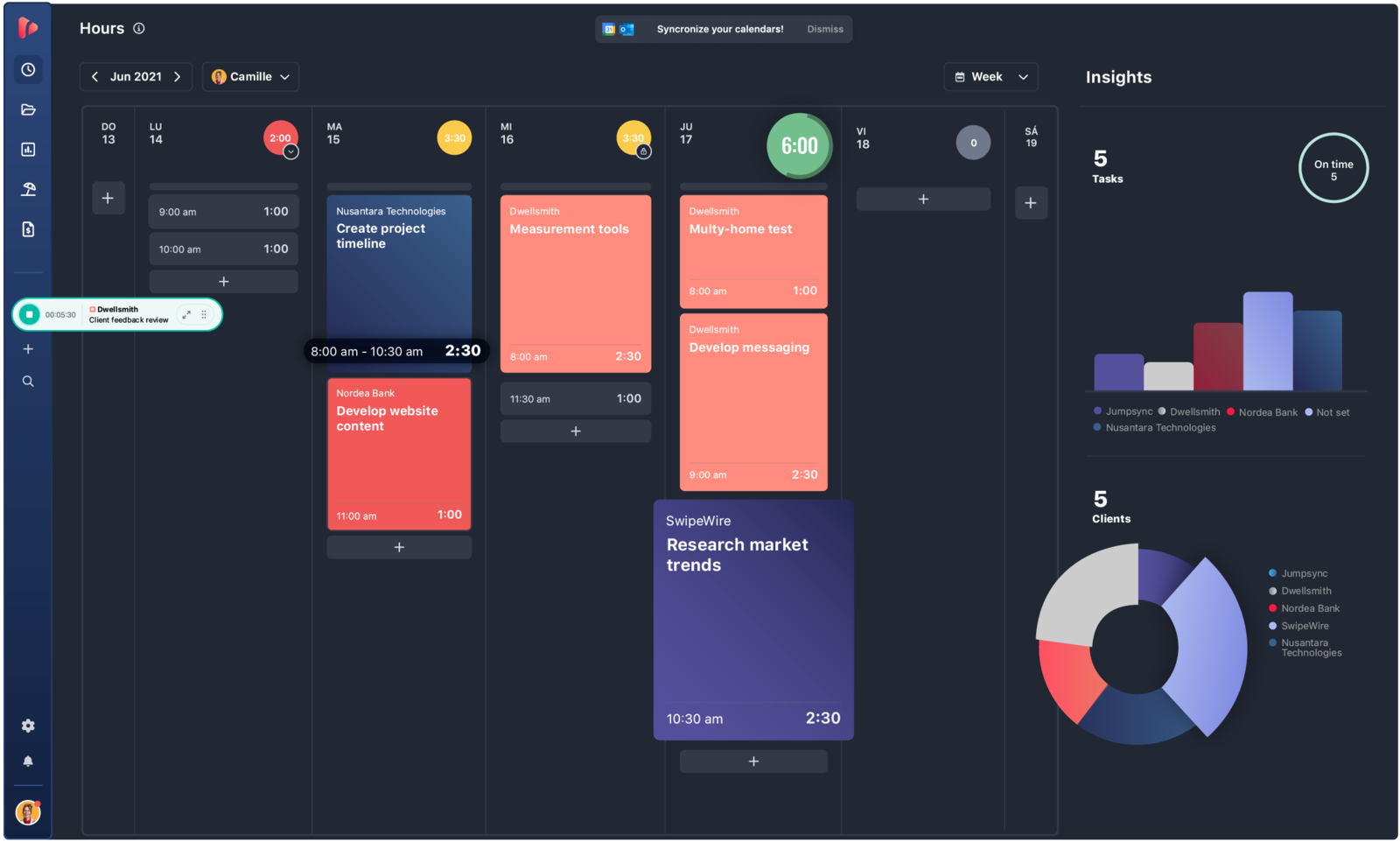
If the specific thing you'll miss about Everhour is the way it lives inside the tools you already use, TrackingTime is the closest cheaper echo of that. It keeps projects and tasks central, adds shared timesheets and reminders, and slots into other work apps rather than asking your team to relearn everything — while costing noticeably less per seat.
- Best for: Teams that want a project-aware, collaborative tracker with reminders at a lower price than Everhour.
- Pricing: Free plan available; Starter starts at $5.75 per user/month billed annually
- Rating: 4.4/5 on G2
It sits closer to shared timesheets and collaborative reporting than to Everhour's tighter, deeper integrations, which is a sensible middle ground for a smaller team that wants structure without a full PM suite. It's just not as polished as the very best standalone products, and a few timer and integration behaviors still ask for patience.
Pros
- Affordable path to project-aware tracking and reports.
- Useful reminders and collaborative review built in.
- Better value than Everhour for smaller teams that still want structure.
Cons
- Not as smooth as the best standalone trackers.
- Some timer and integration quirks still require tolerance.
What users say about TrackingTime
G2 and Capterra feedback often frames TrackingTime as good value, easy to justify for small teams, and helpful for project-based reporting and reminders. The recurring negatives are onboarding friction, some clunky timer behavior, and a few integration details that slow down adoption at the start.
Source: G2 reviews and Capterra reviews
If a lean setup for a small team is the goal, our roundup of time tracking tools for small teams covers the wider field.
4. Toggl Track — the polished general-purpose tracker
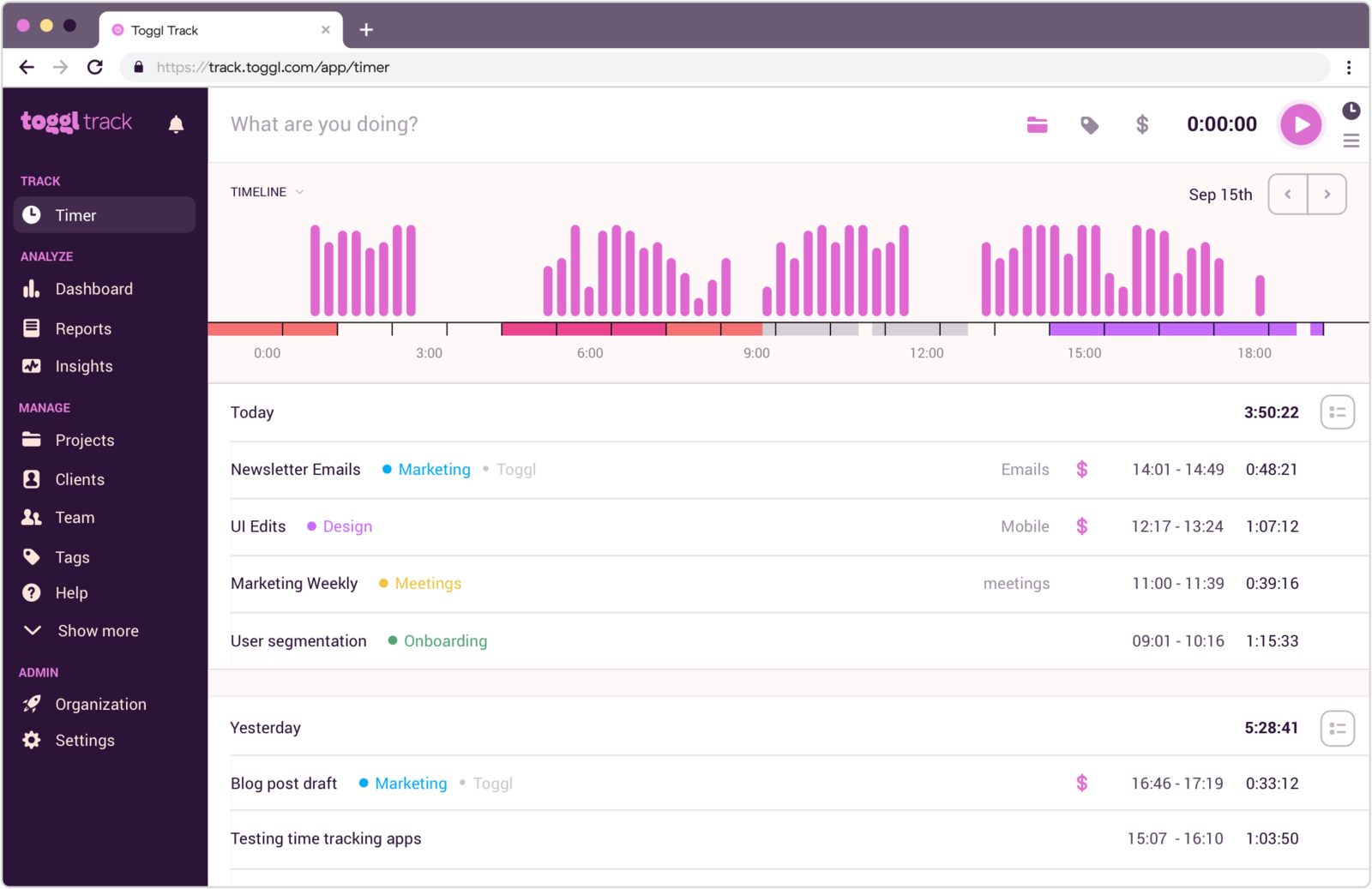
Toggl Track is the pick for teams that liked Everhour's ease but never wanted to be that dependent on a surrounding PM tool. It's a premium-feeling standalone tracker that still connects to project apps through integrations, so hours can reach your board without the tracker itself being welded to it. That looser coupling is the whole point for teams that want portability.
- Best for: Teams that want Everhour's simplicity in tracking without the project-tool dependency.
- Pricing: Free plan available; paid plans start at $9 per user/month
- Rating: 4.6/5 on G2
It's a strong middle path — more refined than the budget trackers, less billing-driven than Harvest, and far less tied to a PM ecosystem than Everhour. The catch is that it won't replicate Everhour's task-level embedding, and manual cleanup can still eat time in a busy week.
Pros
- Clean standalone tracking with strong cross-device support.
- A good balance of simplicity and reporting power.
- Connects to project tools without being locked into one.
Cons
- Doesn't reproduce Everhour's task-level integration depth.
- Manual edits and cleanup can still be fiddly.
What users say about Toggl Track
G2 and Capterra reviewers repeatedly praise Toggl Track for fast adoption, clean timer behavior, and reports that keep teams consistent with little training. The recurring drawbacks are the familiar ones for timer-first tools: edits can be fiddly, the mobile app isn't always smooth, and deep project management sits outside its comfort zone.
Source: G2 reviews and Capterra reviews
Cast a wider net with the best Toggl Track alternatives, or narrow it fast with Toggl Track vs Clockify. If it starts to feel like overkill, this look at whether Toggl is too much for a small team is worth a read.
5. Timen — free, with time and invoicing in one place

Full disclosure: this is our tool, so weigh it accordingly. Timen is the option for teams that have decided they don't need time tracking embedded everywhere anymore. It keeps the workflow lean, gives people a calendar view to review the day, and still covers reports and invoices when tracked hours need to go somewhere useful — all in one product instead of a tracker that hands you off to other tools for everything after the timer stops.
- Best for: Teams that want a genuinely free all-in-one — tracking, reporting, and invoicing — with no per-seat bill and no PM layer to maintain.
- Pricing: Free — every feature included, including invoicing.
It's a good fit if Everhour started to feel like more product than the job needs and you'd rather have a dedicated time tool that stays out of the way — a shortlist regular for consulting teams. It's honestly not the pick if the embedded project workflow was the entire reason you used Everhour: Timen doesn't do deep PM-tool integration, employee monitoring, or payroll exports, and its integration ecosystem is small next to the older platforms.
Pros
- Free with every feature included — invoicing and all — where most trackers charge per seat and gate invoicing behind higher tiers.
- Low-friction daily tracking for teams tired of integration-heavy workflows.
- Calendar review makes gaps, overlaps, and corrections easy to catch.
- Reports and invoicing built in, with no separate billing tool to wire up.
Cons
- Newer product with little third-party review coverage so far.
- Smaller integration ecosystem than the established platforms.
- No deep PM-tool embedding, employee monitoring, or payroll exports.
Why teams pick Timen
The teams that choose Timen are usually the ones who realized they were maintaining an integration-heavy setup to solve a fairly simple need: track the hours, look at the day, send the invoice. They want that in one calm place rather than stitched across a PM tool and a billing app. It's a deliberately narrow pitch — which is also exactly why it won't suit teams that need the deep project embedding Everhour is built around. Full disclosure: this is our tool.
If a lighter setup is what you're after, our guide to simple time tracking tools puts Timen in context next to the rest.
6. Clockify — the cheapest standalone rollout
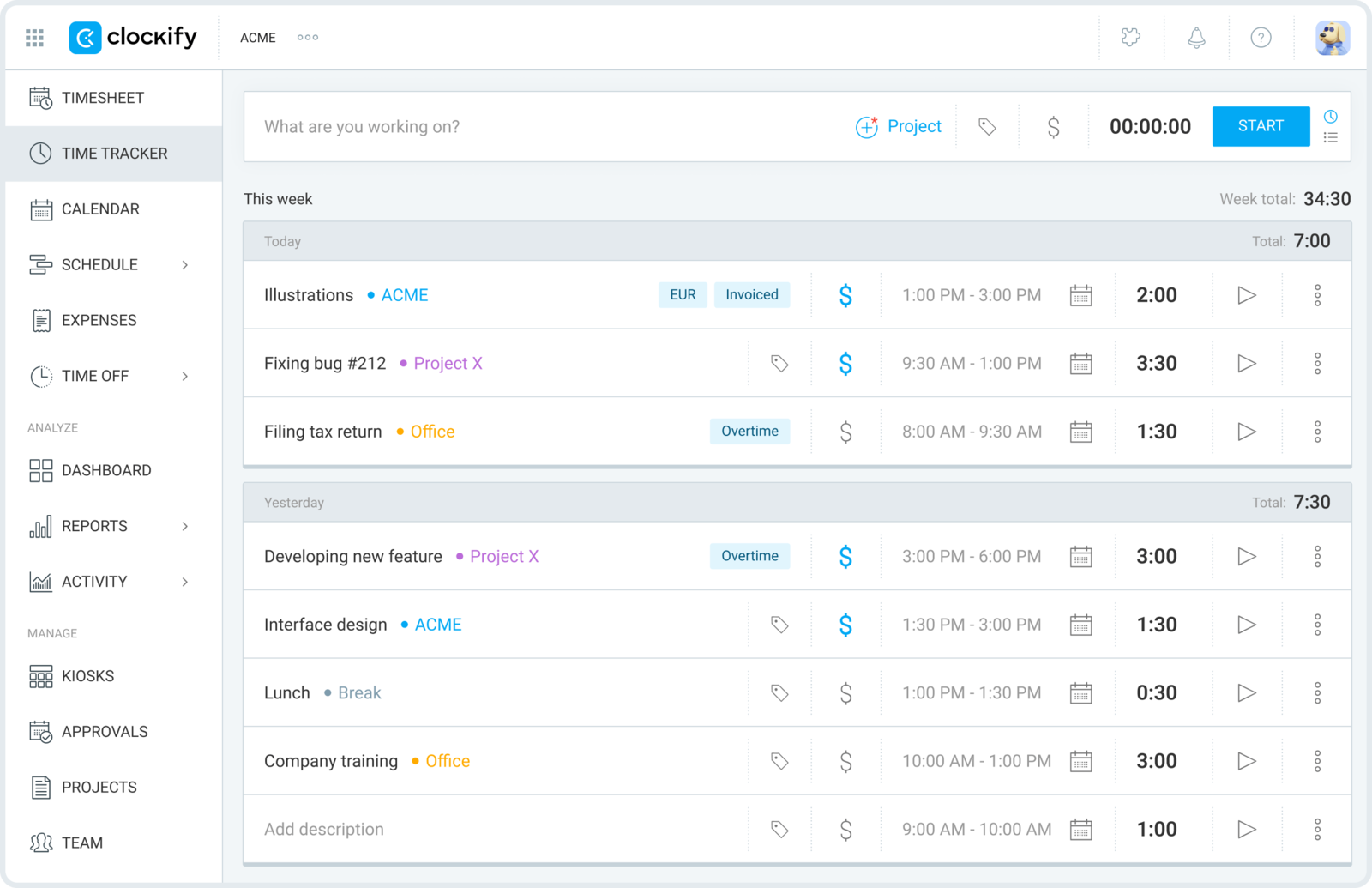
Clockify is the budget-first choice for teams that decided Everhour was more product than they needed. You get timers, timesheets, projects, and reports without committing to a deeply integrated way of working or Everhour's seat pricing — and the free plan genuinely covers a whole team, which is hard to argue with when you're rolling tracking out broadly.
- Best for: Teams that want a cheap, familiar standalone tracker for a broad rollout.
- Pricing: Free plan available; paid plans start at $3.99 per user/month billed annually
- Rating: 4.5/5 on G2
What you lose is Everhour's richer project context; what you gain is a cheaper, simpler mental model for people who just need to record time against work. It does a lot, so it can feel more utilitarian than polished, and admin workflows get rougher as the team grows.
Pros
- Very cost-effective, with a free plan that supports broad rollout.
- Less dependent on specific PM tools than Everhour.
- Solid baseline for project and client time tracking.
Cons
- Less polished and less context-rich than Everhour.
- Admin workflows can feel rough as teams get larger.
What users say about Clockify
On G2 and Capterra, Clockify is usually framed as easy to introduce, strong value for money, and reliable for project-based hours and reports. The complaints cluster around interface polish, mobile consistency, and the extra steps needed to edit or manage time cleanly at scale.
Source: G2 reviews and Capterra reviews
Counting on that free plan? Check whether Clockify is still free in 2026 first. For more like it, see the best Clockify alternatives, or weigh price against billing in Clockify vs Harvest.
7. TimeCamp — reporting depth and automatic capture
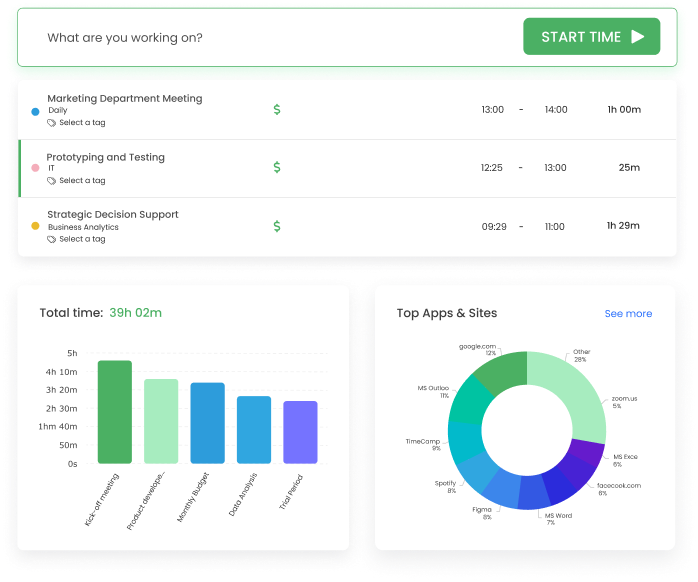
TimeCamp fits when you're moving away from Everhour's project-tool orientation and toward a product built around reporting and analysis. It gives managers more ways to shape categories, exports, and billing views than lighter trackers do, and it layers automatic capture on top of manual timers so entries get more complete without more nagging.
- Best for: Teams that want more reporting flexibility than Everhour and care less about deep PM integration.
- Pricing: Starter starts at $3.99 per user/month billed annually
- Rating: 4.7/5 on G2
It's better suited to teams that want time data to serve internal management and billing, not only project progress inside a task tool — and its paid tiers are among the cheapest here. The trade is a busier interface and a product story that still includes occasional stability complaints.
Pros
- Flexible reporting plus a mix of manual and automatic capture.
- Low price point for teams leaving Everhour's seat minimums behind.
- Good when analysis and billing matter more than integration elegance.
Cons
- Less clean and less project-native than Everhour.
- Bugs and reliability complaints remain part of the picture.
What users say about TimeCamp
The recurring theme on G2 and Capterra is that TimeCamp gives users plenty of flexibility in how they track and report time, which makes it useful for billing and internal analysis. The downsides that keep appearing are software instability, occasional data issues, and a busier setup than buyers expect.
Source: G2 reviews and Capterra reviews
See the best TimeCamp alternatives for a wider shortlist, or compare oversight tools in Hubstaff vs TimeCamp.
8. ClickTime — approvals, utilization, and finance-grade reporting
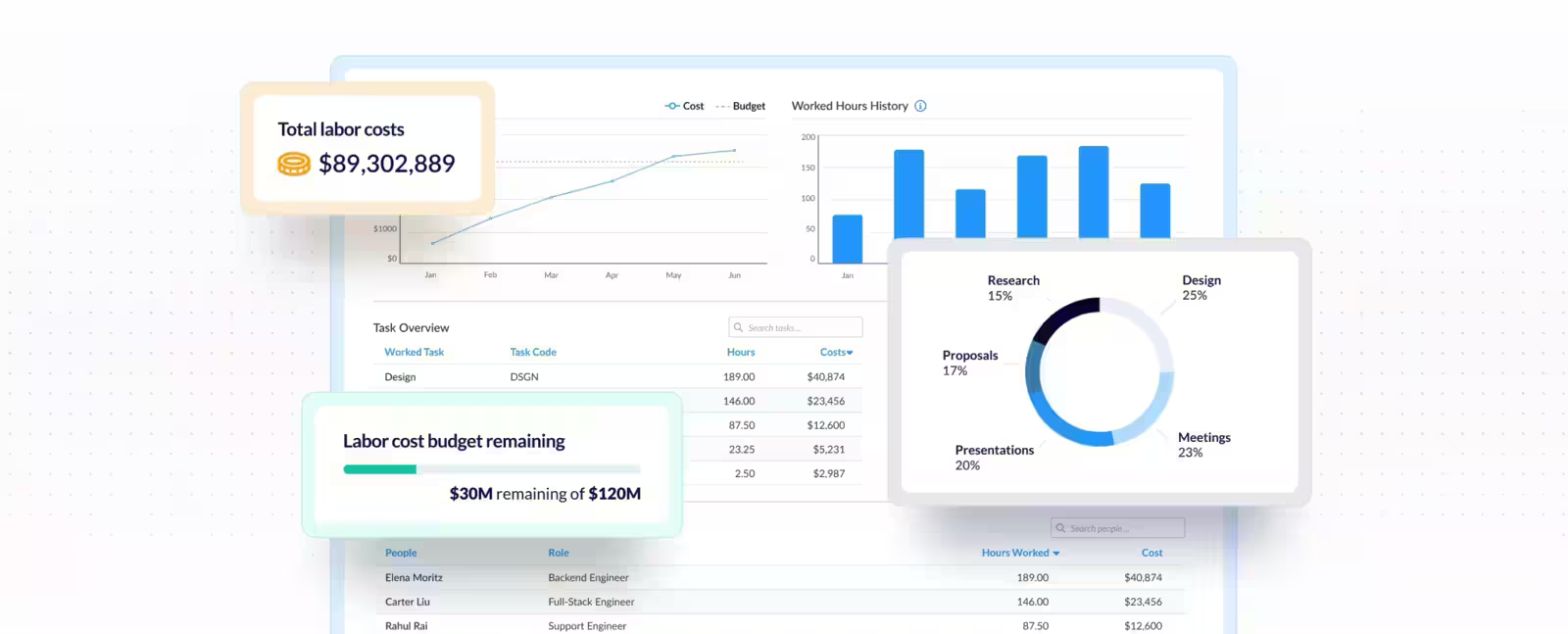
ClickTime is the right direction when the team has moved past task-level tracking and now needs utilization, approvals, labor controls, and reporting discipline. It's the most administrative tool on this list — less elegant than Everhour for project-tool lovers, but far more useful for managers who need defensible time data and a sign-off trail. Often the next buyer here is finance or operations rather than a delivery lead.
- Best for: Organizations replacing Everhour with something approval-driven, utilization-focused, and finance-aware.
- Pricing: Starter starts at $12 per user/month billed yearly
- Rating: 4.6/5 on G2
When managers need to see utilization and formally approve timesheets, ClickTime's reporting and approval workflows earn their keep. The trade is that it feels slower and more formal than the quick trackers — a poor fit if lightness was ever the point.
Pros
- Strong reporting and analytics for utilization-focused teams.
- Manager approval workflows and labor controls built in.
- Good when time data feeds planning, budgeting, and finance.
Cons
- More administrative than most small teams need.
- Slower and more formal than the lightest trackers.
What users say about ClickTime
Reviewers on G2 and Capterra describe ClickTime as easy to learn and strong for timesheets, reporting, approvals, and billing accuracy in one system. The negatives that recur are extra steps in some workflows, a learning curve as you use more features, and a UI that can feel dated.
Source: G2 reviews and Capterra reviews
For more reporting-heavy options, see the best ClickTime alternatives.
Everhour alternatives compared
The fast version — where each tool fits after Everhour, how heavy it is, and what it costs.
| Tool | Best for | Complexity | Pricing |
|---|---|---|---|
| Paymo | Projects, tasks, and invoices together | Medium | Paid from $5.90 monthly or $10.90 per user/month |
| Harvest | Billing-led client work | Medium | Free plan; paid from $9 per seat/month |
| TrackingTime | Cheaper project-aware, embedded tracking | Medium | Free plan; paid from $5.75 per user/month |
| Toggl Track | Polished standalone tracking | Low | Free plan; paid from $9 per user/month |
| Timen | A genuinely free all-in-one (tracking, reports, invoices) | Low | Free — every feature included |
| Clockify | Cheapest standalone rollout | Low to medium | Free plan; paid from $3.99 per user/month |
| TimeCamp | Reporting flexibility and auto-capture | Medium | Paid from $3.99 per user/month |
| ClickTime | Approvals and utilization reporting | Medium to high | Paid from $12 per user/month |
Which Everhour alternative should you pick?
Match the tool to the reason you started looking:
You still want project context → Paymo, which keeps tasks, time, and invoicing in one self-contained system, or TrackingTime if you want a cheaper tracker that embeds into your existing tools the way Everhour did.
Billing is the real job → Harvest. It gives you the cleanest path from tracked hours to invoices without redoing the work, along with budgets and approvals; Paymo is the runner-up if you also want project management alongside it.
You want a lighter standalone tracker → Toggl Track for a polished general-purpose tool, or Clockify if the cheapest possible team rollout is the priority.
You want it genuinely free → Timen is the one all-in-one here that's free with every feature included — fast tracking, clear reporting, and invoicing, all with no per-seat bill. Clockify and TrackingTime have free plans too, and Harvest and Toggl Track offer limited free tiers, but each caps features and keeps invoicing or deeper reporting on paid seats, so their "free" covers less than it first looks. Timen's honest trade is that it's newer, with no deep PM-tool embedding or monitoring and a smaller integration ecosystem than the established platforms.
You need heavier reporting or approvals → TimeCamp for reporting depth and automatic capture, or ClickTime when utilization, approvals, and finance-grade oversight are what the next buyer cares about.
For most teams, leaving Everhour comes down to one question: should time tracking be a feature of your project tool, or its own product again? Answer that, and the shortlist narrows fast.
FAQ
- What is the best Everhour alternative?
- It depends on why you're leaving. Paymo is the closest project-native swap because it keeps tasks, time, and invoicing in one place; Harvest is the strongest pick if client billing is the real job; and a simpler all-in-one like Timen fits teams that want tracking, reporting, and invoicing without a project-management layer.
- What tool is most similar to Everhour?
- Paymo is the closest match for teams that want time to stay attached to projects and tasks. TrackingTime is a lighter, cheaper option that still embeds into the tools you already use, which is the part Everhour fans tend to miss most.
- Is there a free Everhour alternative?
- Yes. Clockify and TrackingTime both have free plans that cover timers, projects, and basic reporting, and Timen is free with every feature included — including invoicing, which most free plans leave out.
- Why do teams switch from Everhour?
- Usually because the deep project-tool integration stops paying off: they want a standalone tracker, stronger client billing, better mobile coverage, fewer seat constraints, or simply a calmer day-to-day tool that doesn't depend on a wider PM stack.
The short version
There's no universal best Everhour alternative — the right choice depends on whether you want to keep project context central, strengthen billing, or step back to a simpler standalone tracker. If context matters most, Paymo or TrackingTime keep it. If billing leads, Harvest. If you just want a lighter, well-made tracker, Toggl Track or Clockify. If reporting and approvals are the driver, TimeCamp or ClickTime.
If Everhour is still on your shortlist, Harvest vs Everhour is the most direct billing-oriented comparison, and Clockify vs Harvest is useful for weighing the budget and billing ends of the market. And if what you actually want is to leave the integration-heavy workflow behind for something calmer — fast tracking, clear reporting, and invoicing in one place — Timen is a fair place to start, with the honest caveat that it's built for simplicity, not deep project embedding.