













Harvest vs Everhour: pricing and verdict

Harvest is better if your team bills clients from tracked time. Everhour is better if your team wants time tracking to sit close to tasks, estimates, and project work.
Harvest and Everhour are both good tools, but they aim at different centers of gravity. Harvest revolves around billing. Everhour revolves around project work.
That makes this a workflow choice more than a timer choice. If your team starts from the client invoice, Harvest makes more sense. If your team starts from the task board or project plan, Everhour often makes more sense.
Harvest vs Everhour at a glance
This table gives the headline difference first.
| Feature | Harvest | Everhour |
|---|---|---|
| Best for | Agencies and consulting teams | Project teams that track time at task level |
| Core approach | Time tracking tied to budgets and invoices | Time tracking tied to tasks, projects, and estimates |
| Main strength | Billing workflow | Project context and task visibility |
| Learning curve | Low to medium | Medium |
| Pricing model | Limited free plan, then per-user tiers | No permanent free plan, paid team pricing |
| Better fit | Client service work | Teams already living in PM tools |
Quick verdict: Harvest vs Everhour
Harvest is stronger when the financial side of time matters most. Everhour is stronger when the project side of time matters most, especially once invoices enter the workflow.
Choose Harvest if:
- You invoice clients from tracked time.
- You need budgets and billable rates in the same place.
- You want a cleaner path from time entry to invoice.
Choose Everhour if:
- You want task-level time tracking.
- You already manage work in a project tool.
- You care more about project visibility than invoices.
Choose Timen if:
- You want a simpler workflow than either tool.
- You need reports and invoicing without heavy PM structure.
- You want to review time in a calendar view.
Key differences between Harvest and Everhour
Harvest is about turning time into client-ready business data. Everhour is about keeping time close to the work itself. That is why these tools can feel similar at first and very different after a week of real use.
If your team lives in tasks, estimates, and project boards, Everhour usually feels more natural because time tracking stays closer to that context. If your team lives in client budgets and invoices, Harvest usually feels more natural.
This is less about feature count and more about where each tool puts the emphasis once the hours are logged.
What is Harvest?
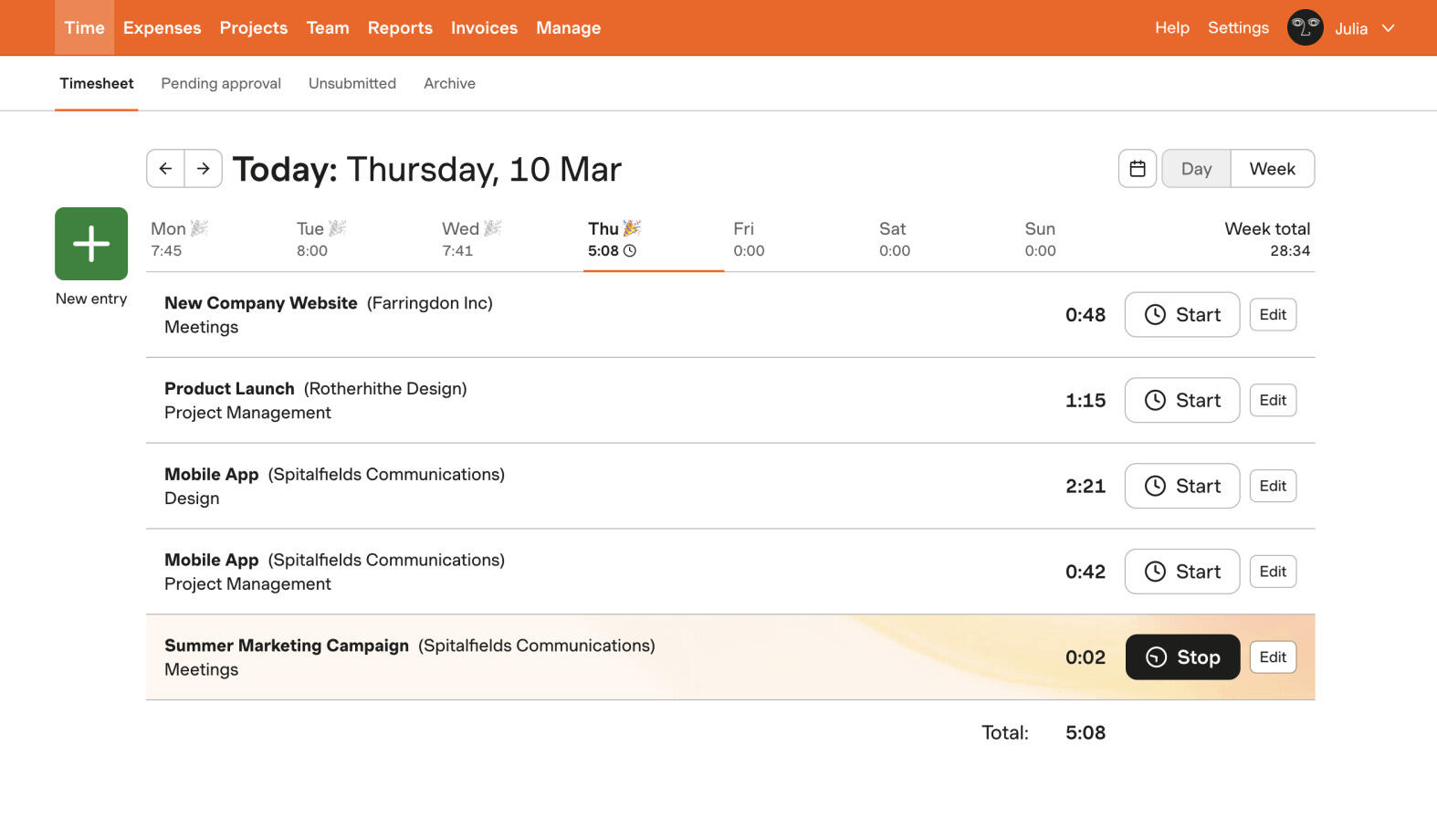
Harvest is a time tracking and invoicing tool built for service businesses. It works well when tracked time needs to become a budget check, a billable summary, or an invoice.
It is easy enough to use, but the product clearly leans toward client work. That focus is what makes it so practical for agencies and consultancies.
The tradeoff is that teams not billing clients may not get as much value from the workflow around their time data.
What users say about Harvest
Reviews on G2 and Capterra often say Harvest is dependable, clear, and very good for billable work. The common complaint is that it can feel expensive or a bit narrow if your team is not centered on client billing.
Source: G2 reviews and Capterra reviews
What is Everhour?
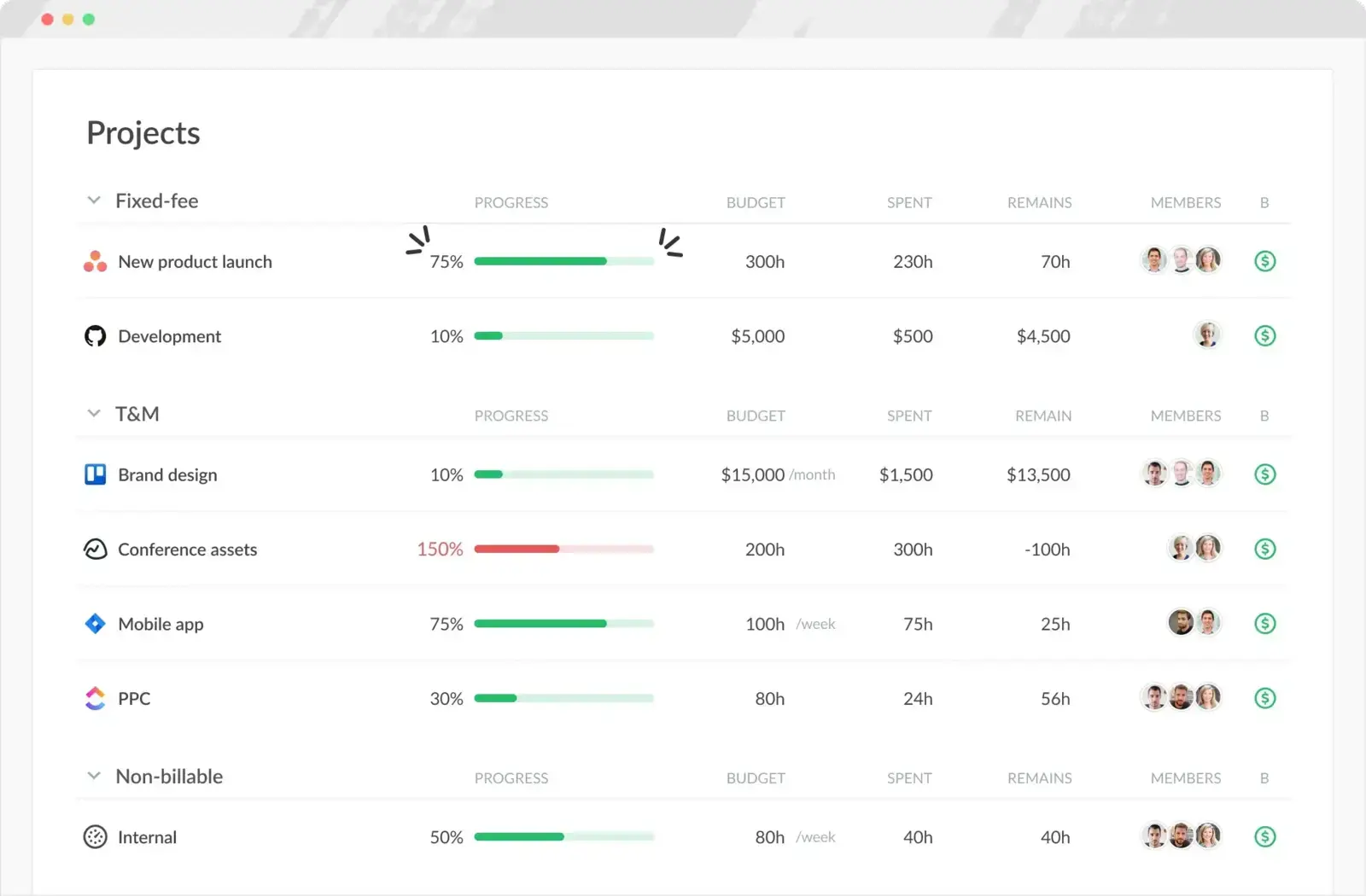
Everhour is a time tracking tool with a more project-first feel. It is especially useful when your team wants to track time against tasks, estimates, and project plans.
That makes it attractive to teams already working inside project management tools. Time tracking feels more connected to the actual work rather than sitting beside it.
The tradeoff is that Everhour makes the most sense when you care about project context. If you mainly care about billing, Harvest is usually the cleaner fit.
What users say about Everhour
Reviews on G2 and Capterra often highlight Everhour's project visibility, strong integrations, and task-level tracking. The recurring downside is that teams who mainly need billing or a very simple tracker may find the project-centered workflow more than they need.
Source: G2 reviews and Capterra reviews
Harvest vs Everhour features
There is overlap on timers, reports, and budgets. The real difference is what sits closest to the tracked time.
| Area | Harvest | Everhour |
|---|---|---|
| Task management | Light support, with more emphasis on projects and billing | Stronger task-level context and project visibility |
| Project views | Budgets, billable summaries, invoices | Task-level estimates, progress, and project reporting |
| Automation | Workflow comes from budgets and billing | Workflow comes from project integrations and planning context |
| Reporting | Strong for billable work and client reporting | Strong for project tracking and work visibility |
| Communication | Limited built-in collaboration | Works best when paired with project collaboration tools |
| Integrations | Good accounting and PM integrations | Strong PM integrations are a major selling point |
Harvest wins if the end goal is billing. Everhour wins if the end goal is seeing time in project context.
That is why the better tool depends heavily on whether your team's main pain is billing work or project visibility.
Harvest vs Everhour pricing
| Plan detail | Harvest | Everhour |
|---|---|---|
| Free plan | Free for 1 seat and 2 projects | No permanent free plan |
| Entry paid plan | Pro from $11 per seat/month billed annually, or $13.75 billed monthly | Team from $8.50 per user/month billed annually |
| Higher paid plan | Premium from $14 per seat/month billed annually, or $17.50 billed monthly | Team plan is $10 per user/month when billed monthly, with enterprise arrangements on request |
| Pricing model | Small free plan, then per-user tiers | Single main team price, then enterprise arrangements |
| Best budget fit | Teams that need billing built in | Teams that need task-level tracking more than invoicing |
Everhour starts lower on annual pricing, but the price story only matters when you compare like for like. If Harvest removes billing work for your team, its higher price can still be fair.
If you do not care much about invoices, Everhour often looks stronger on value because more of what you pay for shows up in day-to-day project work.
Harvest vs Everhour ease of use
Harvest is easier if your team's mental model is already client work and billable time. Everhour is easier if your team already thinks in tasks and projects.
That means neither tool is universally easier. They become easier or harder depending on which kind of work your team does all day.
Harvest pros and cons
Harvest pros
- Strong billing workflow.
- Good fit for agencies and consultancies.
- Clear billable reporting.
- Easy to explain to non-technical teams.
Harvest cons
- Free plan is very limited.
- Costs more than some simpler trackers.
- Less compelling if you do not invoice clients.
- Project context is lighter than Everhour.
Harvest is best when time tracking needs to end in a client-facing number.
Everhour pros and cons
Everhour pros
- Stronger task and project context.
- Helpful integrations with PM tools.
- Good project-level visibility.
- Useful for estimates and workload discussions.
Everhour cons
- No permanent free plan.
- Makes less sense if billing is the main need.
- Heavier if you only want a simple tracker.
- Best value often depends on other PM tools.
Everhour is strongest when time should stay close to tasks and project plans, not just invoices.
Timen as an alternative
Timen is a good option if Harvest feels too billing-first and Everhour feels too project-heavy. It keeps the workflow simpler while still covering tracking, reports, calendar review, and invoicing.

That makes it easier to roll out for smaller teams and service teams that want a clean workflow but still need time to become something useful after it is logged.
It is not trying to be a full project management system, and that is part of the appeal.
If Harvest is still on your shortlist, Toggl Track vs Harvest and Clockify vs Harvest show how it compares with simpler and more budget-focused tools. For some teams, the bigger issue is not project context but how comfortable they still feel depending on Harvest.
You can also review the best Harvest alternatives, the best Everhour alternatives, or browse more compare articles if you want to keep comparing options for client work and billing. It is especially relevant for consultants choosing between billing depth and project context.
Which tool should you choose?
Choose Harvest if:
- You invoice clients from time entries.
- You manage budgets and billable rates often.
- You want a billing-oriented workflow.
Choose Everhour if:
- You track time against tasks and project plans.
- You already live in PM tools.
- You want stronger project context around your hours.
Choose Timen if:
- You want a simpler workflow than either option.
- You still need reports and invoicing.
- You want time review to feel lighter and clearer.
Harvest is the better billing tool. Everhour is the better project-context tool. Timen is the simpler middle option.
FAQ
Here are the most common questions people ask when comparing Harvest and Everhour.
- Is Harvest better than Everhour?
- Harvest is better if billing matters most. Everhour is better if task and project context matter most.
- Which tool is easier to use, Harvest or Everhour?
- Harvest is easier for billing-focused teams. Everhour is easier for project-focused teams already working in PM tools.
- Which tool is cheaper, Harvest or Everhour?
- Everhour starts lower on annual team pricing, but the better value depends on whether you need Harvest's billing workflow.
- Is there a simpler alternative to Harvest and Everhour?
- Timen is a simpler alternative if you want straightforward tracking, calendar review, reports, and invoicing without a heavier setup.