





Protect flow
Track work without breaking the creative rhythm
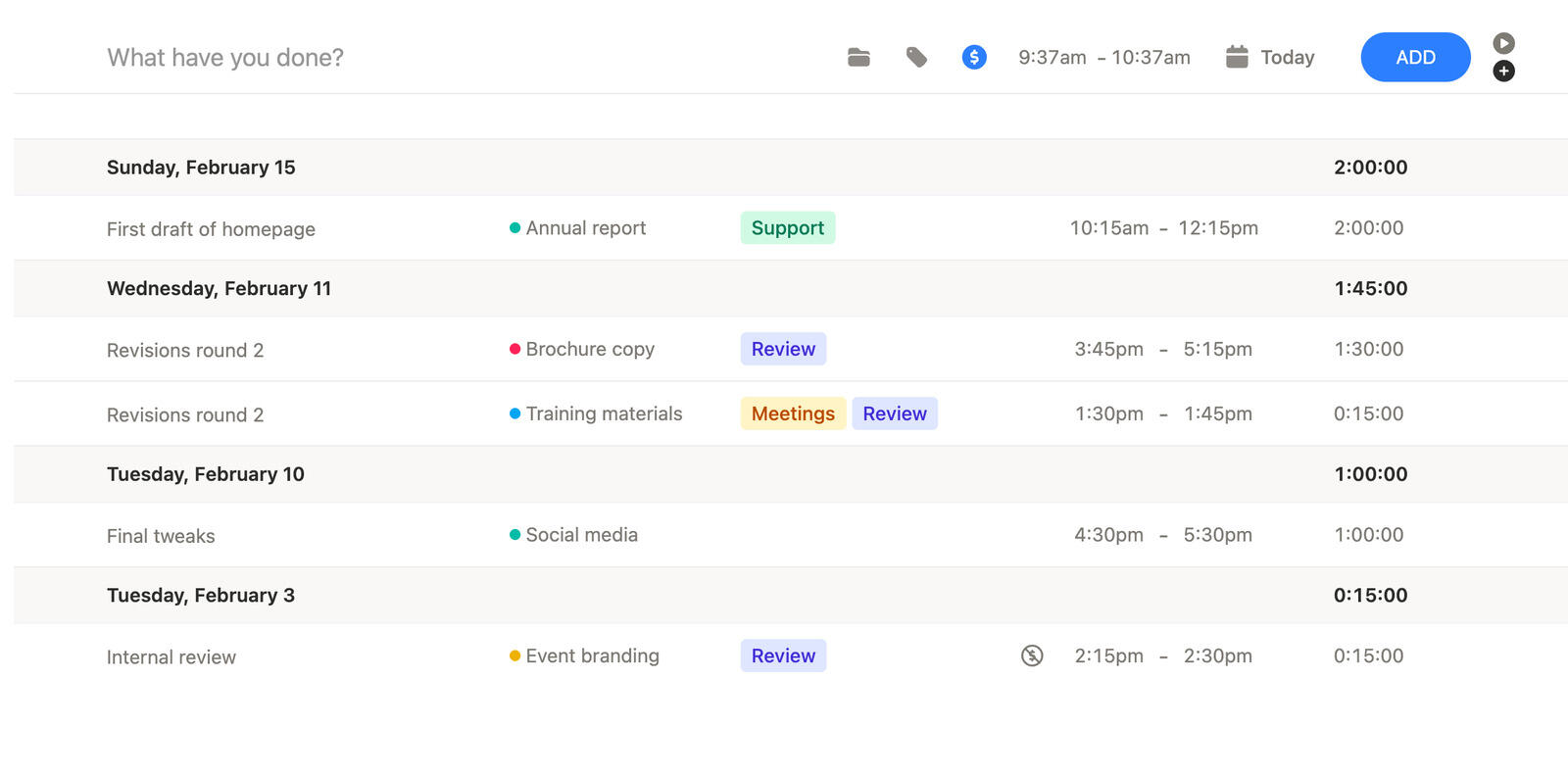
Quick entry and manual fixes make it easier to keep tracking light enough for design work that changes shape during the day.

Small teams
Simple team tracking with billing

Freelancers
Billable time tracking and invoicing

Consultants
Client tracking, reports, and billing

Designers
Creative work with project context

Lawyers
Precise billable time for legal work

Agencies
Team tracking for client projects

Finance teams
Reporting and invoice visibility

Developers
Fast tracking for technical work
Timen helps designers track creative work quickly, keep each entry tied to the right project, client, or tag, and review the week before reports or invoices are needed.

Creative work moves between research, drafts, revisions, and presentations. Timen keeps the time easy to capture while preserving enough context to understand what actually happened later.
Protect flow
Quick entry and manual fixes make it easier to keep tracking light enough for design work that changes shape during the day.
Keep context
Time entries stay more meaningful when you can see whether they belonged to discovery, revisions, feedback, or final delivery.
Review visually
Calendar and reporting views make it easier to spot heavy days, missing time, and work that still needs a cleaner description.
Time tracking and manual entry
Creative work rarely fits into neat uninterrupted blocks. Designers jump between calls, feedback, drafts, and presentation prep all the time.
Timen keeps time entry flexible enough that you can track live when it helps and clean up the day later when the flow mattered more than perfect tracking.
That keeps tracked hours useful without making the process feel rigid.
Tags and context
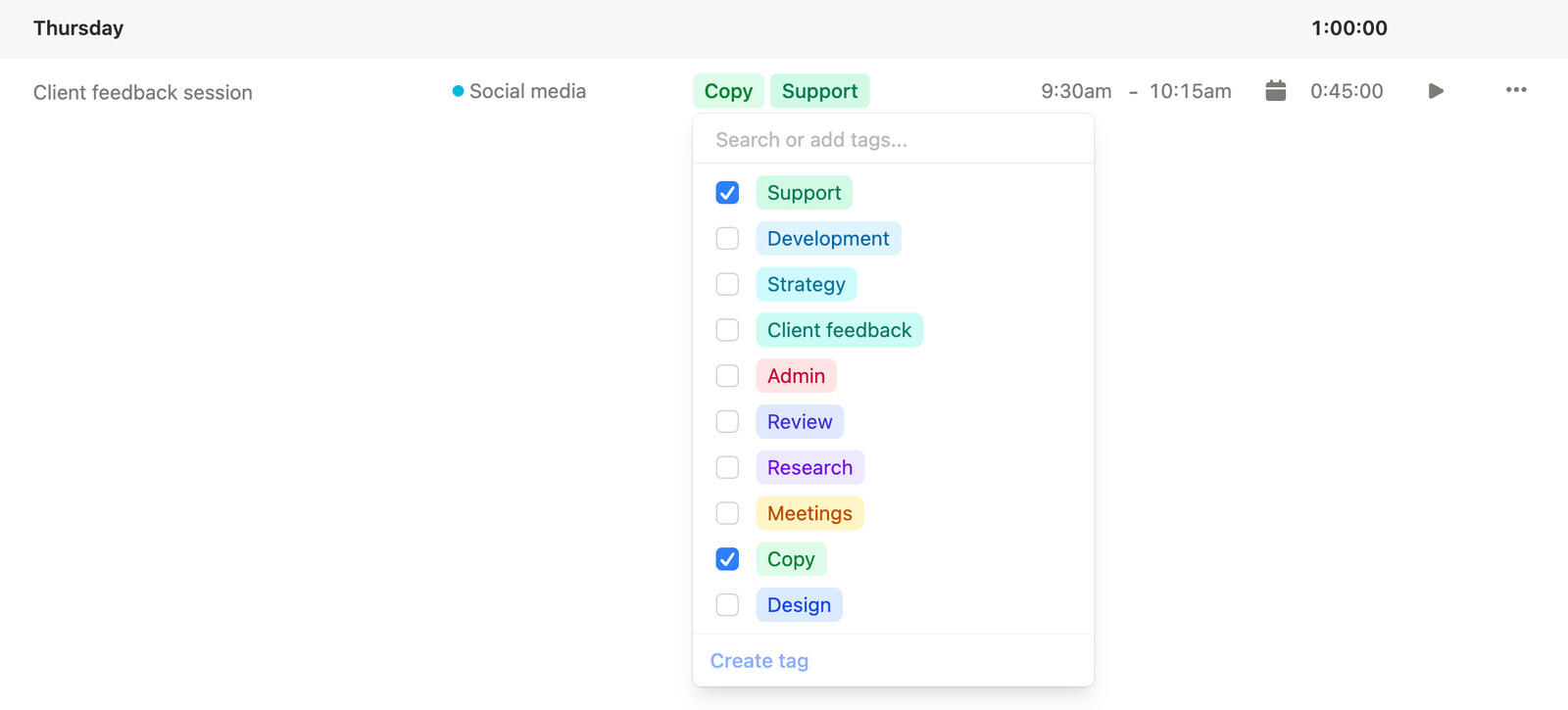
A design hour is more useful when you can tell whether it went into concepting, revision rounds, layout polish, or client feedback.
Timen keeps that context close to the entry with tags, projects, and clients, so later review feels more like real project memory and less like reconstruction.
That makes reporting and billing much easier to explain.
Time tracking calendar
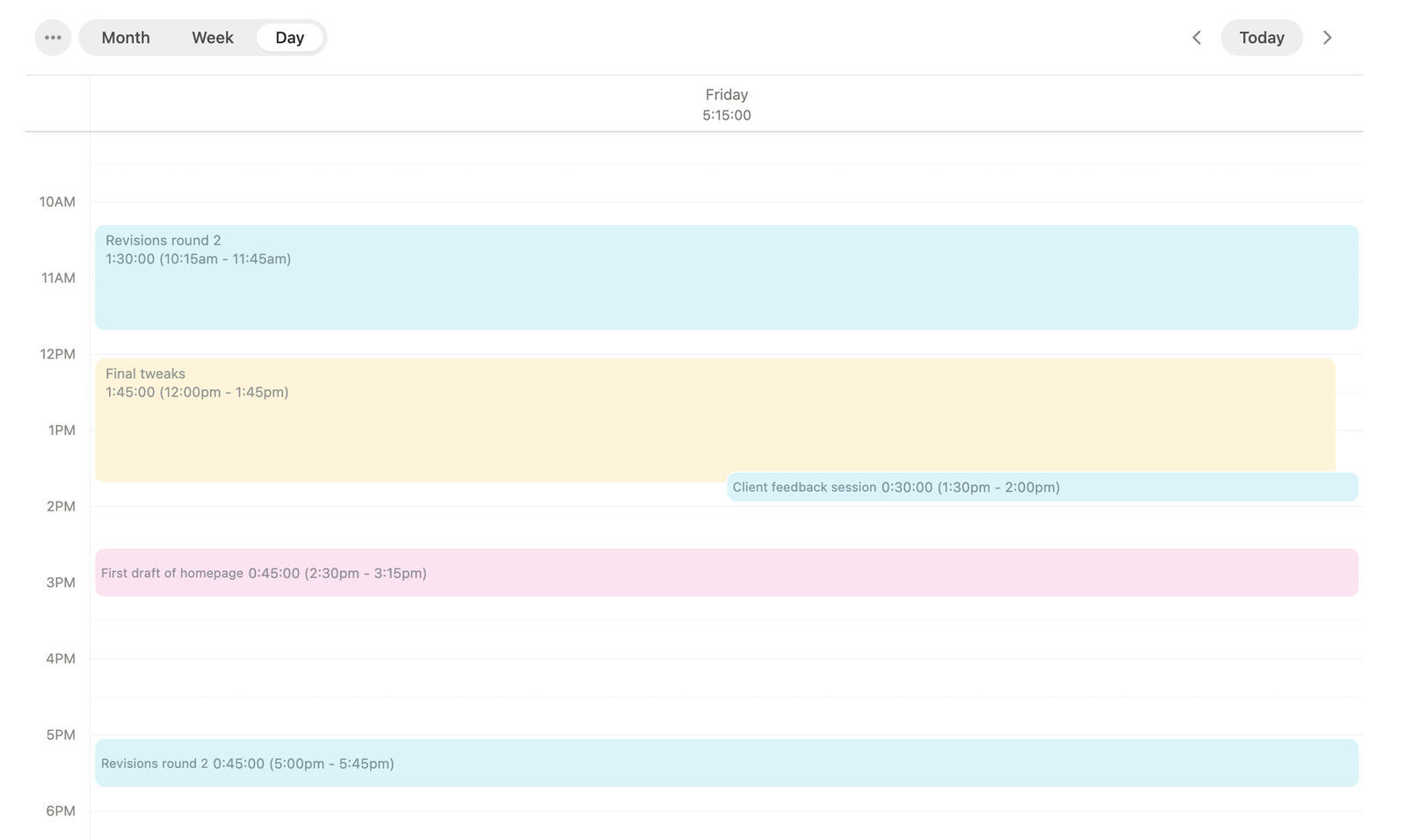
A calendar view is especially useful for design work because it shows the rhythm of the week, not just a list of disconnected entries.
That makes it easier to see days that got overloaded, small gaps that still need a quick fill, and time blocks that deserve a clearer description.
You can review the work visually before the details get harder to remember.
Time tracking reports
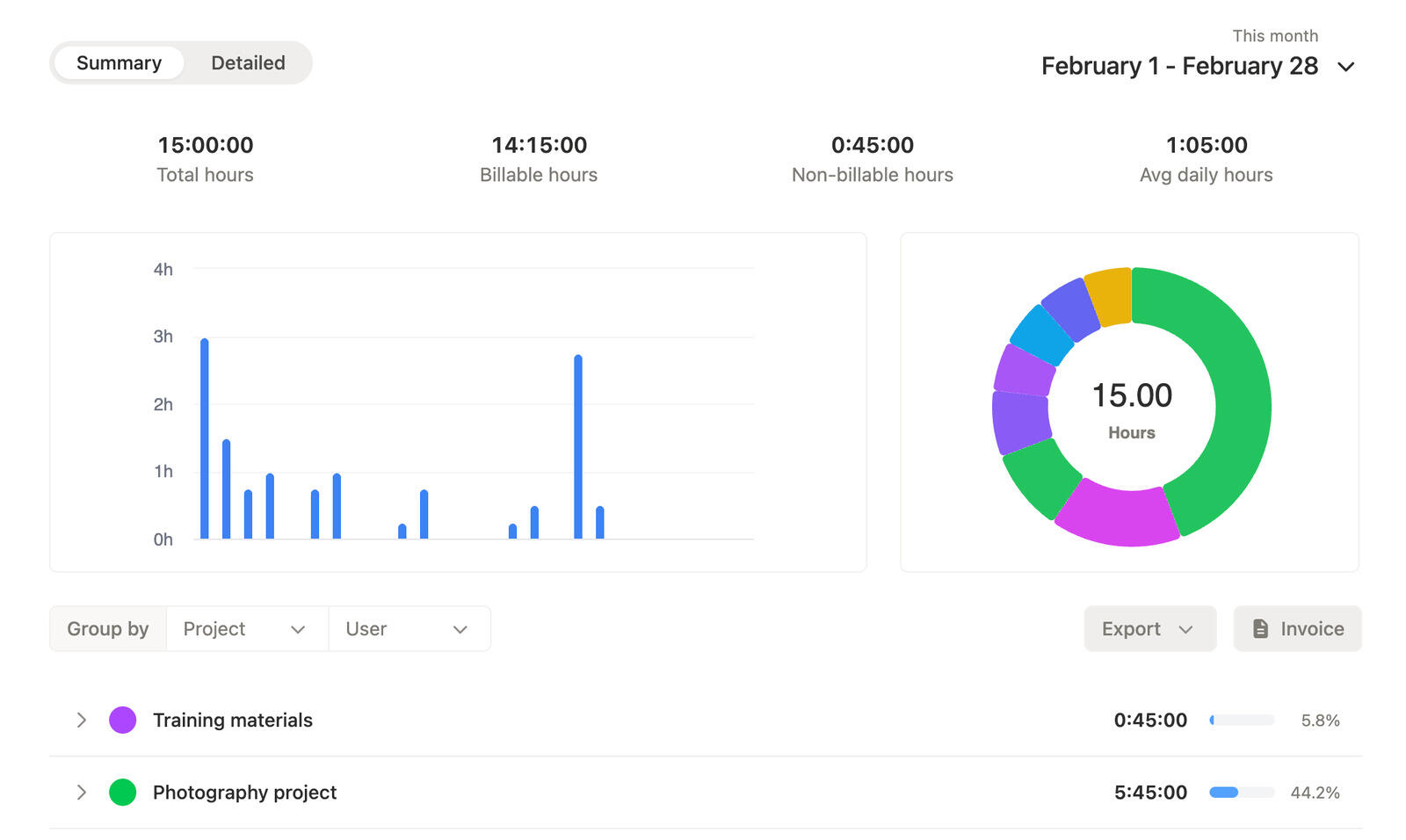
Reports help design teams step back and see where the hours really went across clients, projects, and tagged work.
That makes it easier to talk about revisions, scope, and delivery work with something more concrete than a rough estimate.
It also makes client reporting or billing cleaner when design work needs to be explained.
Track the work when it happens, keep the right project context attached, review the week visually, and use the cleaner totals for client reporting or billing.
01
Keep time capture flexible enough that it does not interrupt design work while it is happening.
02
Use clients, projects, and tags so revision rounds and design phases stay easier to explain.
03
Spot heavy days, gaps, and entries that still need clearer descriptions while the work is still fresh.
04
Summaries and details make it easier to communicate what the work actually involved when the project is reviewed.
Yes. Tags can help keep phases, rounds, or other design context visible when you review time later.
That is normal. Timen lets you track live when you can and adjust entries later when the day moved too fast to track perfectly.
Yes. Calendar views make it easier to review heavy design days, missing time, and work that still needs a clearer description.
Yes. Reports give you a cleaner summary of where time went across clients, projects, and tagged work before anything gets billed or shared.
No. It works for solo designers and design teams that want a calmer way to track time, review work, and keep project and client reporting cleaner.
Keep creative time quick to log, easier to review, and easier to explain when clients or internal teams need a clearer picture.