





Billable clarity
Capture work while it is still easy to explain
Quick tracking and later edits make it easier to keep consulting work accurate enough for client-facing reporting.

Small teams
Simple team tracking with billing

Freelancers
Billable time tracking and invoicing

Consultants
Client tracking, reports, and billing

Designers
Creative work with project context

Lawyers
Precise billable time for legal work

Agencies
Team tracking for client projects

Finance teams
Reporting and invoice visibility

Developers
Fast tracking for technical work
Timen helps consultants track billable work quickly, keep clients and projects clear, review hours before they are shared, and create invoices from the same time data.

Keep a clear record of client work and create invoices from the hours you track. Timen brings tracking, reports and billing together, so you spend less time preparing client invoices. Still comparing options? See how consultant time tracking tools handle rates, retainers and reporting.
Billable clarity
Quick tracking and later edits make it easier to keep consulting work accurate enough for client-facing reporting.
Client context
Clients and projects keep the work organized so reports and invoices reflect the real consulting context behind the time.
Fewer handoffs
Once the numbers look right, Timen gives you a shorter path into billing instead of sending you back into spreadsheet cleanup.
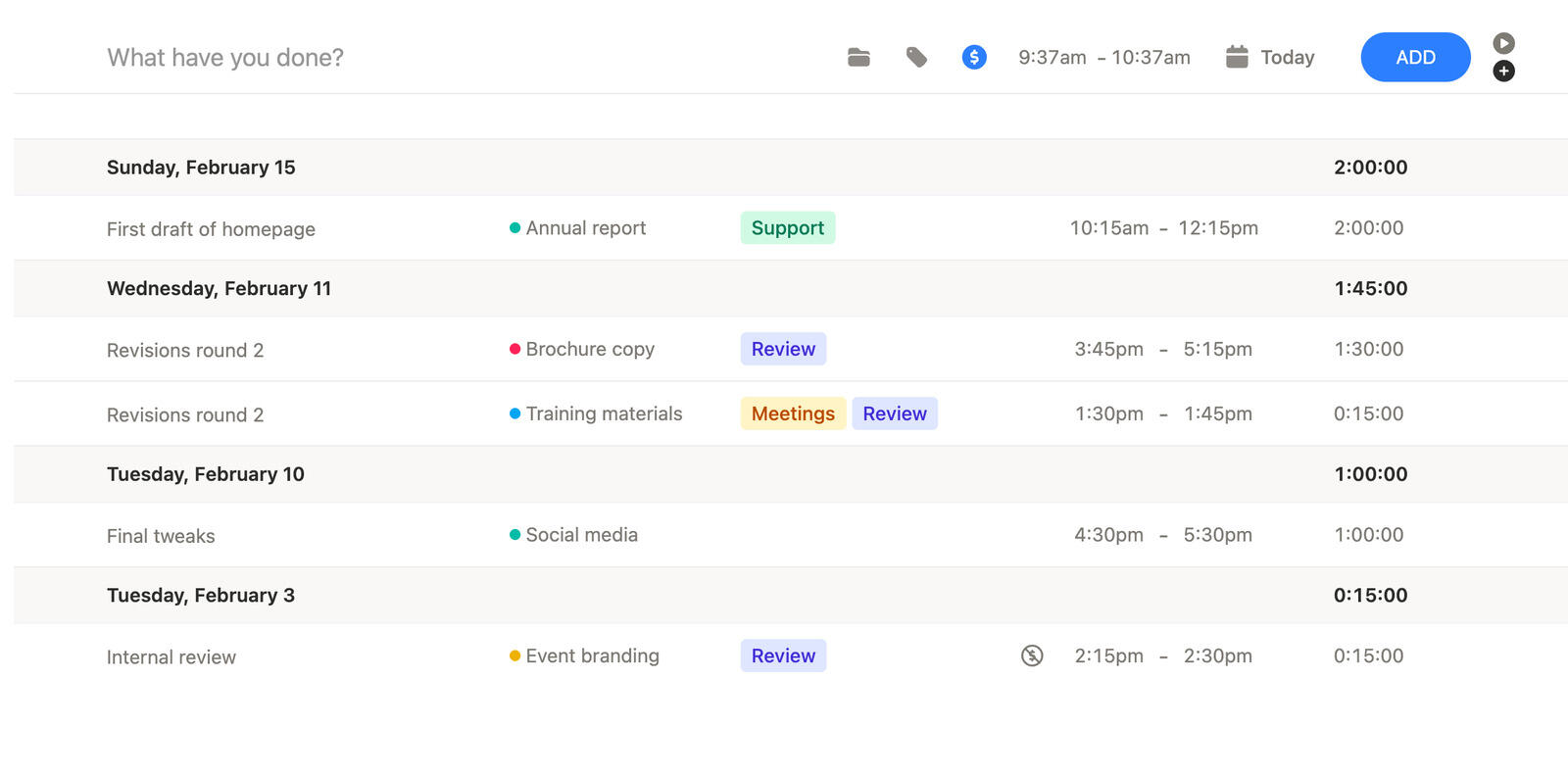
Time tracking and manual entry
Consulting days often jump between calls, analysis, follow-ups, and delivery work. That makes low-friction tracking more valuable than a more rigid workflow.
Timen gives consultants fast time tracking plus the option to adjust entries later when the day did not unfold cleanly.
That helps billable records stay accurate enough to trust.
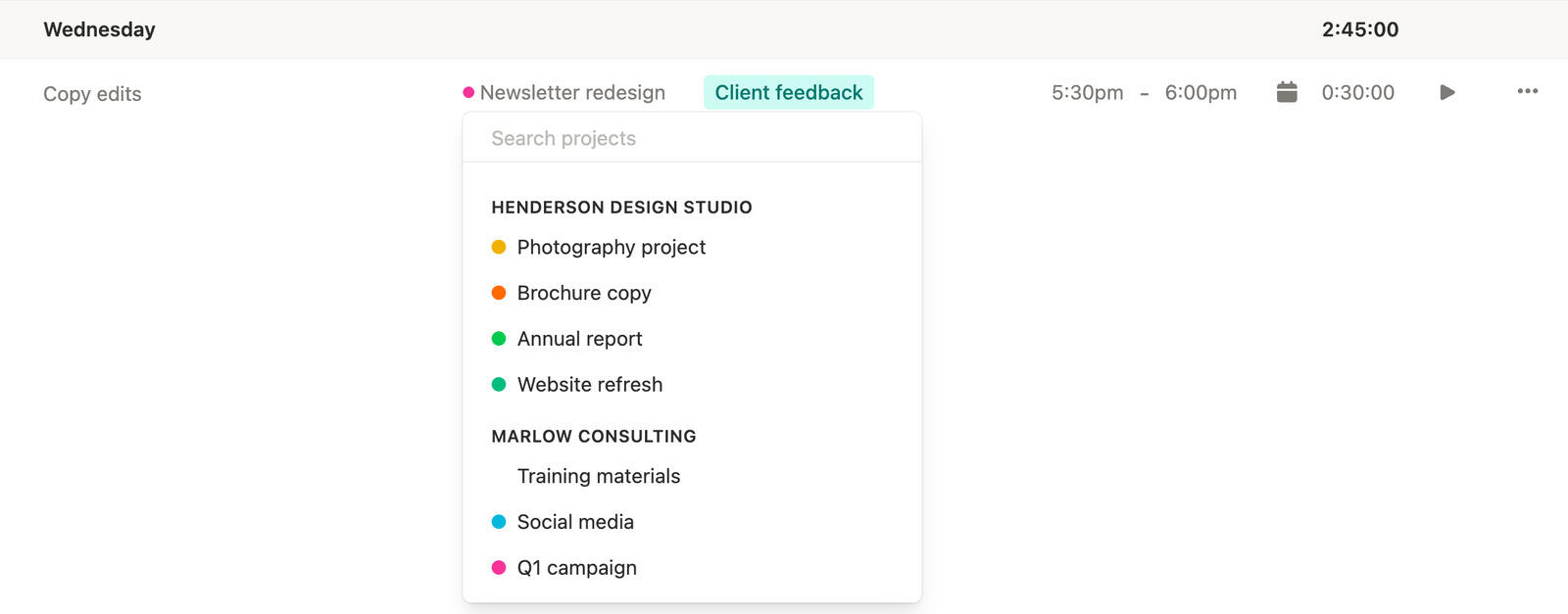
Clients and projects
Consultants often need to show where the time went, not just how much time was spent.
Timen keeps hours attached to clients and projects so the work stays easier to review, justify, and bill when the engagement is moving quickly.
That creates a cleaner record for both internal review and client conversations.
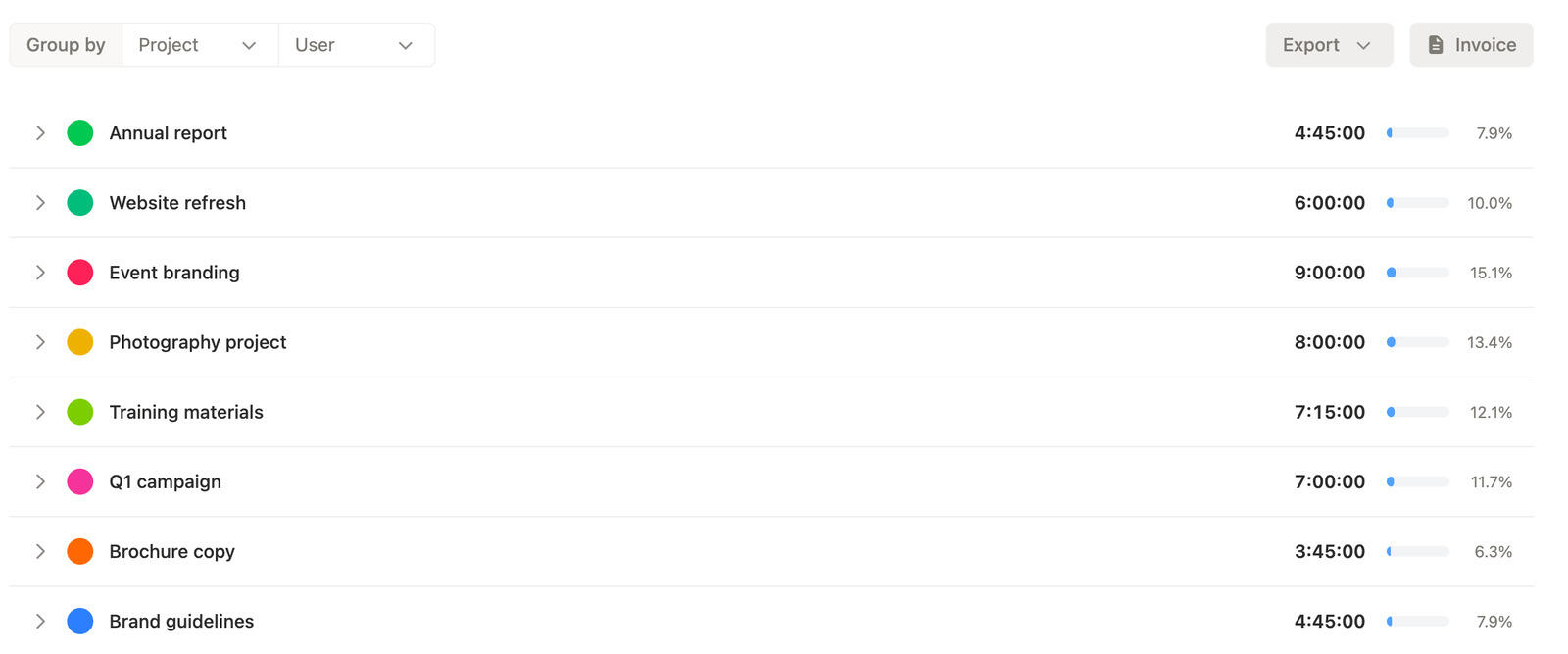
Time tracking reports
Consultants need reporting that helps answer simple but important questions: what happened, which client took the time, and what is ready to bill.
Timen makes that easier with summary views for the big picture and detailed views when you need the underlying time entries.
It is a cleaner way to verify the work before it reaches the invoice.
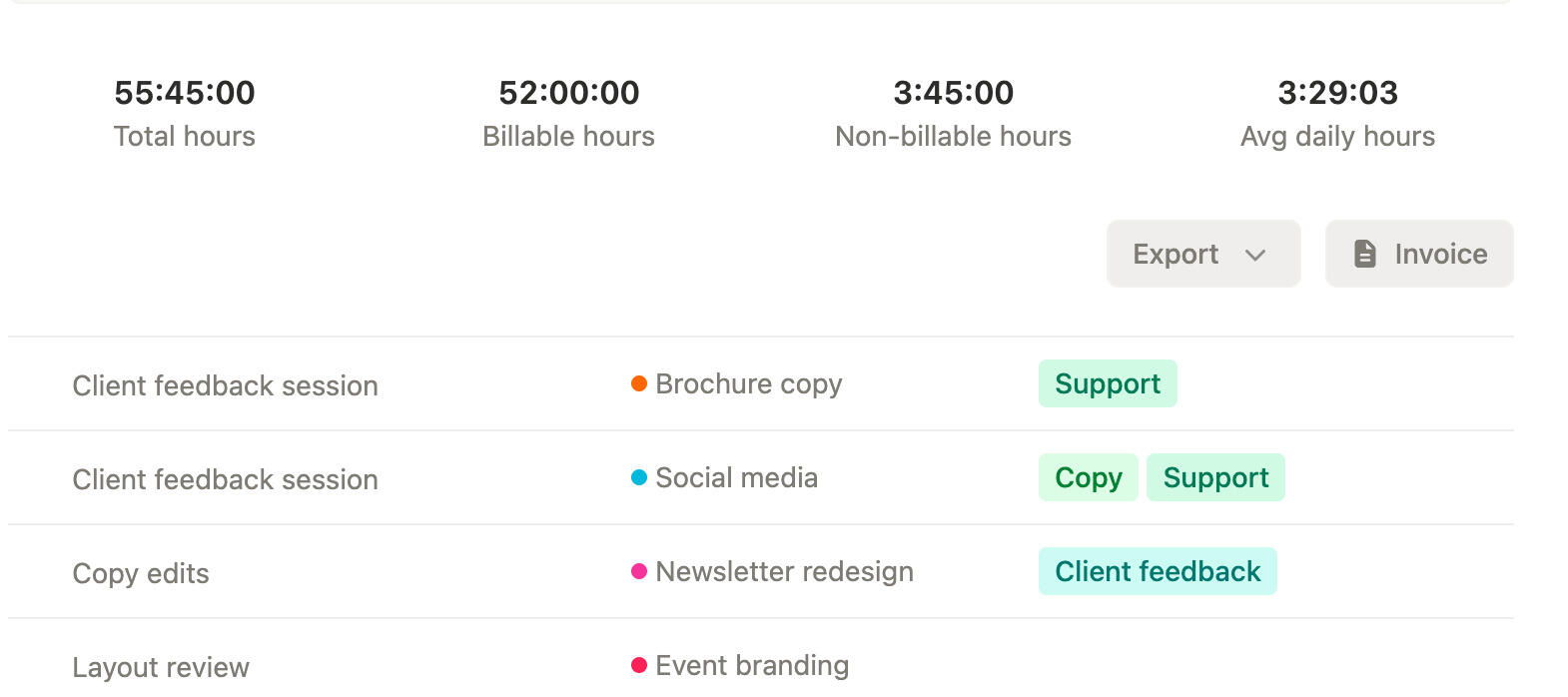
Consultant invoicing
When consulting time has already been checked in a report, invoicing should feel like a continuation of the same process.
Timen shortens that handoff by keeping invoicing close to reporting, which reduces duplication and makes the source of the invoice easier to trust.
That is especially useful when consulting revenue depends on clean hourly records.
Track the work, keep it attached to the right client, review the numbers while they are still fresh, and invoice from the same workflow once the hours look right.
01
Set up clients and projects so the tracked work lands in the right place from the start.
02
Use live tracking, or correct the day afterward when meetings and delivery work interrupted the flow.
03
Use reports to check what the client will see and catch anything that still needs a change.
04
Move into billing once the work is reviewed instead of rebuilding the same client hours again.
Yes. Timen is built to help consultants track billable work, review it clearly, and move into invoices with less friction.
Yes. Clients and projects stay part of the reporting workflow, which makes consulting time easier to review and explain.
Yes. Timen supports a shorter handoff from reports into invoices so the same client work does not need to be rebuilt.
Manual edits are part of the normal workflow, so you can reconstruct the day later when live tracking was not realistic.
Yes. Time tracking calendar and reporting views help consulting teams look at the same set of hours and clean them up before billing.
Track billable work, review clean time tracking reports, and move into invoices from the same workflow instead of stitching the process together later.