













ClickTime alternatives in 2026: 8 tools compared

The closest ClickTime replacements are TimeCamp (the same reporting-and-approvals depth, cheaper) and Harvest (if billing is the real point). Pick Hubstaff for oversight and payroll, Paymo when utilization should sit inside project work, and a genuinely free all-in-one like Timen — tracking, reporting, and invoicing with no per-seat bill — if you're ready to trade formal approvals for a lighter workflow you review in a calendar.
ClickTime exists for organizations that want time data to drive decisions, not just personal timekeeping. Utilization, approvals, staffing, project budgets, finance review — that's the whole point of it, and for the right team it earns its keep. The trouble starts when that structure costs more than it returns.
Teams go shopping when the process feels heavier than the work justifies, the interface feels dated, or the price outpaces what people actually use day to day. I spent real time in each of the eight tools below — tracking actual work rather than clicking through a demo — and this guide is the result: what each one is genuinely good at, where it gets in the way, and the kind of ClickTime team it fits.
Why teams leave ClickTime
Most teams don't leave ClickTime because it lacks structure. They leave because it has more structure than they want to live with every day. The reasons tend to cluster into five:
- Process fatigue. Approvals and reviews start costing more time than they save.
- A dated feel. The interface lags what people now expect from daily software.
- Cost. Paying for management depth a team barely touches.
- Adoption. Contributors resist a heavy tool, so the data quality slips.
- The wrong kind of structure. You need billing or project context more than utilization analytics.
Which of these you're feeling should steer the whole decision. A team that mainly wants cleaner billing needs something very different from a team whose only real problem is that ClickTime feels like too much software.
What to look for in a ClickTime replacement
The best ClickTime alternative usually keeps one of its strengths and relaxes the rest. Judge candidates on the parts that actually matter to you:
- Reporting you can act on, if managers still depend on time data for decisions.
- Billing and invoicing, if client work is the real driver behind tracking.
- Approvals only as heavy as you genuinely need them to be.
- Project context, if you want tracked time tied closely to delivery.
- Pricing that matches how much management depth you truly use.
- Cost — and whether a "free" plan actually covers what you need, or quietly gates invoicing and reporting behind paid seats.
Some teams should move toward a lighter tracker. Others still need a managerial tool — just one that fits their culture or their real use case better than ClickTime does.
How we compared these tools
A quick note on method, so you can weigh the picks:
- Hands-on use. Each tool tracked real work, not a demo. The "best for" calls and the pros and cons come from that, plus each product's current docs.
- Ratings. The G2 scores shown are the aggregate ratings on each product's G2 page at the time of writing (July 2026); the review summaries paraphrase recurring themes across G2 and Capterra rather than quoting any single review.
- Pricing. Taken from each vendor's public pricing page and rounded.
- Order. Roughly how close a fit each tool is for a typical ClickTime user — reporting, approval, and utilization tools first, lighter trackers later. It isn't a strict ranking, and it isn't ordered by our own product: Timen sits in the middle, where a simpler all-in-one genuinely fits, not at the top.
The 8 best ClickTime alternatives
These eight cover the real reasons teams move off ClickTime — process fatigue, cost, adoption, or a need for billing or project context. The switch often begins the moment the current tool is slowing the team down.
1. TimeCamp — the closest swap for reporting and approvals
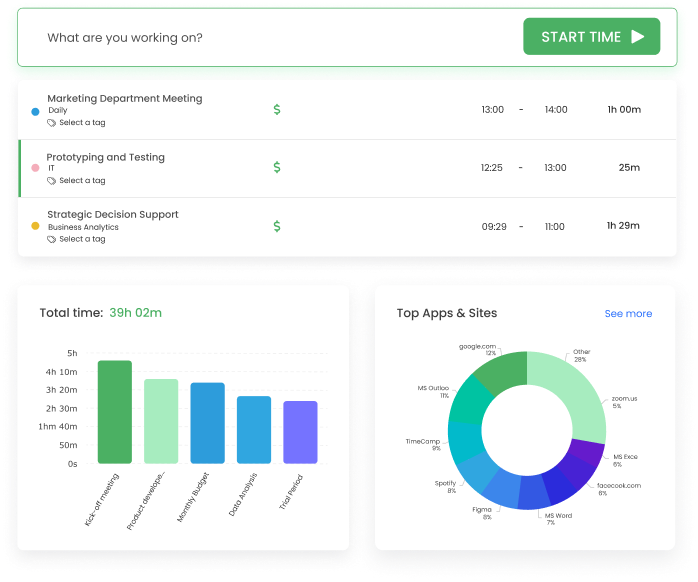
TimeCamp covers most of what pulls teams to ClickTime — timesheet approvals, billable rates, and reporting managers can actually act on — but asks for less budget and less ceremony to get there. It's the nearest thing on this list to ClickTime without the enterprise weight.
- Best for: Teams that want ClickTime-style reporting and approvals at a lower price.
- Pricing: Starter starts at $3.99 per user/month billed annually
- Rating: 4.7/5 on G2
It keeps the managerial visibility ClickTime users rely on, with both manual and automatic capture feeding the same reports so finance and delivery read from one source. The trade is polish: the interface can look busy next to a plain timer, and it still leans structured rather than simple.
Pros
- Timesheet approvals and billable rates without a heavy rollout.
- Reporting depth that stands in for ClickTime's manager views.
- Both manual and automatic capture feed the same data.
- Among the cheapest tools here for what it does.
Cons
- Interface can feel cluttered next to lighter trackers.
- Occasional bugs and data hiccups show up in feedback.
What users say about TimeCamp
Across G2 and Capterra, the steady theme is that TimeCamp delivers a lot of tracking and reporting flexibility for the price, which is why finance-minded teams stick with it. The recurring complaints are bugs, the odd data inconsistency, and onboarding that feels less polished than buyers expect going in.
Source: G2 reviews and Capterra reviews
Want a wider reporting-focused shortlist? See the best TimeCamp alternatives, or read Hubstaff vs TimeCamp if those two are your finalists.
2. Harvest — best when billing is the real driver
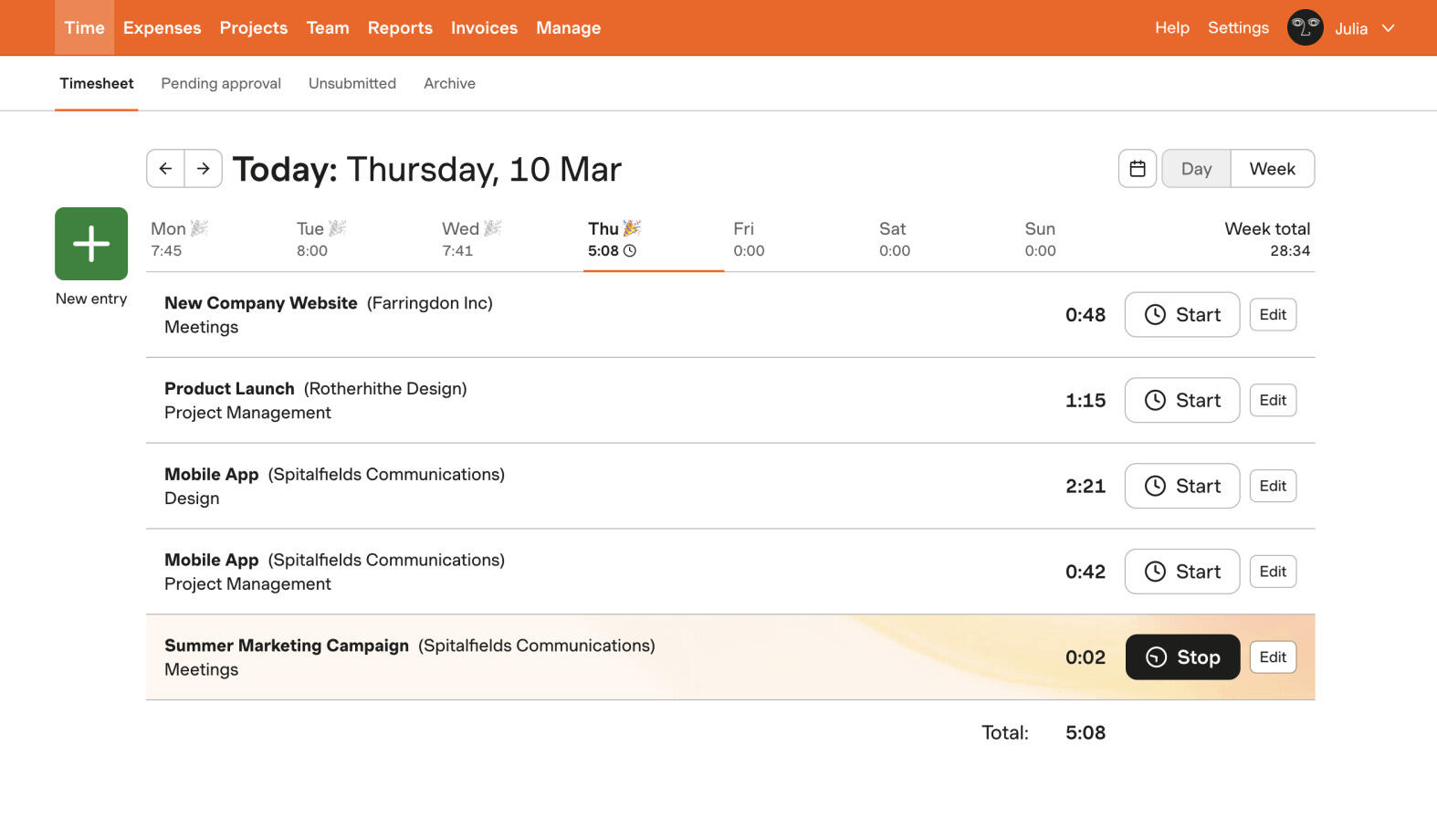
For a lot of ClickTime users, the daily point of tracking is getting an accurate invoice out the door. Harvest is built around exactly that handoff: hours become budgets, then approvals, then a bill — without a second system and a spreadsheet in between.
- Best for: Client teams that care more about billing and budgets than utilization analytics.
- Pricing: Free plan available; paid plans start at $9 per seat/month billed annually
- Rating: 4.3/5 on G2
You give up some of ClickTime's planning and utilization depth, but you gain a cleaner, more approachable path from tracked time to money. For agencies and consultancies that mostly needed the billing side of ClickTime anyway, that's usually a trade worth making.
Pros
- Invoicing built directly on tracked hours and budgets.
- Approachable enough for non-timesheet people to adopt.
- Client-ready reports and exports out of the box.
- Approvals and rates without ClickTime's administrative weight.
Cons
- Lighter on utilization and planning analytics than ClickTime.
- Per-seat cost adds up across a larger team.
What users say about Harvest
Reviewers reliably describe Harvest as easy to adopt for daily entry and genuinely strong once hours feed billing and client reporting. The complaints that surface most are the price, reporting some teams find shallow, and occasional friction with the mobile app or syncing.
Source: G2 reviews and Capterra reviews
If billing is your driver, widen the search with the best Harvest alternatives, or read Clockify vs Harvest for the budget-versus-billing side. Those rising per-seat costs are a big part of why some teams are rethinking Harvest in the first place.
3. Hubstaff — management depth in a different form
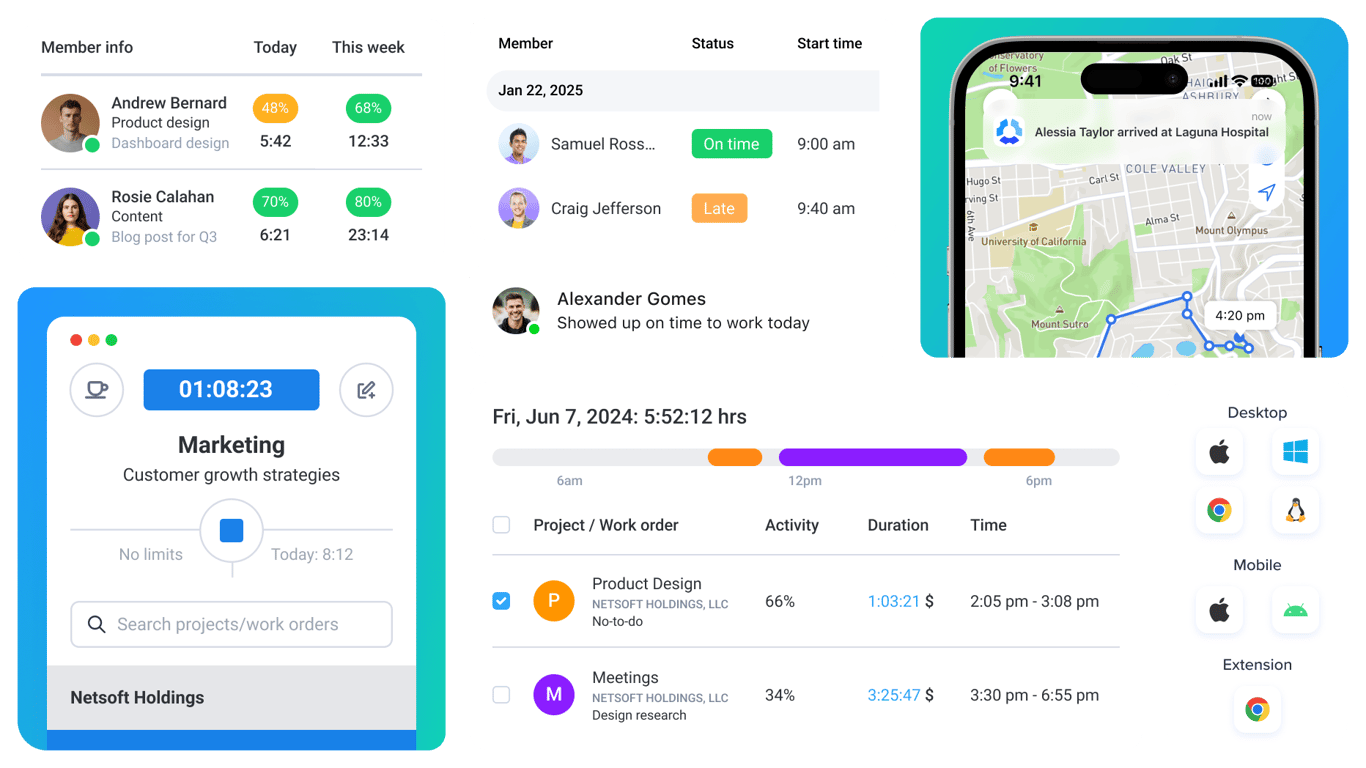
Some teams don't want less oversight than ClickTime — they want a different kind. Hubstaff swaps utilization and approvals for attendance, activity levels, payroll, and remote-team visibility. It's the most opinionated tool here, and for operations-led teams that's the appeal.
- Best for: Operations-led teams that need payroll, attendance, and oversight more than utilization reports.
- Pricing: Paid plans start around $4.99 per user/month billed annually
- Rating: 4.5/5 on G2
If the real buyer behind your ClickTime setup is operations or HR, Hubstaff speaks their language. If you were hoping to feel lighter, though, its monitoring side pushes the other way — this is not a step toward simplicity, and screenshots and activity levels can land badly with some teams.
Pros
- Payroll, attendance, and activity tracking built in.
- Strong oversight and reporting for distributed teams.
- Useful when time data drives management decisions.
- A different but real answer to ClickTime's control needs.
Cons
- Monitoring features can strain team trust.
- Heavier and more supervisory, not simpler than ClickTime.
What users say about Hubstaff
On G2 and Capterra, the strengths reviewers name most are accurate tracking, detailed reports, payroll support, and the visibility Hubstaff gives managers of a remote team. The same reviews keep raising privacy concerns and screenshot fatigue, and a sense that the product can feel more supervisory than collaborative.
Source: G2 reviews and Capterra reviews
For a wider oversight-focused shortlist, see the best Hubstaff alternatives, or compare Clockify vs Hubstaff.
4. Paymo — structure that lives around projects
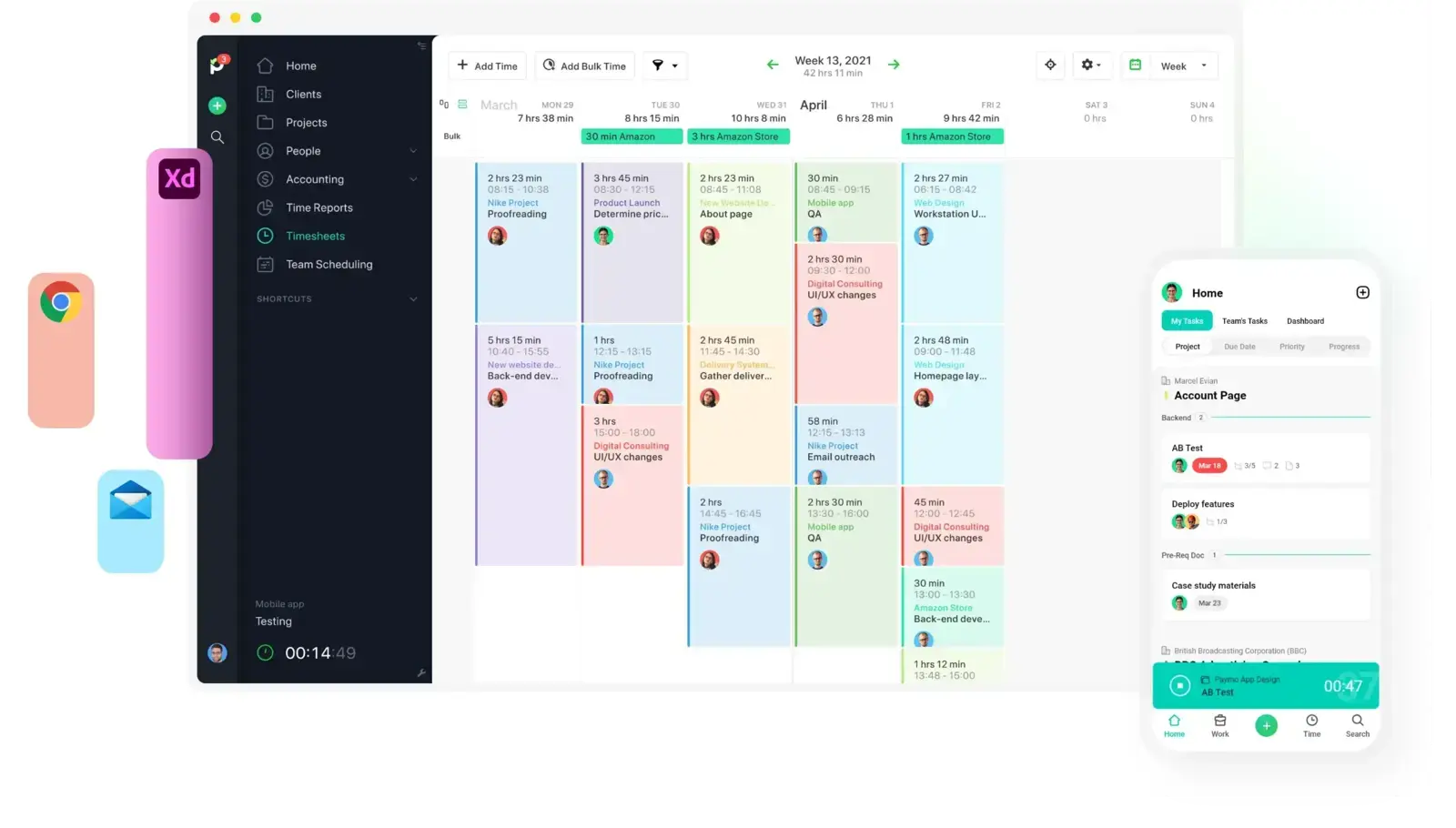
ClickTime treats time as the center of gravity; Paymo treats the project as the center and hangs time, tasks, scheduling, and invoicing off it. For teams whose real question is "where did this project's hours actually go," that reframing helps.
- Best for: Small agencies and service teams that want utilization tied to actual project work.
- Pricing: Solo starts at $5.90/month; Plus is $10.90 per user/month
- Rating: 4.6/5 on G2
You still get budgets, reporting, and billing, but wrapped in a collaborative project workspace rather than a pure timekeeping system. It's a broader tool than ClickTime — a plus if you want planning and delivery in one place, a downside if you only ever wanted the numbers.
Pros
- Time, tasks, scheduling, and invoicing in one workspace.
- Keeps hours attached to the projects they belong to.
- Good fit for client work and small-agency delivery.
- Budgets and reporting without a finance-only feel.
Cons
- Broader scope than teams who only wanted timekeeping.
- Task management thins out as workflows get complex.
What users say about Paymo
The repeat story on G2 and Capterra is that Paymo works well for smaller teams that want projects, time, and invoicing tied together instead of spread across separate tools. The tradeoffs tend to be mobile limits, some task-management friction, and less customization once teams grow more complex.
Source: G2 reviews and Capterra reviews
For more all-in-one options, browse the best Paymo alternatives.
5. Timen — the free all-in-one with lighter admin

Full disclosure: this is our tool, so weigh it accordingly. Timen is the pick for teams leaving ClickTime because the process finally outweighed the payoff. It keeps tracking quick, adds a calendar view for reviewing the day, and turns those hours straight into reports and invoices — without approvals and utilization dashboards steering every decision.
- Best for: Teams that want a genuinely free all-in-one — tracking, reporting, and invoicing — with far less administrative weight and no per-seat bill.
- Pricing: Free — every feature included, including invoicing.
It's a good match if your team already has healthy tracking habits and doesn't need formal sign-off on every timesheet. It's honestly the wrong choice if utilization targets, approval chains, or payroll and monitoring are core to how you run — that's where ClickTime, Hubstaff, and the heavier platforms stay ahead. Timen belongs on a shortlist of simple time tracking tools, not enterprise ones.
Pros
- Free with every feature included — invoicing and all — where most trackers charge per seat and gate invoicing behind higher tiers.
- Much lighter contributor experience than ClickTime.
- Calendar review replaces dense admin workflows.
- Reports and invoicing built in, from the same hours.
Cons
- Newer product with little third-party review coverage so far.
- No formal approvals or utilization analytics.
- No employee monitoring or payroll exports.
- Smaller integration ecosystem than established platforms.
Why teams pick Timen
Teams that pick Timen are usually the ones worn down by ClickTime's ceremony: they still want clean reports and an invoice at the end, but not a sign-off chain wrapped around every entry. Track fast, glance at the day in a calendar, send the invoice from the same hours. It's a deliberately narrow pitch — which is also why it won't suit teams that need approvals, utilization targets, or oversight.
If that sounds right, it sits alongside the other simple time tracking tools worth trying before you commit.
6. Clockify — back to a straightforward timesheet
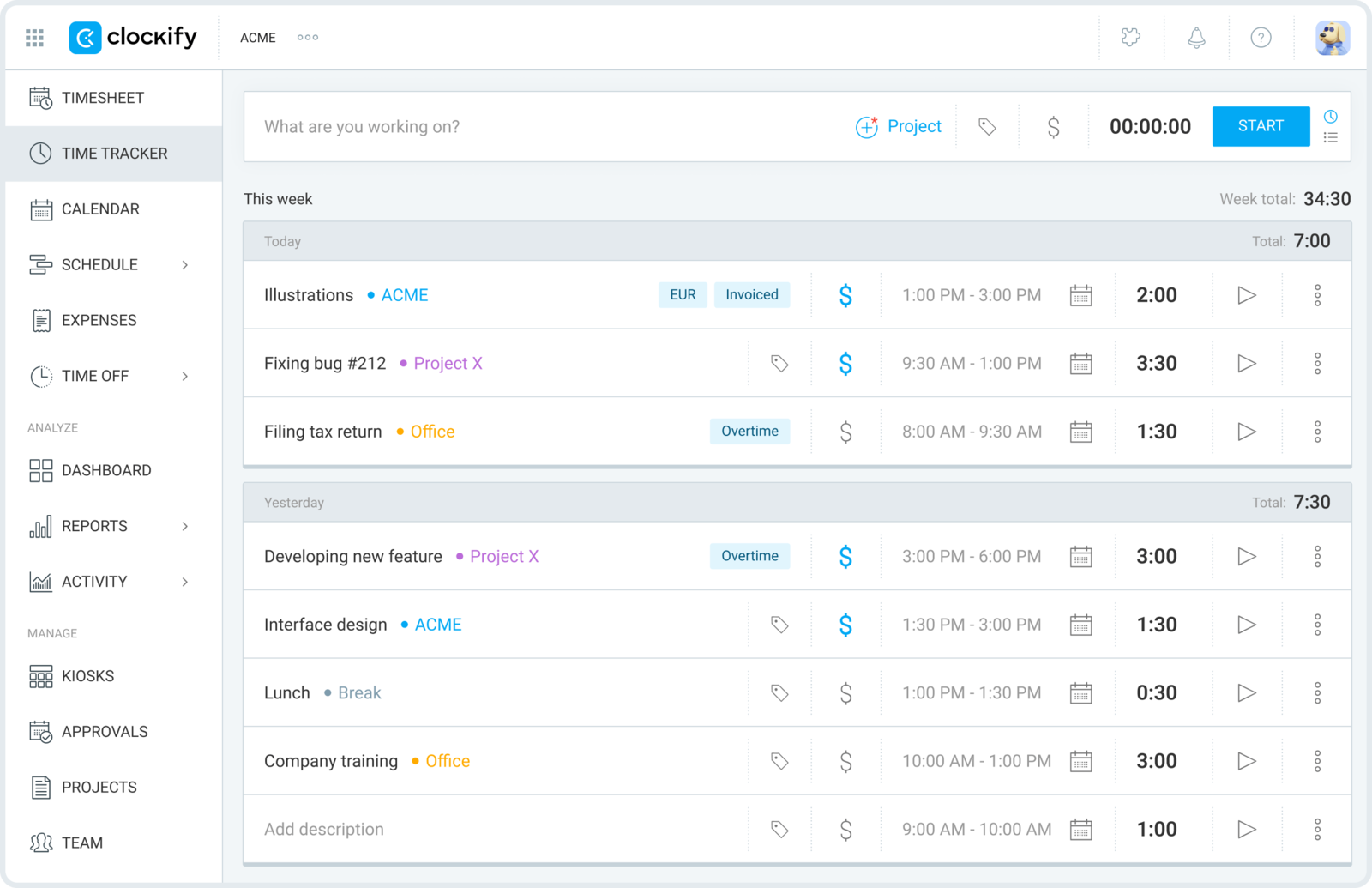
If your team over-bought on process, Clockify is the reset button. It strips timekeeping back to timers, timesheets, projects, and reports — most of what people actually touched in ClickTime, minus the machinery they didn't.
- Best for: Teams that want cheap, no-friction timesheets after dropping ClickTime's controls.
- Pricing: Free plan available; paid plans start at $3.99 per user/month billed annually
- Rating: 4.5/5 on G2
The free plan covers unlimited people, which makes a broad rollout almost free — though it's worth checking whether Clockify is still free in 2026 before you bank on it — and the core reporting is enough for most project and client work. What you lose is the approval and utilization layer — if you genuinely relied on that, Clockify will feel thin.
Pros
- Removes most of ClickTime's administrative overhead.
- Free plan supports unlimited users.
- Solid baseline reporting for projects and clients.
- Easy for a whole team to pick up quickly.
Cons
- No real substitute for approvals or utilization analytics.
- Interface is practical rather than premium.
What users say about Clockify
G2 and Capterra reviewers repeatedly call Clockify affordable, quick to introduce, and strong enough for teams that mainly need projects, timesheets, and reports. The friction points that recur are edit flow, mobile usability, and the limited polish of some admin screens.
Source: G2 reviews and Capterra reviews
You can widen the search with the best Clockify alternatives, or settle a quick head-to-head with Toggl Track vs Clockify.
7. TrackingTime — collaborative timesheets, lighter touch
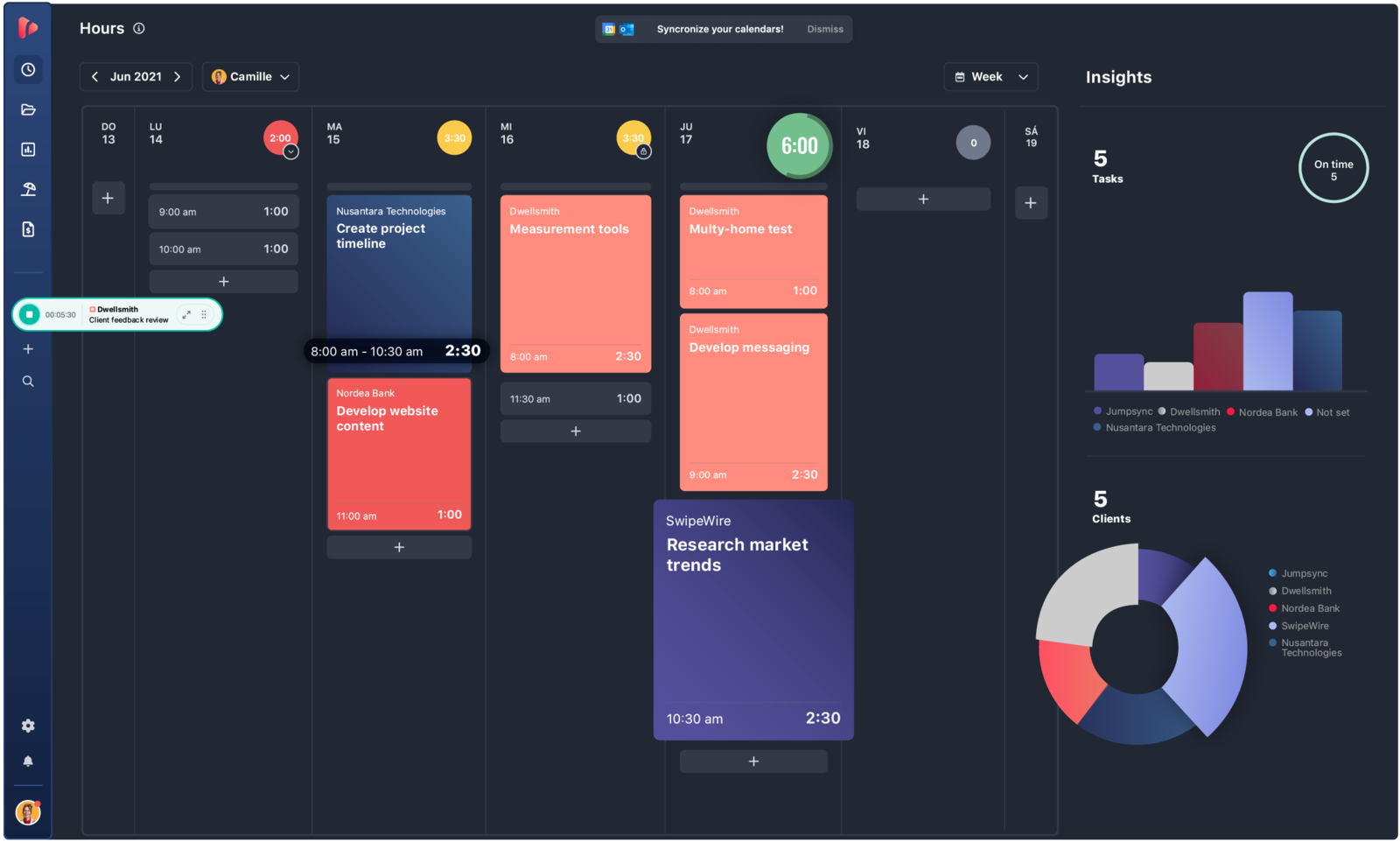
TrackingTime lands between a solo timer and a management system: shared timesheets, reminders, and reporting, without the approval-and-utilization apparatus that defines ClickTime. It keeps the collaboration and lets go of the ceremony.
- Best for: Smaller teams that want shared timesheet habits without heavy administration.
- Pricing: Free plan available; Starter starts at $5.75 per user/month billed annually
- Rating: 4.4/5 on G2
It's a sensible middle ground for a team that needs more than individual timers but less than a full management layer. You keep shared reports and reminders; you drop the formal sign-offs and utilization dashboards that made ClickTime feel heavy.
Pros
- More collaborative and less formal than ClickTime.
- Reminders and shared reports keep habits consistent.
- Good value for smaller teams.
- Enough structure without an admin-heavy feel.
Cons
- Lighter than ClickTime for utilization-driven operations.
- Timer quirks and setup friction still appear in feedback.
What users say about TrackingTime
G2 and Capterra reviews often frame TrackingTime as a strong-value tool for shared timekeeping, reporting, and reminders. The drawbacks that recur are onboarding friction, timer behavior that sometimes needs cleanup, and integration details that can slow teams down early on.
Source: G2 reviews and Capterra reviews
TrackingTime sits toward the lighter end of this list; if that's your lane, the rest of the head-to-heads live in the compare hub.
8. Toggl Track — the cleanest reset to a timer-first flow
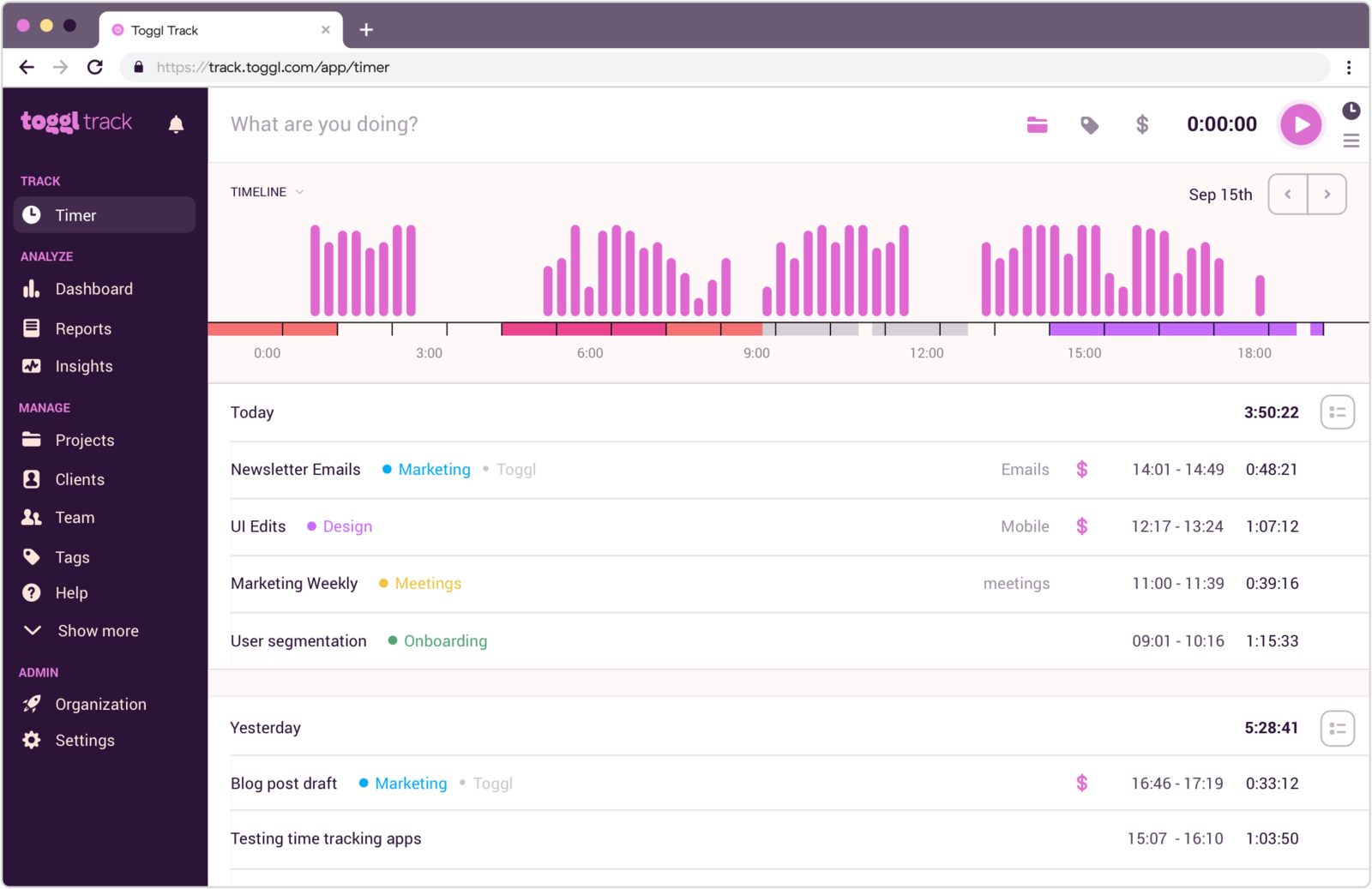
Toggl Track is the furthest step from ClickTime on this list, and for some teams that's exactly the appeal. It drops utilization-first management entirely and goes back to a fast timer with clean, readable reports.
- Best for: Teams whose main problem was contributor adoption, not reporting depth.
- Pricing: Free plan available; paid plans start at $9 per user/month
- Rating: 4.6/5 on G2
When people quietly stopped filling in ClickTime, Toggl's speed and simplicity can bring tracking back to life. Just don't expect it to reproduce approvals or labor analysis — that's the deliberate trade for a tool people will actually use every day.
Pros
- Much easier daily experience than ClickTime.
- Clean reports without a heavy admin model behind them.
- Strong when adoption matters more than process.
- Fast to roll out and learn.
Cons
- No approvals or utilization and labor-analysis depth.
- Still depends on disciplined manual tracking.
What users say about Toggl Track
Reviewers on G2 and Capterra consistently mention Toggl Track's ease of use, clear design, and reporting simplicity as reasons teams stick with it. The repeated complaints are manual-edit friction, some mobile limitations, and a lack of deeper project-management features once needs expand.
Source: G2 reviews and Capterra reviews
If you want more options around it, open the best Toggl Track alternatives, or use the straight matchup in Toggl Track vs Clockify. Smaller teams sometimes find even this more than they need — here's when Toggl is too much for simple time tracking.
ClickTime alternatives compared
The fast version — where each tool fits, how heavy it is, and what it costs.
| Tool | Best for | Complexity | Pricing |
|---|---|---|---|
| TimeCamp | Reporting and approvals on a budget | Medium | Paid from $3.99 per user/month |
| Harvest | Billing-focused client teams | Medium | Free plan; paid from $9 per seat/month |
| Hubstaff | Oversight, payroll, and attendance | Medium to high | Paid from about $4.99 per user/month |
| Paymo | Utilization tied to project work | Medium | Paid from $5.90 monthly or $10.90 per user/month |
| Timen | A genuinely free all-in-one (tracking, reports, invoices) | Low | Free — every feature included |
| Clockify | Straightforward team timesheets | Low to medium | Free plan; paid from $3.99 per user/month |
| TrackingTime | Collaborative timesheets, lighter admin | Medium | Free plan; paid from $5.75 per user/month |
| Toggl Track | Clean timer-first reset | Low | Free plan; paid from $9 per user/month |
Which ClickTime alternative should you pick?
Match the tool to the reason you started looking — and if you're a smaller team weighing the whole category, our guide to how to choose time tracking software for a small team lays out the tradeoffs:
Keep reporting and approvals, cheaper → TimeCamp. The closest thing to ClickTime's manager views without the enterprise price.
Billing is the real point → Harvest. The cleanest path from tracked hours to an invoice; Paymo is the runner-up if you also want project management around it.
You need oversight, payroll, or attendance → Hubstaff. Management depth in an operations-first form rather than utilization dashboards.
Time should live inside projects → Paymo. Utilization and budgets wrapped around the actual delivery work.
You mainly want the admin weight gone → Timen, Clockify, TrackingTime, or Toggl Track — from the most all-in-one (Timen, which keeps reports and invoicing) to the most minimal (Toggl Track).
You want it genuinely free → Timen is the one all-in-one here that's actually free with every feature — quick tracking, a calendar to review the day, reports, and invoicing — with no per-seat bill. Clockify (free for unlimited users), Harvest, TrackingTime, and Toggl Track have free plans too, but each caps something that matters — seats, projects, invoicing, or deeper reporting — so their "free" covers less than it looks. Timen's honest trade is that it's newer and simpler, with a smaller integration ecosystem and no approvals, utilization, or monitoring — the budget-friendly calm pick, not the one for oversight.
The core question stays the same: is ClickTime's structure still worth what it costs you in training, process, and user friction — or has it quietly become the problem?
FAQ
- What is the best ClickTime alternative?
- It depends on which part of ClickTime you're keeping. TimeCamp is the closest swap for reporting and approvals, Harvest is best if billing is the real driver, and Hubstaff covers oversight and payroll. Teams that want to drop the administrative weight altogether tend to prefer a simpler all-in-one like Timen.
- What tool is most similar to ClickTime?
- TimeCamp is the nearest match on reporting depth and timesheet approvals, at a lower price. Harvest is close on the billing and budgets side, and Hubstaff is close when the point is oversight and management control rather than utilization.
- Is there a cheaper alternative to ClickTime?
- Yes. TimeCamp and Clockify both start around $3.99 per user/month, Clockify has a free plan for unlimited users, and Timen is free with every feature included — including reports and invoicing.
- Is there a simpler alternative to ClickTime?
- Yes. Timen, Clockify, and Toggl Track all strip back the approvals-and-utilization machinery for teams that just want straightforward tracking, clean reports, and — with Timen — invoicing, without the heavier administrative feel.
The short version
There's no single best ClickTime alternative. The right one depends on which of its strengths you can't give up. Keep reporting and approvals for less money with TimeCamp. Center on billing with Harvest. Trade utilization for operations and payroll with Hubstaff. Wrap time around projects with Paymo. And if the real goal is to strip out the admin, drop down to Clockify, TrackingTime, or Toggl Track — or to Timen, if you still want reports and invoices in the same place.
If management controls are the sticking point, Hubstaff vs TimeCamp is a useful next read; for the billing-first side of the market, Clockify vs Harvest helps, and you can browse more compare articles from there.
And if what you actually want is a calmer workflow — fast tracking, clear reporting, and invoicing from the same hours — Timen is worth a look, with the honest caveat that it's built for simplicity, not approvals or utilization analytics. It tends to land well with finance teams that want less admin around closeout.