













RescueTime alternatives in 2026

If you want a RescueTime alternative that keeps automatic tracking, the closest options are Memtime, Timely, DeskTime, and TimeCamp. If you would rather drop passive analytics for tracked time you can review and bill, look at a genuinely free all-in-one like Timen — tracking, reporting, and invoicing without a per-seat bill — or timer-first tools like Toggl Track and Clockify. The right pick depends on whether you still want capture to happen in the background or you want to track on purpose.
RescueTime is not a normal timesheet tool. Its strength is that it shows people where their time goes without asking them to run a timer all day. That focus-first, passive model works well for personal productivity, habit building, and cutting distractions.
Teams tend to outgrow it when they need something operational: project-based logs, client reporting, more manual control, or automatic capture that fits a team process rather than individual focus coaching. What follows compares eight RescueTime alternatives in 2026, ordered by how closely each one fits a typical RescueTime user.
First: does RescueTime still have a free plan?
Yes, and it is worth knowing before you go shopping, because a lot of write-ups have quietly declared it dead. RescueTime still offers a free tier called Lite. It is not on the pricing page - that page shows only the four paid plans - but it is documented in the help centre and it is what your account reverts to if you cancel a subscription. Free but unadvertised is a different thing from discontinued.
Lite gives you automatic tracking, activity reports, weekly summaries, and the Assistant. The two limits that decide whether it is enough are strict: two weeks of history and one goal. If you only want to know roughly where last week went, that is genuinely sufficient and you do not need any of the tools below. If you want to compare this quarter to last, or track more than one habit, the two-week window is the wall you hit, and that is the honest reason to look elsewhere.
Paid plans are Solo Focus at 7 dollars a month on annual billing, Solo+ at 12, Team Focus at 10 per user, and Team+ at 16. All include a 14-day trial. Note that none of them do client billing - RescueTime does not turn hours into invoices at any tier, which is the other common reason people leave.
Which alternative fits which problem?
Most people arrive here for one of five reasons. Find yours and skip to that tool.
| What you actually want | Best pick | Why |
|---|---|---|
| More history than two weeks, same passive model | RescueTime Solo Focus | Unlimited history without changing tools |
| Automatic capture you can turn into time entries | Memtime | Closest like-for-like, but records a timeline instead of a focus score |
| Automatic capture for a team, with projects | Timely | Built for team workflows rather than individual coaching |
| Billable hours and client invoices | Timen | RescueTime does not invoice at any tier; Timen includes it free |
| Free, and you would rather track on purpose | Toggl Track or Clockify | Both free up to 5 users, though billing is paid on each |
If cost is the driver rather than features, what each free plan includes covers where the free tiers stop across all of these.
Why teams switch from RescueTime
The common thread is simple: the team needs time data it can act on, not just analyze.
- They need tracked time tied to clients, projects, or tasks.
- They want team reports that managers can review and share.
- They want automatic capture with more manual control over the result.
- They need clearer outputs than productivity scores and focus views.
- They want less concern around privacy or passive monitoring.
The best replacement depends on whether you want to keep automatic capture, add real project structure, or move back to a more intentional manual workflow. If the pressure to switch is really about friction, it is worth checking the signs your current tool is quietly slowing the team down.
What to look for in a RescueTime replacement
Most RescueTime replacements are really solving one of two problems: better automatic capture, or better operational time tracking. Keep that split in mind as you read.
- Automatic timeline capture, if the team still hates running timers.
- Project, task, and client structure, if the data needs to support real work management.
- Reports and exports that are useful beyond a personal productivity review.
- Enough manual correction tools to keep captured time trustworthy.
- A privacy posture your team is comfortable adopting at scale.
- Cost — and whether a "free" plan actually covers what you need, or quietly gates invoicing and reporting behind paid seats.
Some tools stay close to RescueTime's passive idea. Others move firmly into timesheet territory. The best fit depends on which problem you are actually trying to solve. For solo workers especially, the real cost of the wrong fit is billable hours that quietly slip through the cracks.
How we compared these tools
A quick note on method, so you know what is behind the ordering and the ratings.
- We used each tool hands-on for real tracking rather than repeating vendor spec sheets.
- Ratings are from G2 at the time of writing (July 2026) and shift over time, so treat them as a snapshot.
- Pricing comes from each vendor's public pricing page and is rounded; confirm current plans before you buy.
- The list is ordered by how close a fit each tool is for a typical RescueTime user — passive and automatic tools first — not by which product we happen to sell.
- Timen sits mid-list, placed where it genuinely fits: a simpler option, with a calendar view for reviewing the week, for teams ready to move from passive insight to structured tracking, not another passive tracker.
Best RescueTime alternatives in 2026
These alternatives cover both sides of the RescueTime decision: automatic capture for people who hate timers, and explicit tracking for teams that need usable records. The dividing line is really about the right tracking method.
1. Memtime — the closest automatic-capture swap
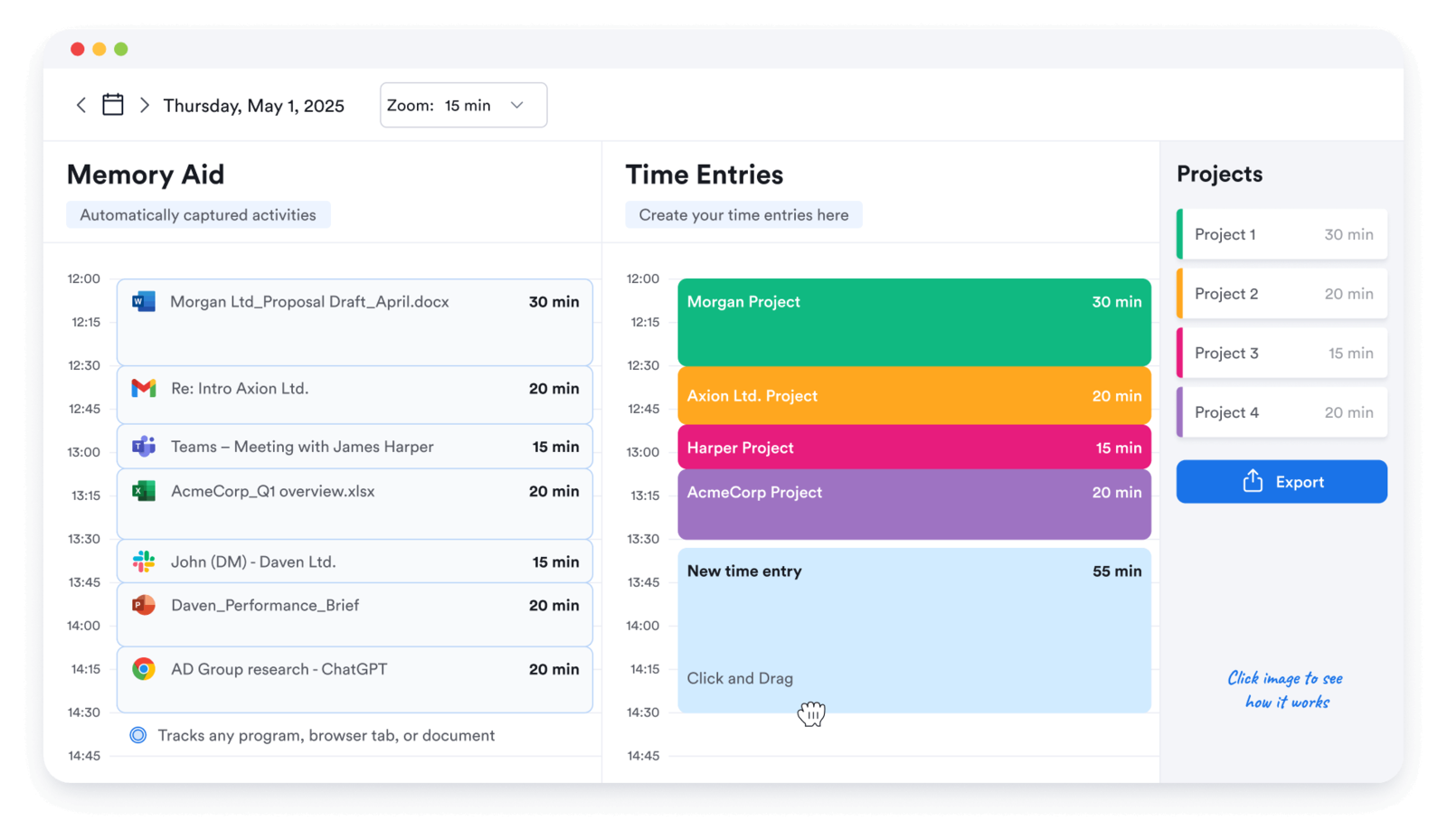
Best for: People who liked RescueTime's hands-off capture but want it to feed a usable work log instead of a focus score.
- Pricing: Paid plans start around $10 per month
- Rating: 4.7/5 on G2
Memtime is the closest like-for-like RescueTime alternative because it keeps automatic tracking at the center of the product. The difference is what it does with that capture: instead of scoring your focus, it records a private timeline of the apps and documents you touched, then lets you turn those blocks into time entries. For freelancers and small teams, that turns passive data into an actual record of the day.
It runs locally and does not need timers, which makes it an easy mental swap from RescueTime while producing something you can bill or report from.
Pros
- Automatic capture that feels familiar coming from RescueTime.
- Local timeline keeps the raw data private to the user.
- Captured blocks convert into usable time entries, not just analytics.
- No timers to remember, which is the whole reason people liked RescueTime.
Cons
- You still assign captured time by hand, so it is not fully automatic.
- Team and project reporting is lighter than dedicated timesheet tools.
- Desktop-centric, so it is less useful for work that happens off the computer.
What users say about Memtime
Reviewers most often praise Memtime for the automatic capture and the simple, private timeline that helps people rebuild an accurate day without starting and stopping timers. The recurring caveats are pricing, some integration or sync gaps, and requests for stronger filtering and project controls.
Source: G2 reviews and Capterra reviews
If you want to keep exploring automatic trackers in this style, see the best Memtime alternatives.
2. Timely — automatic memory with real project reporting
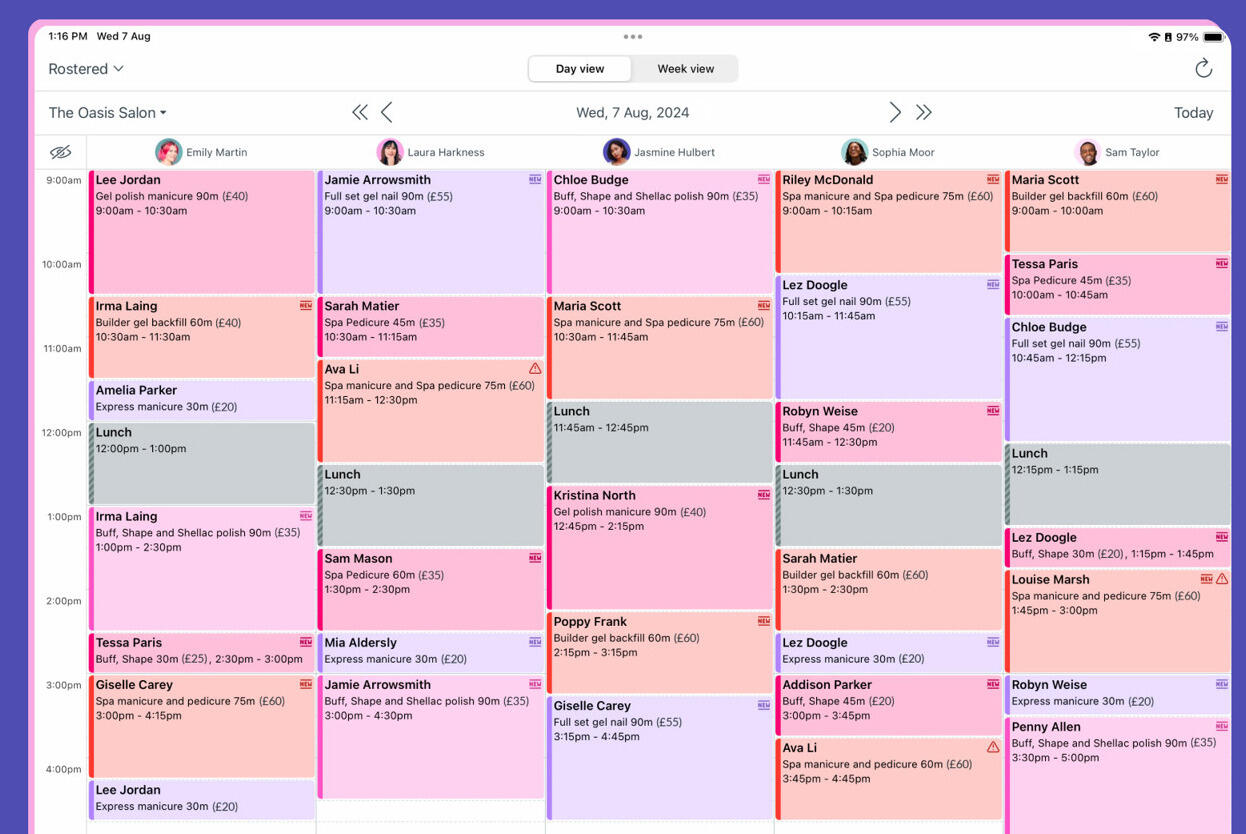
Best for: Teams that want automatic memory tracking plus stronger project and capacity reporting than RescueTime offers.
- Pricing: Yearly plans start at $9 per user/month; monthly Starter is $11 per user/month
- Rating: 4.8/5 on G2
Timely takes the automatic-capture idea and makes it operational for teams. It still runs on a passive memory of what you worked on, but the output is aimed at projects, budgets, and manager review rather than a personal productivity dashboard. For a RescueTime user who wants the convenience of passive tracking without giving up structure, that is a meaningful step up.
The AI-assisted draft entries are the draw here: the tool proposes how your captured time should be logged, and you confirm or adjust. That keeps the hands-off feel while producing project-level data.
Pros
- Automatic capture with much stronger project reporting than RescueTime.
- Modern interface with useful capacity and budgeting views.
- Good option when the team dislikes timers but still needs structured outputs.
- Better than RescueTime for manager-facing visibility.
Cons
- Higher cost than many simpler trackers.
- Automatic categorization still needs manual correction at times.
What users say about Timely
The recurring story in G2 and Capterra reviews is that Timely helps teams recover time they would otherwise miss, with a cleaner interface and better project-level insight than most automatic trackers. The repeated drawbacks are pricing, manual cleanup when the memory data is imperfect, and some friction in mobile or integration workflows.
Source: G2 reviews and Capterra reviews
If passive capture is your priority, read Timely vs RescueTime, or see how it stacks up against a timer-first tool in Toggl Track vs Timely.
3. DeskTime — passive monitoring with productivity analytics
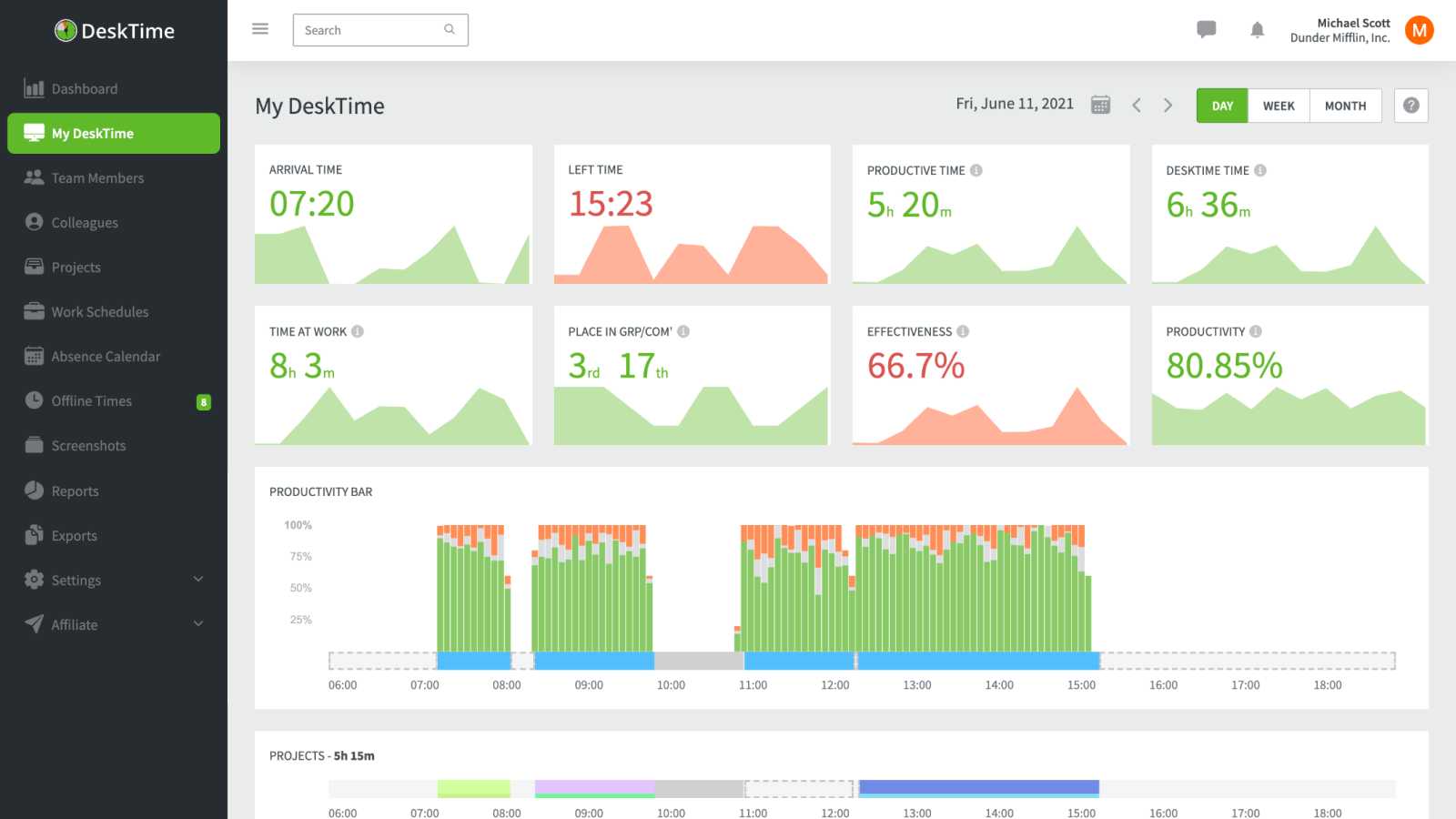
Best for: Teams that want RescueTime-style productivity monitoring, but with manager-facing reporting and attendance on top.
- Pricing: Pro starts at $6.42 per user/month billed annually
- Rating: 4.5/5 on G2
DeskTime is the alternative that sits closest to RescueTime's actual category: it captures background activity automatically and grades it as productive or unproductive. The difference is that DeskTime points that data outward, giving managers productivity, attendance, and work-pattern reports across a whole team rather than a private focus view for one person.
That makes it a natural fit if you liked the passive analytics but need them to support oversight of a distributed team — as long as everyone is comfortable with the monitoring that implies.
Pros
- Automatic monitoring in the same spirit as RescueTime, extended to the whole team.
- Useful productivity metrics for remote or hybrid teams.
- Adds attendance and shift tracking that RescueTime does not cover.
- Reduces manual tracking while preserving manager visibility.
Cons
- Team-wide monitoring raises real privacy concerns you need to manage.
- Bug and pricing complaints still appear in user feedback.
What users say about DeskTime
G2 and Capterra reviews often describe DeskTime as useful for automatic tracking and productivity visibility, especially for managers watching work patterns across a distributed team. The recurring negatives are privacy concerns, occasional stability issues, and pricing that becomes less attractive as team size grows.
Source: G2 reviews and Capterra reviews
If you are weighing passive monitoring against a lighter approach, it helps to compare a timer, timesheet, and calendar review workflow first.
4. TimeCamp — automatic capture plus broad reporting
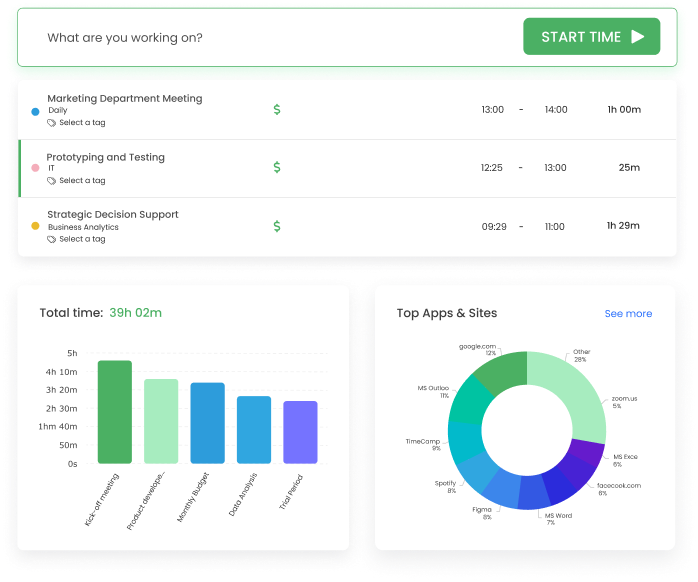
Best for: Teams that want optional automatic capture, but paired with proper project, client, and billing reports.
- Pricing: Starter starts at $3.99 per user/month billed annually
- Rating: 4.7/5 on G2
TimeCamp is the middle path between RescueTime's passive model and a full timesheet tool. It can track activity automatically in the background, but the point of the product is reporting: hours by project, client, and task, plus billing and budget views. For a RescueTime user, that means you can keep some of the hands-off capture while gaining outputs you can actually invoice or report from.
It is also cheap for what it does, which makes it easy to roll out to a team that wants structure without paying premium automatic-capture prices.
Pros
- Optional automatic capture keeps some of RescueTime's convenience.
- Strong project, client, and billing reports out of the box.
- Low entry price for the breadth of reporting on offer.
- Good fit for teams that want structure without heavy surveillance.
Cons
- Some users report bugs and occasional data inconsistency.
- The workflow can feel busier than a lighter, single-purpose tracker.
What users say about TimeCamp
G2 and Capterra reviews repeatedly mention TimeCamp's flexible tracking and reporting as its best qualities, especially for teams that want a mix of manual and automatic capture. The tradeoffs that come up most are bugs, data inconsistency, and a workflow that can still feel busier than lighter alternatives.
Source: G2 reviews and Capterra reviews
If you want more options in this space, see the best TimeCamp alternatives.
5. Timen — the free step up to structured tracking and invoicing

Best for: Teams that want a genuinely free all-in-one — tracking, reporting, and invoicing — instead of passive analytics, with no per-seat bill.
- Pricing: Free — every feature included, including invoicing.
Timen is the option on this list that is not trying to be RescueTime. It is a deliberate move in the opposite direction: instead of inferring where your time went, you record it yourself and review it in a calendar. That is a real tradeoff, and it is the point — the record is something a person decided, then turned into reports or invoices, rather than something an algorithm approximated.
For a RescueTime user, Timen makes sense once you have decided that passive insight is not the thing you actually need — that what you need is accountable, shareable time. It keeps the manual workflow light enough that it does not feel like admin, but it will not track anything for you in the background.
Pros
- Free with every feature included — invoicing and all — where most trackers charge per seat and gate invoicing behind higher tiers.
- Clear, reviewable time records instead of passive productivity approximations.
- Calendar review helps you reconstruct a day without background monitoring.
- Built-in reports and invoices are more useful for client work than focus scores.
- Nothing runs silently in the background, which is easier to adopt across a team.
Cons
- No automatic or passive capture, so you have to track on purpose.
- Newer product with a smaller integration ecosystem than long-established brands.
- No employee monitoring, screenshots, or payroll features if that is what you need.
- Less name recognition than older productivity tools.
Why teams pick Timen
Teams that pick Timen are usually leaving passive analytics on purpose. They want to see where time went, review it in a calendar, and turn it into reports or invoices without a tool quietly scoring their focus all day. It is deliberately manual, and for the people it suits, that is a feature rather than a limitation. Full disclosure: this is our tool, so treat this as our own summary rather than an independent review.
If you are still deciding between passive capture and intentional tracking, it is worth reading how a timer, timesheet, and calendar review workflow compare before you commit.
6. Toggl Track — intentional timers instead of passive capture
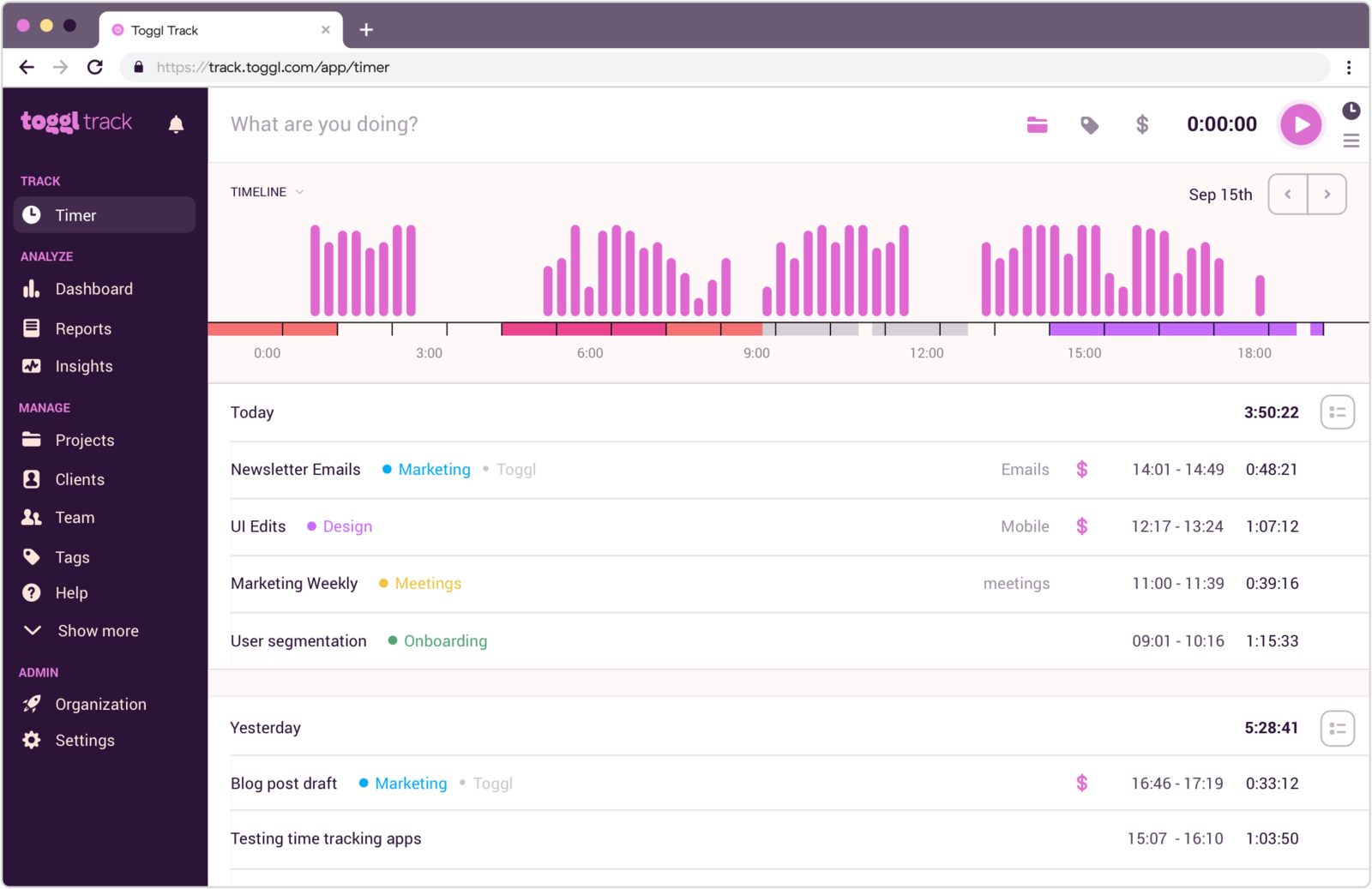
Best for: People leaving RescueTime because they want an intentional timer-based habit rather than passive tracking.
- Pricing: Free plan available; paid plans start at $9 per user/month
- Rating: 4.6/5 on G2
Toggl Track is the pick if you want to move away from passive tracking entirely and replace it with a clean, explicit habit. It does not guess what happened; it asks you to track on purpose, then rewards that with clear reports and a genuinely simple interface. For teams, that usually produces cleaner shared data and fewer interpretation arguments than a focus-scoring model.
It is also generous on the free plan, so it is easy to trial across a small team before committing — though if all you want is simple tracking, some teams find Toggl is more than a small team needs.
Pros
- Clear timer-based workflow instead of passive inference.
- Strong reports for project and client review.
- Good balance of simplicity and useful structure.
- Easier to standardize across a team than RescueTime's focus model.
Cons
- Requires more discipline than automatic trackers.
- Less helpful if the core problem is forgetting to start timers.
What users say about Toggl Track
G2 and Capterra reviews regularly praise Toggl Track for clarity, ease of use, and reports that are straightforward enough for both individuals and teams. The recurring drawbacks are around entry edits, mobile smoothness, and limited project depth once the workflow gets more complex.
Source: G2 reviews and Capterra reviews
If you want a wider shortlist, see the best Toggl Track alternatives, or narrow it quickly with Toggl Track vs Clockify.
7. Clockify — the budget-friendly team timesheet
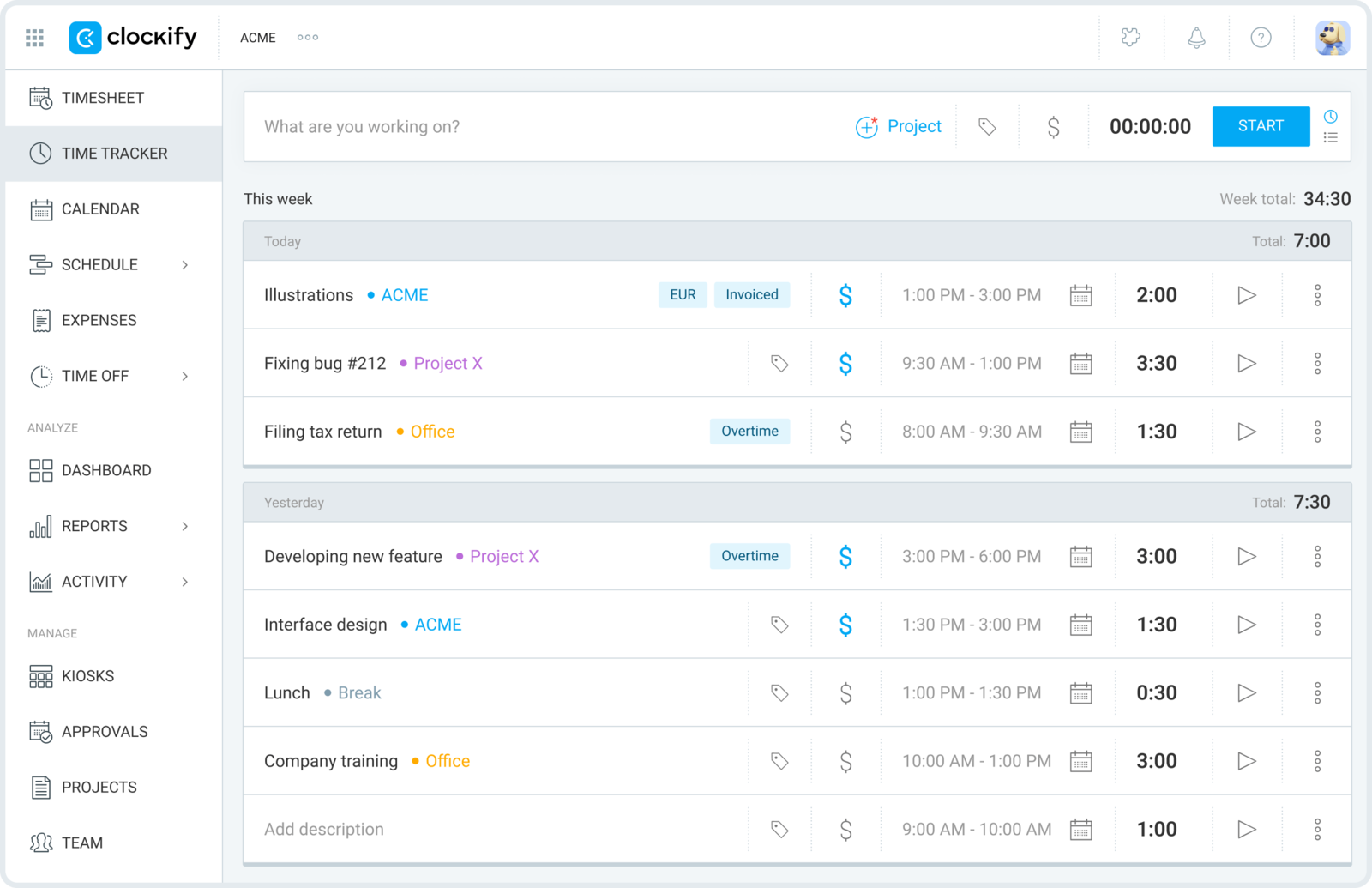
Best for: Teams moving from RescueTime into explicit project tracking without paying for premium automatic-capture products.
- Pricing: Free plan available; paid plans start at $3.99 per user/month billed annually
- Rating: 4.5/5 on G2
Clockify is the pragmatic budget option when you want explicit project and client tracking rather than behavioral analytics. It is not passive, but it is cheap enough to roll out broadly and structured enough to produce usable reports and billable-hour totals. For a RescueTime team on a tight budget, it is the lowest-friction way to swap focus scores for real timesheets.
The generous free tier makes it especially easy to test the shift before anyone commits budget — just check what Clockify's free plan still covers in 2026 before you standardize on it.
Pros
- Low-cost shift from passive tracking into shared timesheets.
- Useful for project, client, and billable-hour tracking.
- Free plan makes experimentation easy.
- Works well for teams that need structure more than automation.
Cons
- Fully manual workflow can feel like a big change from RescueTime.
- Less polished than premium timer-first tools.
What users say about Clockify
Review feedback on G2 and Capterra usually describes Clockify as practical, affordable, and reliable for teams that need projects, clients, and reports instead of background analytics. The complaints show up in edit friction, mobile usability, and a UI that can feel more functional than elegant.
Source: G2 reviews and Capterra reviews
You can widen the search with the best Clockify alternatives, or narrow it fast with Toggl Track vs Clockify.
8. TrackingTime — collaborative timesheets with reminders
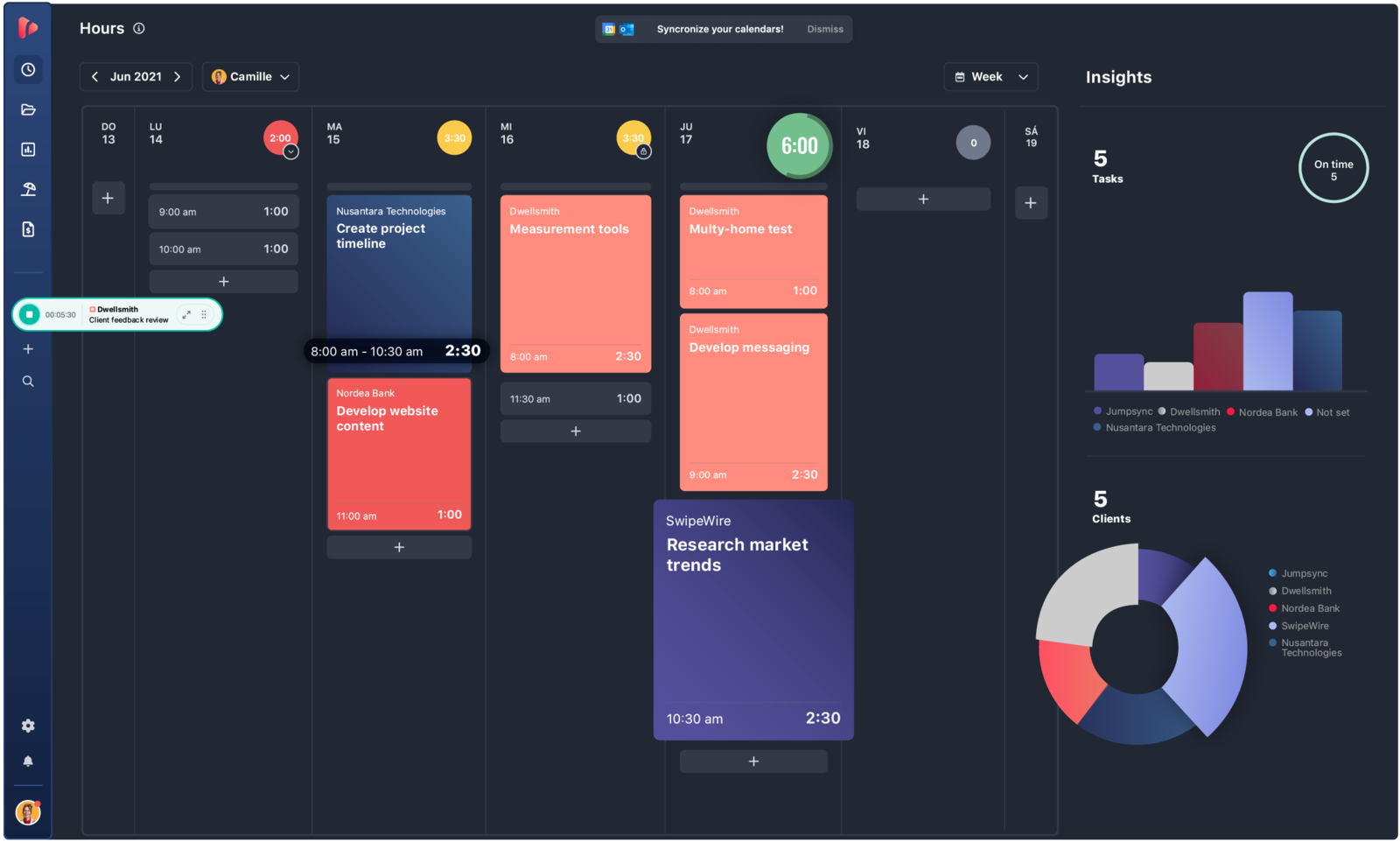
Best for: Smaller teams moving from RescueTime into collaborative timesheets and reminders without overcomplicating the process.
- Pricing: Free plan available; Starter starts at $5.75 per user/month billed annually
- Rating: 4.4/5 on G2
TrackingTime is a softer landing when you are moving a team from passive tracking into explicit timekeeping for the first time. It offers enough shared structure, reminders, and reporting to support a team, but it does not feel as heavy as the more management-oriented tools. The reminders in particular help people build the habit that passive capture used to handle for them.
That balance makes it a comfortable first real timesheet for a small group leaving RescueTime.
Pros
- Good bridge from personal time awareness into team-level tracking.
- Shared reminders support better timekeeping habits.
- Affordable for smaller groups moving out of RescueTime.
- Reports are more operationally useful than RescueTime's focus views.
Cons
- Does not keep RescueTime's automatic-capture convenience.
- Some setup and timer behaviors still need refinement.
What users say about TrackingTime
Across G2 and Capterra, reviewers often mention TrackingTime's strong value, useful reports, and reminders that help teams stay more consistent with logging. The drawbacks appear in timer quirks, onboarding friction, and some integration details that are not as smooth as they could be.
Source: G2 reviews and Capterra reviews
Still early in the search? It helps to first settle on a tracking method before shortlisting tools.
RescueTime alternatives comparison
Use this table to decide whether you want to keep automatic capture or move into clearer project-based tracking. It follows the same order as the write-ups above: passive and automatic tools first, then the intentional trackers.
| Tool | Best for | Complexity | Pricing |
|---|---|---|---|
| Memtime | Automatic work reconstruction | Low | Paid from about $10/month |
| Timely | Automatic capture plus project reporting | Medium | Paid from $9 per user/month yearly |
| DeskTime | Passive monitoring and productivity analytics | Medium | Paid from $6.42 per user/month |
| TimeCamp | Automatic capture with broad reporting | Medium | Paid from $3.99 per user/month |
| Timen | A genuinely free all-in-one (tracking, reports, invoices) | Low | Free — every feature included |
| Toggl Track | Clean intentional tracking | Low | Free plan; paid from $9 per user/month |
| Clockify | Budget-friendly project timesheets | Low to medium | Free plan; paid from $3.99 per user/month |
| TrackingTime | Collaborative timesheets with reminders | Medium | Free plan; paid from $5.75 per user/month |
Which RescueTime alternative should you choose?
Choose Memtime or Timely if:
- You still want automatic capture to be the core of the product.
- Your team forgets timers and benefits from passive reconstruction.
- You want project-ready outputs built from automatic data.
Choose DeskTime if:
- You want productivity and attendance visibility, not just time awareness.
- Managers need more oversight over how a distributed team works.
- Your team is comfortable with stronger, team-wide monitoring.
Choose TimeCamp if:
- You want a mix of optional automatic capture and detailed reporting.
- You need project, client, and billing views on a low budget.
- You want structure without leaning fully into surveillance.
Choose Timen if:
- You want a genuinely free all-in-one — tracking, reporting, and invoicing — with every feature included and no per-seat bill.
- You have decided passive analytics is not what you actually need.
- You want clear time records you can turn into reports or invoices, with nothing running in the background.
Toggl Track, Clockify, and TrackingTime have free plans too, but each free tier caps features and keeps deeper reporting — and, where it is offered, invoicing — on paid seats, so their "free" covers less than it looks. Timen's honest trade runs the other way: it is newer, with a smaller integration ecosystem, no automatic capture, and no monitoring or payroll — the free, intentional pick, not the one for oversight or a big app marketplace.
Choose Toggl Track, Clockify, or TrackingTime if:
- You are moving from personal analytics into explicit team tracking.
- You need projects, clients, exports, or billing workflows.
- You want clean, timer-based data that is easy to standardize.
For most teams the decision is binary: either keep automatic capture and improve the outputs, or stop relying on passive tracking and adopt a cleaner, intentional time process.
FAQ
These are the questions people ask most often when comparing RescueTime alternatives.
- What is the best alternative to RescueTime?
- It depends on what you want in place of RescueTime's focus-first model. Memtime and Timely are the closest if you still want automatic capture, DeskTime fits if you want productivity monitoring, and Timen is the pick if you would rather leave passive analytics behind for clear, reviewable time records.
- What tool is most similar to RescueTime?
- Memtime and Timely are the most similar because they keep automatic capture at the center of the product. DeskTime is close too if productivity and monitoring insight still matter to you.
- Why do teams switch from RescueTime?
- Teams usually switch when they need project-based timesheets, client-friendly reports, more manual control, or automatic capture that fits a team workflow rather than individual focus coaching.
- Is there a simpler alternative to RescueTime?
- Yes. Timen is a simpler RescueTime alternative if your goal is straightforward time tracking, calendar review, and usable reports instead of heavy background analytics.
Conclusion
There is no single best RescueTime alternative, because RescueTime serves a very specific need. Some teams want to keep passive capture but improve the reporting, which points toward Memtime, Timely, DeskTime, or TimeCamp. Others want to drop that model entirely and adopt a more intentional, team-friendly workflow, which points toward Toggl Track, Clockify, TrackingTime, or Timen.
If automatic capture is still central to your shortlist, read Timely vs RescueTime. If you are weighing passive tracking against an explicit timer workflow, Toggl Track vs Timely is a useful next read.
And if your team has decided it wants clear time records, calendar review, and straightforward reports instead of background analytics, Timen is a good place to start, especially for developer teams that want less passive-analytics noise.