













Timely vs RescueTime: pricing and verdict

Timely is better if you want automatic capture that still turns into project-ready time entries. RescueTime is better if you mainly want personal focus insights and passive activity reporting.
Timely and RescueTime both reduce reliance on manual timers, but they are not trying to do the same job. Timely is closer to automatic time tracking for client and project work. RescueTime is closer to personal productivity analytics.
That is why this comparison is really about intent. Are you trying to reconstruct work time more accurately, or are you trying to understand focus and habits better?
Timely vs RescueTime at a glance
If you want the fastest version of the answer, use this table.
| Feature | Timely | RescueTime |
|---|---|---|
| Best for | Teams and consultants who want automatic time capture for real work logs | Individuals and teams who want focus and activity insights |
| Core approach | Automatic memory-based capture that becomes project time | Background activity tracking and productivity analysis |
| Main strength | Reconstructing work time without a live timer | Understanding focus patterns and distractions |
| Learning curve | Medium | Low |
| Pricing model | Paid per-user tiers | Paid solo plan plus team pricing |
| Better fit | Client work, projects, and teams | Personal productivity and habit tracking |
Quick verdict: Timely vs RescueTime
Timely is the better choice if you want captured activity to become a usable work log. RescueTime is the better choice if you mainly want visibility into attention and focus. The underlying tradeoff becomes clearer once you compare the main tracking methods.
Choose Timely if:
- You want automatic capture for project or client work.
- You often forget to start a timer.
- You need captured time to become a real timesheet.
Choose RescueTime if:
- You want passive personal productivity insights.
- You care about distractions and focus habits.
- You do not need strong billing or client-work workflows.
Choose Timen if:
- You are okay with manual tracking if the workflow stays simple.
- You want calendar review, reports, and invoicing.
- You do not want to rely so heavily on passive tracking.
Key differences between Timely and RescueTime
The main difference is what each tool believes captured activity is for. Timely treats it as raw material for real time entries. RescueTime treats it as raw material for focus analysis and habit insight.
That difference matters because one tool is work-log oriented and the other is behavior oriented. Timely helps you reconstruct what you worked on. RescueTime helps you understand how your attention was spent.
There is some overlap, but the outcome is different enough that most people will feel the better fit fairly quickly.
What is Timely?
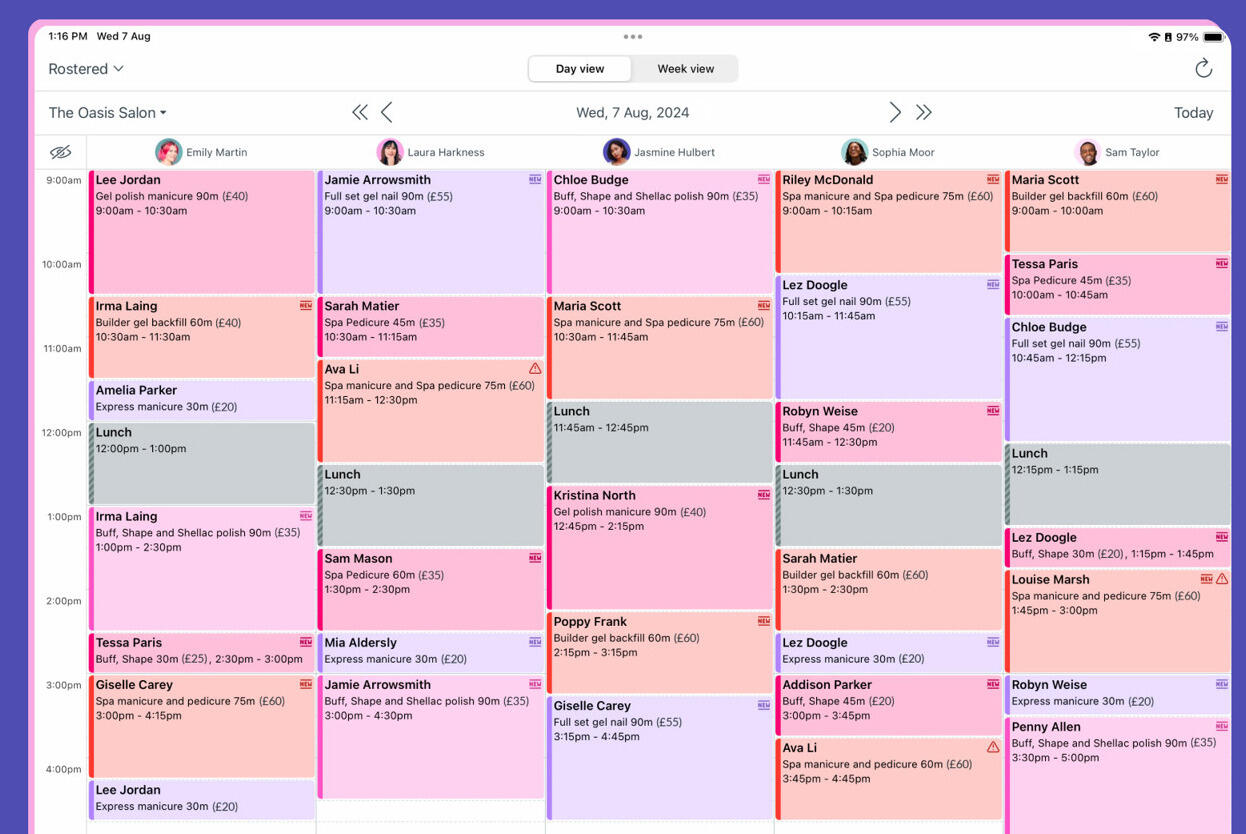
Timely is a time tracking tool known for automatic capture. Instead of depending only on timers, it records activity so people can review and turn it into actual time entries later.
That makes it helpful for consultants, agencies, and teams that lose time because people forget to start the clock. The product is still built around the idea of useful work logs, not just passive stats.
The tradeoff is cost and complexity. Timely does more than a simple tracker, but it can feel like more system than some teams need.
What users say about Timely
Reviews on G2 and Capterra often praise Timely for reducing missed time and helping people rebuild their day more accurately. The recurring downside is price, plus the fact that some teams still prefer a more direct and simpler tracking workflow.
Source: G2 reviews and Capterra reviews
What is RescueTime?
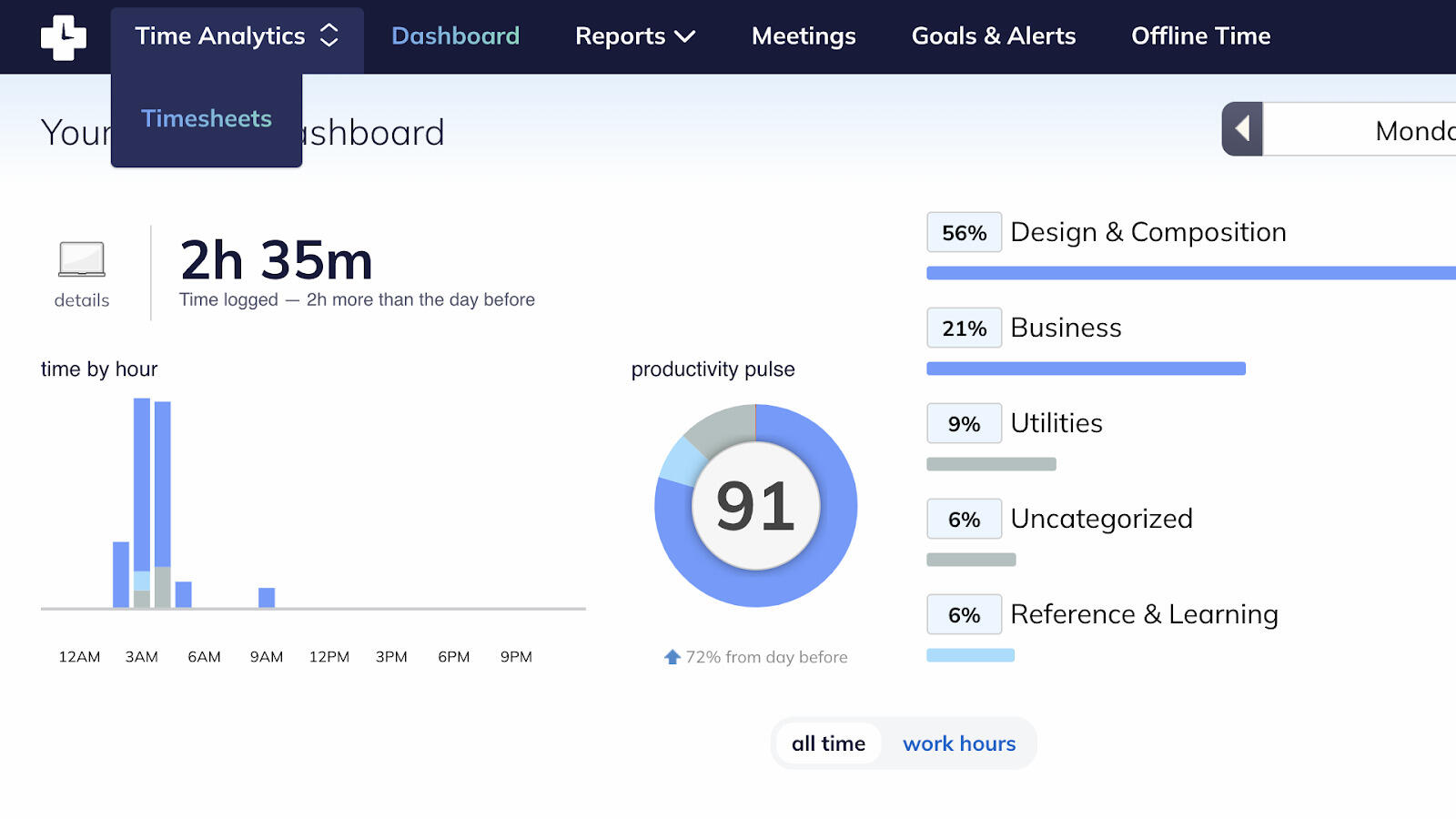
RescueTime is a background activity tracker focused on productivity insight. It watches how time is spent across apps and websites so people can understand patterns, distractions, and focus.
That makes it strong for personal productivity and team-level attention trends. It is less about building invoice-ready timesheets and more about understanding how work time gets used.
The tradeoff is that it is not trying to be a full client-work tracker. If you need budgets, billable time, or invoicing, you will likely need something else around it.
What users say about RescueTime
Reviews on G2 and Capterra usually praise RescueTime for passive tracking and useful focus insights. The common criticism is that it is less useful when teams need project-based time logs or client-ready reporting.
Source: G2 reviews and Capterra reviews
Timely vs RescueTime features
The shared theme is automatic capture. The difference is what that capture turns into afterward.
| Area | Timely | RescueTime |
|---|---|---|
| Task management | Project and client context around captured time | Not built around tasks or project tracking |
| Project views | Work logs, projects, clients, and team planning views | Dashboards and productivity reports |
| Automation | Automatic memory capture and suggested time logging | Automatic background tracking and focus analytics |
| Reporting | Reports that support work logs and project review | Reports centered on focus, habits, and attention |
| Communication | Team workflow support, but not a collaboration hub | Very limited collaboration features |
| Integrations | Integrations for work and project context | Integrations around productivity and tracking context |
Timely wins if automatic capture needs to turn into real project time. RescueTime wins if the captured data is mainly there to show patterns, distractions, and focus trends.
That is why RescueTime often feels more personal, while Timely feels more operational.
Timely vs RescueTime pricing
| Plan detail | Timely | RescueTime |
|---|---|---|
| Free plan | No free plan | No free plan |
| Entry paid plan | Starter from $9 per user/month billed annually | Solo from $6.50 per month billed annually, or $12 billed monthly |
| Higher paid plan | Premium from $16 per user/month billed annually, with Unlimited from $22 | Team pricing available for 2 or more seats |
| Pricing model | Per-user paid tiers | Solo paid plan plus team pricing |
| Best budget fit | Teams that need automatic time capture for real work logs | Individuals who mainly want focus insights |
RescueTime is usually the cheaper pick, especially for individuals. Timely costs more because it is closer to a work-log system than a pure productivity tracker.
That means the better value depends on what you are buying. If you need project-ready time, Timely is easier to justify. If you want focus analytics, RescueTime is usually easier to justify.
Timely vs RescueTime ease of use
RescueTime is easier if you just want to install it and learn from the background data. Timely is easier if you are willing to spend a little time reviewing captured activity so it becomes a proper work log.
In other words, RescueTime is lighter to start. Timely is more useful once you need the output to support actual work tracking.
Timely pros and cons
Timely pros
- Strong automatic capture for project work.
- Helps reduce forgotten time.
- Better fit for teams and client work than pure productivity trackers.
- Useful when you want to reconstruct a day without live timers.
Timely cons
- Costs more than RescueTime.
- Still requires review to produce good time logs.
- Can feel heavier than a basic tracker.
- Not ideal if you only want focus insight.
Timely is strongest when passive capture needs to become practical work time, not just interesting data.
RescueTime pros and cons
RescueTime pros
- Strong passive productivity tracking.
- Useful focus and distraction insights.
- Easier lower-cost starting point.
- Good fit for personal habit tracking.
RescueTime cons
- Not built for project-based timesheets.
- Limited billing and client-work usefulness.
- Less helpful when you need formal work logs.
- Can show activity without giving enough project context.
RescueTime is strongest when the goal is self-awareness and focus improvement, not billable tracking.
Timen as an alternative
Timen is a simpler alternative if you do not want to lean so heavily on passive capture at all. It keeps tracking direct and easy, then makes review simpler through a calendar view, clear reports, and invoicing.

That means it will not solve the same problem as RescueTime, and it will not automate as much as Timely. But for many teams, that is part of the appeal. The workflow is easier to understand and easier to trust.
If your team wants simple, explicit time tracking instead of reconstructed activity, Timen is often the calmer option, especially if you still need clean reports after review.
If automatic capture is still the main question, Toggl Track vs Timely is a useful next read because it compares Timely with a more manual, timer-first option. If you want to step back and compare simpler trackers against each other, see Toggl Track vs Clockify. If the direct Timen tradeoff is the better question, open Timen vs Timely.
You can also review the best RescueTime alternatives or browse more compare articles if you want a broader shortlist.
Which tool should you choose?
Choose Timely if:
- You want automatic capture for real work logs.
- You often miss time because you forget timers.
- You need project-ready time entries, not just focus data.
Choose RescueTime if:
- You want personal productivity insight.
- You care about distractions and focus habits.
- You do not need strong client or project workflows.
Choose Timen if:
- You want simple, explicit time tracking.
- You want a calendar view, reports, and invoicing.
- You would rather keep the workflow direct than rely on passive capture.
Timely is the better automatic work-log tool. RescueTime is the better focus-insight tool. Timen is the simpler, more direct alternative.
FAQ
Here are the most common questions people ask when comparing Timely and RescueTime.
- Is Timely better than RescueTime?
- Timely is better if you need captured activity to become project-ready time. RescueTime is better if you mainly want focus and productivity insights.
- Which tool is easier to use, Timely or RescueTime?
- RescueTime is easier to start with for passive insight. Timely is easier to justify when the end goal is real work logs rather than analytics.
- Which tool is cheaper, Timely or RescueTime?
- RescueTime is usually cheaper. Timely costs more because it is built for a more work-focused use case.
- Is there a simpler alternative to Timely and RescueTime?
- Timen is a simpler alternative if you want direct time tracking, calendar review, clear reports, and invoicing without heavy passive tracking.