













Best time tracking tools for small teams in 2026

For a small team choosing a shared time tracker, the safest cheap, familiar rollout is Clockify, Toggl Track is the polished mainstream pick, Harvest wins when client billing drives the work, and Everhour or Paymo tie tracked time to projects. A genuinely free all-in-one like Timen covers tracking, reporting, and invoicing without a per-seat bill.
Small teams need a time tracker that people will actually keep using after the first enthusiastic week. That usually means fast onboarding, low daily friction, enough reporting to run weekly check-ins, and just enough structure for clients or projects without forcing everyone into a big operations tool.
I spent time in each of the nine tools below, tracking real work with a small team rather than clicking through a demo, so the fit notes come from use, not spec sheets. Most small teams also run a project tool next to time tracking, so the best project management software for small businesses is a natural companion.
This shortlist focuses on products that still make sense when five to twenty people have to use them together. Some are great for cost-conscious rollout, some are better for billable work, and some give managers more project context without making the team swim through extra process.
Quick picks
These quick picks are organized around the questions small teams usually ask first: how hard is rollout, what happens when client work appears, and how much structure is actually useful.
- Best overall: Clockify for a cheap, familiar rollout with a real free tier that covers the whole team.
- Best free all-in-one: Timen for teams that want tracking, reporting, and invoicing together, with no per-seat bill.
- Best for billing: Harvest for small client teams that invoice from tracked hours.
- Best for project context: Everhour for teams already working inside project tools.
- Best for automatic capture: Timely for teams that keep forgetting live timers.
What to look for in a small-team time tracker
Timer feel barely differs between these tools — every one here can start and stop a clock. For a small team, the parts that actually decide it are what happens around the timer:
- How little friction daily entry has, since a tool the team resents is a tool they'll quietly abandon.
- Whether weekly reports are readable and exportable without someone cleaning them up first.
- How much billing and invoicing depth you actually need — some teams live on it, others never touch it.
- How tightly tracked time connects to the tasks and projects the work really lives in.
- What the "free" plan genuinely covers, versus quietly gating invoicing or reporting behind paid seats.
- Team controls and per-seat cost once everyone is added, not just the headline price.
How we compared these tools
A quick note on method, so you can weigh the picks:
- Hands-on use. Each tool was used to track real work with a small team, not just previewed. The "best for" calls and the pros and cons come from that, plus each product's current docs.
- Ratings. The G2 scores shown are the aggregate ratings on each product's G2 page at the time of writing (July 2026); the review summaries paraphrase recurring themes across G2 and Capterra rather than quoting any single review.
- Pricing. Taken from each vendor's public pricing page and rounded.
- Order. By how well each tool fits a typical small team choosing a shared tracker — not a strict ranking, and not ordered by our own product. Timen appears where it genuinely fits (a simpler, free all-in-one), the middle of the list, not the top.
Time tracking tools for small teams comparison table
This table is the fastest way to see which options stay light for the team, how much they add around the time data, and what they cost.
| Tool | Best for | Complexity | Pricing |
|---|---|---|---|
| Clockify | Budget-friendly team rollout, real free tier | Low to medium | Free plan; paid from $3.99 per user/month billed annually |
| Toggl Track | Polished, familiar team timer | Low | Free plan; paid from $9 per user/month |
| TimeCamp | Extra reporting for a smaller team | Medium | Free plan; paid from $3.99 per user/month billed annually |
| TrackingTime | Shared reminders and timesheet review | Low to medium | Free plan; paid from $5.75 per user/month billed annually |
| Timen | A genuinely free all-in-one (tracking, reports, invoices) | Low | Free — all features included |
| Harvest | Small client teams that invoice hours | Medium | Free plan; paid from $9 per seat/month billed annually |
| Paymo | Time, tasks, and invoicing together | Medium to high | Paid from $5.90/month or $10.90 per user/month |
| Everhour | Teams living inside PM tools | Medium | Free plan; Team plan from $8.50 per seat/month billed annually |
| Timely | Automatic capture across busy schedules | Medium | Paid from about $9 per user/month billed yearly |
Best time tracking tools for small teams in 2026
Every tool here can work for a smaller group, but they solve different small-team problems. Some reduce rollout friction, some protect billable workflows, and some help managers connect time to project delivery more clearly. The first filter is usually whether the team really needs small-team buying structure.
1. Clockify
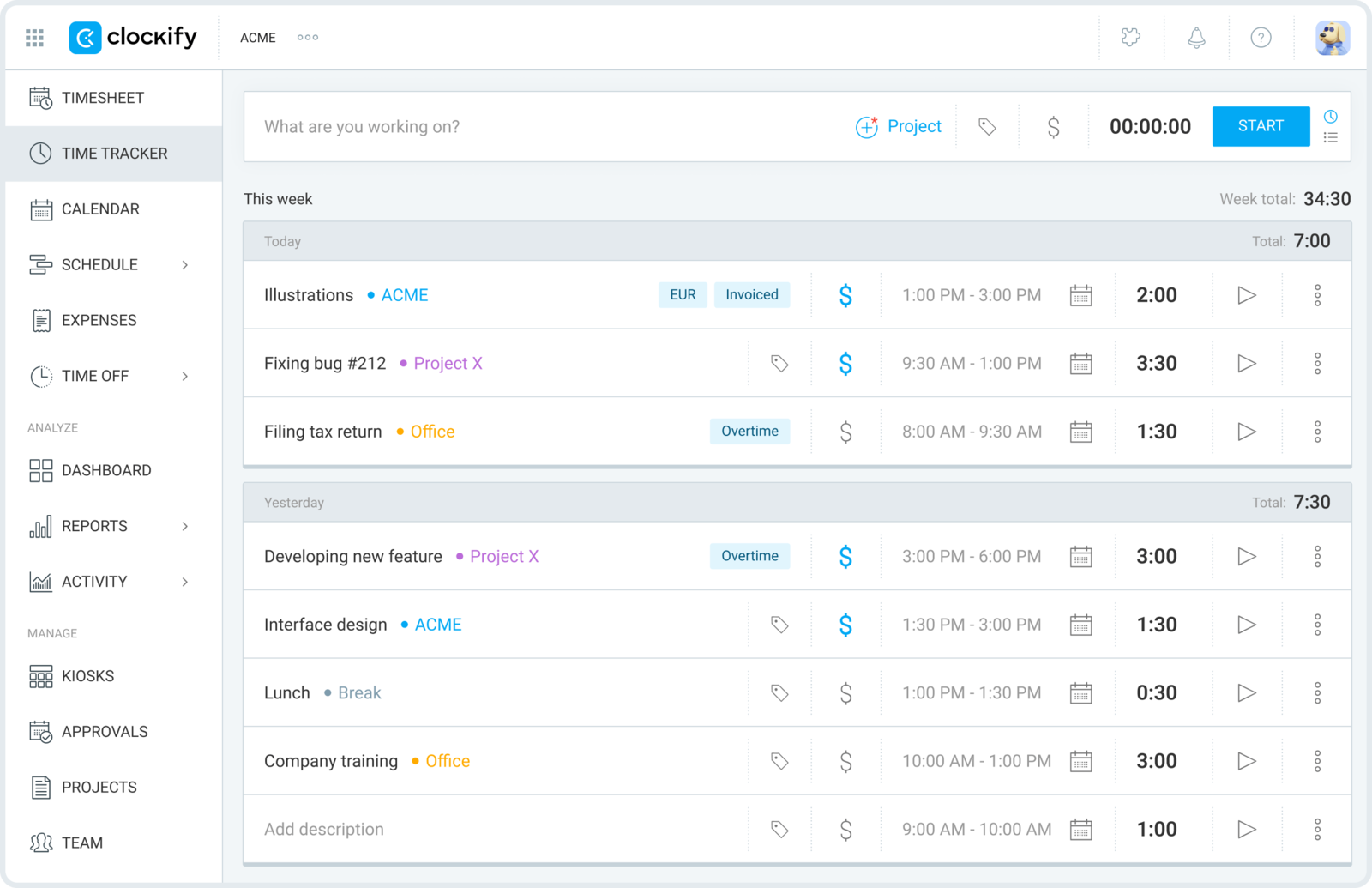
Best for: Small teams that need to bring everyone into the habit without spending much upfront.
- Pricing: Free plan available; paid plans start at $3.99 per user/month billed annually
- Rating: 4.5/5 on G2
Clockify is the easiest budget-first choice for small teams because it covers the basics without making the owner commit to a higher per-seat cost right away. Teams can mix timers and timesheets, assign hours to projects, and start building reporting habits before the process gets more complex, but the same teams often run into small-team tracking failure if the workflow gets too heavy.
The tradeoff is that the product feels more practical than polished, so it may not reduce friction as much as a calmer tool. Still, if the team needs wide adoption at the lowest risk, Clockify earns its place quickly — it's why we hand it the best-overall pick for this audience.
Pros
- Free plan makes adoption easier for cost-sensitive teams.
- Flexible mix of timer and timesheet workflows suits different users.
- Projects, clients, and reports are accessible without much setup.
- Useful stepping stone before paying for more specialized workflows.
Cons
- User experience can feel more functional than refined.
- Manual cleanup and permission nuances can add friction later.
What users say about Clockify
Small-team reviewers on G2 and Capterra regularly point to Clockify's value, fast setup, and solid baseline reporting as the reasons it is easy to roll out. The recurring negatives are that editing entries can become repetitive, mobile use is less smooth than desktop, and the interface does not feel as polished as some teams would prefer for daily use.
Source: G2 reviews and Capterra reviews
Owners weighing cost against polish usually scan the broader Clockify alternatives set and then use Toggl Track vs Clockify to sort out the final choice.
2. Toggl Track
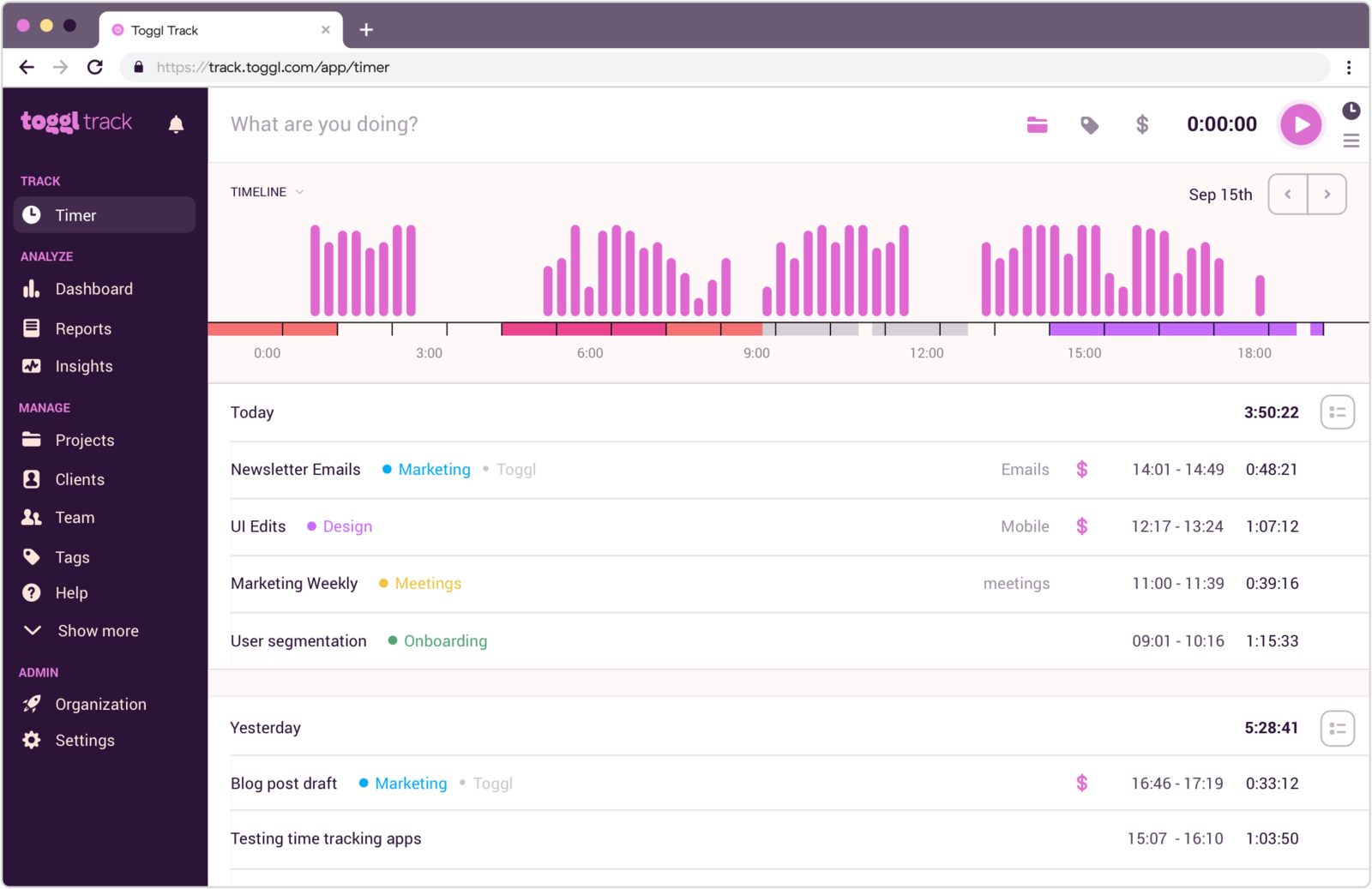
Best for: Small teams that want a cleaner mainstream tool without much operational weight.
- Pricing: Free plan available; paid plans start at $9 per user/month
- Rating: 4.6/5 on G2
Toggl Track is a good match when the team wants a product that feels polished enough to trust, but still stays centered on everyday logging rather than process management. It handles the shared essentials well: clear timers, readable reports, and just enough project structure to keep a small group coordinated.
Where it falls short for some teams is after the basics are working. Once billing, approvals, or more detailed planning become important, the small-team simplicity starts to feel less complete than more specialized tools — and the paid tiers cost more per seat than the budget options above.
Pros
- Interface is approachable for a mixed team with different comfort levels.
- Reports stay readable without much admin work.
- Good fit for teams that need structure but not heavy oversight.
- Easy product to introduce when people are skeptical about tracking time.
Cons
- Billing and deeper project workflows remain limited.
- Editing workflows can feel repetitive in busier weeks.
What users say about Toggl Track
Across G2 and Capterra, smaller teams tend to appreciate Toggl Track for its fast onboarding, clean reporting, and light daily footprint. The friction shows up when users need stronger project controls, more efficient correction of messy entries, or a mobile experience that supports the same speed as desktop.
Source: G2 reviews and Capterra reviews
When Toggl Track feels close but not quite right, it helps to compare the wider Toggl Track alternatives mix and the direct Toggl Track vs Clockify breakdown.
3. TimeCamp
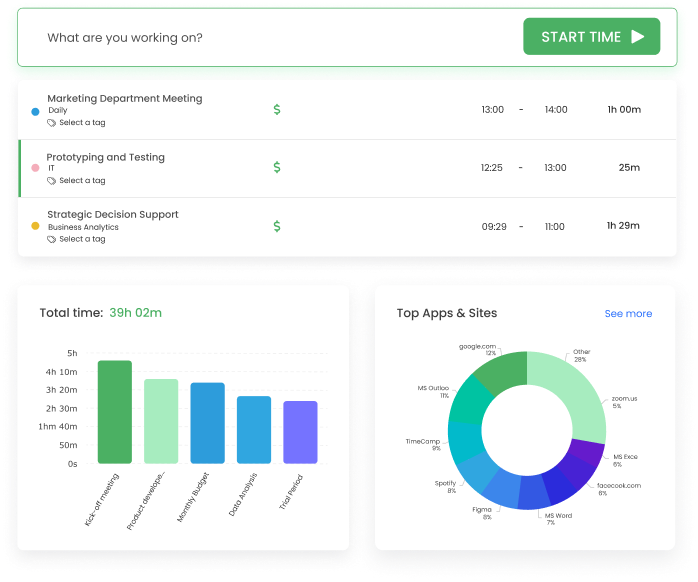
Best for: Small teams that want richer reports and categorization than a basic tracker gives them.
- Pricing: Starter starts at $3.99 per user/month billed annually
- Rating: 4.7/5 on G2
TimeCamp works well for small teams that have moved past basic timers and need more analysis from their hours. Categories, reports, and mixed capture methods give leads more ways to understand where time is going, which can be valuable when planning capacity or explaining costs to clients.
The downside is that the product can feel busier than a team-friendly tracker built around one clear workflow. It fits best when extra reporting is worth some additional complexity, and less well when the team just wants fast daily logging.
Pros
- More reporting depth than most simple team trackers.
- Supports both manual and automatic capture styles.
- Affordable option when a team wants more analysis for the money.
- Useful for managers who review time data regularly.
Cons
- Interface and setup can feel dense compared with lighter products.
- Bug and data-consistency complaints show up in review trends.
What users say about TimeCamp
Users on G2 and Capterra often mention TimeCamp's strong reporting, flexible tracking modes, and good value as reasons it works for smaller teams needing more structure. They also point to bugs, occasional instability, and a product experience that is less tidy than the cleaner timer-first tools in this category.
Source: G2 reviews and Capterra reviews
Teams comparing reporting depth against day-to-day simplicity usually look at the broader TimeCamp alternatives list and the more operational comparison in Hubstaff vs TimeCamp.
4. TrackingTime
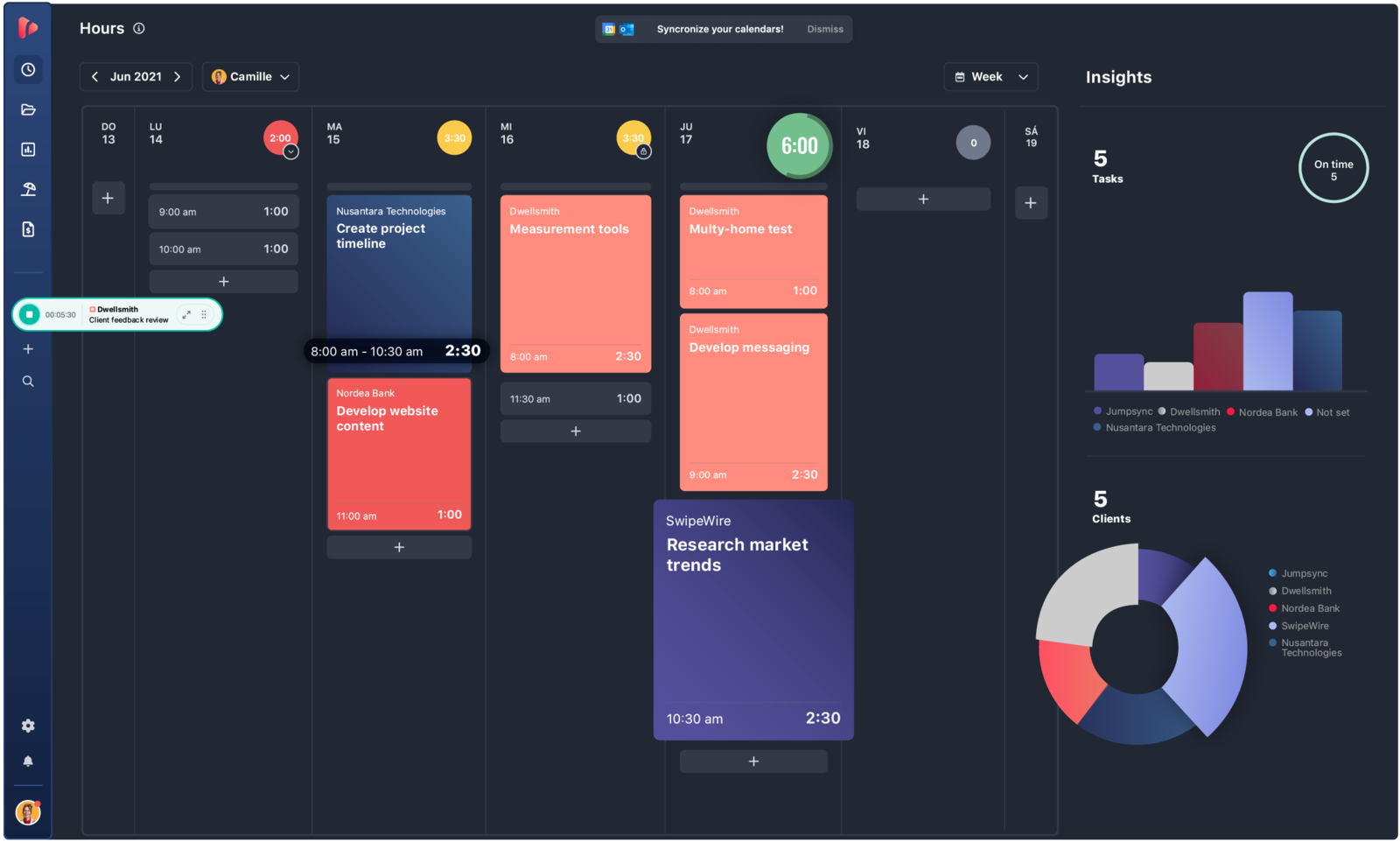
Best for: Smaller teams that need reminders and a shared review rhythm more than deep admin controls.
- Pricing: Free plan available; Starter starts at $5.75 per user/month billed annually
- Rating: 4.4/5 on G2
TrackingTime is appealing for teams that lose accuracy because no one remembers to log hours consistently. Reminders, shared views, and collaborative timesheets help the team close the week cleanly without adding a lot of managerial pressure.
It is less about deep operational control and more about making the routine stick. That makes it useful for small organizations that need better consistency before they need bigger analytics.
Pros
- Reminder system supports better compliance without heavy oversight.
- Shared views are helpful for coordinators and team leads.
- Offers a collaborative feel that suits smaller groups.
- Reporting is accessible without a steep learning curve.
Cons
- Setup and deeper features can feel less obvious at first.
- Integration polish is not as strong as the most established vendors.
What users say about TrackingTime
Capterra and G2 reviewers often describe TrackingTime as a solid fit for small teams because of reminders, useful reporting, and strong overall value. The friction points are familiar too: onboarding can take longer than expected, timers sometimes need cleanup, and some integrations feel less mature than the core tracking workflow.
Source: G2 reviews and Capterra reviews
5. Timen

Best for: Small teams that want one calm tracking routine everyone can follow without training friction.
- Pricing: Free — every feature included, including invoicing
Full disclosure: this is our tool, so weigh it accordingly. Timen works especially well for small teams because it reduces the number of habits everyone has to learn. People can log time quickly, managers can review the week in a calendar layout, and the team does not have to switch tools just to turn clean time data into a report or invoice.
That makes Timen a strong fit when you want the team to spend less energy maintaining the system and more energy using the output. It is simple in a way that supports shared accountability without creating a supervisory feel, which is what most small teams actually need. It is honestly not the pick if you need employee monitoring, payroll exports, or a large library of integrations — the more established platforms are stronger there.
Pros
- Free with every feature included — invoicing and all — where most trackers charge per seat and gate invoicing behind higher tiers.
- Low-friction workflow is easier to standardize across a small team.
- Weekly review makes cleanup faster for managers and contributors.
- Reports are easy to share internally or with clients.
Cons
- Newer product with little third-party review coverage so far.
- Smaller integration ecosystem than the biggest platforms.
- No employee monitoring or payroll exports if that's what you need.
Why teams pick Timen
The small teams that land on Timen are usually the ones tired of paying per seat for a tracker and then paying again for invoicing. They want everyone on one calm routine, a quick weekly review, and a client-ready invoice from the same hours — without administering a heavier platform. It's a deliberately narrow pitch, which is also why it won't suit teams that need monitoring, payroll, or a big integration marketplace.
6. Harvest
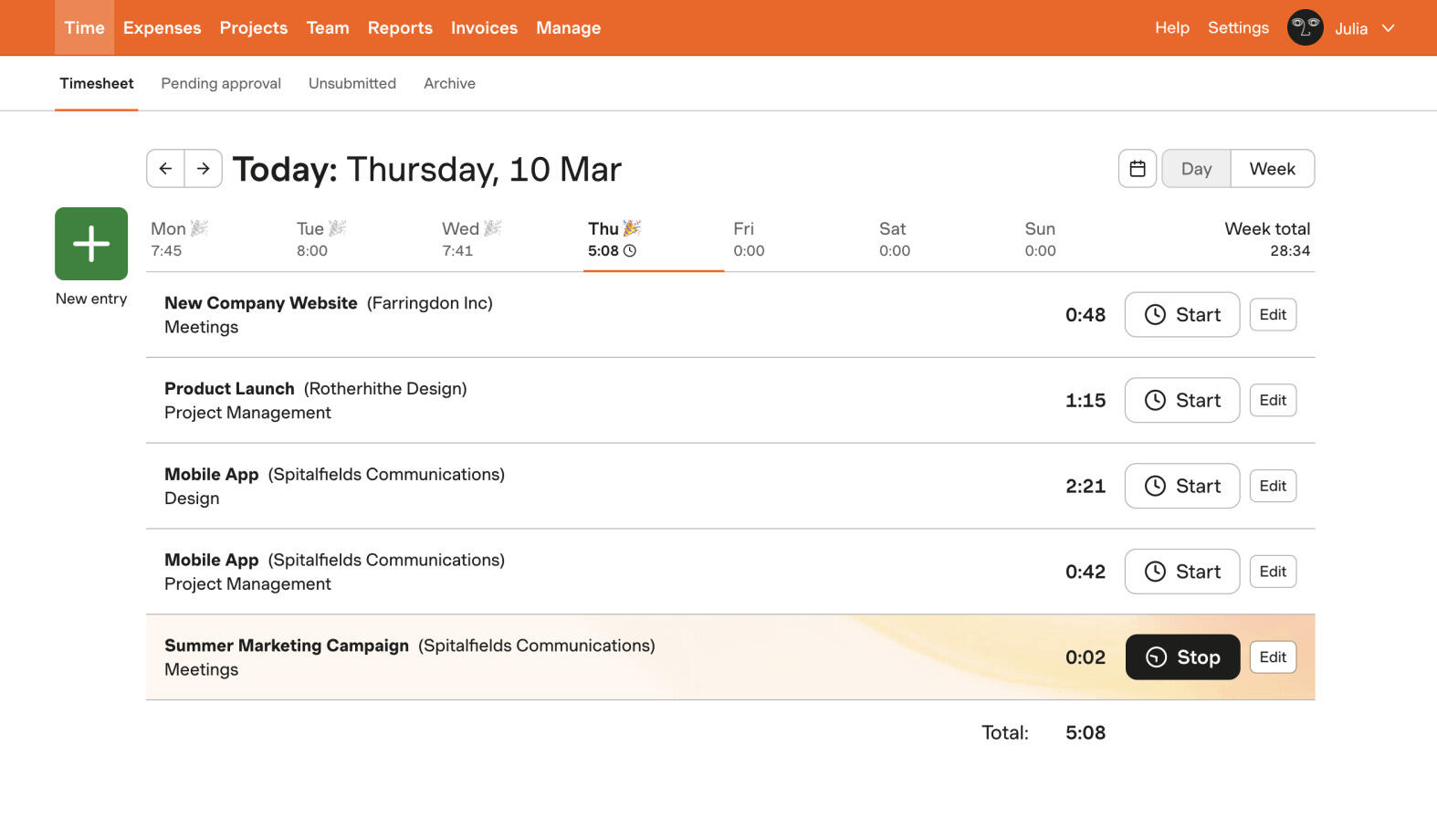
Best for: Small service teams that need clean billing workflows without a huge system around them.
- Pricing: Free plan available; paid plans start at $9 per seat/month billed annually
- Rating: 4.3/5 on G2
Harvest is a strong small-team option when the core reason for tracking time is still getting paid accurately. It gives owners and team leads a direct way to manage billable hours, monitor budgets, and send invoices without bolting together multiple products.
That makes it better suited to small agencies, studios, and consulting groups than to internal product teams. For those billing-first teams, though, Harvest often feels more complete than lighter general-purpose trackers.
Pros
- Billable time flows cleanly into invoices and budget monitoring.
- Client-facing reports are easy to understand and share.
- Less setup burden than broader agency-management tools.
- Strong fit for small service businesses with regular billing cycles.
Cons
- Less attractive for teams that do not bill from tracked hours.
- Cost may feel high compared with budget-first tools.
What users say about Harvest
Reviews on G2 and Capterra often describe Harvest as easy for small teams to adopt and particularly strong once time entries need to become invoices or client reports. The repeat concerns are around price, limited reporting depth for more analytical teams, and occasional rough edges in mobile or sync behavior.
Source: G2 reviews and Capterra reviews
Billing-focused teams usually get the clearest picture from the broader Harvest alternatives list and the narrower Toggl Track vs Harvest matchup. That matters most when a small team likes Harvest in theory but no longer feels comfortable building around Harvest.
7. Paymo
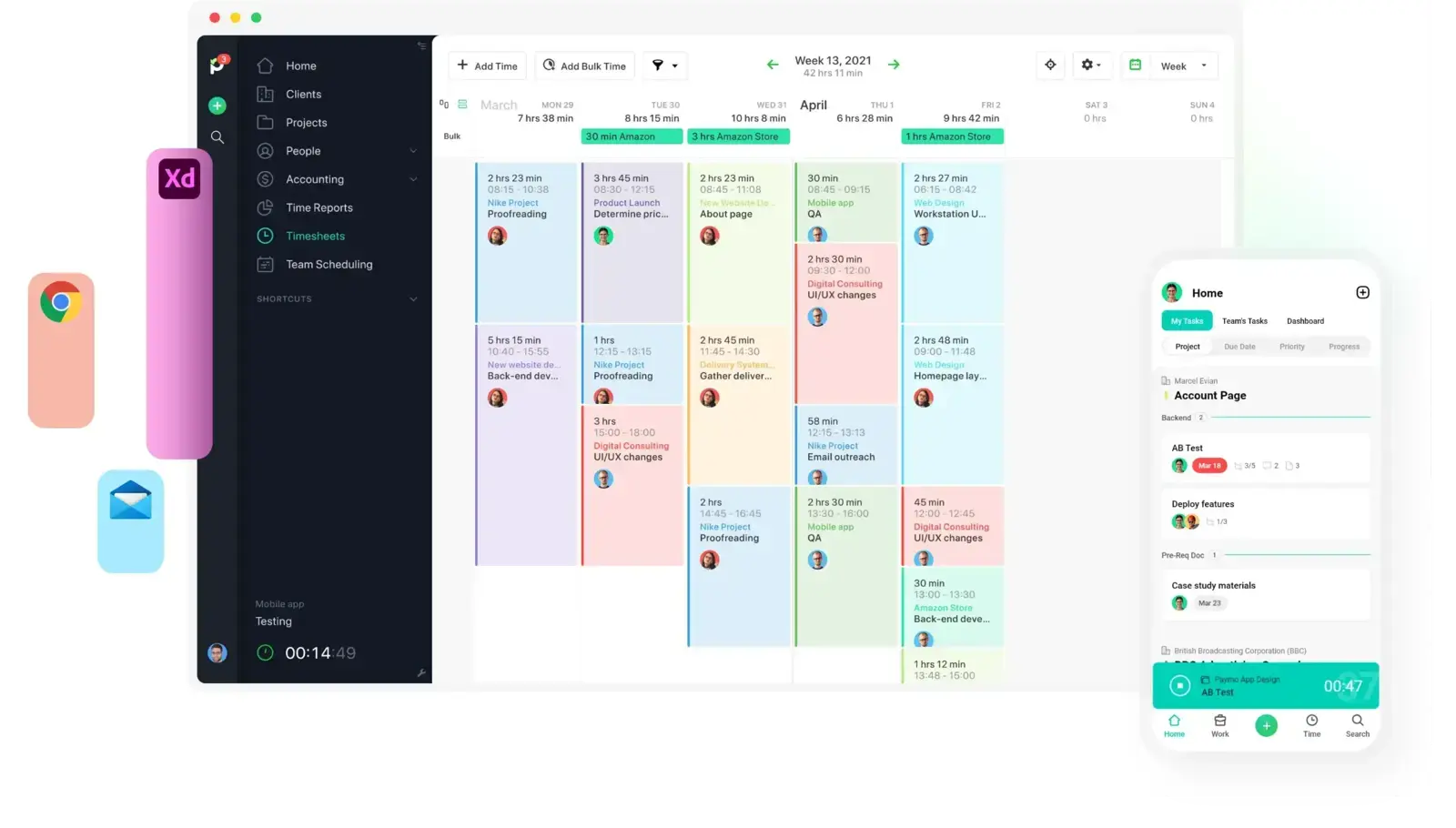
Best for: Small teams that want time, tasks, and invoices in the same product.
- Pricing: Solo starts at $5.90/month; Plus is $10.90 per user/month
- Rating: 4.6/5 on G2
Paymo is a compelling option for small teams that are tired of bouncing between a tracker, a task tool, and an invoicing system. It gives time data more operational context, which is useful for owners who need to manage deadlines, assignments, and billing from one workspace.
The tradeoff is that the product is broader than the lightest trackers in this article. That is helpful when the team wants one central tool, but less helpful if everyone already has a preferred project workflow elsewhere.
Pros
- Combines time tracking, project planning, and invoicing in one place.
- Useful for owners who want fewer system handoffs.
- Scheduling and profitability context are stronger than basic timer apps.
- Good fit for small client teams that operate inside one shared workspace.
Cons
- Broader product means more setup than the simplest trackers require.
- Some teams will still want deeper collaboration features elsewhere.
What users say about Paymo
Across G2 and Capterra, Paymo tends to earn praise from small teams that like having projects, time, and invoices connected instead of spread across separate tools. The weaker feedback usually points to mobile limitations, customization boundaries, and the fact that the all-in-one model can still feel like more software than some teams need.
Source: G2 reviews and Capterra reviews
Paymo is easiest to judge once you line it up against the rest of the Paymo alternatives field and decide how much all-in-one structure your team actually wants.
8. Everhour
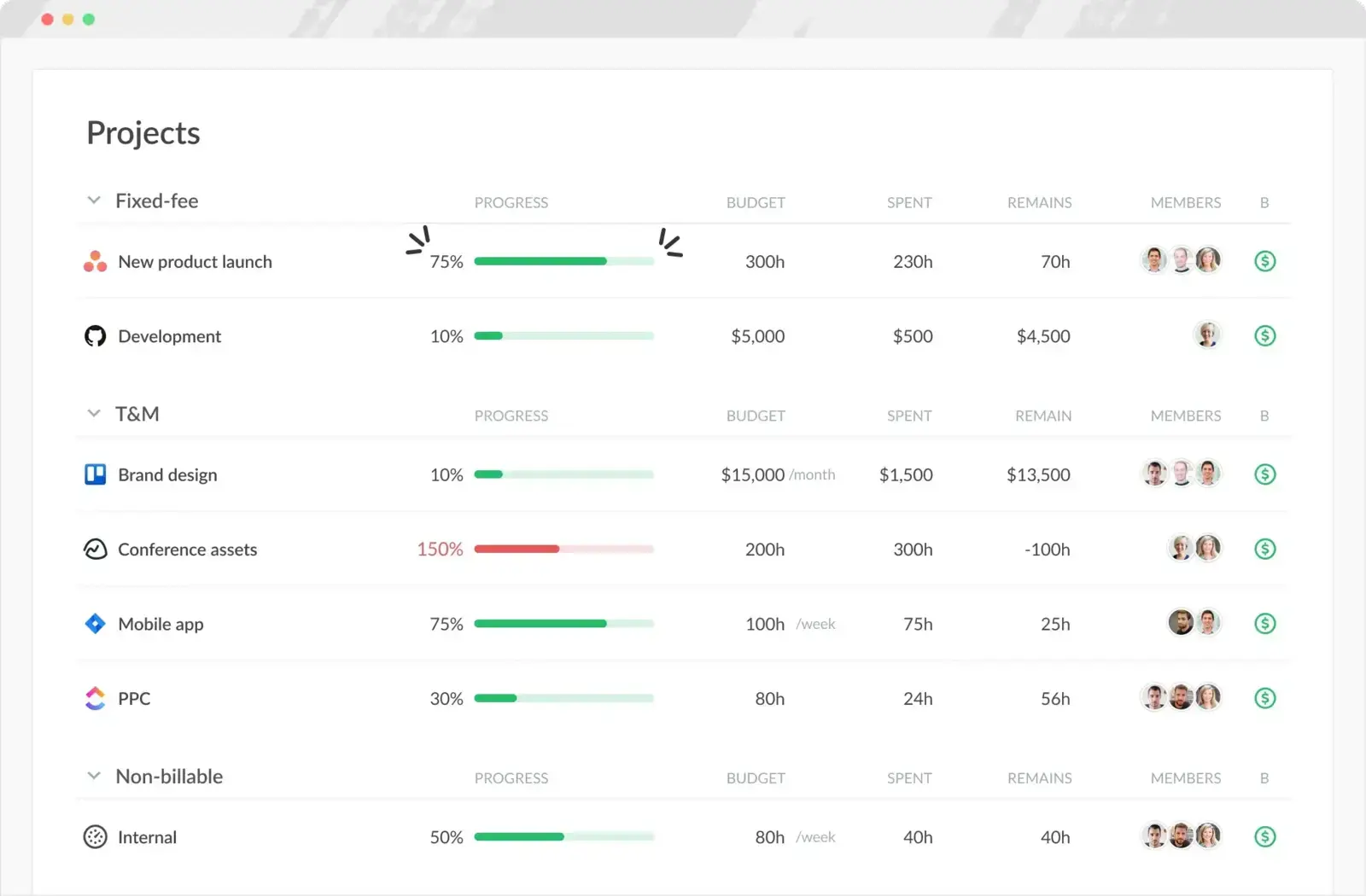
Best for: Small teams that already run their work inside a project management tool.
- Pricing: Free plan available; Team plan costs $8.50 per seat/month billed annually
- Rating: 4.7/5 on G2
Everhour stands out when the small team's real center of gravity is the task board, not the timer itself. It connects time entry to the work already happening in tools like Asana, Trello, or ClickUp, which means the team can keep hours, estimates, and budgets closer to the actual project flow.
That project-linked model is powerful when delivery context matters every day. It is less attractive if the team mainly wants a standalone time log that stays separate from planning software.
Pros
- Time tracking feels more connected to project work than in standalone tools.
- Strong fit for teams already committed to a PM platform.
- Budgets and estimates are easier to monitor in context.
- Helpful for managers who want to see hours next to task progress.
Cons
- No mobile app remains a real limitation for some teams.
- Less useful if the team does not live inside integrated PM tools.
What users say about Everhour
G2 and Capterra reviews consistently highlight Everhour's tight integrations, easy logging from task views, and budget visibility as reasons small project teams like it. The complaints repeat around the missing mobile app, some invoicing or admin friction, and pricing that can be harder to justify for leaner teams.
Source: G2 reviews and Capterra reviews
Project-heavy small teams usually sort Everhour out faster after reading the wider Everhour alternatives group and the direct Harvest vs Everhour comparison.
9. Timely
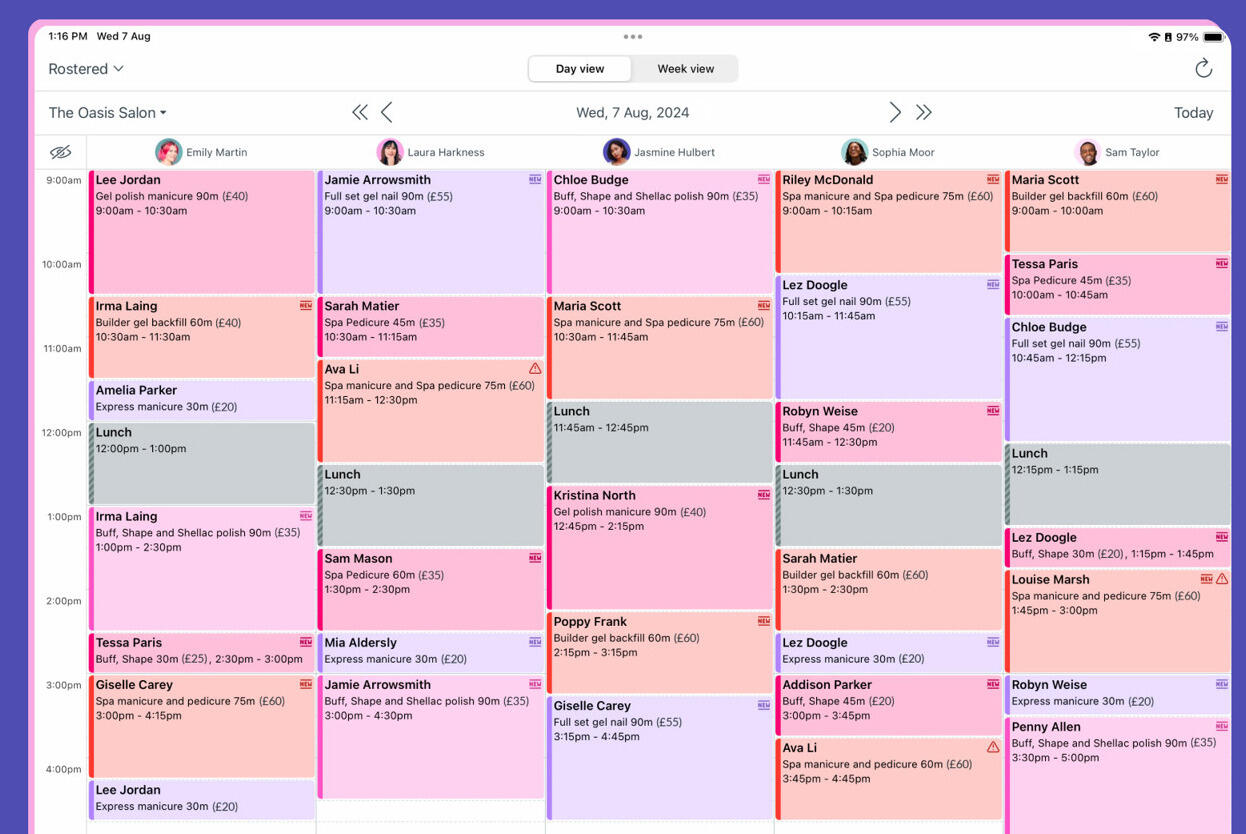
Best for: Busy small teams that forget timers and want captured work to be reviewed later.
- Pricing: Yearly plans start around $9 per user/month
- Rating: 4.8/5 on G2
Timely helps small teams that find live tracking unrealistic. Instead of relying on perfect discipline, it captures digital activity in the background and lets people confirm time later, which can be a better fit for fast-moving workdays and lots of context switching.
That approach is especially useful when the team is struggling with adoption more than with reporting. It becomes less attractive when the team wants direct control, immediate time entry, or a lower-cost way to build habits.
Pros
- Reduces the team-wide risk of forgotten timers.
- Interface stays friendly even though the workflow is more automatic.
- Useful for fragmented work across many apps and meetings.
- Can improve adoption for teams resistant to active tracking.
Cons
- More expensive than several manual-first alternatives.
- Captured history still needs review before it becomes clean time data.
What users say about Timely
G2 and Capterra reviewers often frame Timely as a relief product for teams that keep missing timers, thanks to automatic capture and a polished interface. The recurring concerns are cost, cleanup effort before submitting time, and a sense that the product is less compelling when the team already tracks reliably with manual tools.
Source: G2 reviews and Capterra reviews
Automatic capture usually gets easier to evaluate after reading Toggl Track vs Timely and deciding how much active tracking your team is willing to do.
Which tool should you choose?
Small teams usually do best when they pick the tool that matches how disciplined the team already is, not the tool with the longest feature list. Match it to the trigger that made you start looking.
Choose Clockify or Toggl Track if:
- You are prioritizing fast, cheap adoption over richer billing or project workflows.
- You want a familiar mainstream tracker the team will understand quickly.
- You are still proving the habit before committing to more process.
Choose Harvest, Paymo, or Everhour if:
- Client billing, task context, or project budgets are part of the weekly workflow.
- You want tracked time to connect more directly to the rest of delivery operations.
- You are willing to accept a bit more structure in exchange for better context.
Choose TimeCamp, TrackingTime, or Timely if:
- You need stronger reporting than the mainstream trackers give you (TimeCamp).
- Consistency is the problem and reminders would fix it (TrackingTime).
- People keep forgetting live timers and automatic capture would help (Timely).
You want it genuinely free → Timen is the one all-in-one here that's free with every feature included — tracking, reporting, and invoicing, with no per-seat bill. Clockify, Toggl Track, TimeCamp, and TrackingTime have free plans too, but they cap features and keep invoicing or deeper reporting on paid tiers, so their "free" covers less than it looks. Timen's trade is that it's newer, with a smaller integration ecosystem and no monitoring or payroll — so it's the budget-friendly calm pick, not the one for oversight or a big app marketplace.
FAQ
These are the small-team questions that usually matter most after the shortlist is down to a few realistic options.
- What is the best time tracking tool for a small team?
- There's no single winner — it depends on rollout, billing, and how much structure the team needs. Clockify is the easiest cheap, familiar rollout with a real free tier, Harvest is best when client billing drives everything, Everhour and Paymo fit teams that want time inside their project work, and a free all-in-one like Timen suits teams that want tracking, reporting, and invoicing together.
- Should a small team start with a free time tracker?
- A free plan is a low-risk way to get a small team into the habit — Clockify, Toggl Track, TimeCamp, and TrackingTime all have real free tiers. Just weigh how much reporting, cleanup, and billing you'll need after the first month, since some free plans quietly gate invoicing and deeper reports behind paid seats.
- What should a small team look for in time tracking software?
- Small teams usually need easy onboarding, low daily friction, weekly reports the whole team can read, and just enough project or client structure without a heavy approval process. Per-seat cost matters too once everyone is added, so check what the free plan actually covers.
- How do I choose a time tracker for my small team?
- Start from your trigger. For a cheap, familiar rollout try Clockify or Toggl Track; for client billing, Harvest; for time that lives inside projects, Everhour or Paymo; for people who keep forgetting timers, Timely; and for a free all-in-one that also invoices, Timen. Roll a free plan out to two or three people for a week before committing the whole team.
Conclusion
Most small-team decisions come down to one rule: pick the lightest tool that still handles the work that happens after time is logged. For a cheap, familiar rollout, that's Clockify, with Toggl Track close behind on polish. If billing drives the week, Harvest; if time has to sit inside projects, Everhour or Paymo; if you need reporting, reminders, or automatic capture, TimeCamp, TrackingTime, or Timely.
And if what you actually want is a calmer, simpler routine the whole team can follow — fast tracking, clear reports, and invoicing in the same place, all genuinely free — Timen is worth a look, with the caveat that it's built for simplicity, not monitoring or heavy integrations. Still torn between two? Toggl Track vs Clockify and Toggl Track vs Harvest are the two most useful next reads.