













Best time tracking tools for agencies in 2026

The strongest time tracking tools for agencies are Harvest (billing and invoicing), Paymo (projects, time, and invoices in one), and Everhour (budgets tied to task work). Reach for ClickTime when utilization and approvals matter, and a genuinely free all-in-one like Timen if you want tracking, reporting, and invoicing in one place without a per-seat bill.
Agencies need more from time tracking than simple hour totals. The tool has to support billable rates, client budgets, internal profitability conversations, and a team workflow that stays accurate even when people jump between meetings, deliverables, and revisions all day.
I spent time in each of the nine tools below, tracking real work rather than clicking through a demo, so the "best for" calls come from using them the way an agency would. Some are intentionally billing-first, some tie time more closely to project work, and some stay lighter so the team can track consistently without feeling managed by the software.
Quick picks
These quick picks sort the agency options by what tends to matter most: getting time into invoices, keeping work tied to delivery, and staying profitable without adding unnecessary admin weight.
- Best overall: Harvest for agencies built around billable hours, budgets, and client invoicing.
- Best all-in-one: Paymo for agencies that want time, tasks, and invoices in one workspace.
- Best for project-linked work: Everhour for agencies managing delivery inside PM tools.
- Best for utilization and approvals: ClickTime for agencies that need tighter operational control.
- Best free all-in-one: Timen for tracking, reporting, and invoicing, free with every feature.
- Best low-cost rollout: Clockify for teams that need adoption before refinement.
What to look for in an agency time tracker
Once you know how your agency actually makes money, judge candidates on the parts of the workflow that come after tracking — every tool here has a competent timer. The things that genuinely differ for an agency:
- How little friction daily entry has, so client-facing people actually keep time accurate rather than reconstructing the week on Friday.
- Billable-rate and budget handling — rates per client or role, budget caps, and overage visibility before a project runs red.
- How tracked time turns into invoices and client-ready reports without exporting to a spreadsheet in between.
- How tightly time connects to tasks, projects, and utilization when delivery performance, not just hours, drives the numbers.
- What a "free" plan really covers, or whether it quietly gates invoicing and deeper reporting behind paid seats.
- Team controls and per-seat cost once you roll the tool out across the whole agency, including junior and contract staff.
How we compared these tools
A quick note on method, so you can weigh the picks:
- Hands-on use. Each tool was used to track real agency-style work — billable hours across clients and projects — not just previewed. The "best for" calls and the pros and cons come from that, plus each product's current docs.
- Ratings. The G2 scores shown are the aggregate ratings on each product's G2 page at the time of writing (July 2026); the review summaries paraphrase recurring themes across G2 and Capterra rather than quoting any single review.
- Pricing. Taken from each vendor's public pricing page and rounded.
- Order. Roughly how well each tool fits a typical agency — not a strict ranking, and not ordered by our own product. Timen appears where it genuinely fits (a simpler, free all-in-one), the middle of the list, not the top.
Time tracking tools for agencies comparison table
Start here if you want the fastest view of which tools are invoice-first, which ones add more project context, and which ones stay lighter for the team.
| Tool | Best for | Complexity | Pricing |
|---|---|---|---|
| Harvest | Billable hours and client invoicing | Medium | Free plan; paid from $9 per seat/month billed annually |
| Paymo | Projects, time, and invoices in one place | Medium to high | Paid from $5.90/month or $10.90 per user/month |
| Everhour | Task-linked budgets and delivery tracking | Medium | Free plan; Team plan from $8.50 per seat/month billed annually |
| ClickTime | Utilization and approval control | Medium to high | Paid from $12 per user/month billed yearly |
| Timen | A genuinely free all-in-one (tracking, reports, invoices) | Low | Free — every feature included |
| Toggl Track | Polished billable tracking without heavy structure | Low to medium | Free plan; paid from $9 per user/month |
| TimeCamp | Reporting-heavy agency tracking | Medium | Paid from $3.99 per user/month billed annually |
| Clockify | Affordable agency rollout | Low to medium | Free plan; paid from $3.99 per user/month billed annually |
| FreshBooks | Accounting-first solo or boutique agency workflows | Medium | Plans start at $9.20 per month plus team-member costs |
Best time tracking tools for agencies in 2026
These agency tools cover different operating models. Some are ideal for a lean billable workflow, some add more delivery context, and others are built for agencies that want tighter financial or utilization control. The right fit usually starts with clearer client-work criteria.
1. Harvest — best overall for agency billing
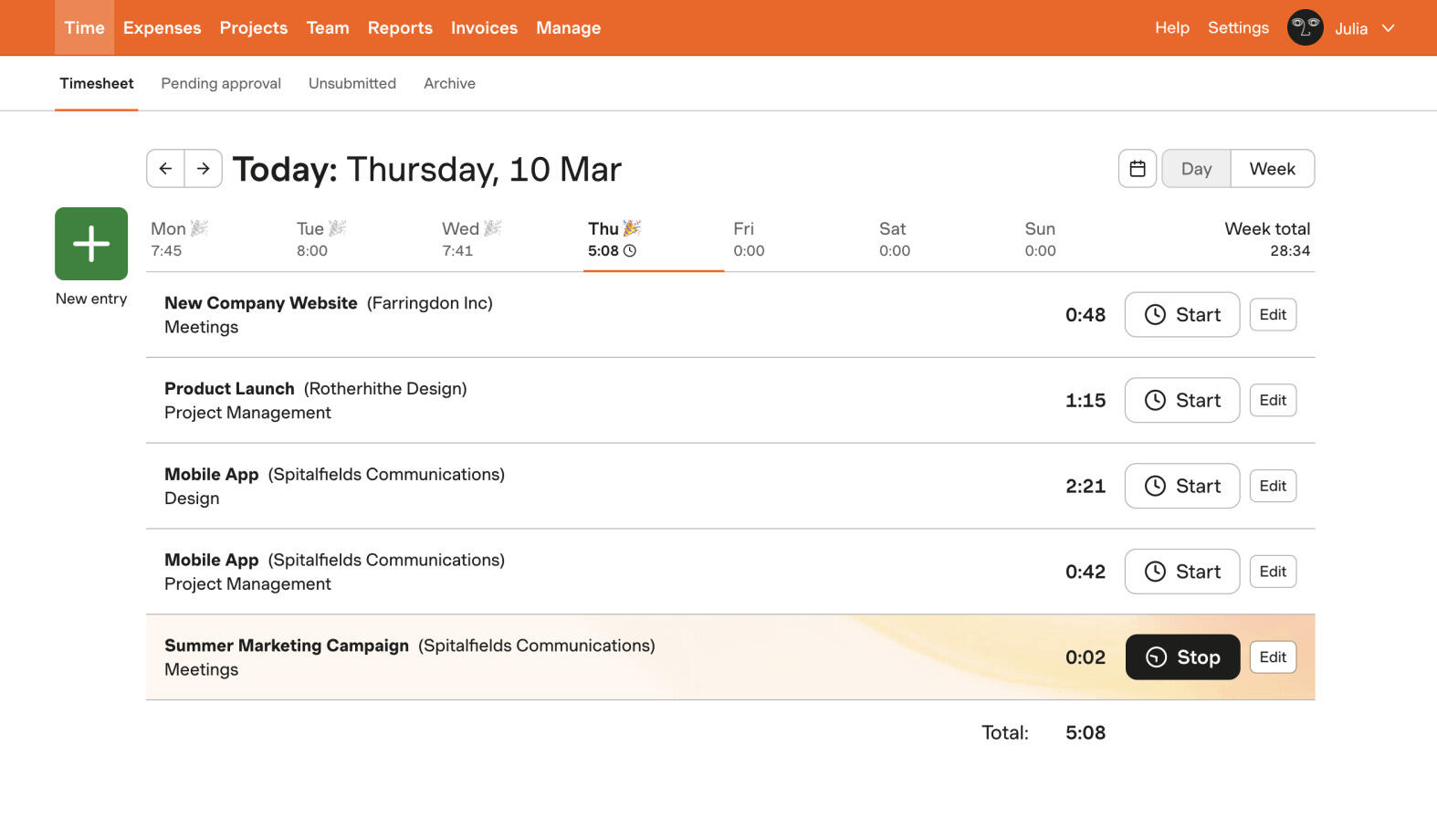
Best for: Agencies that treat billable time, budgets, and invoices as the center of the workflow.
- Pricing: Free plan available; paid plans start at $9 per seat/month billed annually
- Rating: 4.3/5 on G2
Harvest is still one of the most natural agency tools because it was built around the realities of billable work. Rates, budgets, invoices, and client-facing reports all sit close to the time entries, which reduces the amount of reconciliation owners and finance leads have to do at the end of the month.
It is not the lightest product in this list, but for agencies that want a dedicated billing-first environment, that extra structure is usually a benefit. Harvest feels especially good when invoicing discipline is as important as tracking accuracy, which is why it remains the default agency standard.
Pros
- Excellent fit for billable-rate and invoice-driven agency workflows.
- Client reports are clear enough to support account-management conversations.
- Budget visibility helps spot overages before invoicing becomes a problem.
- Proven tool for agencies that want a dedicated time-and-billing stack.
Cons
- Pricing can be harder to justify for larger or more junior-heavy teams.
- Project management depth is lighter than some agencies want.
What users say about Harvest
Agency-oriented feedback on G2 and Capterra consistently highlights Harvest's ease of use and the way it connects time entry to billing, budgets, and client reporting. The drawbacks show up around seat cost, a desire for deeper analytics, and occasional issues with the mobile experience or syncing.
Source: G2 reviews and Capterra reviews
When an agency likes Harvest but wants a different balance of cost or structure, the natural next step is the broader Harvest alternatives list and the direct Toggl Track vs Harvest comparison.
2. Paymo — best all-in-one for projects and invoices
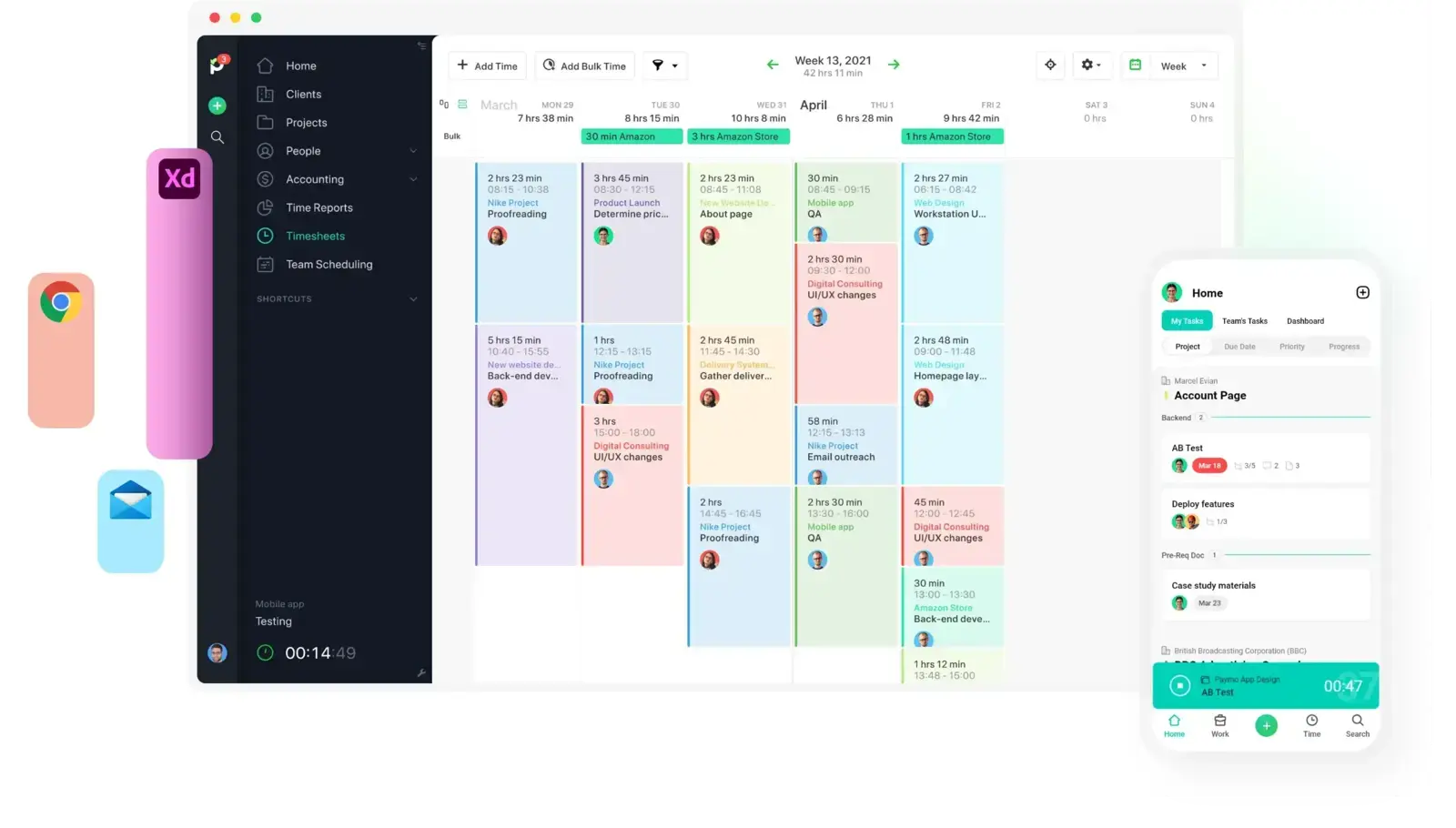
Best for: Agencies that want projects, schedules, and invoices living alongside tracked time.
- Pricing: Solo starts at $5.90/month; Plus is $10.90 per user/month
- Rating: 4.6/5 on G2
Paymo fits agencies that are starting to feel the pain of disconnected tools. Instead of keeping time, task planning, and invoicing in separate systems, it gives small and mid-sized agencies one product that can track delivery work and billable output together.
That extra breadth is useful when account managers, project leads, and owners all need to see the same operating picture. The tradeoff is that Paymo asks the agency to live inside a more opinionated workspace than lighter trackers do.
Pros
- Strong all-in-one fit for agencies that want fewer tool handoffs.
- Scheduling and project views add context around billable time.
- Invoicing and profitability conversations stay close to project activity.
- Helpful for agencies trying to run more of the business from one workspace.
Cons
- Heavier than a pure tracking-and-billing tool.
- Some agencies will still outgrow its project collaboration depth.
What users say about Paymo
Review patterns on G2 and Capterra suggest agencies like Paymo because it brings projects, time, and invoices together in a way that reduces context switching. The friction tends to show up when teams want more customization, deeper collaboration, or a mobile experience that matches the breadth of the desktop product.
Source: G2 reviews and Capterra reviews
Agencies deciding whether Paymo's broader approach is worth it usually read through the Paymo alternatives list before making the call.
3. Everhour — best when time lives inside projects
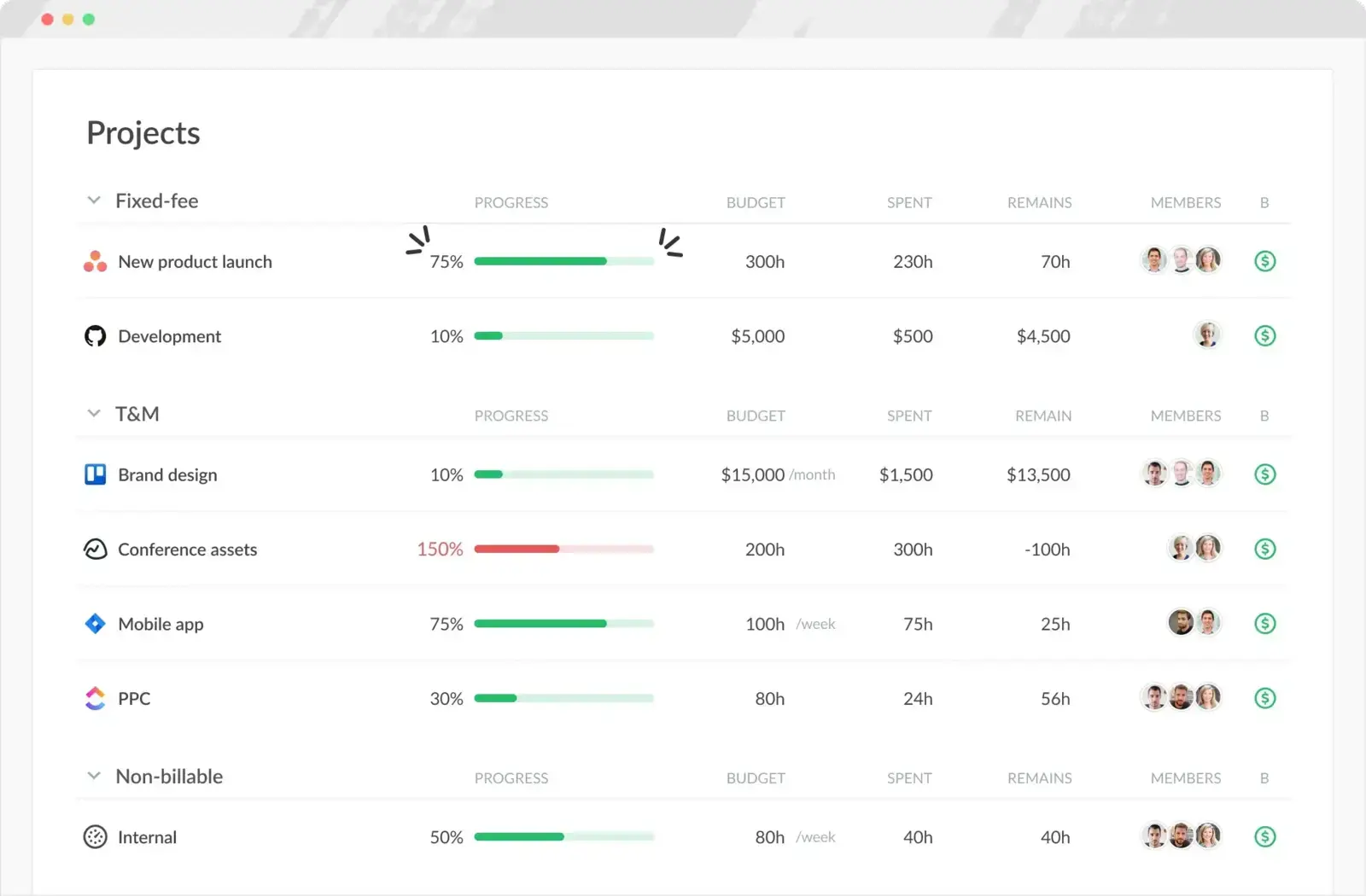
Best for: Agencies that manage delivery inside project tools and want budgets tied to task work.
- Pricing: Free plan available; Team plan costs $8.50 per seat/month billed annually
- Rating: 4.7/5 on G2
Everhour stands out for agencies whose real workflow lives inside task boards and project plans. It brings time entries, estimates, and budgets closer to the work itself, which means client profitability is easier to understand in the same place where the team is actually delivering.
For agencies that measure success by project performance more than invoice volume alone, that context is valuable. Everhour is less attractive for firms that want a standalone time-and-billing product with a more self-contained workflow.
Pros
- Strong task-level budget visibility for delivery teams.
- Useful when agency work already runs through PM software.
- Time data feels more connected to actual project execution.
- Helpful for agencies watching scope drift and estimate accuracy.
Cons
- No mobile app is still a meaningful gap.
- Standalone billing workflows are not its strongest area.
What users say about Everhour
Agency teams on G2 and Capterra often praise Everhour for making time tracking feel native inside their project tools and for giving better budget visibility around task work. The consistent drawbacks are the lack of a mobile app, some admin or invoicing friction, and pricing that can feel high for agencies wanting a leaner stack.
Source: G2 reviews and Capterra reviews
Agencies weighing project context against simpler billing usually look at the Everhour alternatives lineup and then compare Harvest vs Everhour directly.
4. ClickTime — best for utilization and approvals
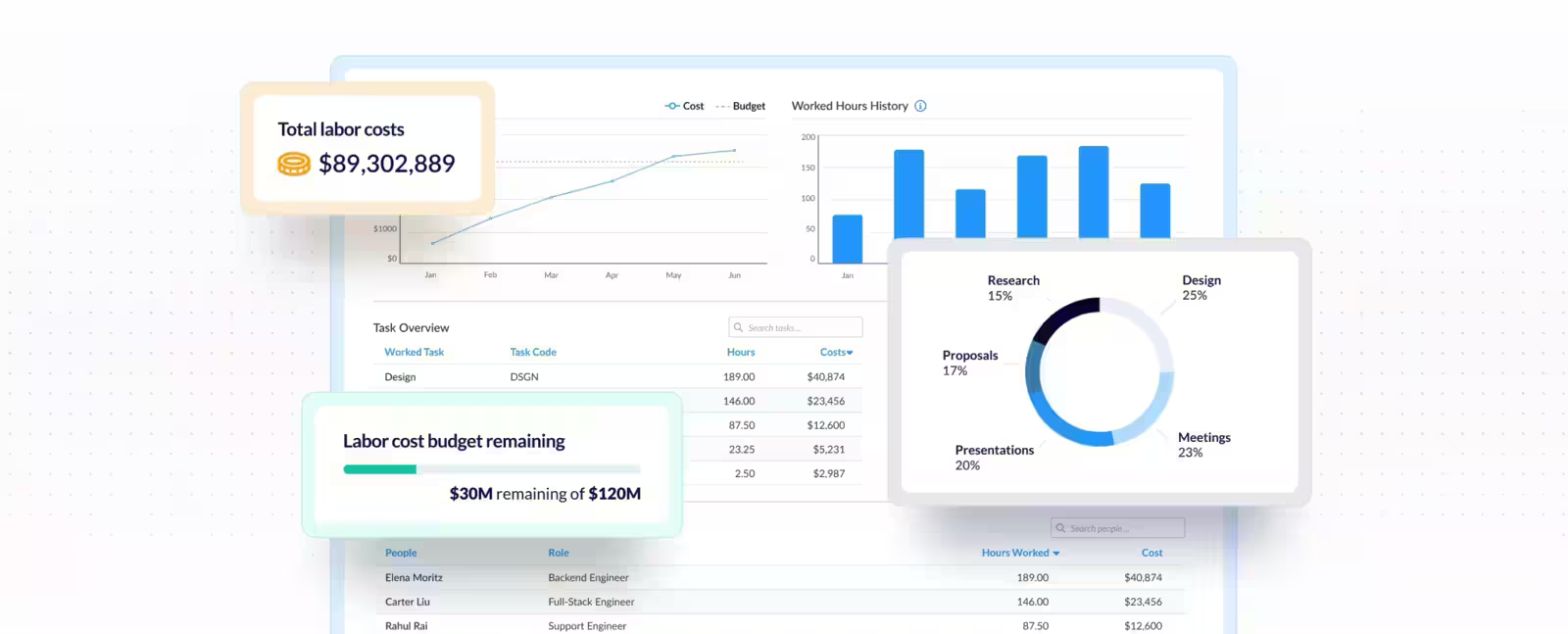
Best for: Agencies that need stricter utilization reporting, approvals, and labor controls.
- Pricing: Starter starts at $12 per user/month billed yearly
- Rating: 4.6/5 on G2
ClickTime belongs on this list for agencies that have outgrown informal timesheet review. It gives operations and finance teams more structure around approvals, utilization, and labor reporting, which is useful when time data has to stand up in staffing, profitability, and planning discussions.
That rigor is valuable for established agencies, but it also makes the product heavier. It is best for agencies that deliberately want more control rather than agencies chasing the lightest possible daily experience.
Pros
- Stronger approval and utilization workflows than lighter agency tools.
- Useful when finance and operations both rely on the same time data.
- Supports more disciplined timesheet processes.
- Better fit for agencies treating time data as a planning asset.
Cons
- More administrative feel than many creative teams prefer.
- Price and complexity are harder to justify for smaller agencies.
What users say about ClickTime
On G2 and Capterra, ClickTime gets positive marks for utilization reporting, approvals, and the discipline it brings to time management in professional-services environments. The recurring complaints are about a dated interface, extra steps in some workflows, and a level of process that smaller agencies may not need every day.
Source: G2 reviews and Capterra reviews
Agencies debating whether that extra control is necessary usually compare ClickTime against the rest of the ClickTime alternatives field.
5. Timen — the free all-in-one, no per-seat bill

Best for: Agencies that want a genuinely free all-in-one — billable tracking, reporting, and invoicing — with no per-seat bill.
- Pricing: Free — every feature included, including invoicing
Full disclosure: this is our tool, so weigh it accordingly. Timen is a fit for agencies because it keeps the operating loop short — the team can log time quickly, review the week in a calendar, pull clearer reports, and move into invoicing without shifting into a busier accounting or project-management environment.
That matters for agencies that bill by time but still want a calm day-to-day product. Timen does not try to become the whole agency operating system, which is exactly why it can feel cleaner than broader platforms when the main job is getting accurate hours to the right clients fast — and it's honestly not the pick if you need deep utilization controls, payroll exports, or a large integration ecosystem, where Harvest, ClickTime, or the more established platforms are stronger.
Pros
- Free with every feature included — invoicing and all — where most agency trackers charge per seat and gate invoicing behind higher tiers.
- Billable tracking stays easy enough for creative and client teams to keep up with.
- Calendar review helps catch missed hours before invoicing.
- Reports and invoices stay close to the core workflow, with less overhead than larger agency-management tools.
Cons
- Newer product with little third-party review coverage so far.
- Smaller integration ecosystem than the biggest platforms.
- No employee monitoring or payroll exports if that's what you need.
Why teams pick Timen
The agencies that choose Timen tend to be the ones tired of stitching a timer to a separate invoicing tool: they want to track billable hours fast, glance at the week in a calendar, and send a client invoice from the same hours — without administering a heavier platform or paying per seat. It's a deliberately narrow pitch, which is also why it won't suit agencies that need utilization oversight, approvals workflows, or a big app marketplace.
6. Toggl Track — best for light, polished billable tracking
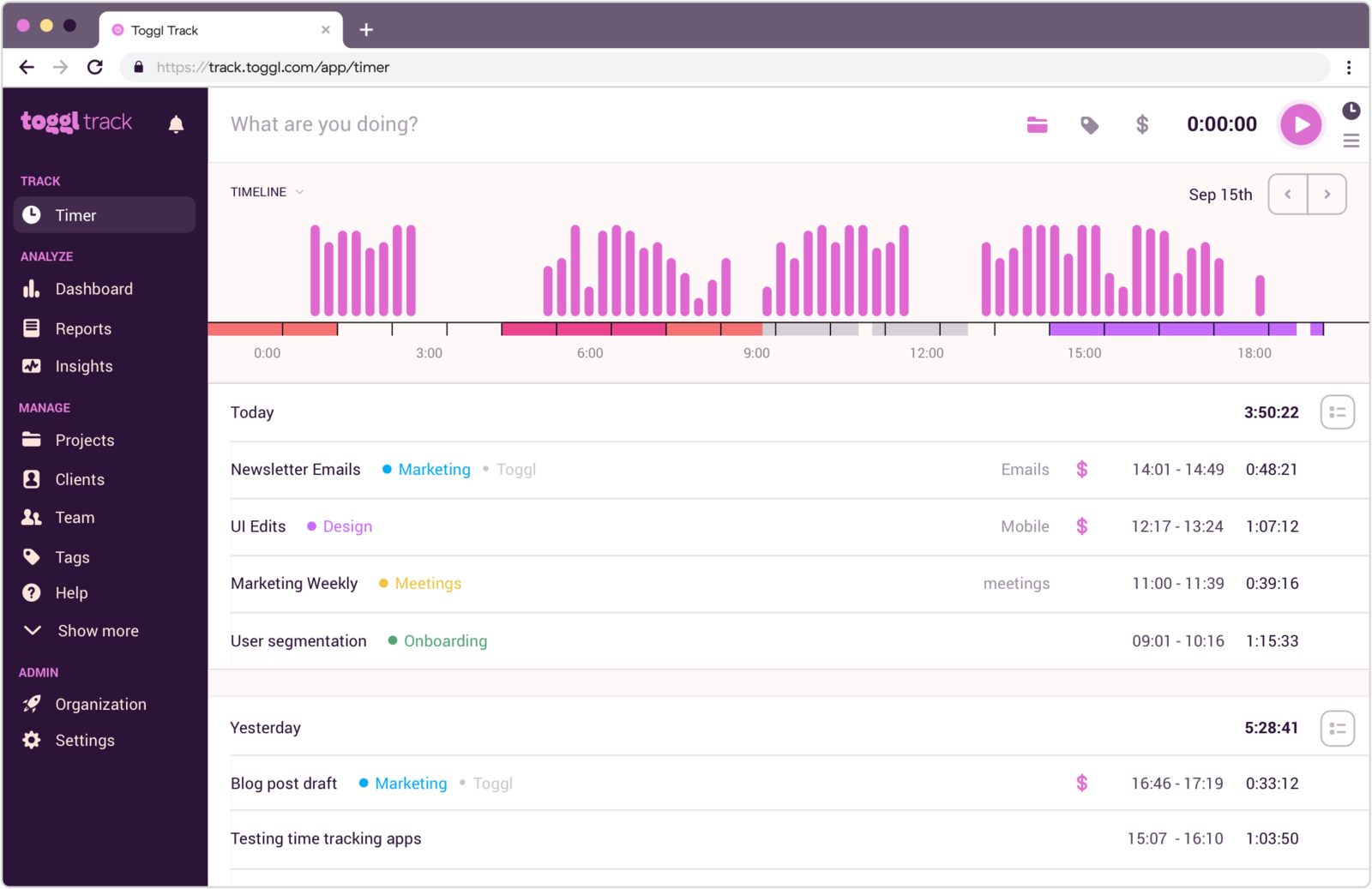
Best for: Agencies that want clean billable tracking without moving into a heavier billing stack.
- Pricing: Free plan available; paid plans start at $9 per user/month
- Rating: 4.6/5 on G2
Toggl Track works for agencies that want a polished way to capture billable time but do not want the product shaped primarily around finance workflows. It keeps the focus on quick logging and readable reports, which can be enough for agencies with lighter invoicing needs or existing accounting systems elsewhere.
That simplicity is helpful when the team mainly wants accuracy and consistency. It becomes less compelling when the agency starts asking for richer invoicing, approvals, or project-profitability tooling inside the same product.
Pros
- Fast timer workflow reduces resistance from client-facing teams.
- Good fit for agencies that already handle invoicing elsewhere.
- Reports are easy to interpret during weekly account reviews.
- Less operational weight than more billing-centric platforms.
Cons
- Billing depth is limited for invoice-heavy agencies.
- Manual cleanup can slow down end-of-week review.
What users say about Toggl Track
On G2 and Capterra, Toggl Track is often described as clean, approachable, and easy for teams to use consistently, which is why agencies still shortlist it. The weaker signals are around editing friction, limited project depth, and the fact that agencies needing richer billing structure usually end up wanting more than it provides.
Source: G2 reviews and Capterra reviews
Agencies still considering Toggl Track usually widen the lens with the Toggl Track alternatives collection and the direct Toggl Track vs Clockify comparison.
7. TimeCamp — best for reporting depth
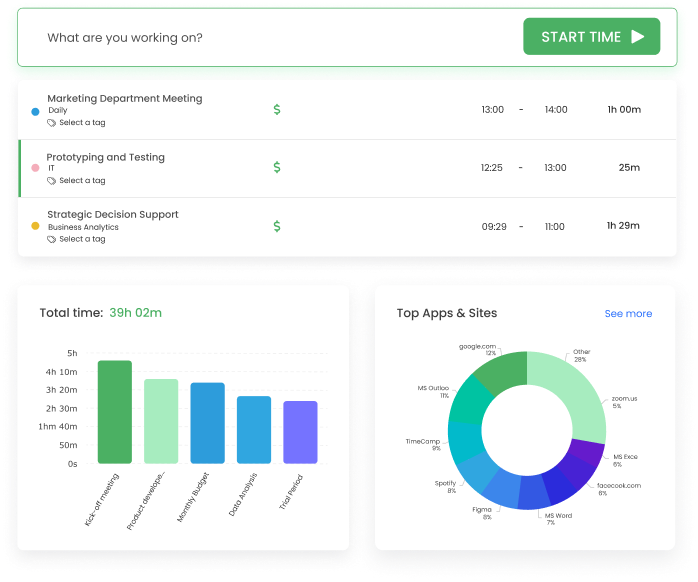
Best for: Agencies that want more reporting flexibility and categorized analysis around billable work.
- Pricing: Starter starts at $3.99 per user/month billed annually
- Rating: 4.7/5 on G2
TimeCamp is worth a look when an agency wants more ways to analyze time by activity, category, or project without stepping up to a formal utilization platform. The extra reporting range can help owners understand where margin disappears and where delivery work is drifting.
It is not as calm as the lighter tools on this list, but it gives agencies more room to learn from their time data. That makes it useful for teams where reporting questions keep getting more detailed.
Pros
- Richer reporting helps agencies study costs and team effort more closely.
- Supports different tracking methods across the agency.
- Affordable way to add more analytical depth.
- Useful when management wants more than basic billable totals.
Cons
- Interface is busier than tools centered on daily ease.
- Review trends mention bugs and occasional instability.
What users say about TimeCamp
Agency teams reviewing TimeCamp on G2 and Capterra often appreciate the mix of flexible tracking, decent reporting, and value for money. The rougher edges show up around bugs, data consistency, and the fact that the product feels less refined than tools that focus more tightly on one workflow.
Source: G2 reviews and Capterra reviews
If the agency question is really about reporting depth versus oversight, the broader TimeCamp alternatives view and Hubstaff vs TimeCamp help define the tradeoff.
8. Clockify — best low-cost agency rollout
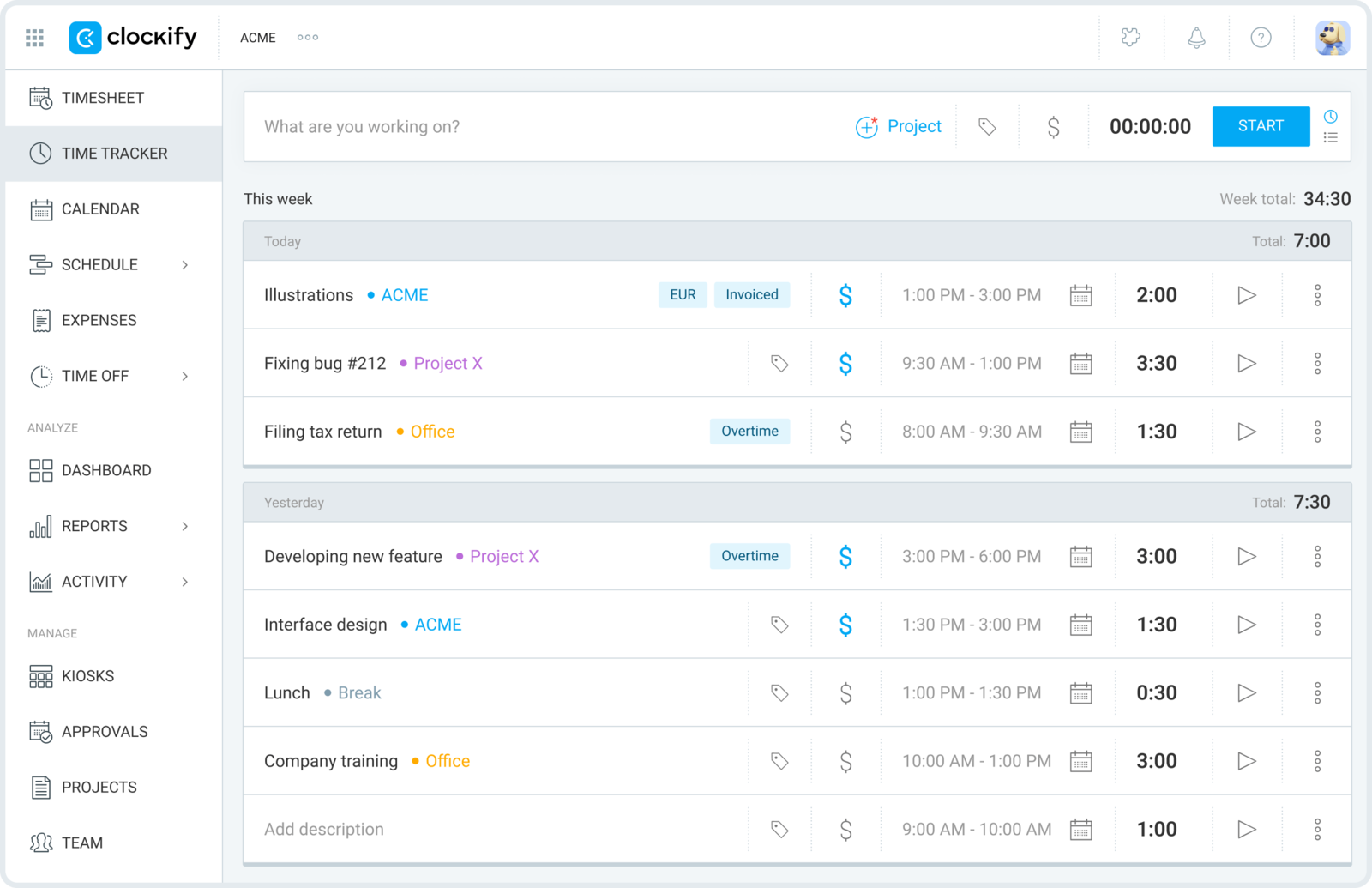
Best for: Agencies that need affordable client and project tracking for a growing team.
- Pricing: Free plan available; paid plans start at $3.99 per user/month billed annually
- Rating: 4.5/5 on G2
Clockify is the pragmatic agency option when the main concern is getting everyone tracking time at a sustainable cost. It gives agencies projects, clients, billable settings, and basic reporting without requiring a bigger software commitment at the start.
That makes it attractive for younger agencies or firms with many collaborators. It is less ideal when leadership wants the software itself to improve billing workflows rather than just record the hours accurately.
Pros
- Cost-effective way to roll time tracking across a broader agency team.
- Supports client and project structures without much setup.
- Flexible enough for both timer and manual entry preferences.
- Useful starter platform for agencies still defining their process.
Cons
- Experience is less polished than premium agency-oriented tools.
- Does not solve invoicing complexity on its own.
What users say about Clockify
Agency-related review themes on G2 and Capterra keep returning to Clockify's value, easy setup, and solid coverage of projects, clients, and time entry. The drawbacks are familiar too: the interface feels utilitarian, editing can get tedious, and teams with more advanced billing or oversight needs often outgrow the simpler setup.
Source: G2 reviews and Capterra reviews
Budget-minded agencies usually compare the wider Clockify alternatives options and the specific Toggl Track vs Clockify tradeoff before deciding.
9. FreshBooks — best for accounting-first boutique agencies
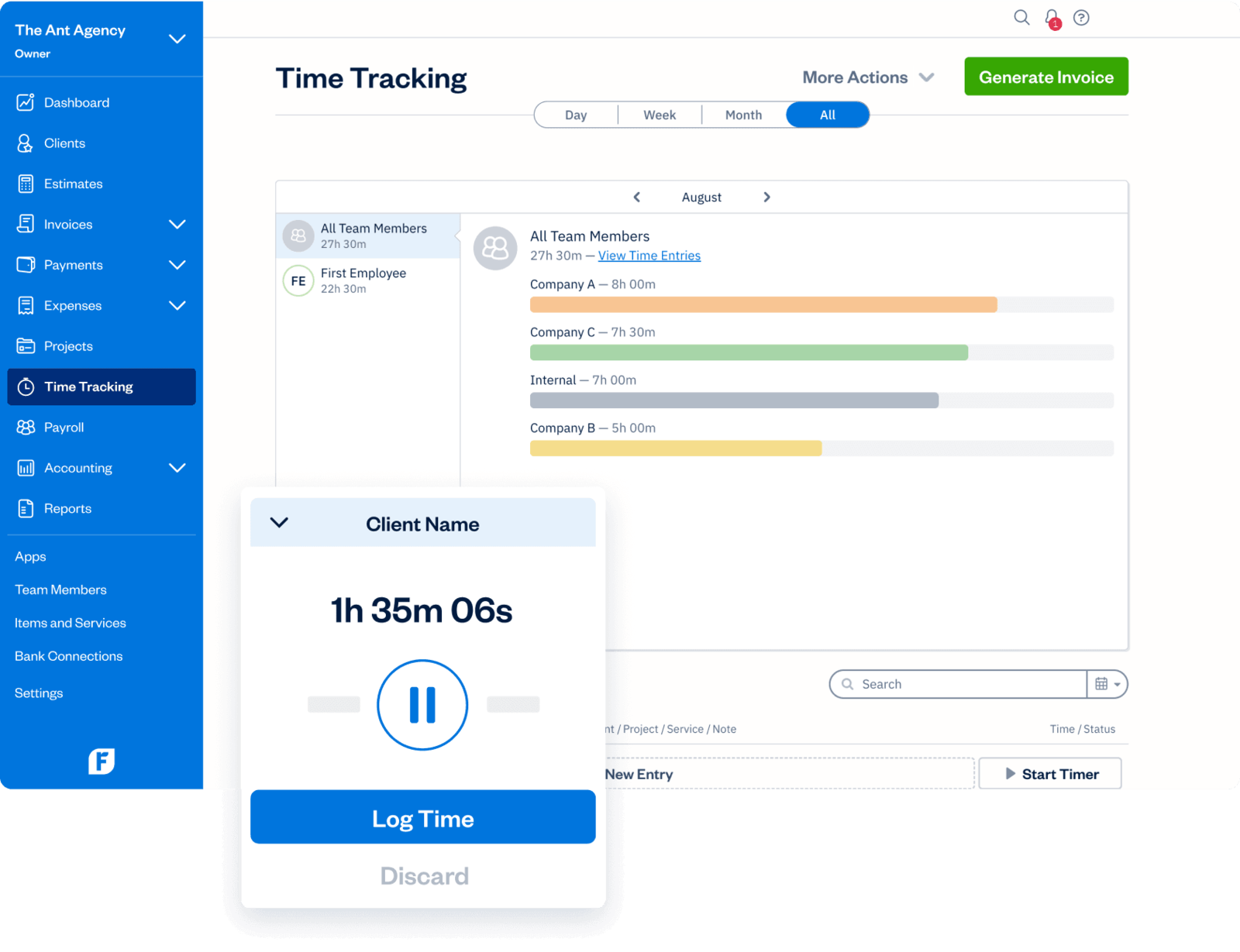
Best for: Boutique agencies that care more about invoicing, expenses, and accounting than deeper time controls.
- Pricing: Lite starts at $9.20 per month; Plus at $17.20 per month; team members cost extra
- Rating: 4.5/5 on G2
FreshBooks is a good agency option when the real need is financial admin with time tracking attached, not a dedicated time system with stronger operational depth. For small studios, solo agencies, or owner-led shops, that can be exactly right because invoicing, expenses, and payments are just as important as the hours themselves.
It is less powerful as a pure agency time platform than Harvest, ClickTime, or Everhour, but it can simplify the back office for agencies that want their money workflows closer to their billing activity.
Pros
- Strong invoicing and expense management for boutique firms.
- Helpful when the owner wants accounting and time in one stack.
- Payments and estimates are more mature than in many tracker-first tools.
- Good fit for agencies with simpler project structures.
Cons
- Not as deep as dedicated agency time platforms for reporting and staffing.
- Per-team-member cost can add up.
What users say about FreshBooks
FreshBooks reviews on G2 and Capterra tend to emphasize easy invoicing, expenses, and payment collection, which is why service businesses keep it on the shortlist. The weaker themes are that time tracking and reporting are lighter than in dedicated platforms and that pricing climbs as more features or collaborators enter the picture.
Source: G2 reviews and Capterra reviews
Which tool should you choose?
Agencies get the best results when they choose the tool that matches how they already make money, not the tool with the longest feature sheet. Match it to your trigger:
You bill clients for time → Harvest. The strongest link from tracked hours to budgets, approvals, and invoices; Paymo is the runner-up if you also want project management in the same place.
You want projects and invoices in one workspace → Paymo, or Everhour if delivery already lives inside a PM tool and you want budgets tied to task work.
You need utilization, approvals, or reporting depth → ClickTime for utilization and approvals, TimeCamp for more flexible reporting and categorized analysis.
You want a light, polished timer → Toggl Track for clean billable tracking, or Clockify for the cheapest way to get a whole team tracking.
Your need is accounting-first → FreshBooks, for boutique or owner-led agencies where invoicing, expenses, and payments matter more than deeper time controls.
You want it genuinely free → Timen is the one all-in-one here that's free with every feature included — billable tracking, reporting, and invoicing, with no per-seat bill. Clockify and TimeCamp have free plans too, but they cap features and keep invoicing or deeper reporting on paid tiers, so their "free" covers less than it looks. Timen's trade is that it's newer, with a smaller integration ecosystem and no employee monitoring or payroll exports — so it's the budget-friendly calm pick, not the one for utilization oversight or a big app marketplace.
FAQ
Agency buyers usually ask these questions once the shortlist is down to billing-first, project-first, and lighter workflow options.
- What is the best time tracking tool for agencies?
- It depends on how your agency bills. Harvest is the strongest all-round pick for turning billable hours into invoices, Paymo is best when you want projects, tasks, and invoices in one workspace, and Everhour fits agencies that run delivery inside a project tool. A free all-in-one like Timen suits agencies that want fast tracking, reporting, and invoicing without a per-seat bill.
- Do agencies need time tracking with invoicing built in?
- Not every agency does, but most save time when tracked hours flow into invoices, client reports, or profitability reviews without manual handoffs. That is why billing-first tools like Harvest, Paymo, and FreshBooks — and free all-in-ones like Timen — keep showing up on agency shortlists.
- What should agencies compare besides pricing?
- Billable-rate handling, budget and utilization visibility, how tightly time connects to projects and approvals, reporting quality, and how easily the team keeps time accurate week after week. Per-seat cost matters most once you roll a tool out across the whole agency.
- How do I choose between Harvest, Paymo, and the others?
- Start from your billing model. If invoicing is the center of the business, Harvest. If you want projects and invoices in one place, Paymo. If delivery lives in a PM tool, Everhour. If you need utilization and approvals, ClickTime. If you want a genuinely free all-in-one, Timen — with the caveat that it is newer, has a smaller integration ecosystem, and no employee monitoring.
Conclusion
For most agencies the choice comes down to how you bill. If invoicing is the heart of the business, Harvest is the safest agency standard; Paymo if you want projects and invoices in one workspace; Everhour when delivery already runs through a PM tool; ClickTime once utilization and approvals matter; TimeCamp for reporting depth; Clockify for the cheapest rollout; and FreshBooks for accounting-first boutique shops.
And if what you actually want is a genuinely free all-in-one — fast tracking, clear reporting, and invoicing from the same hours — Timen is worth a look, with the honest caveat that it's built for simplicity, not utilization oversight or heavy integrations. Still torn between two? Toggl Track vs Harvest and Toggl Track vs Clockify are the two most useful next reads.