













Best time tracking software for consultants in 2026

Harvest is worth considering for consulting work with multiple billing rates and retainers. Paymo combines projects, schedules and billing, while FreshBooks puts accounting first. Toggl and Clockify suit lighter tracking needs. Timen includes tracking, reports and invoicing for free. Start with the reports your practice needs: hours at each rate, time used against retainers and the share of available time spent on billable work.
Consultants may bill by the hour, day, project or retainer, and each arrangement changes what they need from time tracking. The same is true for many freelancers. If your work involves several rates or recurring client budgets, a timer alone may leave you doing the calculations elsewhere.
Toggl and Clockify both changed their free plans this year, so those two are worth reading closely.
How should you compare rates, retainers and utilisation?
Check how each tool handles your billing rates, recurring budgets and billable hours. You may need all three, or just a clear record of time spent on each client.
The rate card
Your rates may vary by client, person or type of work. For example, strategy sessions may have a different rate from delivery work. Check whether the tool can apply those rates to the right entries and carry them into a report or invoice. One rate per project is enough for some practices; others need rates by team member or task.
The retainer
An hours-based retainer gives a client an agreed amount of work each month. Track entries against that allowance and review the remaining hours weekly, so you can discuss extra work before exceeding it. Some tools support recurring budgets; others need a new budget or project each month. Check how unused hours and overruns are handled if your agreements allow carryover.
Utilisation
Utilisation is billable hours divided by available working hours. For example, 24 billable hours in a 40-hour working week is 60 percent. Whether that is sustainable depends on your rates, costs and the non-billable work the business needs. Use a consistent definition of available hours, allowing for leave and your working schedule. Track non-billable work too if you want to understand where the remaining time goes.
A solo consultant with one rate may only need reliable client totals and an hours budget. A practice with several rates and recurring retainers should test those arrangements in the tool before choosing it.
Quick picks
- Best overall for billing: Harvest, for rate cards, retainers and invoices in one place.
- Best with projects and scheduling: Paymo, when the plan and the hours belong together.
- Best when accounting comes first: FreshBooks, for invoices, expenses and tax alongside tracking.
- Best lean timer: Toggl for polish, Clockify for price.
- Best free option: Timen, for tracking, billable hours and invoicing at no cost.
- Best for utilisation reporting: TimeCamp, for categories and the billable ratio without a heavier platform.
How we compared these tools
- Hands-on use. Each tool was used to track real client and admin work, not just previewed. The "best for" calls and the pros and cons come from that, plus each product's current docs.
- Consulting workflow. The comparison focuses on billing rates, retainer budgets and utilisation reporting.
- Ratings. The G2 scores shown are the aggregate ratings on each product's G2 page at the time of writing; the review summaries paraphrase recurring themes across G2 and Capterra rather than quoting any single review.
- Pricing. Taken from each vendor's public pricing page and rounded.
- Order. Billing-focused tools come first, followed by lighter trackers and tools connected to project management. Choose by your workflow rather than the list position.
Consultant time tracking software comparison table
| Tool | Rate card | Retainer budget | Utilisation | Pricing |
|---|---|---|---|---|
| Harvest | Per person and per project | Yes, resets monthly | Reported | Free for 1 user; from $9 per seat/month billed annually |
| Paymo | Per person, project and task | Yes | Reported | Solo from $5.90/month; Plus $10.90 per user/month |
| FreshBooks | Per project and per service | Yes, via retainer invoices | Partial | Lite from $9.20/month; team members extra |
| Toggl | Starter and above | Hours budget on Starter | Premium | Free for 3 users; Starter $9 per user/month billed annually |
| Timen | Rate per project | Hours budget per project | Totals to divide | Free, every feature included |
| Everhour | Per person and per project | Yes, inside the PM tool | Reported | Free plan; Team $8.50 per seat/month billed annually |
| Clockify | Paid plans | Hours budget on paid plans | Totals to divide | Free for 5 users; paid from $3.99 per user/month billed annually |
| TimeCamp | Paid plans | Hours budget | Reported | Free plan; from $3.99 per user/month billed annually |
| TrackingTime | Limited | Hours budget | Totals to divide | Free plan; Starter $5.75 per user/month billed annually |
Best time tracking software for consultants in 2026
1. Harvest: best overall for rate cards, retainers and invoices
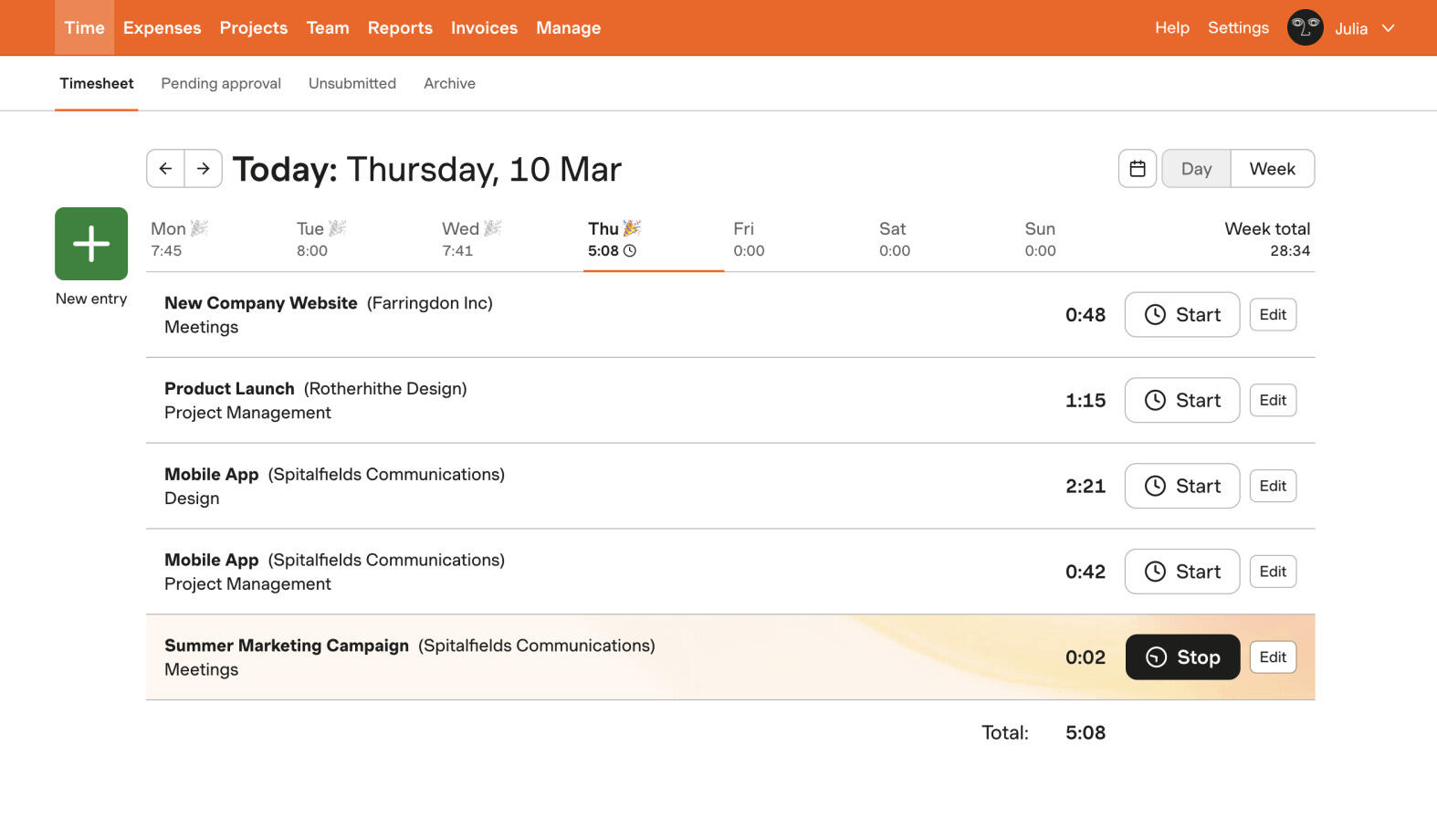
Best for: Consultants who bill hourly at more than one rate and run retainers.
- Pricing: Free for one user; paid plans start at $9 per seat/month billed annually
- Rating: 4.3/5 on G2
Harvest is the consultant default because it passes all three tests without fuss. Rates can be set per person or per project and the invoice is built from them. A retainer is a project with a monthly budget that resets, with a report that shows burn against it. Utilisation is a report, by person and by period, as long as the team logs non-billable time too. Tracked hours move into an invoice with the least manual work of any tool here, and the invoice can carry expenses.
Per-seat pricing becomes more significant as the practice grows. For a solo consultant with one rate, Harvest may offer more billing structure than necessary. For a team managing several rates and budgets, that structure can be useful.
Pros
- Rate cards, retainer budgets and utilisation reporting in one tool.
- The cleanest path from tracked hours to a client invoice.
- Reports clients can read without reformatting.
- Mature integrations with accounting and project tools.
Cons
- Per-seat pricing adds up for a growing practice.
- Reporting is solid but not deep; some consultants export to analyse further.
What users say about Harvest
Harvest scores 4.6 on Capterra across 652 reviews, with ease of use also at 4.6. Reviewers keep returning to the same points: a clean interface with a short learning curve, hours tracked across many clients and many projects each, and tracked time that turns into an invoice without re-entry. Several consultants describe using it unchanged for five years or more. The recurring criticism is limited customisation, particularly in reporting and invoice design, along with a price that climbs as the team grows and occasional bugs where a manually added entry does not save.
Source: G2 reviews and Capterra reviews
Consultants weighing Harvest against a lighter tool usually read Harvest alternatives and the head-to-head Toggl vs Harvest.
2. Paymo: projects, time and invoicing in one
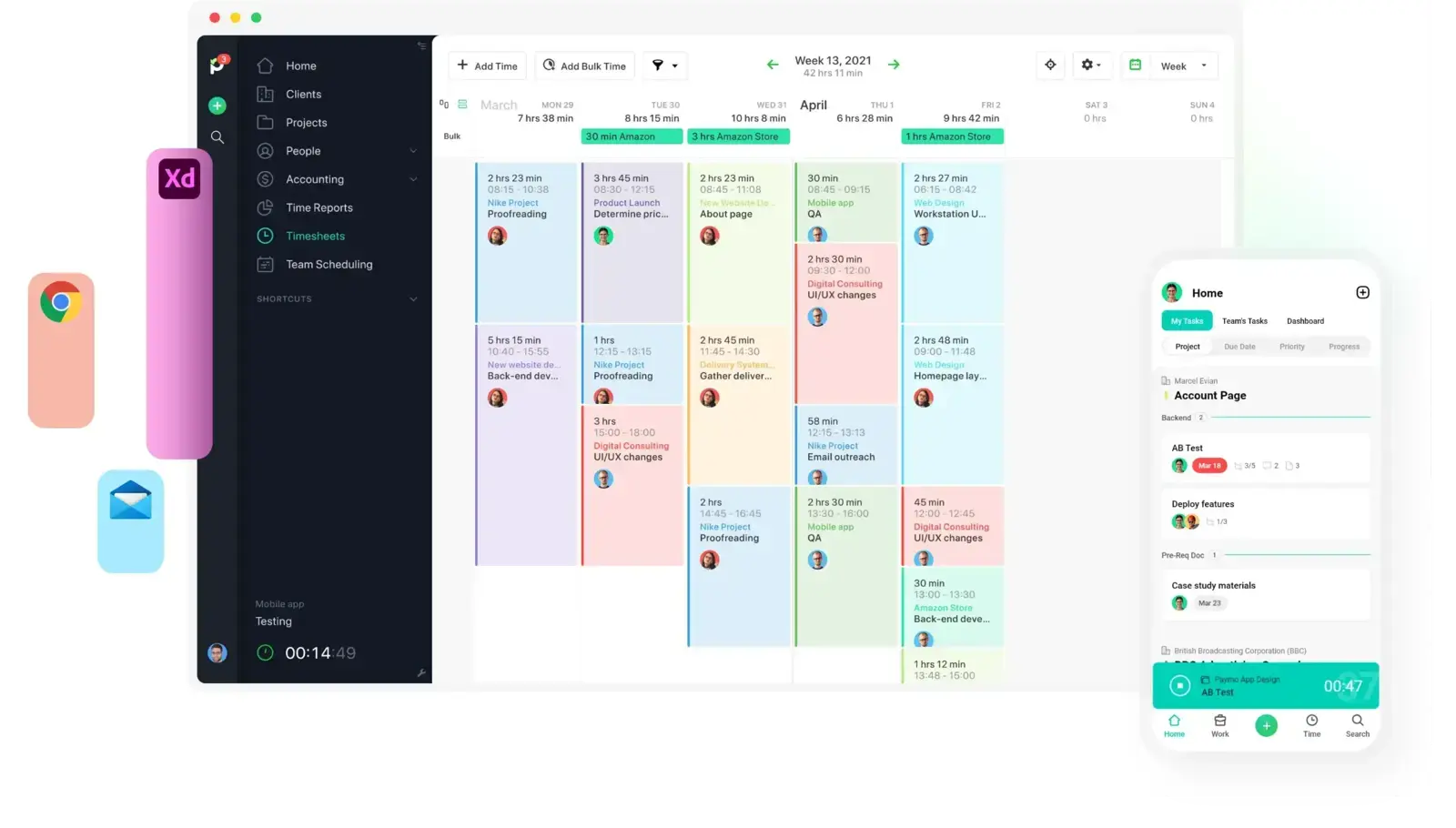
Best for: Consultants who want the project plan, the hours and the invoice in the same tool.
- Pricing: Solo starts at $5.90/month; Plus is $10.90 per user/month
- Rating: 4.6/5 on G2
Paymo is the tool for the consultant whose engagements have a plan as well as a bill: phases, tasks, a schedule, and hours logged against all of it. Rates go per person, project or task, retainers are supported, and utilisation shows by person. It also has the widest invoicing options here, including recurring retainer invoices and partial payments.
The project features are useful when consulting work includes a delivery plan with phases and tasks. If most of your work is calls and written advice, they may add more setup than you need.
Pros
- Rate cards, retainers and utilisation alongside a real project plan.
- Recurring and retainer invoicing built in.
- Solo plan is inexpensive for an individual consultant.
- Time sits next to the tasks it was spent on.
Cons
- The project features are overhead for consultants who do not plan in the tool.
- More setup than a timer.
What users say about Paymo
Paymo scores 4.7 on Capterra across 686 reviews, with customer service also at 4.7. Reviewers value getting task lists, time tracking, expenses and invoicing in one place rather than three, and the one-click step from tracked time to an invoice that can carry the time-entry notes as a summary. Profitability is visible at task level, not just per project. The sharpest criticism is export: Gantt charts come out as PDF or image rather than Excel, and one reviewer found most data hard to get out without building against the API. Recurring invoices need the help docs, and assigning time to a task does not plan the day.
Source: G2 reviews and Capterra reviews
If the project side is the draw, Paymo alternatives covers the tools that do the same with less.
3. FreshBooks: best when accounting comes first
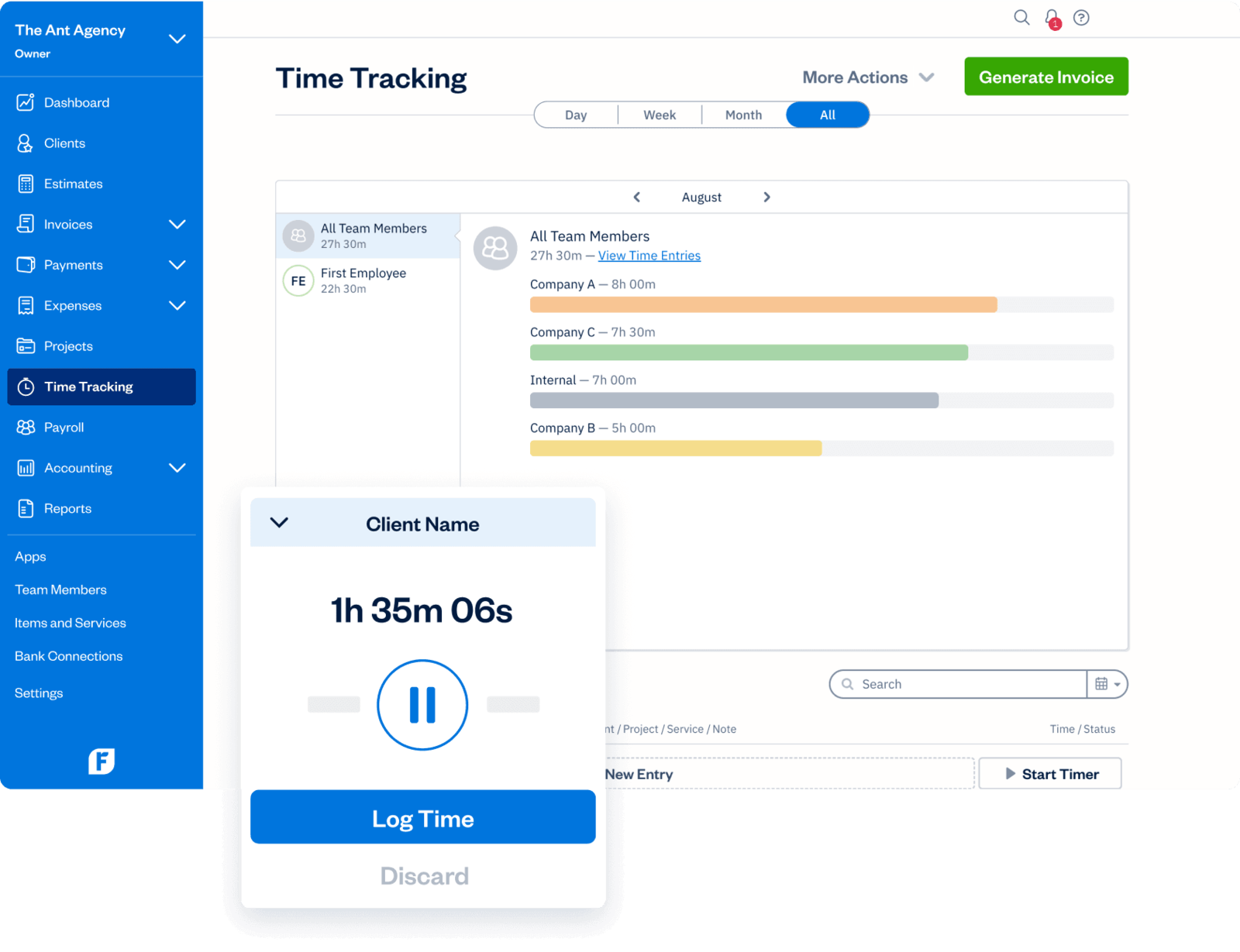
Best for: Consultants who want invoices, expenses, payments and tax in one place, with tracking attached.
- Pricing: Lite starts at $9.20 per month; Plus at $17.20 per month; team members cost extra
- Rating: 4.5/5 on G2
FreshBooks combines accounting with time tracking. It suits consultants who want invoices, expenses and payment records together. Retainer invoices can connect tracked work to an agreed client payment. If you also need utilisation reporting, check whether the available reports give you the figures you need.
The tracker itself is fine rather than excellent, and adding team members costs extra per person. It is the pick when the accountant is the main reader of the numbers.
Pros
- Invoicing, expenses, payments and tax reporting in one system.
- Retainer invoices drawn down by tracked time.
- Client-facing invoices and payment collection are polished.
- Good fit for a solo consultant who does their own books.
Cons
- Time tracking is secondary to the accounting.
- No real utilisation reporting; team members cost extra.
What users say about FreshBooks
FreshBooks scores 4.5 on Capterra across 4,525 reviews, and it is listed there as billing software rather than a time tracker, which matches how reviewers describe it. The praise is for invoicing, expense handling, automated reminders and built-in online payments, plus accountant access, which several reviewers name as the reason they chose it. Price is the most consistent complaint — reviewers report it roughly doubling and extra users costing on top — followed by restricted accounting report workflows, expense categories that do not stick to recurring purchases, and inaccurate mileage tracking.
Source: G2 reviews and Capterra reviews
4. Toggl: the polished mainstream timer
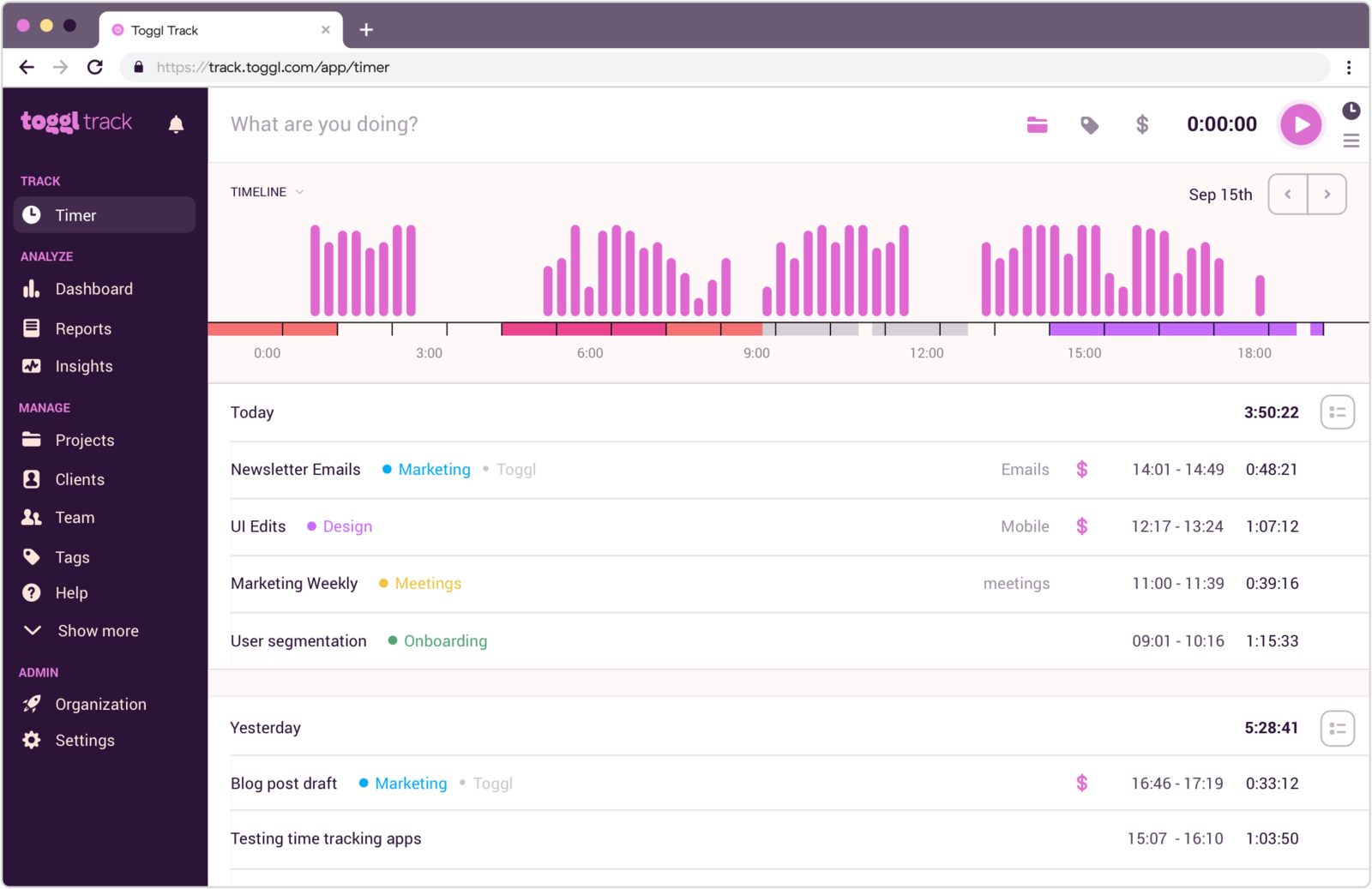
Best for: Consultants who switch between clients all day and want the fastest possible timer, and can pay for the rate card.
- Pricing: Free for up to 3 users; Starter $9 per user/month and Premium $16 billed annually
- Rating: 4.6/5 on G2
Toggl suits a day split into short blocks across several clients. Starter adds billable rates and project time estimates, while Premium adds profitability and utilisation reporting. Free covers 3 users but does not include billable rates.
Toggl also became a bigger product in 2026, folding its planning and capacity tool into the tracker, so Starter now comes with timelines and milestones a solo consultant may never open. It is the right choice for a consultant who values the timer above everything and is happy on Starter; it is the wrong one for a practice that needs retainer reporting without a Premium upgrade.
Pros
- The fastest, cleanest timer for a fragmented consulting day.
- Rates and hours budgets on Starter cover a simple practice.
- Readable reports with little setup.
- Widely known, so clients and subcontractors often already use it.
Cons
- Free plan has no billable rates and is now 3 users.
- Utilisation and profitability reporting are Premium.
- Invoicing is lighter than the billing-first tools.
What users say about Toggl
Consultants reviewing Toggl on G2 and Capterra usually praise the clean interface, fast timer controls and easy reporting. The recurring downsides are that editing entries can become repetitive, project organisation is not especially deep, and teams needing richer billing or planning often end up comparing more specialised products.
Source: G2 reviews and Capterra reviews
Consultants deciding whether Toggl stays simple enough often widen the lens with the Toggl alternatives list and the side-by-side Toggl vs Clockify comparison.
5. Timen: free billing built in, with no per-seat cost

Best for: Consultants with a simple hourly billing arrangement who want tracking, a weekly review and invoicing free in one place.
- Pricing: Free, every feature included, including invoicing
Timen is our tool. It lets you capture time, review entries in a calendar and create reports or invoices from tracked hours. It suits simpler billing arrangements. Check how your rates and project budgets would be represented before using it for retainers.
That makes it the right pick for a solo consultant or a two-person practice with a simple rate structure, and the wrong pick for a firm that needs a rate card, utilisation by person, timesheet approvals or a large integration set. Harvest and Paymo are stronger there, and it is better to know that now than after the first quarter.
Pros
- Invoicing and CSV export included at no cost.
- Fast edits make it easier to handle a day split across many clients and tasks.
- Calendar view helps consultants check missed or overlapping work quickly.
- Reports are straightforward enough to share with clients or keep internally.
Cons
- One rate per project, so a multi-rate rate card needs a workaround.
- No utilisation report as such, and no timesheet approvals.
- Newer product with a smaller integration ecosystem.
Why consultants pick Timen
Timen suits consultants who want to track client work and invoice from the same entries. Practices that need formal approvals, detailed rate structures or extensive integrations should compare those requirements separately.
The product page for consultant time tracking in Timen shows the tracking-to-invoice loop in more detail.
6. Everhour: best when time lives inside client projects
Best for: Consultants embedded in a client's project tool who want hours attached to the tasks and budgets already there.
- Pricing: Free plan available; Team plan costs $8.50 per seat/month billed annually
- Rating: 4.7/5 on G2
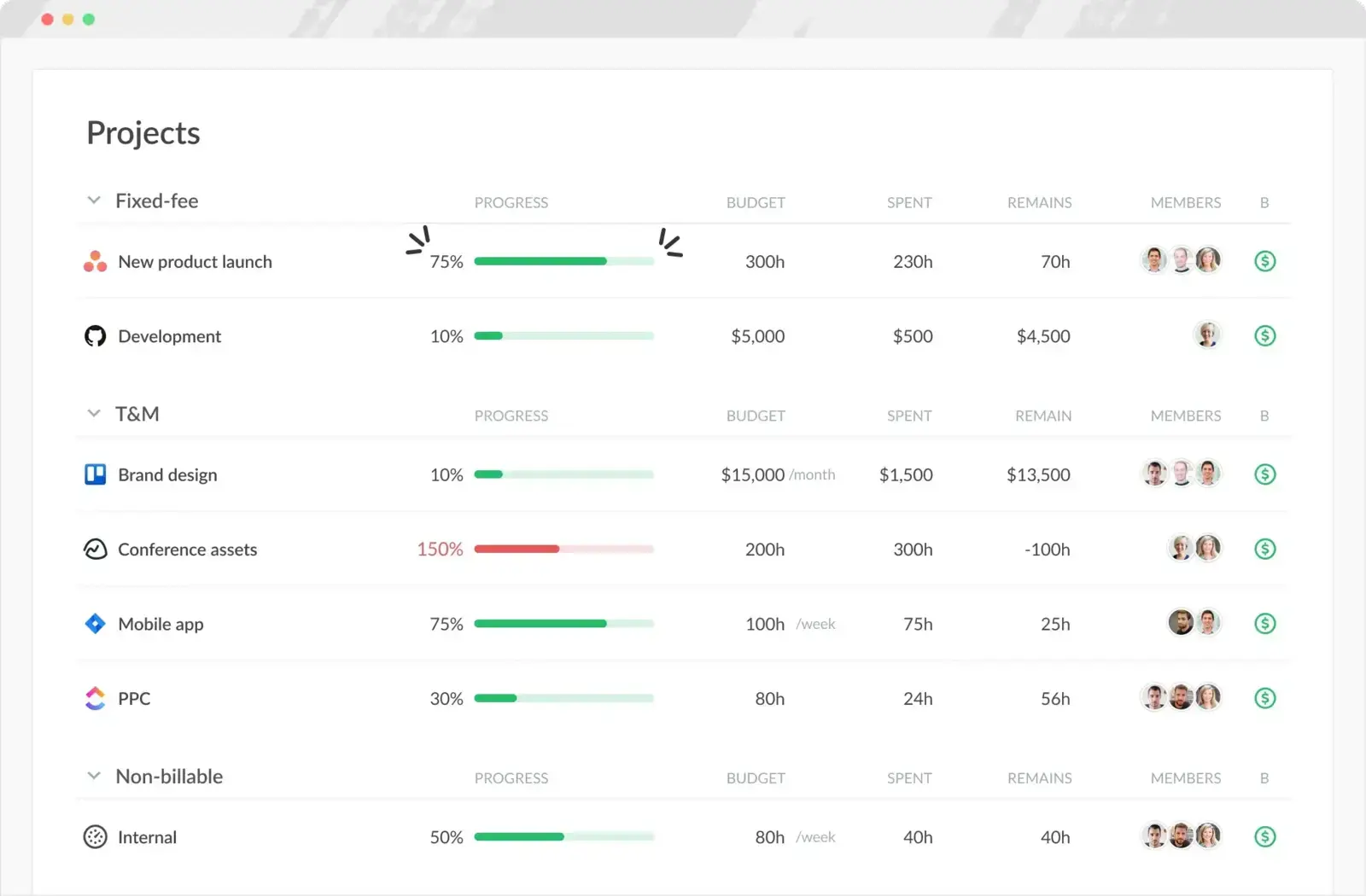
Everhour makes sense for consultants who do not want time tracking separated from the way the client work is actually managed. If milestones, tasks and budgets already live inside Asana, Jira, Trello or Basecamp, Everhour keeps logged hours attached to that structure. Rates go per person and per project, budgets sit on the project inside the PM tool, and utilisation is reported. That is useful for delivery oversight and retained work; for call-and-report advisory it is more project than the practice has.
Pros
- Strong fit for consultants embedded in client project workflows.
- Rates, budgets and utilisation with the project context attached.
- Useful when multiple stakeholders need to see time against tasks.
- Better project connection than any standalone tracker here.
Cons
- No mobile app limits flexibility for some consultants.
- Less attractive for advisory work that does not use PM tools.
What users say about Everhour
Consulting-oriented review themes on G2 and Capterra emphasise Everhour's integrations, easy tracking from task views, and the visibility it gives into estimates and budgets. The common drawbacks are the missing mobile app, some invoicing friction, and the fact that it works best when consultants already live inside a connected project stack.
Source: G2 reviews and Capterra reviews
Consultants comparing PM-linked tracking against billing-first tools usually benefit from the wider Everhour alternatives set and the head-to-head Harvest vs Everhour.
7. Clockify: the low-cost option
Best for: Consultants who want client, project and billable tracking at the lowest paid price.
- Pricing: Free for up to 5 users; paid plans start at $3.99 per user/month billed annually
- Rating: 4.5/5 on G2
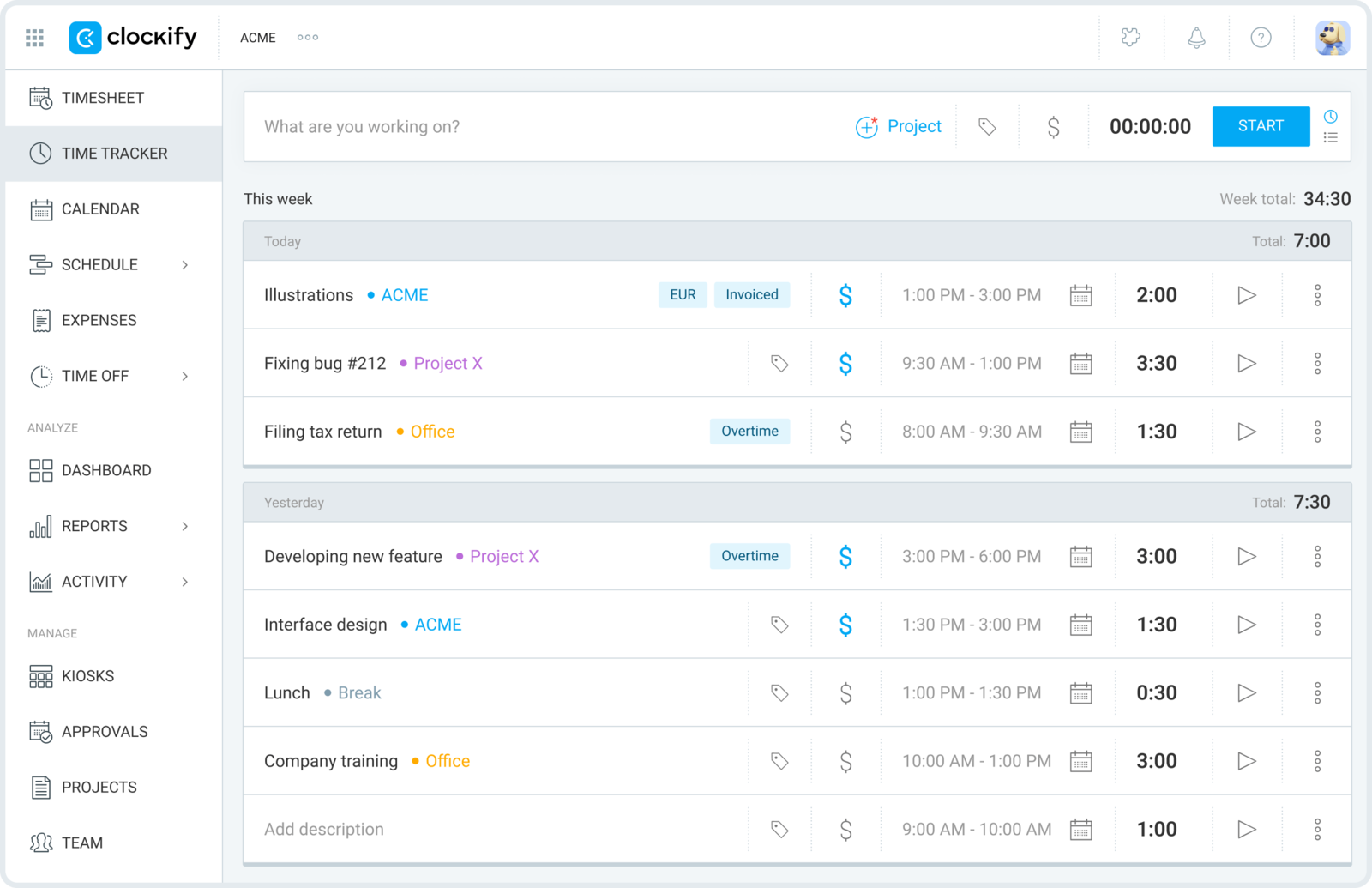
Clockify covers the essentials for the least money. Its free plan lost billable rates, invoicing and spreadsheet export in April 2026, so billing and budget features require a paid plan: rates and hours budgets from the lowest paid tier, and the billable and non-billable totals to divide for utilisation. At $3.99 a seat that is a fair deal for a practice that mostly needs the record kept. It is not the calmest tool in the market, but it offers a lot for the price.
Pros
- Lowest paid entry point for a growing consulting practice.
- Client and project setup are easy enough to maintain.
- Supports both timer and timesheet habits.
- Rates and budgets on the cheapest paid tier.
Cons
- Rates, invoicing and Excel export left the free plan in 2026.
- Interface can feel more functional than polished.
What users say about Clockify
On G2 and Capterra, consultants and small teams often like Clockify because it is flexible, affordable, and fast to set up around clients and projects. The main complaints are about repetitive edits, an uneven mobile experience, and a product feel that is more utilitarian than refined compared with pricier alternatives.
Source: G2 reviews and Capterra reviews
If cost is the main reason Clockify stays in the mix, the broader Clockify alternatives group and Toggl vs Clockify are the two most useful follow-ups.
8. TimeCamp: best for utilisation reporting on a budget
Best for: Consultants who want utilisation and categorised reporting without a heavier platform.
- Pricing: Starter starts at $3.99 per user/month billed annually
- Rating: 4.7/5 on G2
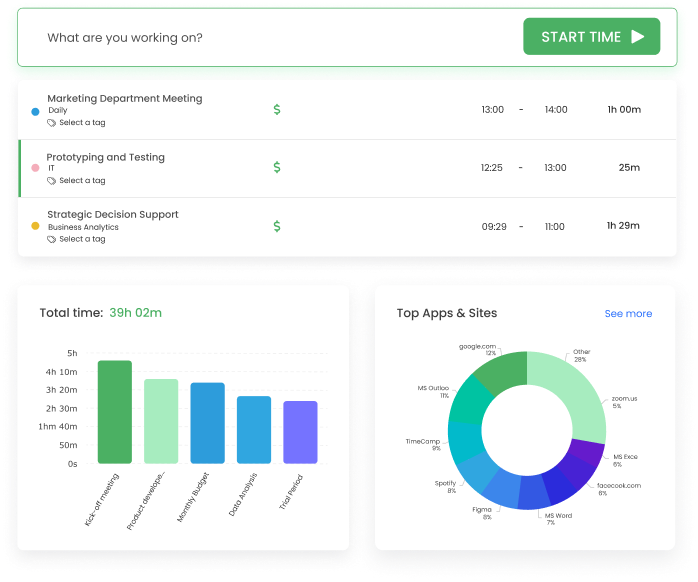
TimeCamp is worth considering when reporting matters as much as the timer. It offers categories, billable-time reporting and paid features for rates and budgets. Compare the reporting plan with the figures you need each month, and try the daily workflow before committing.
Pros
- Utilisation and category reporting at a low price.
- Rates and budgets on paid tiers.
- Manual and automatic capture.
- Good for practices that want to see where non-billable time goes.
Cons
- Busier than tools optimised for speed.
- Review trends still mention bugs and reliability concerns.
What users say about TimeCamp
Consultants reviewing TimeCamp on G2 and Capterra often appreciate the reporting flexibility and overall value, especially when they need more than basic timer totals. The weak points are recurring complaints about bugs, occasional data issues, and a product experience that is less crisp than lighter tools.
Source: G2 reviews and Capterra reviews
The TimeCamp alternatives list and Hubstaff vs TimeCamp cover the reporting-first angle.
9. TrackingTime: best for a small consulting team's consistency
Best for: Consulting teams whose problem is people forgetting to track, not the billing.
- Pricing: Free plan available; Starter starts at $5.75 per user/month billed annually
- Rating: 4.4/5 on G2
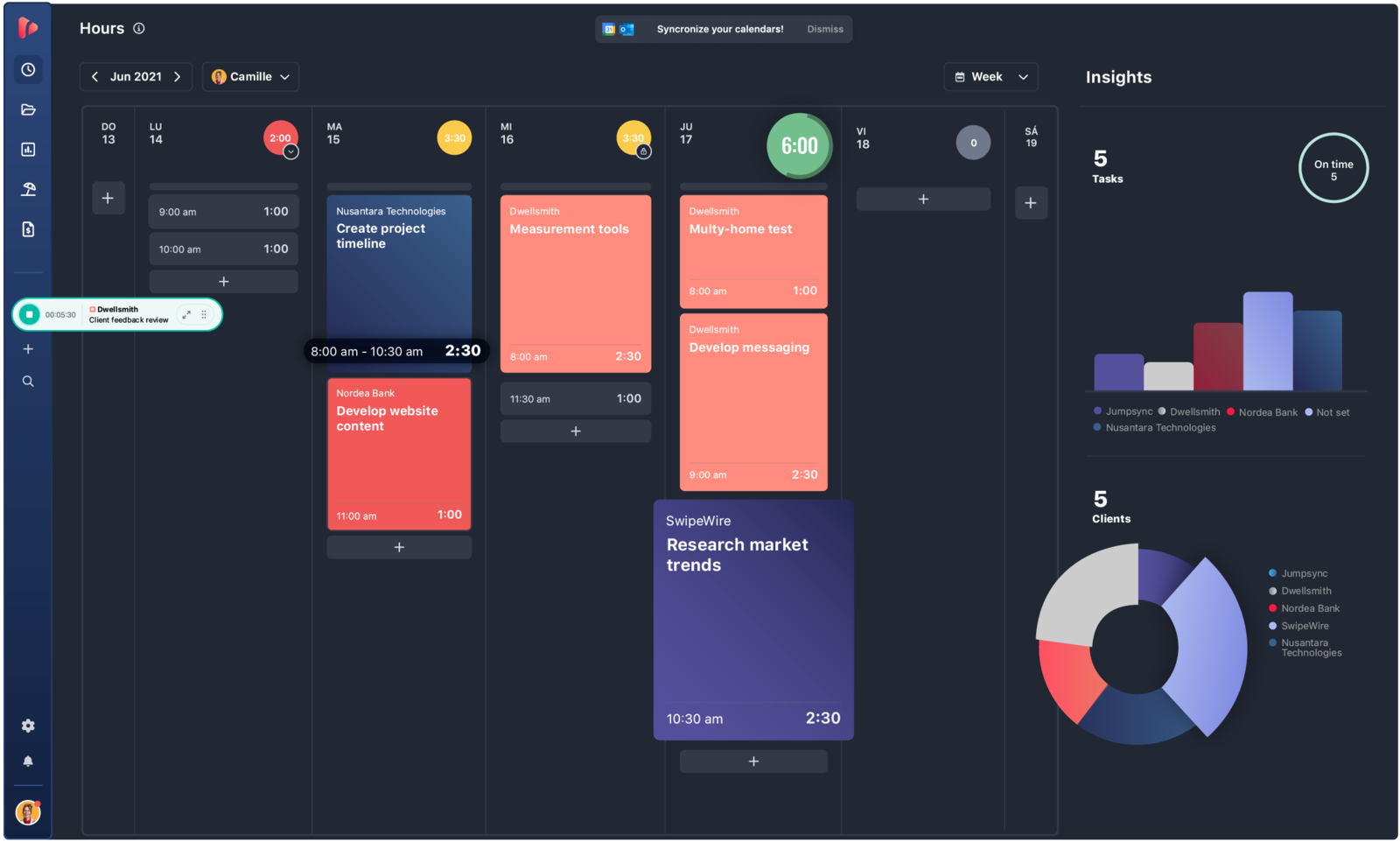
TrackingTime focuses on keeping a small team consistent, with reminders, shared timesheets and reports. That can work well when billing happens elsewhere. Check its rate and budget options if you also want it to manage client billing.
Pros
- Reminders improve consistency across client work.
- Shared timesheets support small consulting teams well.
- Reporting is clear enough for routine internal review.
- More team visibility than most lightweight trackers.
Cons
- Weak on rate cards and utilisation.
- Some integrations and timer behaviours still need cleanup.
What users say about TrackingTime
Reviewers on G2 and Capterra often mention TrackingTime's value, reminder features and clear timesheets as strengths for smaller service teams. The recurring criticisms are onboarding friction, timers that need manual correction at times, and integrations that feel less polished than the better-known competitors.
Source: G2 reviews and Capterra reviews
Which consultant time tracking software should you choose?
Match the tool to which of the three things you need, and to how much weekly admin you will tolerate:
You have a rate card and retainers → Harvest. It is the consultant default for a reason: rates, retainer budgets, utilisation and invoices in one place.
You want the project plan next to the hours → Paymo, or FreshBooks if the money side, invoices and expenses and tax, matters more than the project structure.
You have one rate and a couple of retainers → Timen if you want it free with invoicing, Toggl Starter if you want the nicest timer and can pay per seat, Clockify if price is everything.
Time has to live inside the client's project tool → Everhour.
You want to know your utilisation without a platform → TimeCamp.
Your team forgets to track → TrackingTime for the reminders and shared timesheets.
For a free option, consider Timen if your billing structure is simple. If you need approvals or more detailed billing controls, make those requirements part of the comparison.
Conclusion
Choose around your billing arrangements. Multiple rates and recurring retainers make billing features more important; a simple hourly arrangement may need only accurate entries and clear client reports. Compare the total cost after checking those needs.
Before choosing, put a typical client engagement through the tool: record the work, review the budget and prepare the report or invoice. That will tell you more than testing the timer alone.