













Best time tracking software for freelancers in 2026

For a simple free timer, Toggl Track and Clockify are the easiest solo starts. When invoicing is the real job, Harvest and FreshBooks pull ahead. Timely and Memtime win if you keep losing hours to context switching, and Timen is the pick if you want tracking, reporting, and invoicing free in one place with no per-seat bill.
Time tracking software for freelancers has to respect one fact above all others: every admin minute is unpaid unless it helps you get paid faster. The right product makes it easy to capture client time, review a messy day, and send accurate hours into an invoice without creating a second layer of work on top of the actual project. I spent time in each of the nine tools below, tracking real work rather than clicking through a demo, so the "best for" calls and the pros and cons come from using them, not from spec sheets.
One thing to check before you get attached to any of them: most free plans stop exactly where billing starts. Toggl caps free at 3 users and Clockify at 5, and both put billable rates and invoicing on paid tiers, which matters more to a freelancer than the seat limit ever will. If budget is the deciding factor, it is worth two minutes to check where the free plans stop before you commit.
This shortlist focuses on freelance-friendly tools that stay manageable for one person. Some are classic timer apps, some lean toward invoicing and accounting, and some use automatic capture to reduce the chance that billable work disappears between context switches. Time tracking is only half a freelancer's stack, so it's worth comparing the best project management software for freelancers for the other half.
Quick picks
These picks reflect the choices freelancers make most often: how to keep solo admin low, how to send invoices faster, and whether a live timer or passive capture feels more realistic.
- Best overall: Toggl Track for a fast, familiar solo timer that's free to start for one person.
- Best free option: Clockify for freelancers who want clients, projects, and timesheets with minimal spend.
- Best for invoicing: Harvest for billable freelance work and client-ready invoices.
- Best accounting-first option: FreshBooks for freelancers who want time, expenses, and invoices together.
- Best free all-in-one: Timen for tracking, reporting, and invoicing in one place with no per-seat bill.
- Best for automatic capture: Timely for freelancers who hate remembering timers.
What to look for in a freelance time tracker
As a solo operator you're the whole team — you track, review, and bill — so judge candidates on the parts of the workflow that come after the timer, not just on how nice the timer feels. It also helps to understand up front why freelancers miss billable hours, because that's usually where a tool earns or loses its keep. The things that actually differ:
- How little friction daily entry has — quick edits, keyboard-speed timers, and forgiving manual entry when you forget to start one.
- Whether reports and exports are clean enough to hand a client without cleanup first.
- Billing depth: rates, invoices, and the shortest path from tracked hours to an actual bill.
- How tightly time connects to clients and projects, so you always know what's billable to whom.
- What "free" really covers — whether a free plan handles your daily use, or quietly gates invoicing and reporting behind paid tiers.
- Per-seat cost the moment you add a subcontractor or virtual assistant, if solo won't stay solo forever.
How we compared these tools
A quick note on method, so you can weigh the picks:
- Hands-on use. Each tool was used to track real work, not just previewed. The "best for" calls and the pros and cons come from that, plus each product's current docs.
- Ratings. The G2 scores shown are the aggregate ratings on each product's G2 page at the time of writing (July 2026); the review summaries paraphrase recurring themes across G2 and Capterra rather than quoting any single review.
- Pricing. Taken from each vendor's public pricing page and rounded.
- Order. Roughly how well each tool fits a typical solo freelancer who bills clients — not a strict ranking, and not ordered by our own product. Timen appears where it genuinely fits (a simpler, free all-in-one), which is the middle of the list, not the top.
Time tracking tools for freelancers compared
The fast version — where each tool fits, how heavy it is, and what it costs. Use it to separate the clean solo trackers from the billing-heavy and passive-capture options.
| Tool | Best for | Complexity | Pricing |
|---|---|---|---|
| Toggl Track | Polished, familiar solo timer | Low | Free plan; paid from $9 per user/month |
| Clockify | Free client and project tracking | Low to medium | Free plan; paid from $3.99 per user/month billed annually |
| Harvest | Freelance billing and client-ready invoices | Medium | Free plan; paid from $9 per seat/month billed annually |
| FreshBooks | Invoices, expenses, and time in one place | Medium | Plans start at $9.20 per month plus team-member costs |
| Timen | A genuinely free all-in-one (tracking, reports, invoices) | Low | Free — every feature included |
| Timely | Passive capture for fragmented freelance days | Low to medium | Paid from about $9 per user/month billed yearly |
| Memtime | Automatic activity history for solo review | Low | Paid plans start around $12 per user/month |
| TrackingTime | Reminders and shared client work | Low to medium | Free plan; paid from $5.75 per user/month billed annually |
| RescueTime | Focus insight and habit visibility | Low | Paid plans start around $12 per month |
Best time tracking tools for freelancers in 2026
These tools all work for freelancers, but they solve slightly different solo-business problems. Some keep invoicing close, some keep tracking lightweight, and some reduce the need to remember every timer start and stop. From the simplest free timers to the more specialized capture tools, here's the shortlist.
1. Toggl Track — the fast, familiar free timer
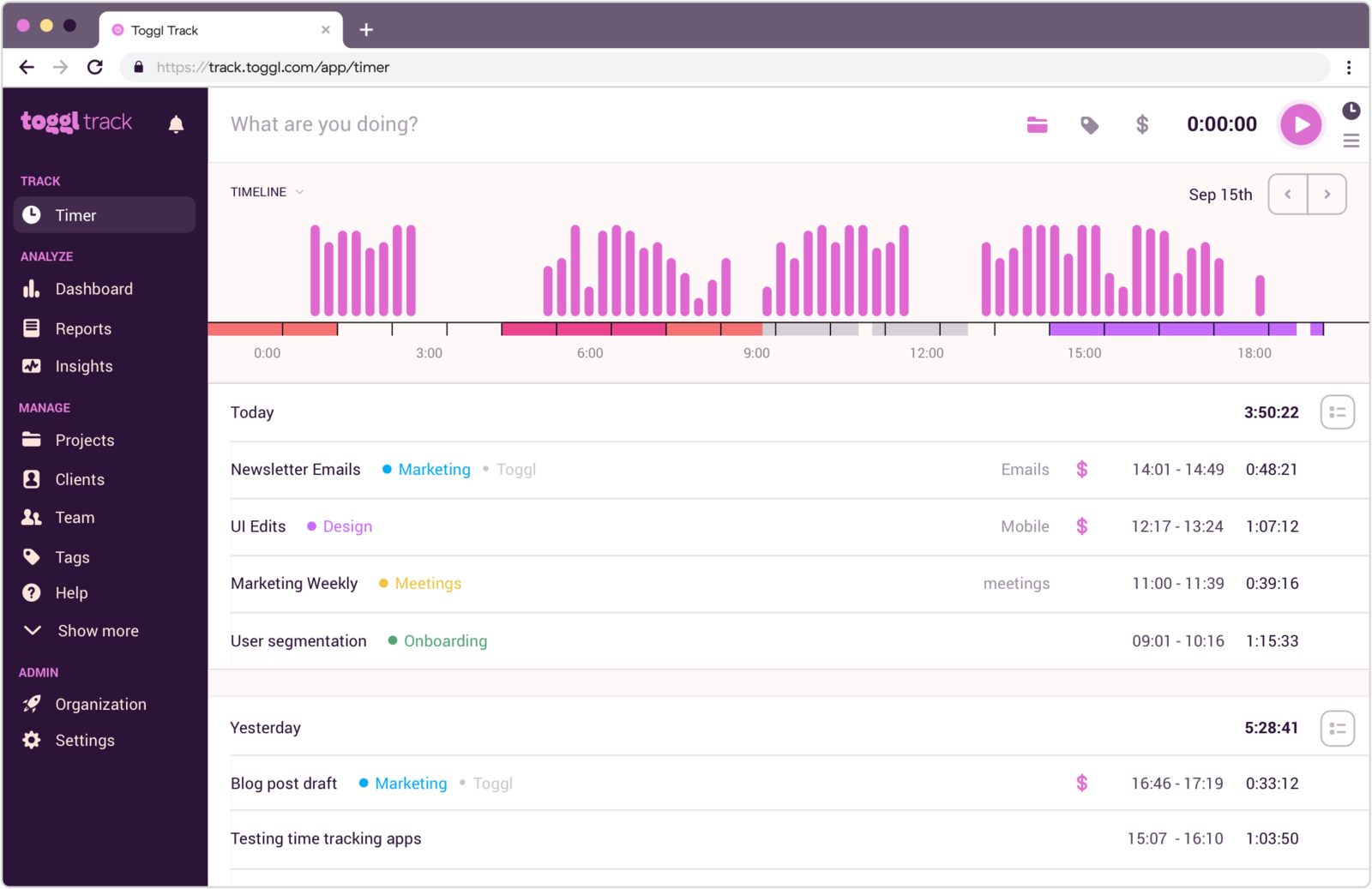
Best for: Freelancers who want a polished solo timer with a familiar interface and a free plan that's enough for one person.
- Pricing: Free plan available; paid plans start at $9 per user/month
- Rating: 4.6/5 on G2
Toggl Track is a dependable freelance choice because it feels light from the start. Timers are easy to trust, manual entries are straightforward, and the reporting flow is simple enough for solo operators who just need to know how much time went to each client or project. For a one-person business, that low starting friction is the whole point — the free tier covers a single freelancer comfortably.
It works best when you want a standalone tracker more than an invoicing or accounting hub. Once billing flow becomes the priority, tools with invoicing built in start to look more complete, and you may find yourself exporting hours into a separate system to actually get paid.
Pros
- Clean interface stays approachable when you are working alone.
- Easy way to keep client and project time separated.
- Minimal learning curve for freelancers starting from scratch.
- Recognized timer product that stays focused on tracking.
Cons
- Billing depth is lighter than dedicated invoice-oriented tools.
- Editing many small entries can still take time.
What users say about Toggl Track
Freelancer reviews on G2 and Capterra regularly praise Toggl Track for its clean design, easy adoption, and simple reporting. The most common complaints are about manual corrections, limitations once workflows get more complex, and a mobile experience that is not always as smooth as the desktop version.
Source: G2 reviews and Capterra reviews
Freelancers weighing solo ease against budget or billing usually check the wider Toggl Track alternatives set and the head-to-head Toggl Track vs Clockify.
2. Clockify — the most generous free plan
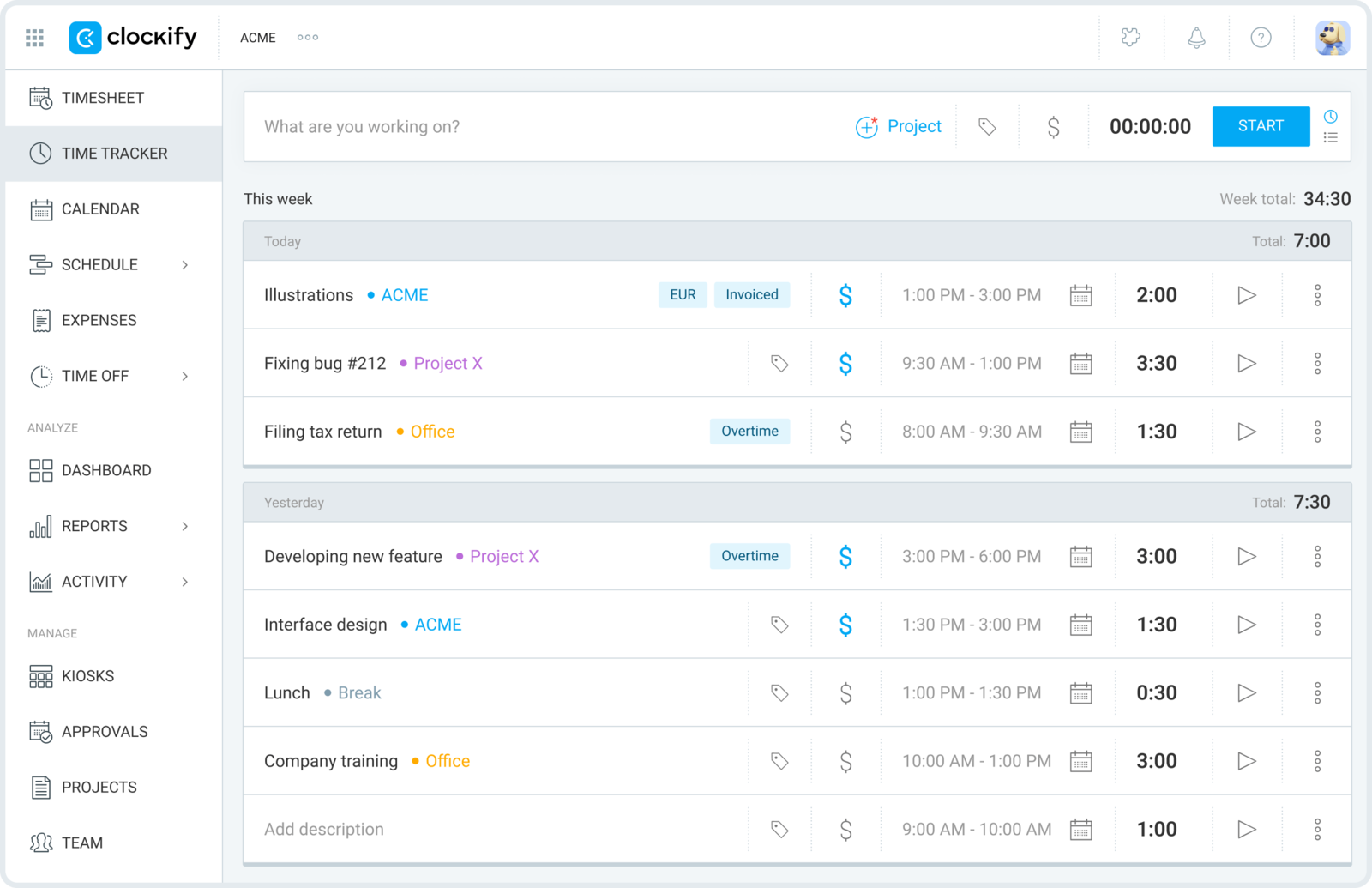
Best for: Freelancers who want a capable free tool for projects, clients, and timesheets.
- Pricing: Free plan available; paid plans start at $3.99 per user/month billed annually
- Rating: 4.5/5 on G2
Clockify stays popular with freelancers because it offers a lot before you need to pay. You can separate clients, track projects, use timers or timesheets, and build a basic reporting habit without committing much money, which is useful when freelance income still swings month to month — though it's worth checking whether Clockify is still free in 2026 before you lean on it.
It is a sensible starting point, especially for newer freelancers. Over time, some people move on because they want a calmer interface or less manual cleanup around the edges, and the nicer reporting sits behind paid tiers.
Pros
- Very accessible free plan for solo operators.
- Flexible enough for both timer-first and manual entry habits.
- Easy to organize time by client, project, and task.
- Good value when budget matters more than polish.
Cons
- User experience is more practical than elegant.
- Some editing and reporting steps still feel manual.
What users say about Clockify
Freelancers on G2 and Capterra usually like Clockify for its flexibility, generous free tier, and easy client/project setup. The most repeated friction points are repetitive edits, uneven mobile behavior, and a product feel that is more utilitarian than people sometimes want from a daily solo tool.
Source: G2 reviews and Capterra reviews
If the decision is really about free value versus overall feel, the wider Clockify alternatives shortlist and Toggl Track vs Clockify will narrow it quickly.
3. Harvest — best when you invoice for time
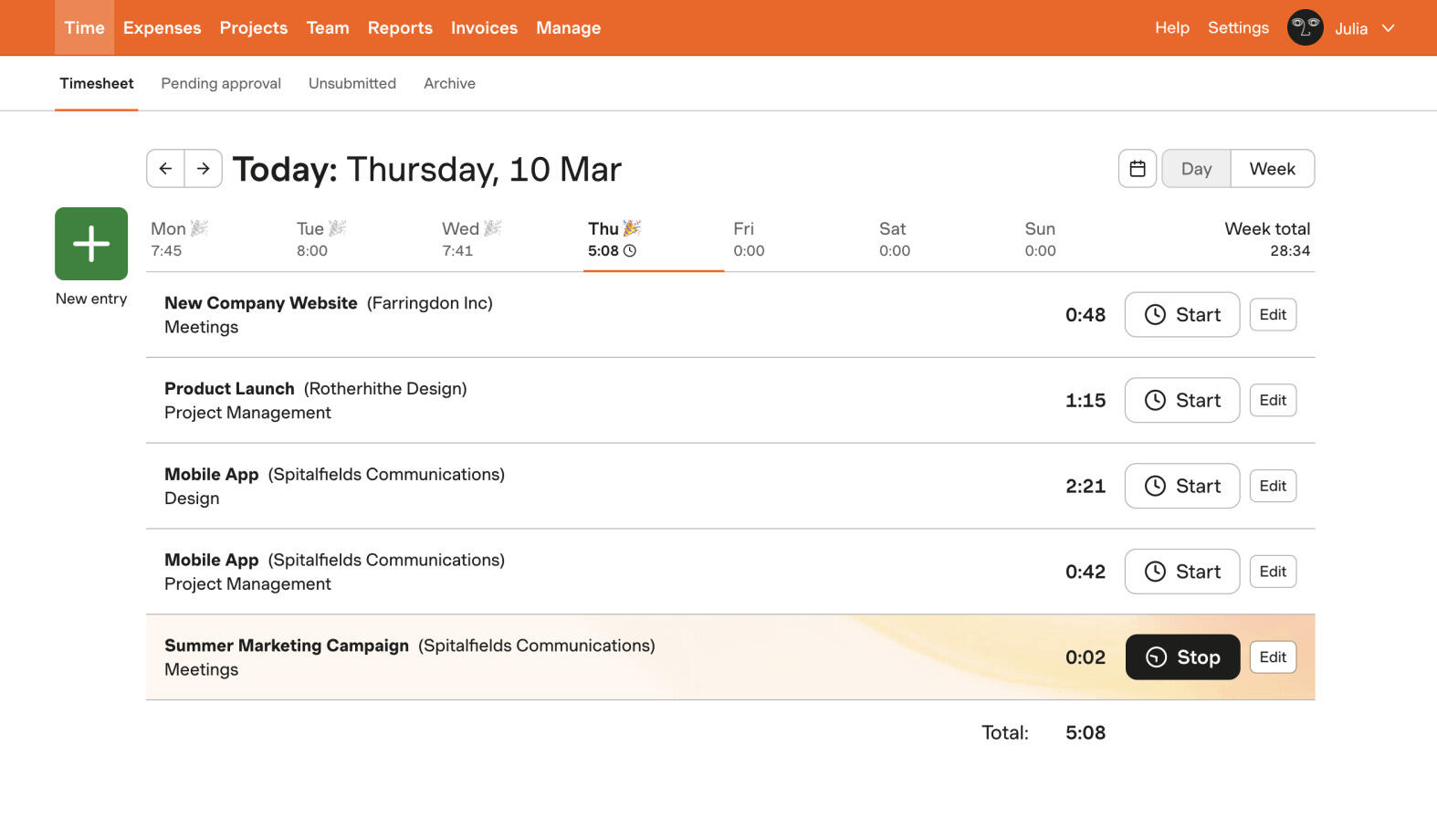
Best for: Freelancers who bill by time and want invoices close to their tracked hours.
- Pricing: Free plan available; paid plans start at $9 per seat/month billed annually
- Rating: 4.3/5 on G2
Harvest makes a lot of sense for freelancers whose main admin job is getting paid accurately for billable time. It keeps hours, rates, budgets, and invoices in the same flow, which cuts out the export-and-rebuild step every time a client asks for detail. For hourly or retainer work, that's the closest thing here to a hands-off billing pipeline.
That is especially useful for freelancers with regular retainer or hourly work. If your freelance business runs more on fixed fees, or you mostly want the lightest possible tracker, Harvest can feel a bit more structured than necessary — and the per-seat price is harder to justify for one person.
Pros
- Simple path from tracked hours to invoice-ready output.
- Client reports are easy to send without much cleanup.
- Rates and budgets support more professional billing workflows.
- Strong fit for freelancers selling time directly.
Cons
- Pricing is harder to justify if you only need a basic timer.
- Less attractive for purely internal or non-billable tracking.
What users say about Harvest
Freelance-oriented comments on G2 and Capterra usually praise Harvest for its easy billing workflow, client-ready reports, and generally approachable interface. The recurring tradeoffs are higher cost, lighter analytical reporting, and occasional mobile or sync frustrations in day-to-day use.
Source: G2 reviews and Capterra reviews
Freelancers who want billable tracking but are not sure about Harvest usually compare the broader Harvest alternatives mix and the direct Toggl Track vs Harvest tradeoff.
4. FreshBooks — best if billing and books live together
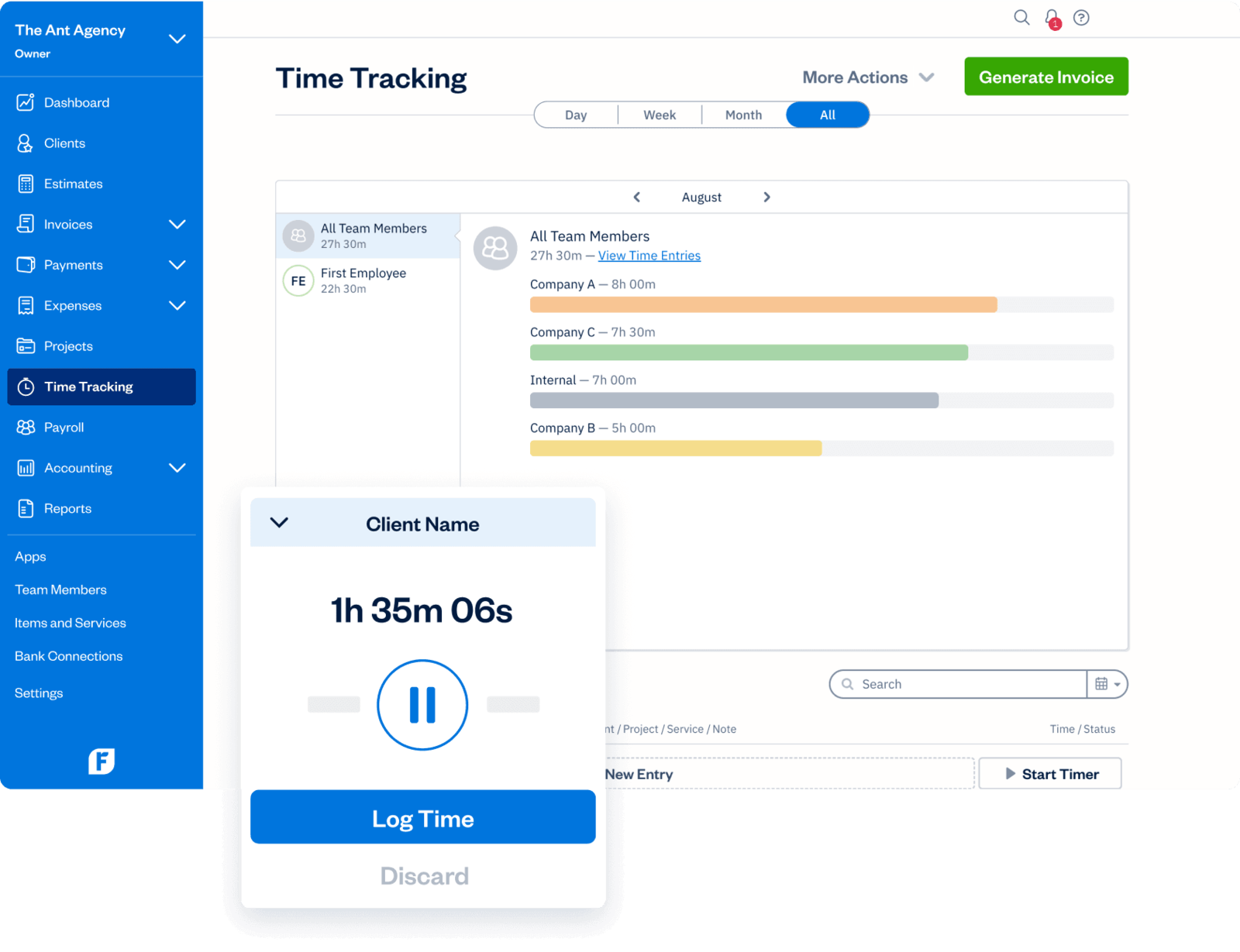
Best for: Freelancers who want invoicing, expenses, and time tracking inside the same accounting workflow.
- Pricing: Lite starts at $9.20 per month; Plus at $17.20 per month; team members cost extra
- Rating: 4.5/5 on G2
FreshBooks is a better freelance choice than many time trackers when the business side is the real challenge. Invoicing, expenses, payments, and estimates all sit close to the time log, which can save a solo operator a lot of context switching at the end of the month — the tracker is really part of a small accounting system rather than the star of the show.
It is not the deepest tracker in this article, but that is not the main point. FreshBooks is strongest when you want a simpler business system rather than a more advanced time-analysis tool, and it's fair to expect the tracking itself to feel lighter than a timer-first product.
Pros
- Excellent invoicing and expense management for solo client work.
- Useful when one tool needs to cover both billing and recordkeeping.
- Payments and estimates fit freelance business workflows naturally.
- Good option for freelancers who care about admin simplicity over analytics.
Cons
- Time tracking is lighter than in dedicated tracker-first products.
- Pricing rises as more features or collaborators enter the workflow.
What users say about FreshBooks
FreshBooks reviews on G2 and Capterra frequently highlight easy invoicing, strong expense handling, and a generally approachable experience for small service businesses. The common limitation is that time tracking and reporting are not as deep as what freelancers get from tools built primarily around hourly work.
Source: G2 reviews and Capterra reviews
5. Timen — free tracking and invoicing in one, every feature included

Best for: Freelancers who want a genuinely free all-in-one — fast tracking, reporting, and invoicing — without paying per seat for the parts that matter.
- Pricing: Free — every feature included, including invoicing
Full disclosure: this is our tool, so weigh it accordingly. Timen keeps the whole freelance loop short — you track time quickly, inspect the day in a calendar view, and move from accurate hours to a cleaner report or invoice without opening a second admin-heavy system. Where most of the tools above hand you off to another app once the timer stops, Timen is trying to be the one place that covers tracking through billing.
For freelancers, that compactness often matters more than feature volume: a simple product that supports actual billing work tends to beat a bigger platform that adds friction every day, especially when it fits the realities of freelance time tracking. It's honestly not the pick if you need deep focus analytics, employee monitoring, or a large integration ecosystem — the more established tools are stronger there.
Pros
- Free with every feature included — invoicing and all — where most trackers charge per seat and gate invoicing behind higher tiers.
- Fast time entry makes solo admin easier to keep up with.
- A quick daily review helps catch missed freelance work before you bill.
- Built-in invoicing turns tracked hours into a client-ready bill without a second tool.
Cons
- Newer product with little third-party review coverage so far.
- Smaller integration ecosystem than the biggest platforms.
- No employee monitoring or payroll exports if that's what you need.
Why freelancers pick Timen
The freelancers who choose Timen tend to be the ones tired of stitching a timer to a separate invoicing tool: they want to track fast, review the day at a glance, and send an invoice from the same hours — without paying per seat or administering a heavier platform. It's a deliberately narrow pitch, which is also why it won't suit anyone who needs focus monitoring, expense accounting, or a big app marketplace.
If it sounds close, it belongs on any shortlist of simple time tracking tools, and the cleanest direct read is Timen vs Toggl Track.
6. Timely — best for automatic capture
Best for: Freelancers who constantly forget timers and want work captured in the background.
- Pricing: Yearly plans start around $9 per user/month
- Rating: 4.8/5 on G2
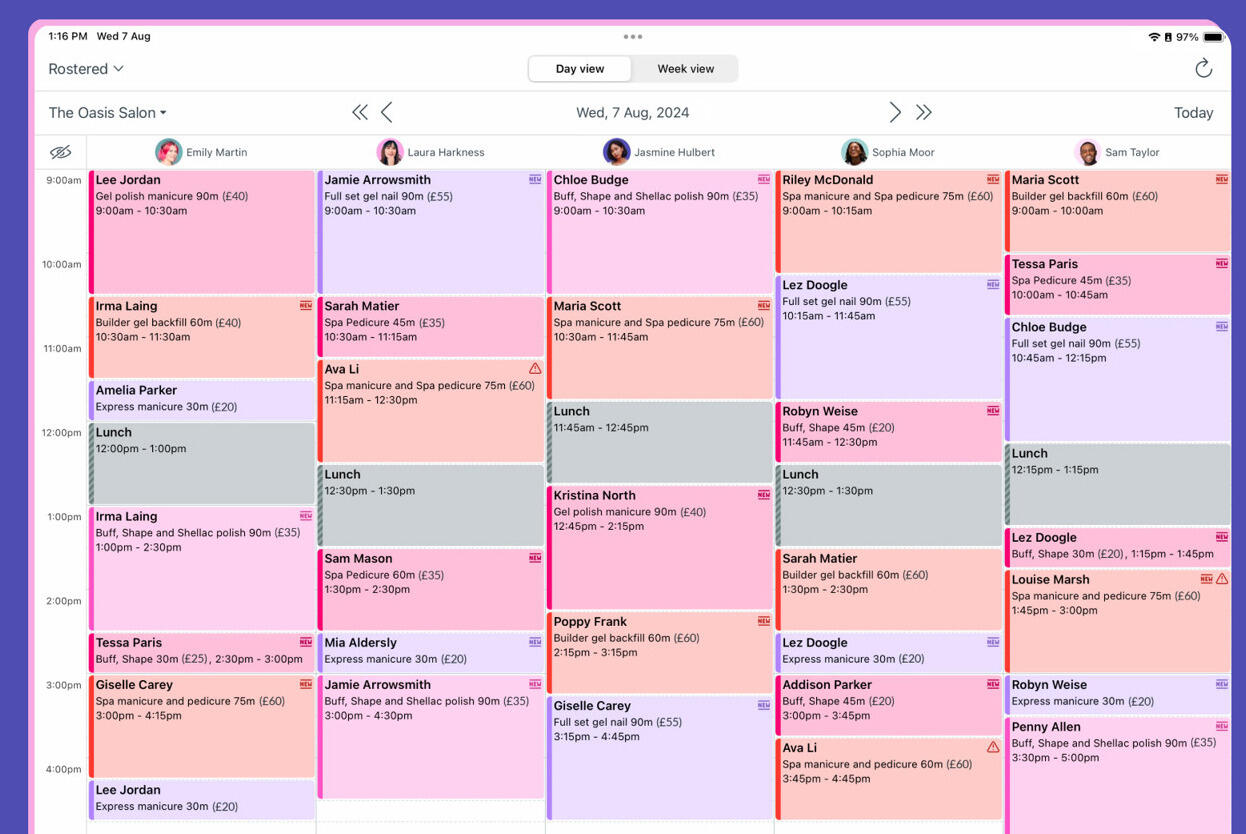
Timely is a useful freelance option when the main loss is untracked work, not lack of reporting. Instead of asking you to remember every start and stop, it builds a memory of your digital activity so you can confirm the time later and recover hours that would otherwise go unbilled.
That helps freelancers with fragmented days, many short tasks, or lots of meeting interruptions. It is less appealing when you prefer direct control and want to close the entry in the moment rather than review it later.
Pros
- Great for freelancers who miss timers during busy days.
- Automatic capture can recover work that would otherwise disappear.
- Polished interface makes passive review easier to live with.
- Good fit for highly fragmented freelance schedules.
Cons
- Still requires review before time is clean enough to bill from.
- Pricing is higher than several manual-first options.
What users say about Timely
Freelancers on G2 and Capterra often frame Timely as a relief product because it captures work without demanding constant timer discipline. The most common downsides are cost, cleanup effort before submission, and the fact that passive capture is not automatically simpler if you prefer logging time directly while you work.
Source: G2 reviews and Capterra reviews
Freelancers deciding between active and passive tracking usually get a clearer answer from Toggl Track vs Timely.
7. Memtime — best for rebuilding a scattered day
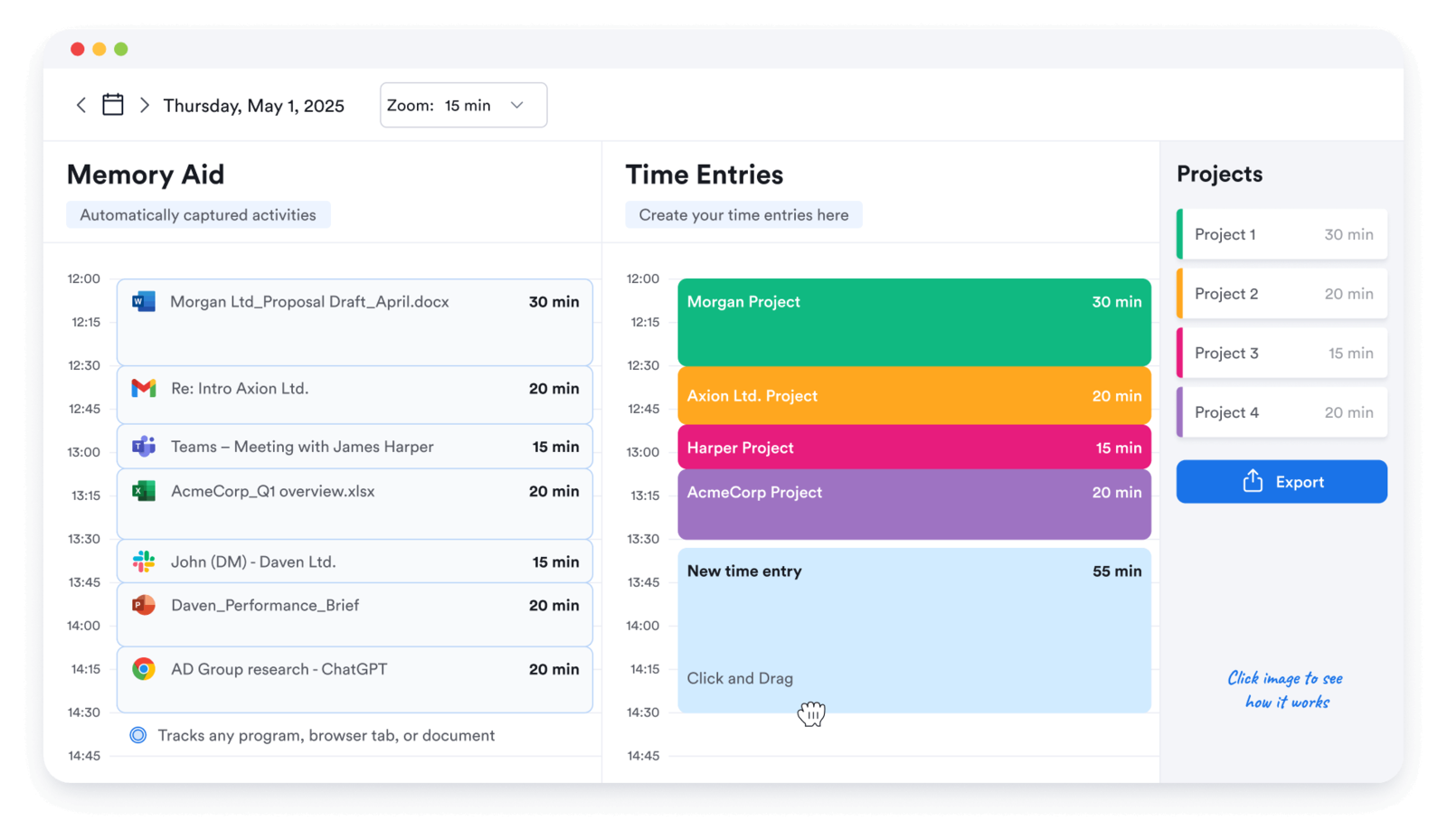
Best for: Freelancers who want an automatic activity history they can turn into time logs later.
- Pricing: Paid plans start around $12 per user/month
- Rating: 4.7/5 on G2
Memtime is a strong freelance option when your workday is too scattered for live timers to survive. Instead of pushing you to capture every moment in real time, it records activity history and lets you rebuild the day later, which can be a more realistic way to protect billable work during deep or fragmented tasks.
It works best for solo operators who want passive memory more than complex project management. If you need richer reporting or stronger client billing structure, you will probably want another shape of tool.
Pros
- Automatic history makes it easier to recover forgotten work.
- Simple interface suits solo review well.
- Good fit for freelancers with lots of context switching.
- Useful when post-hoc accuracy matters more than live timer discipline.
Cons
- Project and reporting depth are limited compared with billing-oriented tools.
- Filtering and organization can feel narrow for heavier workflows.
What users say about Memtime
Freelancers on G2 and Capterra usually like Memtime because it helps them reconstruct the day without constant timer management. The main tradeoffs are pricing, lighter reporting depth, and the fact that it is still a narrower product than tools designed for invoicing, project management, or team oversight.
Source: G2 reviews and Capterra reviews
Freelancers who keep leaning toward passive capture can compare Memtime against the rest of the Memtime alternatives field before deciding.
8. TrackingTime — best for reminders and shared client views
Best for: Freelancers who want reminders, shared client visibility, or occasional collaboration without a big system.
- Pricing: Free plan available; Starter starts at $5.75 per user/month billed annually
- Rating: 4.4/5 on G2
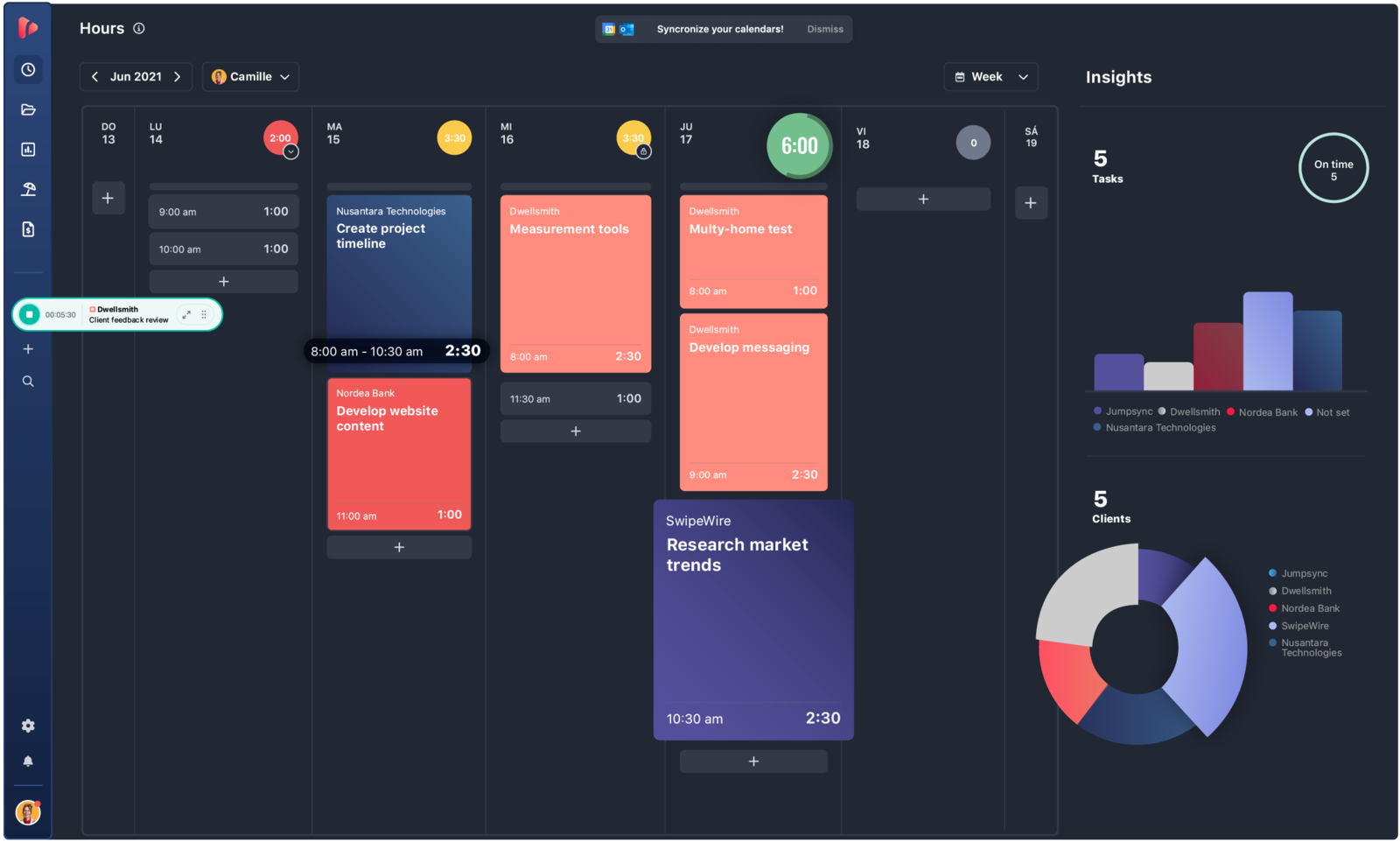
TrackingTime is useful for freelancers who work with assistants, collaborators, or clients that need occasional visibility into logged hours. Reminders and shared timesheet views help keep the solo workflow tidy without jumping to a heavier team product.
Even for pure solo work, it can make sense if you struggle with consistency more than with billing complexity. The product is best when gentle structure is the missing piece.
Pros
- Reminders help solo operators keep time logs complete.
- Shared views are useful for occasional client or collaborator review.
- Good value for freelancers needing a little more structure.
- Offers more collaboration than many solo-focused timer tools.
Cons
- Onboarding is not quite as instant as the simplest timer apps.
- Some integrations and timer behavior still need polishing.
What users say about TrackingTime
Freelancers on G2 and Capterra often mention TrackingTime's value, reminder features, and clear reporting as the main positives. The repeated negatives are around initial setup, timers that sometimes need correction, and an overall experience that can feel less polished than more mainstream solo tracking tools.
Source: G2 reviews and Capterra reviews
9. RescueTime — best for focus insight, not timesheets
Best for: Freelancers who want to understand focus habits and distraction patterns, not just billable hours.
- Pricing: Paid plans start around $12 per month
- Rating: 4.1/5 on G2
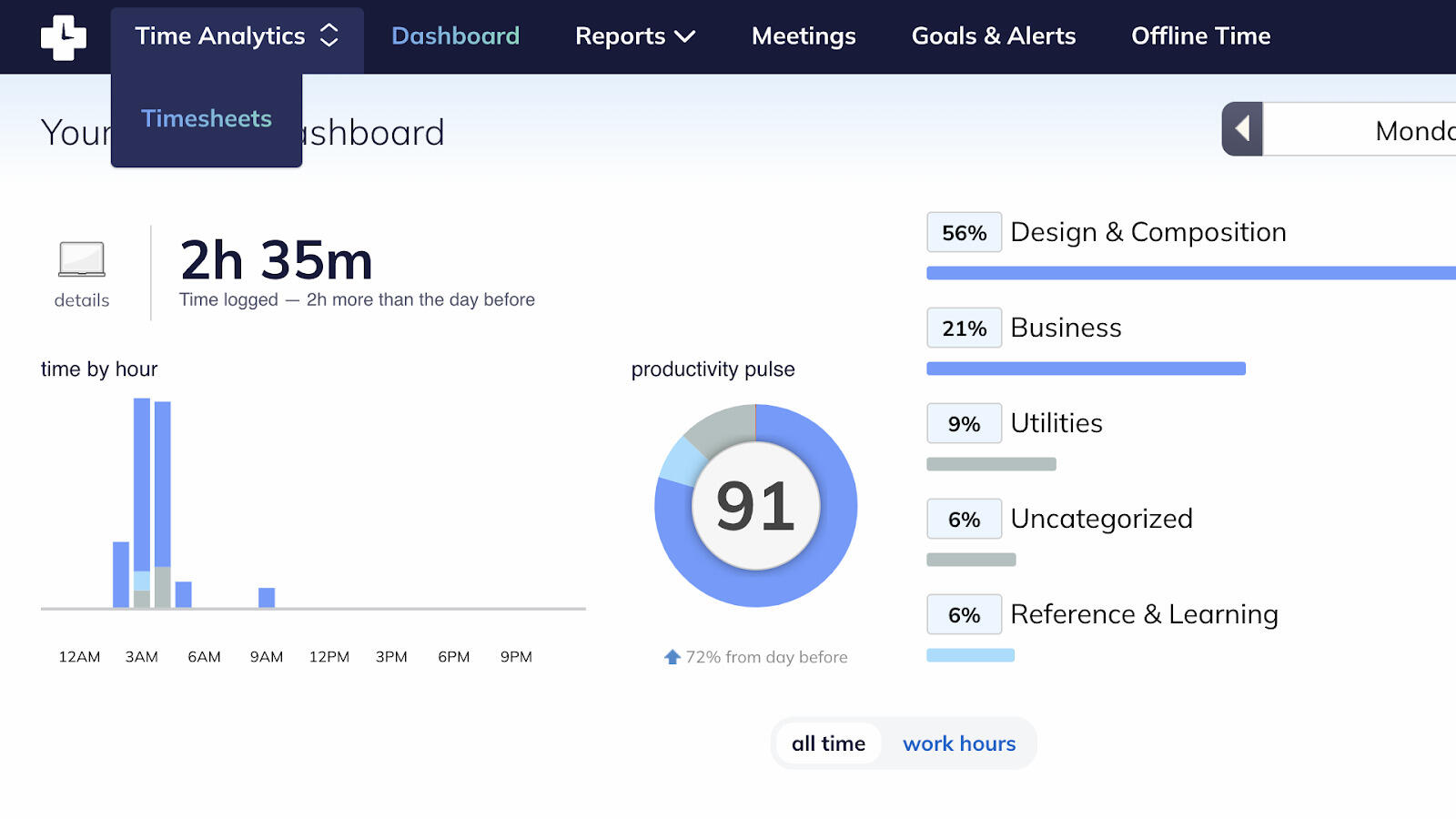
RescueTime is not a traditional freelance billing tool, but it can still be useful when the bigger problem is productivity drift. It runs in the background, shows where your time is actually going, and helps surface distractions that quietly eat billable capacity over time.
That makes it most valuable as a personal insight tool. If you need structured client timesheets first, RescueTime is usually a supplement or an alternative mindset rather than a direct replacement for a standard tracker.
Pros
- Very low-friction way to learn where freelance time is really going.
- Strong focus analytics for solo operators.
- Helpful for improving habits, boundaries, and work rhythm.
- Useful when the main goal is recovering lost attention, not billing structure.
Cons
- Not ideal for client-ready timesheets or invoice workflows.
- Privacy concerns matter more with passive monitoring tools.
What users say about RescueTime
Freelancers reviewing RescueTime on G2 and Capterra usually value the visibility it gives into focus habits and lost time. The common criticisms are that it is weaker for formal client tracking, categorization can require cleanup, and some people are uncomfortable with the background-monitoring model.
Source: G2 reviews and Capterra reviews
Freelancers who want to understand the passive-tracking tradeoff better usually read the broader RescueTime alternatives options and the specific Timely vs RescueTime comparison.
Which tool should you choose?
Match the tool to how you bill and how much admin you can realistically stomach each week:
You want a fast, familiar free timer → Toggl Track. The lightest solo start here, with a free plan that's plenty for one person. Clockify is the near-identical free alternative if you'd rather trade a little polish for more room on the free tier.
Invoicing is the real job → Harvest turns tracked hours into client-ready invoices with the least cleanup; FreshBooks is the pick if you also want expenses, estimates, and payments living in the same place.
You keep losing hours to context switching → Timely or Memtime rebuild the day from passive capture so fragmented work still gets billed. RescueTime is the one to reach for if you care about focus habits more than timesheets, and TrackingTime adds reminders and shared views when a bit of structure is the missing piece.
You want it genuinely free → Timen is the all-in-one here that's free with every feature included — tracking, reporting, and invoicing, with no per-seat bill. Clockify and TrackingTime have free plans too, but they cap features and keep the nicer reporting or invoicing on paid tiers, so their "free" covers less than it looks. Timen's trade is that it's newer, timer-first simple, with a smaller integration ecosystem and no monitoring or payroll — so it's the calm, budget-friendly pick, not the one for oversight or a big app marketplace.
FAQ
These are the freelance questions that usually determine whether a tracker saves time or quietly creates more of it.
- What is the best time tracking tool for freelancers?
- There isn't a single best tool — it depends on how you bill. Toggl Track is the fastest free solo timer, Clockify has the most generous free plan, and Harvest or FreshBooks are stronger when invoicing is the main job. Timen is a free all-in-one that folds tracking, reporting, and invoicing into one place.
- Should freelancers use automatic time tracking?
- Automatic tracking helps freelancers who forget timers or switch contexts constantly, but it adds review work before hours are clean enough to bill. Timely and Memtime are the best fits for passive capture, and RescueTime suits you if focus insight matters more than billable timesheets.
- Do freelancers need invoicing in the same app?
- Not always, but keeping tracking and invoicing together saves solo admin. Harvest and FreshBooks are the established billing-first picks; Timen bundles invoicing into a free all-in-one if you'd rather not pay per seat for it.
- How do I choose a freelance time tracker?
- Start from how you bill and how much admin you can tolerate each week. If you want a fast, familiar free timer, try Toggl Track or Clockify; if invoicing drives your week, Harvest or FreshBooks; if you keep losing hours to context switching, Timely or Memtime. Timen is worth a look if you want tracking and invoicing free in one place.
Conclusion
Most freelance decisions come down to one rule: pick the lightest tool that still handles the work that happens after time is logged. If that work is a fast, familiar timer, Toggl Track or Clockify. If it's invoicing, Harvest or FreshBooks. If your real problem is forgetting to track at all, Timely or Memtime, with RescueTime for focus insight and TrackingTime for reminders and shared views.
And if what you actually want is one calm workflow — fast tracking, clear reports, and invoicing in the same place, all free with no per-seat bill — Timen is worth a look, with the caveat that it's built for simplicity, not monitoring, accounting, or heavy integrations. Still on the fence? Toggl Track vs Harvest and Toggl Track vs Clockify are the two most useful next reads.