Best time tracking software for architects in 2026

Choose an architecture time tracker by what it needs to manage: hours by stage, or the stage fees and billing as well. Shortlist Monograph or BQE CORE for phase budgets and billing. A general tracker such as Harvest or Timen can record stage hours, with different levels of budget tracking and invoicing.
Client changes can disappear into a fixed fee even when the hours are recorded. If a kitchen moves after a design stage is agreed, the redraw needs to be distinguishable from the original scope. Recording the stage and the reason for the change gives the practice a clearer view of the fee and any additional services agreed with the client.
The eight tools below fall into two groups. Monograph, BQE CORE, Deltek Ajera and Projectworks are practice or project accounting systems with time tracking built in, priced to match and mostly sold through a demo. Harvest, Toggl Track, Clockify and Timen are general time trackers that a practice shapes with projects, tasks and tags. Which group you need depends less on headcount than on one question: do you want the software to hold the fee and warn you, or do you want reliable hours by stage that you can check and bill from yourself?
What should an architecture practice look for in a time tracker?
Look for a tool that records time the way your fees are written: by stage, against an allowance, with client changes kept apart from the base scope. A pleasant timer matters far less than that structure, because the structure is what turns a timesheet into a clear record of work outside the agreed scope.
- Stages or phases: every hour needs a stage, whether the tool calls it a phase, a task or a tag, because the fee is split that way and overruns only show up at that level.
- Original scope versus client changes: you need a way to mark hours caused by a client's change of mind, or they cannot be billed as additional services later.
- A view of the fee allowance: practice tools hold the fee and show how much of it is gone. General trackers leave you to compare a report with your fee letter, which works if someone actually does it every week.
- Invoicing that matches your fee type: a stage fee, an hourly additional service and an expense often sit on the same invoice, so check the tool can mix them.
- Somewhere for unbillable time: competitions, marketing and practice admin tell you your real utilisation, and they should never leak into a client's report.
- Low effort on a Friday: if people postpone time entry, try phone apps, reminders and quick weekly entry during the trial.
How were these tools compared?
We compared vendor product pages, help centres and US-dollar pricing with public G2 and Capterra reviews. We did not run a practice’s projects through each product. Review notes describe the linked samples; small or older listings are identified. Recommendations depend on phase fees, billing and reporting needs rather than a universal ranking.
Architecture time tracking tools side by side
What each tool is for, whether it tracks the fee or budget and invoices for you, and what it costs.
| Tool | Best for | Fee or budget tracking / invoicing | Pricing |
|---|---|---|---|
| Monograph | Small practices billing by phase | Phase fees and budgets / yes | $25 to $490 a month by firm size, paid annually |
| BQE CORE | Time, billing and accounting in one | Phase budgets / yes, including phased billing | Quote only, per user plus modules |
| Harvest | Budgets and invoices without a suite | Project estimates / yes | Free for 1 seat; Teams from $9 per seat/month annual, plus Flex usage |
| Deltek Ajera | Full project accounting for small A&E firms | Project budgets / yes | Quote only |
| Timen | Stage-tagged hours and invoices, free | No budgets / yes | Free, every feature included |
| Projectworks | Practices of ten or more | Budgets and forecasts / yes | From $17 per user/month annual, 10-user minimum |
| Toggl Track | An easy timer with simple invoices | Estimates on paid plans / basic PDF invoices from reports | Free up to 3 users; Starter $9 per user/month annual |
| Clockify | Lowest per-seat price | Budgets on Pro / Standard and up | Free up to 5 users; Standard $5.49 per seat/month annual |
The 8 best time tracking tools for architects
Half of this list is practice software with a timesheet inside, and half is timesheets that a practice shapes to fit its fees. Read the pricing lines closely: three of these tools publish no price or only a range, and the two cheapest per seat put the features a practice needs on their middle tiers.
1. Monograph - best overall for small practices billing by phase
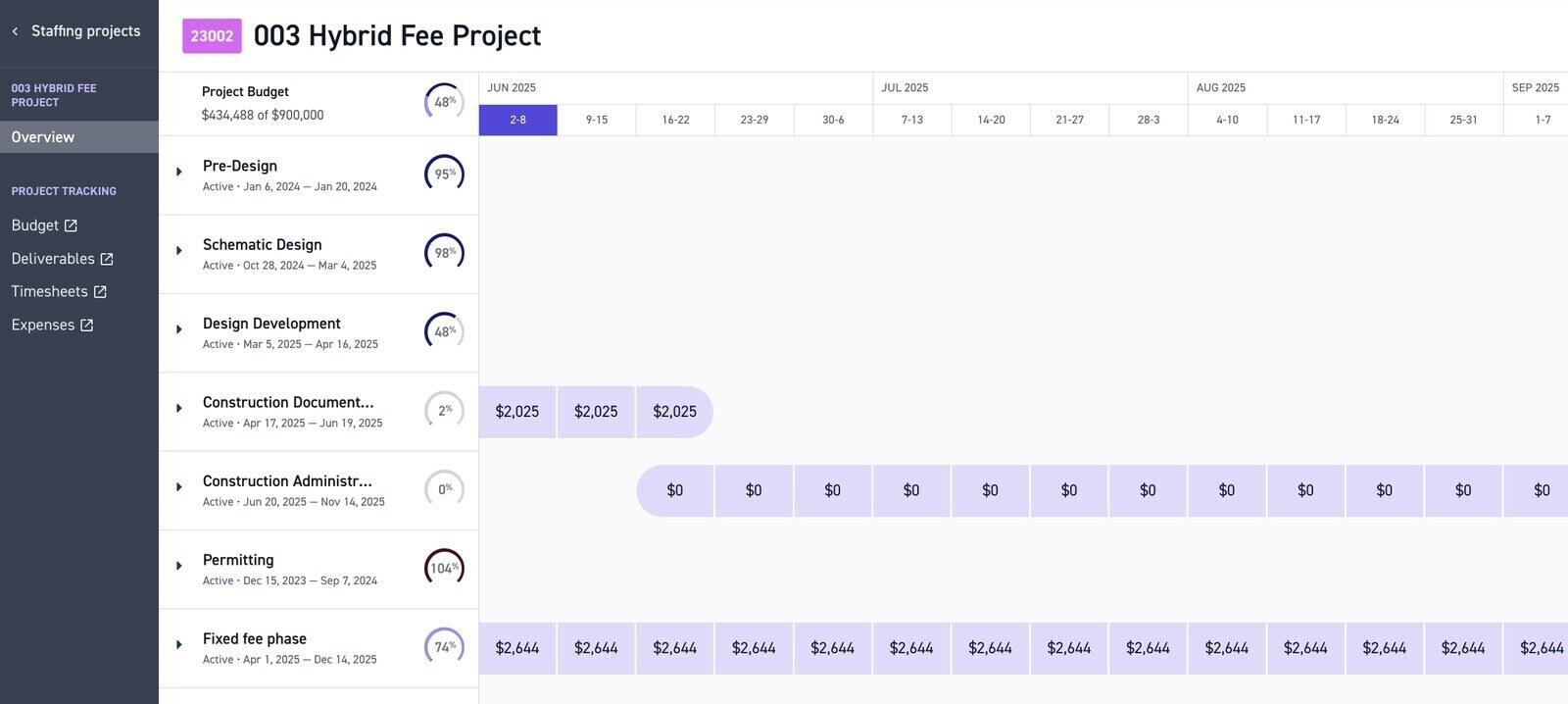
Best for: Practices of roughly three to fifty people that bill by phase and want time, fees, staffing and invoices in software designed for architecture firms.
- Pricing: One plan priced by firm size, shown as $25 to $490 a month (USD), billed annually and paid up front. The calculator on the same page starts its range at $45, and the exact figure is set after a demo, which Monograph offers to firms that qualify. Pipeline management is a separate add-on.
- Rating: 4.5/5 on Capterra from 236 reviews; 4.5/5 on G2 from 31 reviews
Monograph starts from the fee rather than the timer. Staff log hours to a project and its phases, marked billable, non-billable or overhead, and project managers see actual hours and cost against each phase's budget, so a design development phase that is burning too fast shows up while there is still time to raise it with the client. Timesheets can be approved or rejected per phase, misfiled hours can be moved to another project or phase in bulk, and the same phase structure drives invoicing and profit reporting. It syncs with QuickBooks Online and runs on web, desktop and mobile.
It has recently added what it calls Smart Time Tracking: suggested entries drawn from a connected Google or Microsoft 365 calendar and from desktop activity, plus a box where you describe your day in plain words and it drafts entries for you to review. That helps with the Friday catch-up, but the desktop part means activity data from staff computers, so decide whether you want it on. The broader trade is that Monograph is practice management with time tracking inside it. If all you want is hours and invoices, you are paying for staffing, forecasting and firm dashboards you may not open.
What users say about Monograph
Architecture practices in the linked samples value the shared phase, fee and staffing structure. Reports, invoice layouts and task handling draw criticism. G2’s sample is small and includes seller-invited reviews.
Source: G2 reviews and Capterra reviews
2. BQE CORE - best when time, billing and accounting share one system
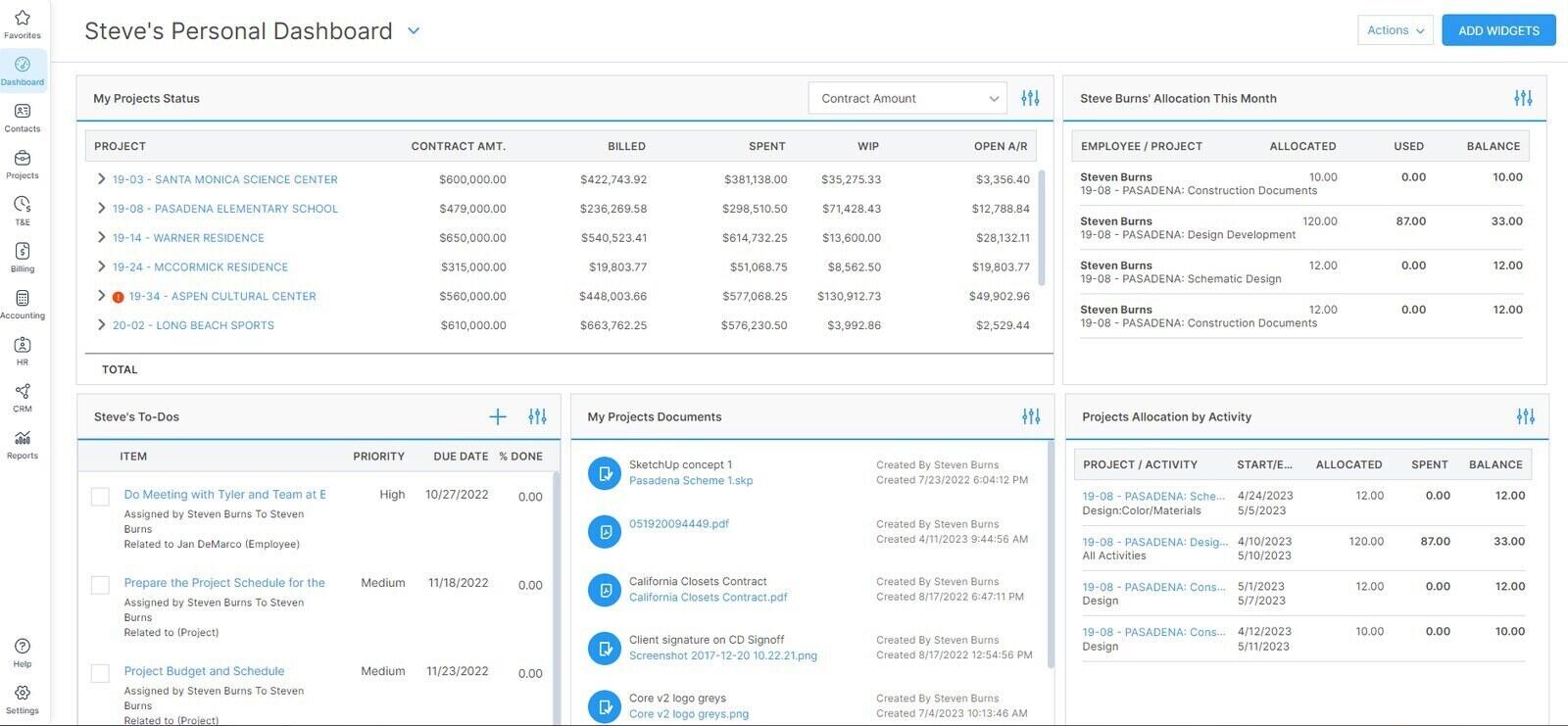
Best for: Practices that want timesheets, phased billing, project budgets and, if needed, accounting and HR in one system, and can give it a proper setup.
- Pricing: Quote only. BQE prices per user, starting with a Foundations module (time and expense, billing and invoicing, project management, reporting) and adding Accounting, CRM, HR and Payroll modules at extra cost. No per-user rate is published.
- Rating: 4.5/5 on Capterra from 793 reviews; 4.3/5 on G2 from 453 reviews
BQE says its founders built CORE to run their own architecture and engineering firms, and the Foundations module reads that way. Timesheets arrive pre-populated, there are pause-and-play timers and a standalone desktop timer, recent activity can be turned into entries, and project budgets update as time and expenses are logged. On the billing side it covers phased billing, fee schedules, recurring and batch invoices and online payments, with dashboards for utilisation, realisation and profitability.
For a small practice the real question is whether you want the rest of the suite. CORE makes the most sense when it replaces a stack, typically a spreadsheet timesheet, a separate invoicing tool and a bookkeeper's copy of QuickBooks, and the least sense when your accounting is already sorted and you only want cleaner hours. Setup is a genuine project: phases, fee schedules and invoice templates have to be configured before the first invoice goes out, and it is worth budgeting a few weeks for that rather than a weekend.
What users say about BQE CORE
The linked reviews value time, billing and accounting in one system, but also describe training needs, slow screens and rigid report or invoice layouts. Older reviews may concern BillQuick rather than CORE.
Source: G2 reviews and Capterra reviews
3. Harvest - best simple tracker with budgets and invoices
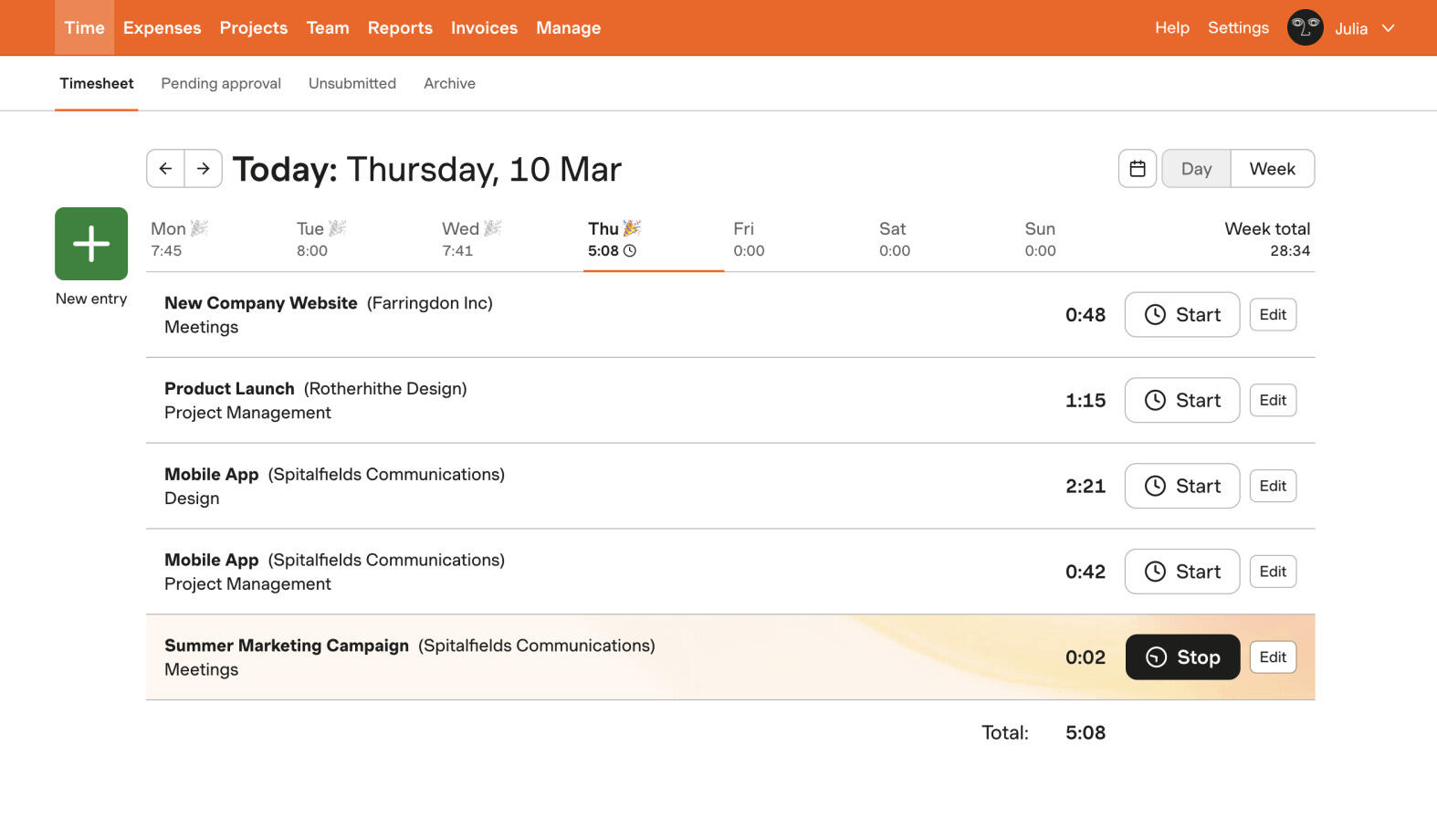
Best for: A practice that wants an easy timesheet, project budgets and invoices without buying practice management software, and is comfortable with usage-based pricing.
- Pricing: Free for 1 seat and 2 projects. Teams from $9 per seat/month billed annually ($108 per seat a year) or $11 monthly; Enterprise from $14 annually ($168 a year) or $17.50 monthly; Enterprise Plus is custom. Paid plans bill either as Flex, a seat rate plus usage charges on active projects, clients, tasks and invoicing above an allowance, or as Unlimited at a fixed price. 30-day free trial.
- Rating: 4.5/5 on Capterra from 653 reviews; 4.3/5 on G2 from 842 reviews
Harvest supports both fee types a practice uses, fixed-fee and time-and-materials projects, and every plan includes project estimates so you can watch hours against a budget. Tasks inside a project can stand in for stages, billable and cost rates for the team arrive on Teams, and invoices are built from tracked time and expenses, with QuickBooks Online and Xero integrations on the paid plans. Timesheet approval, profitability reporting and required notes are held back for Enterprise.
The catch in 2026 is the bill, not the product. Flex charges for active projects, clients, tasks and invoices on top of seats, calculated from the previous period, and for new accounts those charges start at the second paid renewal. A practice with many small jobs and a task per stage on each, which is exactly how stage tracking tends to be set up, should model the cost in Harvest's billing settings or choose Unlimited. Some long-time users are already moving off Harvest because of it.
What users say about Harvest
The linked reviews describe easy time entry and invoicing. Recent reviews include complaints about 2026 pricing changes; older feedback also mentions limited reporting. Check both the review date and the billing model discussed.
Source: G2 reviews and Capterra reviews
4. Deltek Ajera - best for firms that want full project accounting
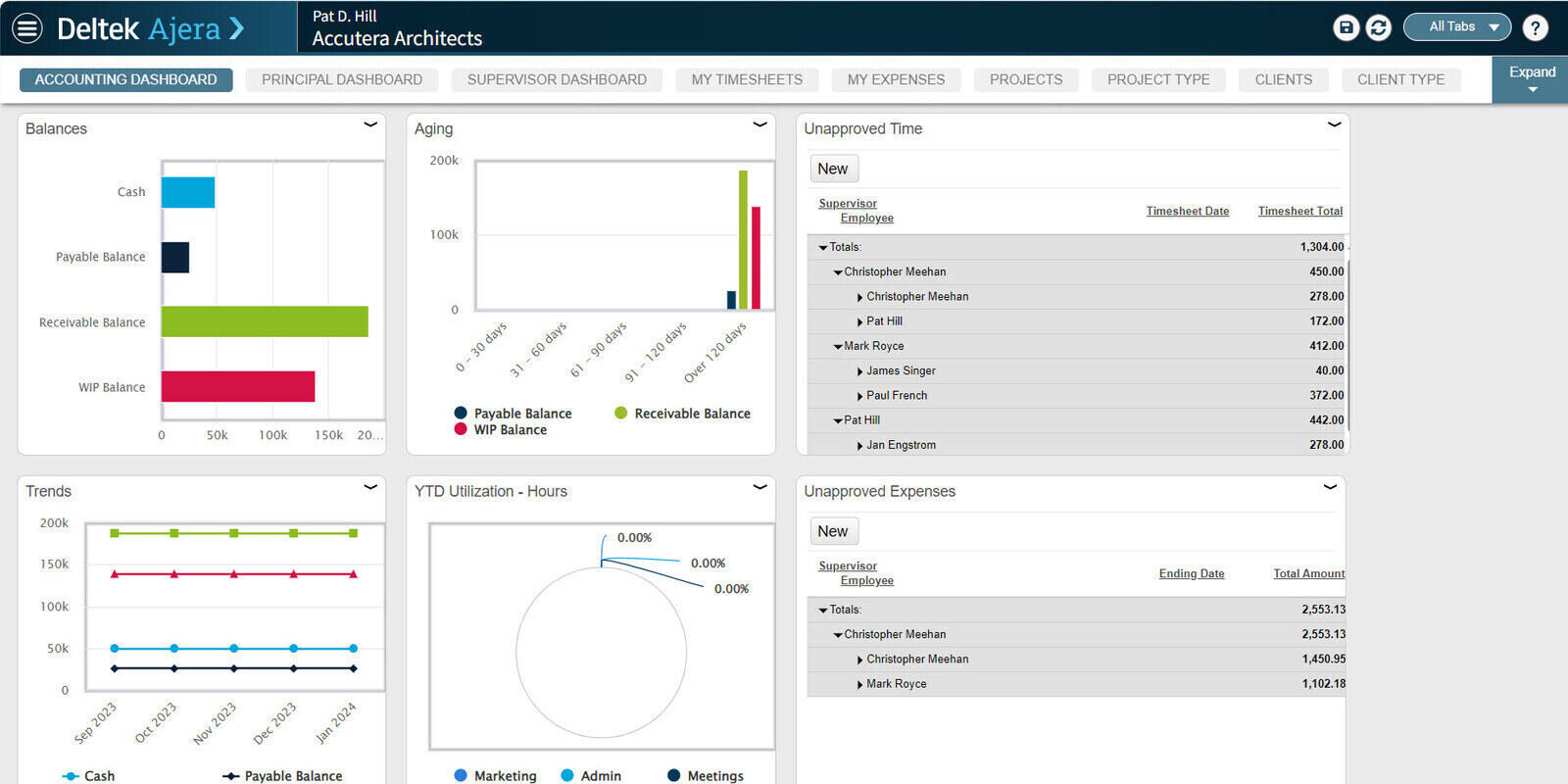
Best for: Small architecture and engineering firms that want timesheets, billing and project accounting in one system, and have someone willing to become its expert.
- Pricing: Not published. Deltek sells Ajera through a demo and a quote.
- Rating: 4.1/5 on G2 from 205 reviews; 3.6/5 on Capterra from 62 reviews
Ajera is Deltek's product for small A&E firms, and it is project accounting first. Timesheets feed project budgets, billing and the firm's financials, invoices are generated directly from project data, and a Schedule Manager shows workload across the team. Deltek has layered AI on top: Timesheet Assist suggests entries from recent work and upcoming assignments, receipts photographed on a phone are read into expense reports, and an assistant called Dela answers questions about project data.
Ajera fits a practice that wants work in progress, billing and the ledger to agree without repeated exports. If you mainly need a record of stage hours, the accounting setup may add unnecessary work. Include the people who will maintain that setup in the demonstration.
What users say about Deltek Ajera
The linked reviews distinguish familiar timesheet entry from the more demanding accounting and reporting setup. Older Capterra reviews describe interface and login problems. Ask for a demonstration of your actual billing workflow.
Source: G2 reviews and Capterra reviews
5. Timen - best free option for stage-tagged hours and invoices
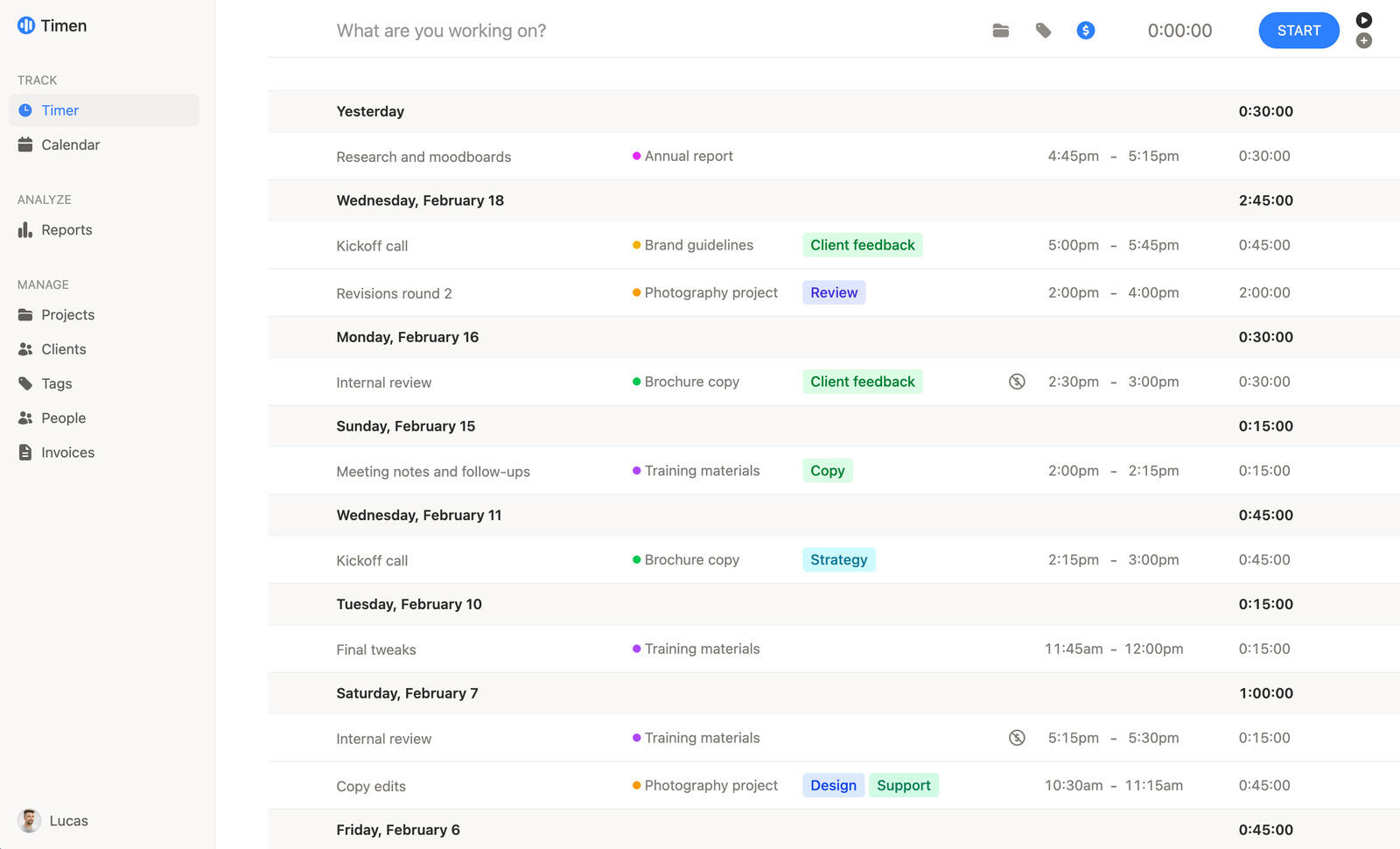
Best for: A small practice that wants design hours tagged by stage, client changes kept apart and invoices built from the result, for free, and is happy to compare the hours with the fee itself.
- Pricing: Free, every feature included, with unlimited users and projects.
- Rating: No third-party reviews yet. Its G2 listing has none, and there is no Capterra listing.
Timen records time; it does not run a practice. It stores no fee, sets no budget and sends no alert when a stage runs over. There is no phase-based fee billing, no timesheet approval or stage sign-off, no BIM or CAD integration, and nothing captures your work automatically: every entry is one you started or typed. If you want the software to hold the fee and tell you when a stage is in trouble, Monograph and BQE CORE do that, Harvest keeps a budget per project, and Timen does neither.
Each entry has a project, a client, a description, tags and a billable switch. Tags work as stages, a Revisions tag keeps client changes apart from the original scope, and reports group hours by tag, person or billable status, with CSV and PDF export and read-only links you can share. Invoices are built straight from a report, one line per group or per entry, with manual lines for stage fees, and go out as a PDF or to QuickBooks Online, Xero, FreshBooks or Wave. The iPhone and Android apps work offline, and a calendar view helps rebuild the day you forgot to track. The worked example below follows one project from brief to invoice.
6. Projectworks - best for practices of ten or more planning ahead
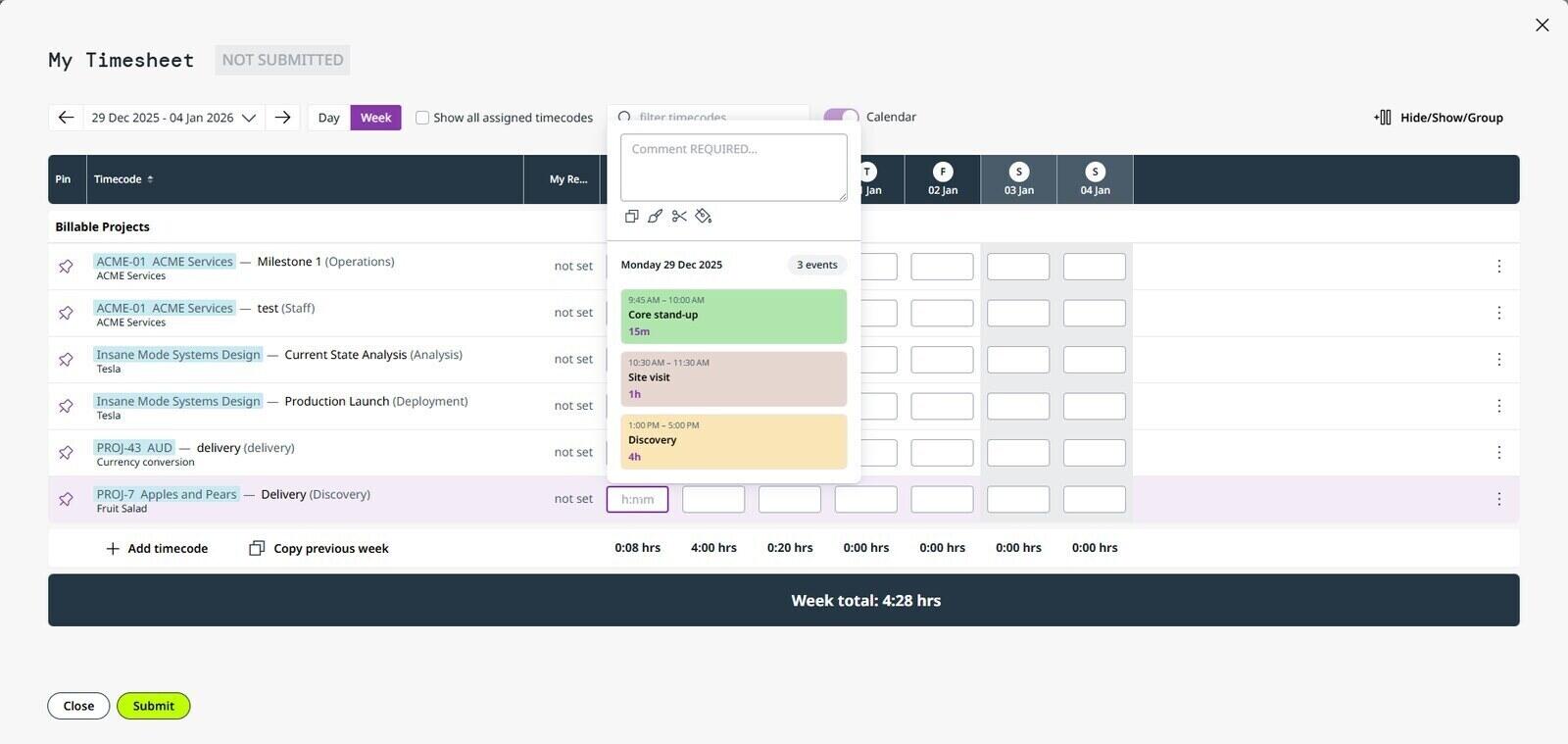
Best for: Practices of ten or more people that want timesheets, resource planning, invoicing and revenue forecasting in one tool, and keep their books in Xero or QuickBooks.
- Pricing: Build $17 per user/month, Scale $24 and Unleash $41, billed annually in USD (about 10% less than paying monthly); Enterprise is custom. Minimum 10 users, billed in bands of 5, and standard onboarding starts at $1,000.
- Rating: 4.7/5 on Capterra from 162 reviews; 4.4/5 on G2 from 249 reviews
Projectworks is professional services automation for consulting-style firms, and architecture is one of the industries it names. The entry plan already covers time and expense tracking, resourcing, invoicing and forecasting, with Xero and QuickBooks integrations. Scale adds multi-office and multi-currency, payroll and calendar integrations and single sign-on; Unleash adds multiple entities, an API, purchase orders and unlimited custom reports. The company works out of New Zealand, the US and the UK, and its integration list shows it, with Xero and MYOB next to QuickBooks.
The ten-user minimum settles it for most small practices. On Build that is at least $2,040 a year before onboarding, so a four-person studio would pay for six empty seats. For a practice of twelve that forecasts who is free for the next competition and wants approved time to flow into invoices, it is one of the better-reviewed options here. Reporting is its most criticised area, and the newer custom report builder behaves more like a query tool than a report designer.
What users say about Projectworks
The sampled reviews value resourcing, forecasting and accounting connections, particularly Xero. Reporting and setup draw criticism. Some reviews are seller-invited, so use the examples as context rather than a universal verdict.
Source: G2 reviews and Capterra reviews
7. Toggl Track - best for an easy timer with light invoicing
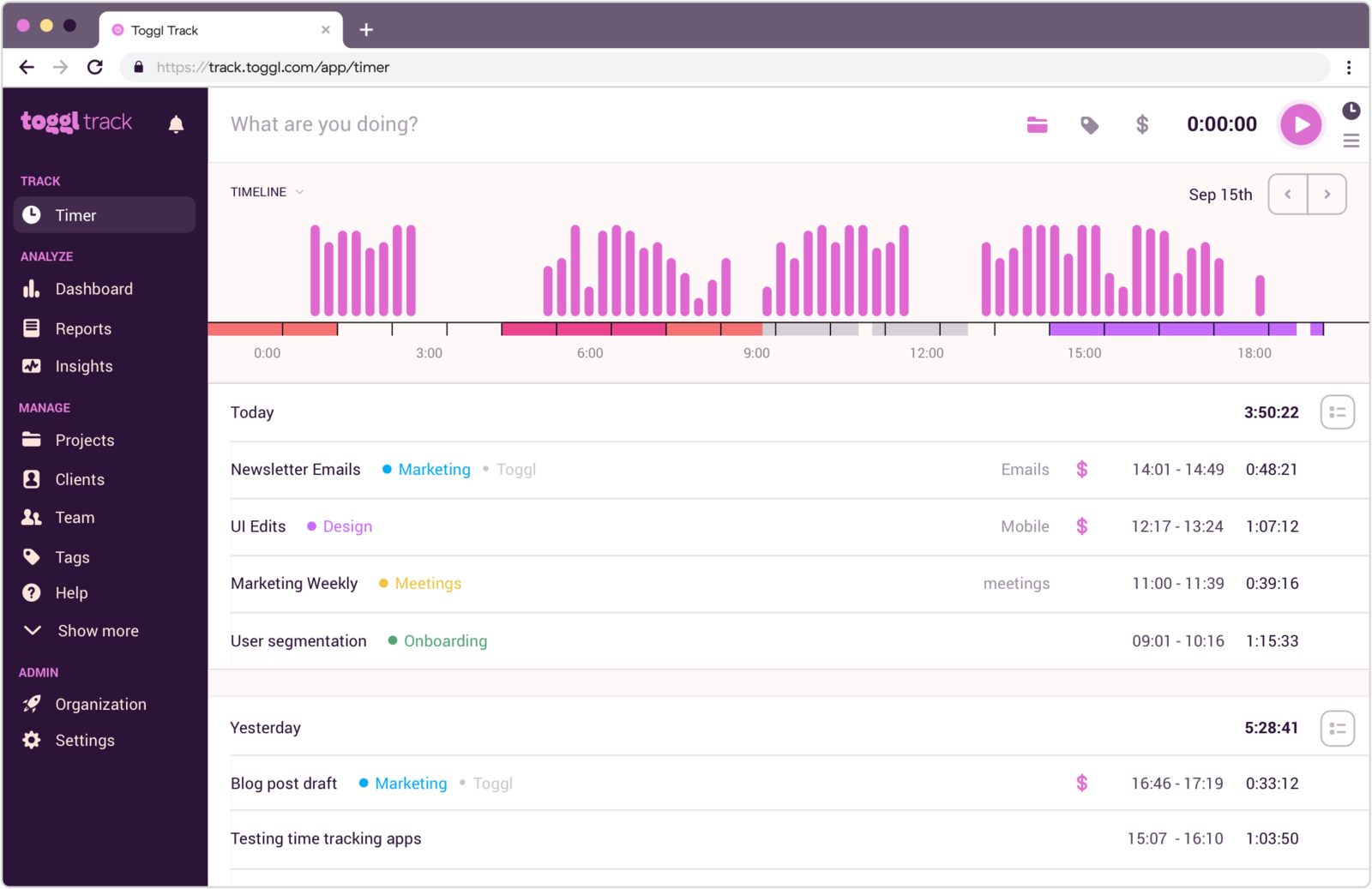
Best for: A practice that wants an easy timer, project estimates and, on Premium, fixed-fee projects and timesheet approval, and needs only simple invoices or bills from its accounting software.
- Pricing: Free for up to 3 users. Starter $9 per user/month billed annually or $12 monthly; Premium $16 annually or $24 monthly; Enterprise on request. 30-day trial on the paid plans.
- Rating: 4.7/5 on Capterra from 2,589 reviews; 4.6/5 on G2 from 1,644 reviews
Toggl now sells one product that combines Track's time tracking with planning, and it remains one of the easiest timers to get a team using: web, desktop, mobile and browser apps, idle detection, and an optional desktop activity timeline that stays private to each person until they turn pieces of it into entries. For a practice, Starter brings billable rates and project time estimates with alerts; Premium adds fixed-fee projects, dashboards comparing actual hours with estimates, labour cost and profitability reports, and timesheet approval.
Invoicing is where Toggl stays basic. Any workspace user can turn a summary or detailed report into a PDF invoice and add billing details, a purchase order number, extra items and tax. The layout cannot be changed, and free-plan PDFs carry Toggl's logo. Its own invoicing page mostly points you to exporting billable hours for the tool you already use, which is how most practices on Toggl bill. The free plan now stops at three users, tighter than it used to be, and what Toggl's free plan covers sets out the current limits.
What users say about Toggl Track
The linked reviews describe easy timer adoption and useful reports, alongside requests for fuller invoicing and project finance. Both listings include the wider Toggl product, so check which features each review concerns.
Source: G2 reviews and Capterra reviews
8. Clockify - lowest per-seat price if you can live without phases
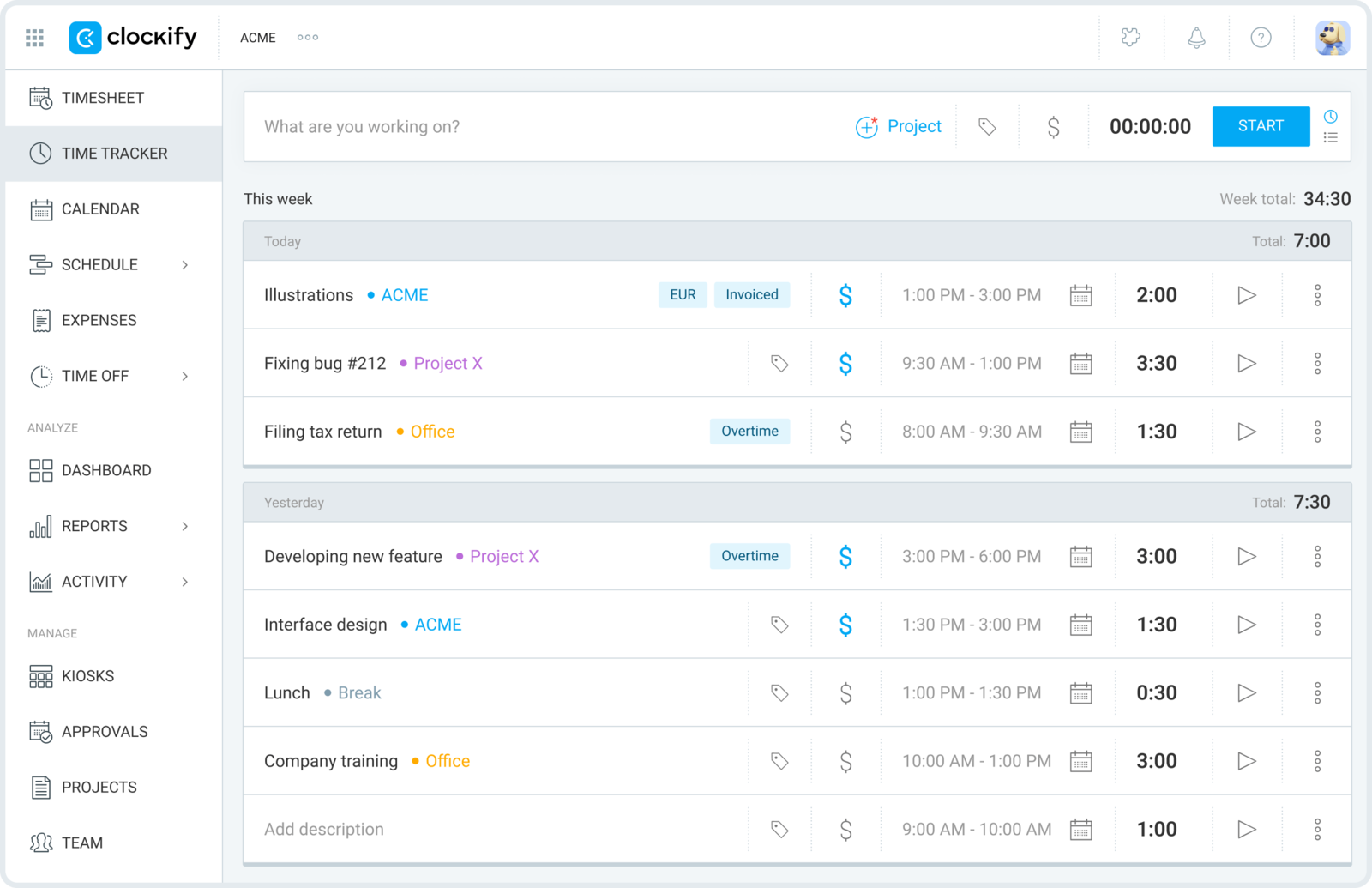
Best for: A practice that wants the lowest per-seat price, is willing to pay for Standard to invoice or Pro to get budgets, and can model stages with tasks and tags.
- Pricing: Free for up to 5 users. Basic $3.99 per seat/month billed annually ($4.99 monthly), Standard $5.49 ($6.99), Pro $7.99 ($9.99), Enterprise $11.99 ($14.99). Every active or invited user takes a paid seat.
- Rating: 4.8/5 on Capterra from 9,268 reviews; 4.5/5 on G2 from 203 reviews
Clockify is the budget option, and for a practice the useful features arrive in steps. Basic adds billable rates to the free timer and timesheet. Standard adds invoicing, timesheet approval, time locking and a QuickBooks integration. Pro adds project budgets and estimates with alerts, expenses, and labour cost and profit reporting. Stages can be tasks inside each project, and a tag can mark client changes, so the structure from the worked example below carries over.
Two things to know before rolling it out. The free plan now stops at five users, so a practice of six pays for every seat from the first day. And Pro, the plan where budgets live, also carries an optional activity monitoring agent for company computers; nothing forces you to switch it on, but decide before your team asks. Clockify's five-user cap explains what else moved behind the paid tiers.
What users say about Clockify
The linked reviews value easy entry and client reports, while raising concerns about plan restrictions, crowded screens and synchronization. Older praise for unlimited free users does not describe the current free plan.
Source: G2 reviews and Capterra reviews
How do you keep client changes from vanishing into a fixed fee?
Give client changes their own label from the first hour, and compare each stage's hours with its share of the fee every week rather than at invoice time. Below is what that looks like on one project in Timen. The same logic works in Harvest, Toggl Track or Clockify with tasks or tags, and Monograph or BQE CORE handle the fee side for you.
This illustrative project is a rear extension for the fictional Harlow family. The rates and fee are examples. The fee letter covers four stages for a fixed $18,000, and any change the client asks for after a stage is agreed is billed as an additional service at $120 an hour. At that rate the fixed fee buys 150 hours, which the letter splits as 10 for briefing, 30 for concept, 50 for design development and 60 for documentation. The stage names are generic; use whatever your own fee letter says.
Setting it up
- Create the client, Harlow family, and one project under it, Harlow house extension, with a billable rate of $120.
- Create five tags: Briefing, Concept, Design development, Documentation and Revisions. The first four are the stages in the fee letter. Revisions is only for work the client asked for after a stage was agreed.
- Give every entry on the project exactly one of those tags and a plain description. One tag per entry keeps the stage totals from overlapping when you group a report by tag.
- Put practice time, such as a competition entry or office admin, in a separate internal project marked non-billable, so it never reaches the Harlows' report.
Recording the work
A concept session is a timer started from the project with the Concept tag: 3.5 hours, "Three massing options for the rear extension, one with rooflight". A site measure logged from the phone app afterwards is a manual entry under Briefing. Then, two weeks into design development, the Harlows decide the kitchen should move to the north wall. The redraw is not design development, even though it happens during it. It goes under Revisions with the reason in the description: "Kitchen moved to north wall at client request, revise plans, sections and lighting layout". That description connects the entry to the additional work agreed with the client.
Checking hours against the fee
Once a week, run a report filtered to the Harlow project and grouped by tag. Timen does not store the fee, so the allowance comes from your fee letter; the report supplies the actual hours. Just before the design development drawings are issued, it might read:
- Briefing: 9 hours of 10 allowed.
- Concept: 34.5 hours of 30 allowed.
- Design development: 47 hours of 50 allowed, with the planning drawings still to issue.
- Revisions: 14.5 hours, outside the fixed fee.
Three decisions come straight out of that list. Concept ran 4.5 hours over, which is a lesson for the next fee proposal rather than something to bill. Design development has three hours left and a drawing issue to go, so either the remaining work gets trimmed or the practice accepts a small loss knowingly. And the 14.5 revision hours are $1,740 at the project rate that, without their own tag, would have been swallowed by the stage they happened in. Adding a secondary grouping by person shows who did the revision work, which is useful when the client asks.
Invoicing the stage and the changes
When design development is issued, filter the report to the Revisions tag and create an invoice from it. The detailed view gives one line per entry with its description, and the summary view gives one line per group, so choose whichever your client prefers to read. Add the design development stage fee, $6,000, as a manual line, check the total, and send the invoice to QuickBooks Online or Xero, or download the PDF. The detailed report can go with it as a shared read-only link if the client wants to see the hours behind the change.
If you want to try the method before committing to any tool, create that one client, one project and the five tags, then record your next design session against its stage. A week later, the tag report is the first check of whether the fee is holding. For the habit that catches the rest, read how a pre-invoice time review works in practice.
When does a small practice need practice management software instead?
When you want the software to hold the fee rather than just the hours. If you need phase budgets that warn you, phase-by-phase billing schedules, timesheet approval, resource planning or accounting in the same place, a practice system such as Monograph, BQE CORE, Deltek Ajera or Projectworks is the right category, and a general tracker will start to feel like a workaround.
Look at the work that needs reconciling. A studio handling a few fixed-fee projects may manage with stage tags and a weekly fee check. A practice juggling mixed fee types, work in progress and staffing forecasts has more reason to consider a practice system. Drawing approvals and revision control still belong in the project’s own process.
Hours are also only half of running a job. Deadlines, consultant coordination and client approvals need somewhere to live, and if that is the gap, Breeze, the project management tool from the team behind Timen, has a separate comparison of project tools for architecture studios. If your firm also takes on structural or services engineering, the sibling list of trackers for engineering consultancies works through a different kind of job.
Where should a small practice start?
Try one current project in the category that fits your practice: a phase-budget system if you need fee alerts, or a tracker if a weekly report is enough. Check that you can separate agreed additional services from the base fee before choosing.
In Timen, record stage hours with tags and compare the report with your fee allowance each week. If that manual check is too much work, choose a tool that stores the phase budget.