Best time tracking software for engineers in 2026

Engineering consultancies need hours tied to a job, a deliverable and the agreed billing terms. Shortlist BQE CORE or Deltek Ajera when those hours must feed project accounting, or Dovico when budgets and timesheet approval are the main requirements. A simpler tracker can work when the team reviews hours and checks fee limits itself.
A consulting job can include analysis, checking, client revisions and internal rework. Recording them separately helps a reviewer see where the hours went and which entries belong on the invoice. Billable status follows the agreement for the job, not the activity’s name alone.
This comparison is for engineering consultancies doing design, analysis and technical client work. For software teams, the developer tracker comparison covers code-related workflows. Here the choice is between project accounting, an approved timesheet and a simpler record of hours.
Why do engineering firms need more than a timer?
When a fee is fixed or capped, knowing which work is using the available hours helps the team respond before it runs out. Record the job, deliverable, activity and billable status in a form a reviewer can follow.
- Type of work, not just project: analysis, calculations, design review, meetings, revisions and documentation eat a fee at different rates, and knowing which one is overrunning tells you what to change.
- Billable versus internal: record all work against the job, then mark it billable or non-billable according to the agreed scope. In the example below, internal research and corrective rework are non-billable.
- Caps and budgets: many jobs run hourly with a not-to-exceed figure, or as a fixed fee with a contingency. You need hours used against that number well before it is reached.
- Descriptions a reviewer can follow: a client's project manager or your own principal should understand an entry without it exposing confidential design detail.
- Approvals and audit trails, if contracts demand them: some public-sector and federal work expects approved timesheets and a record of changes, which rules several tools out.
- Where the hours end up: an invoice, an accounting package or a project accounting ledger. Choose the tool from that end backwards.
Where do the facts and ratings come from?
Features and US-dollar prices come from vendor documentation. We did not test these tools on a live engineering job. G2 and Capterra reviews add examples of daily use, with small or older samples identified. Choose by your budgeting, approval and billing requirements; the order is not a score.
Engineering time tracking software at a glance
Start from the third column: where your hours need to end up usually decides the shortlist faster than any feature count.
| Tool | Best for | Where the hours end up | Pricing |
|---|---|---|---|
| BQE CORE | A&E consultancies wanting one system | Approved hours into phase billing and optional CORE accounting | Quote only, per user plus modules |
| Deltek Ajera | Ledger-level accounting for A&E firms | Budgets, work in progress, invoices and the ledger | Quote only |
| Dovico Timesheet | A dedicated timesheet with budgets and approvals | Budget reports; invoices on Premium; QuickBooks Desktop link | From $9 per user/month annual; Professional $15.30 |
| Harvest | Light budgets and invoices | Invoices, synced to QuickBooks Online or Xero | Free plan (1 seat); Teams from $9 a seat monthly on annual billing, usage fees extra |
| Timen | Billable and internal hours, free | Invoices pushed to Xero, QuickBooks Online, FreshBooks or Wave | Free, every feature included |
| Sage Timeslips | Complicated billing arrangements | Pre-bills and custom bill layouts | Anywhere $44 a month first user; Premium from $61 a month |
| Clockify | Tight per-seat budgets | Invoices on Standard; QuickBooks integration | Free up to 5 users; Standard $5.49, Pro $7.99 per seat/month annual |
| Toggl Track | Approvals, with invoicing kept simple | Basic PDF invoices from reports, or an export to your invoicing tool | Free up to 3 users; Premium $16 per user/month annual |
Time tracking software for engineers: the 8 tools in detail
The top three were built with engineering or professional-services firms in mind, and they cost more in money or setup time. Harvest, Clockify and Toggl Track are general trackers that engineering teams adopt for their simplicity, Sage Timeslips comes from legal and accounting billing, and Timen sits between them as the free option with invoicing included.
1. BQE CORE - best overall for engineering consultancies
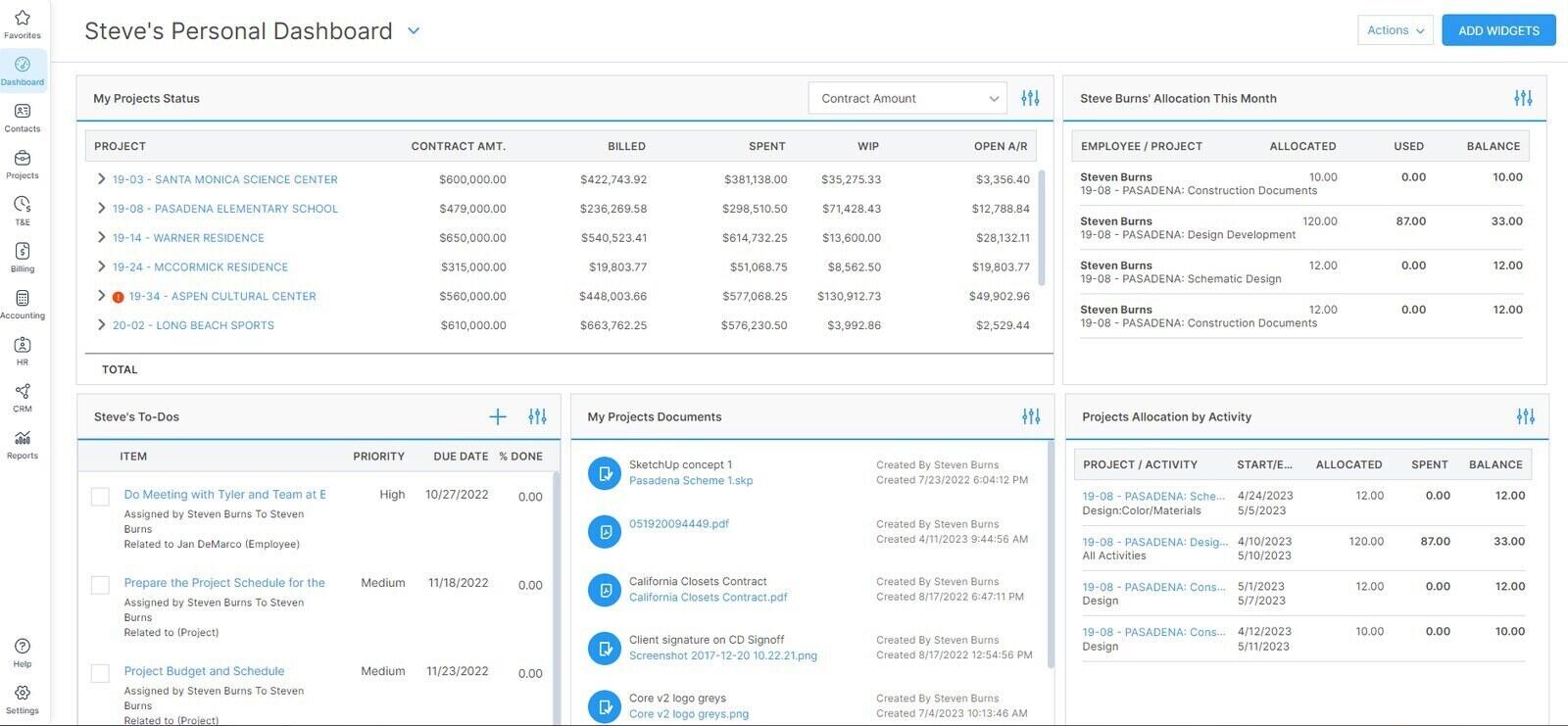
Best for: Engineering consultancies of roughly five to fifty people that want time, expenses, approvals, phase budgets and billing in one system, with accounting available when they are ready.
- Pricing: Quote-based, per user. Foundations bundles timesheets and expenses, invoicing, project management and reports; Accounting, CRM, HR and Payroll are priced as separate modules. BQE publishes no rates.
- Rating: 4.3/5 on G2 from 453 reviews; 4.5/5 on Capterra from 793 reviews
For an engineering consultancy the most useful part of CORE is the path from a timesheet to an approved, billable hour. Entries can go through a single or multi-level submit-and-approve workflow, managers can approve straight from the notification email, and only approved billable entries reach billing, while every entry, billable or not, still counts against the project's budget or contract amount. That last rule is exactly what you want for rework: it costs the job without landing on the client's invoice.
Budgets update as time is logged, phases can be billed on their own schedules, and dashboards report utilisation and realisation by person and project. Clients can even be set up to approve timesheets before billing, which suits consultancies whose clients audit hours. The costs are a quote you cannot see in advance, a setup period measured in weeks, and a system reviewers describe as slow when it is busy.
What users say about BQE CORE
The linked reviews value time, billing and accounting in one system, but also describe training needs, slow screens and rigid report or invoice layouts. Older reviews may concern BillQuick rather than CORE.
Source: G2 reviews and Capterra reviews
2. Deltek Ajera - best for project accounting built around A&E work
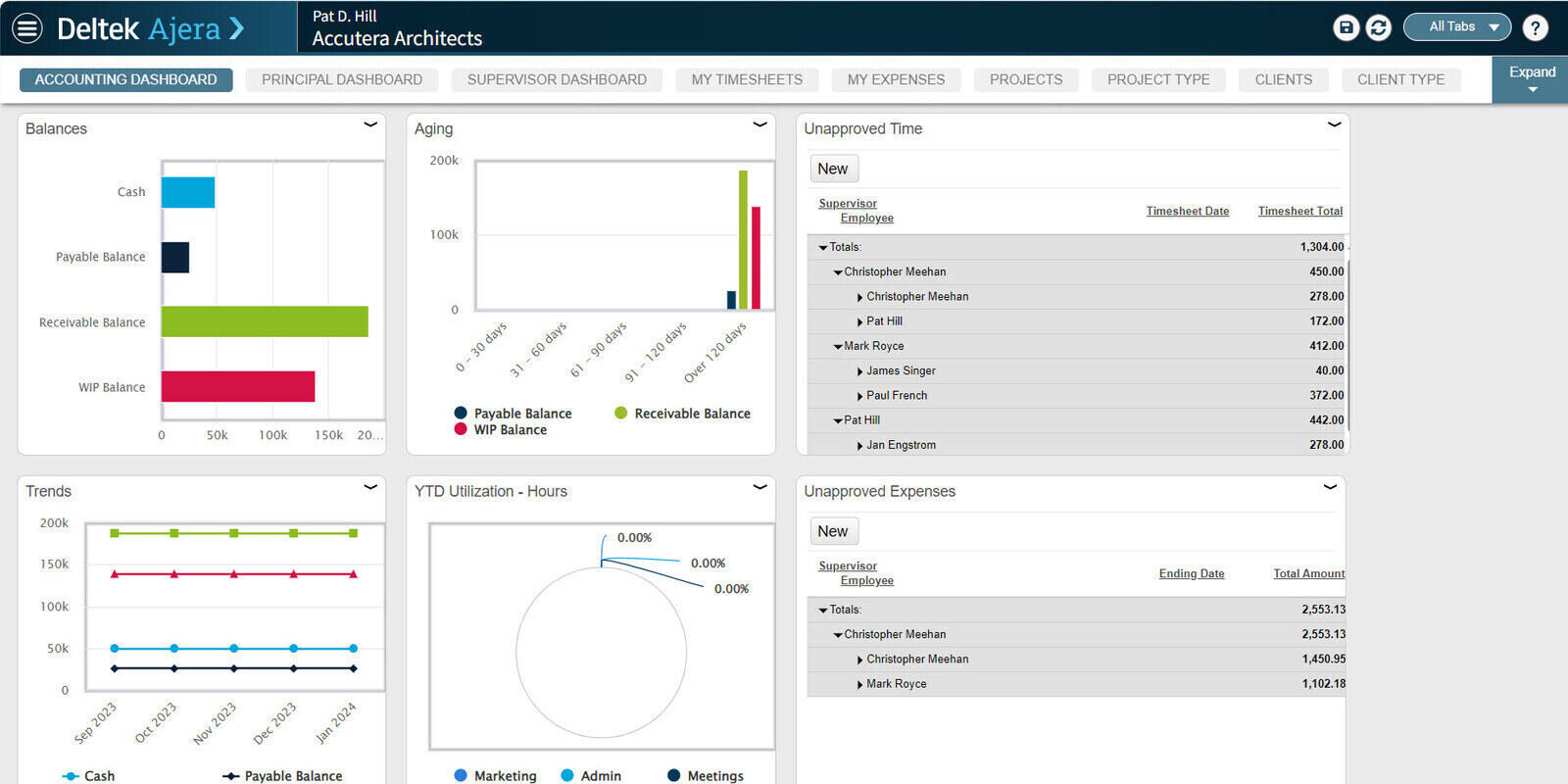
Best for: Architecture and engineering firms that want project accounting, billing and timesheets in one ledger and are ready to invest in learning it.
- Pricing: Quote only. Deltek publishes no price for Ajera and routes buyers to a demo.
- Rating: 4.1/5 on G2 from 205 reviews; 3.6/5 on Capterra from 62 reviews
Ajera treats the timesheet as the start of the accounting cycle. Hours land on a project and phase, roll into budgets and work in progress, and become invoices generated from project data, while the firm's financials sit in the same system. For an engineering consultancy that means one set of numbers for the principal, the project engineer and the bookkeeper, instead of three spreadsheets that disagree at month end.
Its newer features lean on automation. Timesheet Assist proposes entries based on recent work and upcoming assignments, and receipt capture on a phone fills in expense reports. Neither changes the basic judgement: Ajera is a finance system with a timesheet attached. Its setup may be unnecessary if monthly billing is straightforward. Consider it when reconciling time, billing and project accounts has become a recurring burden.
What users say about Deltek Ajera
The linked reviews distinguish familiar timesheet entry from the more demanding accounting and reporting setup. Older Capterra reviews describe interface and login problems. Ask for a demonstration of your actual billing workflow.
Source: G2 reviews and Capterra reviews
3. Dovico Timesheet - best dedicated timesheet with budgets and approvals
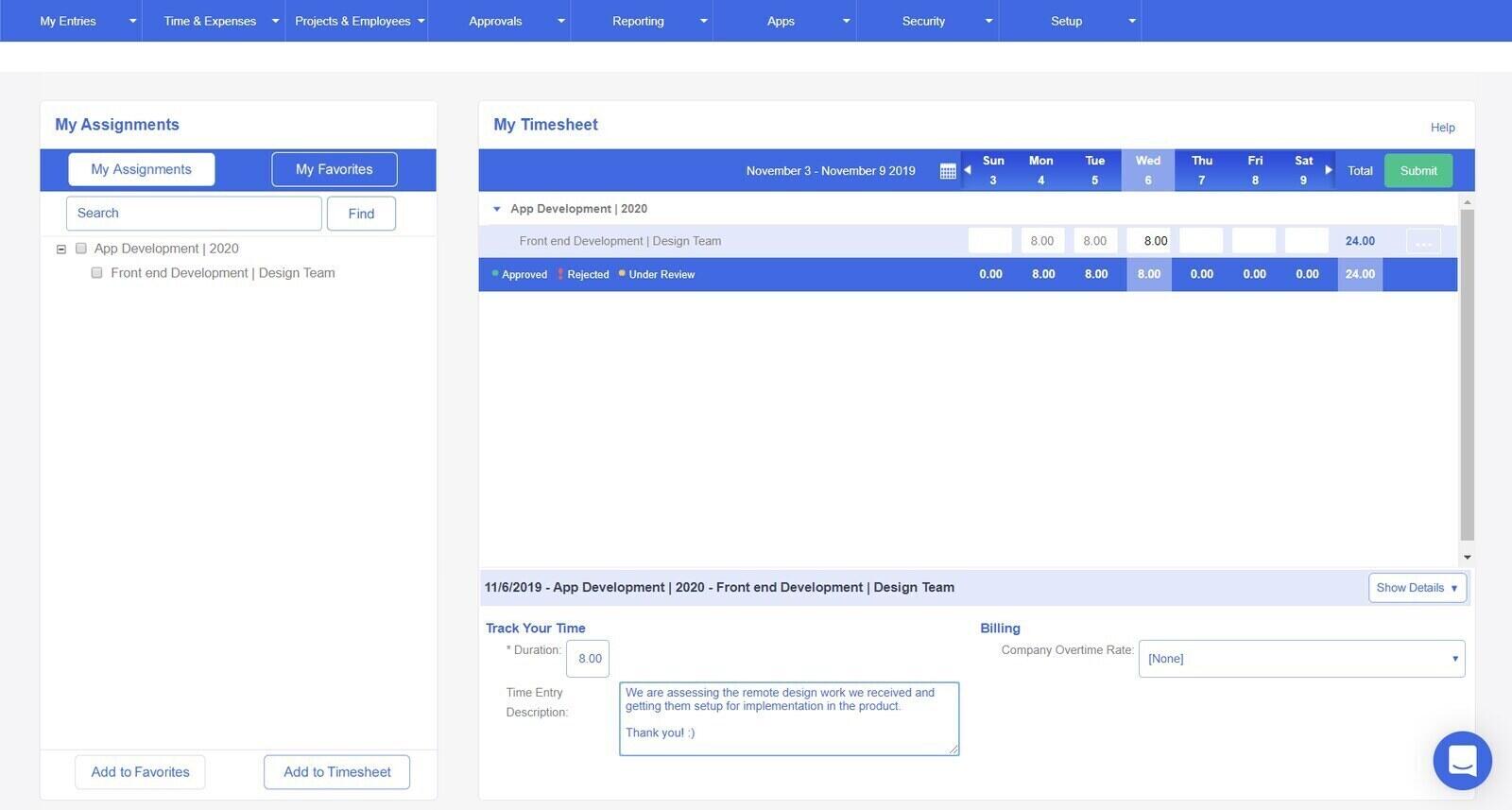
Best for: Engineering and technical firms that want a dedicated web timesheet with project budgets, approvals and, on Premium, billing and a DCAA audit trail, without buying a business system.
- Pricing: Basic $9 per user/month billed annually ($10 monthly); Professional $15.30 ($17); Premium $19.80 ($22), marked as an introductory price. Calendar Link is a +$4 per user add-on on Basic and +$2 on Professional, and the QuickBooks Desktop link is +$1 per user; Premium includes both. 30-day free trial and a 60-day money-back guarantee.
- Rating: 4.3/5 on Capterra from 69 reviews; 4.2/5 on G2 from 16 reviews
Dovico Timesheet does one job: getting hours from staff against projects and tasks, then reporting them against budget. Basic covers unlimited projects, time entry against projects and tasks, and reporting. Professional is the plan most engineering firms would need, because it adds expense entry, time and expense approvals, budgeted time and costs with alerts, scheduled reports, integrations and an API. Premium adds project-based billing and invoices, resource allocation and capacity planning, enhanced entry auditing and a DCAA audit trail.
That makes it the closest thing here to a timesheet built for government and engineering work without the weight of Ajera or BQE CORE. The trade is age: reviewers keep calling the interface dated, and most public reviews are several years old, so the product may have moved on in ways the ratings do not show. If DCAA matters to you, ask Dovico exactly what the audit trail records for your contract type before relying on it.
What users say about Dovico Timesheet
The linked reviews value straightforward time entry, budget reports and support, while describing a dated interface and difficult custom reports. Both samples are small and mostly older; verify current behavior in a trial.
Source: G2 reviews and Capterra reviews
4. Harvest - best lightweight budgets and invoices
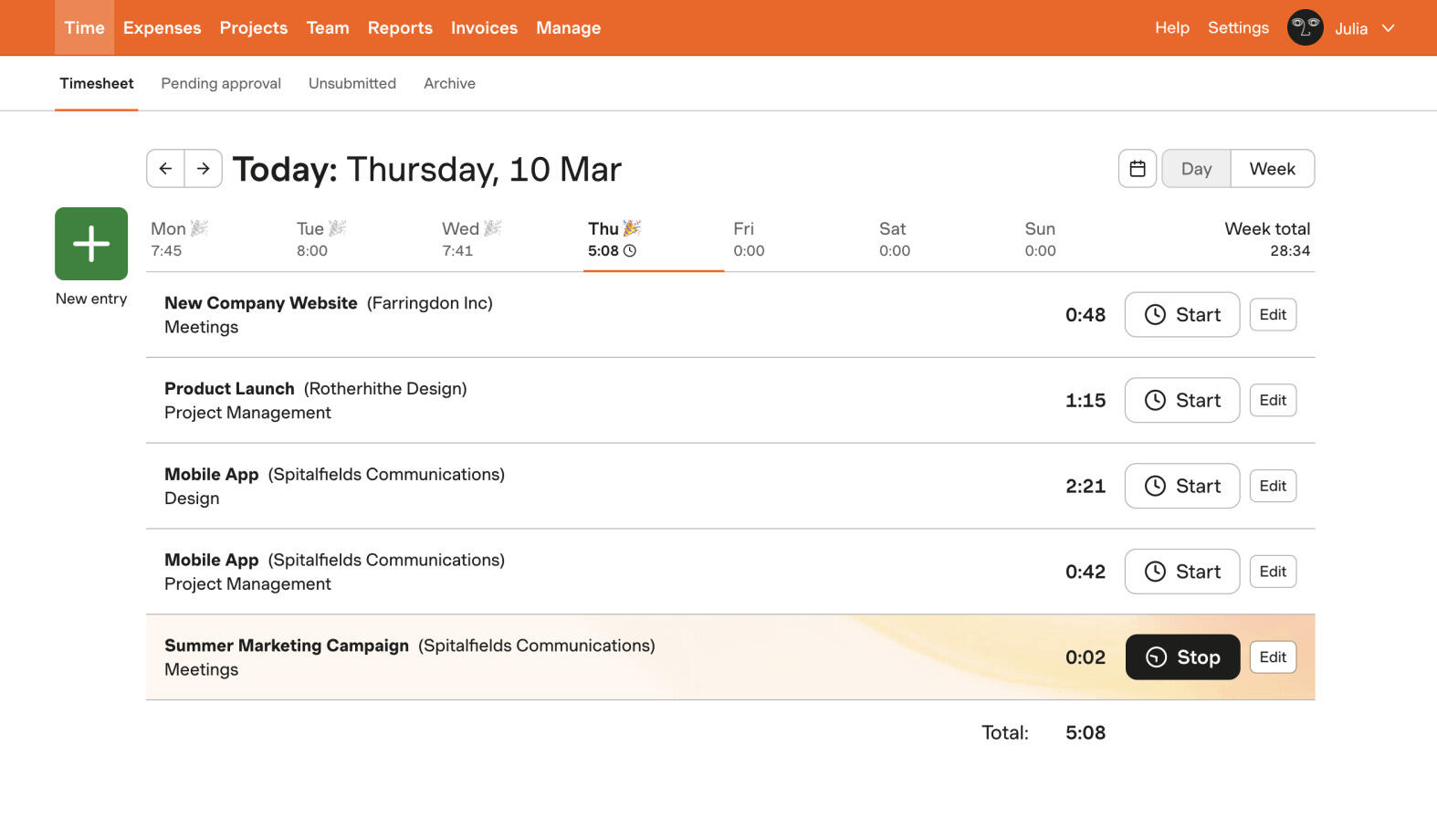
Best for: A consultancy that wants a light timesheet with project budgets and invoices, and can live with Harvest's usage-based billing.
- Pricing: The free plan allows 1 seat and 2 projects. Teams starts at $9 a seat per month on annual billing ($11 month to month) and Enterprise at $14 ($17.50), in USD. Each paid plan is billed either as Flex, which adds usage fees once active projects, clients, tasks or invoices pass a free allowance, or as Unlimited, a flat price with no usage fees. Enterprise Plus is quoted. 30-day trial.
- Rating: 4.3/5 on G2 from 842 reviews; 4.5/5 on Capterra from 653 reviews
For engineering work, Harvest's useful pieces are project estimates on every plan, time-and-materials or fixed-fee project types, billable and non-billable tasks, and invoices that pull in tracked hours and expenses. A not-to-exceed job maps neatly onto an hourly project with a budget, so you can see what is left before the cap. Enterprise adds timesheet approval, required notes on every entry and profitability reporting, so check whether those controls are part of your review process.
Check the billing model before choosing Harvest. Under Flex, a consultancy that opens a project for each small job and a task for each kind of work pays for that structure, and the usage portion first appears at the second paid renewal. Price it with your real number of active projects, or pick Unlimited. If you are weighing the two directly, here is how Timen and Harvest differ.
What users say about Harvest
The linked reviews describe easy time entry and invoicing. Recent reviews include complaints about 2026 pricing changes; older feedback also mentions limited reporting. Check both the review date and the billing model discussed.
Source: G2 reviews and Capterra reviews
5. Timen - best free tracker for billable versus internal hours
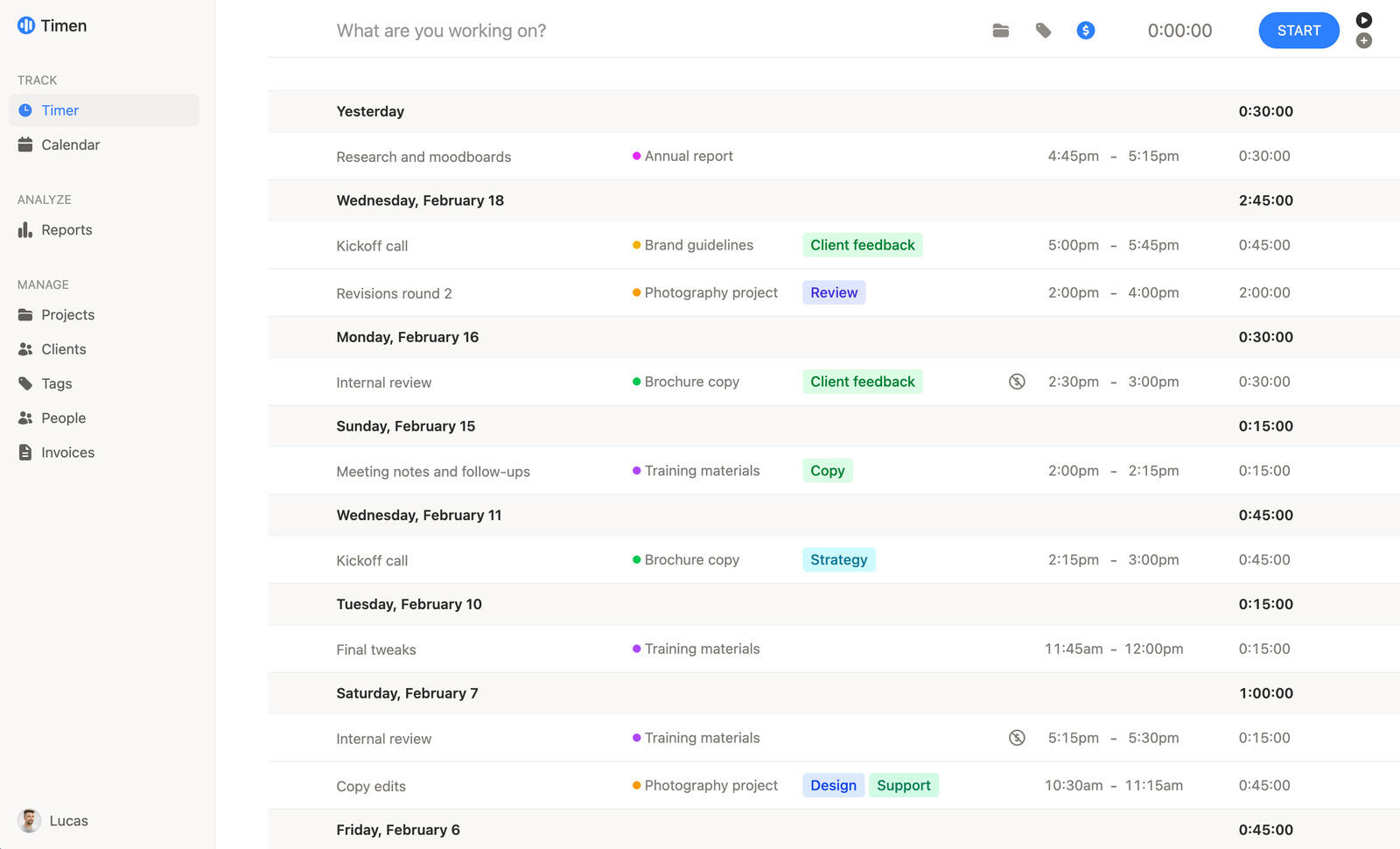
Best for: A consultancy of a few engineers that wants billable design work, internal research and rework kept apart, reported by type of work and invoiced from one report, for free.
- Pricing: Free with everything included, and no limit on users, projects or entries.
- Rating: No third-party reviews yet. Its G2 listing has none, and there is no Capterra listing.
Timen has no budgets or not-to-exceed alerts, no timesheet approval, no earned value, no compliance audit trail, no revision control and no CAD or PLM connection, and it never classifies activity for you; each entry is one someone started or typed. A consultancy whose contracts demand approved timesheets or a DCAA trail should look at BQE CORE, Deltek Ajera or Dovico, not here.
Within those limits it covers the daily work well. Every entry carries a project, client, description, tags and a billable switch, so work stays on the job with the billable status required by its agreement. Reports can be grouped two levels deep, billable status first and type of work second, filtered to a client or project, and exported as CSV or PDF or shared as a read-only link. Invoices come straight from that report, one line per type of work or per entry, and can go to Xero, QuickBooks Online, FreshBooks or Wave. The phone apps keep working without signal on a site visit, and a browser extension adds a start button to the task or ticket you are working on.
6. Sage Timeslips - best for complicated billing arrangements
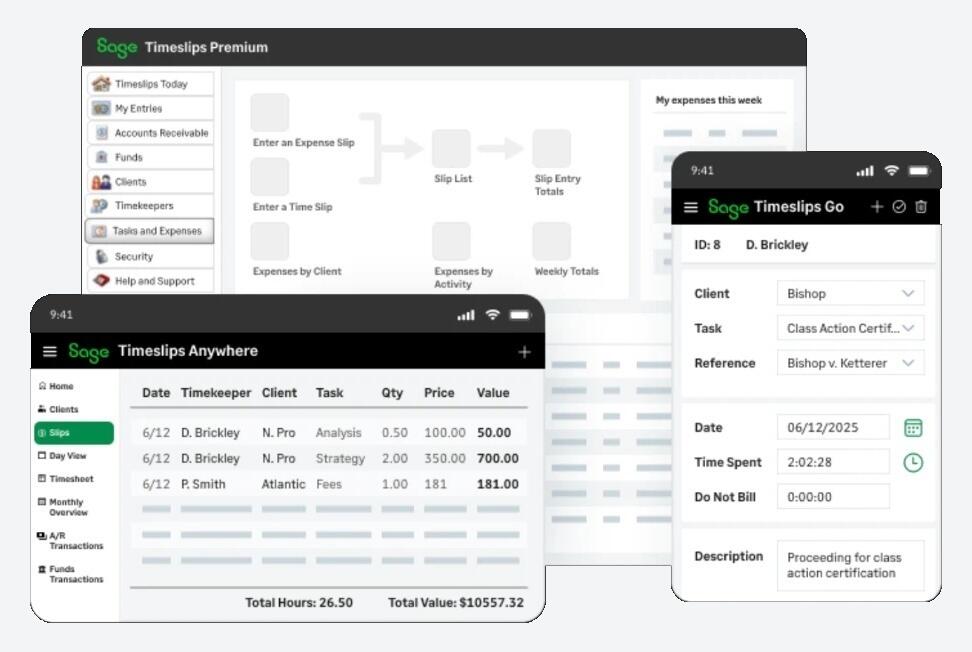
Best for: Firms whose invoices are the hard part, with per-client rates, pre-bills to proof and custom bill layouts, and that are comfortable with desktop software or its cloud sibling.
- Pricing: Timeslips Premium, the desktop product, is priced per plan: Starter $61 a month or $626 a year for a single licence; Standard $113 or $1,191 for one to four networked licences; Pro $151 or $1,580; Elite $168 or $1,763, with savings on additional licences. Most Premium plans include the Timeslips Go web and mobile companion. Timeslips Anywhere, the cloud edition, is $44 a month for the first user and $34 for each additional user.
- Rating: 3.9/5 on Capterra from 261 reviews; 3.1/5 on G2 from 55 reviews
Timeslips is billing software that happens to capture time, and it has been doing so for decades. Premium, the desktop product, has more than 120 built-in reports, a report writer and full control over bill layouts, including legal billing formats. Go adds web and mobile time entry that syncs back to the desktop, and Anywhere is a separate cloud product that Sage pitches at smaller firms wanting time, expenses and bills online without links to accounting or payment software.
Its reviewers are mostly small law and accounting practices, which tells you where its heart is. An engineering consultancy belongs here when its billing is unusual, such as retainers drawn down month by month or clients who insist on a particular bill format, and not when it needs project budgets, resourcing or deliverable tracking. The desktop edition also means someone in the office looks after the installation and the backups.
What users say about Sage Timeslips
The sampled reviews value billing flexibility and access to historical records. They also describe support and usability problems. Most concern the desktop product, so do not apply them directly to Timeslips Anywhere.
Source: G2 reviews and Capterra reviews
7. Clockify - best per-seat price for approvals and invoicing
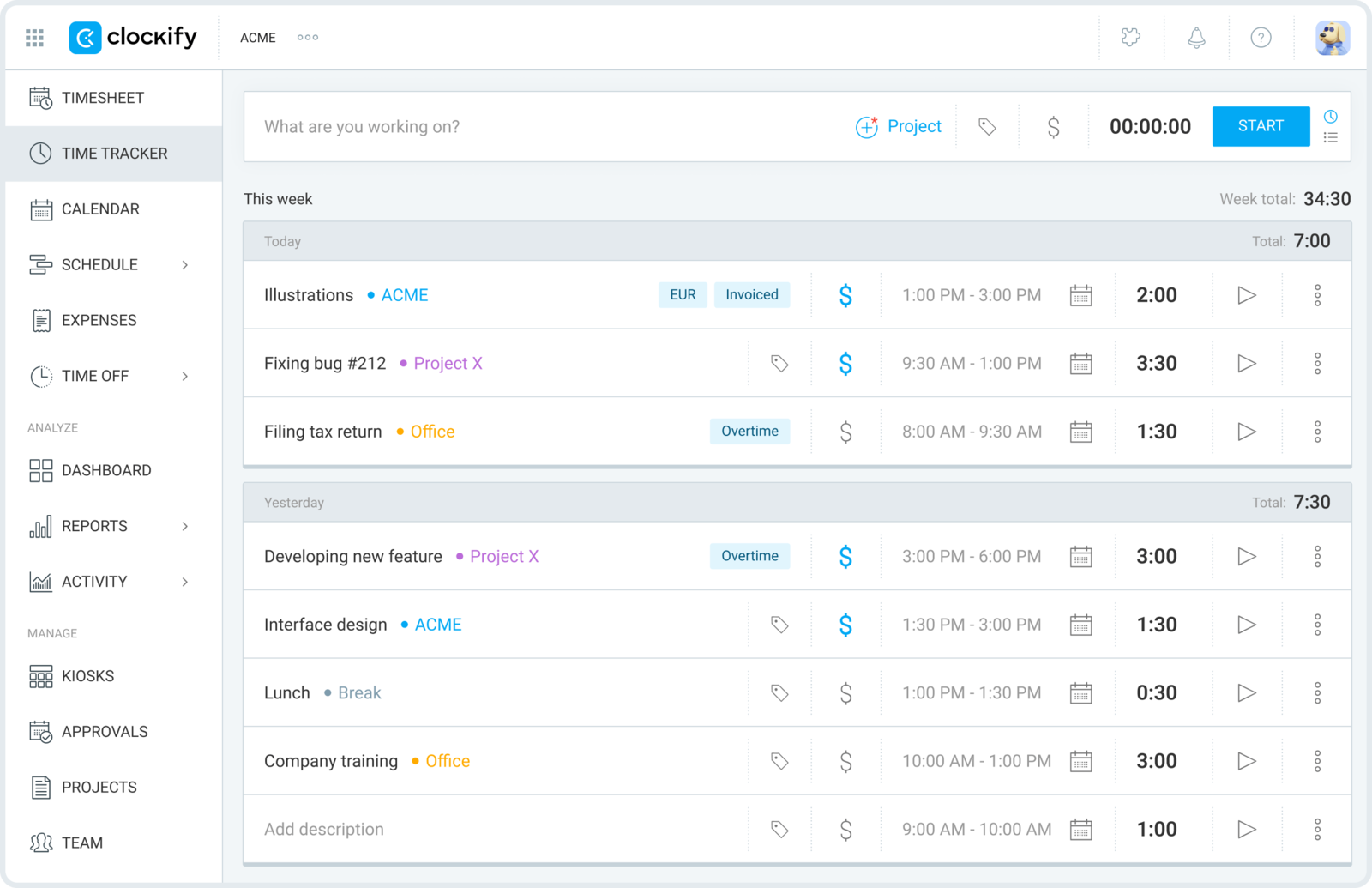
Best for: A cost-conscious consultancy that wants timesheet approval and invoicing on Standard, budgets on Pro, and a per-seat price well below the rest.
- Pricing: Free plan for up to five users. Paid plans per seat per month, billed annually or monthly: Basic $3.99 or $4.99, Standard $5.49 or $6.99, Pro $7.99 or $9.99, Enterprise $11.99 or $14.99. Active and invited users each occupy a seat.
- Rating: 4.8/5 on Capterra from 9,268 reviews; 4.5/5 on G2 from 203 reviews
Clockify gives an engineering consultancy the controls a review process needs at a low price. Standard brings timesheet approval, time locking so approved weeks cannot be edited, invoicing, task-level rates and a QuickBooks integration. Pro layers on budget and estimate alerts, expense tracking and a comparison of labour cost with what you bill. Tasks can carry the type of work, and the billable flag keeps internal research and rework off the invoice.
Plan the ladder before you buy. A consultancy that needs both approval and budgets is on Pro at $7.99 a seat billed annually, which is still cheap, but Pro is also where Clockify's optional activity monitoring agent and GPS tracking live. Some engineers will not mind; others will object to a tracker that can watch their machines, even if nobody has switched it on. If the free tier is what tempts you, Clockify's free plan against ours is set out separately.
What users say about Clockify
The linked reviews value easy entry and client reports, while raising concerns about plan restrictions, crowded screens and synchronization. Older praise for unlimited free users does not describe the current free plan.
Source: G2 reviews and Capterra reviews
8. Toggl Track - best for approvals with simple invoicing
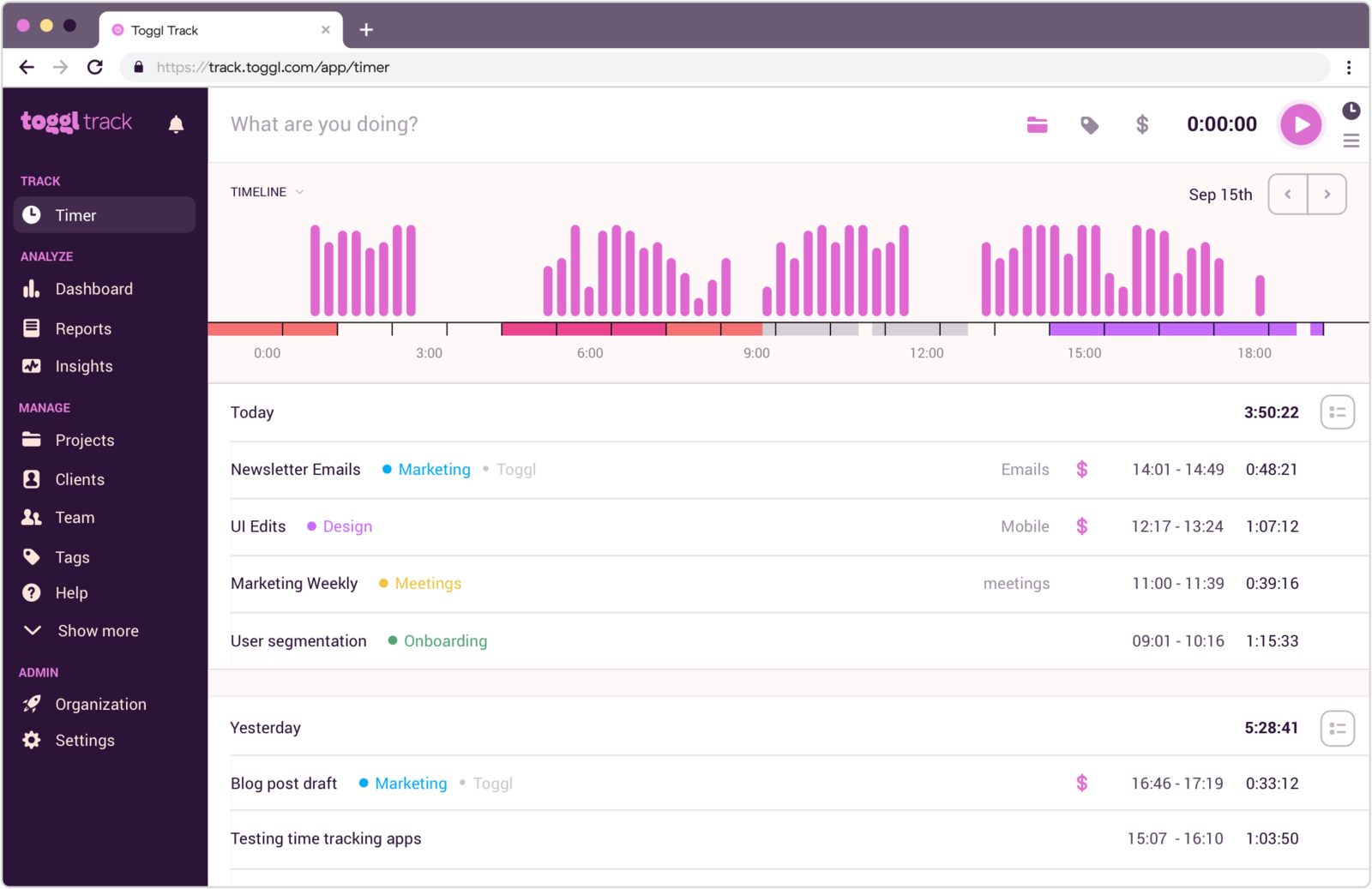
Best for: A consultancy that wants estimates, fixed-fee tracking and timesheet approval with a timer staff will actually use, and can live with basic invoices or billing from its accounting system.
- Pricing: Free plan for teams of up to 3. Starter $9 per user a month on annual billing or $12 monthly; Premium $16 or $24; Enterprise by quote. 30-day trial.
- Rating: 4.7/5 on Capterra from 2,589 reviews; 4.6/5 on G2 from 1,644 reviews
Toggl's Premium plan is where it becomes relevant to engineering work. Members submit their tracked time, approvers accept it, decline it or ask for changes, and approved periods are locked. Premium also brings fixed-fee projects, project dashboards comparing actual hours with estimates, and labour cost and profitability reports. Starter covers billable rates and project estimates with alerts, and every plan includes timers on the web, desktop, phone and browser.
Toggl’s invoice generation has limits. A summary or detailed report becomes a PDF invoice, one line per project or per entry, with billing details, a PO number, extra items and tax added, but the layout is fixed and free-plan PDFs carry the Toggl logo. For a consultancy billing monthly against a cap, that usually means invoicing from Xero or QuickBooks with Toggl's export instead. It can also record desktop app use for each person to turn into entries, and convert calendar events into entries automatically, which some engineers find handy and others would rather keep away from client work.
What users say about Toggl Track
The linked reviews describe easy timer adoption and useful reports, alongside requests for fuller invoicing and project finance. Both listings include the wider Toggl product, so check which features each review concerns.
Source: G2 reviews and Capterra reviews
What should a consulting engineering job look like in a timesheet?
Each entry should say which deliverable it served, what kind of work it was and whether the client pays for it, in words a reviewer can read without seeing the design. Here is one small job set up that way in Timen. The structure transfers to Clockify or Toggl Track with tasks and the billable flag, and BQE CORE or Ajera would add budgets and approvals on top.
In this illustrative job, the team delivers a structural assessment and strengthening design for an existing warehouse mezzanine that the client wants to load with heavier racking. It is billed hourly at $150 with a not-to-exceed figure of $13,500, which works out at 90 billable hours. The deliverables are a calculation package, two drawings and a short report.
Job setup
- One client and one project named after the deliverable set, Unit 4 mezzanine - assessment and strengthening, with a rate of $150.
- Under this example’s billing agreement, use eight tags, one per kind of work: Analysis, Calculations, Design review, Meetings, Revisions and Documentation for the work the client pays for, plus Research and Rework for hours that are real but not billable.
- Research and Rework entries go on the same project with the billable switch off; everything else is billable. Keeping them on the job, rather than in an internal project, shows what the job actually cost.
- One tag per entry, and a description that follows a simple pattern: deliverable reference, then what was done, then the reason if it was a revision.
A week of entries
- Analysis, billable, 2 hours: site survey data into model, existing column and beam sizes.
- Calculations, billable, 3.5 hours: calc package C-03, mezzanine beam checks, grid 4 to 6.
- Design review, billable, 1.5 hours: independent check of C-03 by a second engineer.
- Rework, non-billable, 2 hours: C-03 load combination corrected after the internal check.
- Research, non-billable, 1 hour: C-03 background, supplier's published connection capacities.
- Meetings, billable, 1 hour: design team call on racking layout options.
- Revisions, billable, 2.5 hours: C-03 rev B, racking load increased at client request.
- Documentation, billable, 2 hours: drawings S-101 and S-102, notes and first issue.
Descriptions a reviewer can read
Use enough detail to identify the deliverable and explain the work. Check descriptions before sharing them, because they appear in reports, exports and invoices. Keep confidential design and commercial details in the project records, and give reviewers access to those separately when needed.
The grouped report
At the end of the month, run a report on the project grouped by billable status and then by tag. Halfway through the job it might show:
- Billable, 58 hours: Calculations 21, Analysis 11, Meetings 8, Design review 7, Documentation 6, Revisions 5.
- Non-billable, 8.5 hours: Rework 6, Research 2.5.
Now read it against the cap, which Timen does not store, so it comes from your proposal. 58 billable hours is $8,700 of the $13,500, leaving 32 hours for the final drawings, the report and any further revisions. Calculations are the biggest consumer of the fee, which is expected. Eight hours of meetings and six hours of rework are worth reviewing against the plan: were they expected, and can the remaining work still fit? None of that is visible if every hour is logged as design time.
Billing the month
To bill, filter the same report to billable entries only and create the invoice from the summary view, which gives one line per type of work with its hours; use the detailed view instead if the client wants every entry. Rework and research never reach the invoice because the filter leaves them out. Send it to Xero or QuickBooks Online, or as a PDF with a read-only report link for the client's reviewer.
The first step is deliberately small: pick one deliverable on a live job, create its project and tags, and log a week against it. The grouped report at the end of that week will tell you more about where the fee goes than the old timesheet ever did. For consultancies whose work is advisory rather than design, the consultant tracker list covers the general options.
Is a simple tracker enough, or do you need project accounting?
A simple tracker is enough while the question is where the hours went and who pays for them. You need project accounting when those hours also have to drive budgets, work in progress, approvals and the firm's books without anyone typing them in twice. Review how much time the team spends reconciling those records before deciding to add a finance system.
Some requirements no general tracker meets, Timen included. Earned value management, engineering compliance records, revision control for drawings and models, CAD or PLM integration, cost-accounting certification for government contracts and automatic classification of what someone was working on all belong in specialist systems. If one of those is a deciding requirement, start with Deltek Ajera or BQE CORE for the accounting side, Dovico Premium for a DCAA audit trail and your document or PLM system for revisions, and treat time tracking as one feature of that decision.
Logging hours does not deliver the job by itself. If deliverables, deadlines and who is checking what are scattered across email, Breeze, built by the same team as Timen, has a comparison of project tools engineering teams use. Firms that combine engineering with architecture will also find the architecture practice list useful, since its worked example follows design stages and client changes rather than types of work.
What is the sensible first step?
Trial one current job, including the review and invoice. If the hours must reach project accounting, ask a vendor to demonstrate that handoff. If a grouped report is enough, check it against the job’s fee cap before choosing a simpler tracker.
Record the activity, apply the job’s billing terms and use descriptions the reviewer can understand. Timen supports that process with reports and invoices; budgets and formal approval require another tool.