Best time tracking software for virtual assistants in 2026

Choose a time tracker around how each client pays you. Hourly work needs reliable client rates and invoices; retainers also need a way to check the hours or funds left. Compare those billing steps first, then decide whether to pay for rounding and retainer features or handle them yourself.
Time tracking for virtual assistants is a billing problem that looks like a timer problem. A normal week means several clients, dozens of five-minute jobs (an inbox sweep, a moved meeting, a reply to a supplier) and usually at least one monthly retainer. Every minute has to land on the right client, be marked billable or not, and end up in a report the client can read and an invoice that matches what you agreed.
The eight tools below were compared on that chain: switching the timer between clients, fixing forgotten entries, a rate per client, rounding the way your contract says, and turning hours into an invoice. It is written for the assistant tracking their own client time, not for an agency monitoring the assistants it employs; Hubstaff and Jibble are included because a client or agency may ask you to install them. If you are choosing as a freelancer more broadly, our freelancer shortlist covers that decision.
What should you agree with a client before the timer starts?
Agree three things in writing before the first entry: how time is rounded, which communication is billable, and what happens to a retainer's unused or extra hours. Software can apply those rules only after you and the client agree them.
Rounding. Name the increment and what it applies to, because "billed in 15-minute increments" can mean every entry or the total. Nine quick replies to one client in a week, each under 15 minutes and 58 minutes in all, bill as 60 minutes if the weekly total is rounded up to the next quarter hour, and as 135 minutes if each reply is rounded up on its own. The second may be what the contract allows, and it still looks like padding to a client reading the report. Many assistants round each client's daily or weekly total instead, or group quick tasks into one entry per session.
Billable communication. Decide whether emails, Slack or WhatsApp messages and quick calls count as billable, and whether a one-line request outside your hours has a minimum charge. Some assistants bill all client communication; others include a set amount in a retainer. Either works if it is written down, and a tag such as "comms" on those entries shows the client exactly how much of the bill was messages.
Retainer terms. Agree the hours, what happens to unused ones at month end (lost, rolled over once, or credited), the rate for hours over the cap, whether you stop at the cap, and when you warn the client, for example at 80% of the hours.
Report format. Ask whether the client wants a single total, hours by type of task, or every entry with a description, and write descriptions for that reader from the start. Rewriting forty entries on invoice day is admin nobody pays for.
What does a week with three clients look like in Timen?
Here is one illustrative week for an assistant with three clients, worked through in Timen, including the parts Timen leaves to you. The rates are made up for the example.
Sam works for a business coach on a 20-hour monthly retainer, $600 paid in advance, with extra hours at $32; for an online shop at $35 an hour; and for a podcast host at $28 an hour. Both hourly clients are invoiced every Friday. Her contracts round each client's weekly total up to the next 15 minutes, count client messages as billable, let the coach's unused hours lapse, and have her warn the coach once 16 of the 20 hours are used.
- Set up once. One project per client, with billable rates of $30, $35 and $28. The coach's $30 is simply $600 divided by 20 hours, so reports show what the retainer time is worth. Tags cover the kinds of work (inbox, orders, scheduling, content, comms), and the profile makes new entries billable by default. A rate on your own person record overrides project rates, so leave it at zero when clients pay different rates.
- Switch between clients. Monday starts with the coach's inbox, on a timer started from the Asana task the coach assigned. At 10:40 an order problem arrives from the shop; starting the shop's timer from the browser toolbar stops the coach's timer at that moment, so nothing overlaps.
- Log the short stuff. The shop sends nine quick questions during the week. Each reply gets its own entry with the comms tag, as a short timer or a manual entry afterwards. Together they come to 58 minutes.
- Fix what was missed. On Wednesday Sam takes a 25-minute call with the podcast host on her phone and forgets the timer. On Friday the calendar view shows the gap at 14:00; clicking the slot opens a new entry for that time, which she puts on the podcast project. The same view shows the coach's timer ran through Thursday's lunch, and editing the end time takes 45 minutes back off.
- Keep your own admin apart. Invoicing, bookkeeping and an hour learning a new tool go on a project for Sam's own business, marked non-billable, so they count in her reports and never reach an invoice.
By Friday afternoon the week looks like this:
| Client | Terms | Exact time in Timen | Billed after rounding the weekly total | Amount this week |
|---|---|---|---|---|
| Business coach | 20 hours a month for $600, prepaid; extra hours $32 | 6 h 22 m | 6 h 30 m, counted against the retainer | Covered by the retainer |
| Online shop | $35 an hour, invoiced weekly | 8 h 07 m | 8 h 15 m (8.25 hours) | $288.75 |
| Podcast host | $28 an hour, invoiced weekly | 3 h 38 m | 3 h 45 m (3.75 hours) | $105.00 |
| Sam's own business | Non-billable | 1 h 30 m | Not billed | $0 |
| Total | 19 h 37 m | 18 h 30 m billable | $393.75 in hourly invoices |
The client report. For the shop, Sam runs a report for the week filtered to that client and billable time, grouped by tag, which shows where the time went: inbox, orders, content and 58 minutes of messages. She exports it as a PDF to send with the invoice.
The invoice. Switching the report's grouping to project and creating an invoice from it gives one line for the shop at $35. Timen fills in the exact hours, 8.12, because it does not round, so Sam changes the quantity to 8.25, the rounded weekly total, and the line comes to $288.75. She adds tax if it applies, downloads the PDF or sends the invoice to her accounting system, and marks it sent. Those entries then drop out of the list the next invoice draws from, so they cannot be billed twice.
The retainer check. The coach needs no invoice this week; the $600 went out on the first of the month as a manual line. Timen does not track the retainer, so Sam runs a report for the coach for the month so far and does the sum herself. Three weeks of rounded totals, 5 h 15 m, 5 h 45 m and 6 h 30 m, make 17 h 30 m, leaving 2 h 30 m of the 20 hours. That is past the 16-hour warning point, so she sends the coach a note. If the month closes at 21 h 15 m, the extra 1 h 15 m becomes a manual line on next month's invoice: 1.25 hours at $32, or $40.00. Timen will not warn her at 16 hours or stop her at 20; the check is hers.
That is the whole workflow: a few minutes per client on Friday, with two manual steps, rounding the invoice line and doing the retainer sum. If you want those two automated, Harvest and My Hours Pro handle both for a monthly fee, and Clockify Standard handles the rounding. If not, the first useful step in Timen is small: add your first client, give their project a rate, and track one real task.
What does a virtual assistant need from a time tracker?
A virtual assistant needs a tracker that makes switching clients effortless and billing each client its own way unremarkable. Six things decide whether a tool does that:
- Fast switching: one click or shortcut to stop one client and start the next, ideally from the browser tab where the work is.
- Easy corrections: a calendar that shows the gap where a call went unlogged, and quick edits when a timer ran through lunch.
- A rate per client: a tool that stores one rate per person leaves you doing the multiplication.
- Rounding that matches the contract: 15-minute or 6-minute increments, and clarity on whether each entry or the total is rounded.
- Retainer visibility: a monthly budget that shows how much of a retainer is left.
- Output a client can read: a report the client can scan in a minute and an invoice built from the same hours.
How did we compare them?
We checked vendor documentation for client rates, rounding, retainer features and invoicing, including the plan each requires. Prices are in US dollars. We did not run an assistant business in these tools. Linked G2 and Capterra reviews provide experience-based context, not a final verdict on disputed features.
How do the eight tools compare on billing?
The quick version: what each tool is for, which plan holds the billing features, and what it costs.
| Tool | Best for | Client rates, rounding, invoices | Pricing |
|---|---|---|---|
| Toggl Track | Switching clients all day | Rates and rounding on Starter; basic PDF invoices from reports | Free up to 3 users; Starter $9 per user/month annual, $12 monthly |
| Harvest | Retainers and invoices in one tool | All three, plus prepaid retainers | Free for 1 person and 2 projects; Teams from $9 per seat/month annual plus Flex usage |
| My Hours | Low-cost billing with monthly budgets | Rates free; rounding and invoices on Pro | Free up to 5 users; Pro $8 per user/month annual, $9 monthly |
| Clockify | Low-cost invoicing | Rates on Basic; rounding and invoices on Standard | Free up to 5 users; Standard $5.49 per seat/month annual, $6.99 monthly |
| Timen | Free rates, reports and invoices | Rates and invoices free; no automatic rounding | Free, every feature included |
| TimeCamp | Rebuilding a scattered day | Invoices on Starter, rounding on Premium, rates on Ultimate | Free, unlimited users; Starter $2.49 per user/month annual; AI billed by usage |
| Hubstaff | Clients who request activity records | Client invoices on every plan | Starter $4.99 per seat/month annual, $7 monthly, two-seat minimum |
| Jibble | Agencies that run attendance | One rate per person; rounding rules; hours sync to Xero or QuickBooks | Free, unlimited users; paid plans unpriced |
Best time tracking software for virtual assistants in 2026
The eight tools fall into three groups. Toggl Track, Harvest, My Hours, Clockify and Timen are trackers you choose yourself and bill from. TimeCamp also records what you do on your computer, useful for rebuilding a day of forty small tasks. Hubstaff and Jibble are usually chosen by whoever pays you.
1. Toggl Track - best for constant task switching
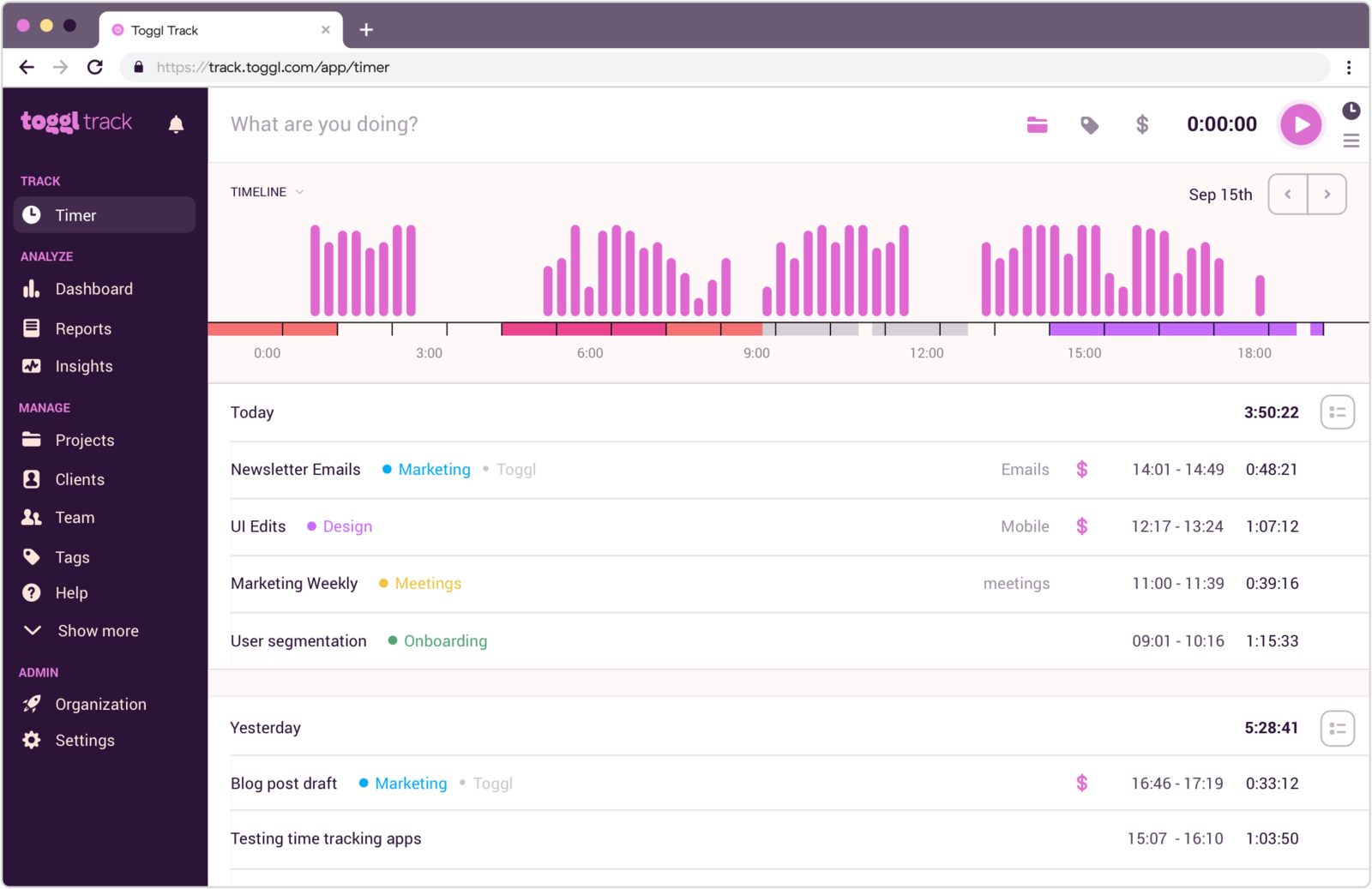
Best for: Assistants who switch clients many times a day, want the least fussy timer on every device, and only need a simple PDF invoice or already invoice from an accounting tool.
- Pricing: Free for up to 3 users, without billable rates or CSV exports. Starter $9 per user/month billed annually ($12 monthly) adds billable rates, rounding in reports and recurring project budgets; Premium $16 annually ($24 monthly) adds fixed-fee projects, timesheet approvals and email reminders. Enterprise on request. 30-day trial.
- Rating: 4.6/5 on G2 from 1,644 reviews, 4.7/5 on Capterra from 2,589 reviews (both listings cover Toggl as a whole)
Toggl Track is the tracker most assistants have heard of, and it earns that where a VA's day is spent: starting and stopping. There are web, desktop and mobile apps, a browser extension with a start button inside more than 100 tools, idle detection for when you walk away with a timer running, calendar sync that turns meetings into entries, and optional desktop activity tracking that records apps and websites privately for you to turn into entries later. Toggl also states plainly that it takes no screenshots and records no keystrokes.
Billing is where you start paying. Billable rates (per workspace, member, project or project member) and rounding in reports are Starter features, and so are recurring projects, which repeat monthly with their own budget, let you decide how unused or overrun hours roll over, and email you at a threshold. That comes close to a retainer tracker. Invoicing is thinner: a report can become a PDF invoice with your own lines, tax and memo, and free-plan PDFs carry Toggl's logo. Many assistants on Toggl still invoice from their accounting tool.
What users say about Toggl Track
The linked reviews describe easy timer adoption and useful reports, alongside requests for fuller invoicing and project finance. Both listings include the wider Toggl product, so check which features each review concerns.
Source: G2 reviews and Capterra reviews
If Toggl is leading your shortlist, our Timen and Toggl comparison covers how the two differ once invoicing enters the picture.
2. Harvest - best for retainers and invoicing in one place
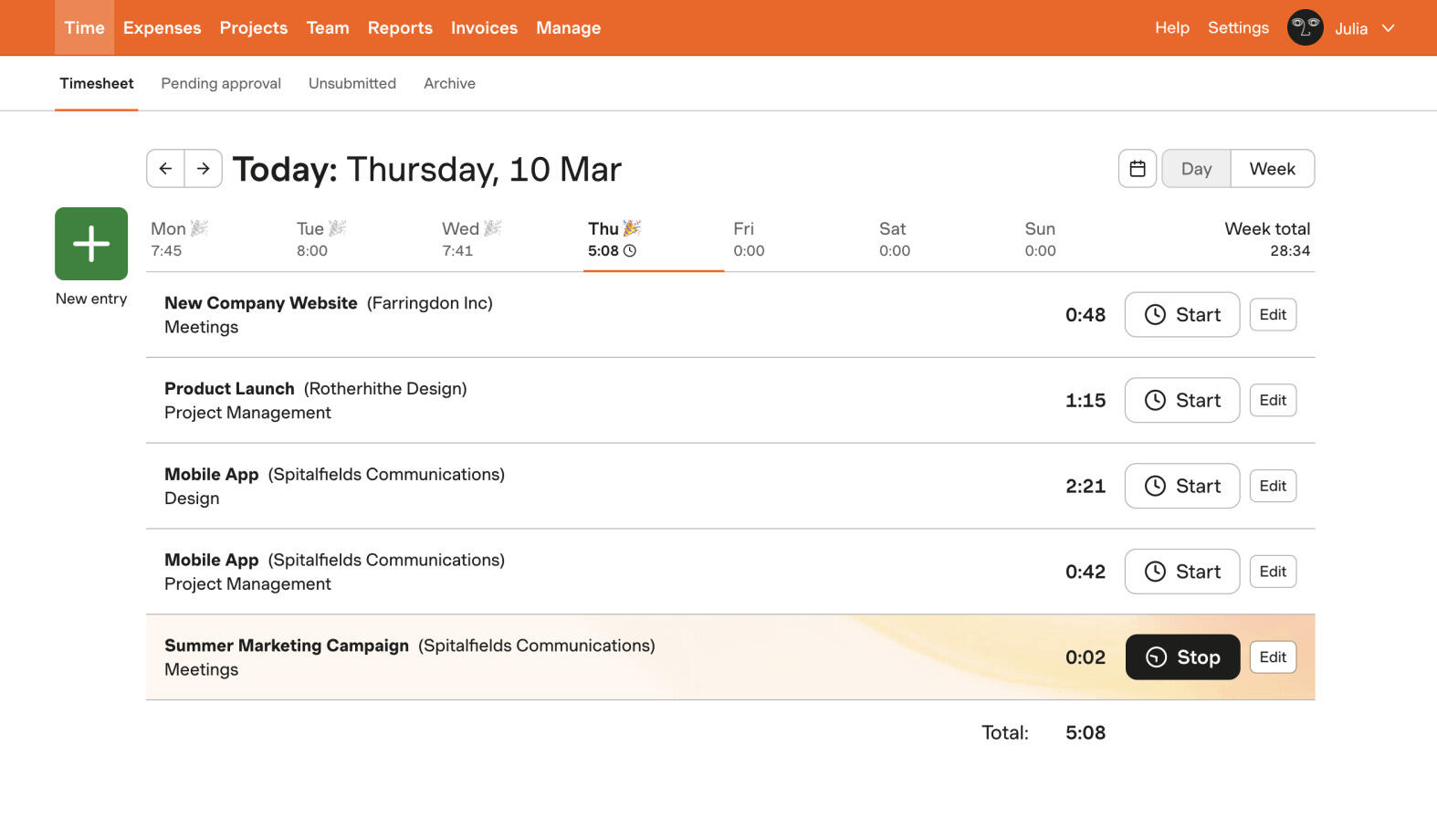
Best for: Assistants with prepaid retainer clients who want time, rounding, invoices and retainer balances in one polished tool, and who can live with usage-based pricing.
- Pricing: Free for one person and two active projects, with invoicing and expenses. Teams from $9 per seat/month billed annually ($108 a year) or $11 monthly; Enterprise from $14 annually or $17.50 monthly. On Flex billing, active projects, clients, tasks and invoicing above a free allowance cost extra from a new account's second paid renewal; Unlimited billing swaps that for a fixed fee quoted in your billing settings. 30-day trial.
- Rating: 4.3/5 on G2 from 842 reviews, 4.5/5 on Capterra from 653 reviews
Harvest has been a default recommendation for assistants for years because of its billing chain: track with a timer or weekly timesheet, set what each client pays, and turn uninvoiced hours and expenses into an invoice without copying anything. Rounding works on every plan: each entry rounds to the nearest, or up to the next, 6, 15 or 30 minutes, and the rounded figures show on summary reports and new invoices while your timesheet keeps the real times. Because it rounds each entry, not the total, assistants with many two-minute tasks should pick 6 minutes or group quick jobs.
What sets it apart for VAs is retainers. You invoice a client's prepaid funds up front, and each later invoice for tracked time draws down the balance; if the balance covers the invoice, Harvest marks it paid. The catch is price. The free plan's two-project limit rules out most assistants with three clients, and on Flex billing every active client and project counts towards usage charges, which is exactly the shape of a VA business. Harvest's billing settings can simulate the charge for your real client list; do that before committing.
What users say about Harvest
The linked reviews describe easy time entry and invoicing. Recent reviews include complaints about 2026 pricing changes; older feedback also mentions limited reporting. Check both the review date and the billing model discussed.
Source: G2 reviews and Capterra reviews
Before pricing an account, our notes on Flex billing explain how the usage charges are counted.
3. My Hours - best value for rates, rounding and invoices
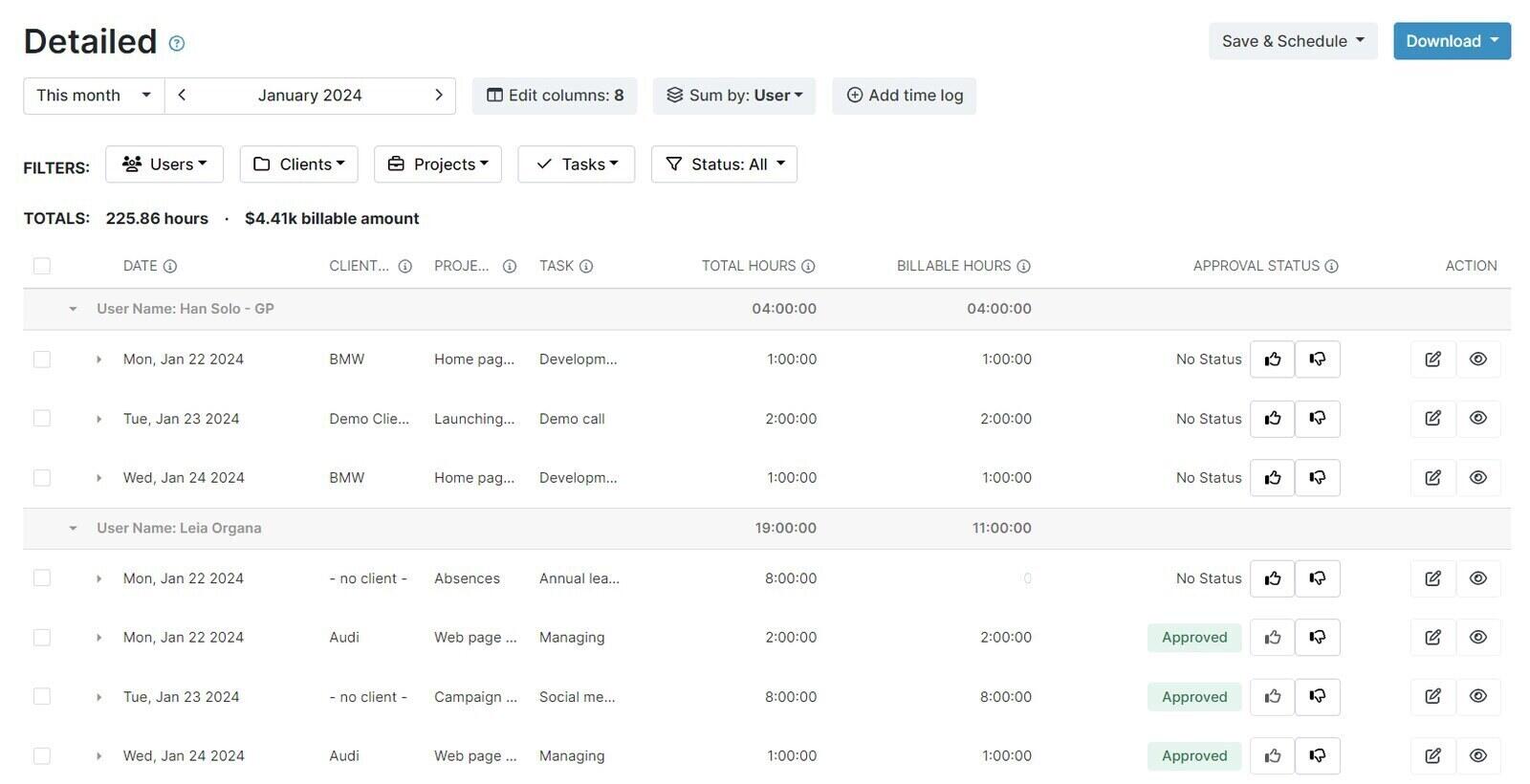
Best for: Assistants who want per-client rates, rounding, invoices and a monthly retainer budget at a low, predictable price per seat.
- Pricing: Free for up to 5 active users, with unlimited clients and projects and a billable rate per project. Basic $4 per user/month billed annually ($5 monthly); Pro $8 annually ($9 monthly) adds rounding, invoicing, project and monthly budgets with email alerts, and Excel exports. 14-day Pro trial.
- Rating: 4.6/5 on G2 from 267 reviews, 4.8/5 on Capterra from 986 reviews
My Hours is less famous than Toggl or Harvest, which hardly matters, because its free plan already includes what many free plans hold back: a billable rate on every project, unlimited clients, non-billable entries, expenses and PDF reports you can email to a client. An assistant with three clients at three rates can track and report properly on day one for nothing.
Pro adds the assistant-specific pieces. Rounding is set per project, up, down or to the nearest interval, with the real duration kept underneath. A monthly budget, in hours or billable amount, restarts each month, a simple way to watch a 20-hour retainer, though unused hours do not carry over. Invoices are built from uninvoiced billable time, sent as PDF, Excel or email, and marked paid or partially paid. The trade is a short integration list: Zapier, an API and a Jira sync, with no direct accounting connection in the plan table.
What users say about My Hours
The linked reviews describe quick entry, useful client reports and responsive support. Invoice customization and bulk editing draw requests. Some reviews arrived in concentrated collection periods, so look for detailed examples matching your needs.
Source: G2 reviews and Capterra reviews
4. Clockify - a low-cost option for invoicing
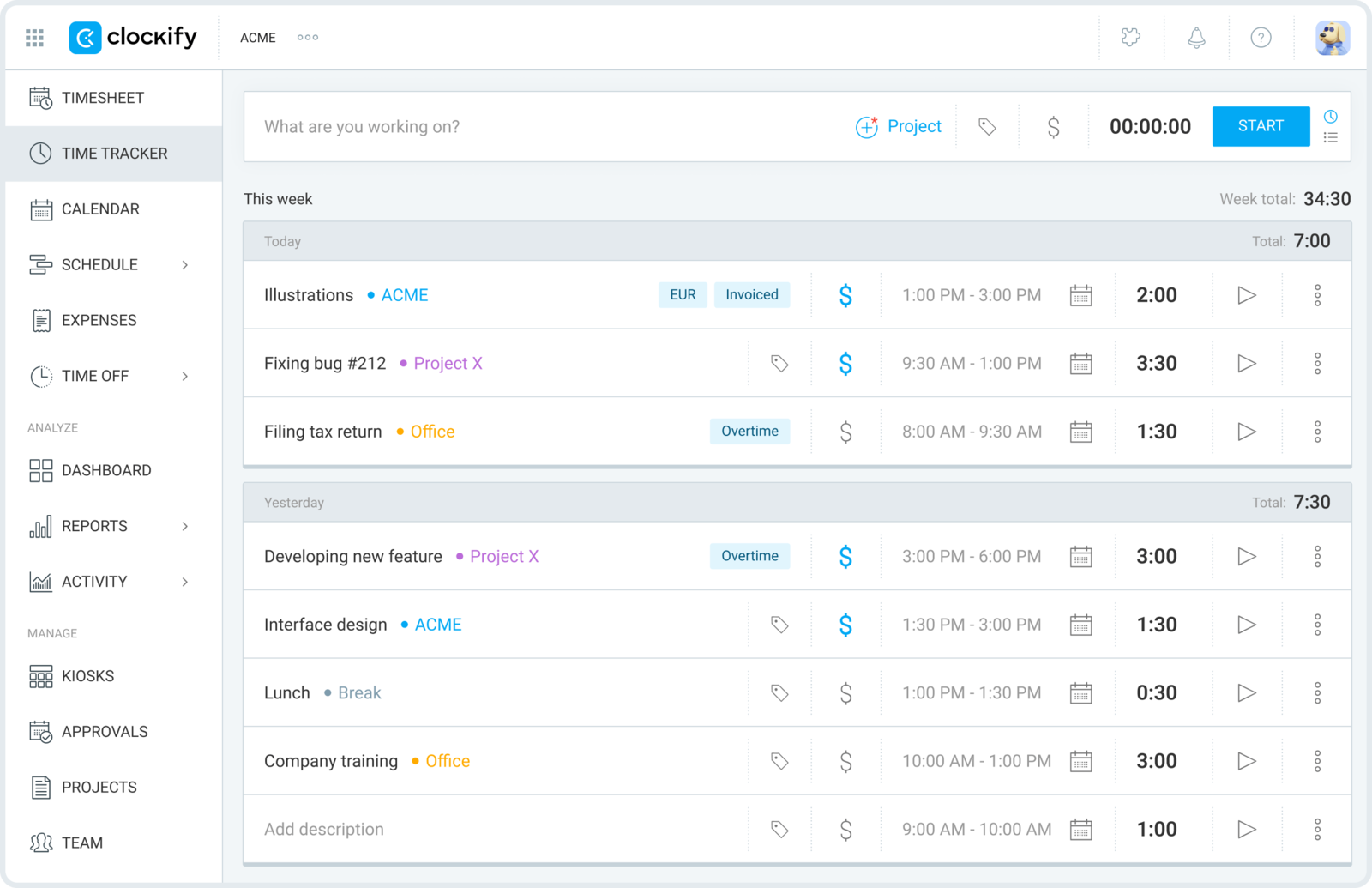
Best for: Assistants who want predictable per-seat pricing for billable rates, rounding and invoices, and do not expect the free plan to handle billing.
- Pricing: Free for up to 5 users, without billable rates or report exports, and with reports limited to a one-month range. Basic $3.99 per seat/month billed annually ($4.99 monthly) adds billable rates and exports; Standard $5.49 ($6.99) adds invoicing, recurring invoices and rounding; Pro $7.99 ($9.99) adds expenses, budgets and the Activity monitoring agent. 7-day trial of Pro features.
- Rating: 4.5/5 on G2 from 203 reviews, 4.8/5 on Capterra from 9,268 reviews
Clockify used to be the free answer for everyone, and for an assistant billing clients it no longer is. Since April 2026 the free plan stops at five users, leaves out billable rates and exports, and only reports on one month at a time. Its standard price is low, although TimeCamp’s advertised discount currently undercuts it: Standard, at $5.49 a seat billed annually, gives you rates per project and task, rounding in reports, invoices from tracked time with PDF download and status tracking, recurring invoices for fixed monthly fees and a QuickBooks sync.
Two Basic features suit assistant work: favorite entries pin common tasks so a repeat job starts in one click, and split time turns one entry into two when you forgot to switch clients. The less comfortable detail is that Pro now includes Activity monitoring, an agent app that records apps, websites, keyboard and mouse activity and screenshots on the devices it is installed on, so a client on Clockify Pro can ask you to install it. It is not part of Free, Basic or Standard.
What users say about Clockify
The linked reviews value easy entry and client reports, while raising concerns about plan restrictions, crowded screens and synchronization. Older praise for unlimited free users does not describe the current free plan.
Source: G2 reviews and Capterra reviews
For the full list of what moved off the free tier, see our Clockify free plan breakdown.
5. Timen - free rates, reports and invoices, with manual rounding and retainer checks
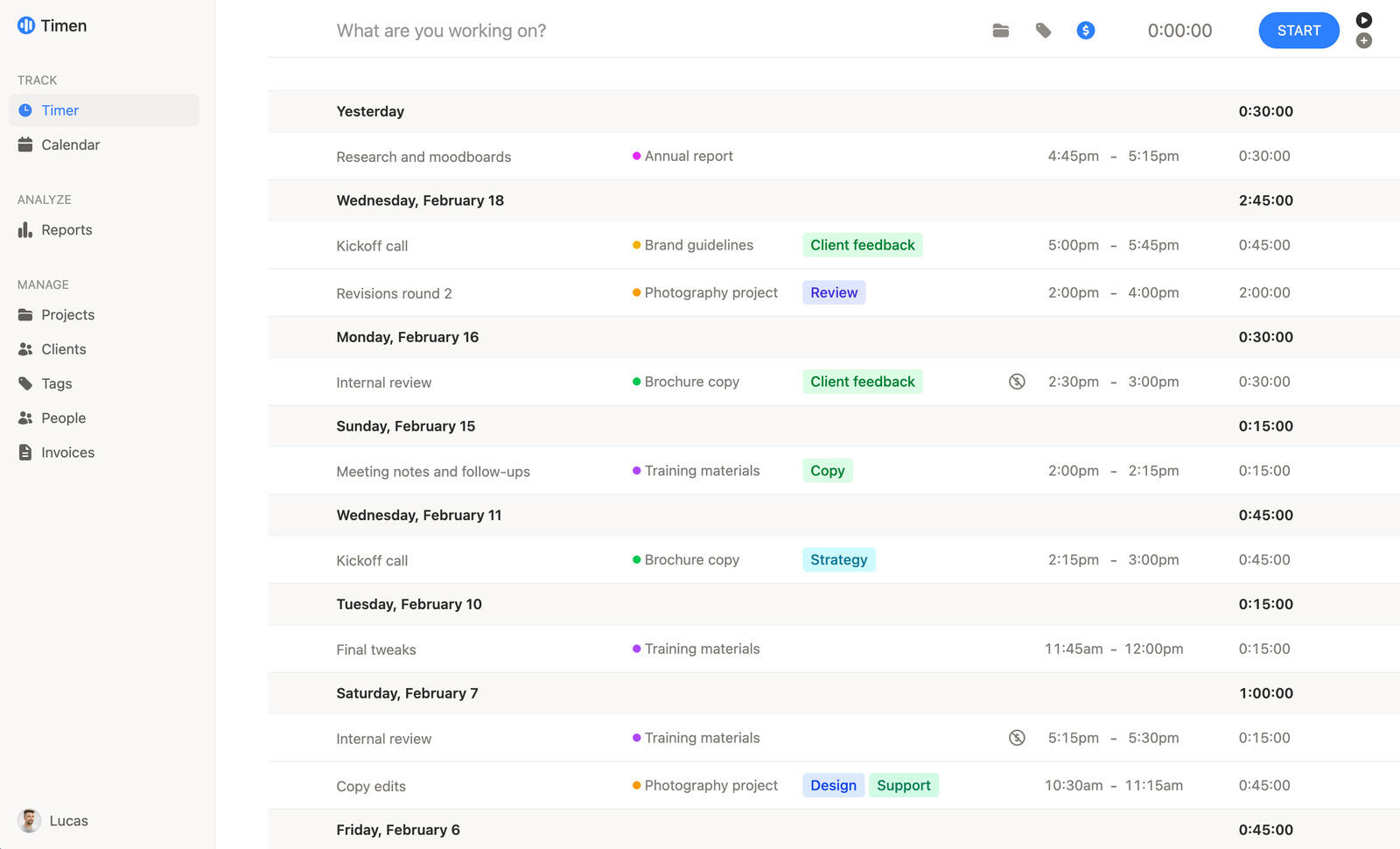
Best for: Assistants who want per-client rates, client reports and invoices at no cost, and are comfortable rounding an invoice line and checking a retainer by hand.
- Pricing: Free, every feature included, with no limit on users, clients or projects.
Timen covers the core of an assistant's week for free: a project for each client with its own billable rate, a billable switch on every entry, and tags for the kind of work, such as inbox, scheduling or messages. Only one timer runs at a time, so starting the next client's timer stops the previous one. The Chrome and Firefox extension adds a start button inside Asana, Trello, ClickUp, Notion, Todoist and dozens of other tools, the calendar view shows where a call went unlogged, the iPhone and Android apps track offline, and on a Mac the community-built TimenBar keeps the timer in the menu bar.
Billing is where it saves an assistant money. Reports filter by client, project, tag and billable status and export as PDF or CSV, and an invoice can start from a report: one line per group (such as per project) from the summary view, or one per entry from the detailed view. Only billable time is pulled in by default, time already on a sent or paid invoice is left out, and the invoice downloads as a PDF or goes to QuickBooks Online, Xero, FreshBooks or Wave. What Timen does not do matters as much. It does not round, so exact time reaches the invoice unless you edit the line. It has no retainer balances, caps or budget alerts, so checking a month against a 20-hour agreement is a report and a subtraction you do yourself. And with no screenshots, activity monitoring, approvals or payroll, it cannot stand in for a tool a client requires.
A full week of assistant work is worked through above, and our freelance invoicing page covers the tracking-to-invoice setup in more detail.
Timen has no third-party reviews yet; assess the workflow in your own account.
6. TimeCamp - best for rebuilding a scattered day automatically
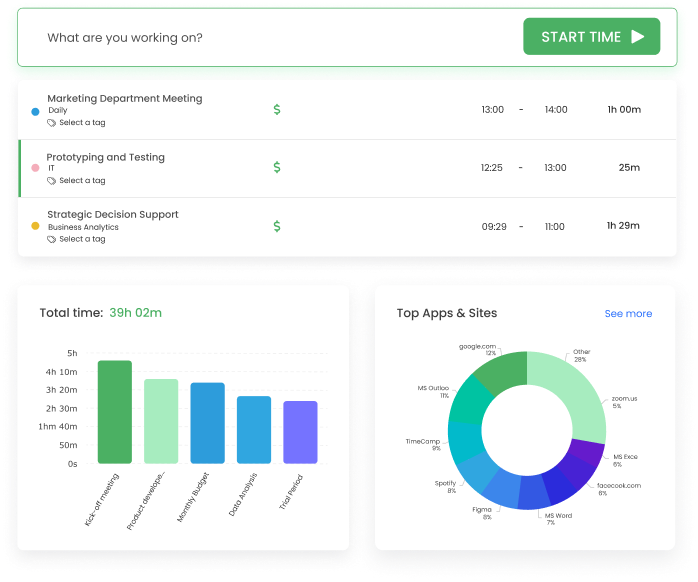
Best for: Assistants whose days are too fragmented for timers and who want apps and websites recorded in the background, at a low price per seat.
- Pricing: Free for unlimited users, without invoicing. Starter $2.49 per user/month billed annually ($3.49 monthly) adds invoicing; Premium $3.99 ($4.99) adds billable time, rounding, budgets, shareable reports and app and website tracking; Ultimate $4.99 ($6.99) adds billing rates, expenses and screenshots. These are shown as reduced prices beside struck-through ones, with no end date. The AI Time Tracker is billed by token usage on every plan, estimated by TimeCamp at about $6 per user a month, with $10 of trial credit.
- Rating: 4.7/5 on G2 from 391 reviews, 4.7/5 on Capterra from 599 reviews
TimeCamp comes at the problem from the other end. Instead of relying on you to remember the timer, its desktop app can record which apps and websites you used, so a day of forty small tasks can be rebuilt into entries afterwards. That is a Premium feature, as are billable time, rounding, budgets with alerts and report links you can share with a client. The newer AI Time Tracker suggests entries from that activity, but it is metered, and TimeCamp's own estimate puts it above the price of a Starter seat.
Read the plan ladder carefully. Invoicing arrives on Starter, but billing rates only on Ultimate, so an assistant charging clients different rates needs the top self-serve plan. Ultimate also brings screenshots and timesheet approvals, worth knowing if a client adds you to their TimeCamp account. Even so, it costs $4.99 a month billed annually, plus whatever AI you use.
What users say about TimeCamp
The linked reviews value background tracking and billing reports, but also describe timer, synchronization and mobile-app problems. Some critical reviews are several years old. Test capture and corrections with a typical day’s work.
Source: G2 reviews and Capterra reviews
7. Hubstaff - when a client wants proof of work
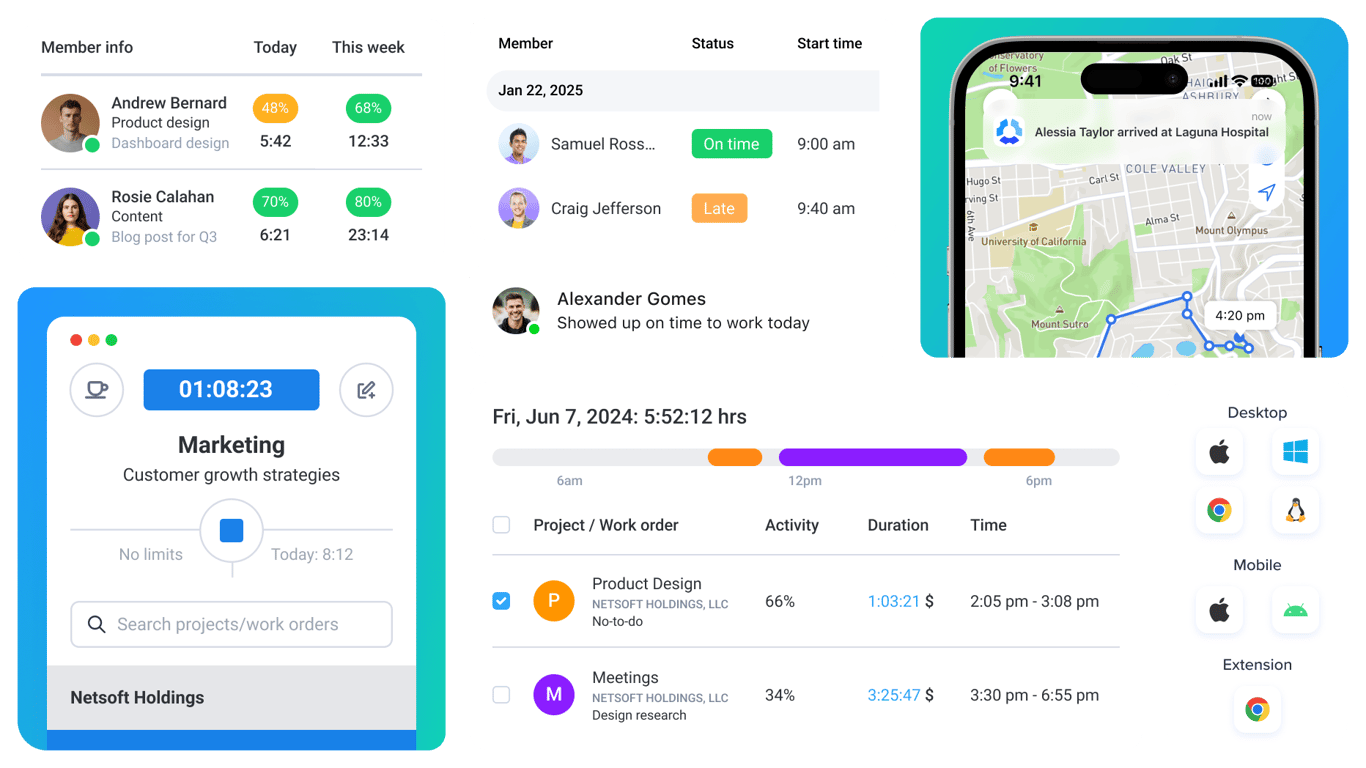
Best for: Assistants whose client or VA agency requires screenshots and activity levels, or who have agreed to provide that record as part of the work.
- Pricing: Starter $4.99 per seat/month billed annually ($7 monthly), Grow $7.50 ($9), Team $10 ($12), Enterprise $25 billed annually, all with a two-seat minimum and a 14-day trial. A one-person free plan and Small Business Essentials ($144 a year for up to four members, new annual accounts only) are described in Hubstaff's help centre, not on its pricing page.
- Rating: 4.4/5 on G2 from 2,309 reviews, 4.5/5 on Capterra from 1,613 reviews
Hubstaff is here for a different reason. You would rarely pick it to bill your own clients, but it is one of the trackers a client or agency is most likely to ask you to use, because it records screenshots, activity levels and apps and URLs alongside the time. Its help centre even describes the free one-person plan as intended for freelancers who need to provide proof of work for employers, with 100 screenshots a month. If a client adds you to their own Hubstaff organization, the seat is on their bill, since Hubstaff charges the organization for every member.
Screenshots can provide context for recorded hours, but activity scores measure computer input rather than the value of calls, reading or planning. Client invoices are available on every Hubstaff plan, with Starter limited to five clients. Starter also caps screenshots and app and URL tracking at 500 each per seat per month. Agree the capture settings before installing the agent.
What users say about Hubstaff
Manager reviews in the linked samples value activity records and payroll support. Other reviewers object to monitoring or report idle detection during calls. Those different roles matter when interpreting the ratings.
Source: G2 reviews and Capterra reviews
8. Jibble - when an agency makes you clock in
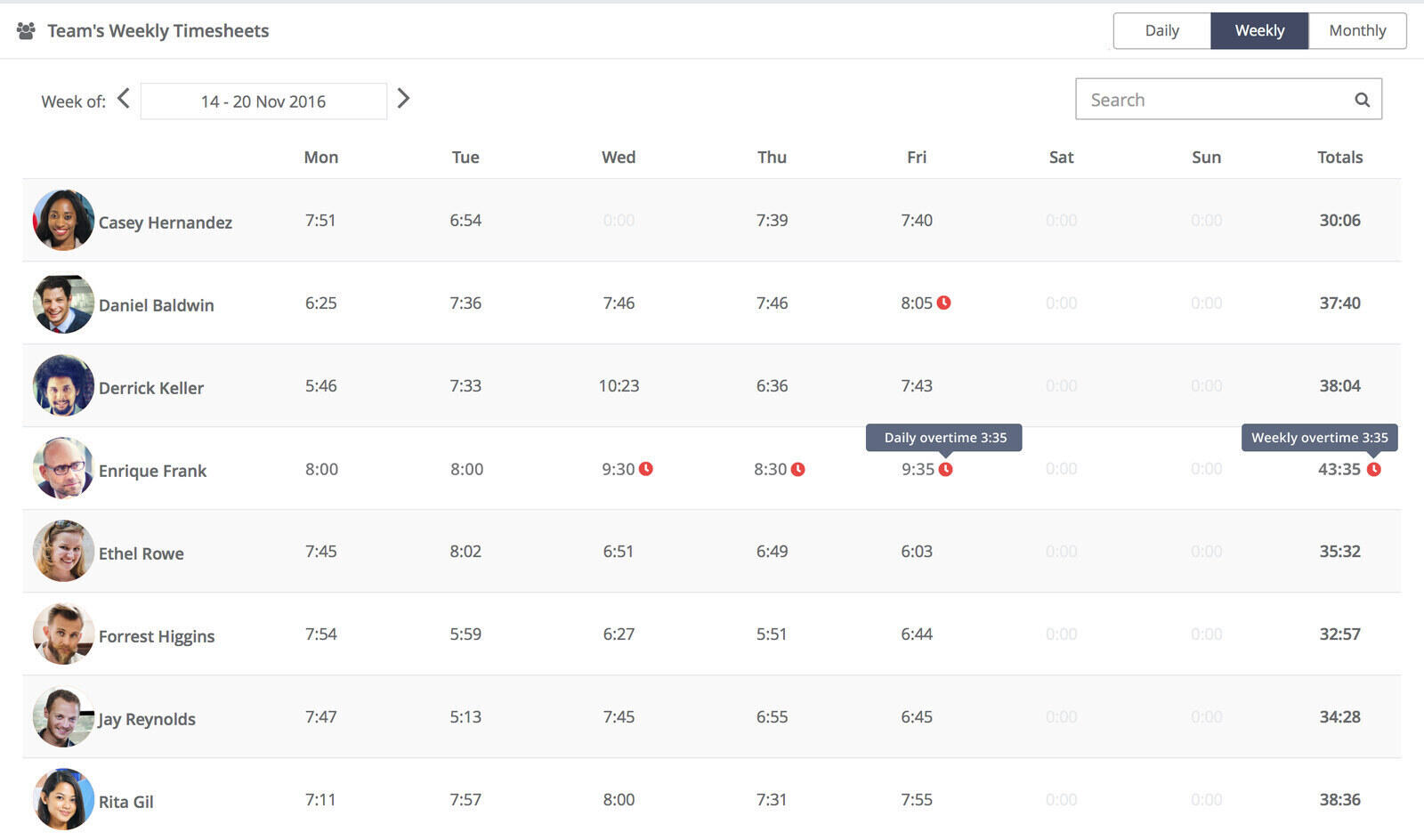
Best for: Assistants placed by an agency or employer that runs attendance on Jibble, or anyone who needs a free clock-in timesheet with no client billing attached.
- Pricing: Free for unlimited users, covering desktop time tracking, mobile and web clock-ins, basic timesheets and Slack, Microsoft Teams and QuickBooks integrations. Paid plans exist, with a 14-day trial, but Jibble no longer publishes their prices; its pricing address redirects to the homepage.
- Rating: 4.7/5 on G2 from 639 reviews, 4.8/5 on Capterra from 2,011 reviews
Jibble is built around attendance: clocking in and out, breaks and payroll timesheets, and on the stricter side GPS tracking, geofences, facial recognition, a shared kiosk and periodic screenshots. For an assistant it matters most when an agency or larger client runs its team on Jibble and adds you to it. Being free for unlimited users is a large part of why smaller employers choose it.
For billing your own clients it is a weak fit. Jibble sets the billable rate per person, on each member's profile, so three clients cannot have three rates and you work out each amount yourself. It does offer rounding rules for clock-ins, clock-outs and breaks, grouping by project, and syncing time to Xero, QuickBooks or Deel, which helps if you invoice there. The missing price list makes a paid plan hard to plan for.
What users say about Jibble
The sampled reviews value quick clock-ins and attendance features. Others report mobile, recognition and recording problems. Service-team feedback is more relevant here than reviews about shift attendance alone.
Source: G2 reviews and Capterra reviews
Should you install the tracker a client asks for?
Decide after checking what the tracker records and whether it fits the work agreement and your other client commitments. A client may request screenshots or activity data, but those records do not capture every kind of work. Before installing anything, agree:
- What it records: screenshots and how often, whether they are blurred, and whether apps, websites, keyboard and mouse activity are logged.
- When and where it runs: only while you work for that client, and how to stop capture before working for another client. A separate browser profile alone does not isolate a desktop screenshot agent.
- Who sees it: who at the client can view screenshots, and for how long they are kept.
- How activity is judged: calls, reading and planning count as work even when the activity score is low.
- Who pays: on a client's own Hubstaff organization, the client pays for your seat.
Many assistants keep their own tracker as well: the client's tool records that client's hours, and your own covers every client plus your non-billable time.
Where should an assistant start?
Test your shortlist with one hourly client and one retainer, if you use both. Check a forgotten entry, the agreed rounding rule, the remaining retainer hours and the invoice. The example above shows the manual steps Timen leaves to you.
Choose the tool that handles those steps with an acceptable amount of admin. Agree billing and monitoring terms separately with each client, and use a weekly billable review to catch mistakes before invoicing.